
Generate Invoice in 1-minute
Free Invoicing Software to Create, Share & Track Invoices
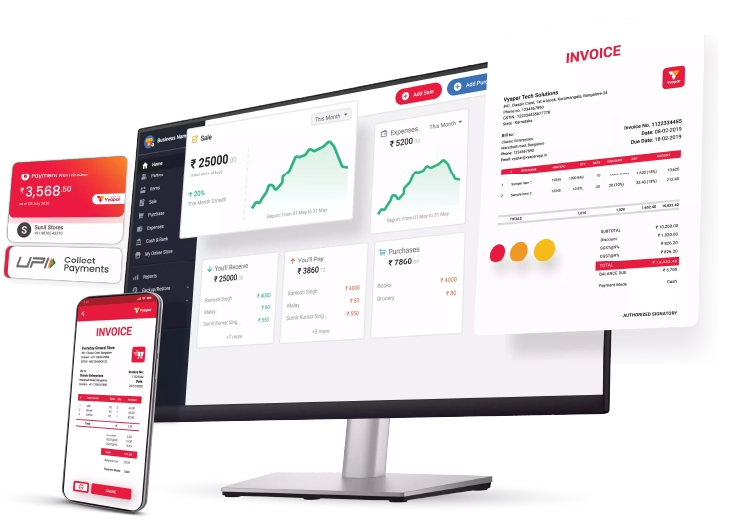
Create Professional invoices, customise your invoice format, share invoices on WhatsApp and track customer payments. Manage invoicing from your phone or desktop with Vyapar, even without internet.
GST & HSN Ready
Share on WhatsApp
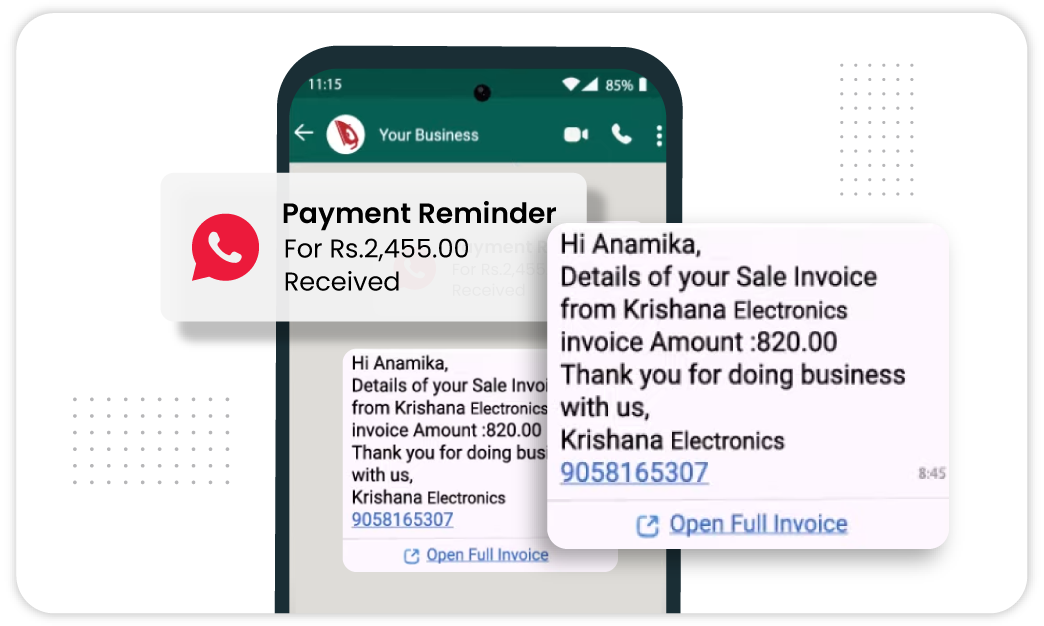
Payment Reminders
What is Invoicing Software?
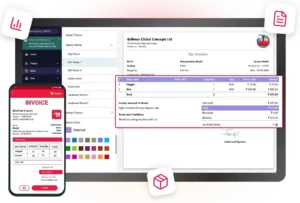
Invoicing software helps you create and send invoices without doing everything manually. You can add customer and product details, calculate the total, add taxes and share the invoice with your customer.
It also helps you keep track of paid, unpaid and overdue invoices, send payment reminders and create recurring invoices when you bill the same customer regularly.
Vyapar Invoicing Software brings all these tasks together, helping you create invoices, manage payments and keep your invoice records organised in one place.
Why Businesses Choose Vyapar as the Best Invoicing Software
From e-invoices and e-way bills to offline access, multi-user support, and multi-currency invoices, Vyapar provides everything your business needs for invoicing.

E-Invoice Generation
Generate GST-compliant e-invoices with required details and get the IRN and QR code in the format specified by the GST e-invoice portal.

E-Way Bill Generation
Create e-way bills using your invoice details, so you can complete required transport documentation without entering the same information again.
Online Store & Customer Orders
Receive customer orders through your online store and manage them in Vyapar before turning them into invoices.

Multi-User Access
Let your team members access invoicing and business data with permissions based on the work they need to handle.

Transaction SMS
Send customers important transaction details through SMS, including invoice information, payment updates and other business messages.

Automatic Data Backup
Back up your business data automatically and keep your invoice records safer without depending on manual backups.

Offline Invoicing
Create invoices and continue your work without an internet connection, then sync your data when you are back online.

Multi-Currency Invoicing
Create invoices in different currencies when dealing with customers outside India or businesses that accept international payments.
Proforma Invoice
Create proforma invoices to share estimated transaction details with customers before making the final sale or issuing the actual invoice.
Key Features of Vyapar Invoice Software for Small Business
Custom Invoice
GST & Non-GST Invoices
1-Click Conversion
Easy Payments
Payment Tracking
Customise Invoice Designs & Formats
Your invoice is also a document that represents your business. Create a format that looks clear and professional and includes the information your customers need.
Add your business identity and choose the invoice format that fits your way of working. Keep important payment and transaction information easy to find.
- Add business logo and details
- Choose an invoice format
- Include relevant fields and payment information
- Create consistent-looking invoices
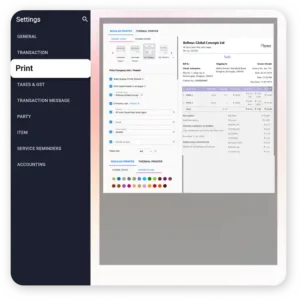
How it works:
Select your preferred theme and use Transaction Settings to customise invoices to see how taxes and totals appear, ensuring a seamless, faster invoicing experience.
Key Benefits:
- More professional presentation
- Consistent invoices
- Clearer information for customers
- Better business identity
Mini use case:
A service business can use a customised invoice with its logo, contact details, service information and payment terms for every client.
Create GST & Non-GST Invoices
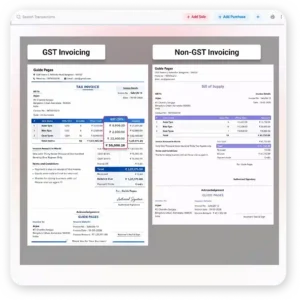
Create an invoice that matches the type of transaction and tax requirements of your business. Vyapar Invoicing software lets you create both GST and non-GST invoices with the details your customer needs.
Add customer and business details, enter products or services, apply applicable taxes and review the final amount before sharing the invoice
- Create GST tax invoices
- Create non-GST invoices
- Add HSN/SAC and tax details
- Include customer, item and payment information
How it works:
Select your tax preference in the settings. When you create an invoice, Vyapar invoicing software applies the correct tax slab and format based on whether the transaction is GST-registered or a simple non-tax sale.
Key Benefits:
- Less manual calculation
- Clearer customer invoices
- Suitable for different business needs
- Faster invoice preparation
Mini use case:
A hardware trader issues a GST Tax Invoice to a corporate/office client for a bulk order, then switches to a Non-GST invoice for a local walk-in customer, all within the same app in seconds.
Convert Quotations & Orders into Invoices
If you have already prepared a quotation or order, you should not have to enter the same information again. Convert supported quotations and orders into invoices and continue the transaction.
This keeps customer and transaction information consistent and reduces repeated data entry between the sales document and the final invoice.
- Convert quotations into invoices
- Convert supported orders into invoices
- Reuse customer and transaction details
- Reduce repeated data entry
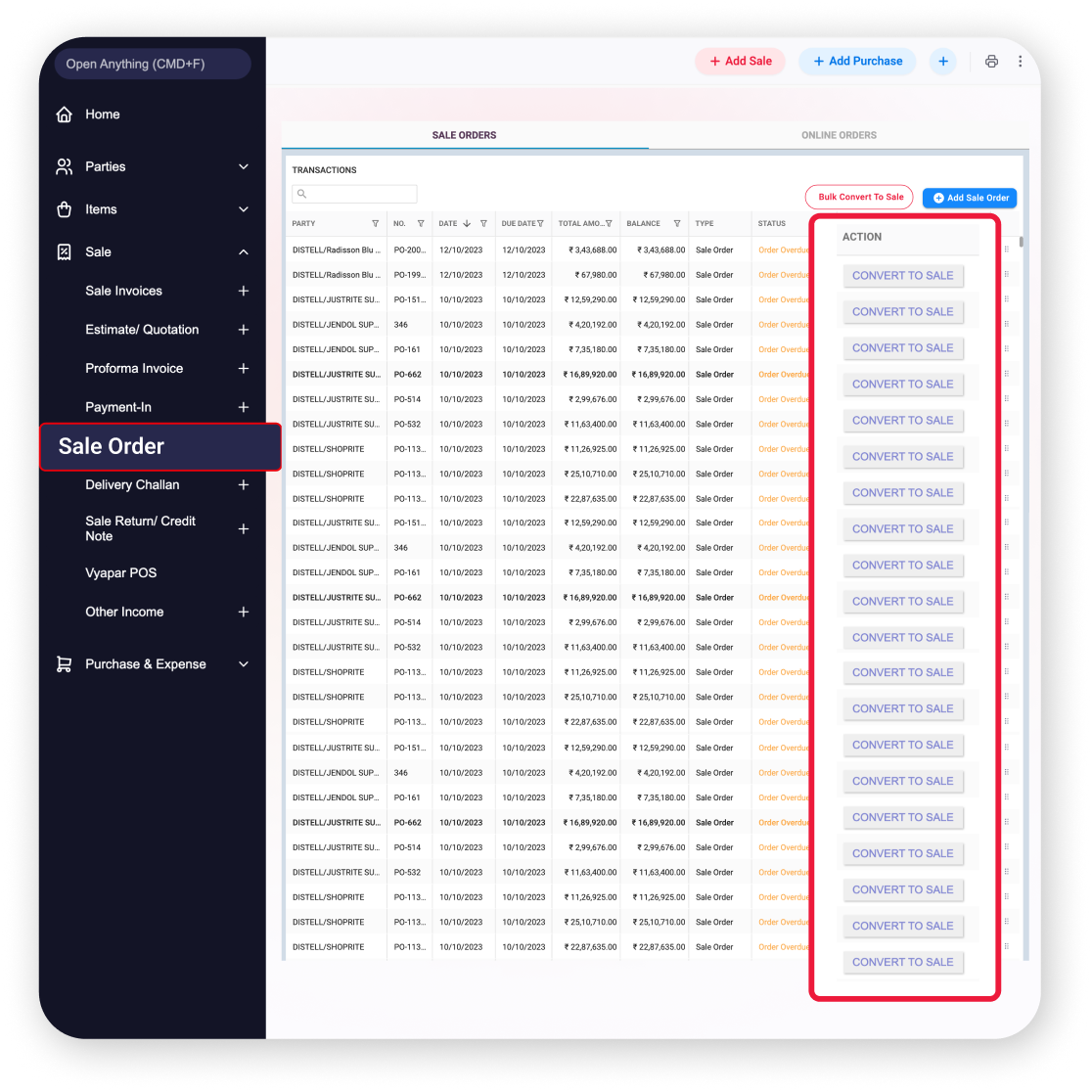
How it works:
Create the quotation or order first. Once it is accepted, convert it into an invoice and review the details before sending it.
Key Benefits:
- Saves repeated work
- Reduces typing mistakes
- Keeps transaction details consistent
- Speeds up invoice preparation
Mini use case:
A distributor sends a quotation to a retailer, gets approval and converts the accepted quotation into an invoice without entering the item details again.
Send Invoices Through WhatsApp, Email or PDF
Once an invoice is ready, getting it to the customer should be simple. Share invoices through WhatsApp, email or PDF based on what is convenient for the customer.
Digital sharing helps you send the invoice soon after the sale or service instead of printing, scanning or manually handling paper copies.
- Share invoices through WhatsApp
- Send invoices by email
- Download or share PDF invoices
- Keep digital invoice copies
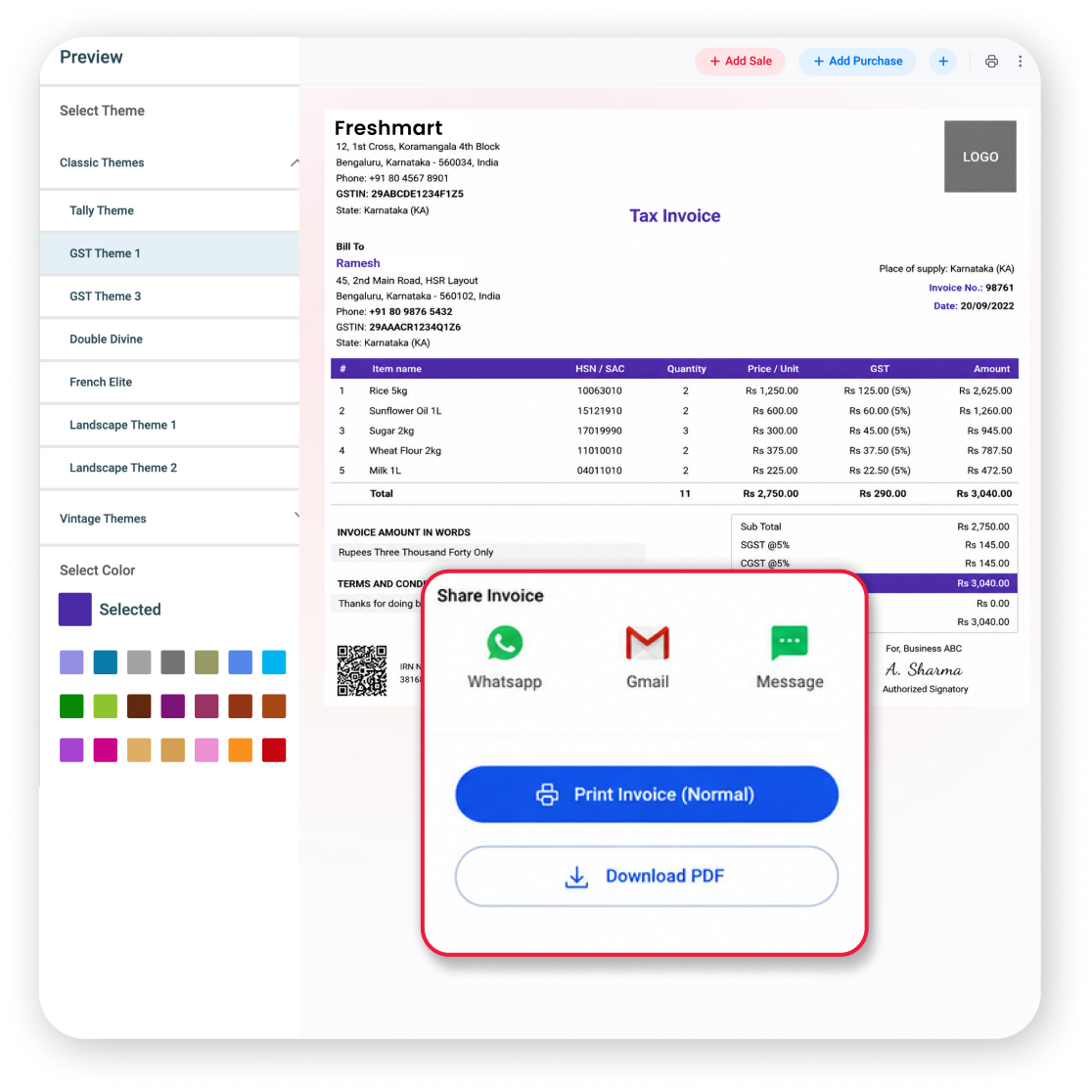
How it works:
Finish the invoice, choose the sharing option, send it to the customer and keep the invoice record for future reference.
Key Benefits:
- Faster invoice delivery
- Less paper handling
- Easy customer access
- Convenient digital records
Mini use case:
A small contractor completes a job and sends the final invoice as a PDF on WhatsApp immediately after the work is completed.
Add UPI QR Codes & Payment Links
An invoice tells the customer how much to pay. Giving them an easy payment option can make the next step simpler. Add UPI QR codes and payment links to make digital payments convenient.
Customers can pay using the option provided with the invoice, while an integrated accounting system helps keep your payment and transaction records organised.
- Add UPI QR codes
- Add payment links where supported
- Make digital payments easier
- Keep payment information with the invoice
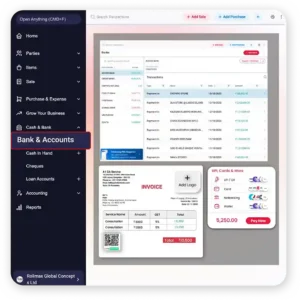
How it works:
Create the invoice, add the available payment option, share the invoice and let the customer use the QR code, link or bank details to make the payment.
Key Benefits:
- Simpler payment experience
- Less back-and-forth with customers
- Payment details stay with the invoice
- Convenient for digital-first customers
Mini use case:
A consultant integrates a UPI QR code into a monthly invoice so the client can scan and pay without asking for payment details separately.
Track Paid, Unpaid & Overdue Invoices
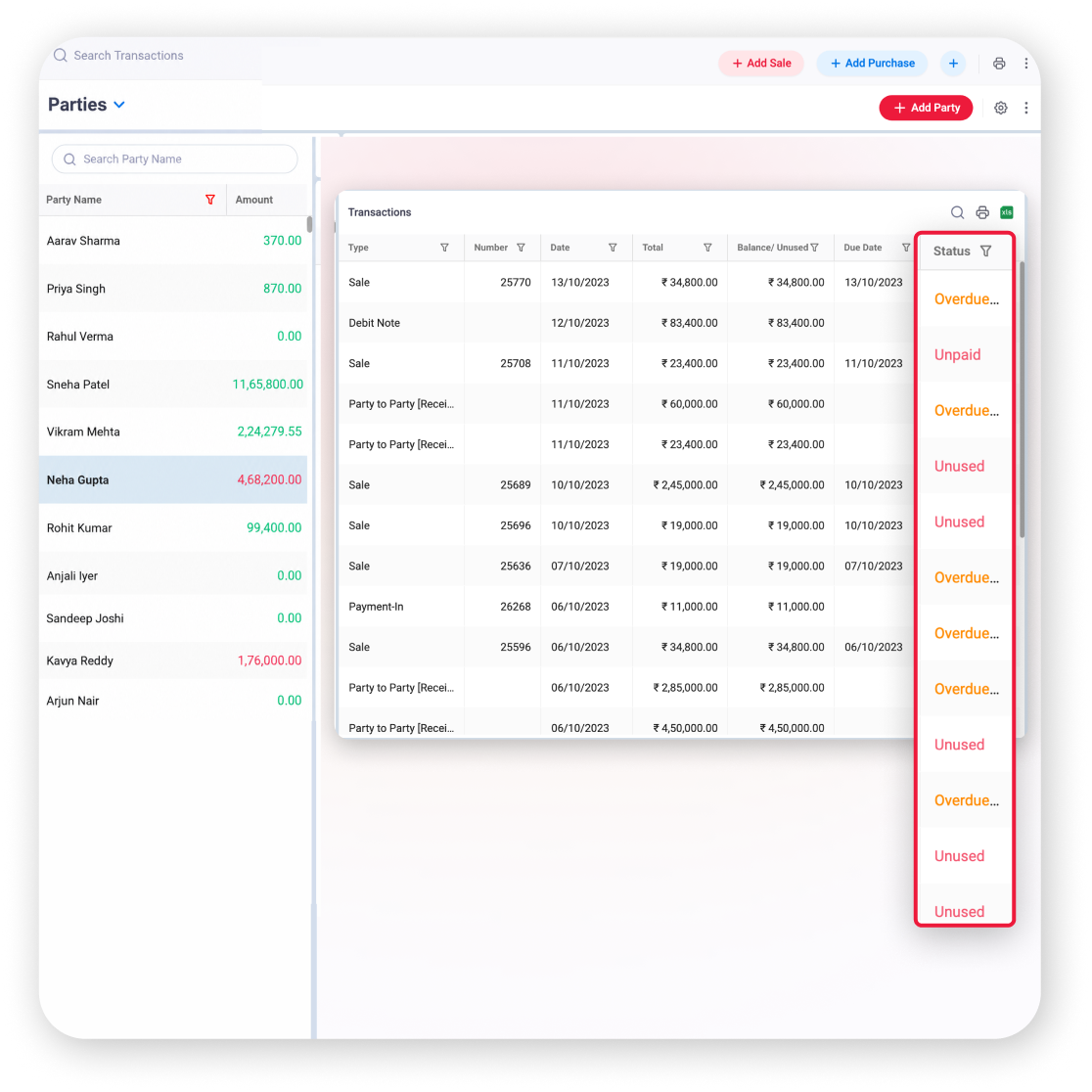
As your business grows, remembering which customers have paid can become difficult. Track invoice status so you can quickly see which invoices are complete and which need attention.
Use paid, unpaid and overdue status to understand your outstanding invoices and decide where to follow up instead of checking every transaction manually.
- View paid invoices
- Identify unpaid invoices
- Find overdue invoices
- Track outstanding amounts and due dates
How it works:
Open your transaction report to check the payment status and focus your follow-up on invoices that are unpaid or overdue.
Key Benefits:
- Better payment visibility
- Easier customer follow-up
- Less dependence on memory
- Clearer view of outstanding dues
Mini use case:
A wholesaler has many customer invoices and uses the transaction report to quickly find overdue payments that need a follow-up.
🚀 Start Using in 2 Minutes
How Vyapar Invoicing System Works
Watch How Vyapar Invoicing Software Helps Small Businesses Create and Share Invoices
Download Vyapar
Get Vyapar billing software on your phone or desktop to start professional invoicing instantly.
Add Details
Add your business, stock details and party info manually or import your entire list via Excel to get your business ready for invoicing.
Generate Invoices
Create GST-compliant Invoices and share them instantly with customers via WhatsApp.
Collect Payments
Use automated reminders and integrated UPI links to get paid faster.
What Business Owners Say About Vyapar Invoicing Software
See how businesses are growing faster with Vyapar invoicing software

Mohsin Ali
Owner, MS Decor Furnishing, Bengaluru
Earlier, invoicing and quotations were manual and time-consuming, while inventory management was a major challenge, with items often going missing. Since the Vyapar team showed me how to manage everything on the app, it has become much easier
100%
Items tracking accuracy
60 to 70%
Improvement in Business Operations
4.5/5
Customer Rating
Faster
Invoicing & Quotations Generation
Free & Affordable Plans for Your Business
Start now, save more, and scale faster with Vyapar’s invoicing solution packages!
Desktop
Mobile
Desktop
Free Trial
Try 7 days Trial
All Features are Unlocked
Perfect for Getting Started
 Audit Trial
GSTR Reports
Expense Tracking
Fixed Assets
WhatsApp Integration
Import Parties
Silver Plan
₹3799/year
Buy for 3 Years – Save ₹2798 Today!
Great for Small Stores
3 Firm/Businesses
Quick Billing
Multi Device Sync
Fixed Assets
Cancel Sales
Billwise Profit/Loss Reports
Multiple Item Prices
Share with CA
Accountant Access

Most Popular
Gold Plan
₹4099/year
Buy for 3 Years – Save ₹3198 Today!
Most popular for Growing Businesses
Everything in Silver Plan
5 Firm/Organisation
Account Statement
Set Credit Limit
Payment Reminders
Service reminders
Check Profit on Invoices
Trail Balance Sheet
Retail Pro Plan
₹8999/year
Buy for 3 Years – Save ₹7198 Today!
Popular for Retail Businesses
All Gold Plan Features
Add Unlimited Businesses
Godown & Stock Transfer
Barcode Generation
Greetings & Offers
Loyalty Points
Online Store
Marketing Tools
Mobile
Free Plan
Lifetime Free
Limited Access
Perfect for getting started
Audit Trial
GSTR Reports
Expense Tracking
1 Firm/Organization
Invoice & Bill Creation
Silver Plan
₹699/year
Buy for 3 Years – Save ₹598 Today!
Great for Small Businesses
Everything in Free plan
3 Firm/Business
Multi Device Sync
Expenses with ITC
Cancel Sale
Multiple Item Price
Balance Sheet
Most Popular
Gold Plan
₹799/year
Buy for 3 Years – Save ₹698 Today!
Most popular for Growing Businesses
Everything in Silver plan
5 Firm/Businesses
Set Credit Limit
TCS and TDS on Invoice
Party Wise Item Rate
Check Profit on Invoices
Trail Balance Sheet
Retail Pro Plan
₹2099/year
Buy for 3 Years – Save ₹998 Today!
Great for Large Businesses
Everything in Gold plan
Add Unlimited Businesses
Godown & Stock Transfer
Barcode Generation
Marketing Tools
Online Store
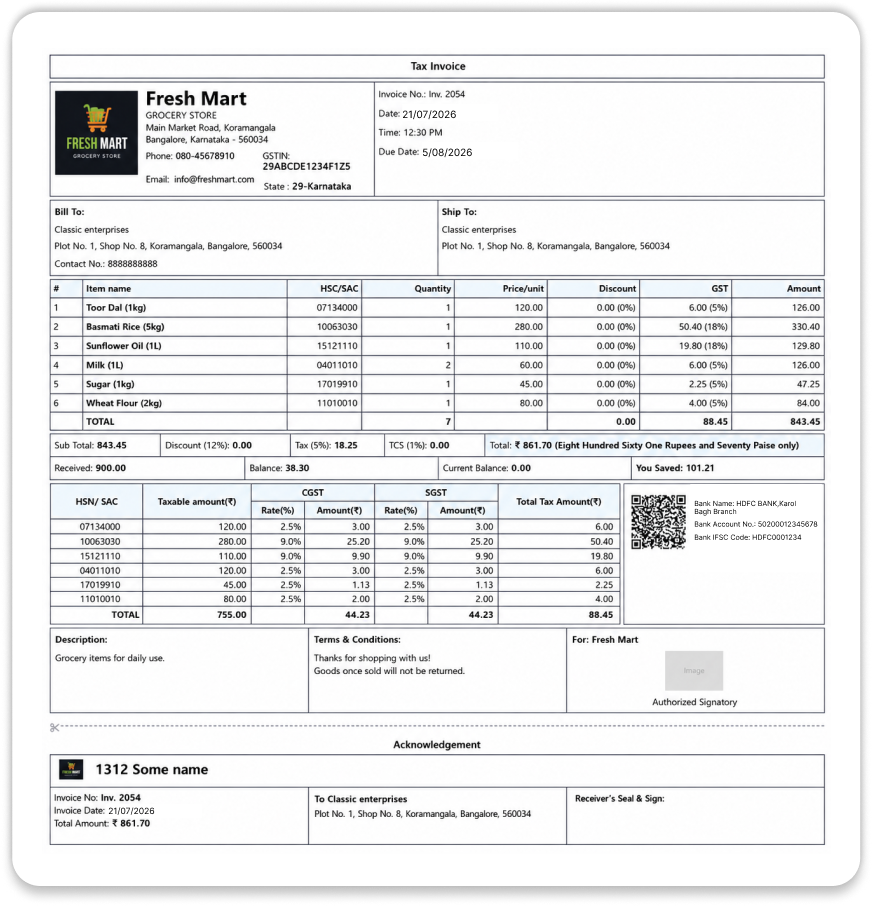
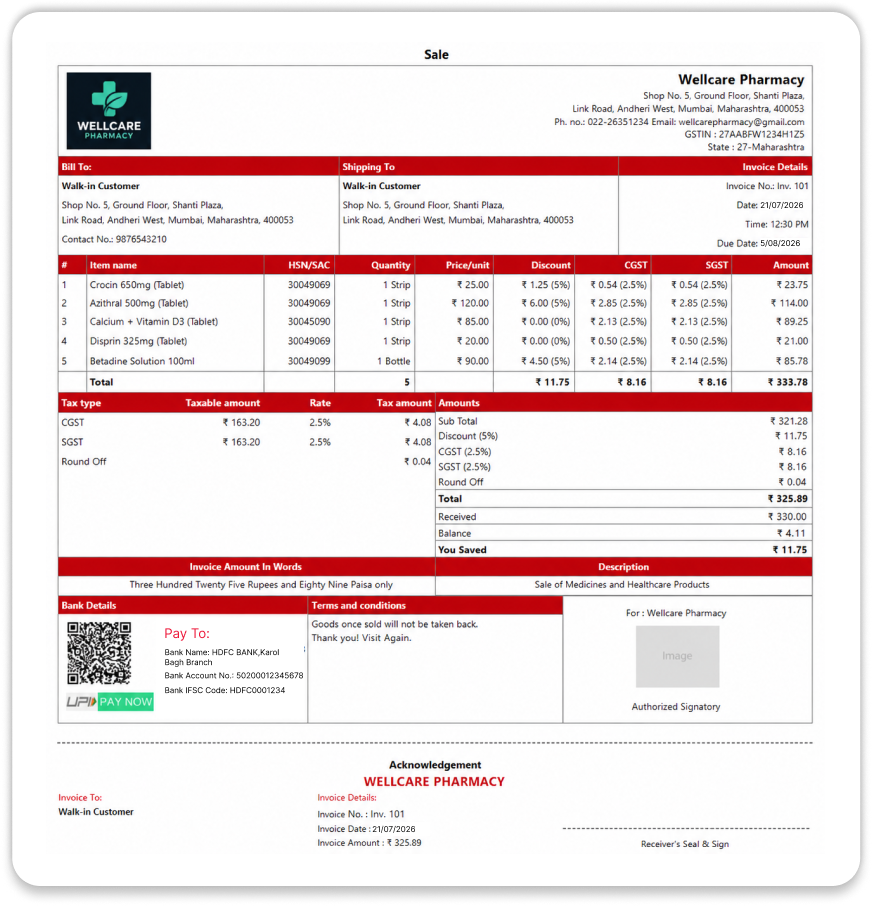
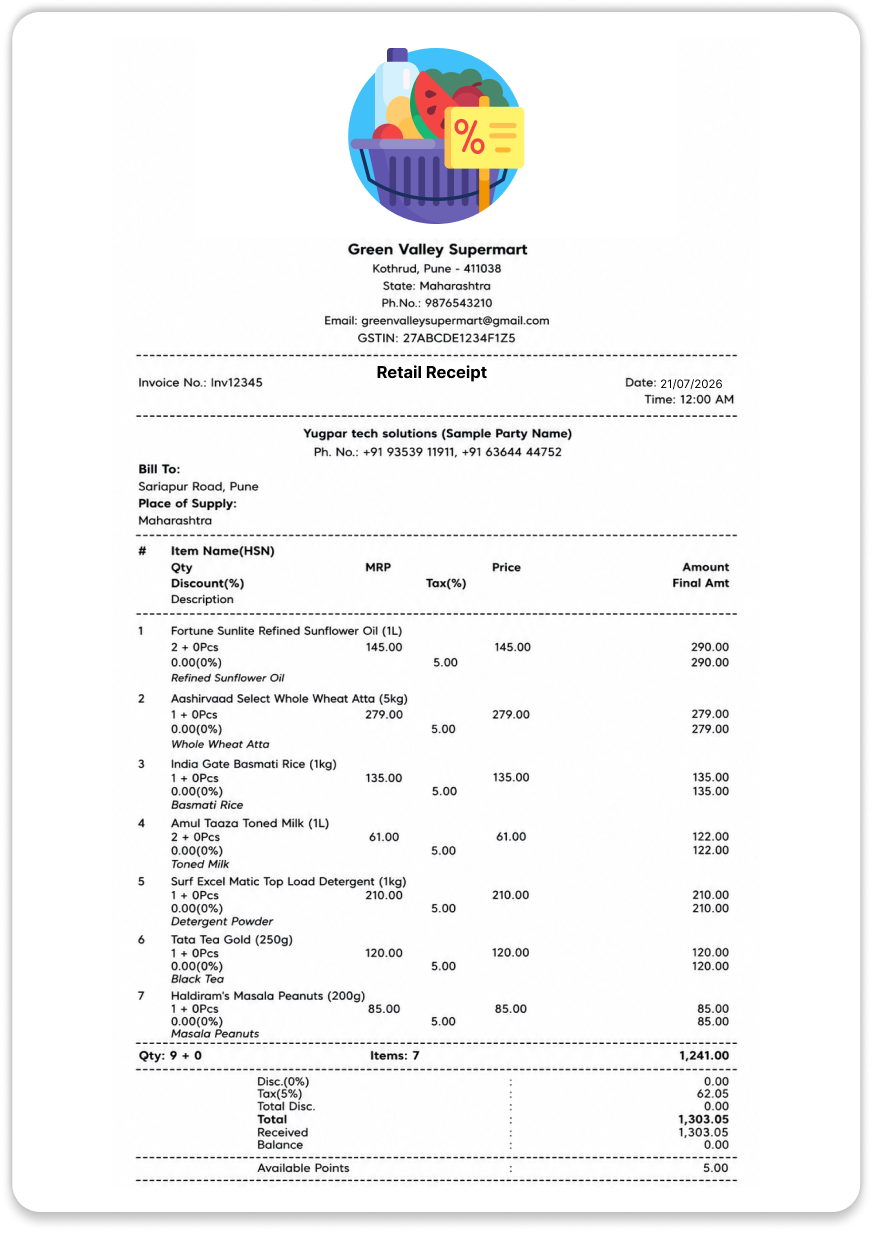
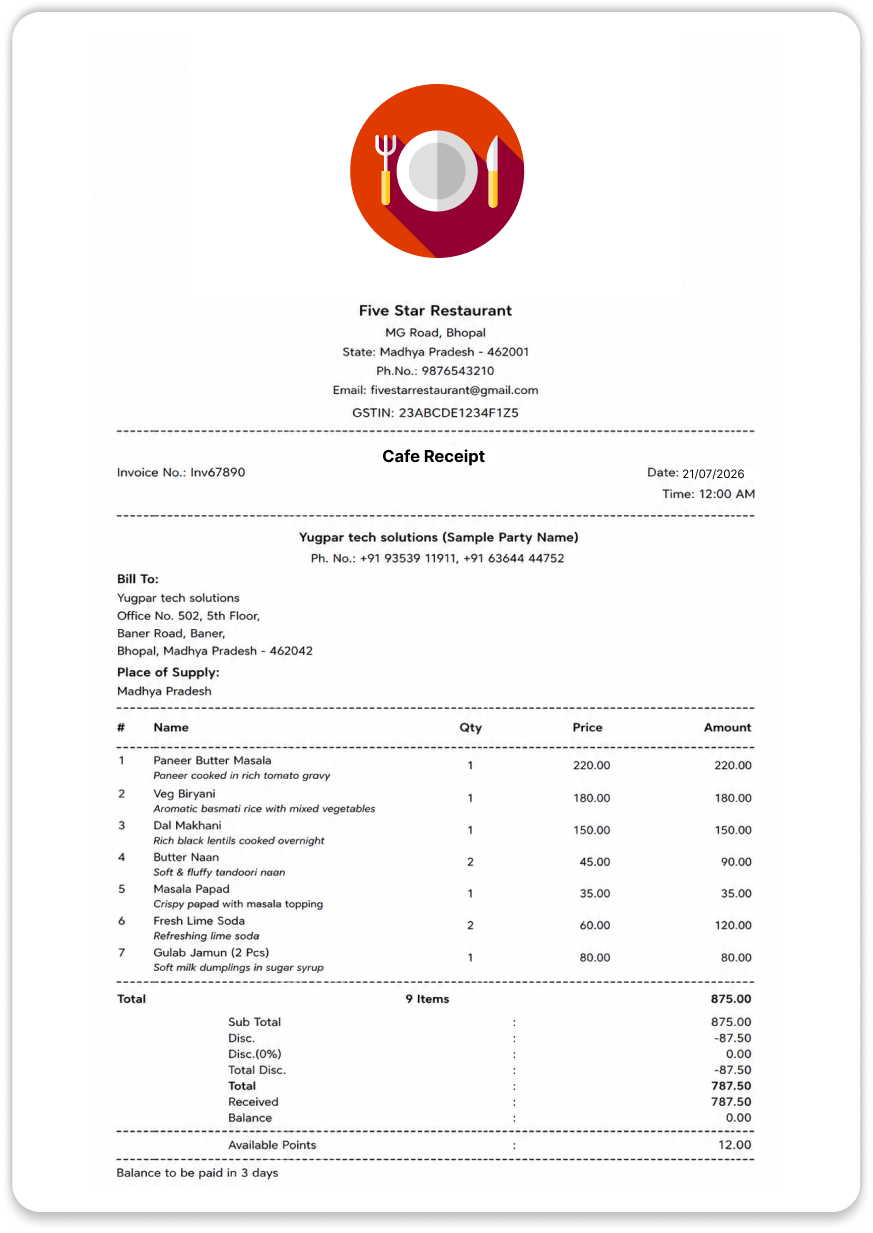
Explore Professional Invoice Templates for Your Business
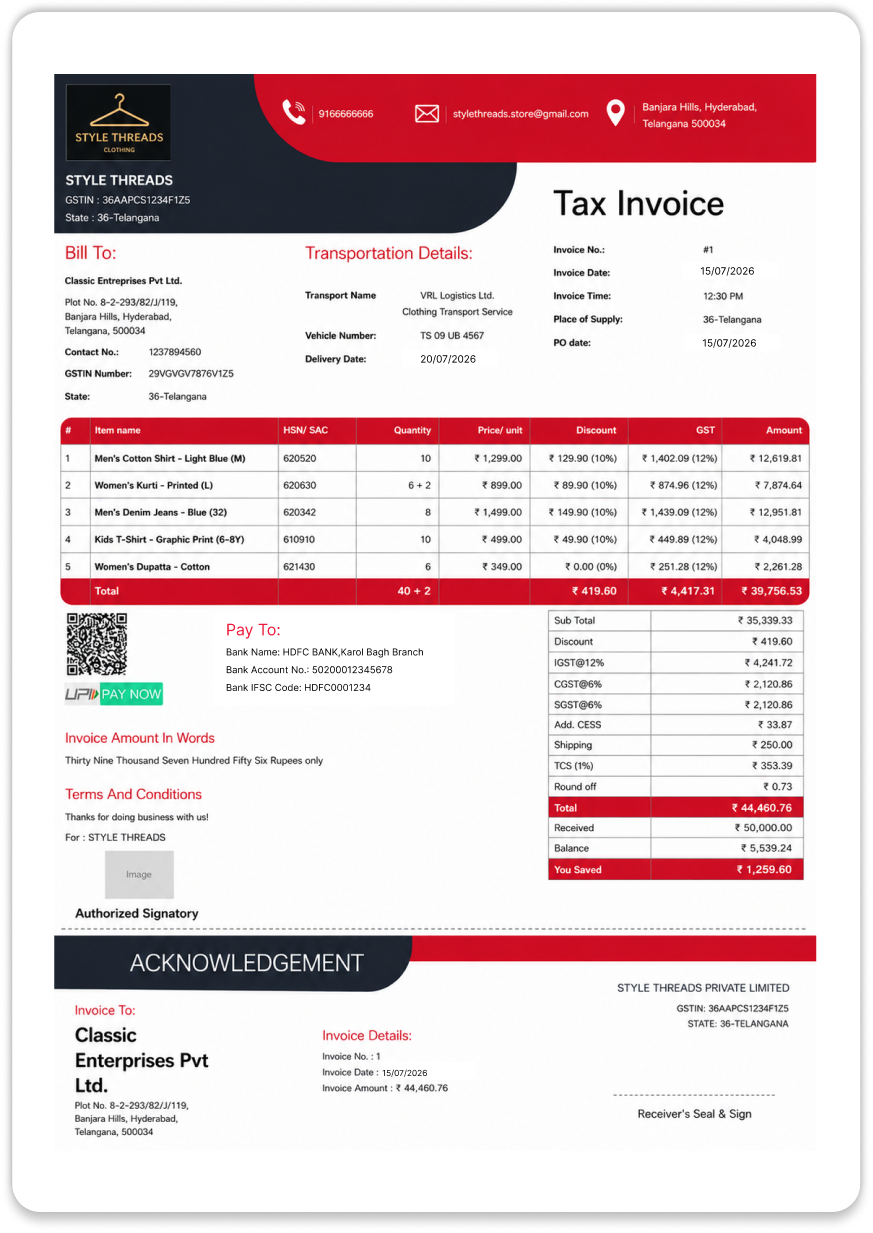
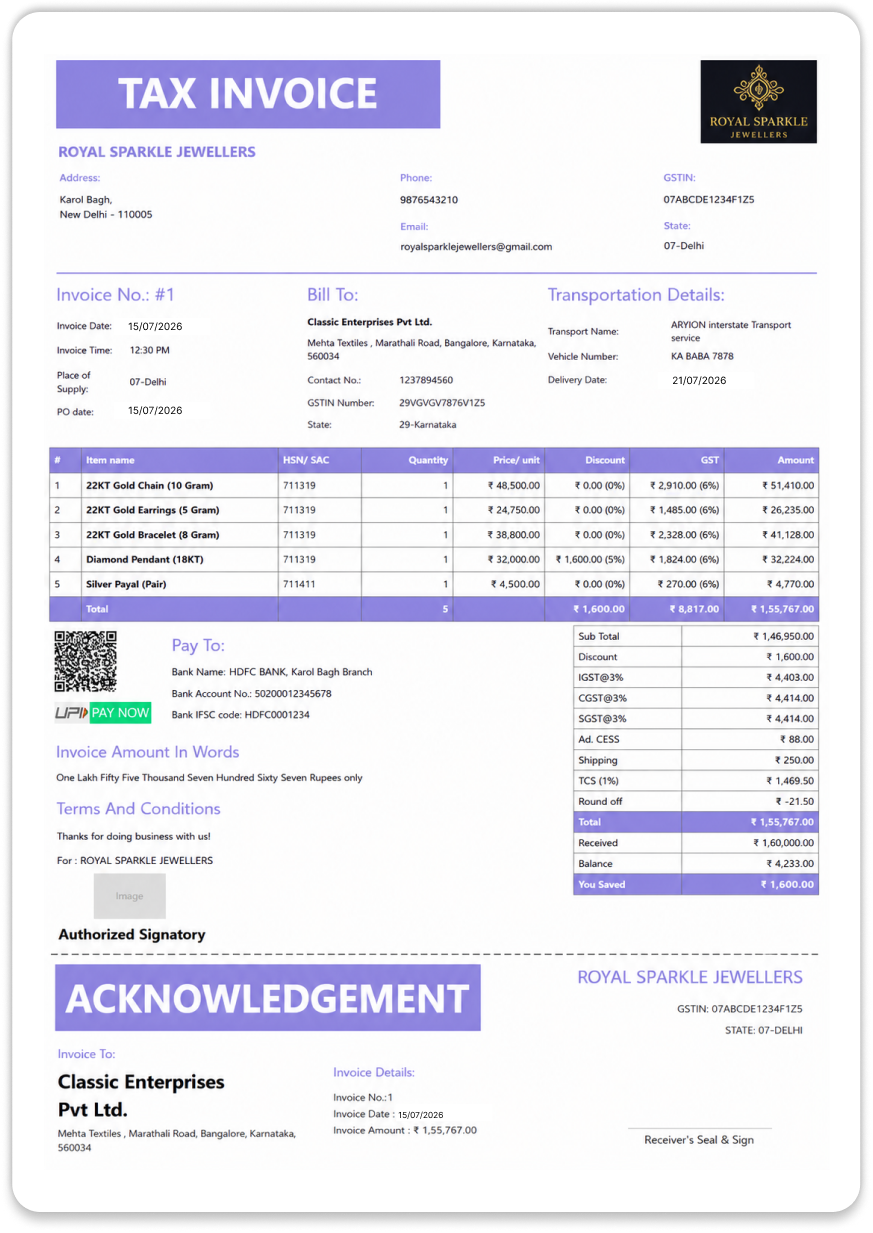
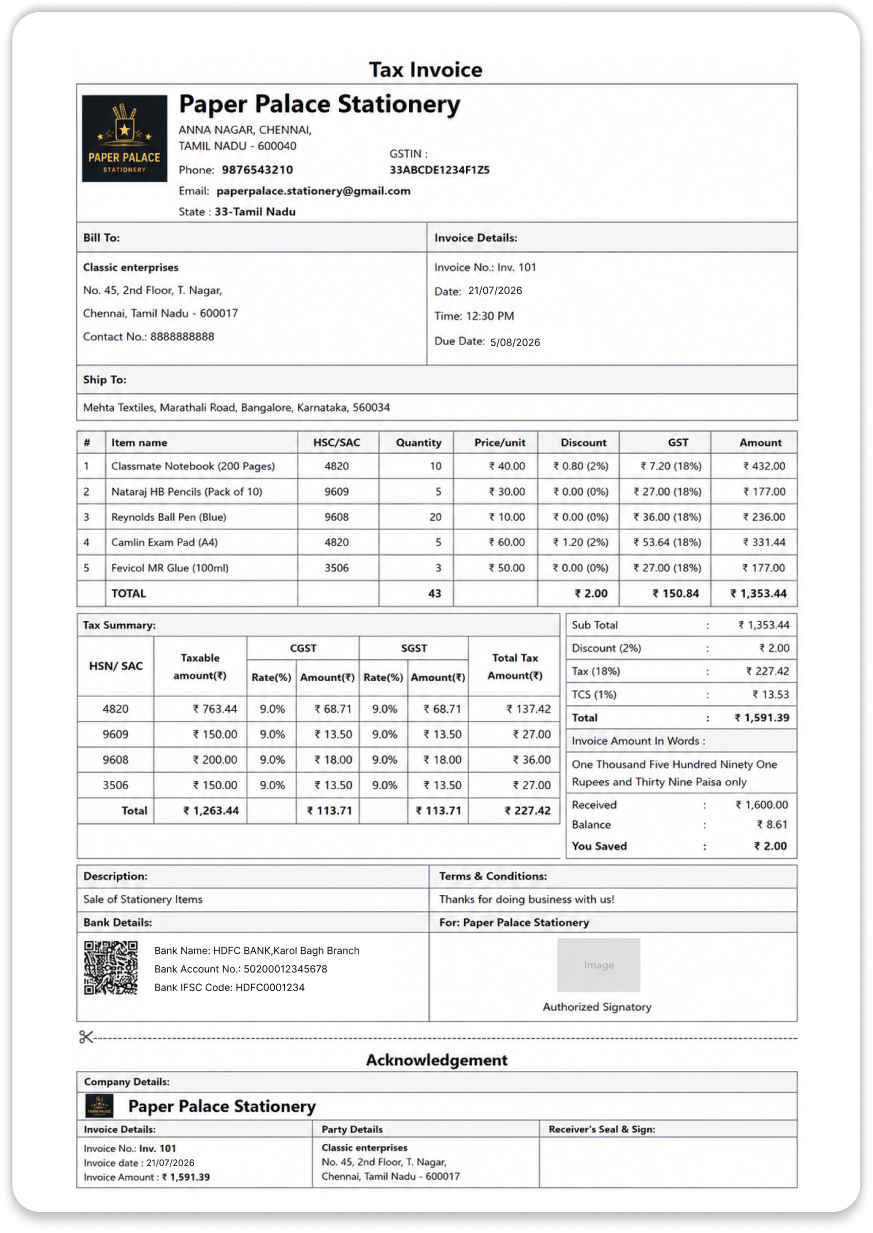
Choose from A4, landscape, and thermal invoice designs suited to different business needs. Select your preferred template, customise it in Vyapar with your logo, business details, fonts, and colours, and start creating professional bills in minutes.
Benefits of Using Vyapar Invoicing Software for Businesses
Manual invoicing can take more time as your customers and transactions grow. Vyapar Invoicing software helps reduce repeated work and keeps everyday invoicing tasks organised.
Spend Less Time Creating Invoices
Save customer, business and item details once, so you can reuse them instead of entering the same information for every invoice.
Reduce Manual Calculation Work
Let the software calculate invoice totals, taxes and other amounts, reducing the time spent checking calculations manually.
Keep Invoice Records Organised
Keep your invoices in one place, making it easier to find past records, check details and manage your paperwork.
Stay on Top of Customer Payments
Check which invoices are paid, unpaid or overdue so you know which customers need a payment follow-up.
Present Your Business Professionally
Create clear and professional invoices with your business details, helping customers understand the charges and payment information easily.
Reduce Repetitive Invoicing Work
Convert quotations and orders into invoices or schedule recurring invoices to avoid creating the same invoice repeatedly.
Work Even Without Internet
Create invoices and continue your daily work without an internet connection, then sync your data when you are online again.
Make Payments Easier for Customers
Add UPI QR codes and payment links to invoices so customers can quickly access payment options and complete their payments.
Save Time with Automated Recurring Invoices
What Is It?
Recurring invoice
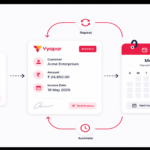
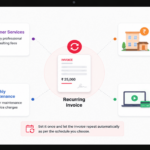
A recurring invoice is an invoice that is created and sent to a customer at regular intervals based on a schedule you set. It helps you avoid creating the same invoice manually every time.
How it works
Set up Recurring Invoice
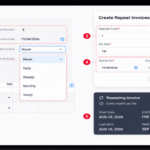
Set up the customer and invoice details, choose the recurring schedule and let the repeat invoice follow the schedule you set.
Explore Guide
Best For
Ideal for Regular Payments
Recurring invoices are ideal for businesses that regularly charge customers for monthly maintenance, subscription services, professional retainers, rent, or other repeat services and charges.
Send Payment Reminders for Unpaid Invoices

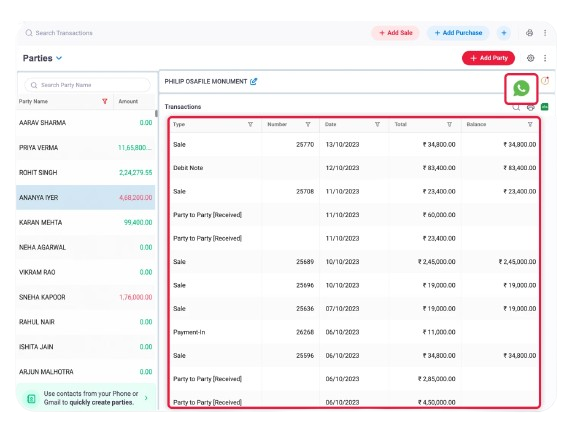
Quickly identify unpaid and overdue invoices to see which customers have pending payments. Avoid checking each invoice manually and follow up faster.

Once you know which invoices are pending, send payment reminders when payments are due or overdue. This makes follow-ups easier and saves time.
What Should a Professional Invoice Include?
A professional invoice clearly shows the seller, customer, items or services, amount due, taxes, and payment details.
The exact information needed can depend on the business, transaction and applicable tax requirements.
Use Vyapar Online, Offline, on Mobile or Desktop
Vyapar invoicing software works as an app on your phone and computer, so you can create invoices with or without internet. Here is what you can do on each.
Mobile App
Create and send invoices from your phone, wherever you are.
- Available on Android and iPhone
- Share invoices on WhatsApp instantly
- Free plan available
Desktop Software
Suited to billing counters and back-office work with larger screens.
- Print A4, landscape and thermal invoices
- Manage invoices, stock and reports in one place
- 7-day free trial with all features
Works Without Internet
Keep billing even when the internet is slow or unavailable.
- Create and save invoices without internet
- Data syncs when you are back online
- No billing delays at the counter
Online in Your Browser
Need a single invoice without installing anything?
- Use the free online invoice generator
- Download the invoice as a PDF
- Switch to the app for regular invoicing
With Multi Device Sync on paid plans, the same invoice data is available on your phone and desktop.
Create Professional Invoices in Seconds with Vyapar App!
We take pride
in our success
1.5cr+
Businesses Managing Invoices
50+
Invoicing & GST Reports
10M+
Invoices Generated
70+
Industries served
4.8/5
Avg. user rating
100%
Secure Data Backup
❝ Highly rated by users ❞





Frequently Asked Questions
Find answers to common questions about Vyapar Invoicing software. Our support team is here to help anytime
Vyapar is one of the best invoicing and billing software for small businesses, retailers, wholesalers, distributors, and SMEs in India. Trusted by 1.5 Cr+ businesses and rated 4.8/5 on the Google Play Store, Vyapar helps businesses create professional invoices, manage payments, track outstanding dues, and handle GST billing. It also supports offline invoicing, WhatsApp invoice sharing, inventory management, and other day-to-day business operations in one easy-to-use app.
Yes, Vyapar lets Indian businesses create GST-compliant invoices with GSTIN, HSN/SAC codes, GST rates, CGST, SGST, IGST, and other required invoice details.
Yes, Vyapar supports offline invoicing. You can create and manage invoices without an active internet connection, making it useful for businesses that work in areas with limited or unreliable internet access.
Yes, Vyapar lets you share invoices with customers through WhatsApp. You can send the invoice directly from the app as a PDF, making it easier to share bills and request payments.
Yes, Vyapar is available on Android devices, allowing you to create, manage, and share invoices from your mobile phone. You can also manage other business activities such as payments, inventory, and customer accounts from the app.
Yes, Vyapar lets you customize invoices with your business name, logo, contact details, payment information, and other relevant fields. You can choose from available invoice formats to create professional-looking bills for your customers.
Yes, Vyapar helps you track unpaid and overdue invoices and send payment reminders to customers. This makes it easier to follow up on pending payments without checking every invoice manually.
Yes, Vyapar lets you track invoice payment status so you can identify paid, unpaid, and overdue invoices. This helps you keep track of pending customer payments and improve cash-flow management.
Yes, Vyapar lets you create quotations for customers and convert accepted quotations into invoices. This saves time because you do not have to enter the same product and customer details again.
Vyapar supports recurring invoice management for businesses that regularly bill customers for the same products or services. This helps reduce repetitive invoice creation for recurring transactions.
Yes, Vyapar supports digital payment options that businesses can use to collect payments from customers. You can also include relevant payment details or QR-based payment options on invoices to make payment easier.
Yes, Vyapar is designed for small businesses such as retailers, wholesalers, distributors, service providers, manufacturers, and other MSMEs. It combines invoicing with accounting, inventory, payment tracking, and other business management tools.
Yes, Vyapar supports different billing and invoicing requirements, including GST invoices, retail invoices, service invoices, and other business-specific invoice formats. You can also customize invoice details based on your business needs.
Yes, Vyapar supports e-invoicing and e-way bill generation for eligible GST-registered businesses. You can generate the required documents from Vyapar while keeping your billing and GST information organized in one place.
Still have questions?
Explore Vyapar Invoicing Software for All Businesses
➢ Invoicing Software for Garage
➢ E-Invoicing Software
➢ Invoicing Software for Consultants
➢ Invoicing Software for Freelancers
➢ Invoicing Software for Construction





