Excel Accounting Software for Small Business
Switch from Excel spreadsheets to Vyapar Excel accounting software. Create GST invoices, automate accounting & GSTR reports, save time, and avoid calculation errors. Try it free!
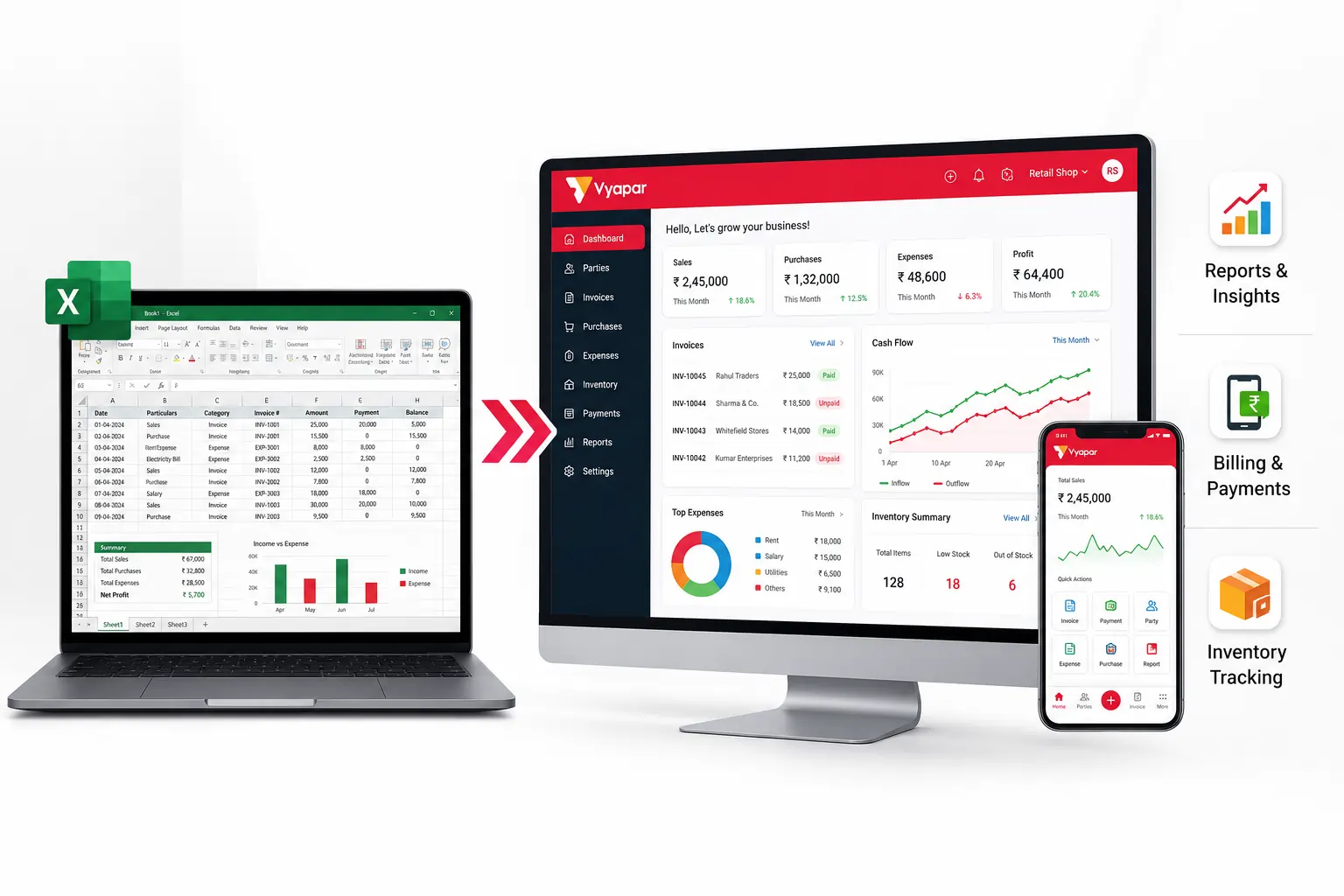
Why Small Businesses Choose Vyapar Excel Accounting Software
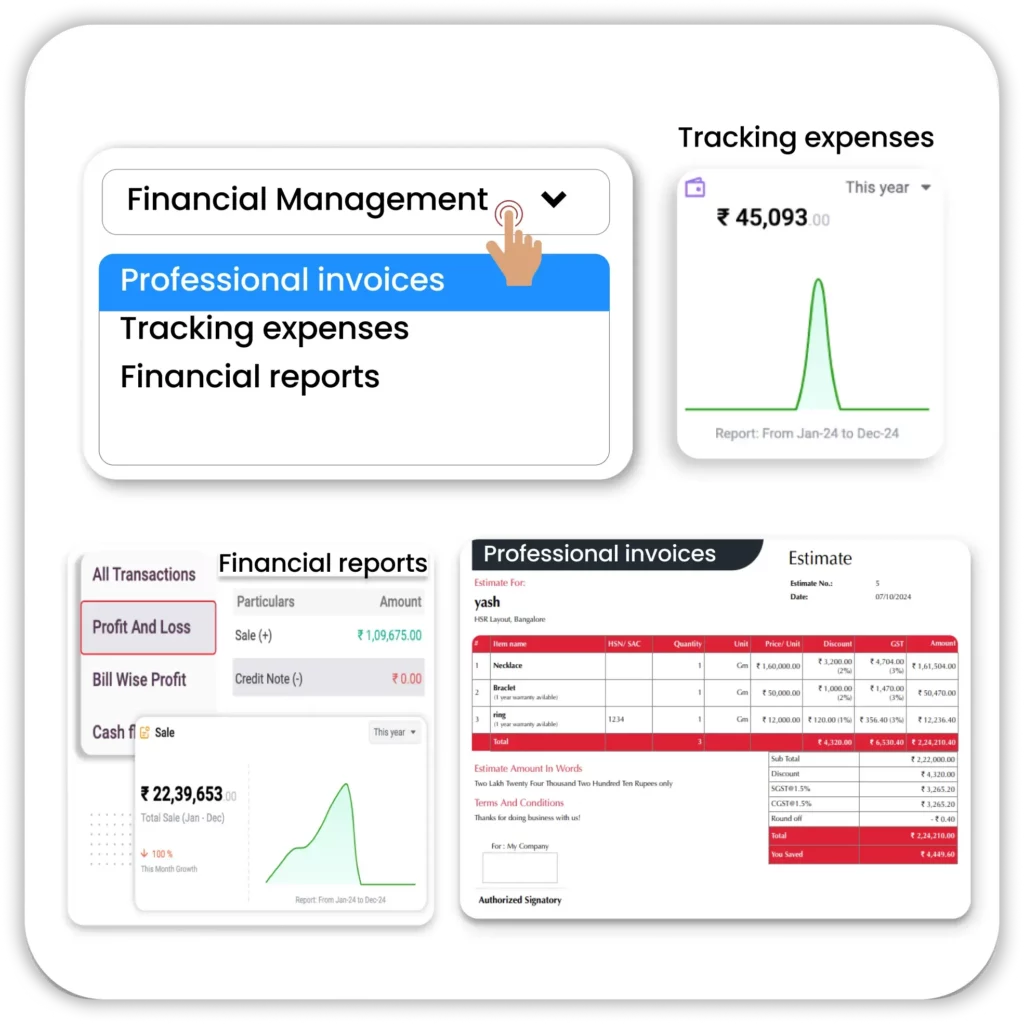
Complete Financial Management
Move beyond the limitations of Excel Accounting Software. Vyapar Accounting Software simplifies your business accounting by handling everything from professional invoices and expense management to quick reports for tax compliance.
- All-in-one Accounting: Manage Invoices, track expenses and all other financial reports all in a single place.
- Automated for Accuracy: Keep all the details in software once, and then reduce manual errors to keep all the data with accurate calculations without any manual work.
- Global & Tax Ready: It supports the local currency, so anyone can access this software from any place and customise taxes as per the requirement to reduce the effort for tax compliance across borders.
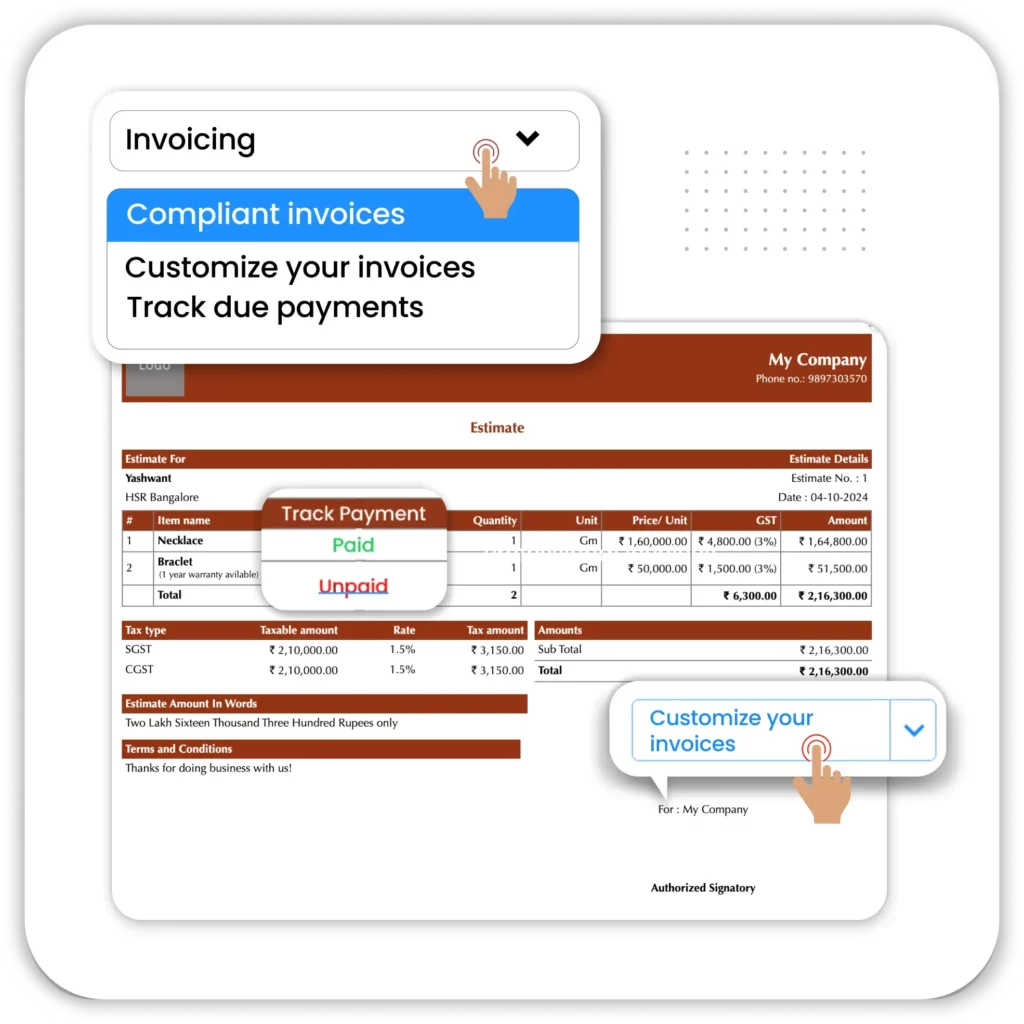
Simple and Automated Invoicing
Move beyond the payment tracking difficulties and calculation errors of XL accounting software. Vyapar billing system simplifies the entire process, letting you create invoices in a single click.
- Professional Invoice Creation: Generate GST and Non-GST compliant Invoices in just a few clicks with a quick, accurate and professional way with full customisation.
- Payment Tracking and Reminders: Keep a track of all the due payments and send friendly reminders to your customers without affecting the customer relationship.
- Error-Free Billing: All the billing and GST, and totals are done automatically. No need for further adjustments, without any errors bills are ready.
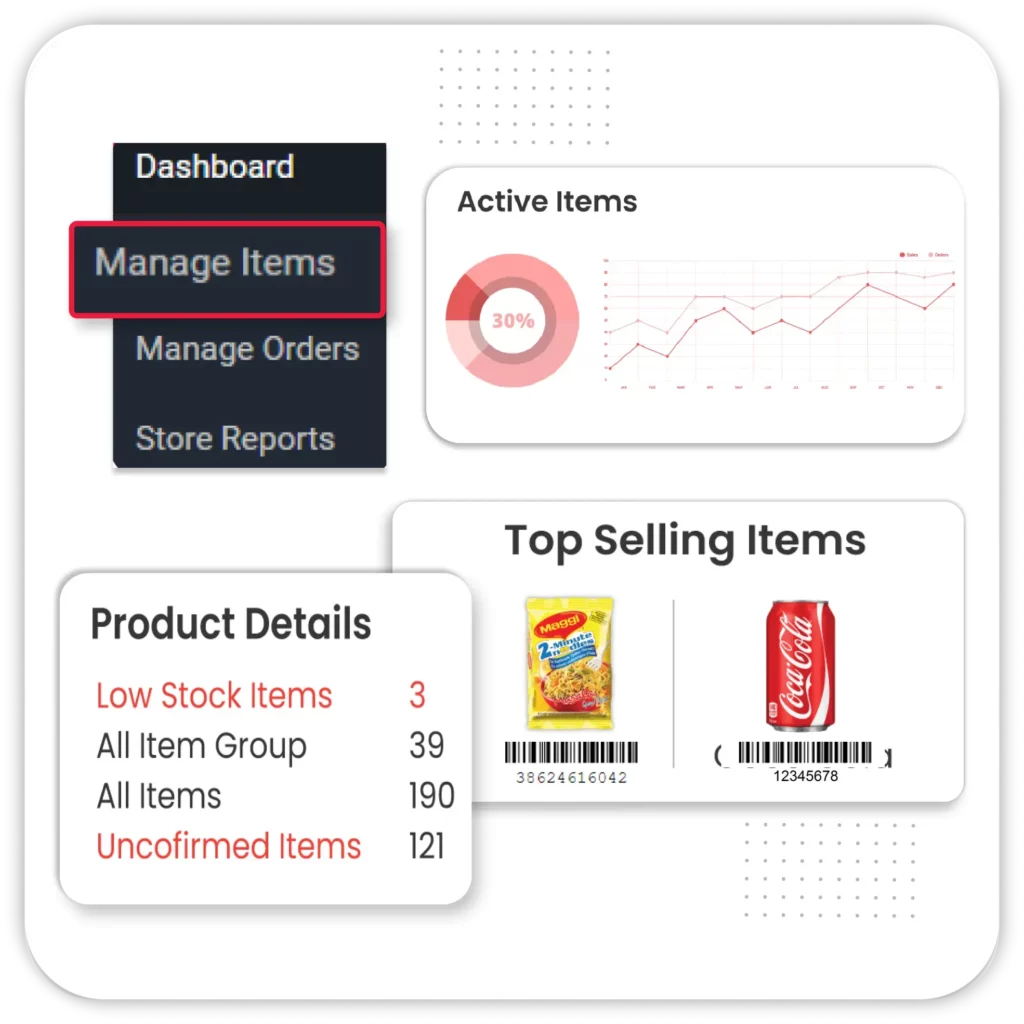
Complete Inventory Management
Managing inventory with Excel bookkeeping software is a difficult and time-consuming task for Indian business owners. Shift to Vyapar Inventory Management Software to simplify your tasks and avoid errors from manual stock updates.
- Automatic Stock Updates: For every sale and purchase entry in Vyapar, stock will be automatically updated on a real-time basis. If damages and losses are made, adjustment entries in a few clicks.
- Low Stock Alerts: Always stay informed about low stock and receive an instant alert when the stock reaches the minimum item quantity. Reorder the items timely manner to avoid stockouts and fulfil customer needs.
- Detailed Tracking & Reports: Monitor item movements, categorise according to your needs and get more insightful reports like fast-moving and slow-moving goods.
Manage Receivables & Payables
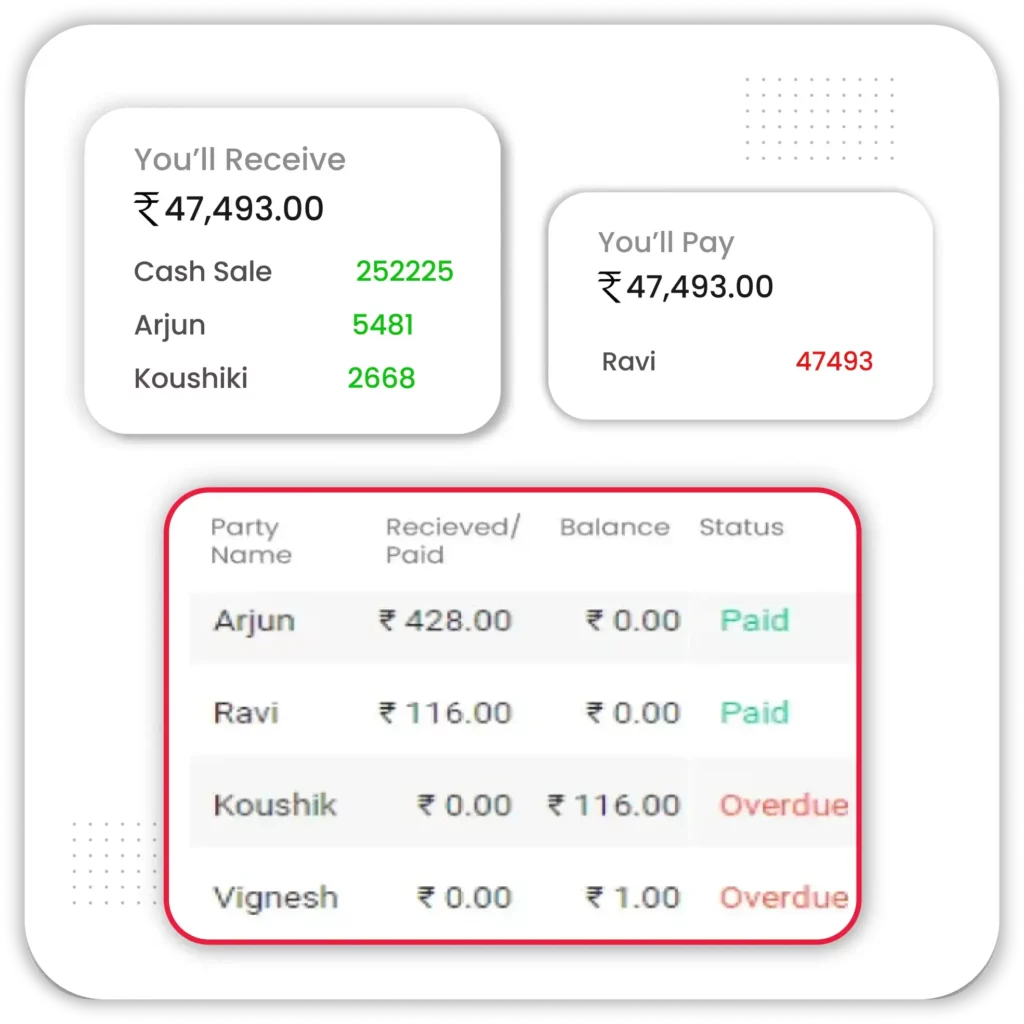
Tracking receivables and payables can be tough in XL Accounting Software. This is actually true when your business expands and has many daily transactions. Start using Vyapar Accounting software to track what you are owed and what you owe.
- Transaction Overview: Get the complete picture of your unpaid invoices, your pending payments and partial balances in real time.
- Accurate Accounting: Record double entries and journal entries whenever needed for the payment adjustments to keep your books accurate and precise.
- Faster Collections: Use Vyapar payment reminders, check histories and sales ageing reports to collect payments on time and monitor a healthy cash flow for your business.
Vyapar Excel Accounting Software vs Excel Spreadsheets

Features
Excel Spreadsheets
Excel Accounting Software
Financial Reports


Automation Capabilities
Data Backup
GST Compliance & Tax Filing
Mobile App Support
Expense Tracking
Enter expenses manually
Record and categorize expenses automatically
Inventory Management
Manual stock updates
Real-time inventory tracking with low-stock alerts
Accounts Receivable & Payable
Manual payment tracking
Track customer dues, supplier payments, and send reminders
GST Reports
Prepare reports manually
Generate GSTR-1, GSTR-3B, and other GST reports automatically
Data Backup
Manual file backup
Secure cloud backup with data recovery options
Why Businesses Switch from Excel Spreadsheets to Vyapar
Businesses outgrow spreadsheets as transactions increase. Vyapar Excel accounting software replaces manual Excel accounting with automated billing, inventory, GST compliance, and real-time financial reports-all from one platform.
All-in-One Accounting
Vyapar App combines invoicing, Expense tracking, Inventory management and all reporting in one place. It saves your time, reduces errors and keeps all financial data in well well-organised way.

Real-Time Accuracy
Excel requires manual entries that are error-prone, while Vyapar automates updates and calculations for every transaction, keeping your books accurate without any complex formulas or coding.
Professional and Fast Invoicing
Create GST and non-GST invoices in just a few clicks, customise them with your logo and brand details, and share instantly via WhatsApp. This saves hours of manual work.

Inventory Management
Track stock in real time, set low-stock alerts, and categorise products with ease. With Vyapar, you don’t need extra sheets. You can avoid both overstocking and stockouts.

Automated Tax Compliance
Vyapar App keeps you updated with the latest GST rules and handles all tax calculations automatically. You can generate GST reports instantly and file your GST return without any errors.

Dedicated Customer Support
Get the experts’ help whenever you’re needed through WhatsApp, Call or Email Support. Vyapar’s support team helps you to resolve your queries quick and effective way to make sure your business runs smoothly.

Secure Data Backup
Excel files risk corruption and data loss, but Vyapar keeps your business data safe with encrypted cloud backups that are always restorable.

Accessible Anytime, Anywhere
Access your business data from a desktop or a mobile from any place, wherever you are. Multiple members can work without any conflicts with user role-based access.

Better Financial Insights
Generate real-time reports like Profit & Loss, Cash Flow, and Balance Sheets with Vyapar. It gives you a clear view of your business health for smarter decisions without any rough calculations.
Upgrade from Excel to Smarter Accounting
Automate calculations, reduce errors, save time, and manage finances with Vyapar – choose the plan that fits your workflow.
Desktop
Mobile
Desktop
Free Trial
Try 7 Days Trial
All Features are Unlocked
Perfect for getting started
 Audit Trial
GSTR Reports
Expense Tracking
1 Firm/Organisation
Invoice & Bill Creation
Silver Plan
₹283/month
Buy for 3 Years – Save ₹0 Today!
Great for Small Businesses
3 Firm/Businesses
Item Reports
Multi Device Sync
Fixed Assets
WhatsApp Integration
Import Parties
Share with CA

Most Popular
Gold Plan
₹308/month
Buy for 3 Years – Save ₹0 Today!
Most popular for Growing Businesses
Everything in Silver plan
5 Firm/Businesses
Service Reminders
Journal Entries
Chart of Accounts
Billwise Profit/Loss Reports
Add TCS/TDS on Invoices
Account Statement
Accountant Access
Retail Pro Plan
₹833/month
Buy for 3 Years – Save ₹0 Today!
Popular for Large Businesses
Everything in Gold plan
Unlimited Firms
Unlimited Firm Backups
Stock Transfer Reports
GSTR Reports
Vyapar POS & Payments
Partywise Profit/Loss Report
Audit Trial
Mobile
Free
Lifetime Free
Limited Access
Perfect for getting started
Audit Trial
GSTR Reports
Expense Tracking
1 Firm/Organisation
Invoice & Bill Creation
Silver Plan
₹0/month
Buy for 3 Years – Save ₹0 Today!
Great for Small Businesses
Everything in Free plan
3 Firm/Businesses
Multi Device Sync
Fixed Assets
WhatsApp Integration
Import Parties
Share with CA
Most Popular
Gold Plan
₹0/month
Buy for 3 Years – Save ₹0 Today!
Most popular for Growing Businesses
Everything in Silver plan
5 Firm/Businesses
Service Reminders
Journal Entries
Chart of Accounts
Billwise Profit/Loss Reports
Add TCS/TDS on Invoices
Account Statement
Accountant Access
Retail Pro Plan
₹0/month
Buy for 3 Years – Save ₹0 Today!
Popular for Large Businesses
Everything in Gold plan
Unlimited Firms
Unlimited Firm Backups
Stock Transfer Reports
GSTR Reports
Vyapar POS & Payments
Partywise Profit/Loss Report
Audit Trial
Free Excel Accounting Templates for Small Businesses
Looking for Excel accounting templates? Download free templates for bookkeeping, invoicing, GST accounting, and financial reports. As your business grows, switch to Vyapar Excel Accounting Software to automate accounting, reduce manual work, and manage everything from one platform.
Bookkeeping and Transaction Management:
Organize your daily business records with ready-to-use Excel templates. Record sales, purchases, receipts, and payments to keep your books structured.
General Ledger
Record every business transaction in one master ledger, including sales, purchases, receipts, payments, and journal entries.
Chart of Accounts
Categorize assets, liabilities, income, expenses, and equity to maintain organized financial records.
Bank Reconciliation
Compare your bank statements with business records to identify missing or incorrect transactions.
Sales & Invoicing Templates
Create professional business documents using free Excel invoice templates.
Invoice Template
Generate GST and non-GST invoices with your business details, tax information, and payment terms.
Estimate & Quotation Template
Prepare quotations and estimates before confirming customer orders.
Credit & Debit Note Template
Issue credit and debit notes for returns, refunds, discounts, or invoice corrections.
Financial Reporting Templates
Monitor your business performance using Excel financial report templates.
Profit and Loss Statement
Track income, expenses, and profitability over any selected period.
Balance Sheet
View your assets, liabilities, and owner’s equity in a standard accounting format.
Cash Flow Statement
Monitor cash inflows and outflows to understand your business liquidity.
Still Managing Your Business in Excel?
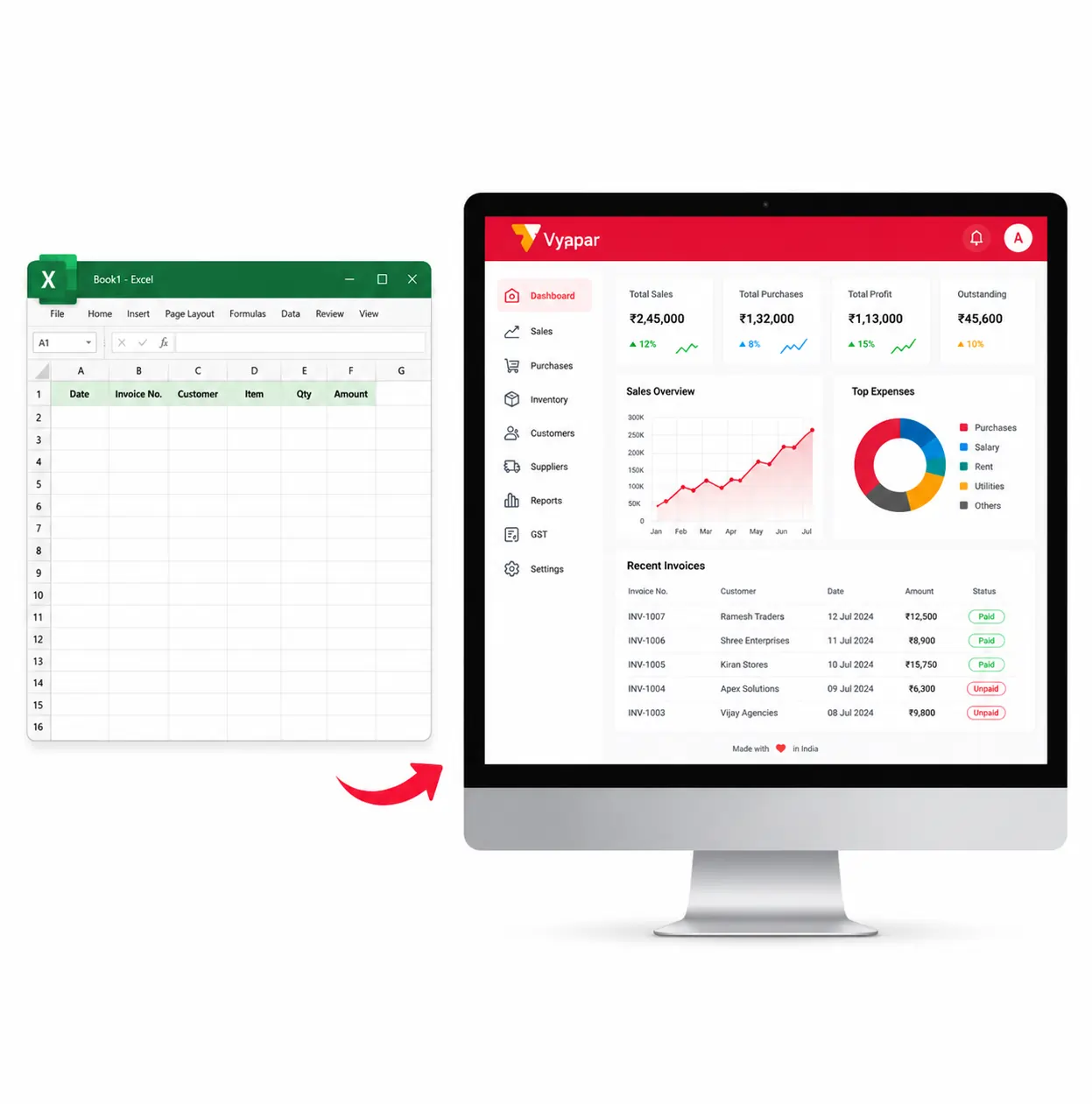
Excel templates are useful for getting started, but they require manual data entry, formulas, and regular updates. As your business grows, managing invoices, inventory, GST, and financial reports in spreadsheets becomes time-consuming and error-prone.
Switch to Vyapar Excel Accounting Software to automate billing, bookkeeping, inventory management, GST calculations, and financial reporting-all from one easy-to-use platform.
Benefits of Switching to Vyapar
- No manual formulas
- Automatic GST calculations
- Professional invoices
- Real-time inventory tracking
- Profit & Loss, Balance Sheet & Cash Flow reports
- Customer & supplier ledgers
- Cloud backup
- Windows, Android & iOS support
What Customers are Talking About Vyapar’s Accounting Software?

Has saved me cost of accounting, given a professional touch to my transactions and helped me focus more on business.
Deepak
(Small Business Owner)
Source: Capterra

For my small business I’m using Vyapar. It’s very simple and can be used by anyone who doesn’t have accounting knowledge.
Abdul kader
(Fine Art, Owner)
Source: Capterra

All the business transactions are done by Vyapar. I don’t need to carry account books or ledgers.
Sanjay
(Food & Beverage Business)
Source: Capterra
Still not sure? Download for Free and see the difference in your accounting process!!
Frequently Asked Questions (FAQs’)
Yes. Vyapar Excel Accounting Software is a complete alternative to Excel spreadsheets for accounting. You can create GST invoices, record expenses, manage inventory, track payments, and generate financial reports-all from a single accounting platform without manual formulas.
As your business grows, manual spreadsheets become difficult to manage. Vyapar automates accounting, billing, GST, inventory, and reporting, helping you save time, reduce errors, and focus more on growing your business.
Unlike Excel, Vyapar automates GST billing, inventory updates, payment reminders, accounting entries, and financial reports. This reduces manual work, minimizes errors, and improves business efficiency.
Absolutely. Vyapar is designed for small business owners with a simple interface. If you already manage accounts in Excel, you’ll find it easy to create invoices, record transactions, and generate reports without learning complex accounting software.
Yes. Vyapar lets you easily import customer details, products, opening balances, and other business data from Excel. This makes switching from spreadsheets quick and hassle-free.
No. You can import important business data from Excel into Vyapar Excel Accounting Software and continue your accounting without starting from scratch.
Yes. Vyapar is ideal for retailers, wholesalers, manufacturers, service providers, distributors, and other small businesses in India that want to move beyond manual Excel accounting while keeping their accounting simple.
Yes. Vyapar automatically calculates GST, invoice totals, discounts, and taxes while creating invoices, helping you avoid manual calculations and billing mistakes.
Yes. Vyapar generates GST-ready reports, including GSTR-1 and GSTR-3B, helping businesses prepare GST returns more efficiently.
Yes. Every sale or purchase automatically updates your inventory and accounting records, eliminating the need to maintain separate Excel sheets for stock and accounts.
Yes. You can customize invoices with your business logo, terms, and GST details. Vyapar also provides detailed financial reports that can be filtered, exported, and shared whenever needed.
Yes. Vyapar allows you to export invoices and business reports in Excel and PDF formats, making it easy to share them with accountants, auditors, or customers.
Yes. Vyapar works on Windows and Android, allowing you to manage your business from multiple devices. Supported premium plans also offer Cloud Sync for seamless access.
Yes. You can create invoices, record transactions, and manage accounts without an internet connection. Internet access is only required for features like Cloud Sync and online sharing.
Yes. Depending on your plan, multiple users can securely access the same business with role-based permissions, making collaboration easier for owners, accountants, and staff.
Yes. Vyapar protects your business data with secure storage, backup options, and user access controls. Cloud-enabled plans provide additional protection against accidental data loss.





