
Personal Accounting Software
Manage your personal and home-business finances effortlessly with Vyapar Personal Accounting Software. Track income and expenses, monitor payments, organize financial records, and generate instant financial reports in one place. Whether you’re managing household expenses or running a home-based business, simplify your accounting with Vyapar. Download for free today!



Key features of Personal Accounting Software
Managing personal finances becomes easier when your income, expenses and payments are organized in one place. Vyapar helps you maintain financial records, monitor spending and review your financial activities through a simple accounting platform.
Expense Tracking
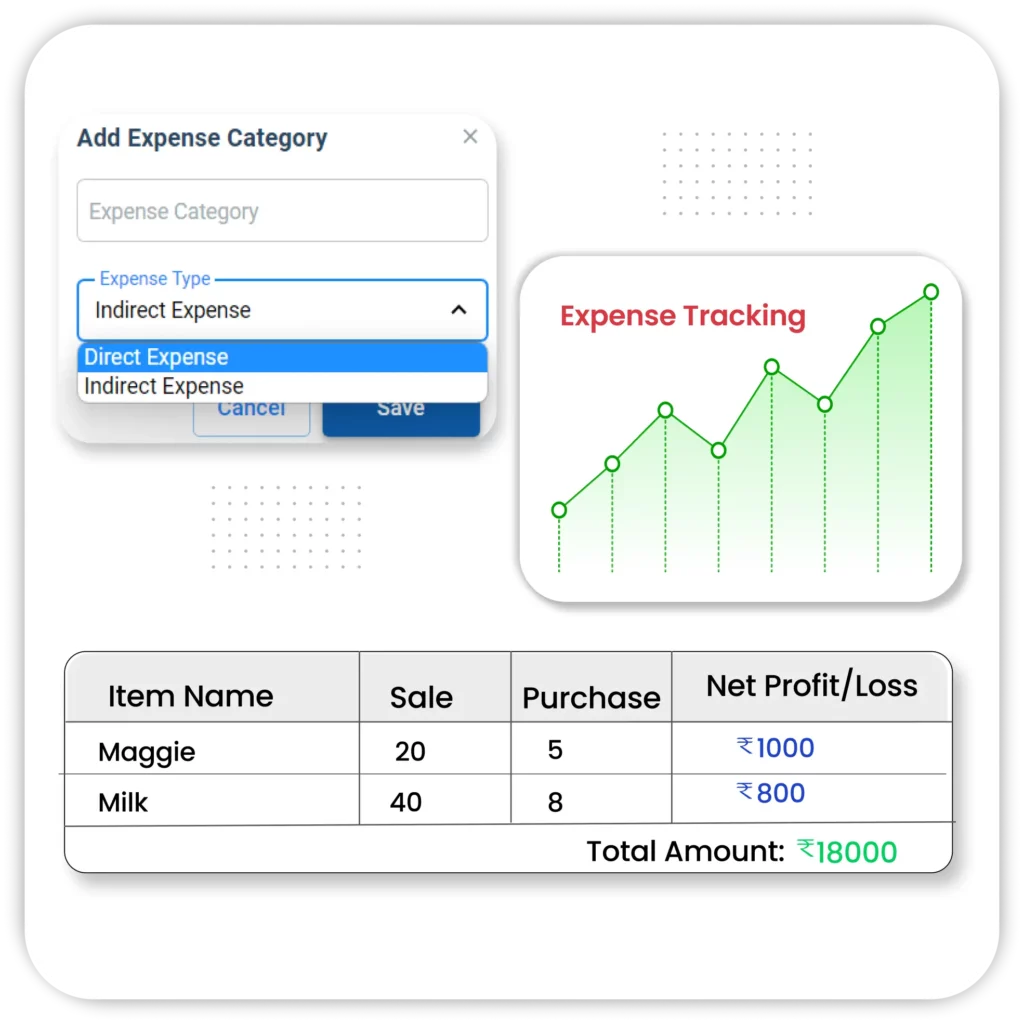
Keep track of your daily spending with organized expense records. Vyapar’s expense tracking feature allows you to record household and business expenses, categorize transactions and review where your money goes.
- Record Expenses Easily: Add daily expenses under predefined or custom categories to maintain organized financial records.
- Categorize Your Spending: Group expenses such as groceries, travel, utilities, rent and other payments to understand your spending patterns.
- Attach Bills or Receipts: Keep supporting bills, scanned documents or receipts with relevant expense entries where supported.
Income Management
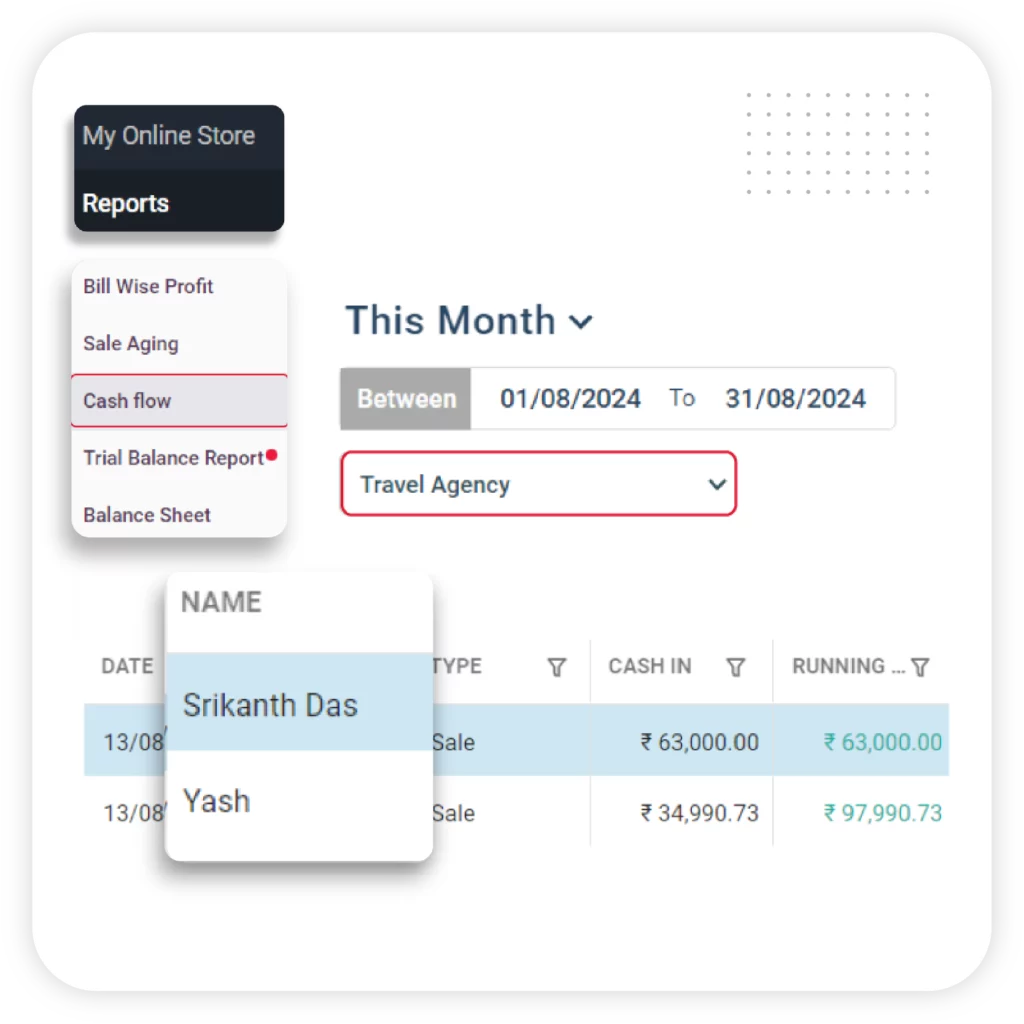
Maintain a clear record of money received from different sources with Vyapar Accounting Software. Whether you receive income from employment, freelance work or business activities, organize your financial entries and monitor incoming payments.
- Record Income Sources: Maintain records of different income streams and keep your financial information organized.
- Monitor Cash Flow: Review your recorded transactions to understand incoming and outgoing money.
- Generate Income Reports: Review monthly and annual income reports to understand your earnings and make informed financial decisions.
- Plan Your Budget: Use your income and expense records to plan spending and manage your financial goals.
Track Receivables and Payables
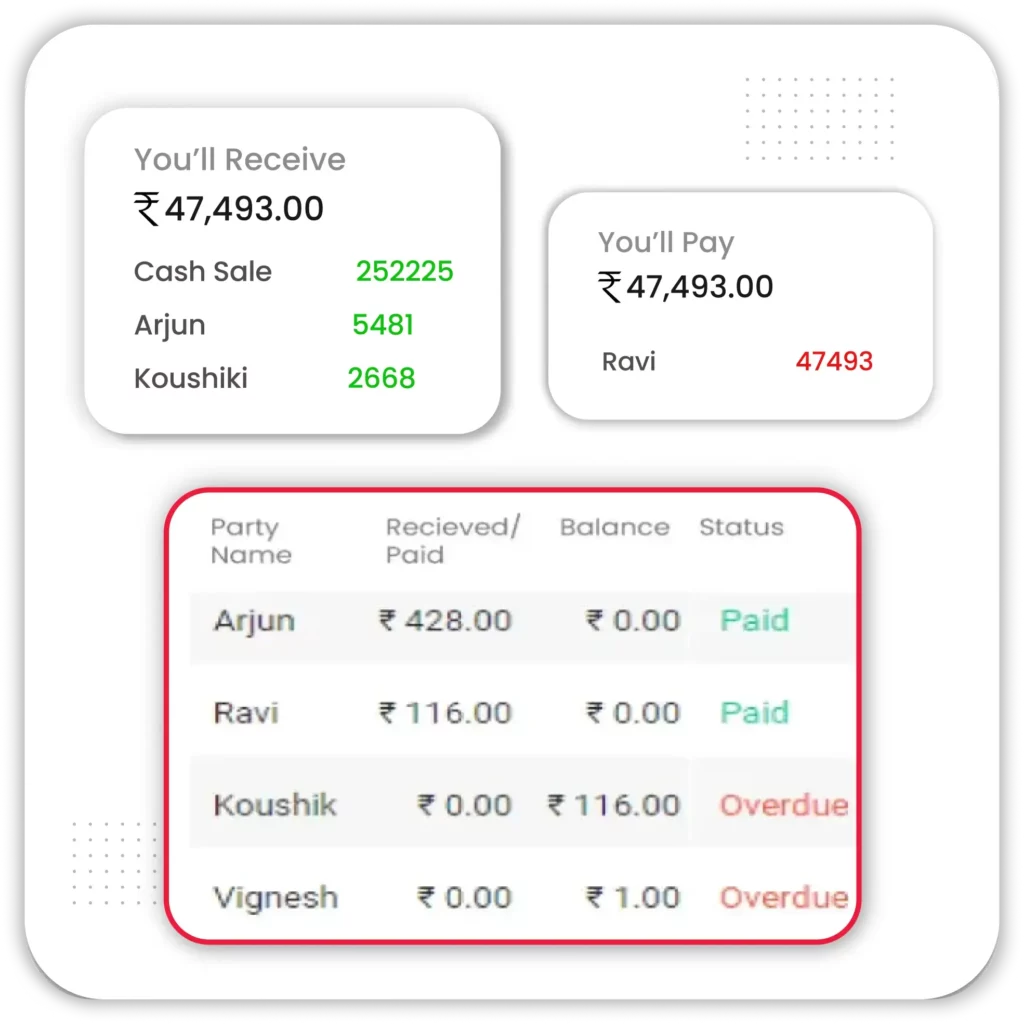
Stay informed about the money you need to receive and payments you need to make. Vyapar helps you organize outstanding amounts, monitor payment records and manage invoices, making it easier to keep track of your financial obligations.
- Invoice Management: Track all outstanding payments and gand maintain organized invoice records.
- Payment Alerts: Use available payment reminders to follow up on due amounts and reduce missed payments.
- Easy Reconciliation: Match recorded payments with relevant invoices and transaction entries to maintain accurate financial records.
Mobile App Accessibility
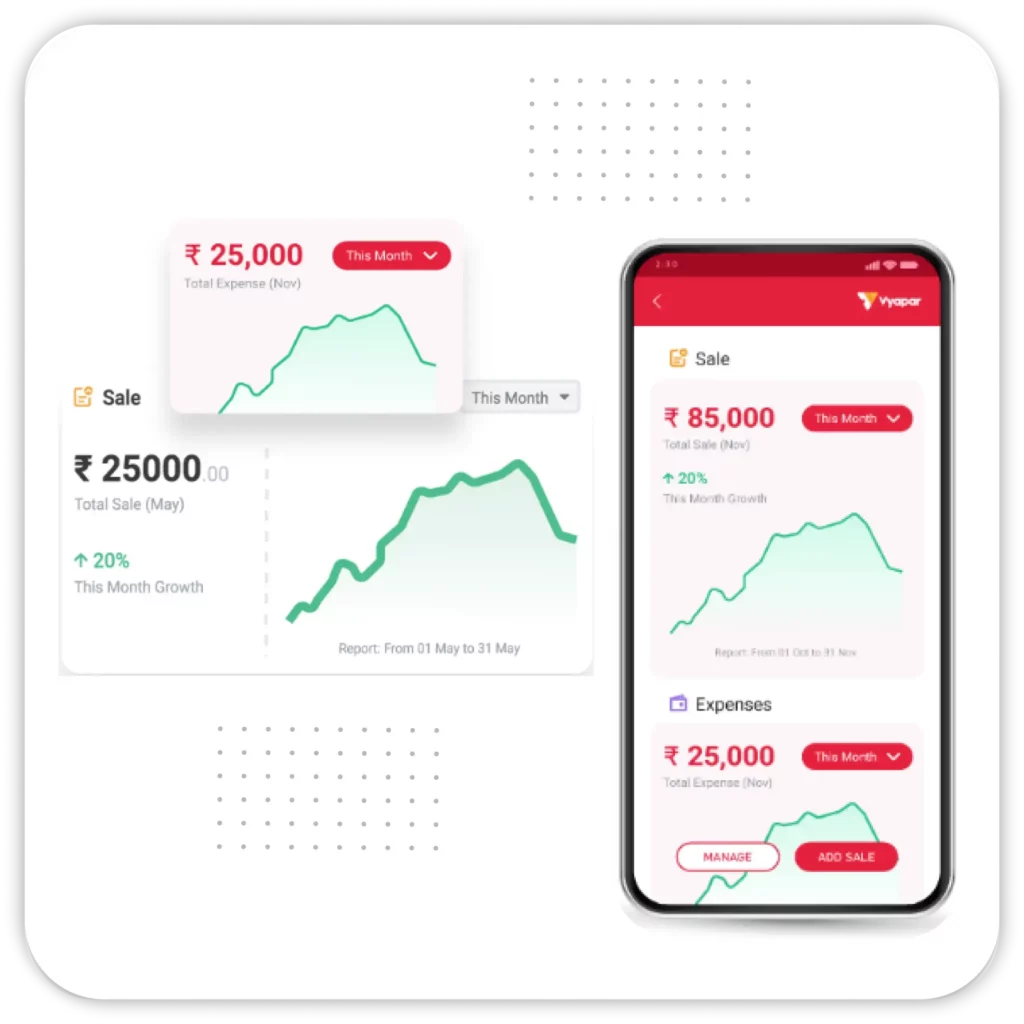
Manage your business and financial records wherever you go. Vyapar's personal accounting app allows you to access supported accounting features across compatible devices, helping you stay updated with your financial activities.
- Cross-Platform Compatibility: Use Vyapar on supported Android, iOS and desktop platforms.
- Cloud Sync: Use supported cloud synchronization to keep your records updated across compatible devices.
- Convenient Access: Review financial information and manage everyday accounting activities from your supported device.
Vyapar’s Growing Community
Vyapar helps individuals, freelancers, retailers and home-based business owners manage their everyday accounting activities. From tracking income and expenses to maintaining financial records, users rely on Vyapar to simplify their accounting. Here’s what they say about their experience.

Tanuj Gupta
Freelancer
Lifesaver App
Vyapar’s personal accounting software is a lifesaver! It’s so easy to use, and I can manage all my accounts on the go. No more manual calculations!

Avika Sharma
Home Made Products Owner
Easy & Recommended
The app’s income management and tax features have made my financial life so much simpler. Highly recommend Vyapar!

Sunil J
Electronics Supplier
Best Software
Warranty tracking is now a breeze. The system notifies us about expiring warranties, helping us stay ahead.

Akash P
Manufacturer
Easy to use
The multi-warehouse management feature allowed us to streamline operations across all branches efficiently.

Kunal Jain
Retailer
Best Personal Accounting App
With Vyapar, I can track my income and expenses effortlessly. It’s by far the best personal accounting app I’ve used!

Ashish Mehra
Plastic Distributor
Height of Excellency
The inventory tracking and financial reports are superb! I love how I can monitor my cash flow and see all my data in one place.
Personal Accounting Made Affordable for Your Business
Choose a Vyapar plan that fits your accounting requirements and the devices you use. Whether you are getting started with basic financial record management or need advanced accounting features for your growing business, Vyapar offers flexible plans to suit different needs.
Desktop
Mobile
Desktop
Free Trial
7-Day Free Trial
All Features Unlocked
Perfect for Getting Started
 Audit Trail
GSTR Reports
Expense Tracking
Fixed Assets
WhatsApp Integration
Import Parties
Silver Plan
₹3799/year
Buy for 3 Years - Save ₹2,798 Today!
Great for Small Stores
3 Firms/Businesses
Multi Device Sync
Fixed Assets
Billwise Profit/Loss Reports
Import Parties
Share with CA
Accountant Access

Most Popular
Gold Plan
₹4099/year
Buy for 3 Years - Save ₹3,198 Today!
Most popular for Growing Businesses
Everything in Silver Plan
5 Firms/Businesses
Chart of Accounts
Trial Balance & Balance Sheet
Account Statement
Add TCS/TDS on Invoices
Set Credit Limit
Payment Reminders
Retail Pro Plan
₹8,999/year
Buy for 3 Years - Save ₹7,198 Today!
Popular for Retail Businesses
All Gold Plan Features
Add Unlimited Businesses
Unlimited Firm Backups
Partywise Profit/Loss Report
Godown & Stock Transfer
Stock Transfer Report
Marketing Tools
Mobile
Free Plan
Lifetime Free
Limited Access
Perfect for getting started
Audit Trail
GSTR Reports
Expense Tracking
1 Firm/Organization
Invoice & Bill Creation
Silver Plan
₹699/year
Buy for 3 Years - Save ₹598 Today!
Great for Small Businesses
Everything in Free plan
3 Firms/Businesses
Multi Device Sync
Expenses with ITC
Balance Sheet
Fixed Assets
Share with CA
Most Popular
Gold Plan
₹799/year
Buy for 3 Years - Save ₹698 Today!
Most popular for Growing Businesses
Everything in Silver plan
5 Firms/Businesses
Journal Entries
Chart of Accounts
Trial Balance
Account Statement
TCS and TDS on Invoice
Retail Pro Plan
₹2099/year
Buy for 3 Years - Save ₹998 Today!
Great for Large Businesses
Everything in Gold plan
Add Unlimited Businesses
Godown & Stock Transfer
Complete Party Management
Comprehensive Reports
Marketing Tools
Features That Simplify Personal and Home-Business Accounting
Vyapar offers more than basic income and expense tracking. Its additional features help users manage accounting records, organize financial documents, monitor payments and handle everyday business activities. These tools are particularly useful for freelancers and home-based business owners who want to manage their finances and business records together.

Online/Offline Compatibility

Tax Compliance

Custom Invoicing
Multi-Payment Options
Print and Share

WhatsApp Marketing
Financial Reports
Cloud Backup and Data Security

Alerts and Notifications
Inventory Management

Export to Excel or PDF
Online/Offline Compatibility
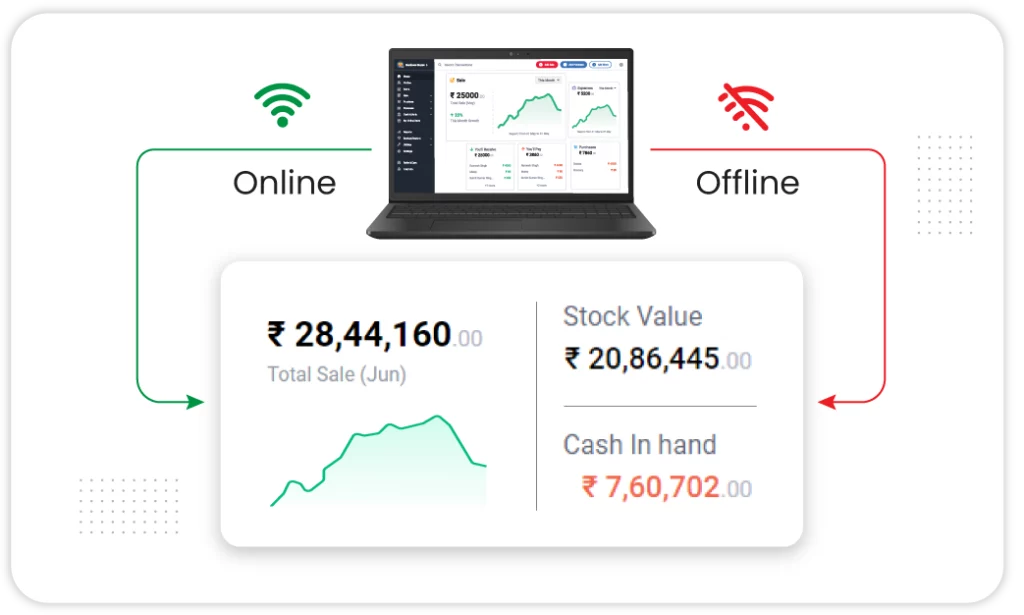
Manage your financial records even when an internet connection is unavailable. Vyapar supports offline access for essential accounting activities, helping you continue your daily work without interruptions.
- Work Without Interruptions: Use supported offline features such as expense tracking and invoicing without an active internet connection.
- Seamless Sync: Synchronize supported changes when an internet connection becomes available.
- Flexibility for Different Situations: Access your accounting features across supported devices and manage records according to your requirements.
Tax Compliance
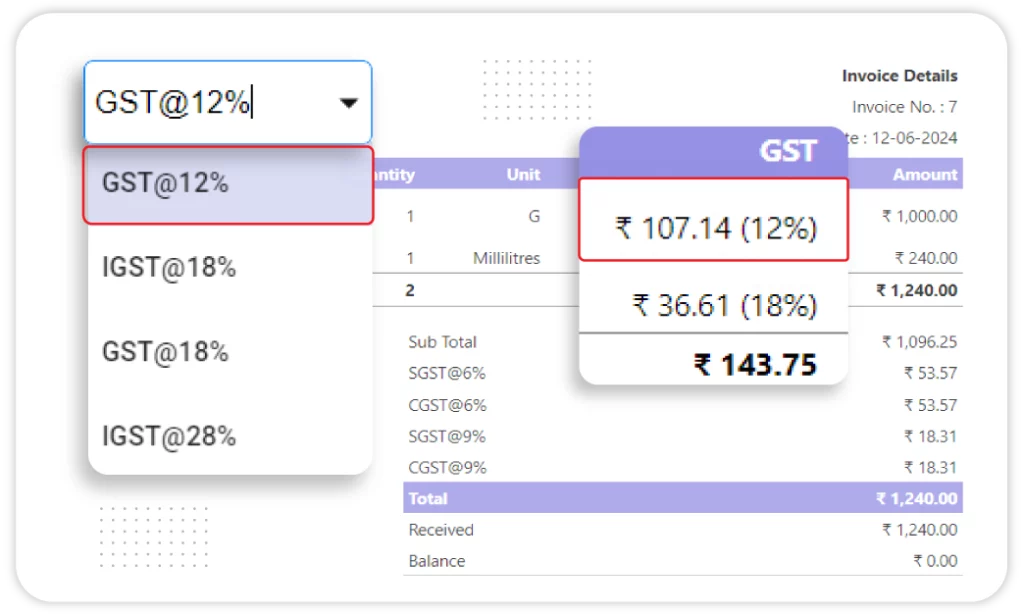
Keep your tax-related transaction records organized with Vyapar. The software helps applicable businesses calculate GST on supported invoices and maintain records that can assist with tax reporting and compliance activities.
- Understand Applicable Tax Requirements: Stay informed about relevant tax laws and their impact on your business transactions.
- GST-Ready Billing: Calculate applicable Goods and Services Tax on supported invoices.
- Tax Reports: Generate relevant reports to organize transaction information for tax filing.
- Organized Tax Records: Maintain relevant records to help with filing your taxes and reviewing your tax obligations.
Maintaining accurate records and following applicable tax requirements can help reduce errors and support timely compliance, helping you avoid penalties associated with non-compliance.
Custom Invoicing
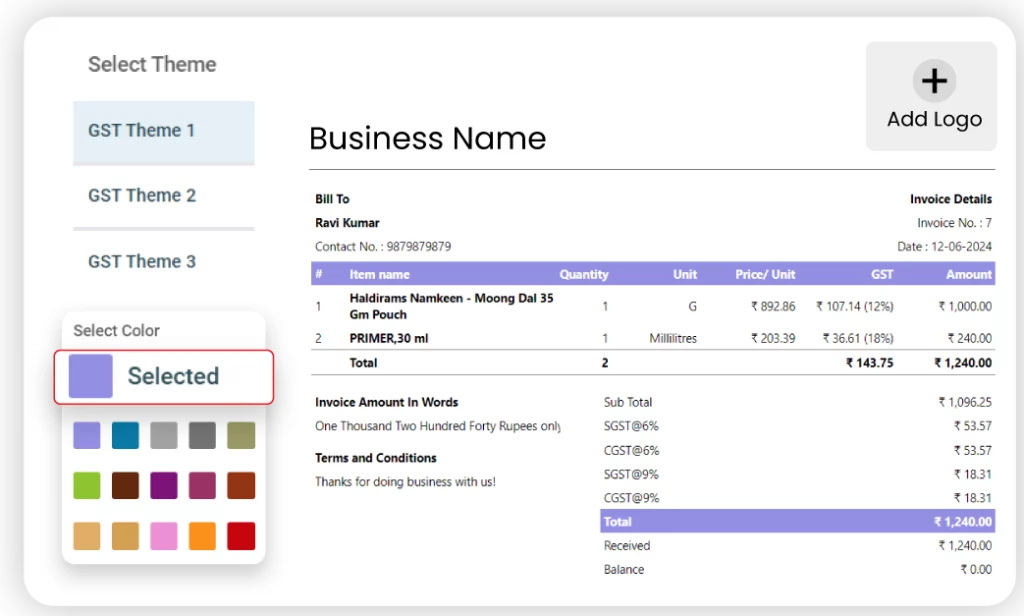
Create professional invoices for your customers with Vyapar's invoicing software. Customize invoice details to reflect your business identity and maintain consistent billing records.
- Personalization Options: Add your logo, select colors and choose available formats to match your business identity.
- Professional-Looking Invoices: Generate polished invoices that are easy to share with customers.
- Save Templates: Use available invoice templates to simplify recurring billing activities and maintain consistency.
Multi-Payment Options
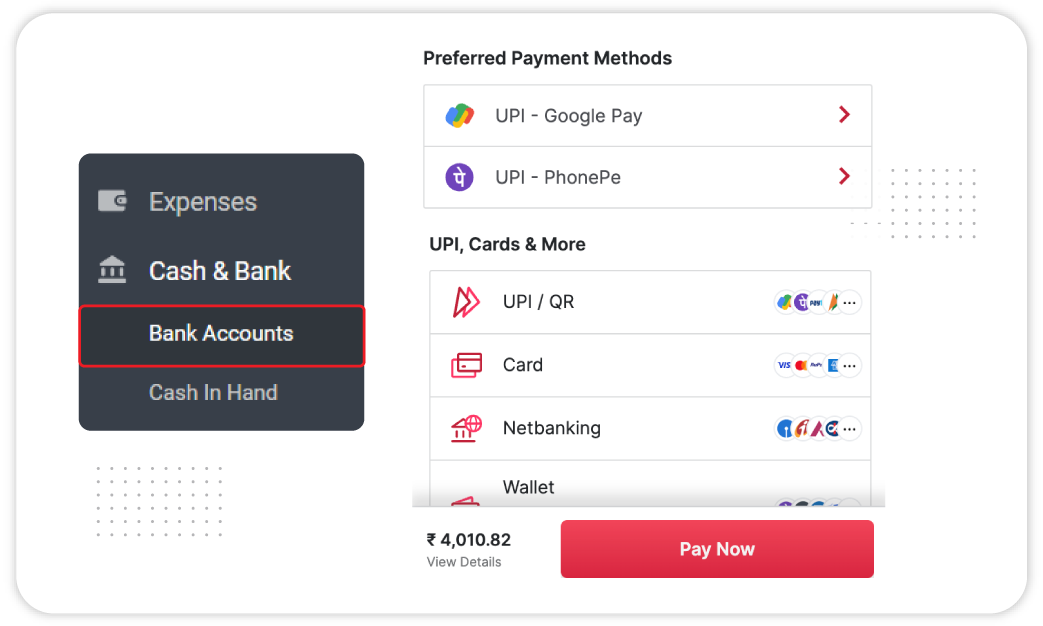
Make payment collection convenient by offering customers supported payment options. Vyapar helps you record received payments, monitor outstanding amounts and maintain organized payment information.
- Diverse Payment Methods: Record payments received through supported methods, including UPI, bank transfers and other payment modes.
- Payment Tracking: Monitor recorded payments and review the status of outstanding amounts.
- Faster Collections: Use payment reminders and organized records to follow up on pending payments and manage your cash flow more effectively.
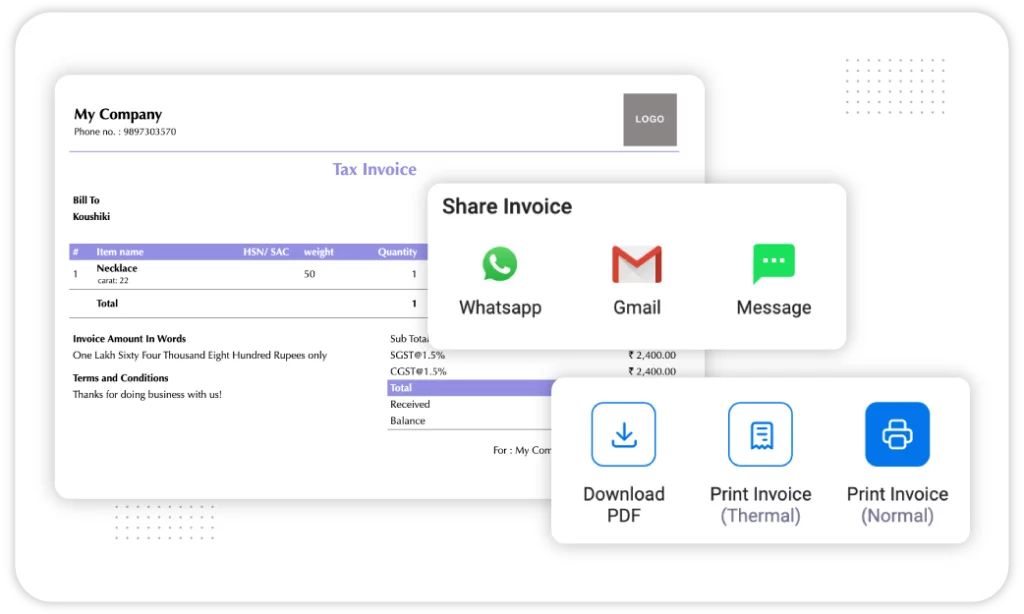
Print and Share
Print and share invoices, reports and other supported financial documents directly through Vyapar. Keep important records accessible and make it easier to share relevant information with customers, business partners or your accountant.
- Easy Printing: Print invoices, reports and statements using supported printing options.
- Share Via Multiple Platforms: Share documents through WhatsApp, email and other supported platforms.
- Time-Saving Features: Send relevant financial documents directly to customers or your accountant without relying on manual paperwork.
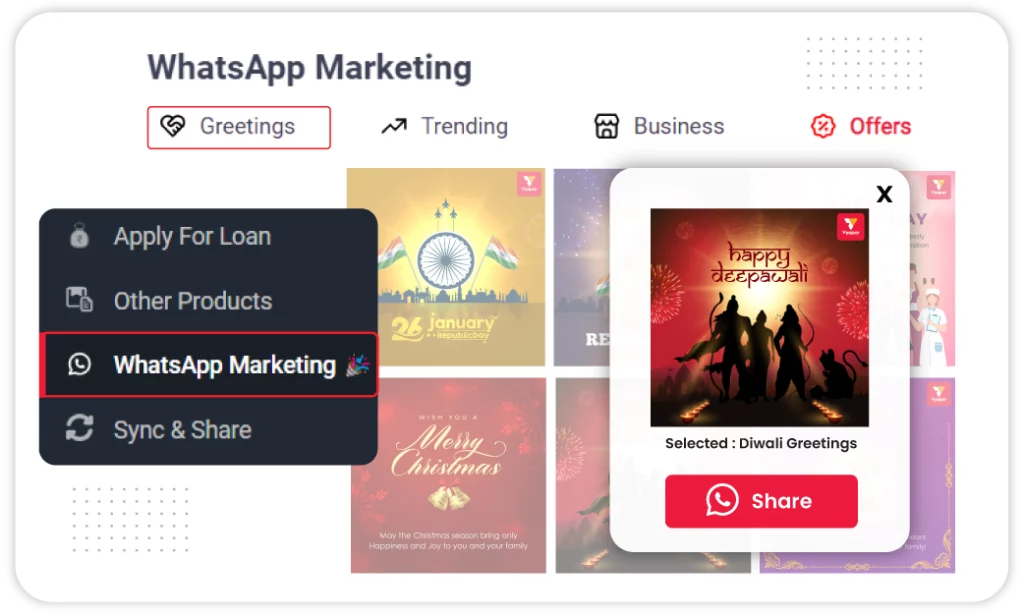
WhatsApp Marketing for Home Businesses
Stay connected with customers through WhatsApp using Vyapar's supported messaging and marketing features. Home-based businesses can use these tools to share business updates, promote offers and communicate about pending payments.
- Send Greetings: Share festive and seasonal messages to maintain customer relationships.
- Promote Offers: Inform customers about new products, discounts and available deals.
- Remind for Payments: Use supported payment reminder features to follow up on outstanding amounts.
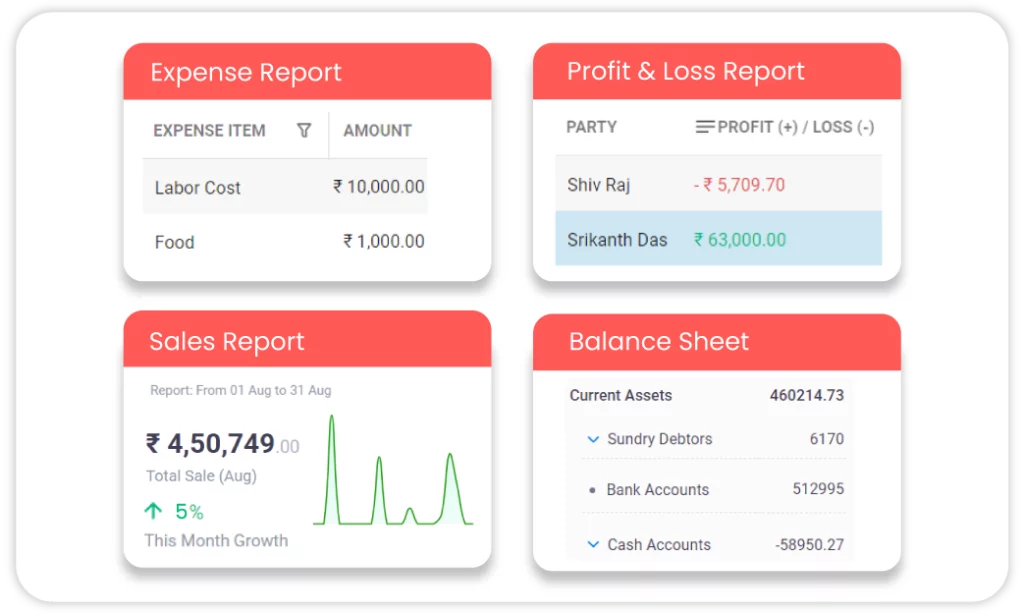
Financial Reports
Understand your financial position with organized accounting reports. Vyapar helps you review recorded income, expenses and other financial transactions to make more informed decisions.
- Instant Reports: Generate available profit and loss statements, balance sheets, and cash flow reports.
- Decision-Making Support: Review financial information to understand income, expenses and business performance.
- Relevant Financial Insights: Use available reports to review specific accounting details and monitor changes over time.
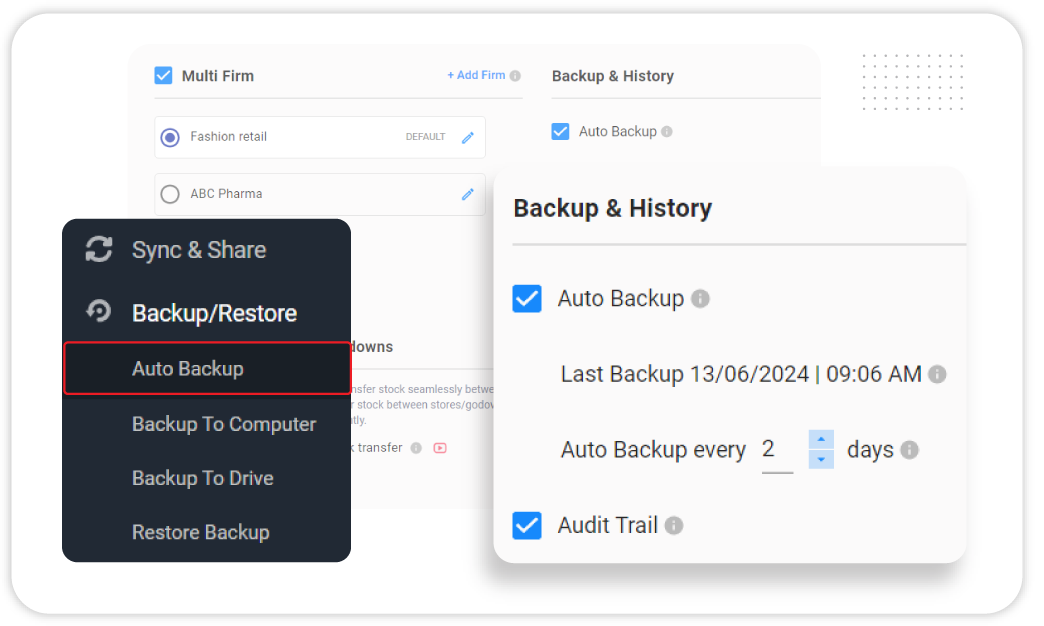
Cloud Backup and Data Security
Keep your financial information protected with Vyapar's available backup and security features. Supported backup options help you maintain copies of important accounting records and manage your data more confidently.
- Cloud Backup: Use supported cloud backup options to maintain copies of your financial information.
- Data Protection: Vyapar provides security measures designed to help protect financial and business records.
- Data Accessibility: Restore or access backed-up information according to your device, account and backup settings.
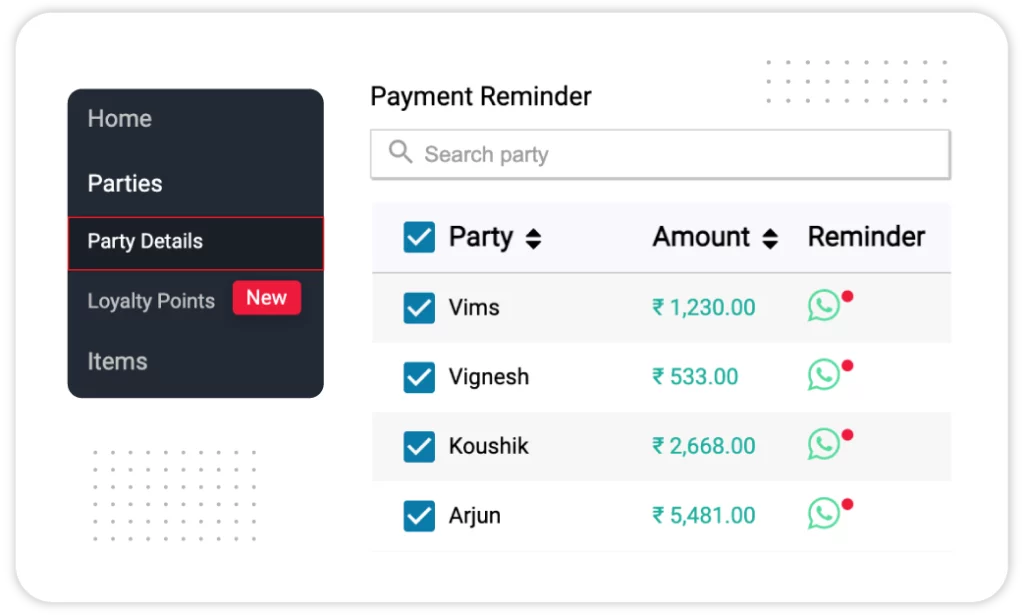
Alerts and Notifications
Stay informed about important payment and business activities with Vyapar's alerts and notification features. These updates can help you monitor pending payments and keep track of relevant inventory activities.
- Payment Reminders: Use available reminders to follow up on upcoming and outstanding payments.
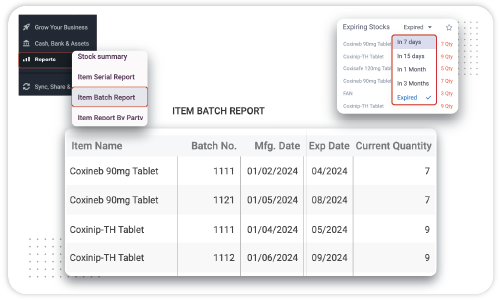
- Low Stock Alerts: Receive relevant notifications when your inventory levels are low.
- Proactive Management: Review alerts and take timely action to manage payments, stock and everyday business activities.
Inventory Management
For home-based businesses that sell products, maintaining accurate stock records is an important part of financial management. Vyapar's inventory management software helps users organize product information and monitor stock movement.
- Real-Time Inventory Tracking: Monitor available stock levels and maintain updated product records.
- Low Stock Alerts: Identify products that are running low and take action to help prevent stockouts.
- Inventory Reporting: Review available inventory reports to understand stock movement and manage products more effectively.
Export to Excel or PDF
Keep your financial information easy to review and share. Export supported reports and records into convenient formats for documentation, analysis or sharing.
- Export Financial Reports: Download supported accounting reports for future reference.
- Maintain Digital Records: Keep copies of important financial information.
- Share Documents Easily: Use exported documents for discussions with accountants or other relevant stakeholders.

Manage Personal and Home-Business Finances with Vyapar
Whether you manage household expenses, work as a freelancer or operate a home-based business, keeping financial records organized can help you make better decisions. Vyapar brings essential accounting activities together, making it easier to track money, review transactions and manage everyday financial responsibilities.

Manage Income and Expenses in One Place
Keeping track of money received and spent is an important part of financial management. Vyapar helps you maintain organized records of your transactions, making it easier to review income and expenses.
- Record daily income and expenses in one place.
- Categorize transactions to understand your spending.
- Review financial records whenever you need them

Maintain Better Control Over Cash Flow
Understanding the money coming in and going out helps you plan your financial activities more effectively. Vyapar helps you review recorded payments, receipts and expenses to understand your cash flow.
- Monitor incoming and outgoing payments.
- Review outstanding amounts and payment records.
- Identify periods when expenses are higher than usual.
This makes it easier to plan upcoming expenses and maintain better control over available funds.

Manage Receivables, Payables and Financial Records
Home-based business owners and freelancers often deal with customer payments, supplier dues and recurring expenses. Vyapar helps organize accounts receivable and accounts payable, making it easier to review outstanding amounts.
- Maintain records of customer payments due.
- Track supplier payments and other outstanding expenses.
- Review payment histories and related transactions.
Organized accounting records help reduce manual follow-ups and make financial information easier to access.
Simplify Tax Records and Financial Planning
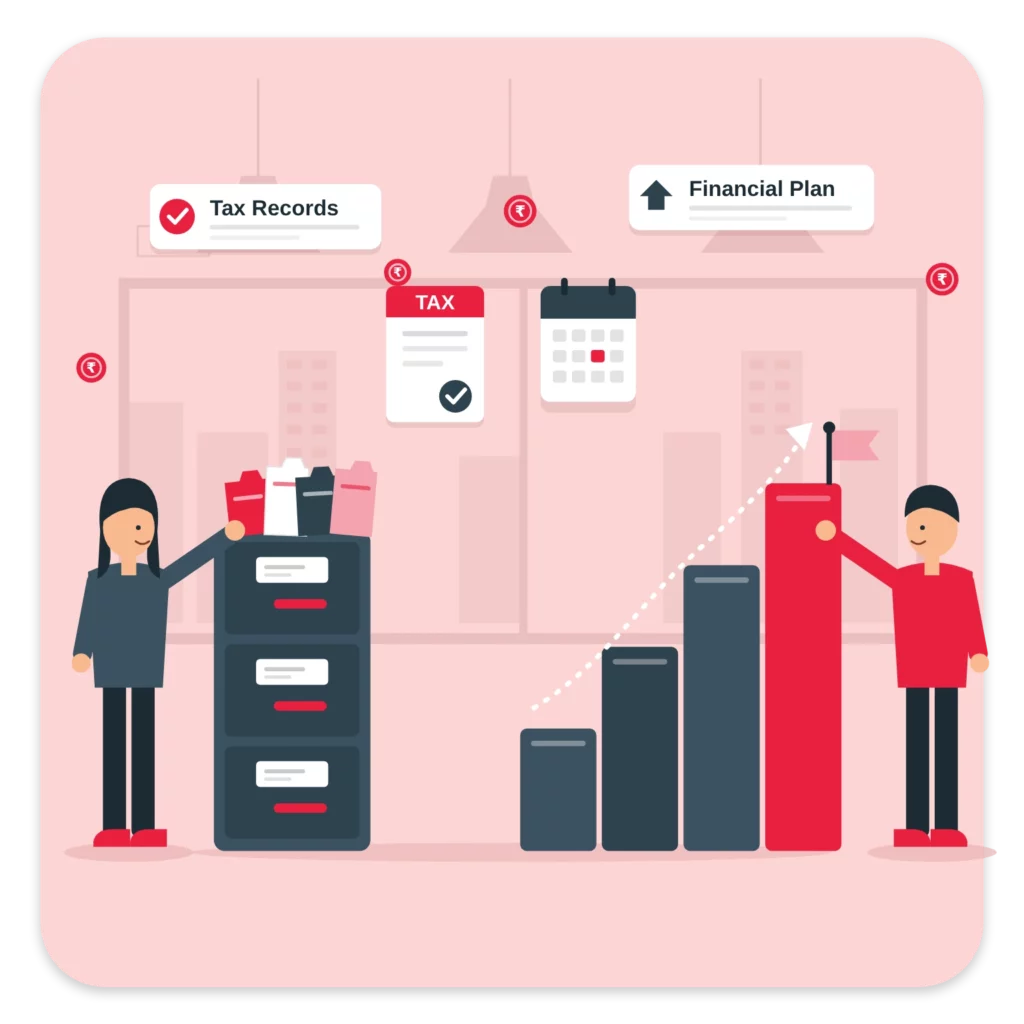
Keeping financial records organized can make tax-related work easier, especially for individuals who also run a business. Vyapar helps maintain transaction and tax information required for reviewing applicable tax accounting records.
- Maintain organized income and expense records.
- Review applicable GST and other tax-related transactions.
- Keep relevant information available for your accountant or tax professional.
For applicable business transactions, users can also maintain records related to TDS and GST tax rules.
Plan Expenses and Manage Budgets
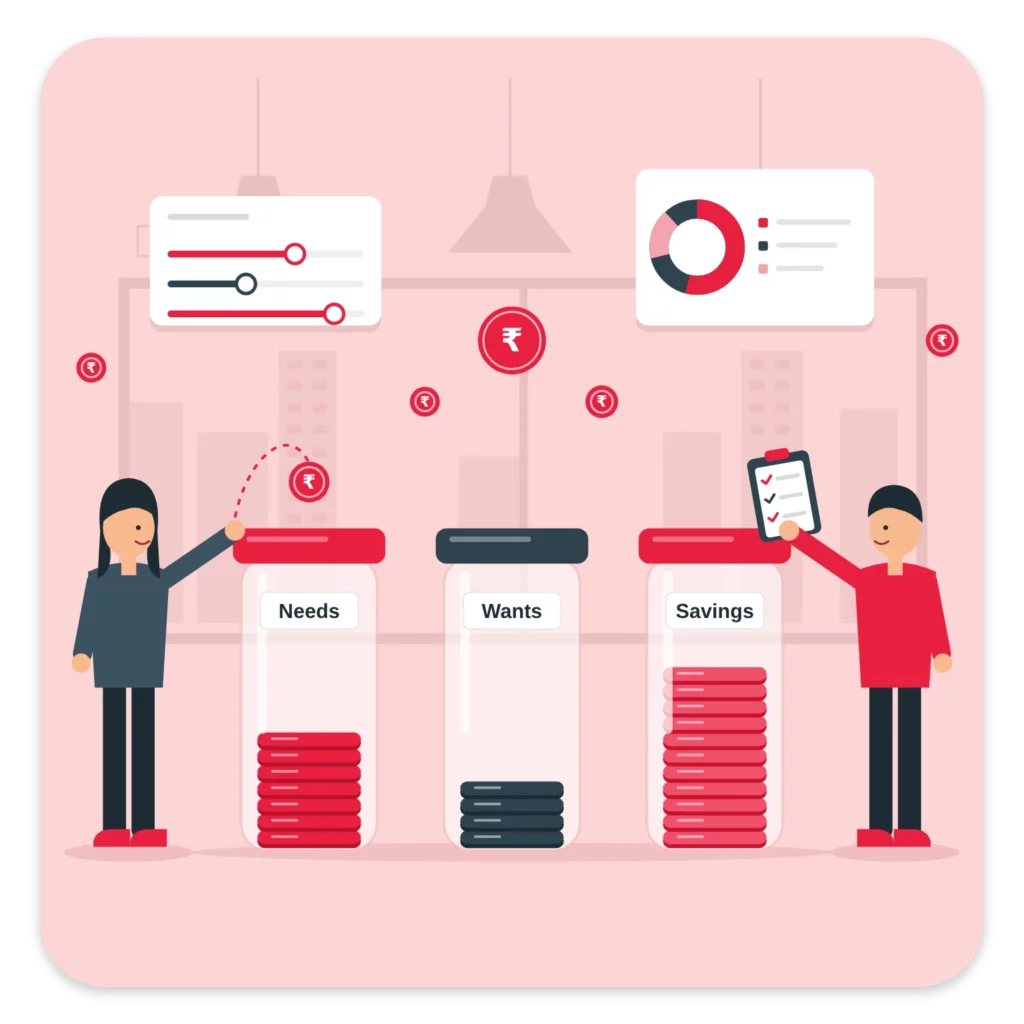
Planning your spending helps you prepare for regular expenses and avoid unnecessary financial pressure. Vyapar helps you maintain organized expense records that can support your budgeting process.
- Review spending across different expense categories.
- Compare expenses over different periods.
- Use your financial records to plan upcoming payments and budgets.
By understanding your spending patterns, you can make more informed financial decisions.

Build Better Customer Relationships
For home-based businesses, maintaining good customer relationships is important for repeat business and timely payments. Vyapar helps you manage billing, share invoices and keep payment information organized.
- Create and share professional invoices.
- Maintain customer transaction records.
- Follow up on pending payments using supported reminder features.
Organized billing and communication can make everyday customer interactions smoother and more professional.
How to get started with Vyapar
-
1
Download and install
Get the app from the official website or your device's app store, then run the installer.
-
2
Create an account
Open the app and sign in using your mobile number to create your company workspace.
-
3
Set up your business profile
Enter your business name, address, logo, and GST details. Switch between GST and non-GST invoicing as needed.
-
4
Add items and parties
Add your products or services with prices, stock, and tax rates, then enter customer or supplier details.
-
5
Start billing and tracking
Record sales, purchases, and expenses, share invoices via WhatsApp or email, and track payments and reports.
Frequently Asked Questions (FAQs')
Personal accounting software helps individuals manage their income, expenses, payments and financial records in one place. It makes it easier to record everyday transactions, organize spending, monitor available funds and review financial reports. Individuals, freelancers and home-based business owners can use it to maintain better control over their finances.
Personal accounting software helps you record money received and expenses incurred, organize transactions into categories and review your spending patterns. With Vyapar, you can maintain income and expense records, monitor payments and generate financial reports to understand your financial activities.
Yes. Vyapar offers a free version of its mobile app with access to selected features. Users who need additional functionality can explore the available paid plans. The desktop version also offers a free trial. You can compare the available plans and their features on the Vyapar pricing page.
Vyapar can help you maintain organized records of household-related expenses by recording transactions under relevant categories. You can track spending on groceries, utilities, travel and other expenses, making it easier to review your financial records and understand your spending habits.
Yes. Vyapar supports accounting activities useful for home-based businesses, including income and expense tracking, invoicing, payment monitoring and inventory management. It helps business owners organize their financial records and manage everyday accounting activities from one place.
Yes. Vyapar supports offline access for several everyday accounting activities. You can continue using supported features without an active internet connection. An internet connection may be required for cloud backup, synchronization and other online services.
Vyapar is available on supported Android and iOS mobile devices, Windows desktops and Mac computers. Feature availability and plan inclusions may vary depending on the device and subscription selected.
Yes. Vyapar provides financial reports that help users review their recorded transactions and understand their financial position. Depending on the selected plan and device, available reports can include Profit and Loss, Balance Sheet, Cash Flow and other accounting reports.
Vyapar provides security and data backup features to help users protect their financial records. Supported security measures and backup options help users maintain access to their information and manage their accounting data more confidently.
Yes. Vyapar allows users to create and customize invoices, record payments and share supported billing documents through channels such as WhatsApp and email. This is particularly useful for freelancers and home-based business owners who need to maintain organized billing records.