
 Accounting
Reduce Manual Bookkeeping Work
Recording every sale, purchase, and expense by hand takes time.
Manual entries can lead to missed records and calculation mistakes.
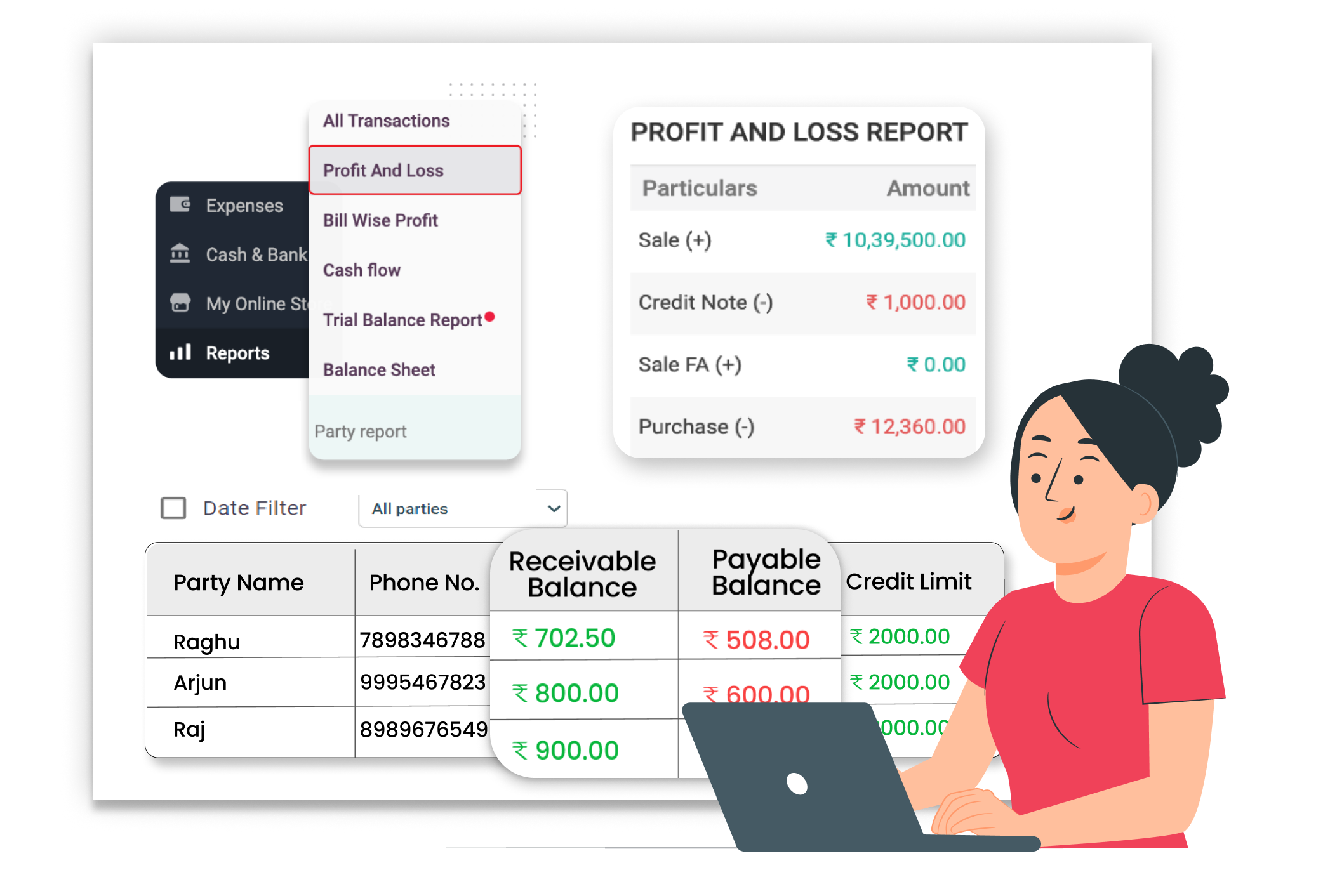
Why Reducing Manual Bookkeeping Matters
Manual bookkeeping increases workload. Writing entries in separate registers and calculating totals by hand can cause errors and confusion. When bookkeeping is managed inside one system, records stay updated automatically, saving time and keeping accounts organized.
No Repeated Manual Entries
Sales and purchase entries are recorded automatically. When you create bills or add expenses, accounts update instantly without writing the same information again.
Automatic Ledger Updates
Customer and supplier ledgers update automatically as transactions are recorded. There is no need to calculate or write balances separately.
Ready Financial Reports
Reports are generated directly from saved data. You can view profit, loss, and account balances anytime without preparing statements manually.
 The Transformation
Before & After Vyapar Auto Ledger Update
Before
Without Vyapar
- Manual entry in notebooks or registers
- Separate calculation of totals
- Repeated writing of sales and purchase data
- Time spent matching balances

After
With Vyapar
- Automatic recording of sales and purchases
- Ledger balances updated instantly
- All transactions stored safely in one place
- Financial reports generated automatically
 Business Impact
Real Results for Your Business
Reducing manual bookkeeping helps you save time, improve accuracy, and manage accounts more smoothly — so you can focus more on running your business.
High
Time Saving
Automatic entries reduce daily accounting effort
40%+
Less Manual Work
Most records are saved during billing itself.
Better
Record Accuracy
System-based entries reduce calculation mistakes.
How This Feature Solves Bookkeeping Problems
Vyapar reduces manual accounting work by recording transactions automatically, updating ledgers instantly, and generating reports from saved data — so you do not have to maintain separate books manually.
1

Create P/S Entry
Record your daily transactions
2
Add Payment Details
Enter cash, bank, or credit details.
3

Automatic Ledger Update
balance updates automatically
4
View Reports Anytime
Check financial reports when needed.
Record business transactions easily. When you create a sales invoice or purchase bill in Vyapar, the system automatically records the transaction in your accounts, removing the need for duplicate entries.
Track how money is received or paid. While saving the transaction, you can select payment modes like cash, bank, or credit. Vyapar stores this information properly and updates payment records instantly.
No manual balance calculation required. Customer and supplier ledgers update automatically after each transaction. Outstanding amounts and payments are reflected clearly without additional work.
Access financial data quickly. Vyapar generates reports such as Profit & Loss, Balance Sheet, and ledger reports from recorded entries, helping you review business performance anytime.
Where This Helps Most
Ideal for These Businesses
This use case is perfect for businesses that want proper accounting control and accurate books.

Retail Stores
For Daily billing
Easy to manage with Vyapar
Edit Link

Wholesalers & Distributors
Regular purchase and sales entries.
Easy to manage with Vyapar
Edit Link

Pharmacies
Frequent item-based billing.
Easy to manage with Vyapar
Edit Link

Manufacturers
Purchase of raw materials and finished goods sales.
Easy to manage with Vyapar
Edit Link

Service Providers
Service invoices and expense tracking.
Easy to manage with Vyapar
Edit Link

Traders
Multiple daily transactions with customers and suppliers.
Easy to manage with Vyapar
Edit Link
Related Use Cases
Avoid GST Mistakes & Stay Tax Ready

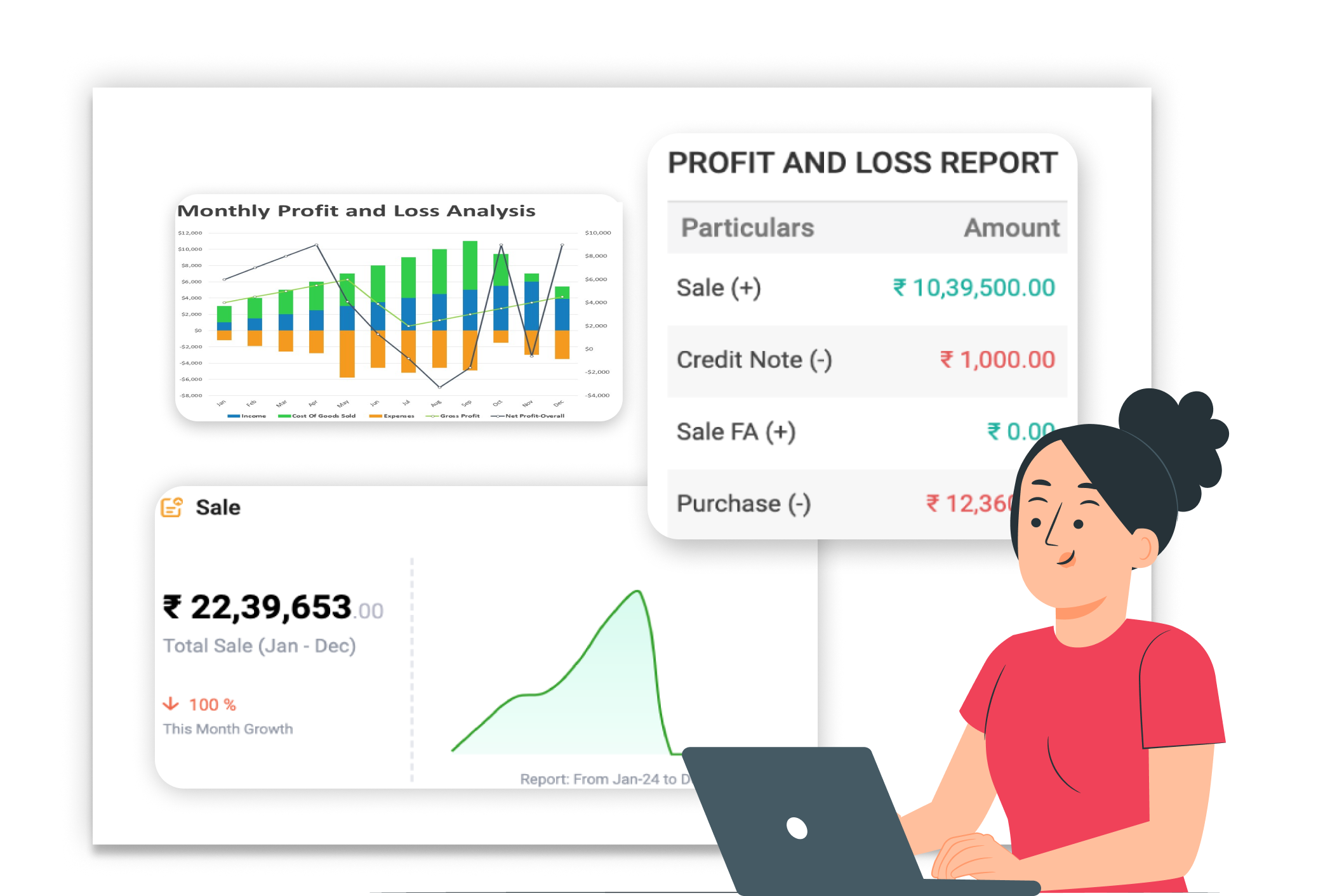
Real-Time Profit & Loss Reports
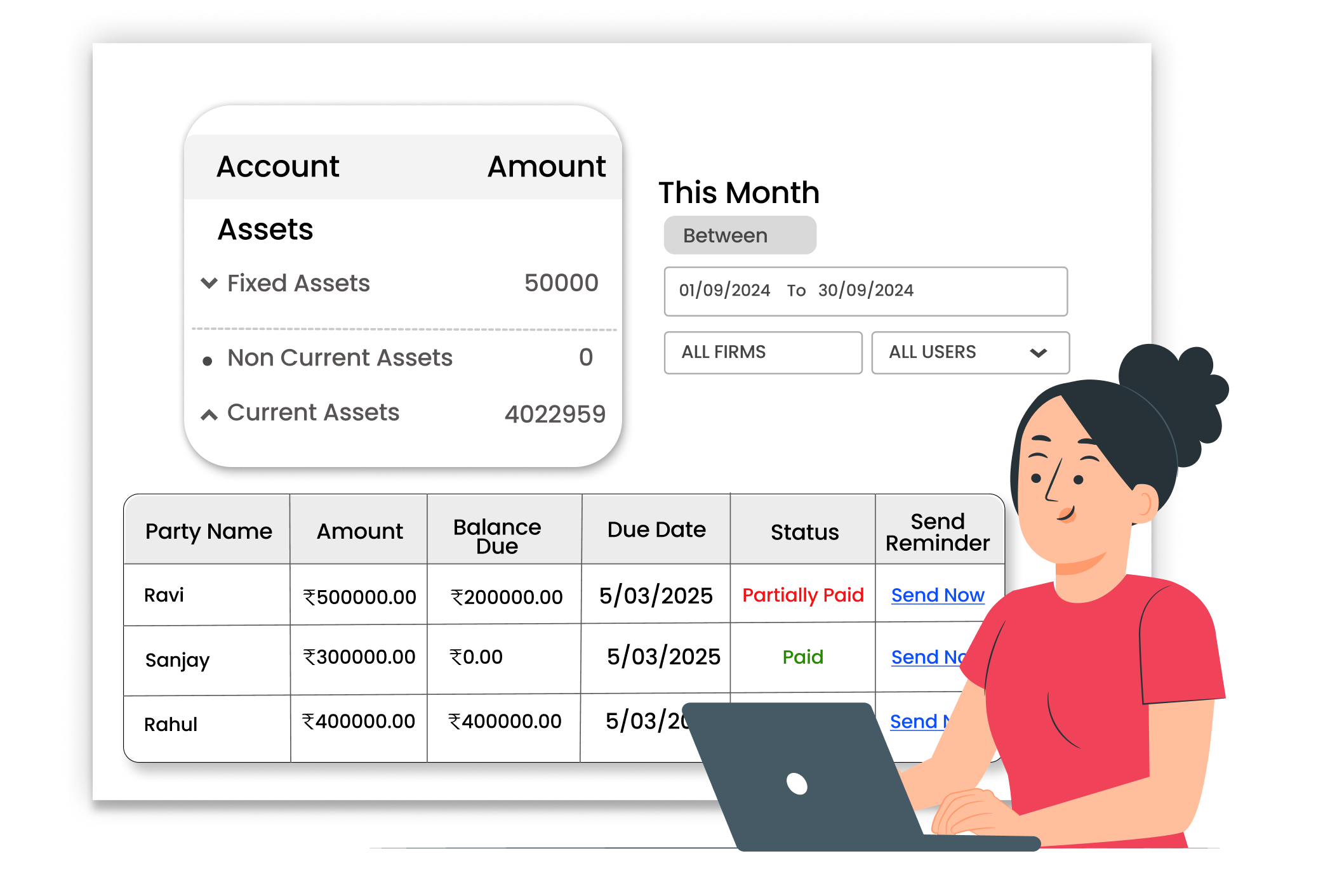
Generate Balance Sheet easily





