
How to Add Other Income in Vyapar App
While the main business revenue comes from product or service sales, “Other Income” refers to secondary sources such as interest from investments, rental income, or scrap sales.
Vyapar provides a dedicated feature to record these transactions separately, ensuring your total business earnings are tracked accurately without cluttering your main sale reports.

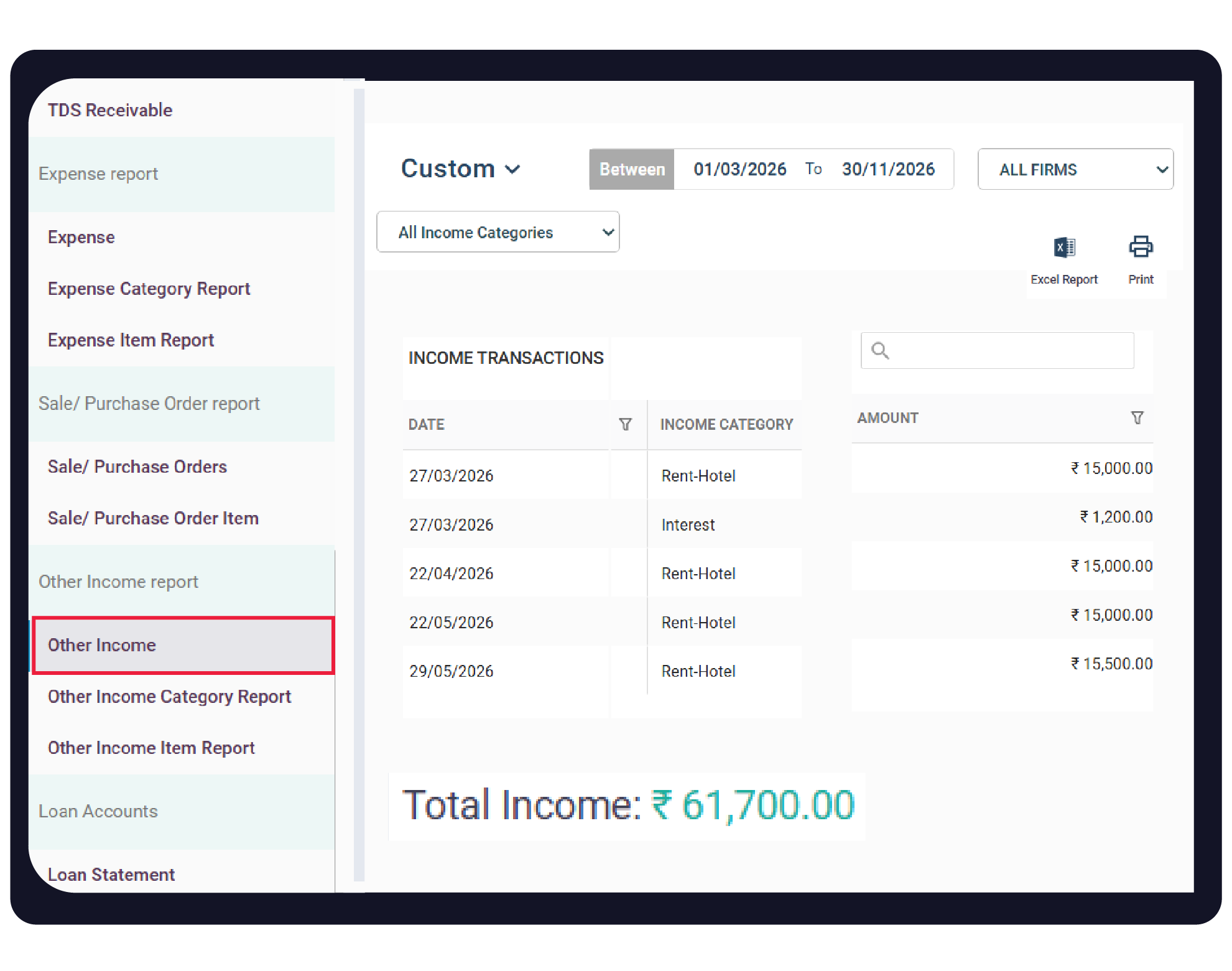

Before You Start

Feature Activation: Ensure the Other Income feature is toggled ON in your general settings.
Defined Categories: Identify your secondary income sources (e.g., Interest, Rent, Commission) to categorise them correctly.
Bank/Cash Account: Ensure your bank accounts are linked or cash-in-hand is updated to reflect the incoming funds
Step-by-Step Guide to Adding Other Income:
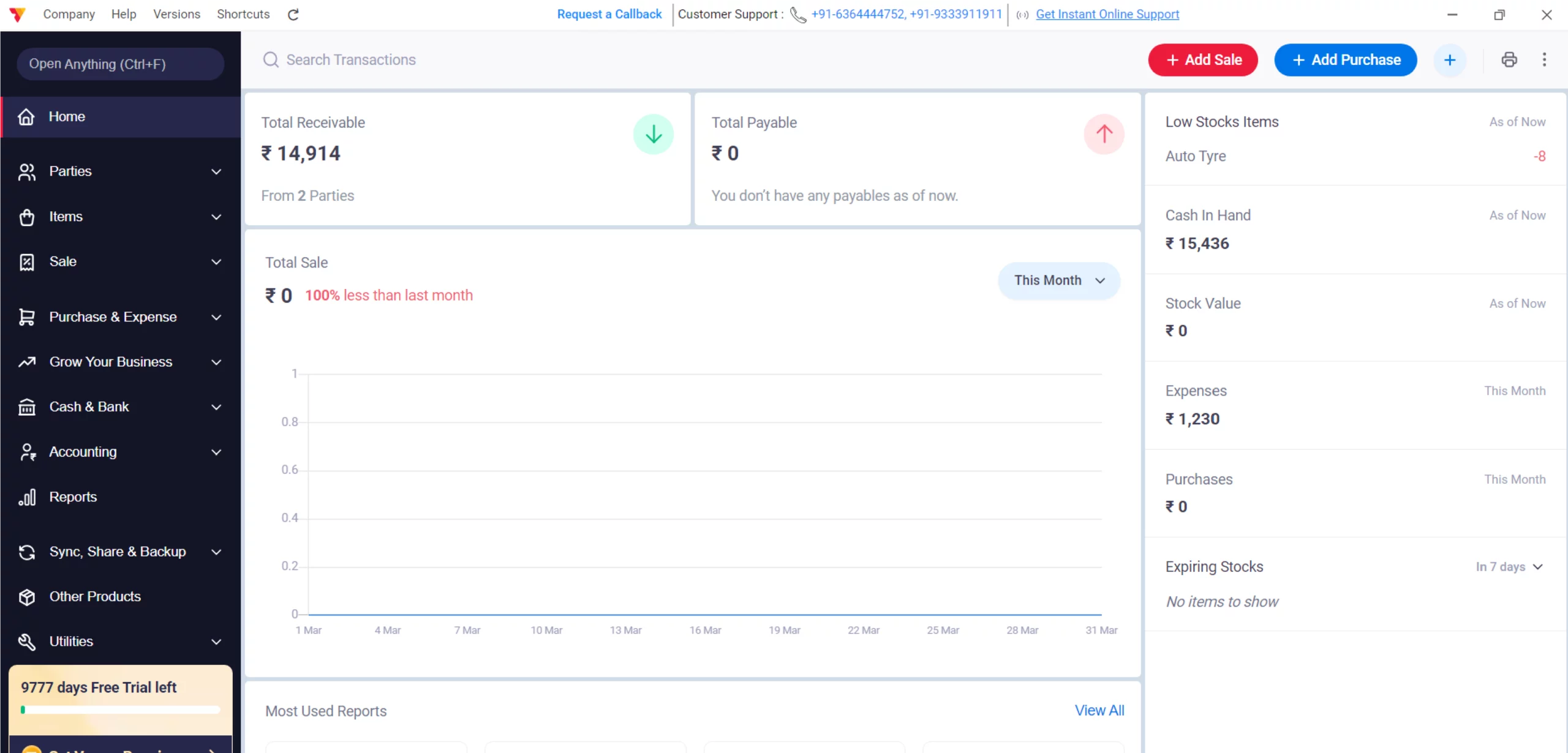
Open Vyapar App
Launch the accounting software on your Desktop.
01
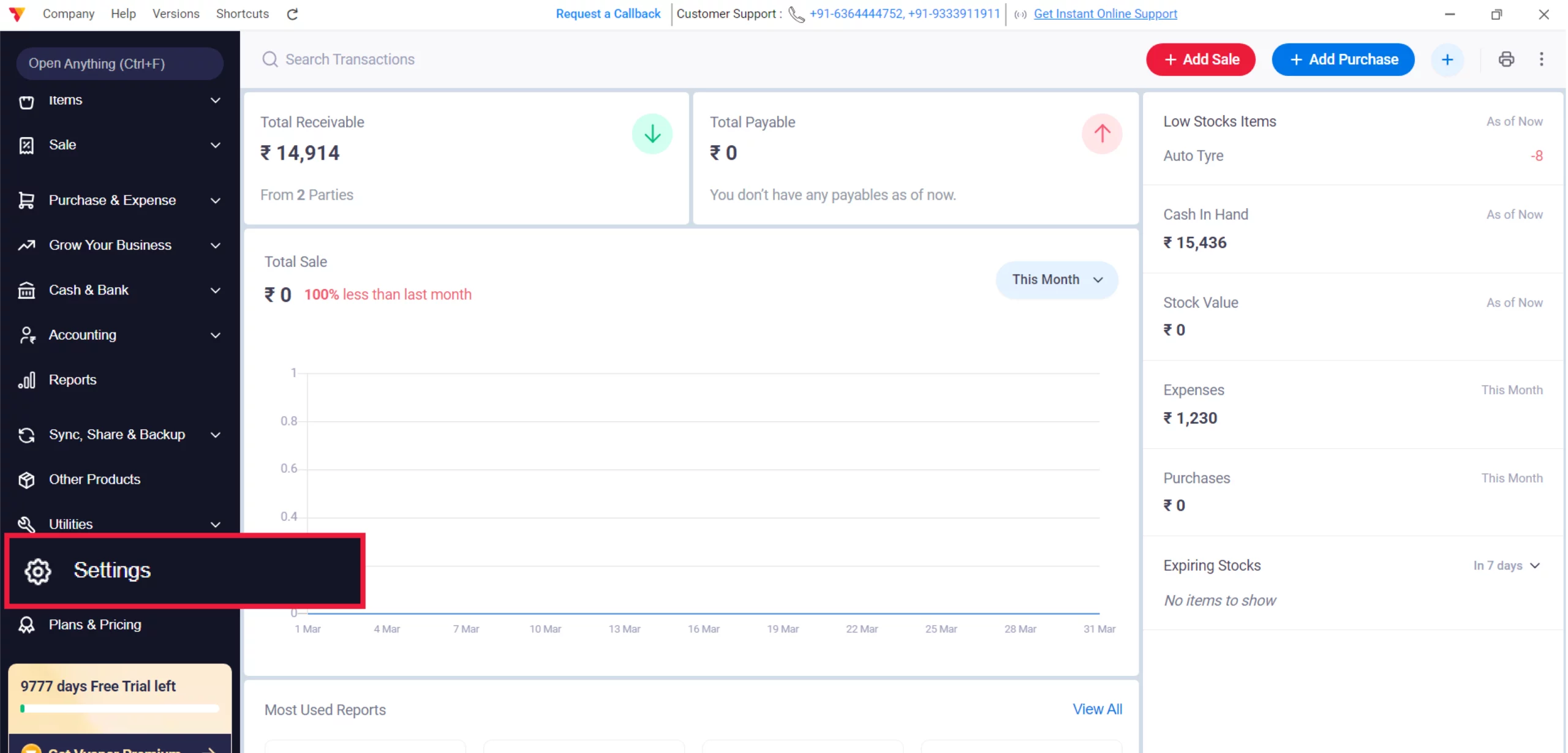
Access Settings
Navigate to the Left Menu, locate the Settings gear icon, and click it.
02
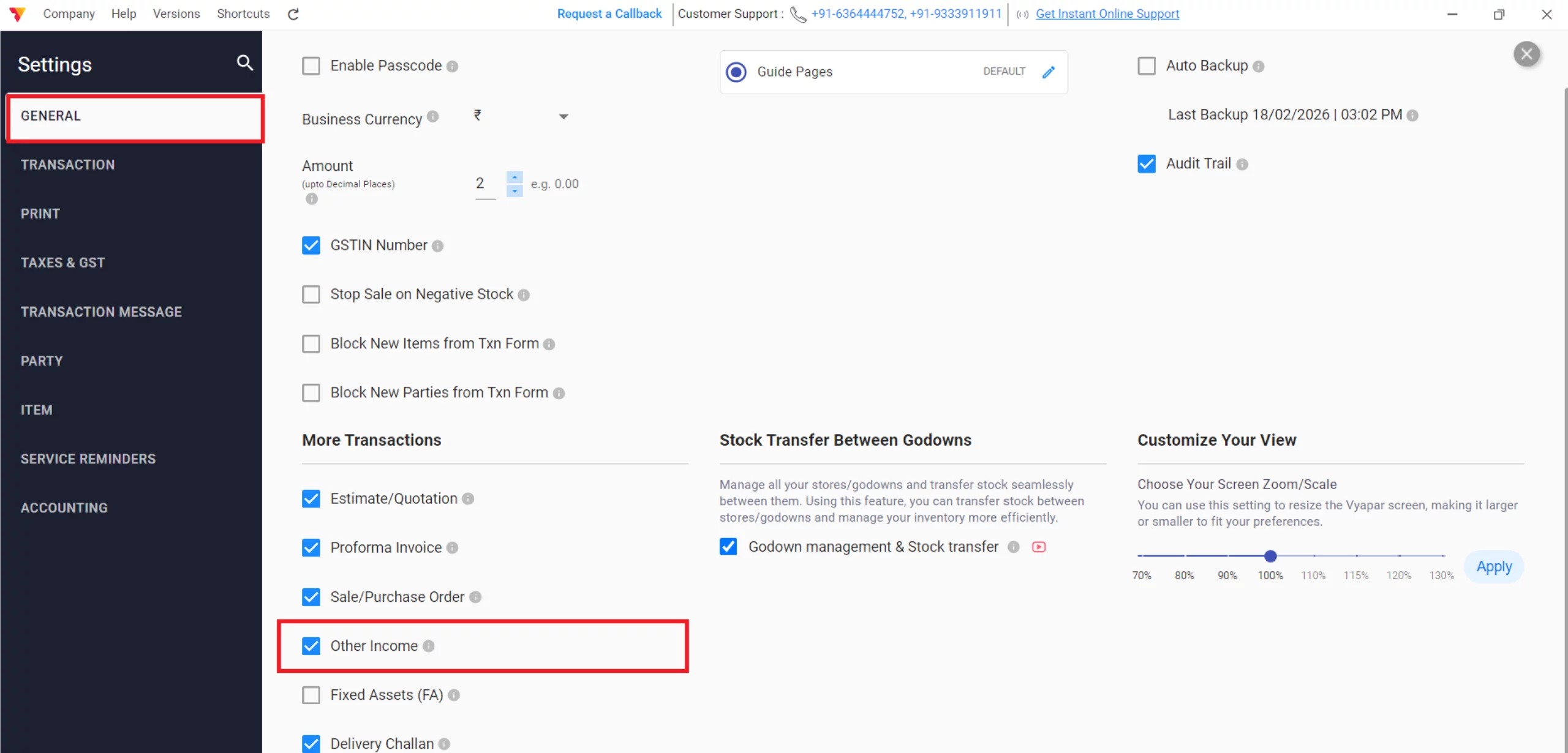
Enable Other Income
Navigate to GENERAL, locate the “Other Income” checkbox, select it, and close the settings window.
03
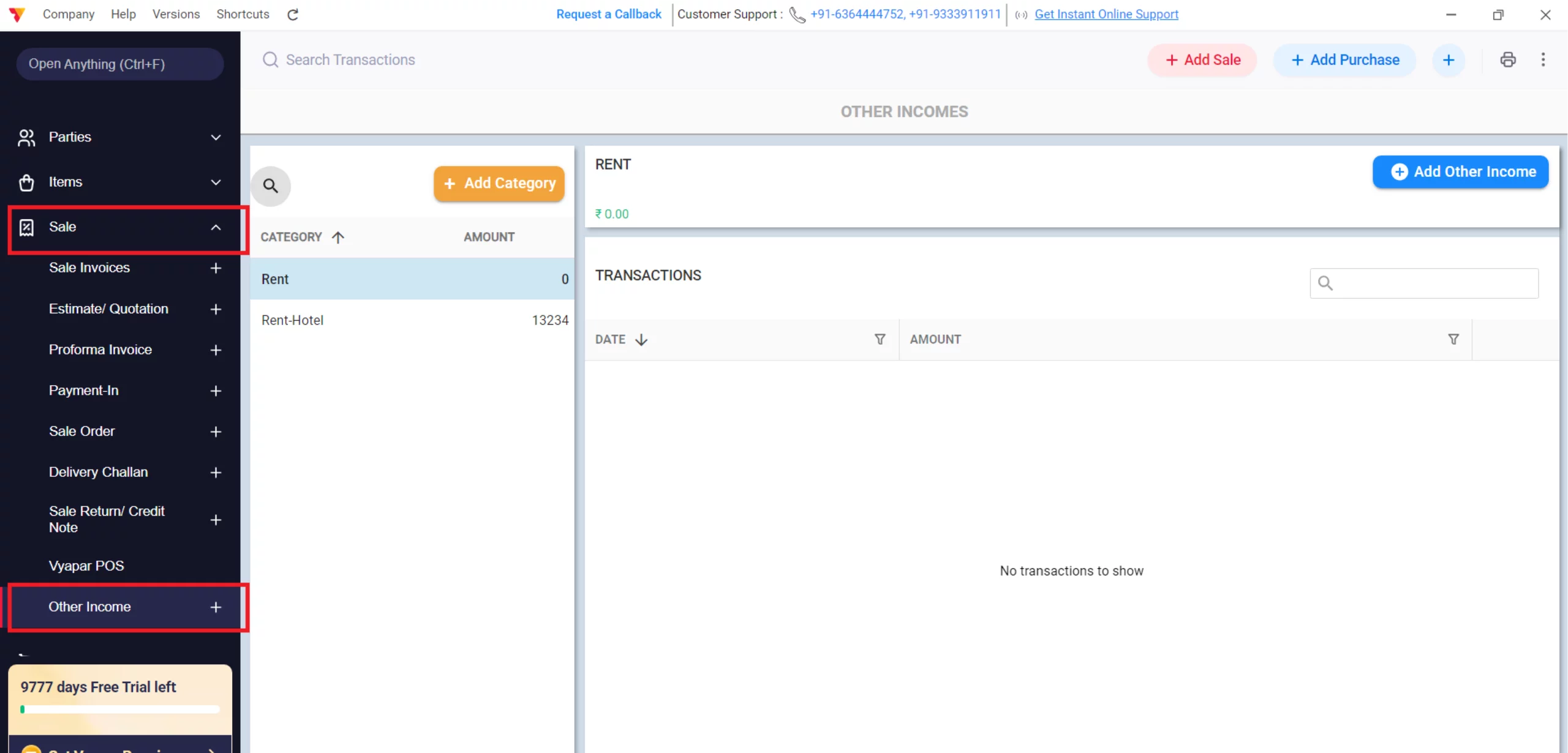
Access Other Income
Navigate to the left-hand main menu, click on Sale, then click the Other Income option in the dropdown.
04
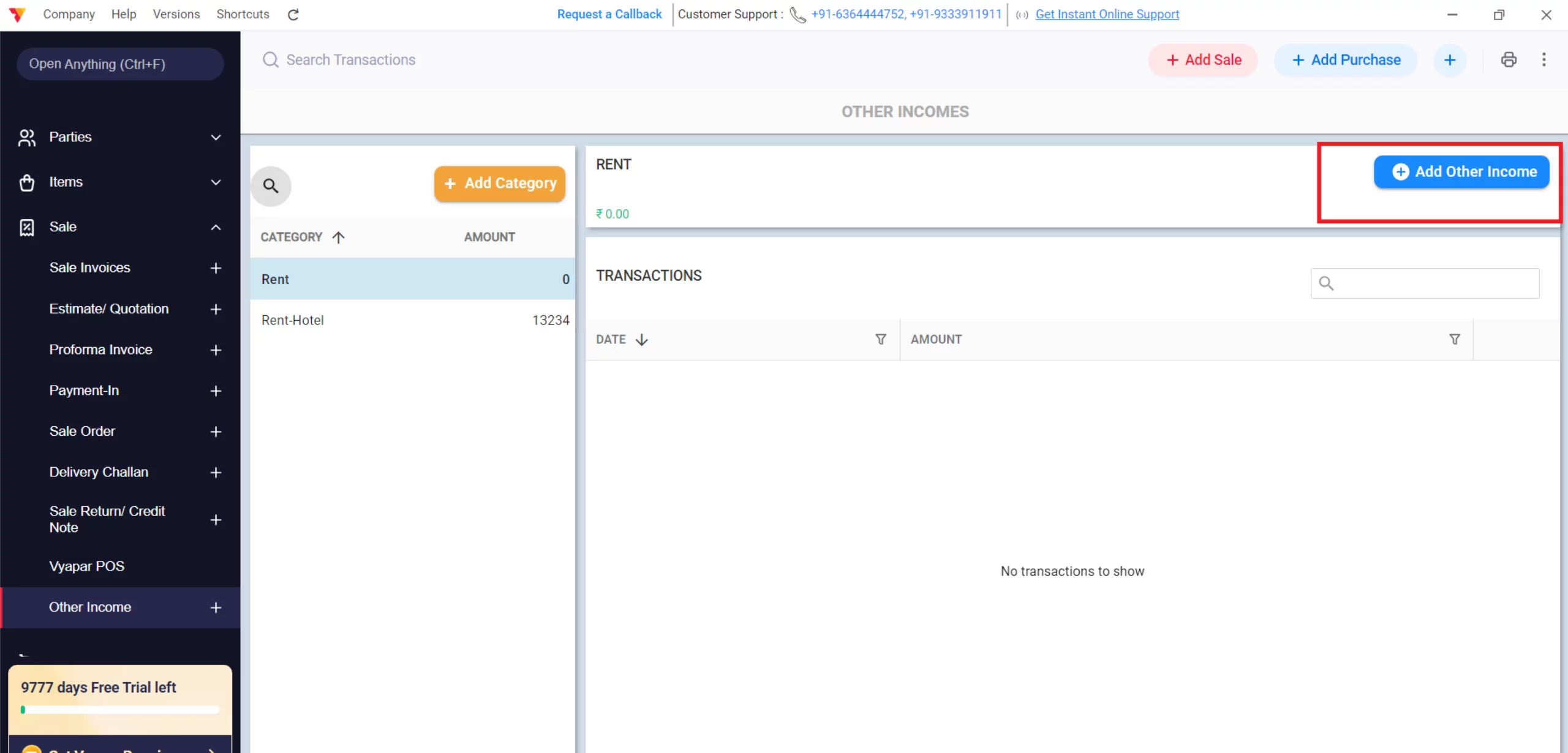
Create New Entry
Click the Add Other Income button to open the transaction form.
05
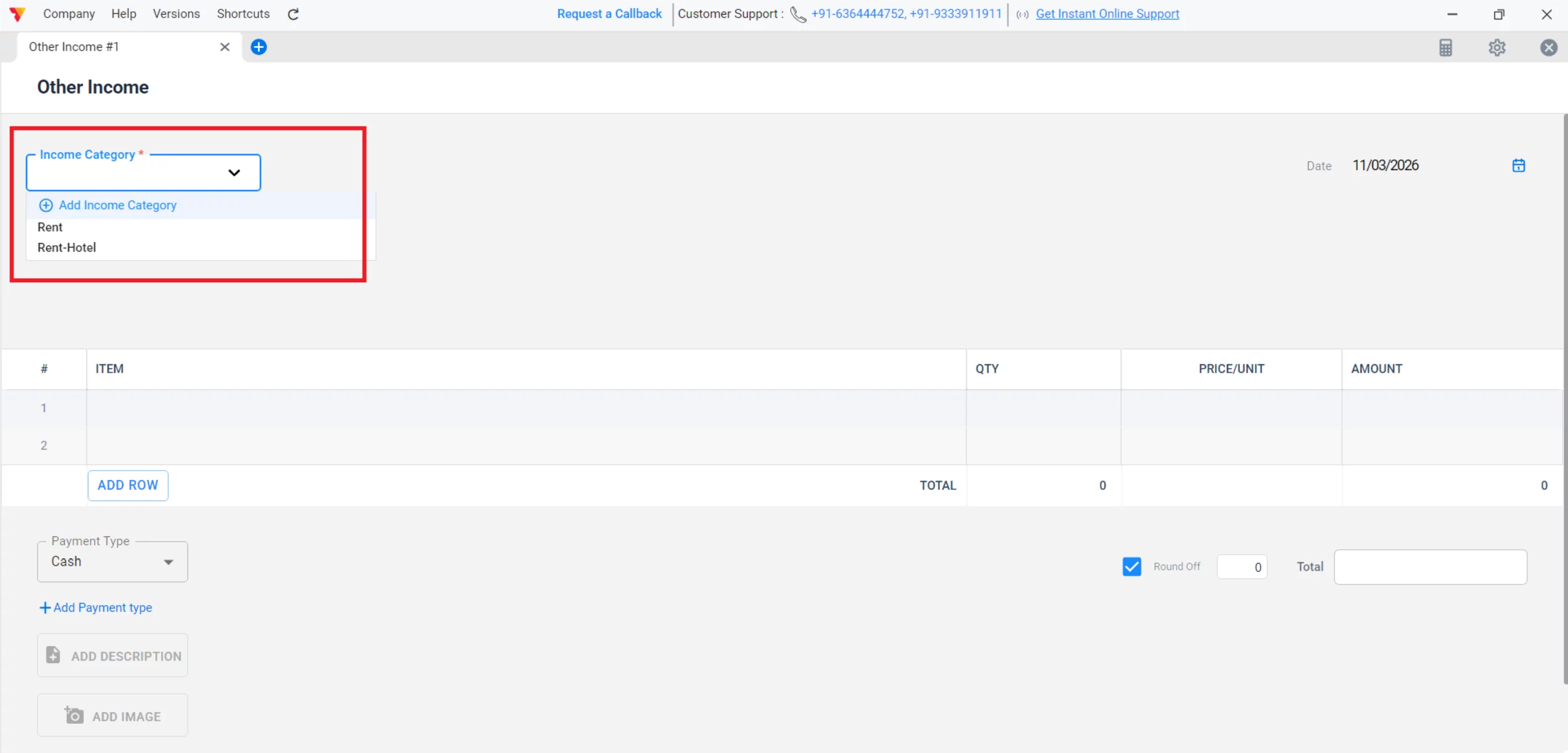
Select Income Category
Choose an existing category (like Interest or Rental Income) or click Add Category to create a new one for specific tracking.
06
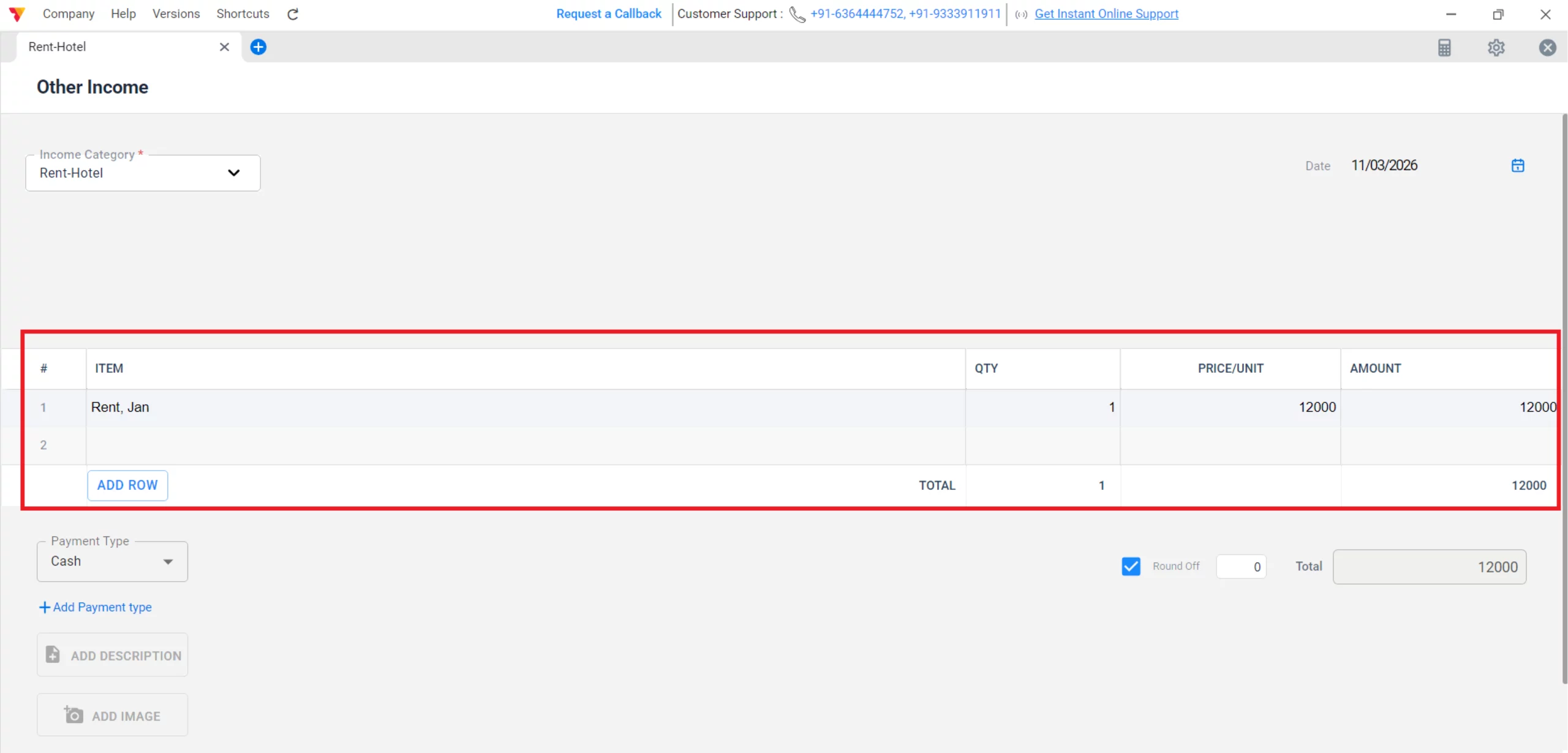
Enter Transaction Details
Input the Item, Qty, Price, Amount received and select the Date of the transaction.
07
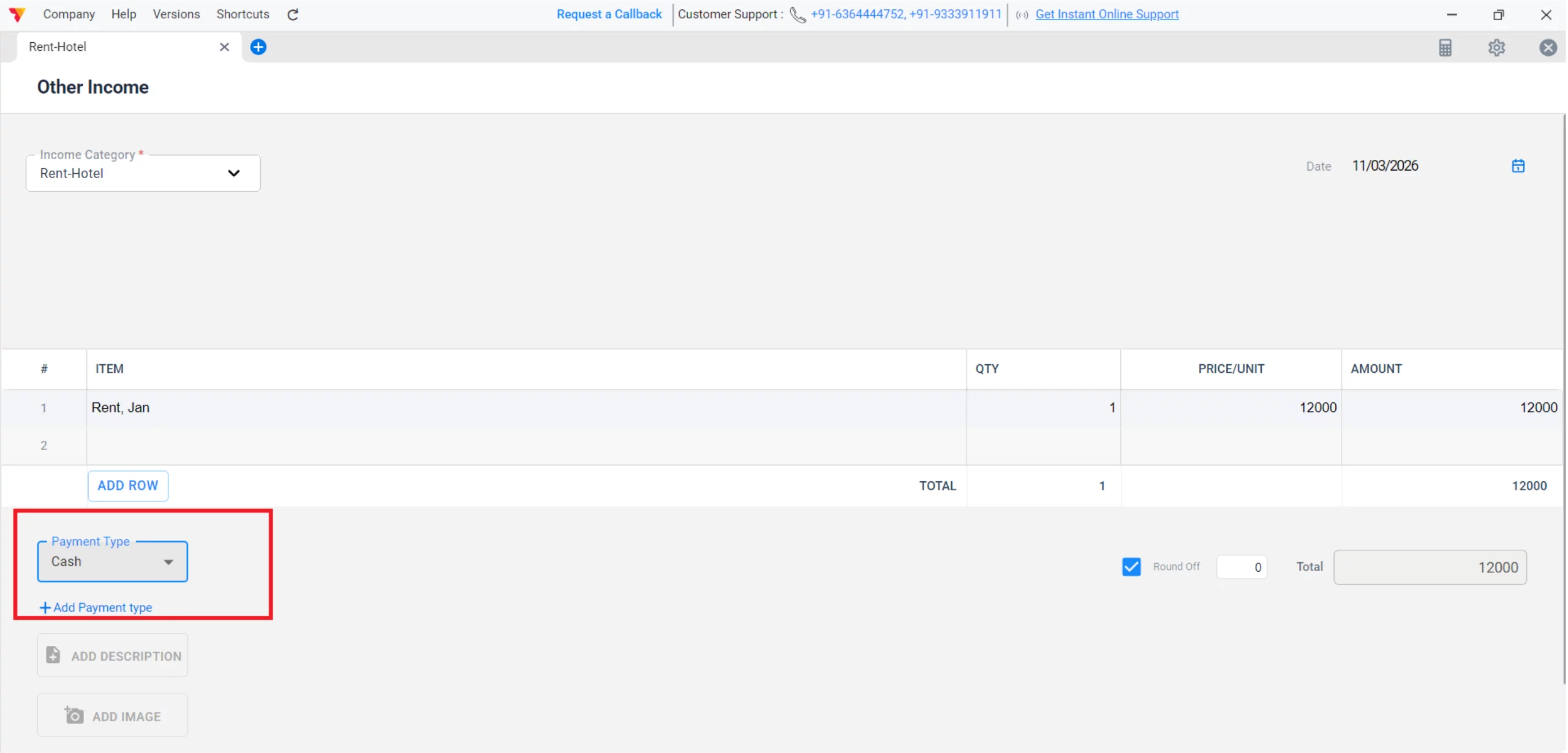
Choose Payment Mode
Specify if the money was received via Cash, Bank, or UPI.
08
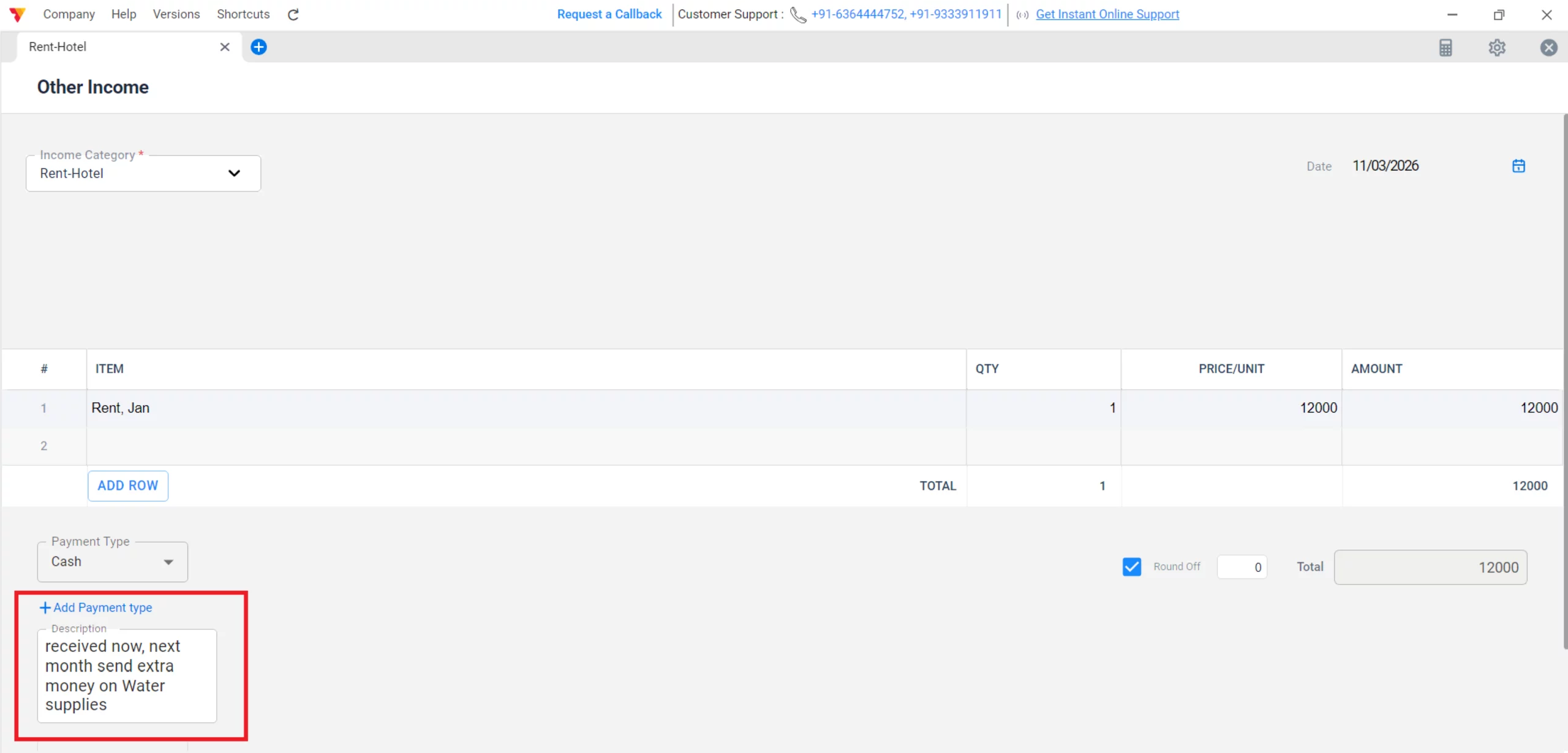
Add Description (Optional)
Use the description field to add notes, such as the period for which rent was received or the specific source of interest.
09
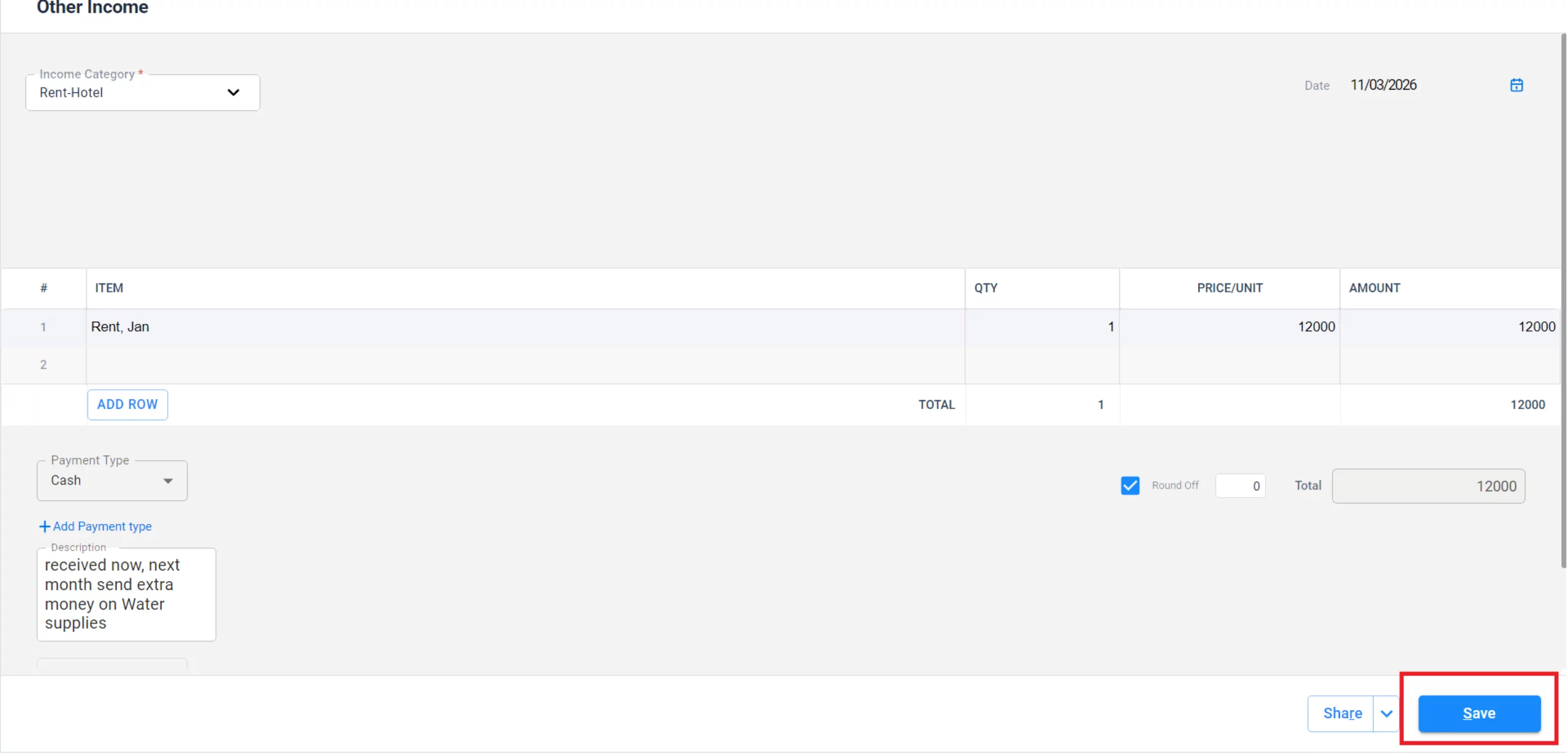
Save the Entry
Click the Save button; the income will be instantly recorded and reflected in your financial reports.
10
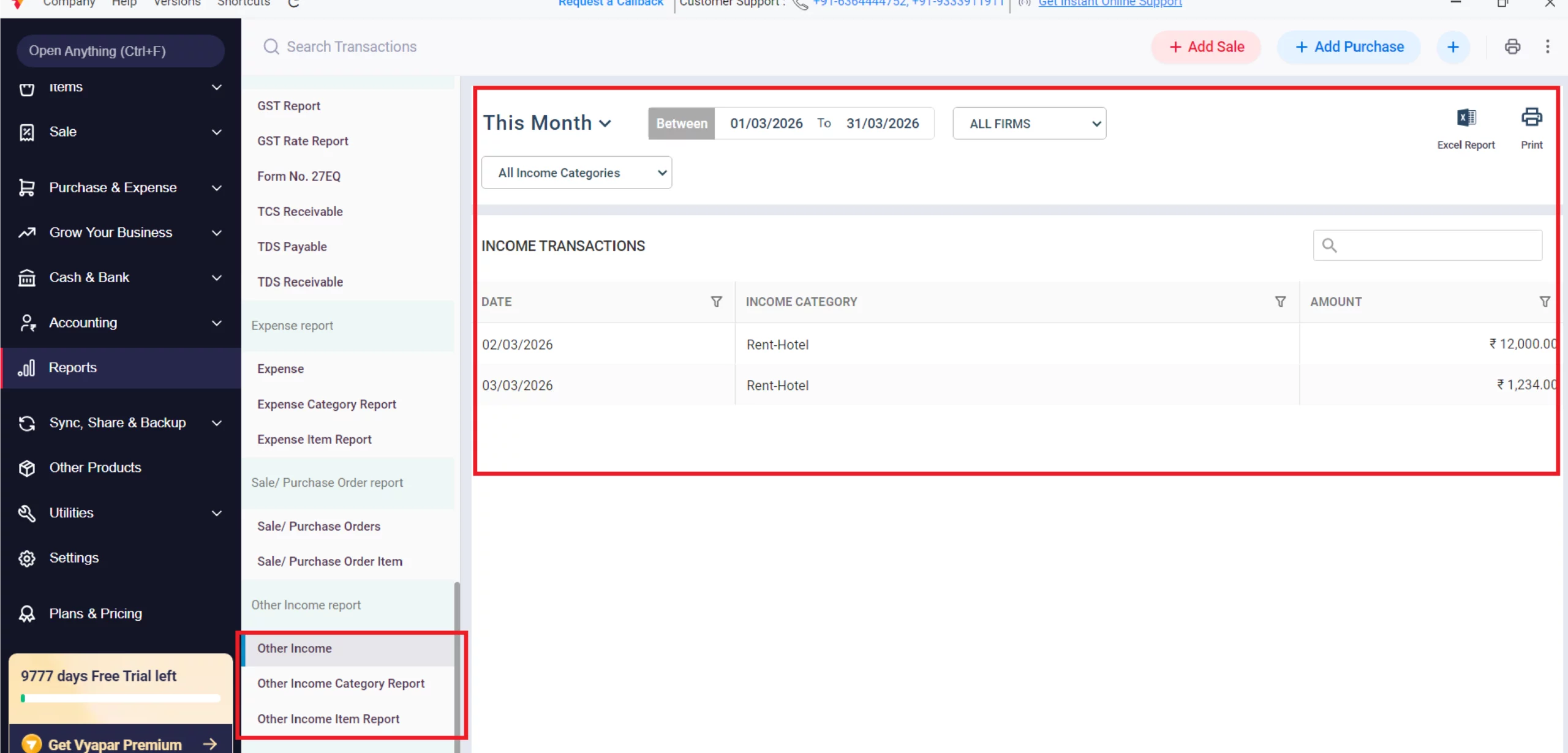
Verify your Reports
Navigate to Reports, scroll to Other Income, and view reports by Category or Item for detailed analysis.
11
Watch Step-by-Step Video Guide to Add Other Income
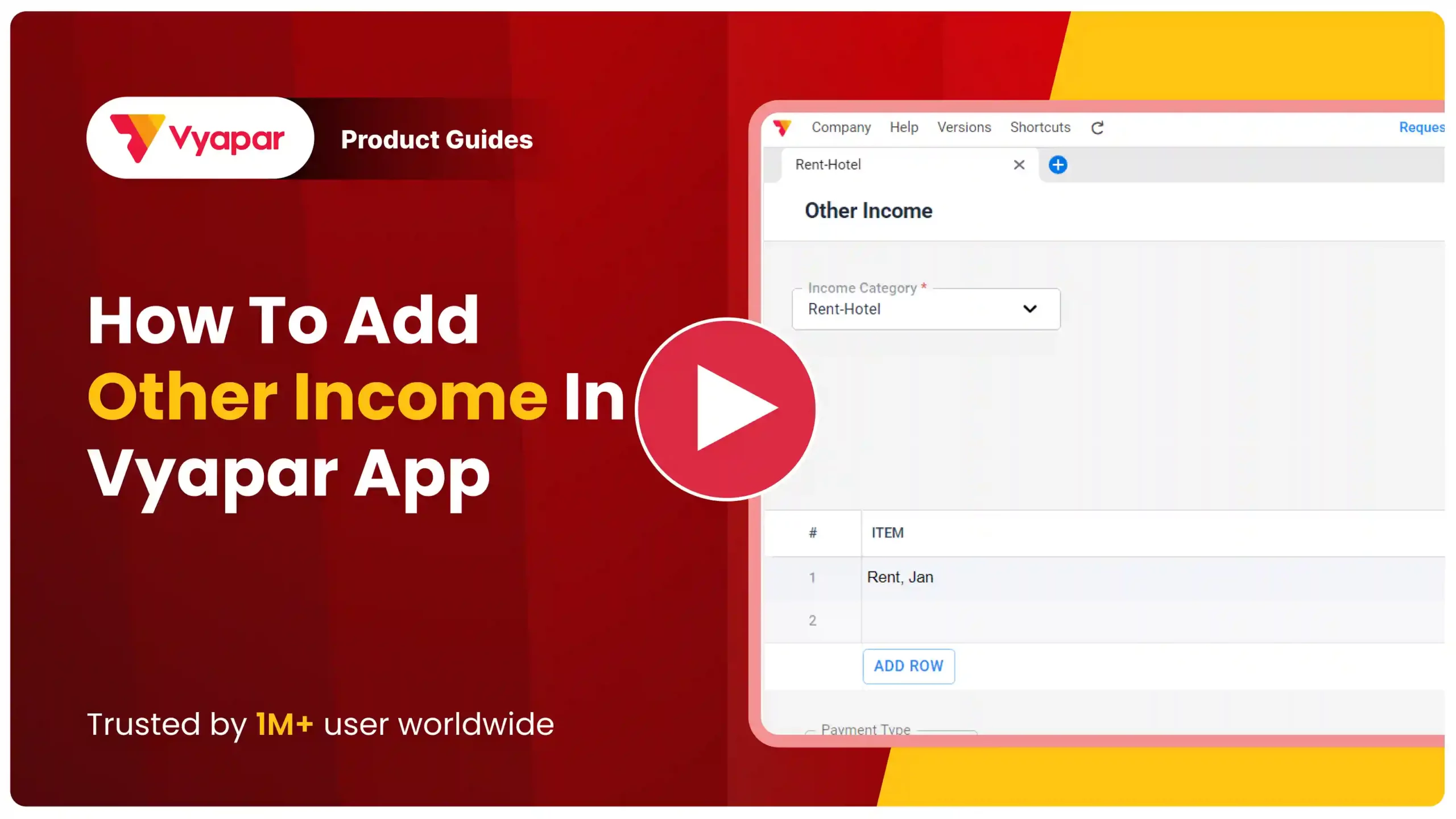
Add Other Income: Desktop Guide.
Still stuck? Get help in minutes.
Our support team is ready to help you succeed.
 24/7 Support
Why Is This Important for Your Business?
Automating your transaction-level communication provides several key advantages:

Total Revenue Clarity
It provides a complete picture of your business’s financial health by combining core sales with secondary earnings.
Audit Readiness
Having a dedicated report for “Other Income” makes it easier to explain non-sale deposits during tax audits or bank reviews.
Performance Tracking
You can easily identify which secondary sources (like scrap sales or commissions) are contributing most to your bottom line.
Frequently Asked Questions (FAQs)
Can I see a report for only my “Other Income”?
Yes, Vyapar offers an Other Income Report that shows all secondary earnings filtered by date or category.


Does adding “Other Income” affect my GST reports?
Generally, secondary income like bank interest is non-taxable under GST, but if you provide services like renting or consultancy, you may need to add it as a service item to apply GST to those entries.
Ready to Track Every Rupee?
Record other income today and see your true profit grow by 20%.
 Download Vyapar Now





