
Check Profit and Loss Report in Vyapar App
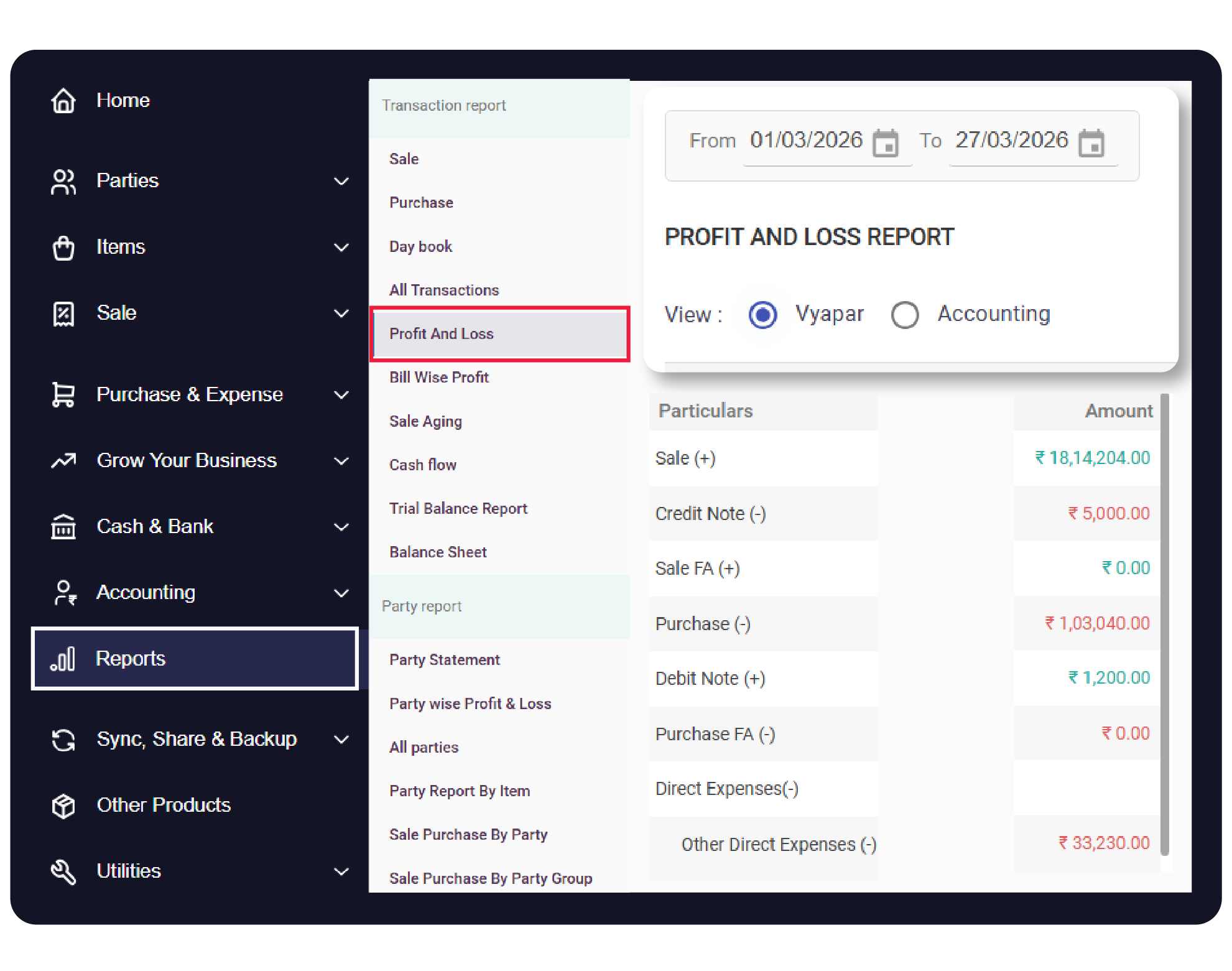
The Profit and Loss (P&L) Report is the primary health check for your business, summarizing your total revenue, cost of goods sold, and operating expenses to reveal your net profit.
Vyapar automates this by pulling data from your sales, purchases, and recorded expenses, including direct and indirect costs, to provide a real-time view of your financial standing.


Before You Start

Recorded Transactions: Ensure all Sales, Purchases, and Expenses for the period have been saved.
Expense Categorization: For an accurate breakdown, ensure costs are correctly tagged as Direct or Indirect.
Opening Stock: Ensure your opening stock values are updated if you want an accurate “Cost of Goods Sold” calculation.
Step-by-Step Guide to Accessing the P&L Report:
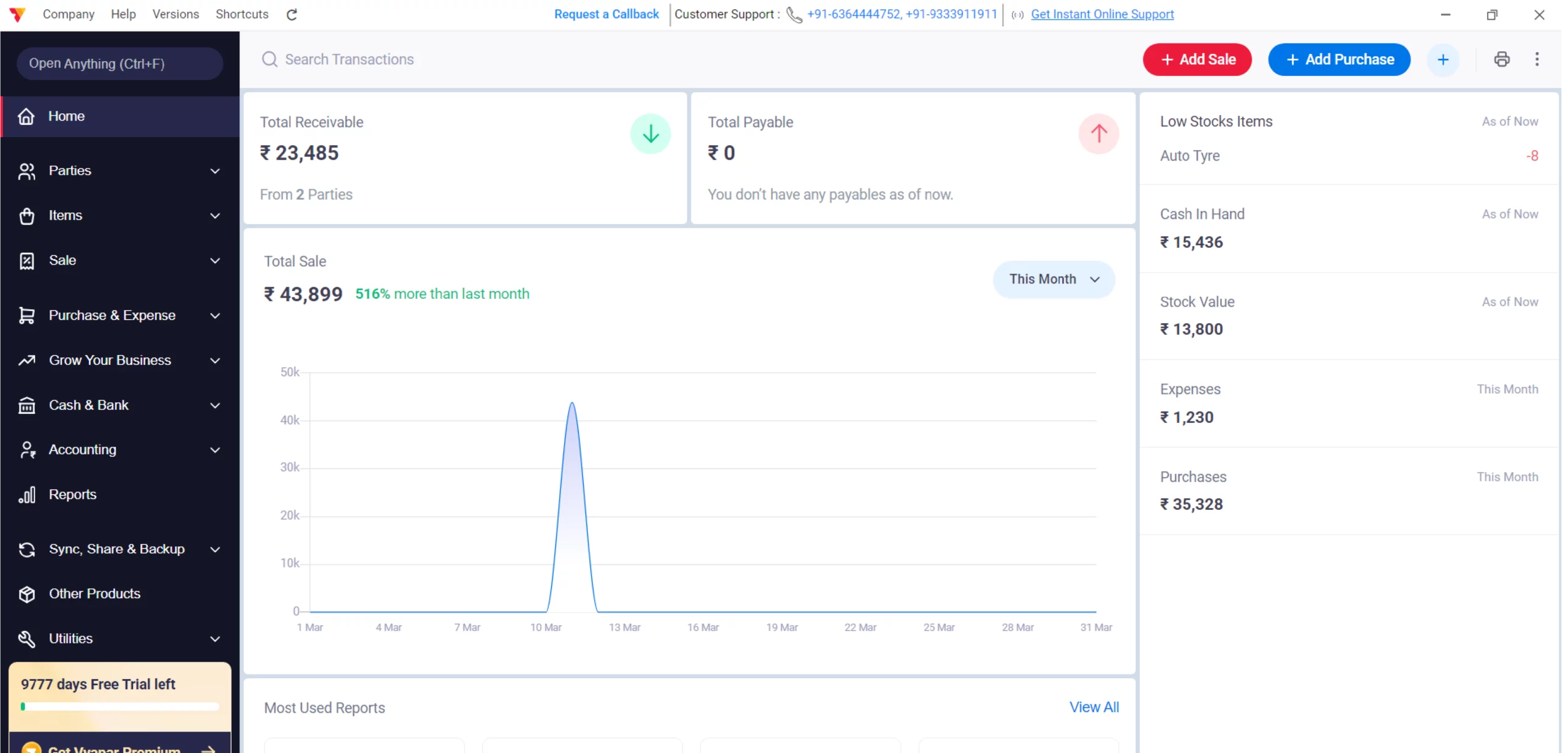
Open Vyapar App
Launch the Vyapar accounting software on your Desktop.
01
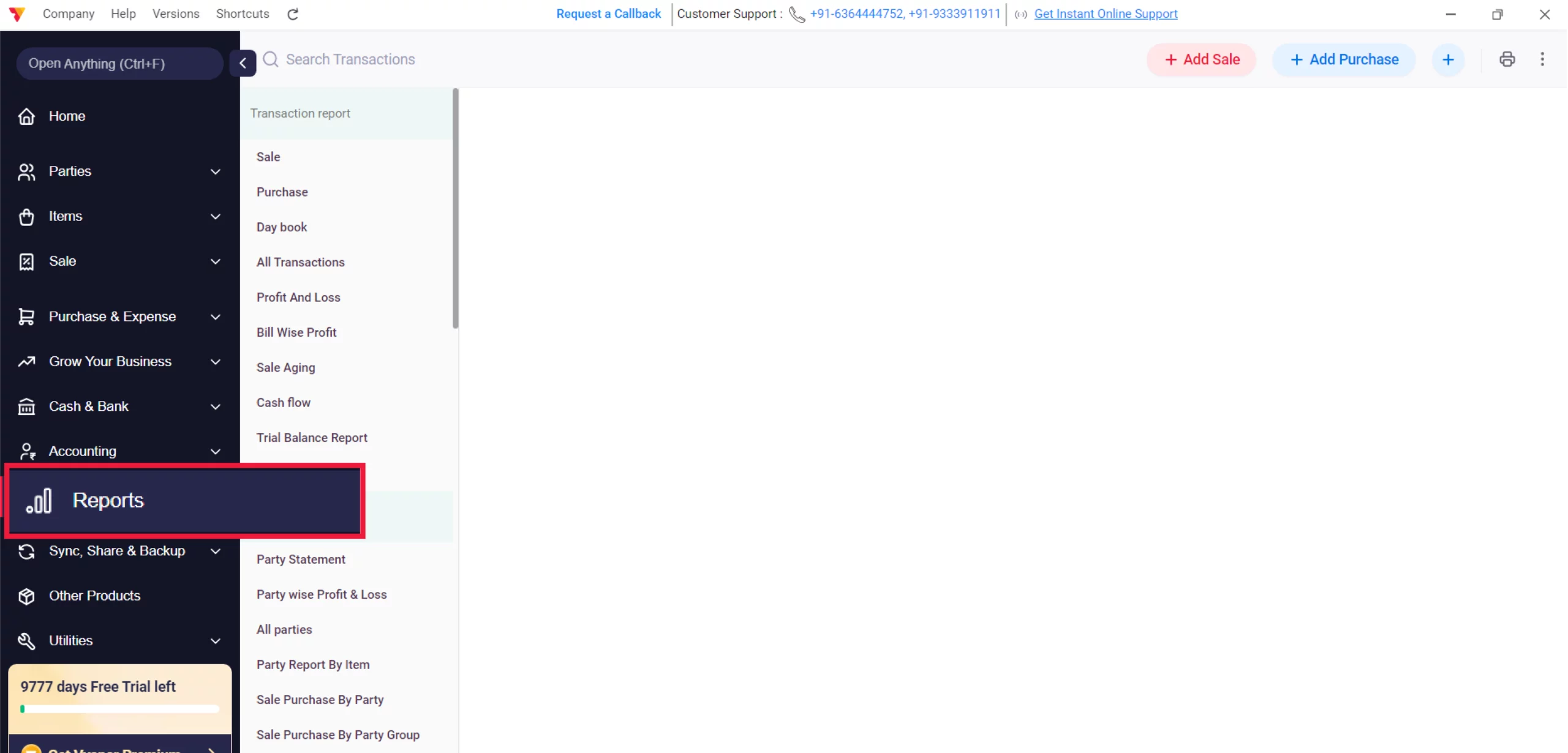
Navigate to Reports
Navigate to the left-hand main menu, click the Reports section.
02
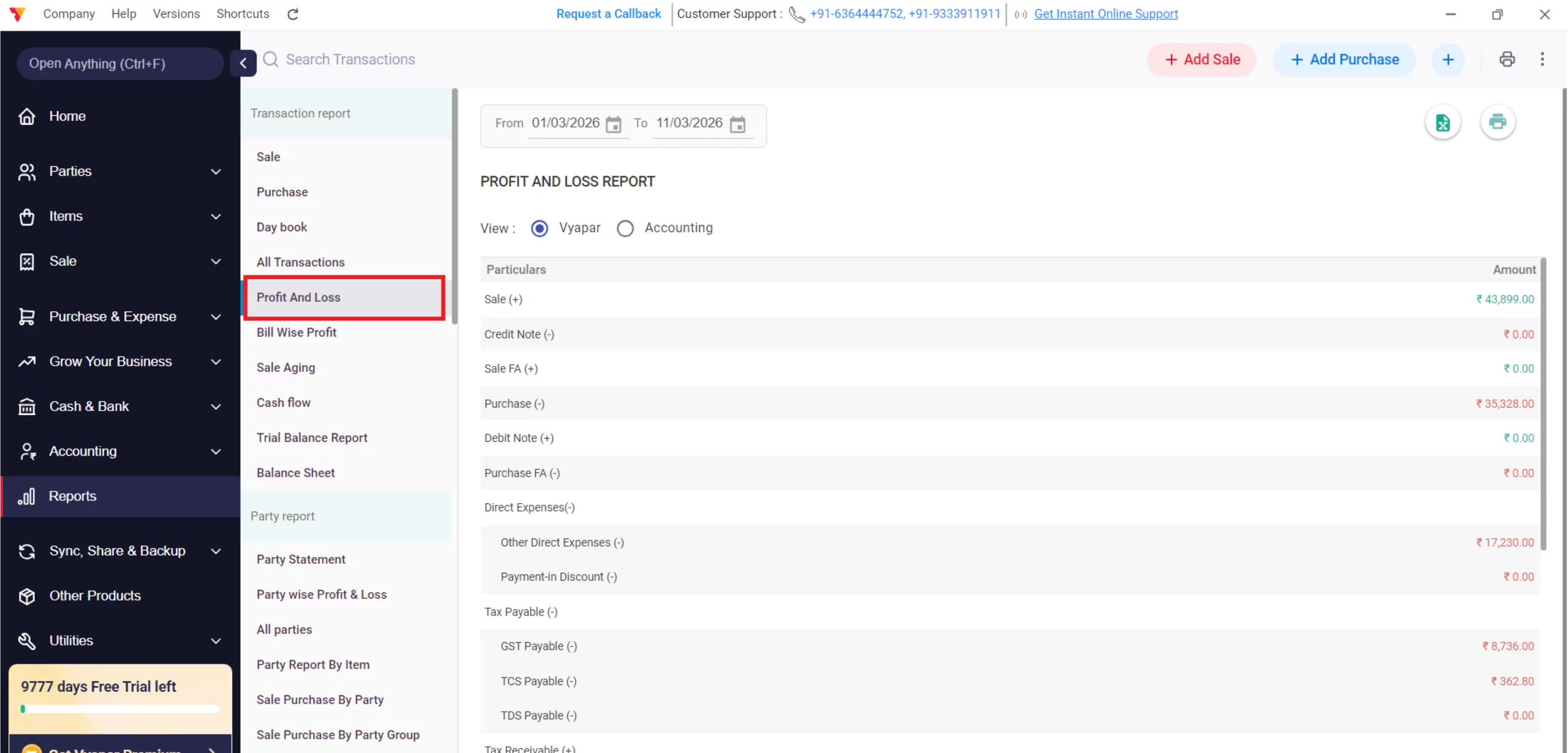
Select Profit and Loss
Scroll to the Transaction Report section and click on Profit and Loss.
03
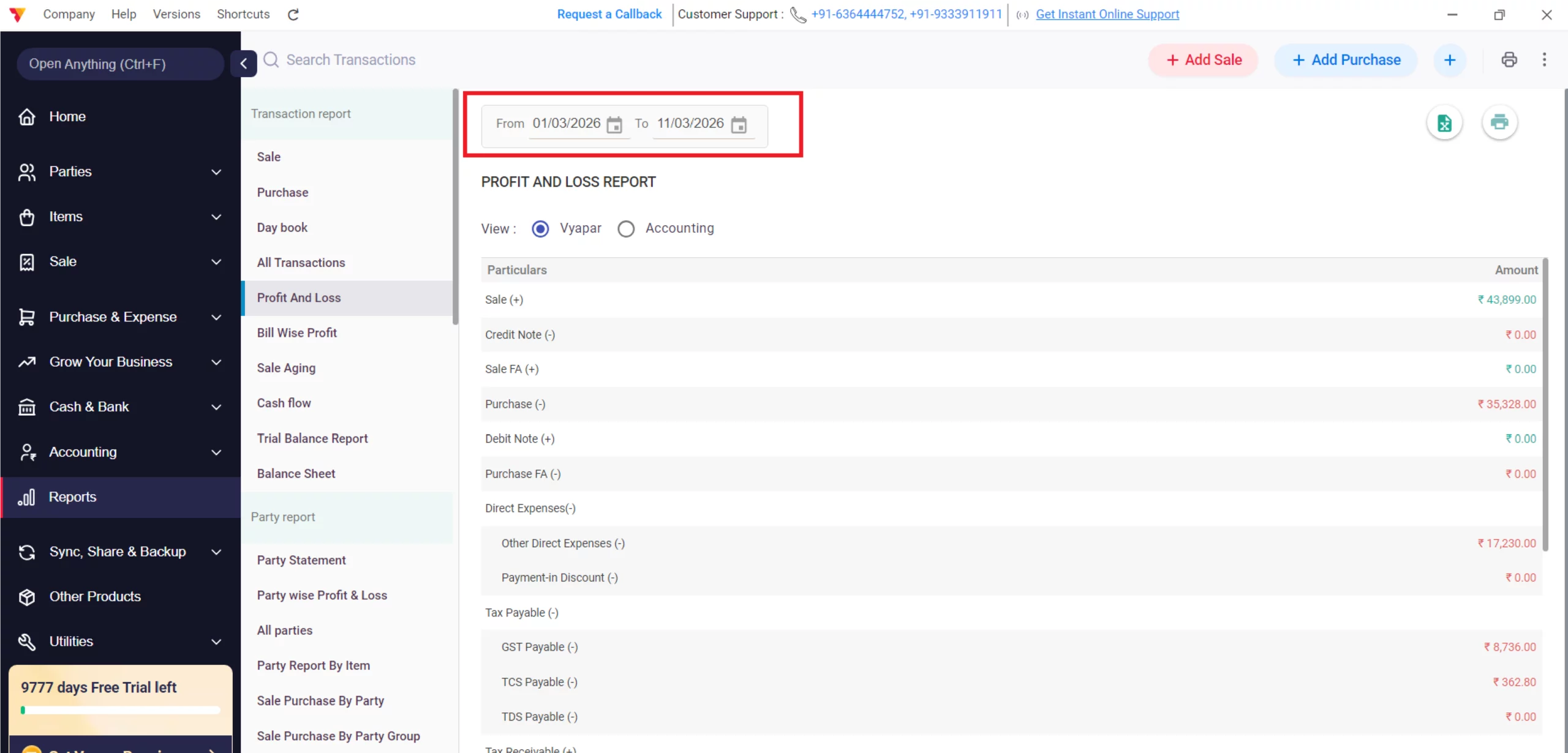
Apply Custom Date Filter
Use the date filter at the top to select your specific “Between” dates for a custom reporting period.
04
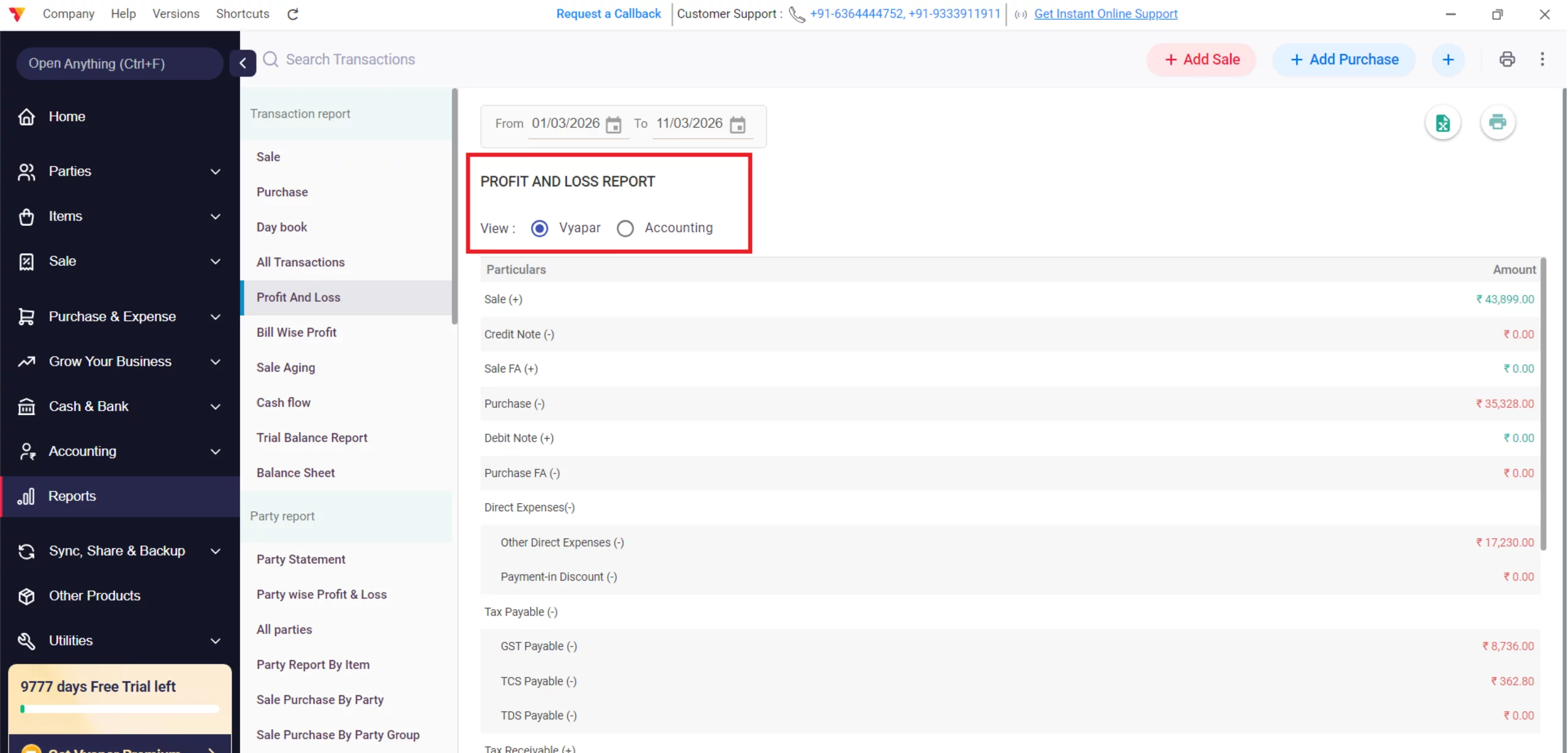
Choose Your Variation
Locate the view toggle to switch between:
Vyapar View: A simplified, user-friendly layout designed for business owners to see Gross and Net profit at a glance.
Accounting View: A traditional T-format or vertical layout that follows standard accounting principles for easier auditing and CA review.
05
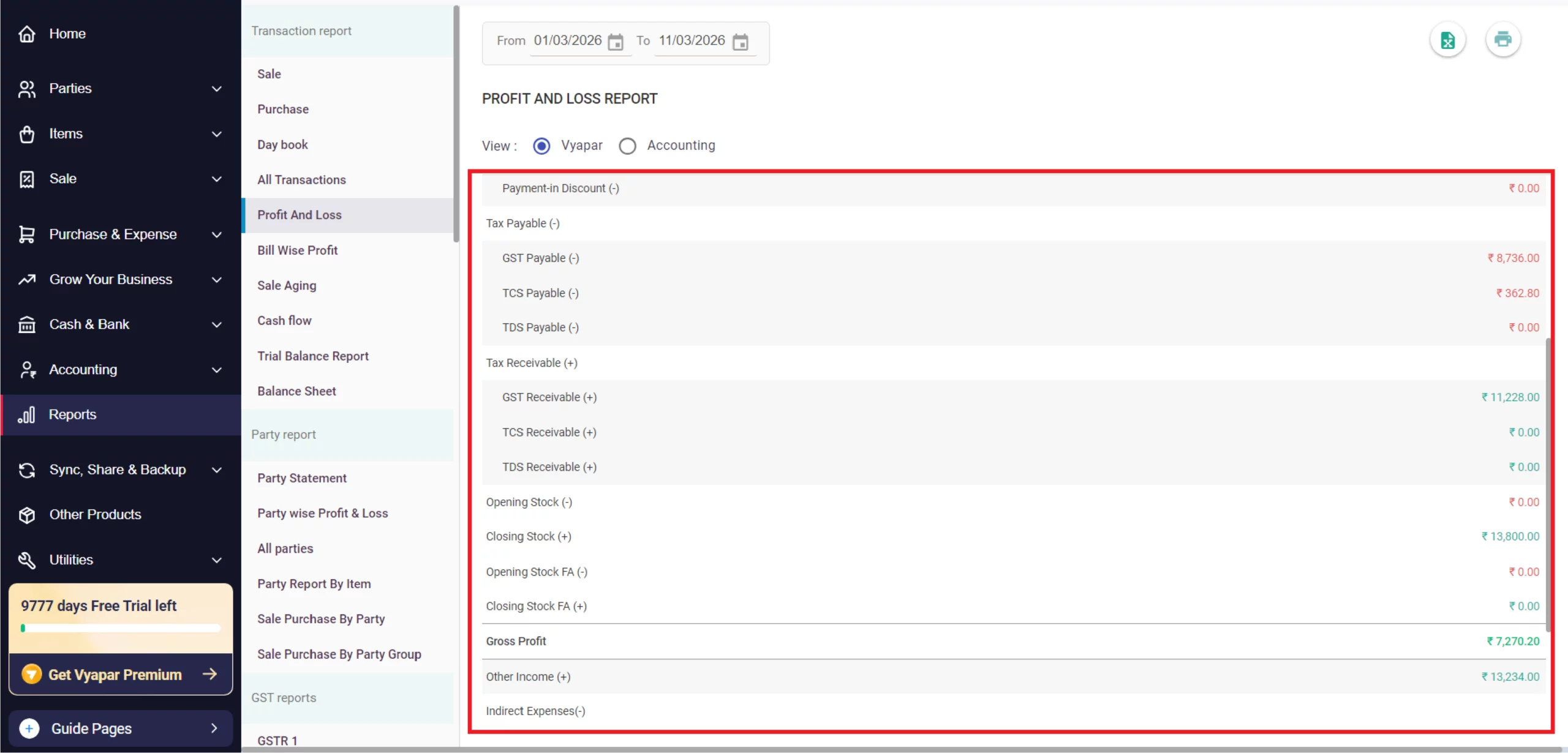
Analyze Gross Profit
Review the top section, which subtracts Direct Expenses and Purchases from your Total Sales to show your Gross Profit.
06
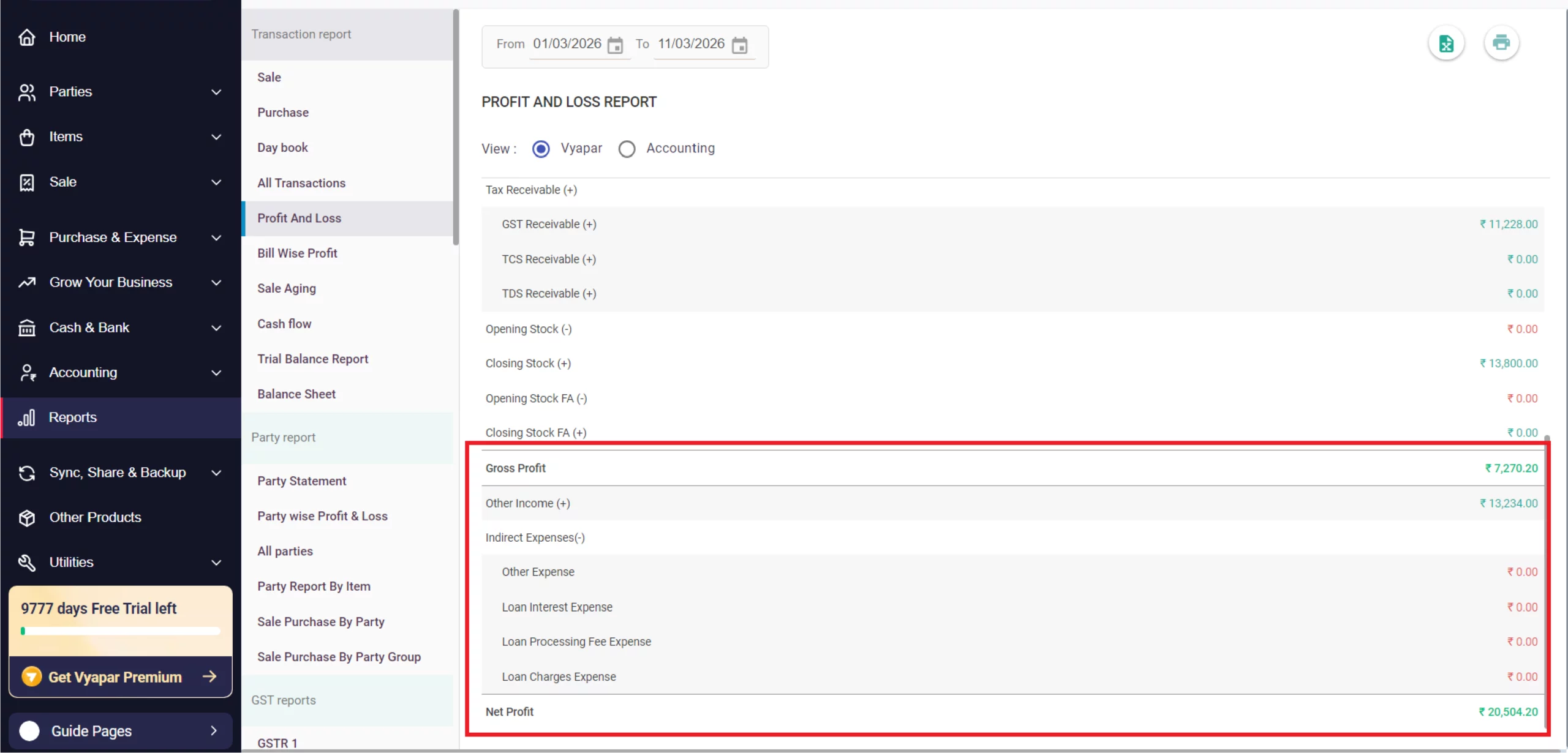
Review Net Profit
Scroll down to see Indirect Expenses (like rent or petrol) subtracted from your Gross Profit to reach the final Net Profit.
07
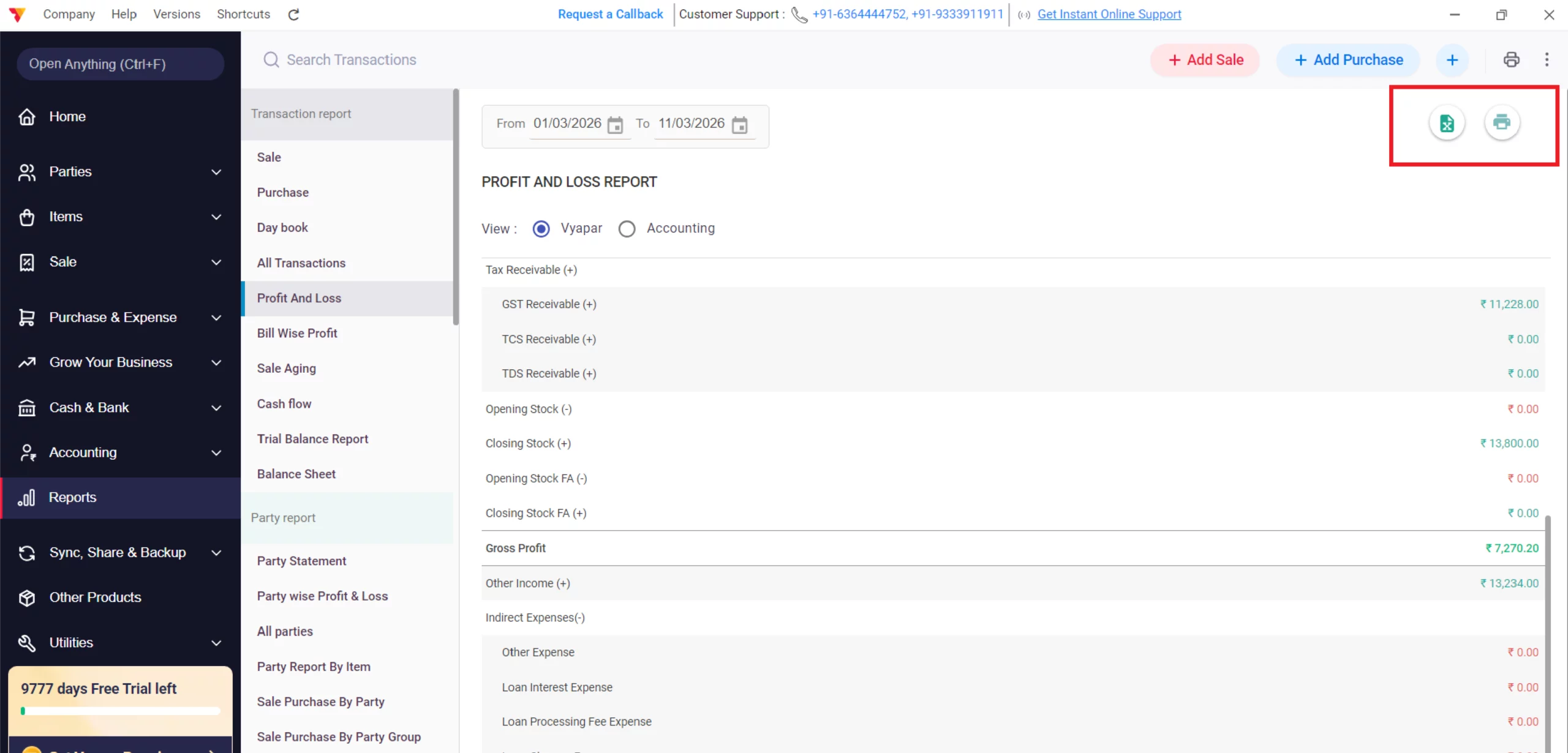
Export or Print
Click the Excel Report icon to download the data for detailed auditing or the Print icon for a physical copy.
08
Still stuck? Get help in minutes.
Our support team is ready to help you succeed.
 24/7 Support
Why Is This Important for Your Business?
Automating your transaction-level communication provides several key advantages:

True Financial Health
It tells you exactly how much money you are actually making after all business costs are considered.
Expense Management
By seeing your Indirect Expenses clearly, you can identify areas where your business might be overspending.
Tax Planning
Accurate profit reporting is essential for calculating your income tax liability at the end of the financial year.
Frequently Asked Questions (FAQs)
Why is my profit lower than my bank balance?
Profit accounts for “accrual” (sales made but not yet paid), while your bank balance only shows actual cash on hand.


Does the report include “Other Income”?
Yes, Vyapar includes Other Income (like rent received or interest) in the final Net Profit calculation.
Can I see a P&L report for a specific item?
For item-specific performance, navigate to Reports > Item-wise Profit & Loss Report instead of the general P&L.
Ready to See Your True Profit?
Check your Profit and Loss today and grow your business by 30%.
 Download Vyapar Now





