
How to Check Your Balance Sheet in Vyapar App
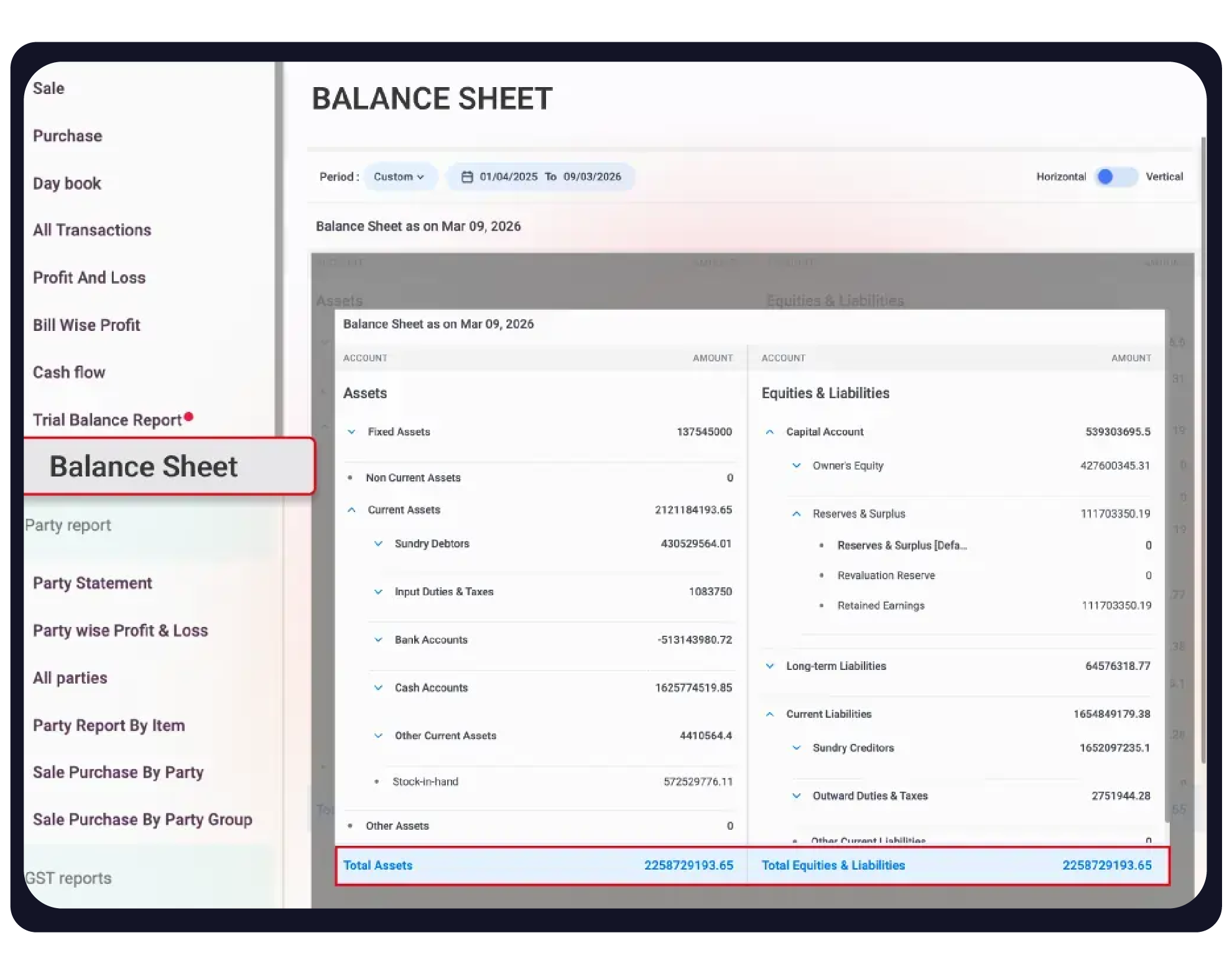
A Balance Sheet is a financial statement that provides a “snapshot” of your business’s value at a specific point in time. In Vyapar, this report is automatically updated based on your transactions, showing you exactly what the business owns (Assets) and what it owes (Liabilities).


Before You Start

Up-to-Date Ledgers: Ensure all Sales, Purchases, Expenses, and Bank/Cash entries are completed for an accurate statement.
Loan Entries: Record any business loans or personal drawings to ensure liabilities and equity are correctly balanced.
Stock Valuation: Ensure your current stock levels are verified, as “Stock-in-Hand” is a major part of your Current Assets.
Step-by-Step Guide to Accessing the Balance Sheet:
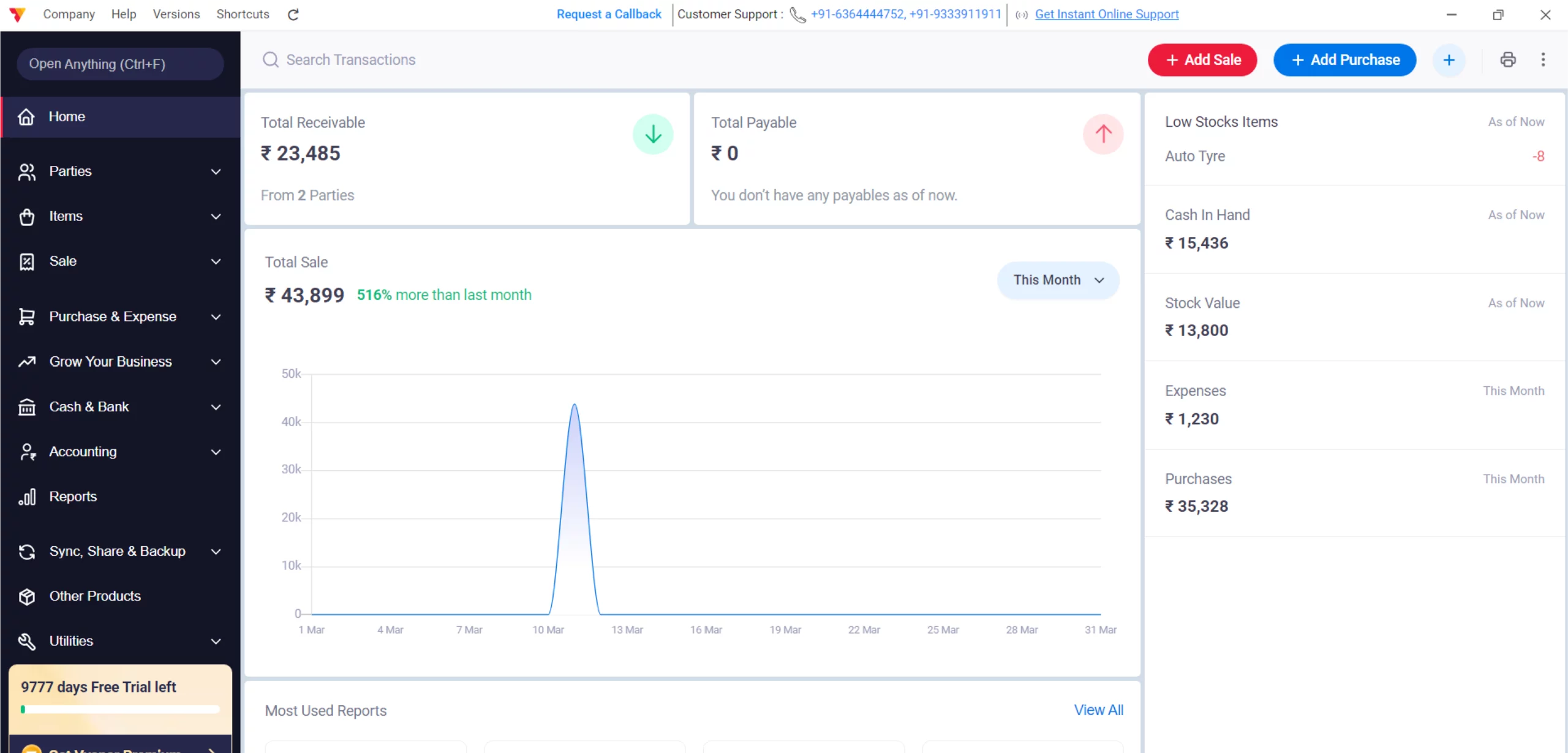
Open Vyapar App
Launch the Vyapar accounting application on your Desktop device.
01
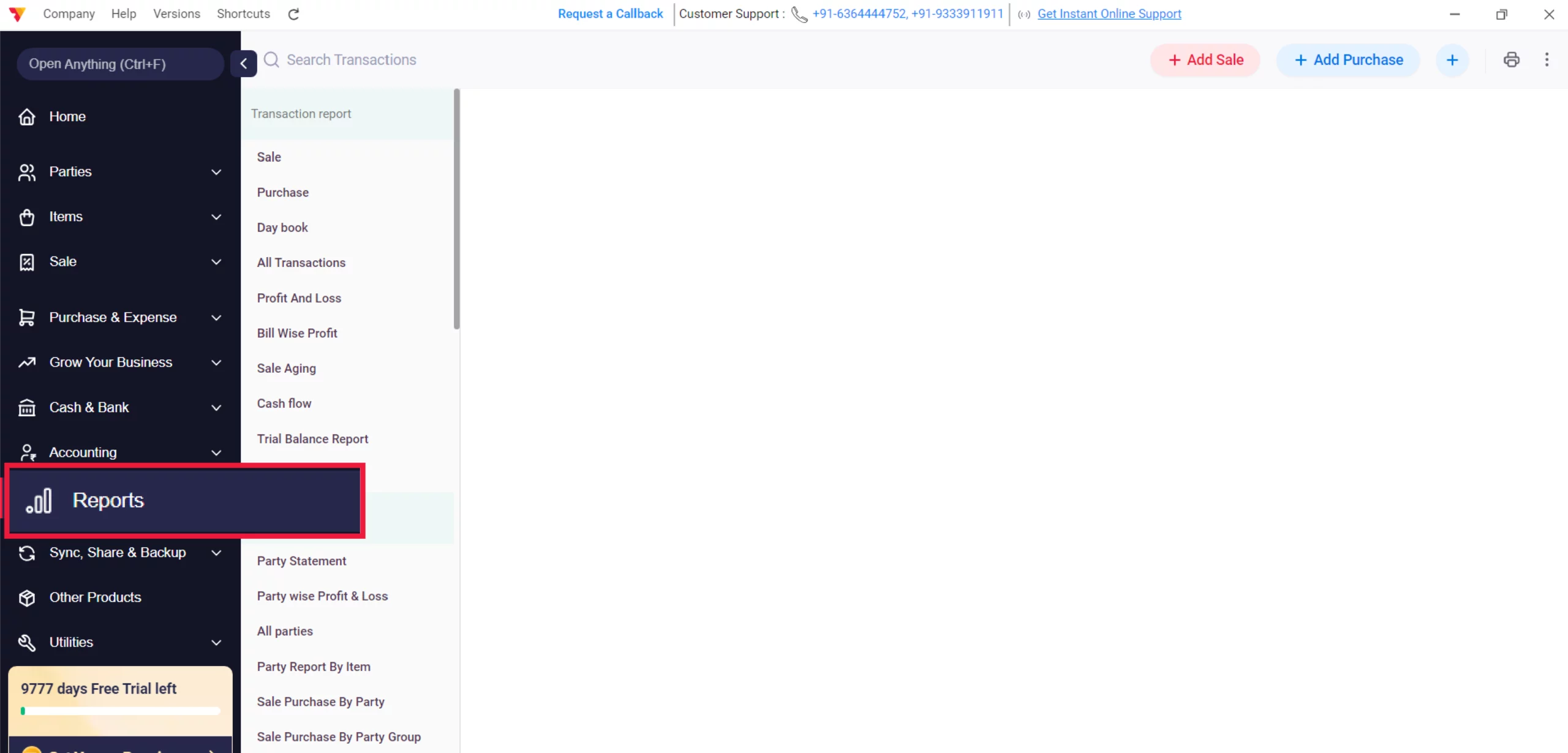
Navigate to Reports
Click on the Reports section in the left-hand main menu.
02
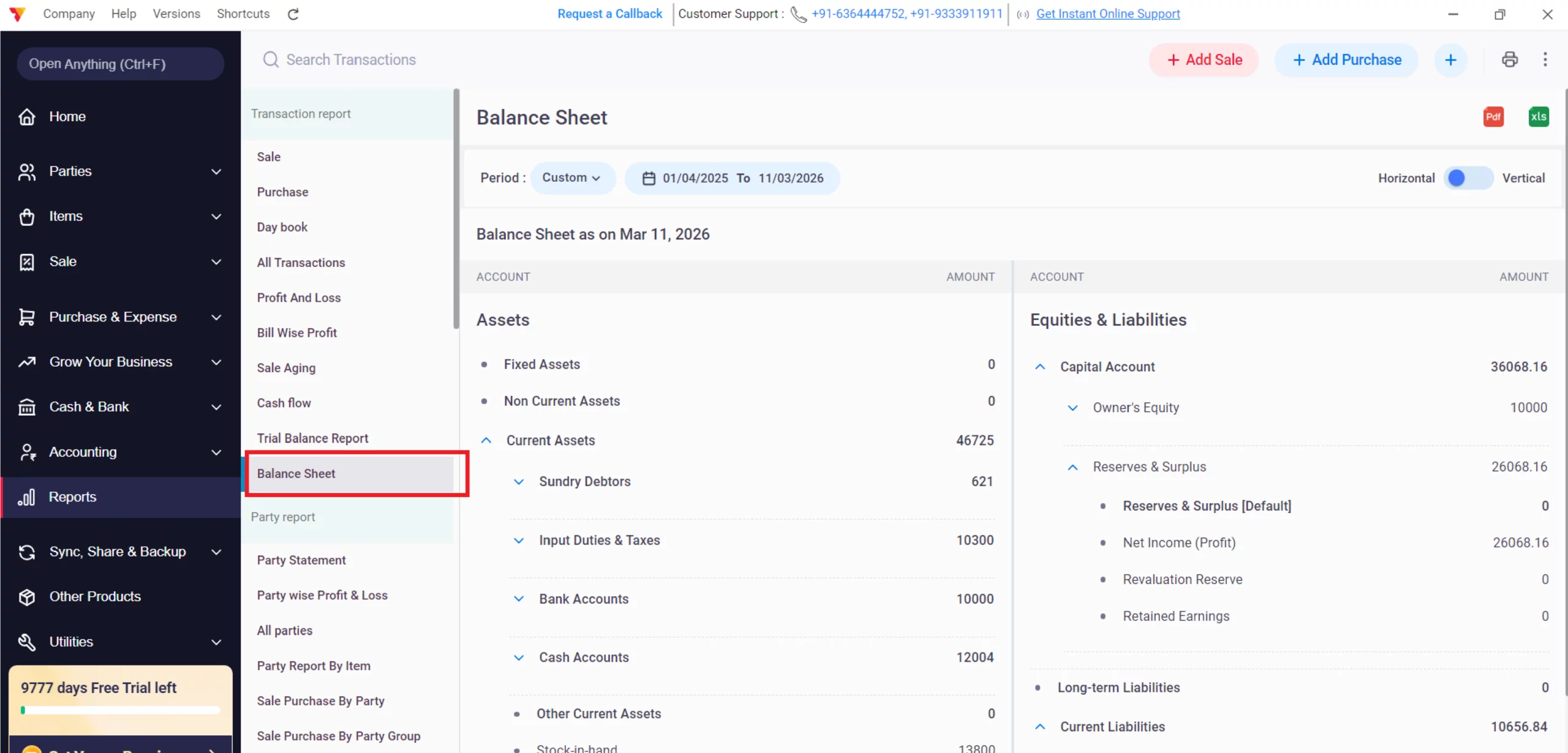
Select Balance Sheet
Under the Transaction Report section, click on Balance Sheet.
03
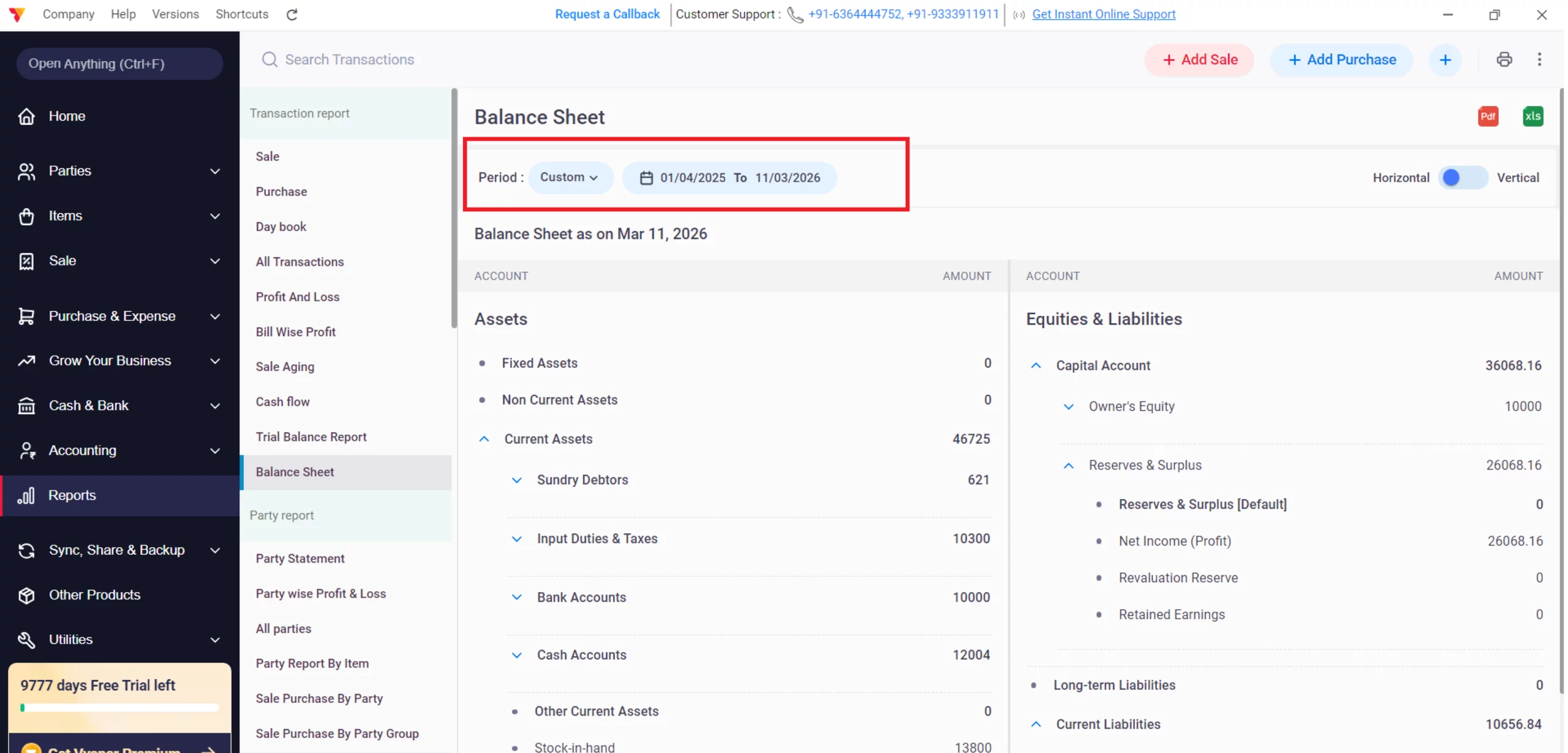
Set Custom Date
Use the Period filter to select a Custom range (e.g., from 01/04/2025 to 03/03/2026) to view the statement as of a specific day.
Tip: From Date: The date from which the app will calculate Opening Balances
To Date: The Final Report will be generated as of this date.
04
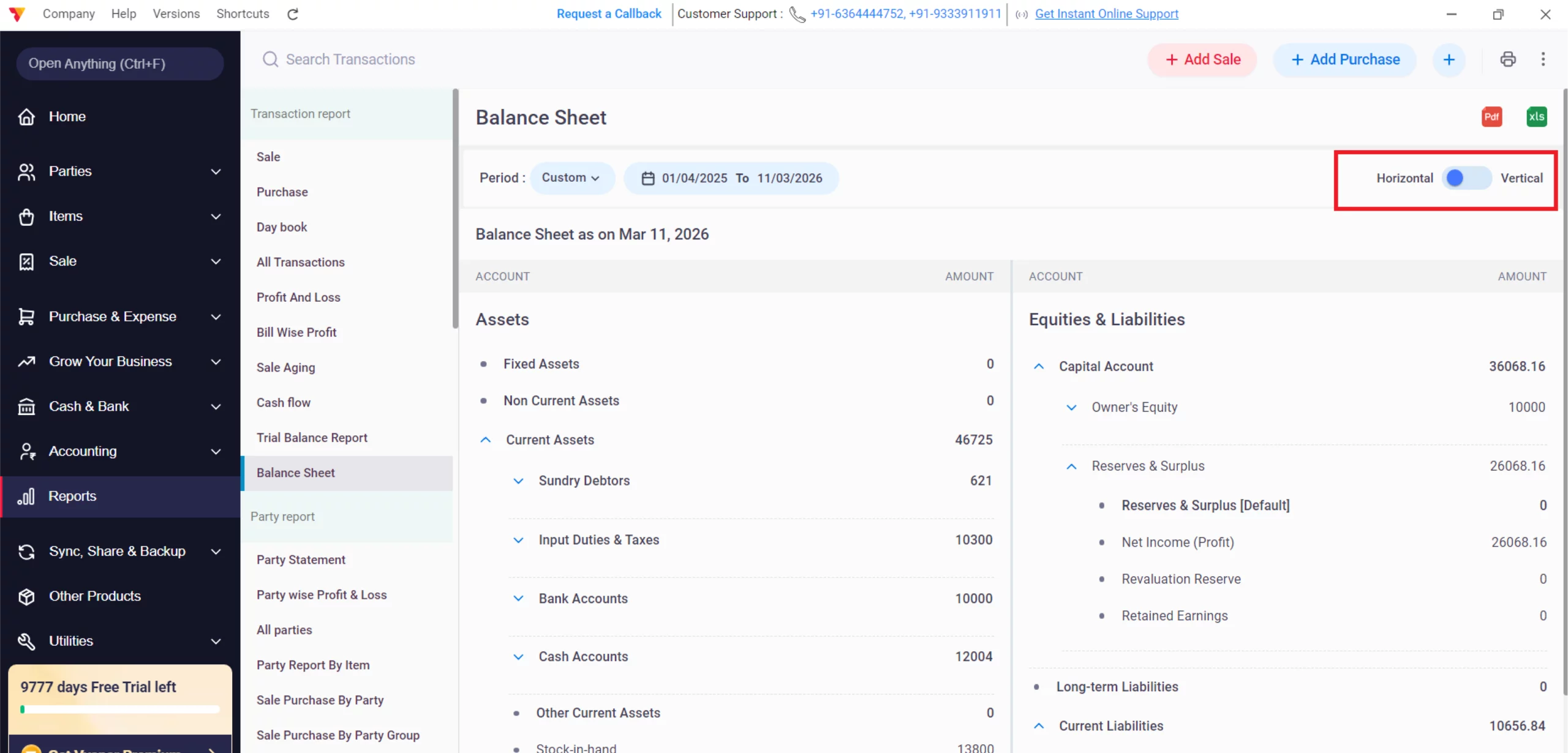
Choose Your Orientation
Use the toggle at the top right to switch between:
Horizontal: A T-format view showing Assets on the left and Liabilities on the right.
Vertical: A top-to-bottom list format.
05
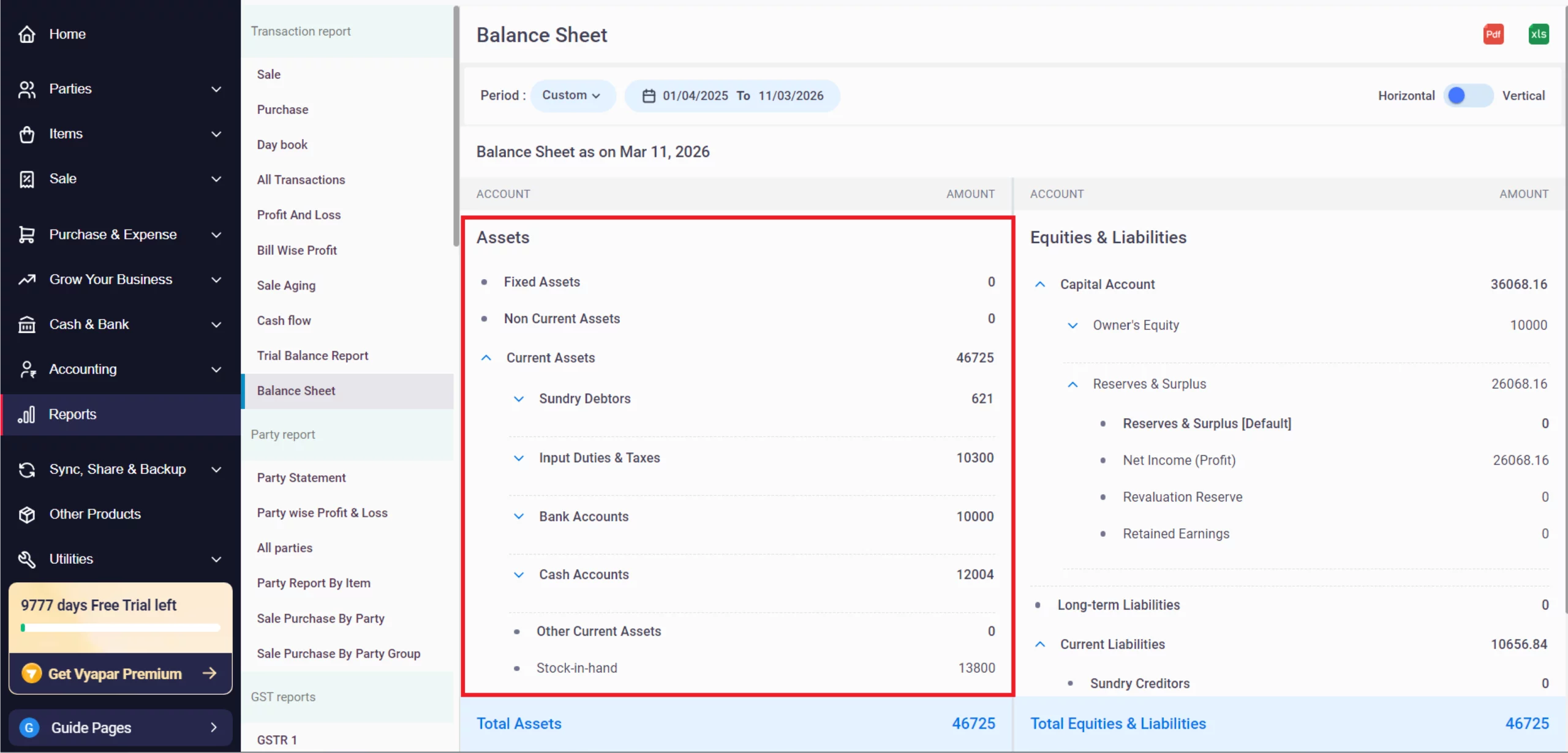
Review Assets
Examine your Current Assets, including Sundry Debtors, Cash Accounts, and other business holdings.
06
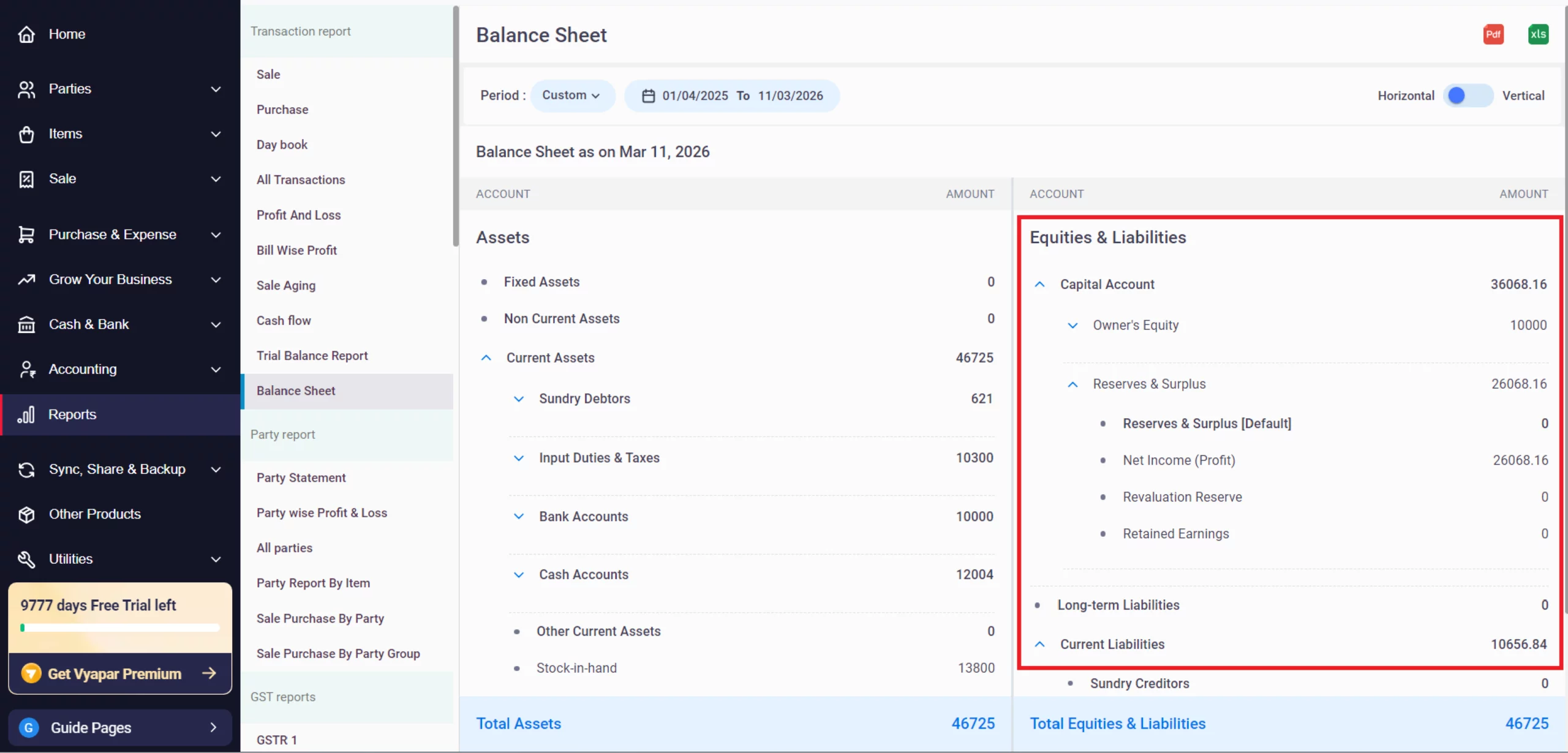
Review Equities & Liabilities
Check your Capital Account (Owner’s Equity), Net Income (Profit), and any Current Liabilities.
07
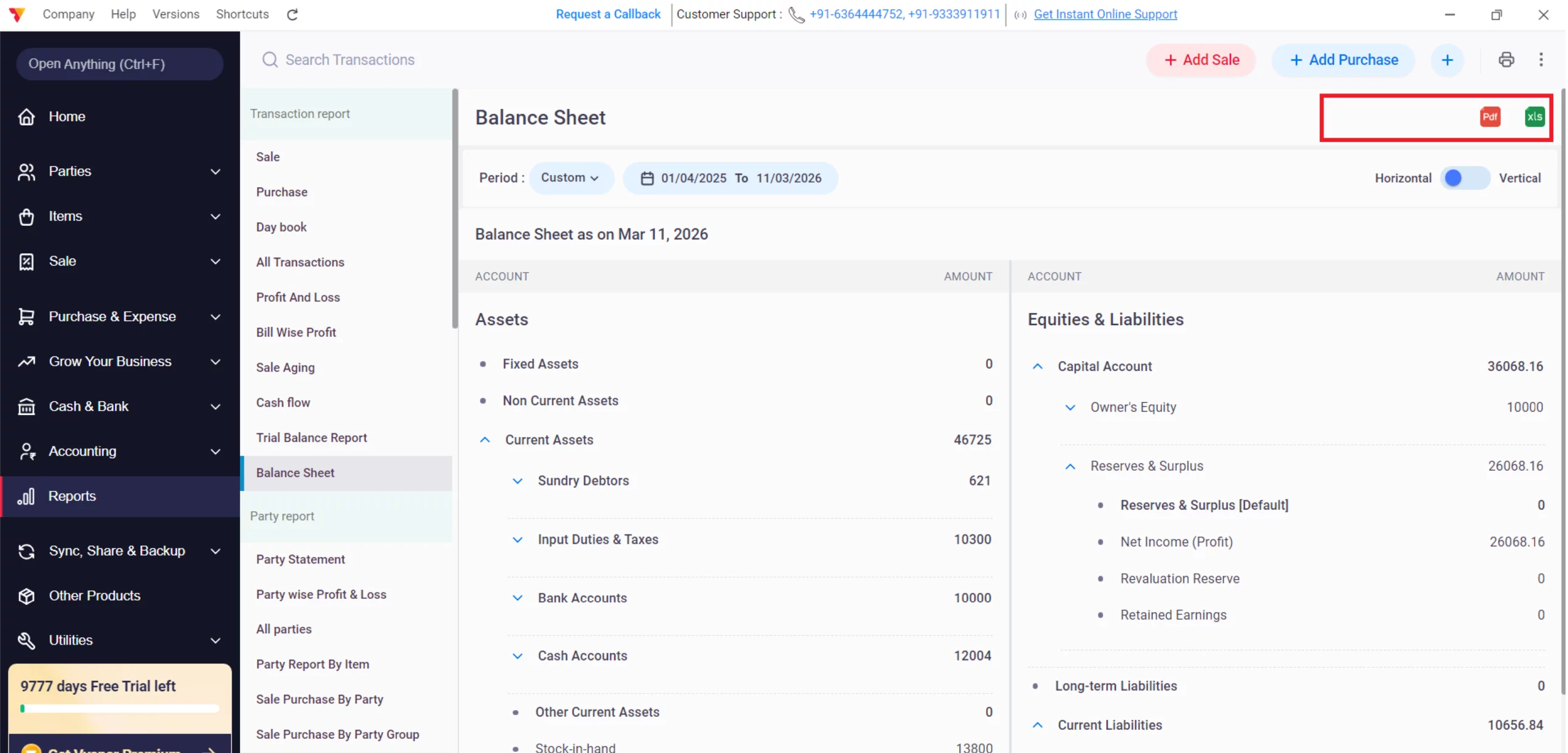
Export or Print
Click the Excel icon to download an Excel report or the PDF icon for a professional document.
08
Still stuck? Get help in minutes.
Our support team is ready to help you succeed.
 24/7 Support
Why Is This Important for Your Business?
Automating your transaction-level communication provides several key advantages:

Net Worth Determination
By comparing Total Assets against Total Equities & Liabilities, you can see the true value of your business at any moment.
Profit Integration
The Net Income (Profit) from your P&L is automatically reflected in your Reserves & Surplus, ensuring your balance sheet is always up to date.
Liquidity Monitoring
Tracking Cash Accounts and Sundry Debtors helps you understand your immediate cash flow position.
Frequently Asked Questions (FAQs)
Why doesn’t my Balance Sheet “balance”?
In Vyapar, the report is automated and always balanced. However, ensure you haven’t missed recording any “Opening Balances” for your bank or cash accounts.


Does “Other Income” reflect here?
Yes, revenue like Rent-Hotel increases your Net Profit, which ultimately adds to your “Equity” on the Balance Sheet.
Is the Balance Sheet for a period or a date?
When you use the date filter in Vyapar, the “From” date is mainly used to help the app calculate the opening balances, but the final report is generated as of the “To” date (the end date).
Ready to Know Your Business Worth?
Check your Balance Sheet today and fix your cash flow by 40%
 Download Vyapar Now





