
How to Manage GST Compliance and Taxation in Vyapar App
Vyapar is a 100% GST-compatible solution that automates tax calculations and ITC tracking for legal compliance. This guide helps you set up a professional taxation workflow and generate audit-ready records effortlessly.


Before You Start

GST Registration: Your business should be registered under GST if your annual turnover exceeds ₹40 lakh for goods or ₹20 lakh for services.
Active GSTIN: Ensure you have your unique 15-digit GST Identification Number ready to add to your company profile.
HSN/SAC Library: Have the correct Harmonized System of Nomenclature (HSN) or Service Accounting Codes (SAC) ready for your inventory items.
Step-by-Step Guide to Manage GST & Taxation:
Open Vyapar App
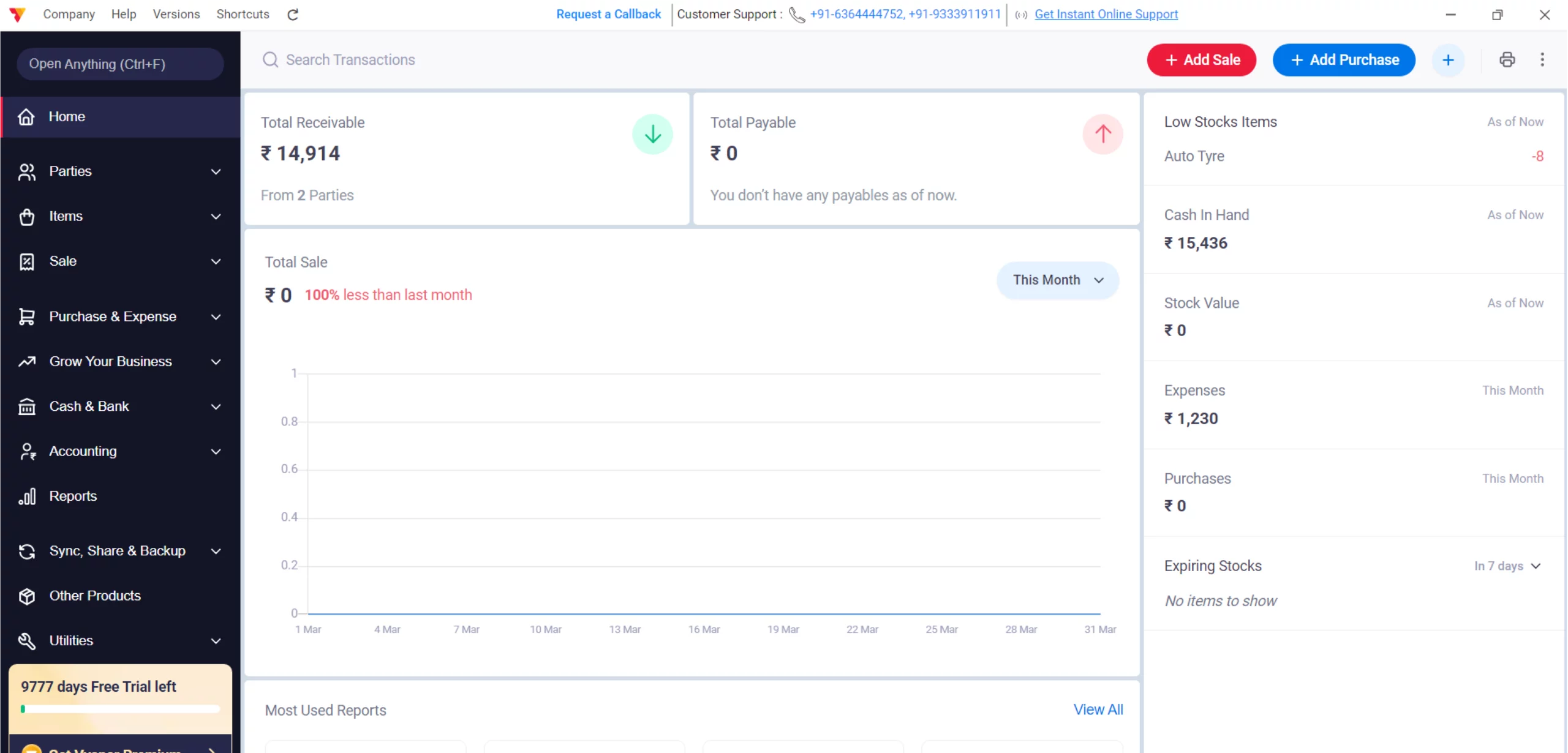
Launch the Vyapar accounting software on your Desktop.
01
Access Settings
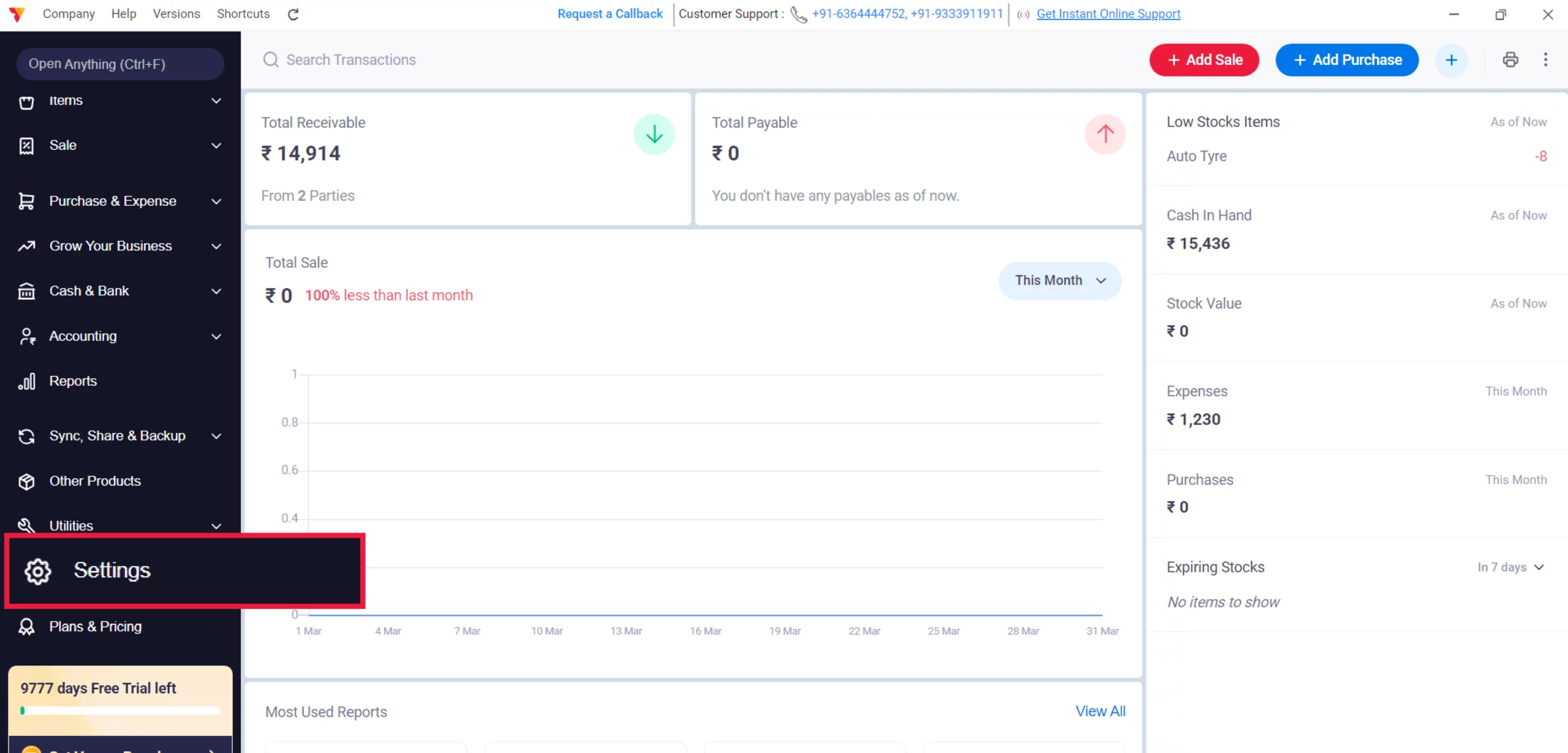
Navigate to the Left Menu, locate the Settings gear icon, and click it.
02
Enable GST
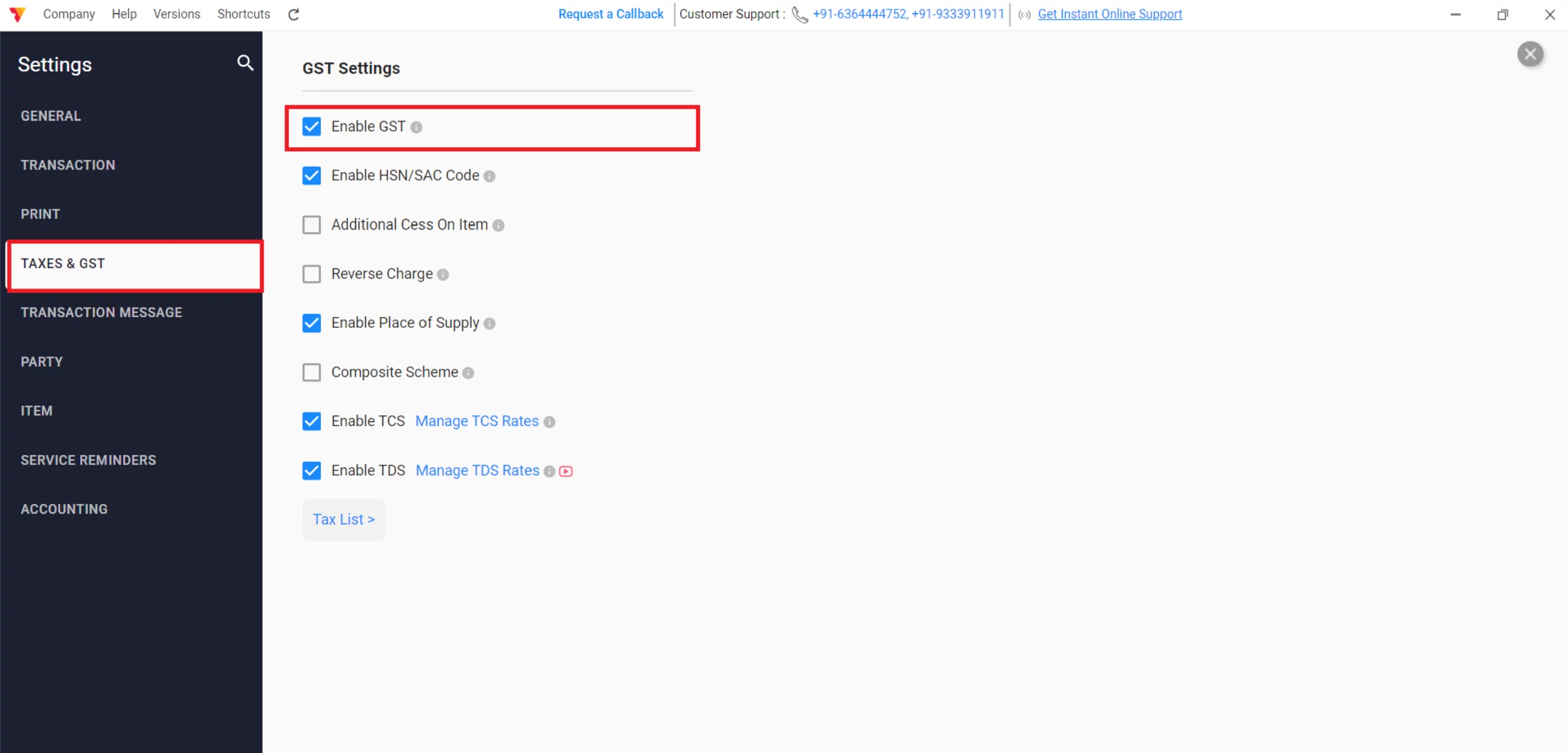
Click on Taxes & GST, check the GST button, and enable HSN/SAC Code and other GST details as per your business needs.
03
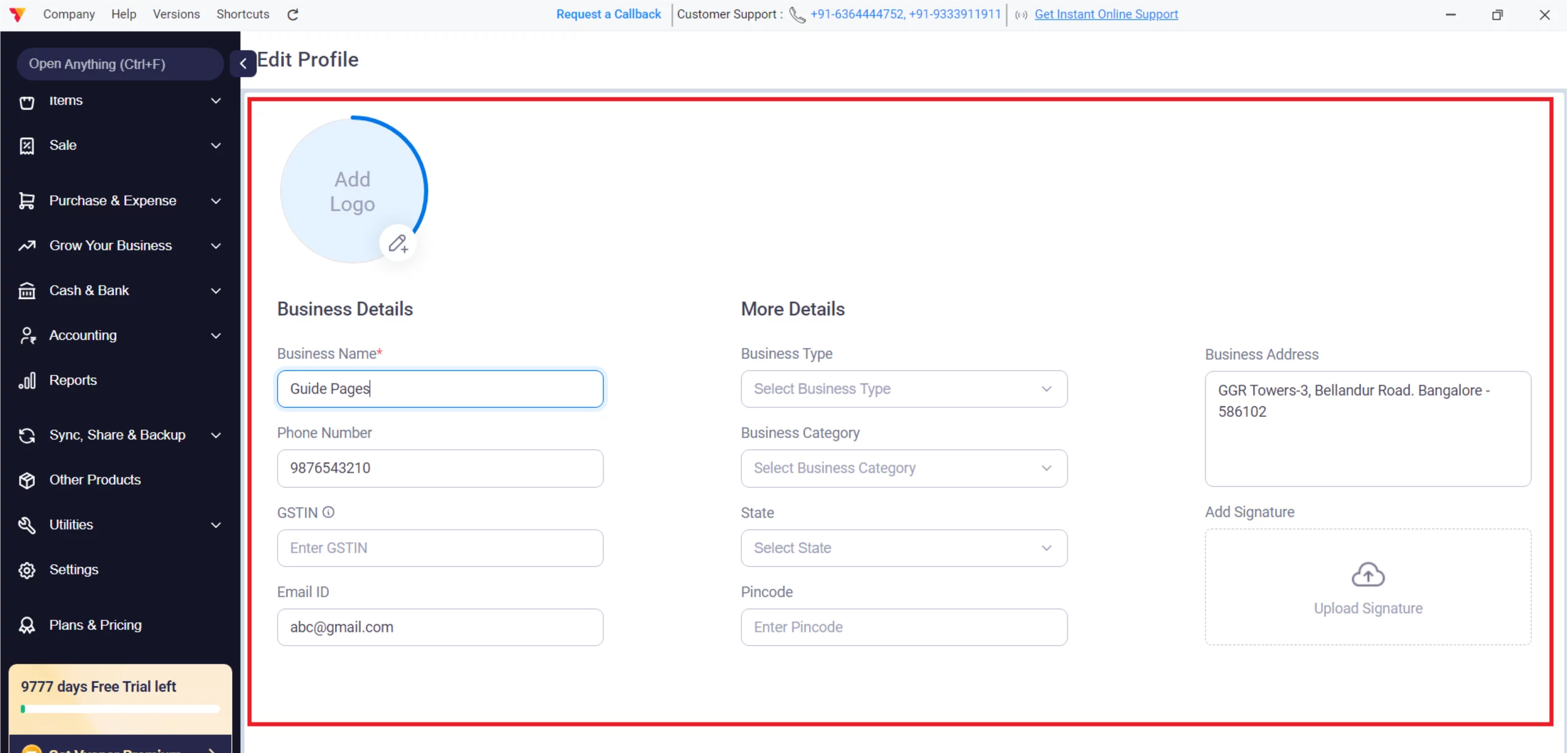
Record Your Business Profile
Click on your Business Name at the bottom-left corner and add your Business GSTIN, State, Pin Code, and Address.
04
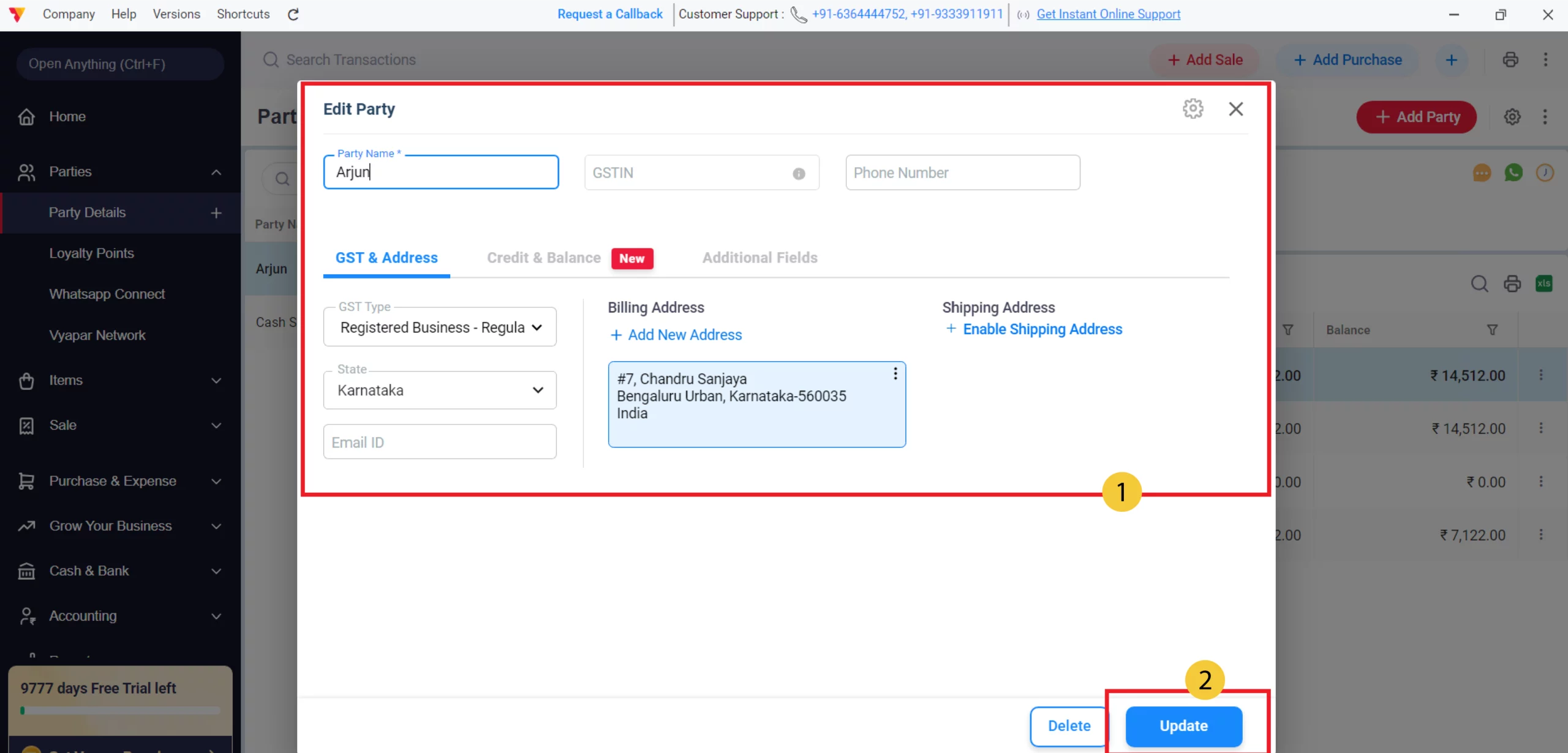
Update/Verify Customer Details
Go to the Parties section, select the customer, double-click and ensure their GSTIN and State are entered accurately; click Update to save.
05
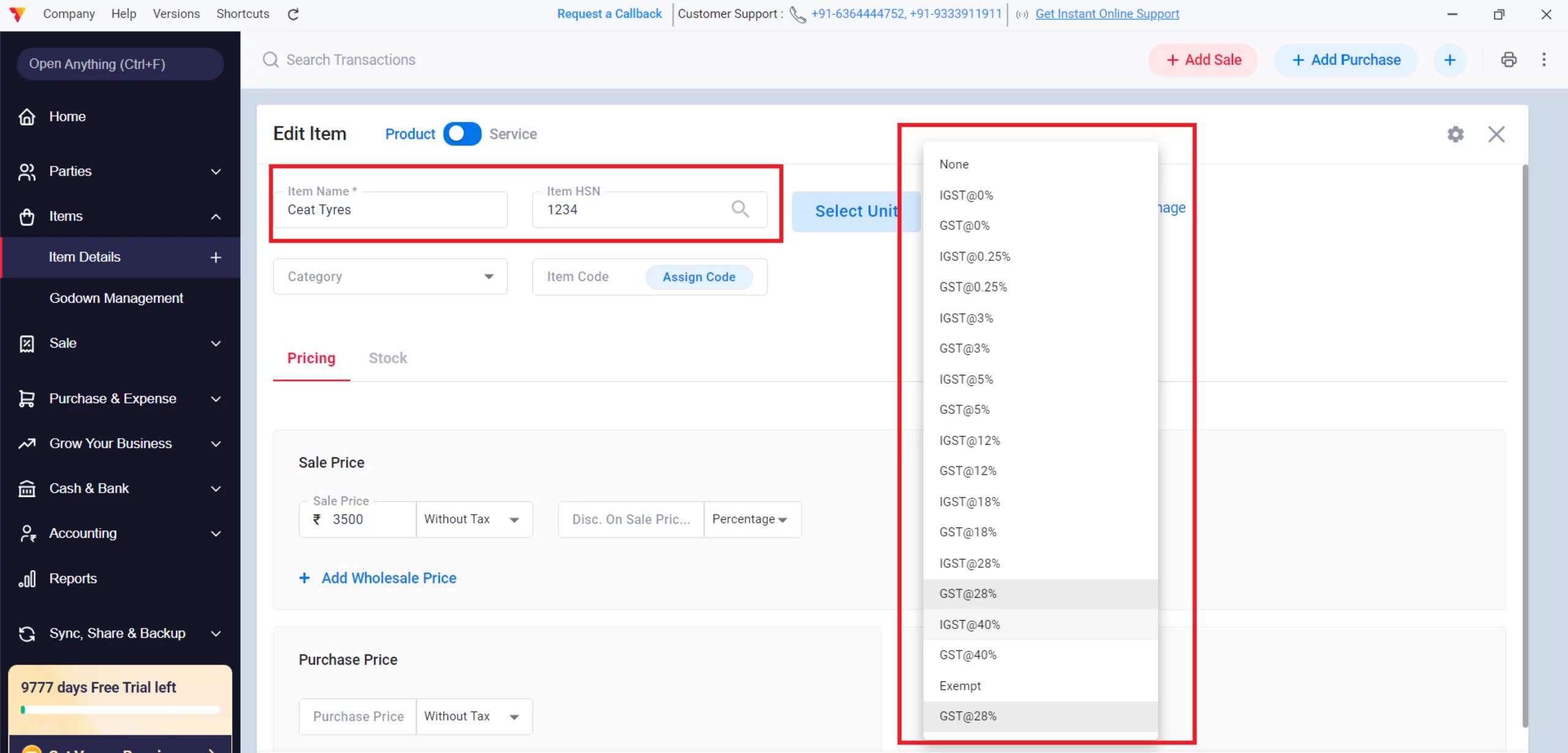
Assign Item-Wise Tax Rates
In your Item List, assign the correct tax slab (0%, 5%, 12%, 18%, or 28%) and HSN/SAC code to each product or service.
06
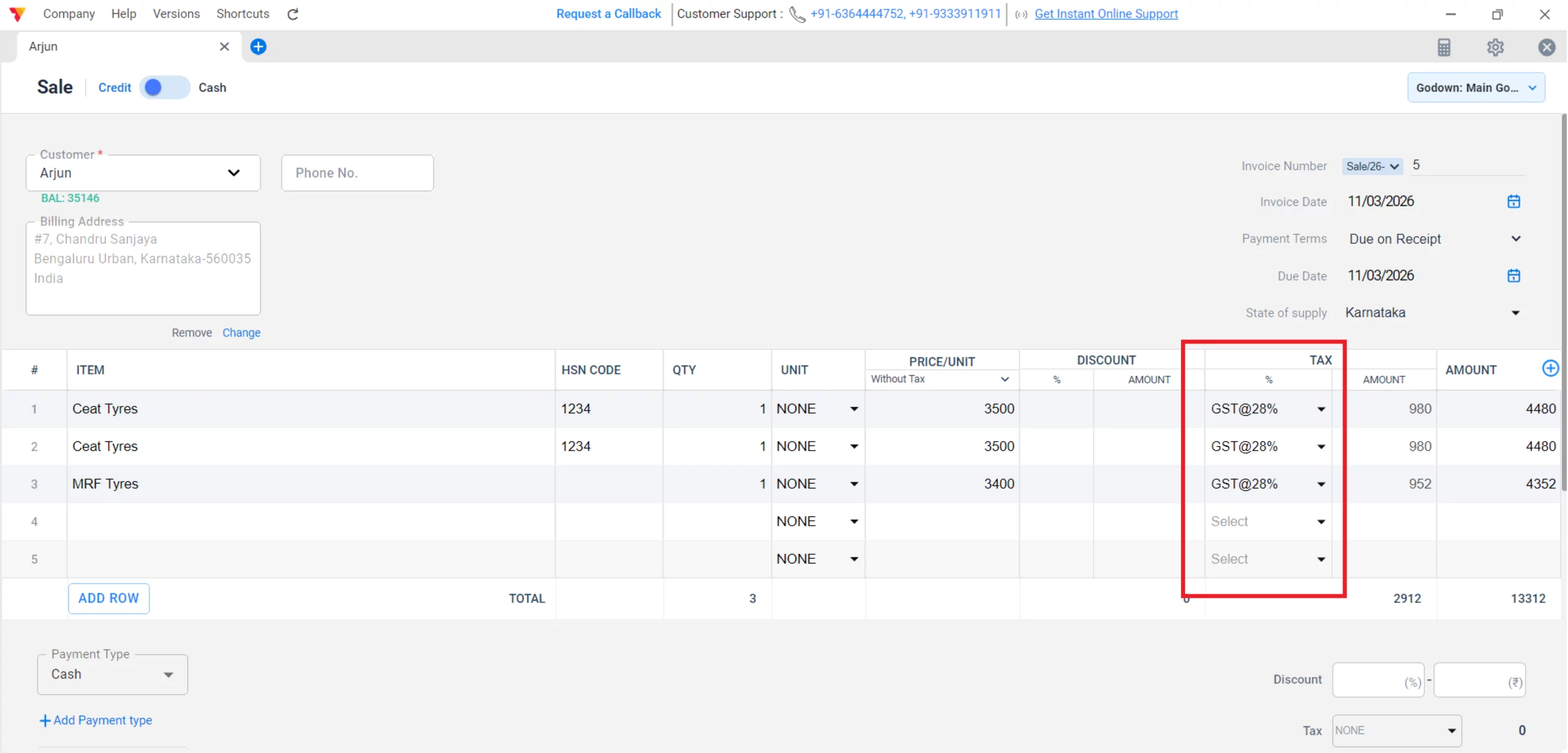
Generate GST Sales Invoices
Create sales where the app auto-calculates GST (CGST/SGST together) or IGST based on the customer’s state.
07
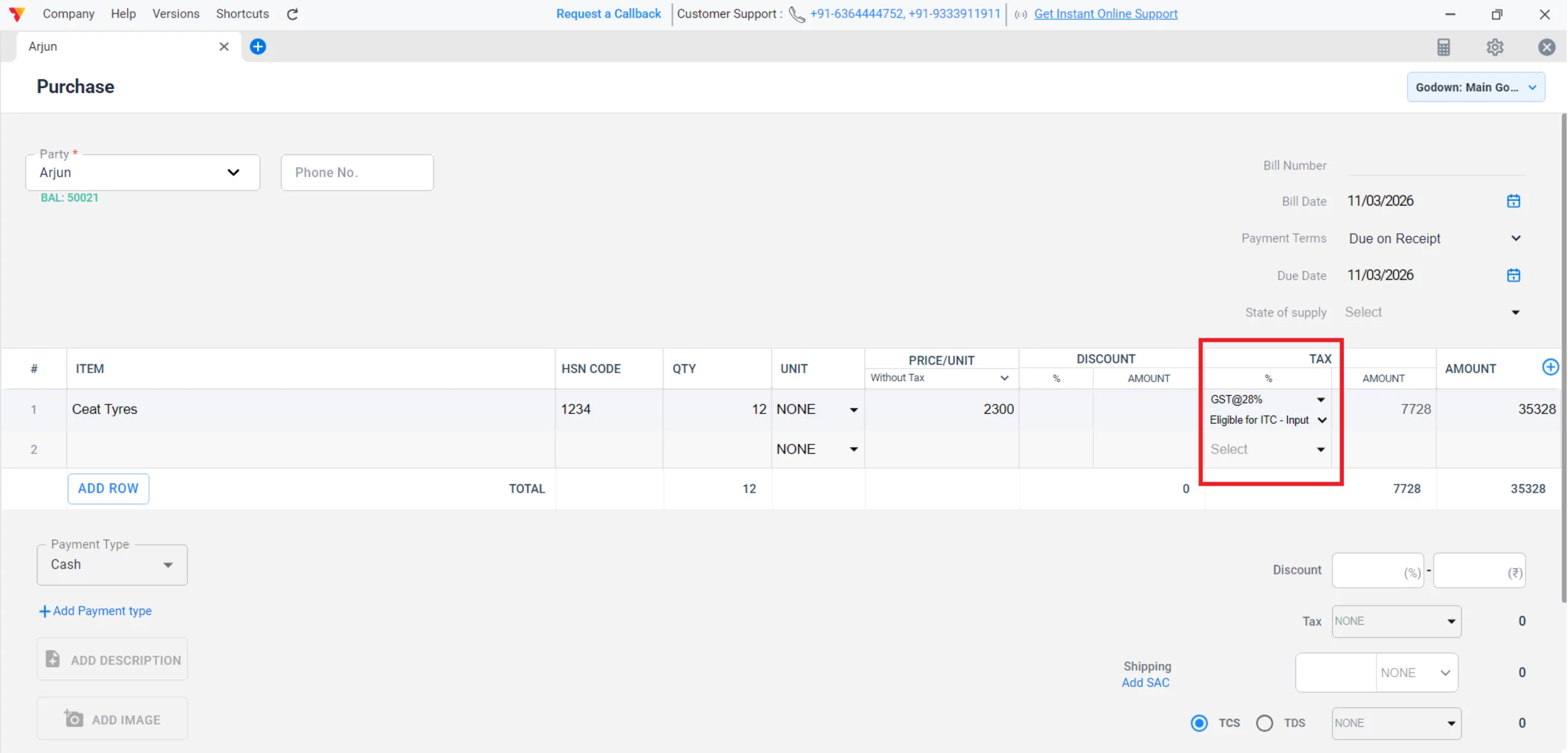
ITC on Purchases
Record your purchases from GST-registered suppliers to automatically track the tax credits you can claim back.
08
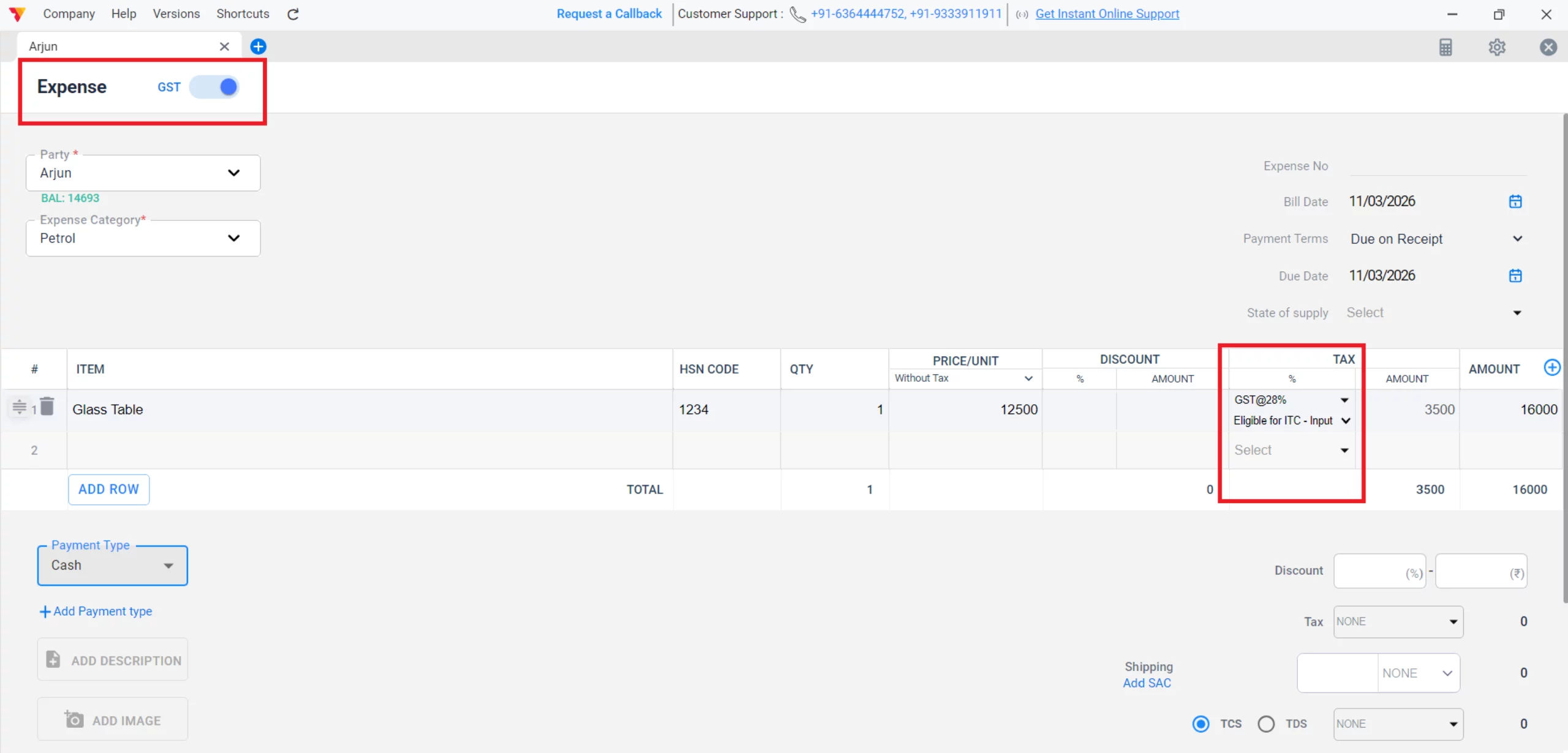
Record Expenses with GST (Claim ITC)
Navigate to the Expenses section and record business costs (Rent, Bills) with GST to automatically track your Input Tax Credit (ITC).
09
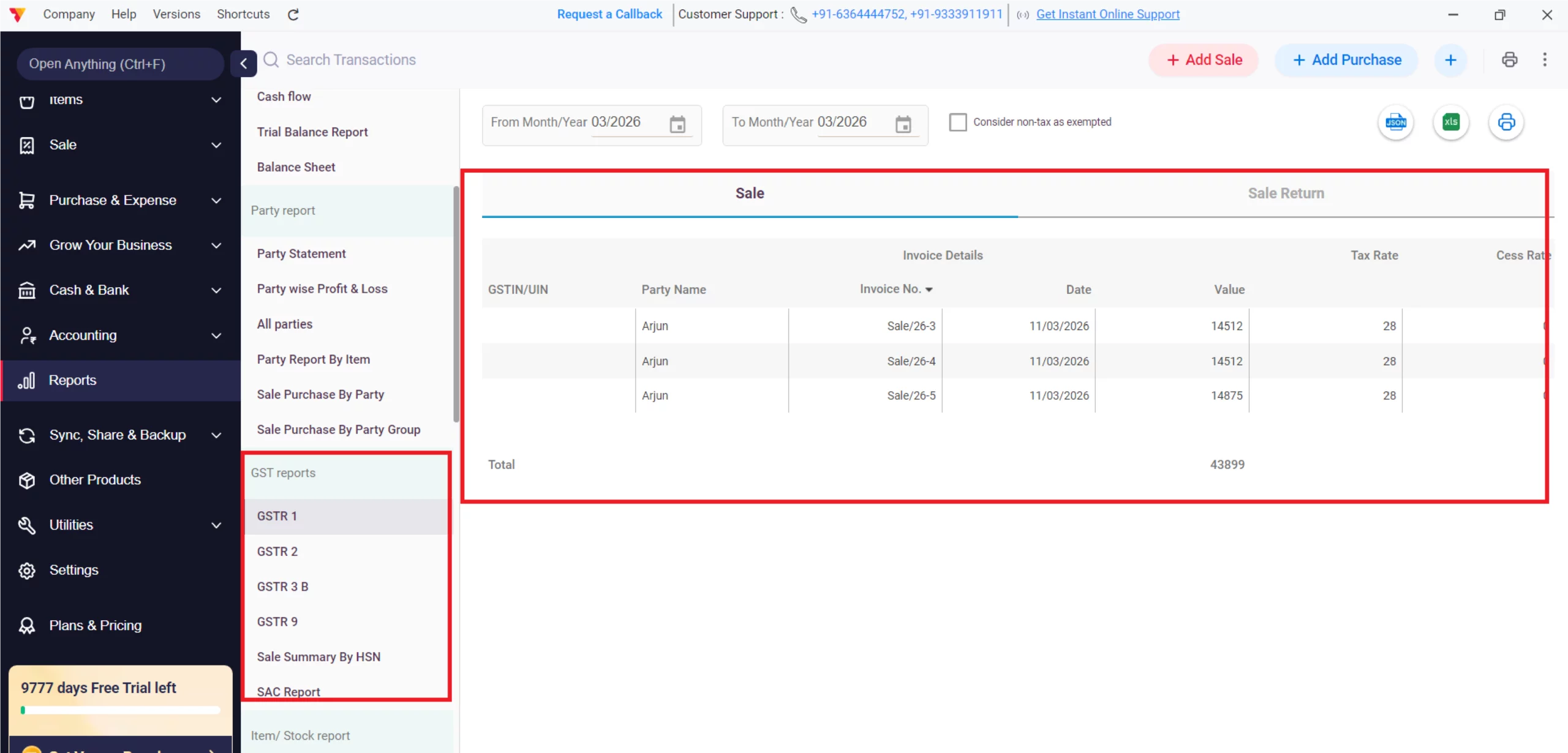
Download GSTR Reports
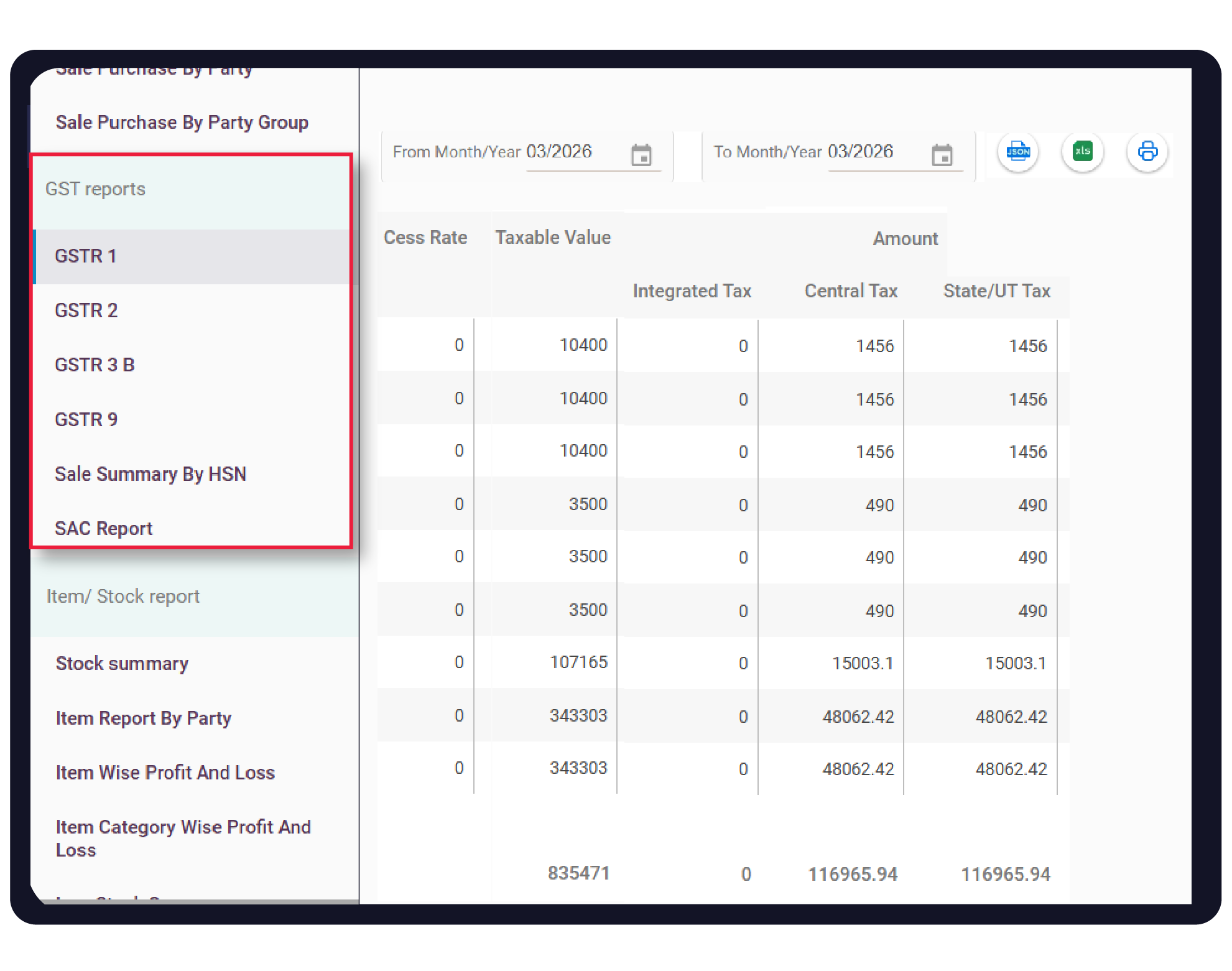
Navigate to Reports > GST Reports to view your GSTR-1, GSTR-3B, and GSTR-9 for error-free filing either in Excel or JSON format.
10
Still stuck? Get help in minutes.
Our support team is ready to help you succeed.
 24/7 Support
Why Is This Important for Your Business?
GST compliance and taxation are the backbone of a legally secure and financially optimized business:

Legal Protection
Proper invoicing and timely filing help you avoid heavy penalties, interest charges, and legal notices from tax authorities.
Improved Cash Flow
Accurately tracking ITC allows you to reduce your actual tax liability by offsetting taxes paid on purchases against taxes collected on sales.
Business Credibility
Providing standardized, GST-compliant invoices builds trust with B2B clients who need these documents to claim their own tax benefits.
Frequently Asked Questions (FAQs)
Does Vyapar calculate the tax type automatically?
Yes, the app detects whether to apply CGST/SGST or IGST based on the “Place of Supply” and the party’s registered state.


Can I file my GST return directly from the app?
You can generate the required JSON file from Vyapar and upload it to the GST portal, or share the data directly with your tax professional.
What if I am in the Composition Scheme?
Vyapar supports the Composition Scheme, allowing you to generate GSTR-4 reports and follow simplified billing rules.
Ready to End Tax Filing Errors?
Start GST compliance today and save 100% of your manual tax work.
 Download Vyapar Now





