
Send Payment Reminders With Vyapar App
Recovering outstanding payments is critical for maintaining a healthy cash flow. While Transaction Messages notify customers at the moment of sale, Payment Reminders are follow-up tools that alert customers to their existing “Payable” balances.
Vyapar allows you to send these reminders manually for individual parties or set up automated alerts to ensure you get paid on time without the need for manual tracking.


Before You Start

Track Receivables: Ensure your sales are recorded so the dashboard accurately reflects your Total Receivable.
Customer Contact: A valid mobile number must be saved in the Party profile to send digital alerts.
Enable Reminders: In the invoicing software you must activate the reminder feature within Party Settings to enable the communication link between you and your debtors.
Step-by-Step Guide to Send Payment Reminders:
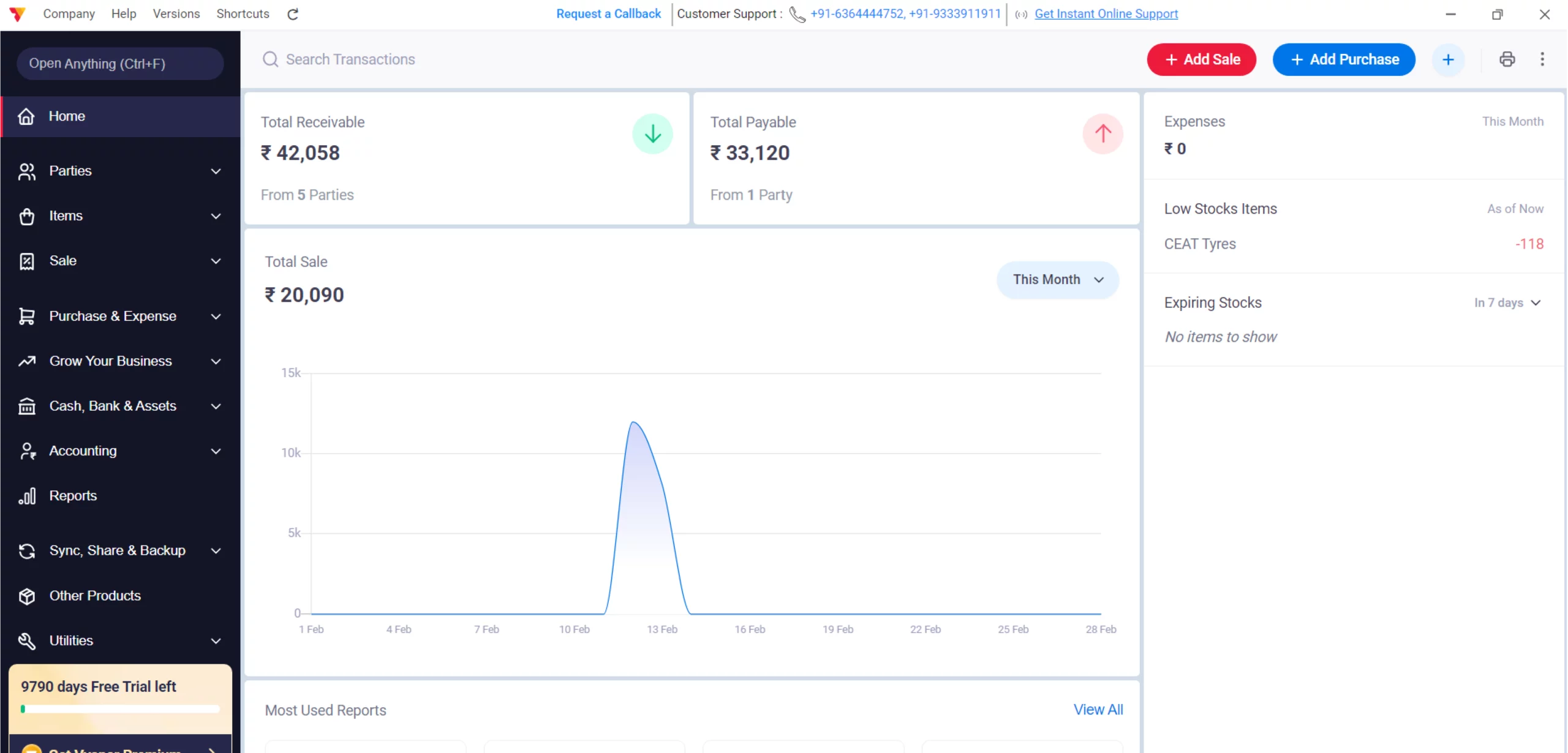
Open Vyapar App
Launch the Vyapar App on your Desktop device.
01
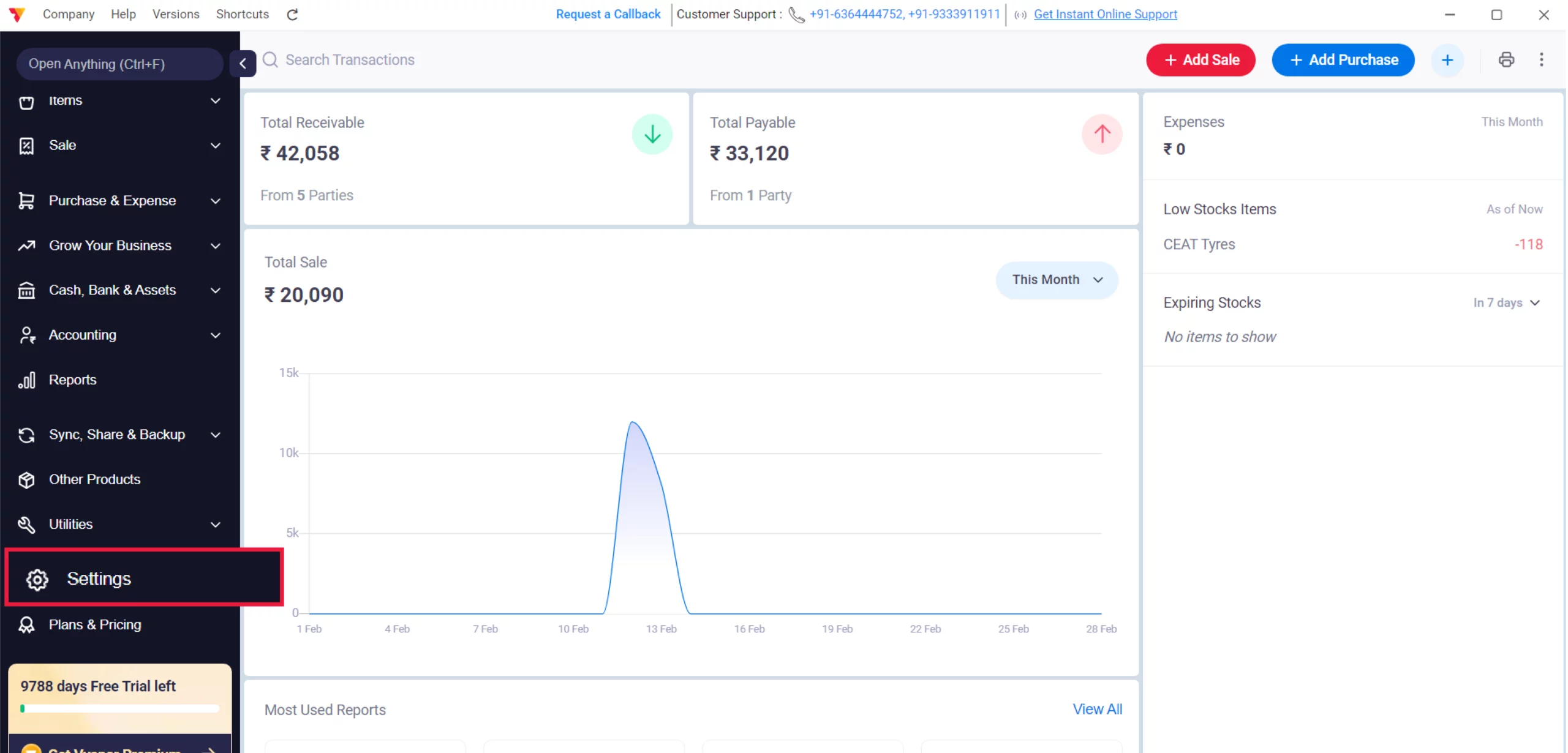
Access Settings
Navigate to the Left Menu, locate the Settings with the gear icon, and click it.
02
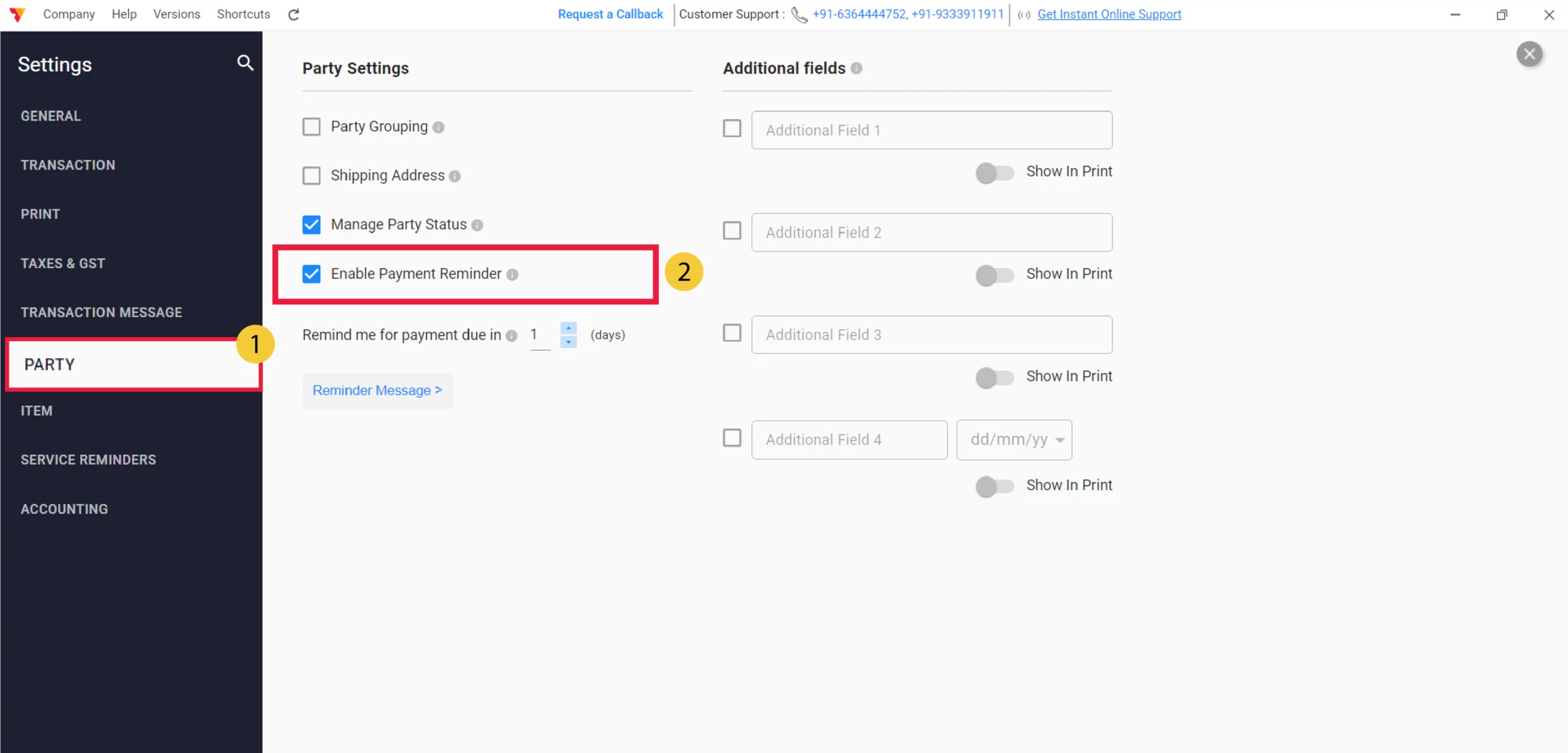
Enable via Party Settings
Select the PARTY tab from the settings sidebar and ensure the Payment Reminders option is checked IN, then close the settings window.
03
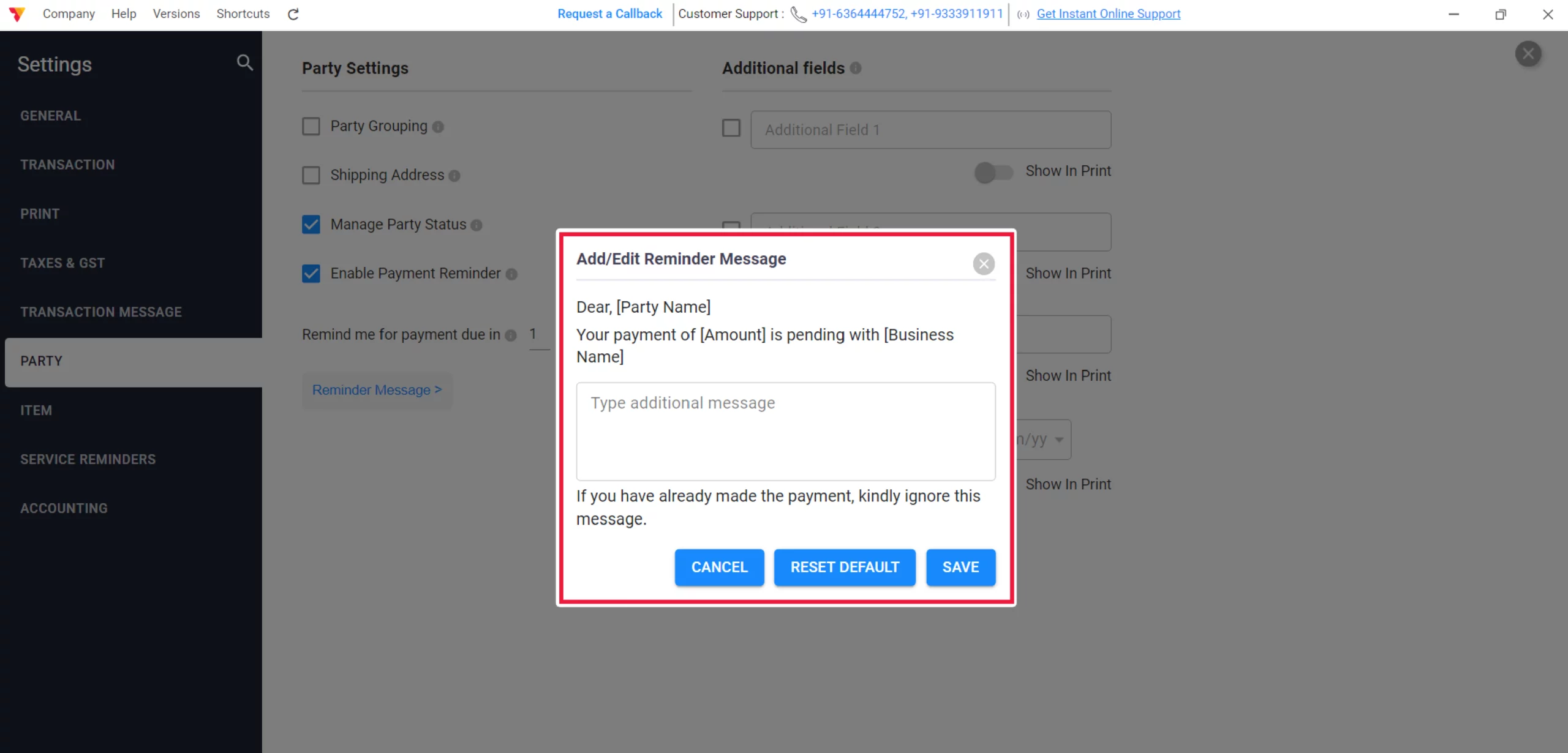
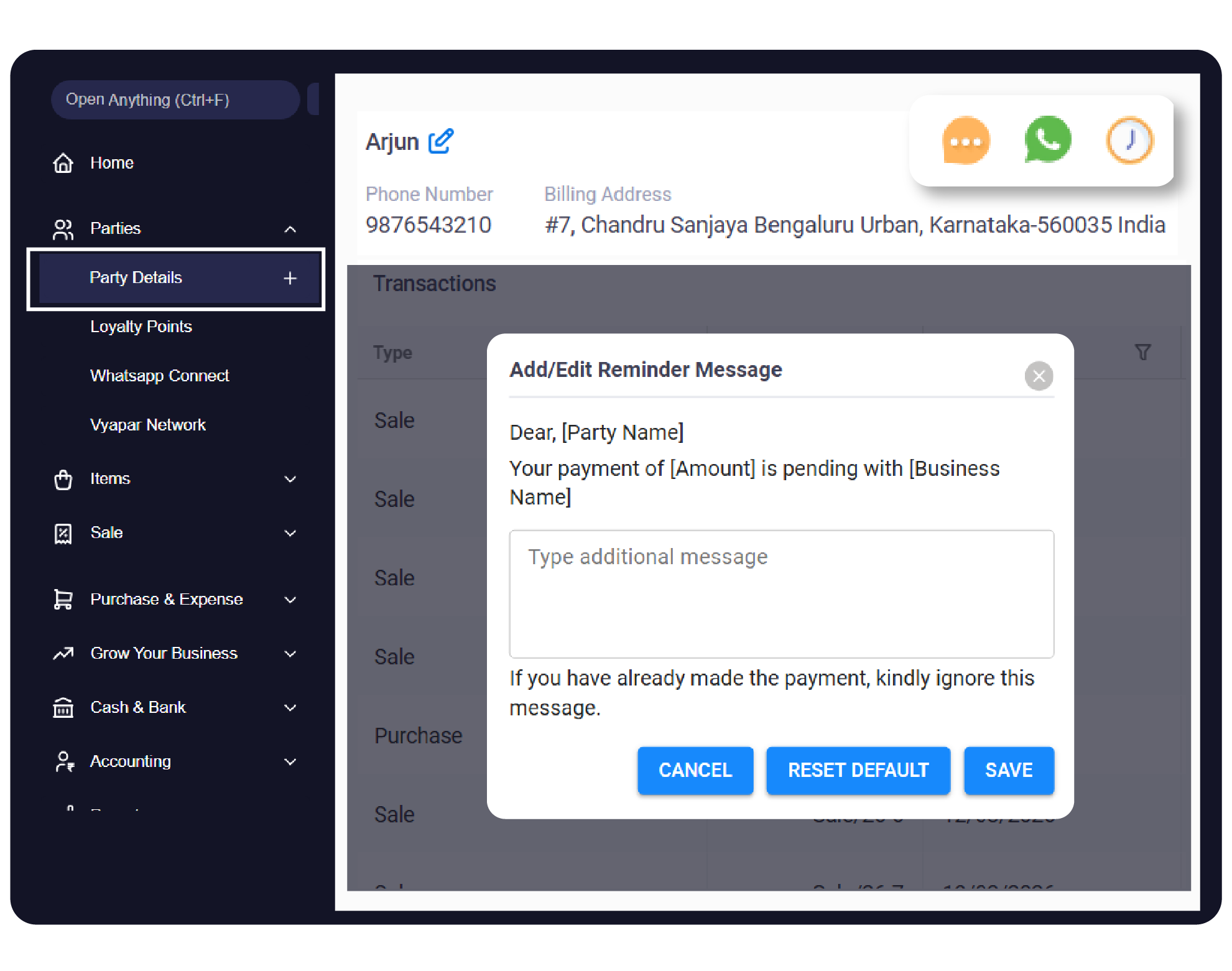
Edit the Template
An “Add/Edit Reminder Message” pop-up will appear. You can now see the default template, which includes placeholders for [Party Name], [Amount], and [Business Name].
04
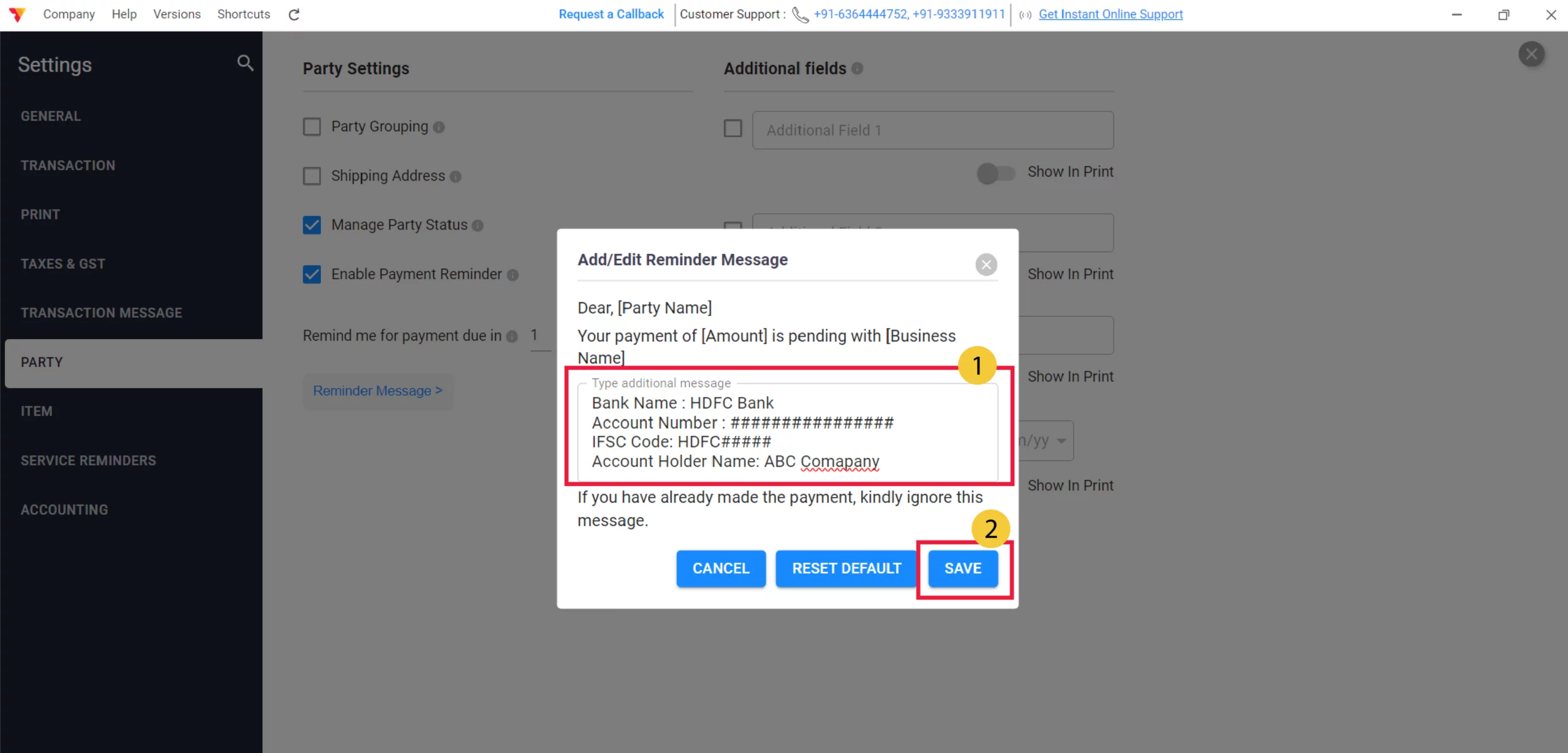
Customize & Save
Type your additional message or bank details in the text box, click SAVE, and close the settings window.
05
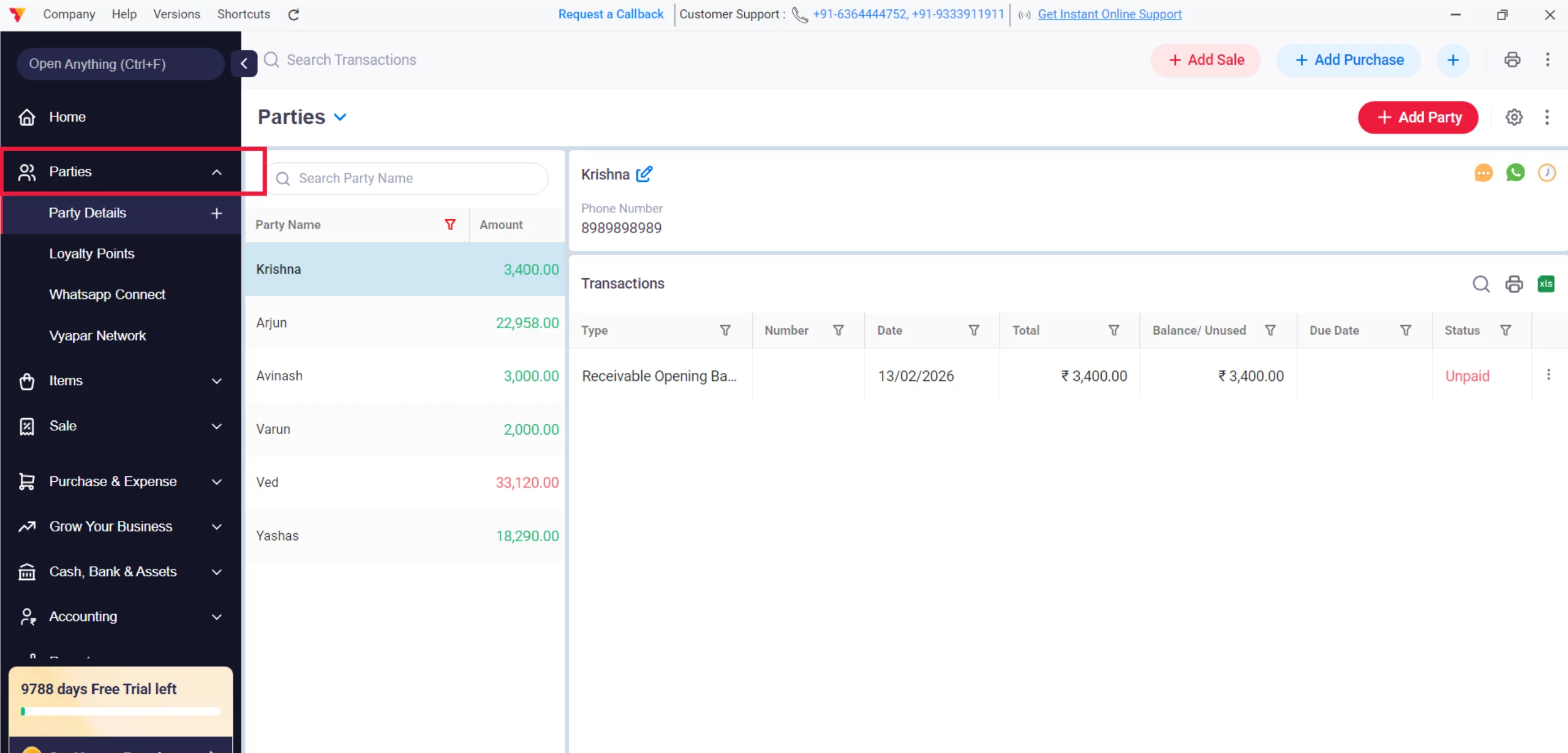
Access Parties Menu
Click on Parties in the left sidebar to see your list of debtors.
06
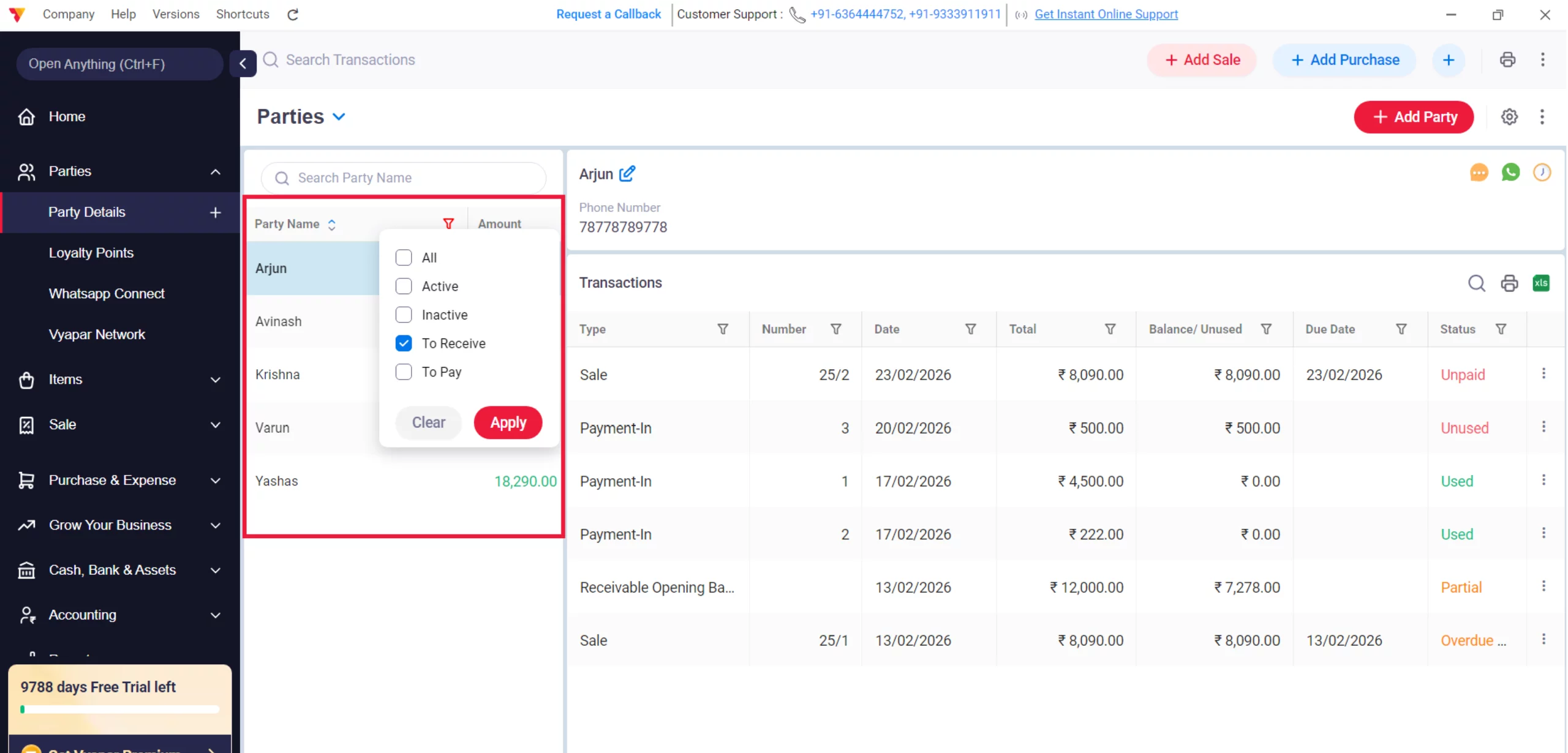
Select the Debtor
Click on the specific customer whose outstanding balance you wish to collect.
07
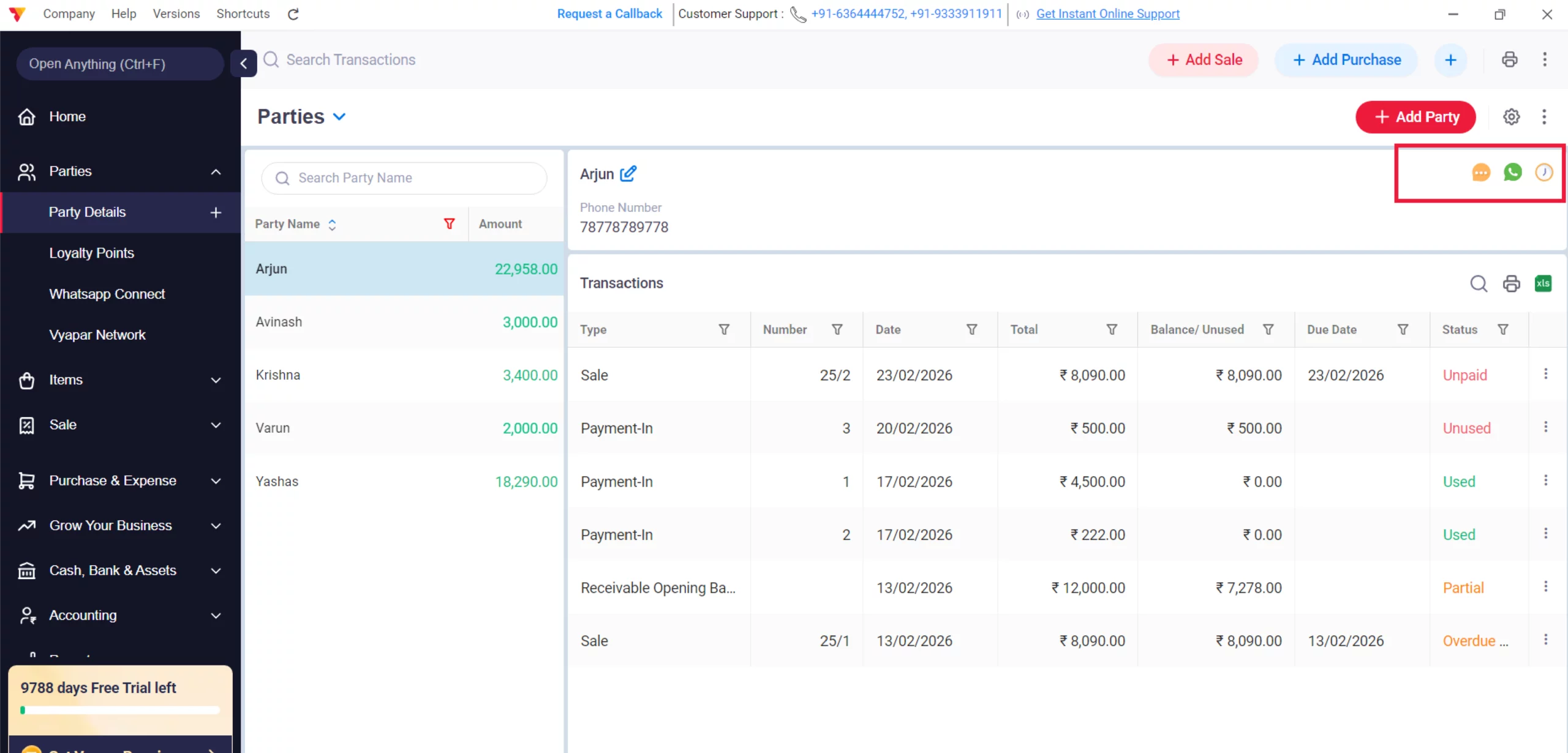
Choose Sending Method
Click on either the WhatsApp or SMS icon located next to the party’s contact details. Based on your settings, the message will be shared immediately with the customer.
08
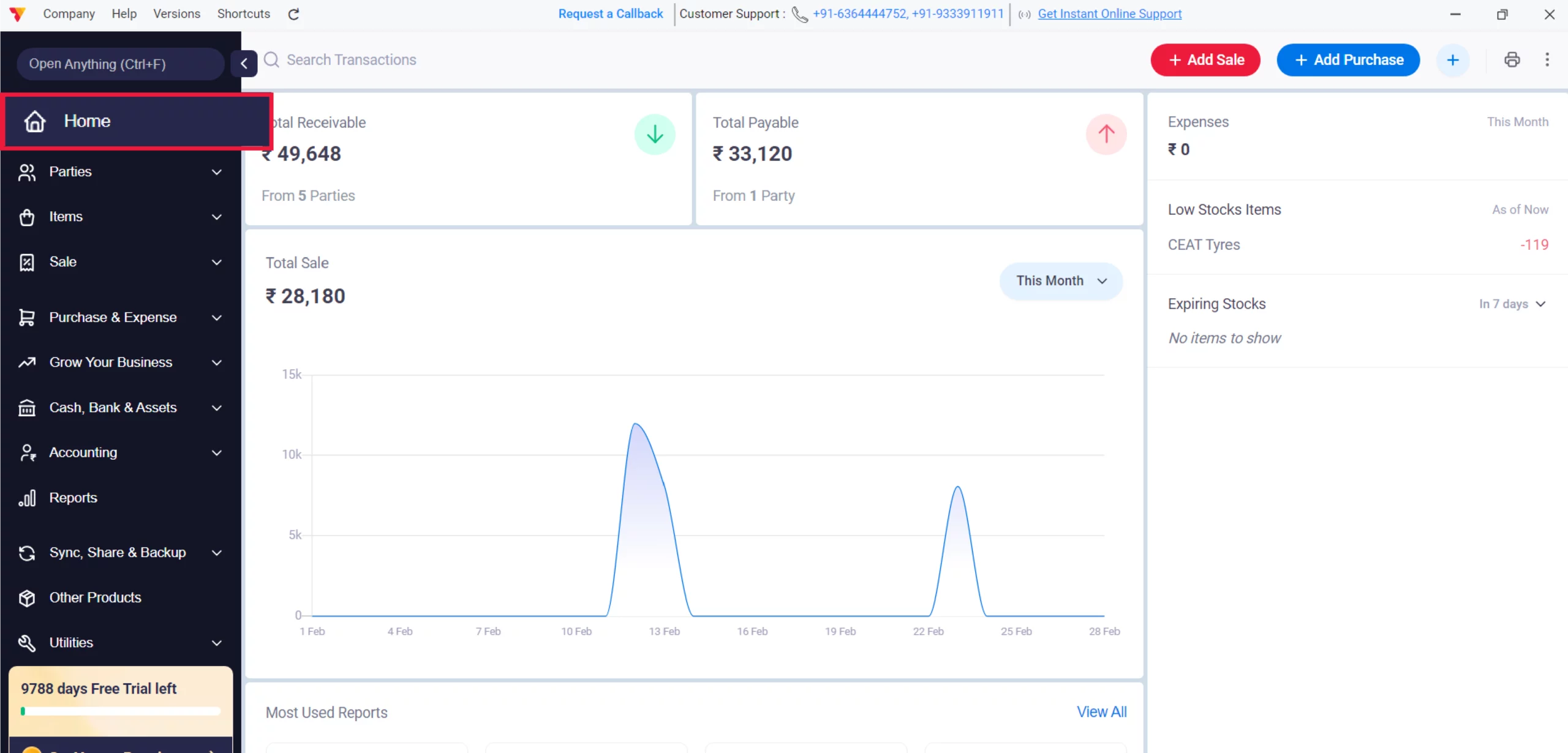
Find Bulk Reminders Option (Optional)
To notify all debtors at once, go back to the Home dashboard and click the three dots (⋮) in the top right corner of the screen.
09
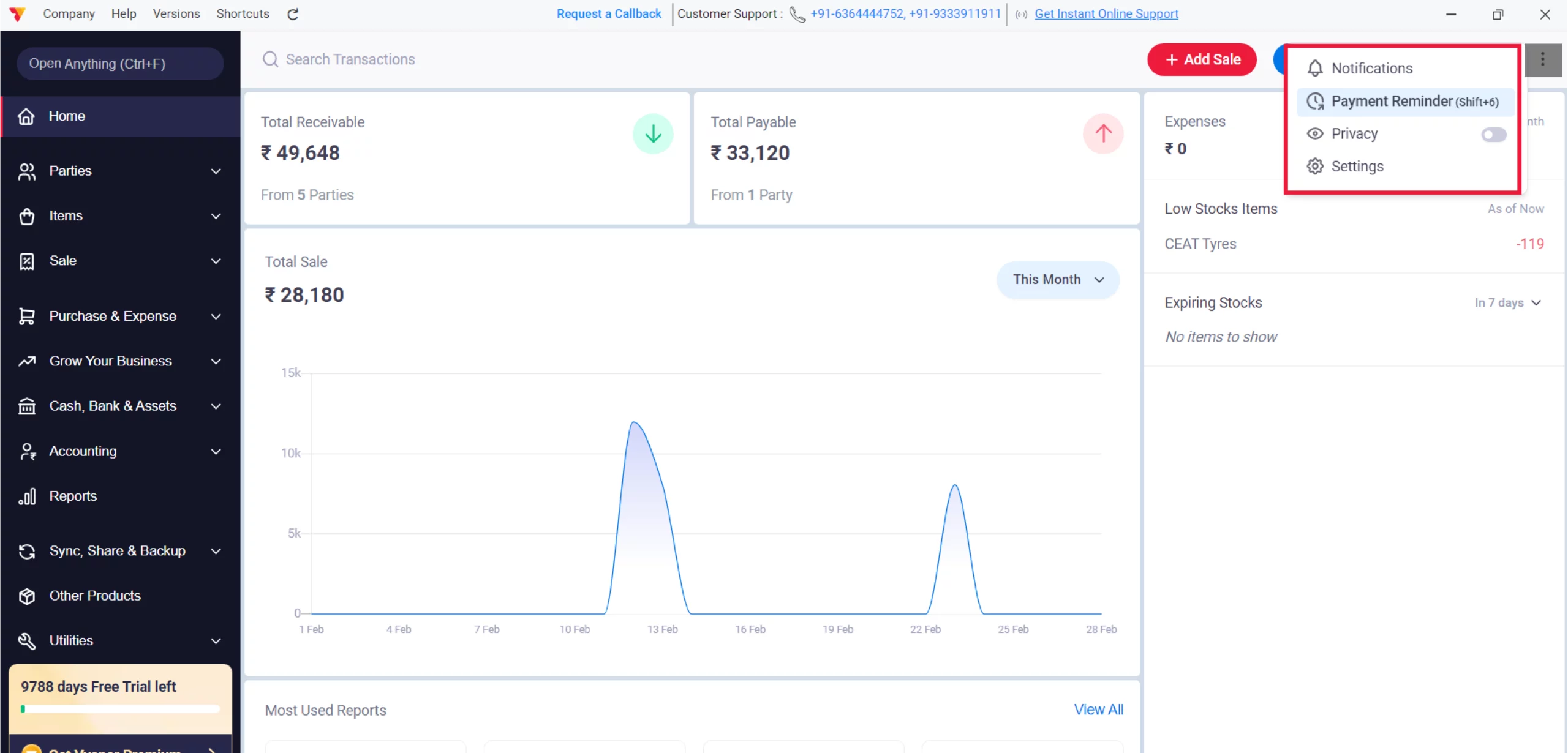
Select Payment Reminder
Choose Payment Reminder from the dropdown menu to open the bulk sending dashboard.
10
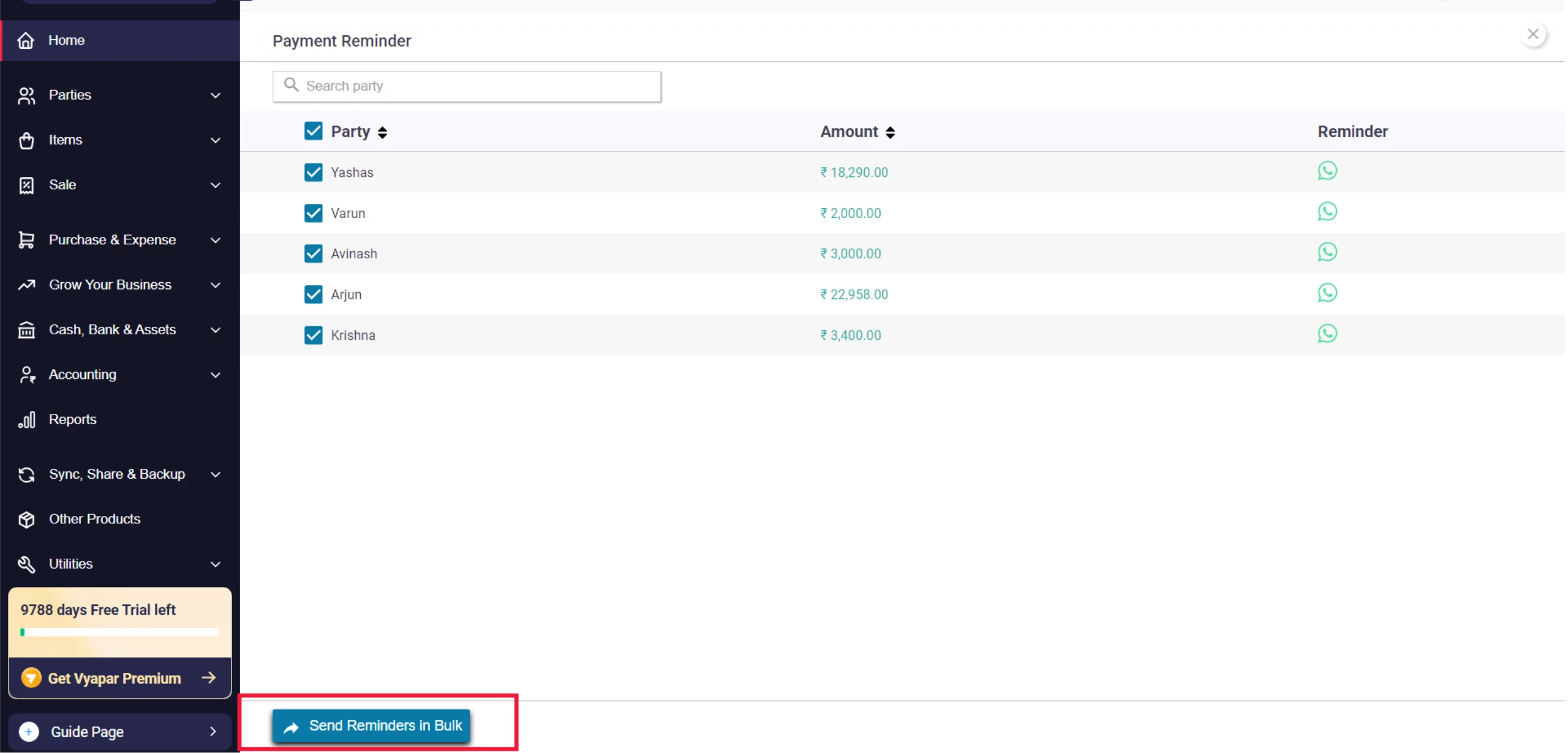
Send Reminders in Bulk
Review the list of parties and their outstanding amounts, then click the Send Reminders in Bulk button at the bottom to notify all debtors simultaneously.
11
Still stuck? Get help in minutes.
Our support team is ready to help you succeed.
 24/7 Support
Why Is This Important for Your Business?
Strategic reminder management is the most effective way to protect your business’s financial health:

Liquidity Management
Moving funds from Total Receivable (money on paper) to Cash-in-Hand (money you can spend) ensures your business stays operational.
Clear Communication
Customising your message with bank details or UPI links reduces friction for customers settling their Payable balance.
Full Transparency
Digital reminders provide a clear record of the debt, helping customers verify the Amount against their own records instantly.
Frequently Asked Questions (FAQs)
Can I go back to the original message?
Yes. If you want to undo your changes, click the RESET DEFAULT button in the customisation window.


Do I need to pay for the reminder SMS?
No. Vyapar provides automated SMS reminders as a free service to help you recover your dues.
Where can I see which invoices are overdue?
In the Party Details screen, you can see the payment status of every transaction.
Note: The specific “Overdue” status will only appear if you have enabled the Due Date feature in settings and added a due date to that particular invoice.
Ready to Get Paid on Time?
Send payment reminders today and collect your cash 2x faster.
 Download Vyapar Now





