
 Invoicing
Send Payment Reminders and Track Transactions Easily
With Vyapar App, you can send payment reminders on time, track every transaction clearly, and always know who has paid and who has not — without manual follow-ups.
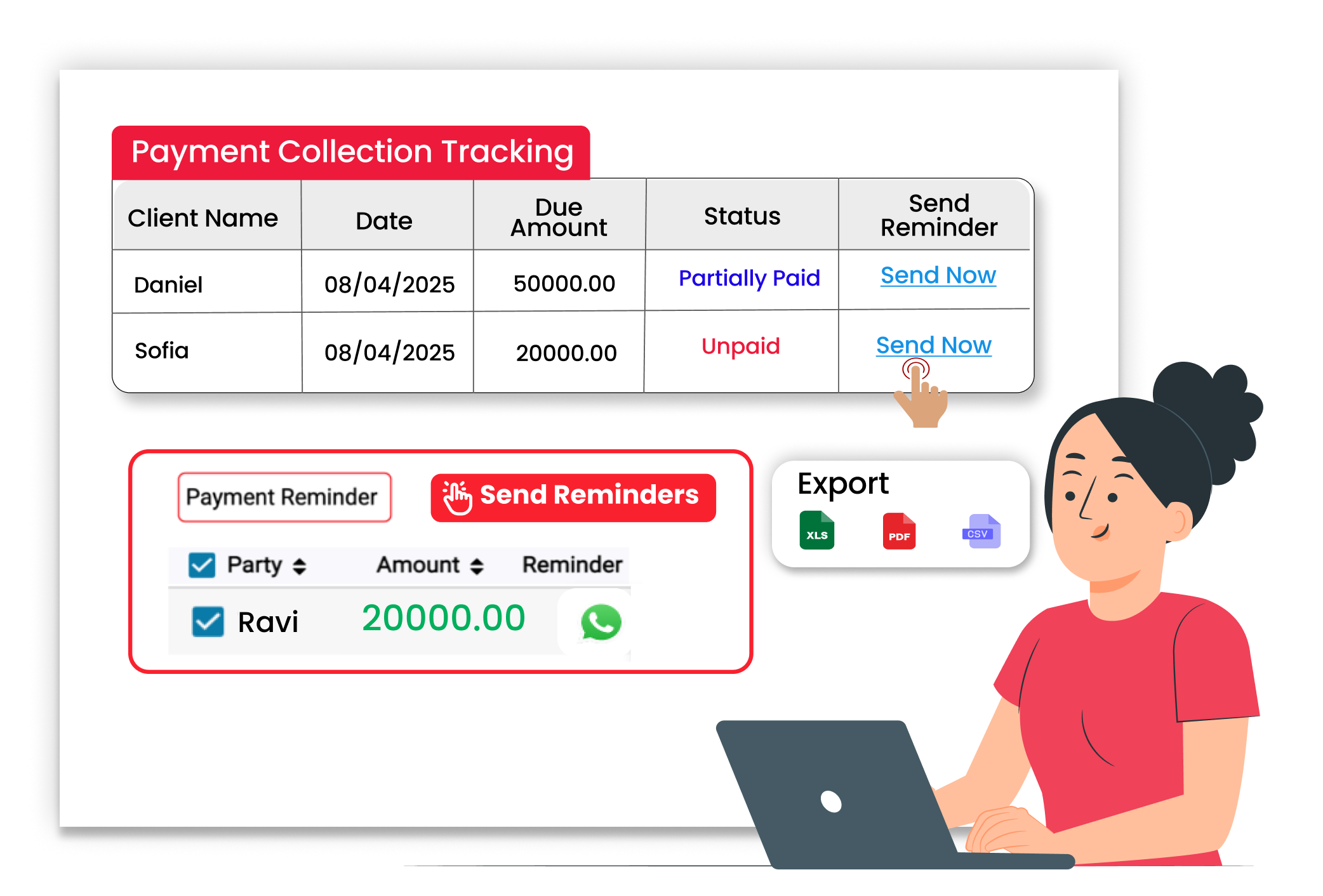
Why Payment Reminders & Tracking Matter
Sending timely reminders and tracking transactions properly helps you collect payments faster, reduce confusion, and keep your business running smoothly.
Timely Payment Reminders
Send reminders before or after due dates. Vyapar helps you notify customers about pending payments quickly and easily.
Clear Outstanding Tracking
See which invoices are paid and which are pending. All outstanding dues are clearly displayed inside the system.
Transaction Records
Every payment entry is saved securely. You can check past transactions anytime without searching manually.
 The Transformation
Before & After Payment Reminders & Tracking
Before
Without Payment Reminders & Tracking
- Forgotten due dates
- Confusion about pending invoices
- Missed payment entries
- Cash flow uncertainty

After
With Payment Reminders & Tracking
- Send payment reminders easily
- Clear view of pending and paid invoices
- Proper due date tracking
- All transactions recorded safely
 Business Impact
Real Results for Your Business
Sending reminders on time and tracking payments properly helps improve collections and maintain steady cash flow — so your business stays financially stable.
High
Payment Visibility
Easily check all pending and completed payments
60%+
Less Follow-up efforts
Automated reminders reduce manual calls
Better
Better Cashflow Control
Know exactly how much money is yet to be collected.
How This Feature Solves Payment Tracking Problems
Vyapar simplifies payment management by tracking due dates, recording transactions properly, and helping you send reminders — so you always stay updated on your receivables.
1

Create Sale Invoice
2
Set Payment Terms
3
Send Payment Reminder
4
Record Payment Entry
Start with proper billing details. Create a sale invoice, add customer information, and set the due date. Vyapar saves the invoice and automatically tracks the outstanding amount.
Define when payment should be made. While billing, set payment terms or due dates so you clearly know when a reminder needs to be sent.
Follow up without manual effort. Vyapar allows you to send payment reminders to customers for pending invoices, reducing repeated calls and manual tracking.
Keep your records updated. Once payment is received, record it against the invoice. Vyapar updates the status to paid and adjusts outstanding amounts automatically.
Where This Helps Most
Ideal for These Businesses
This use case is perfect for businesses that need fast and simple billing communication.

Retail Stores
Track credit sales and pending dues.
 Perfect fit for Vyapar
Edit Link

Super Market
Manage dealer payment cycles.
Perfect fit for Vyapar
Edit Link

Pharmacies
Track regular customer credit bills.
Perfect fit for Vyapar
Edit Link

Restaurants
Follow up on order payments.
Perfect fit for Vyapar
Edit Link

Hardware & Electrical Shops
Send reminders for invoices.
Perfect fit for Vyapar
Edit Link

Garment Shop
Manage multiple customer outstanding amounts.
Perfect fit for Vyapar
Edit Link
Related Use Cases
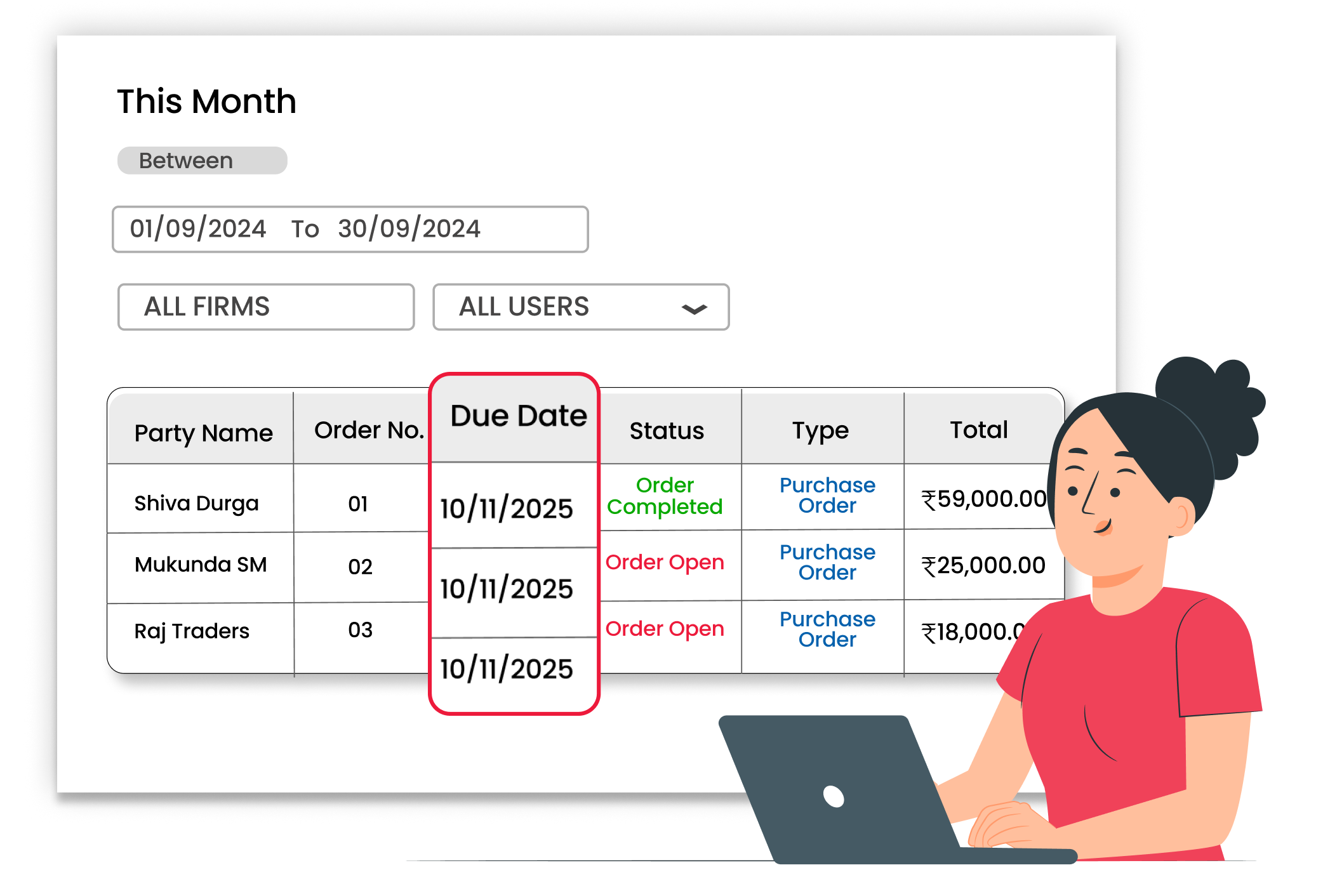
Manage Due Dates & Terms

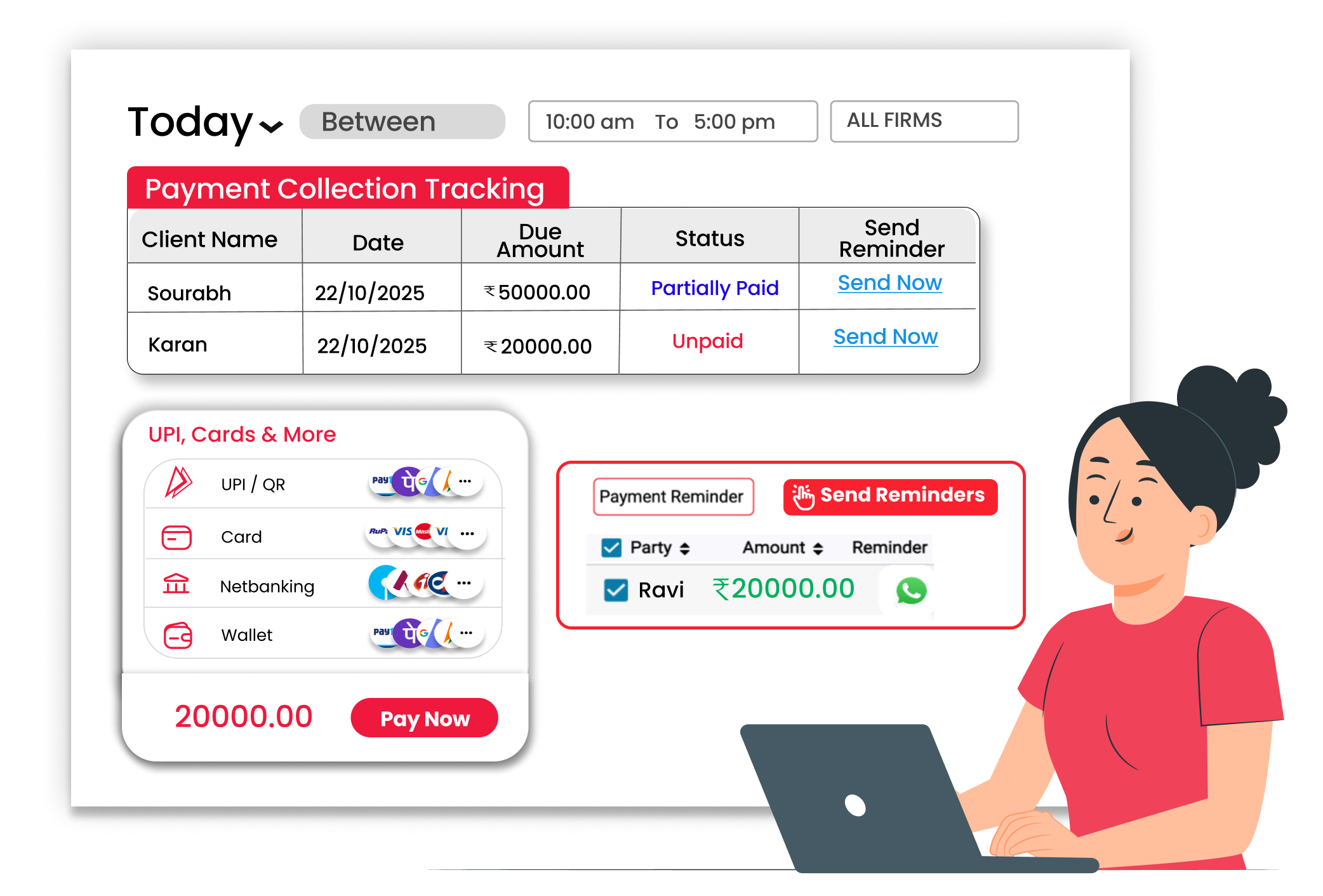
Avoid Payment Confusion with Proper Integrations
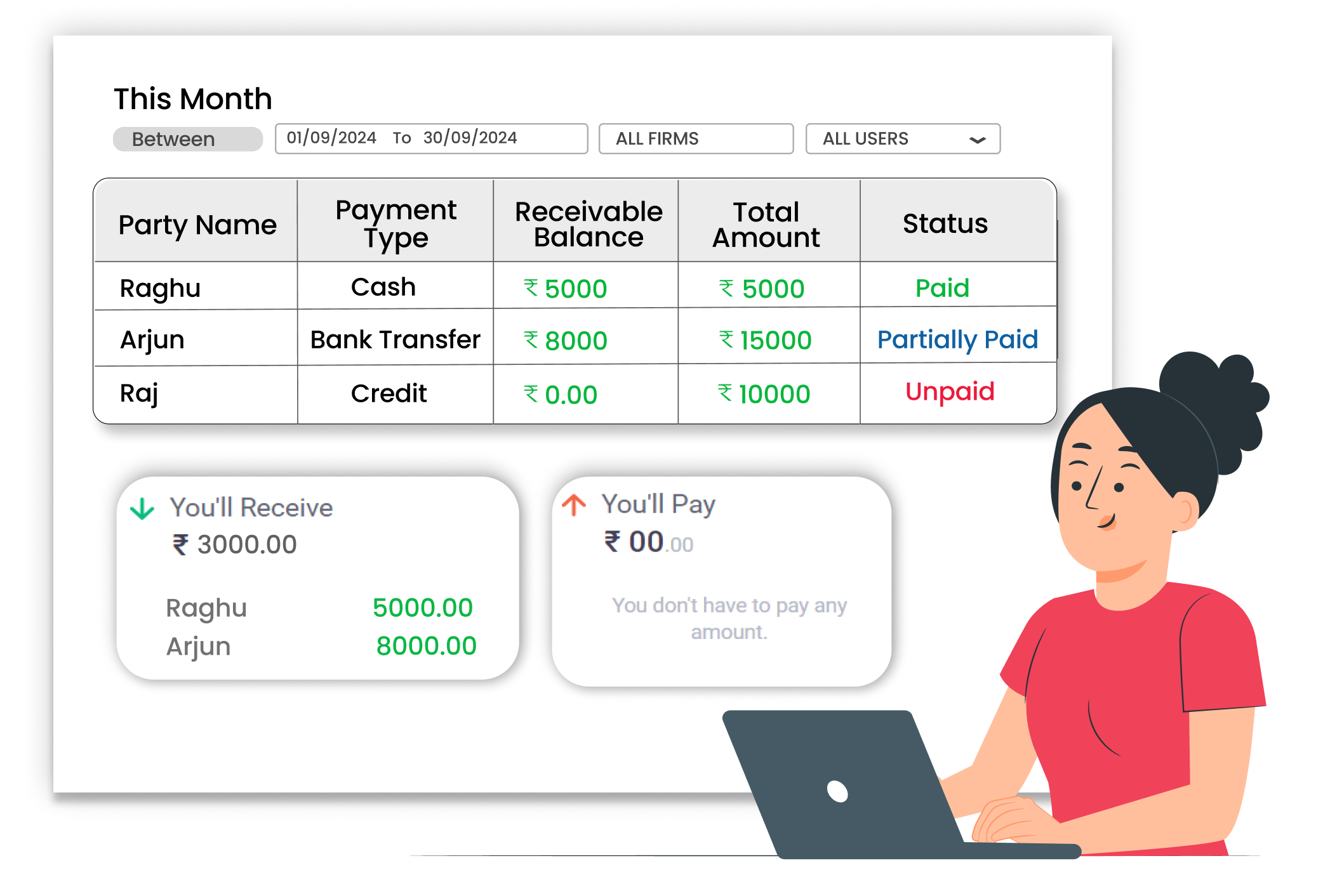
Avoid Confusion with Clear Transaction Reports





