
Cloud Accounting Software for Small Businesses
Manage your business accounts, payments, and reports from anywhere with Vyapar Cloud Accounting Software. Enjoy real-time multi-device sync, automatic backups, and seamless offline access that updates once you’re back online.


Top Tailored Features of Cloud Based Accounting Software
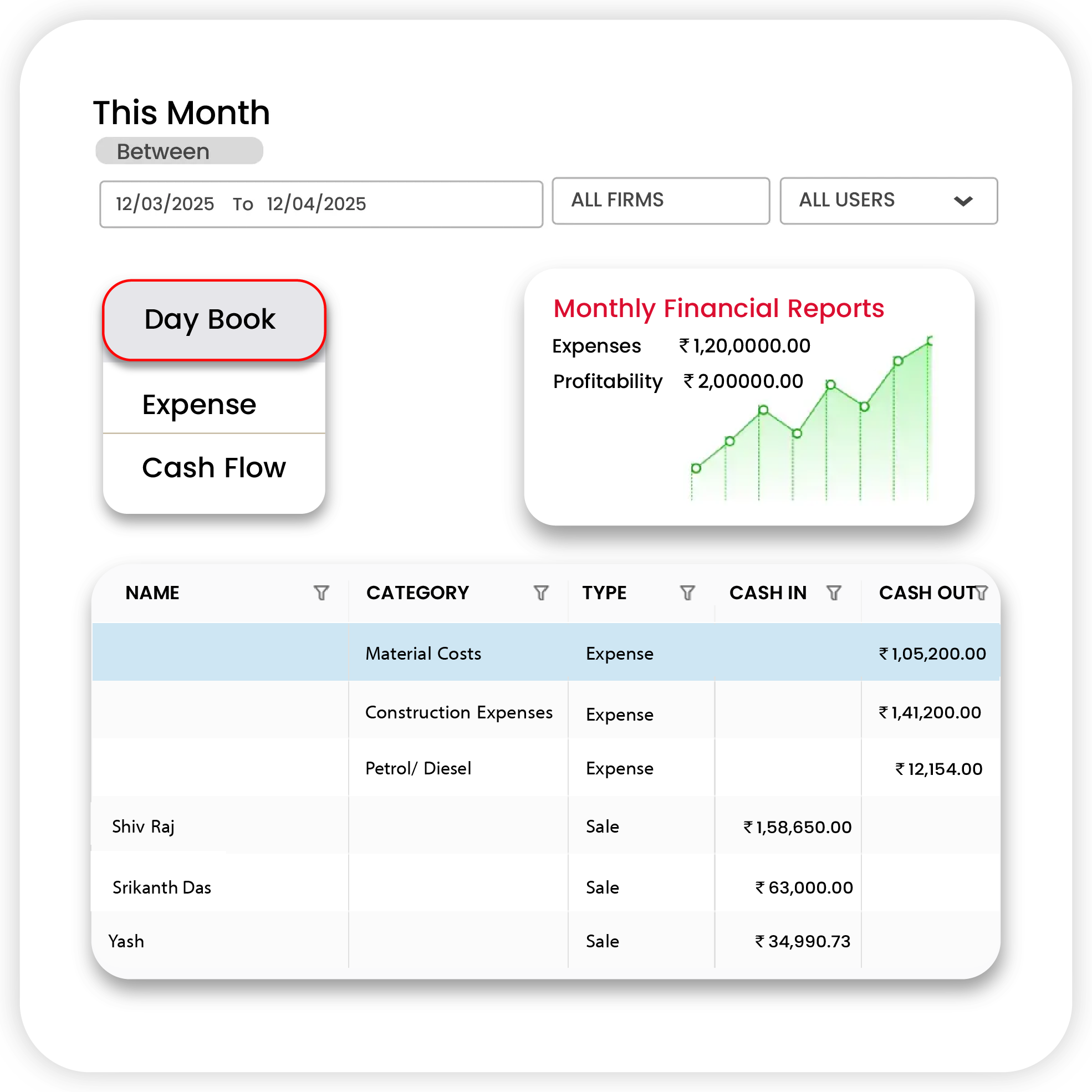
Complete Business Accounting
Manage your business finances in one place with Vyapar’s complete accounting software. Track income, expenses, sales, purchases, customer dues, and supplier payments while keeping your financial records organized without complicated manual bookkeeping..
- Ledger Maintenance: This online accounting software auto-creates ledgers for every party, showing debit, credit, and balances clearly.
- Expense and Income Tracking: All business transactions are instantly captured, helping users of the best cloud accounting software in India stay informed about financial health.
- Integrated Purchase & Sale Records: Entries are auto-linked with purchases and sales, removing duplicate work and improving the overall accuracy of your accounting.
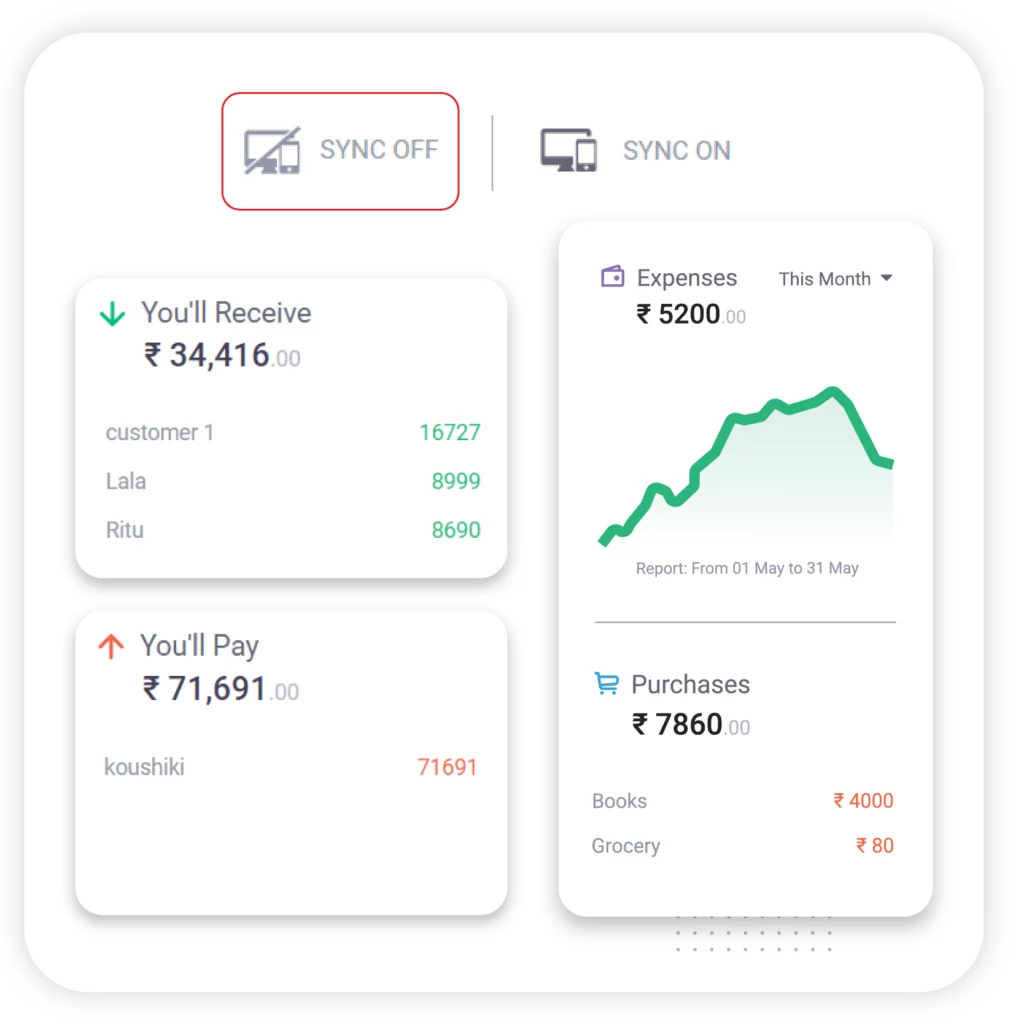
Cloud-Based Access with Offline Support
Access your business accounts from supported devices, whether you’re at your shop, office, or on the move. Manage your records online, sync your data across devices, or continue supported business activities offline and update your records when internet connectivity is restored.
- Seamless Access Across Devices: This simple cloud-based accounting software lets you manage billing and accounts on Android or desktop, syncing data in real time without extra tools.
- Offline Mode for Uninterrupted Work: Even with no internet, this free online accounting software app allows uninterrupted billing, syncing automatically once the device is back online.
- Cloud Backup for Data Safety: Data is securely backed up in the cloud, providing business continuity in case of device loss or damage — ideal for businesses across India.
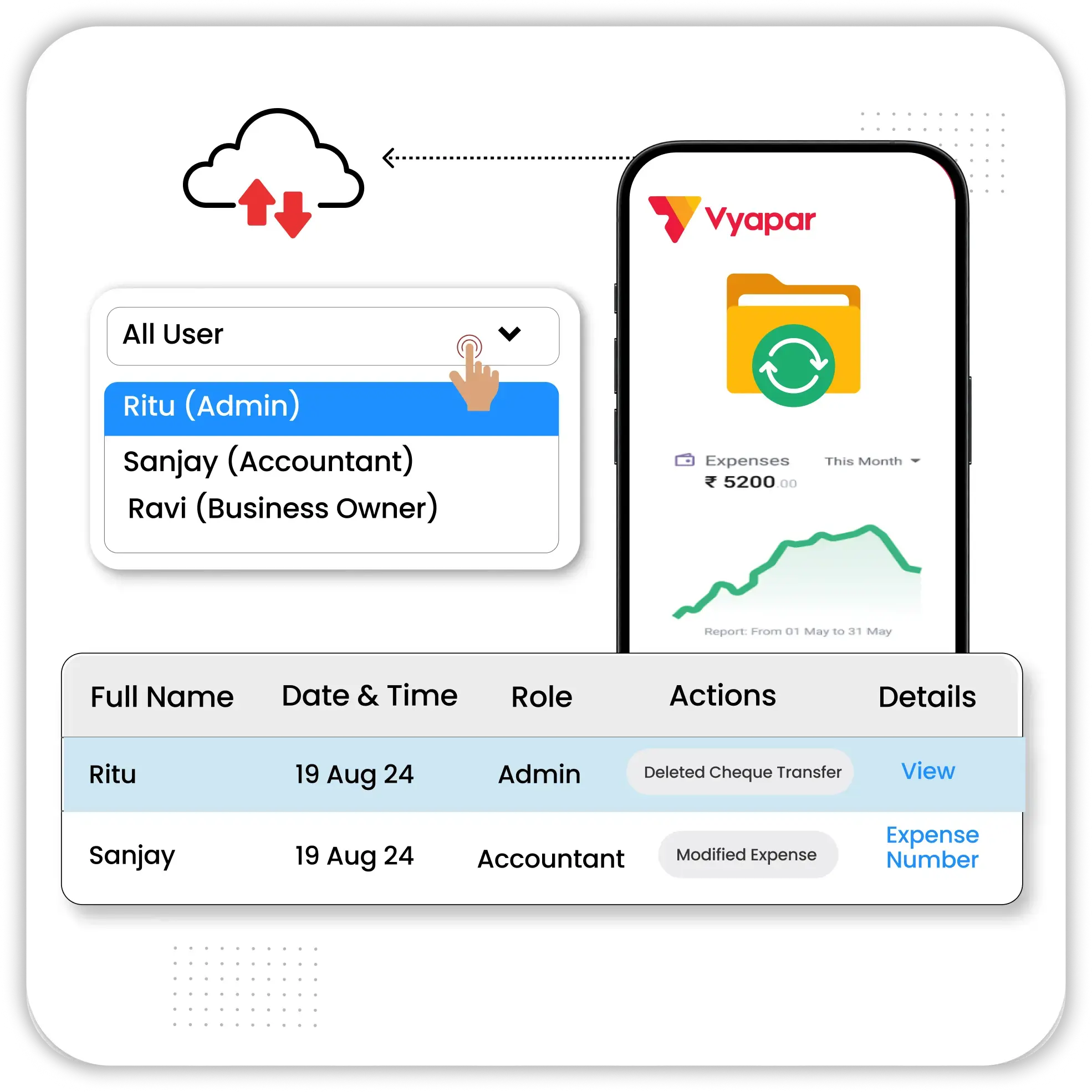
Automatic Cloud Backup & Data Safety
Keep your business records protected with cloud backup and secure access. Vyapar helps safeguard your accounting data, maintain updated records, and make business information accessible to authorized users when they need it.
- Cloud Sync Technology: This online accounting app encrypts your data during sync, ensuring it’s accessible but protected from unauthorized access.
- Daily Auto Backup: Daily backups offer peace of mind, especially for Indian businesses with limited IT infrastructure.
- Secure Login & Permissions: Only verified users can log in, and access rights are fully controlled by the account owner.

GST-Ready Invoicing
Simplify your billing with Vyapar. Create professional, customizable GST invoices with automatic tax calculations and e-way bill details, eliminating manual errors and keeping all your GST records effortlessly organized.
- Predefined GST Templates: Choose invoice formats with your logo, tax fields, and HSN/SAC codes — everything built into the app.
- GST Tax Calculation: Automatic GST calculation based on item location and type, reducing manual errors and saving time.
- E-Way Bill Fields: Vyapar makes logistics easier with pre-filled e-way bill sections inside the invoice form.
Vyapar’s Growing Community

Taj Trading Co.
Retailer
Excellent
Since 2022, I’ve been using Vyapar, and it’s fantastic. Upgrading to the premium mobile app was a wise choice, particularly for shop staff who aren’t familiar with using computers. The app is user-friendly, and the inclusion of e-invoicing functionality is a significant advantage.

Hema Srivastava
Distributor
Easy & Economical
I’ve been using the Vyapar android app for invoicing since I came across it, and I really like it. It’s incredibly user-friendly and easy to get on with it. I’m proud to use Vyapar, as it offers a cost-effective invoicing solution compared to other industry applications. Thank you, Vyapar!

Gaurav B
FMCG Retail
Best Software
Vyapar software provides SMEs with a secure, easy-to-use platform for invoicing and GST filing. With multi-user management, it handles GST challenges while promoting seamless team collaboration, ensuring efficient business operations.

Jigyasu P
Manufacturer
Easy to use
It saved me a lot of time from my accounting tasks by automating the entire process. Generates compliant e-invoices in seconds, with automated reminders no need to forget about the payments, and it helped to grow my business. If you’re struggling to create e-invoicing, Vyapar is your lifesaver.”

Jeevan SK
Retailer
Great Accounting Experience
Vyapar is my go-to tool for creating e-invoice! It keeps my finances organized and GST filing easy with its reports. Gone are the days of manual e-invoice creation and chasing down due dates. Vyapar automates the entire process, ensuring compliance and timely payments for me.

Rizwan A
Plastic Distributor
Height of Excellency
Vyapar’s become an essential part of the team. For two years, it’s handled everything from streamlining e-invoicing to keeping inventory in check. Generating compliant e-invoices is as easy as using your phone, and Vyapar keeps things sharp with constant updates ensuring compliance with the latest e-invoicing regulations.
Cloud Accounting Made Affordable for Your Business
Access your business finances anytime, anywhere with secure and affordable cloud accounting software.
Desktop
Mobile
Desktop
Free Trial
7-Day Free Trial
All Features Unlocked
Perfect for Getting Started
 Audit Trail
GSTR Reports
Expense Tracking
Fixed Assets
WhatsApp Integration
Import Parties
Silver Plan
₹3799/year
Buy for 3 Years – Save ₹2,798 Today!
Great for Small Stores
3 Firms/Businesses
Multi Device Sync
Fixed Assets
Billwise Profit/Loss Reports
Import Parties
Share with CA
Accountant Access

Most Popular
Gold Plan
₹4099/year
Buy for 3 Years – Save ₹3,198 Today!
Most popular for Growing Businesses
Everything in Silver Plan
5 Firms/Businesses
Chart of Accounts
Trial Balance & Balance Sheet
Account Statement
Add TCS/TDS on Invoices
Set Credit Limit
Payment Reminders
Retail Pro Plan
₹8,999/year
Buy for 3 Years – Save ₹7,198 Today!
Popular for Retail Businesses
All Gold Plan Features
Add Unlimited Businesses
Unlimited Firm Backups
Partywise Profit/Loss Report
Godown & Stock Transfer
Stock Transfer Report
Marketing Tools
Mobile
Free Plan
Lifetime Free
Limited Access
Perfect for getting started
Audit Trail
GSTR Reports
Expense Tracking
1 Firm/Organization
Invoice & Bill Creation
Silver Plan
₹699/year
Buy for 3 Years – Save ₹598 Today!
Great for Small Businesses
Everything in Free plan
3 Firms/Businesses
Multi Device Sync
Expenses with ITC
Balance Sheet
Fixed Assets
Share with CA
Most Popular
Gold Plan
₹799/year
Buy for 3 Years – Save ₹698 Today!
Most popular for Growing Businesses
Everything in Silver plan
5 Firms/Businesses
Journal Entries
Chart of Accounts
Trial Balance
Account Statement
TCS and TDS on Invoice
Retail Pro Plan
₹2099/year
Buy for 3 Years – Save ₹998 Today!
Great for Large Businesses
Everything in Gold plan
Add Unlimited Businesses
Godown & Stock Transfer
Complete Party Management
Comprehensive Reports
Marketing Tools
Add-On Features of Cloud Based Accounting Software by Vyapar
Explore additional accounting and business management features that help you track finances, manage stock, generate reports, create quotations, collect payments, and simplify day-to-day business operations.

Balance Sheet Reports

Profit & Loss Statement
Inventory Tracking
Online Store Management
Business Dashboard
Quotation & Estimate Creation

Payment Collection Reminders
E-invoice generation
Vyapar Cloud Accounting App Makes Your Business Operations Seamless
Balance Sheet Reports of Your Business
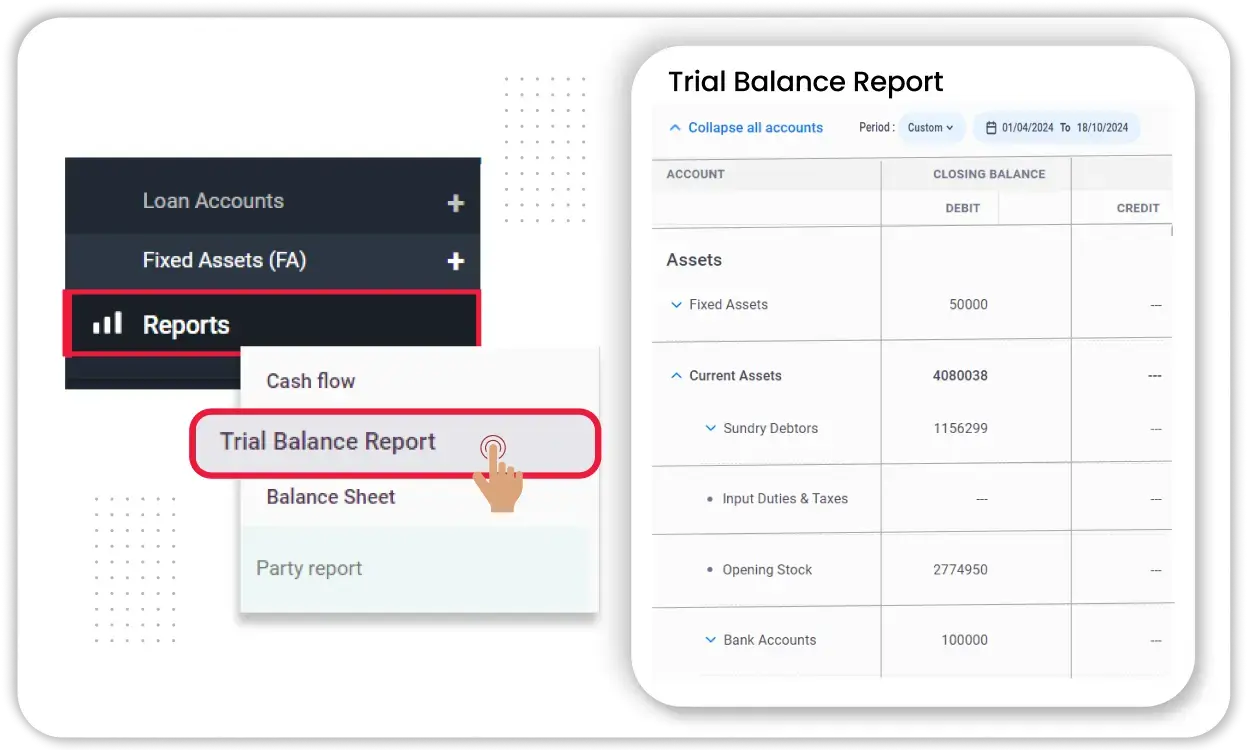
Get a clear picture of your business’s financial position with Vyapar’s accounting reports. Review customer and supplier balances, track assets and liabilities, and generate balance sheets and trial balances to understand your business finances at a glance.
- Individual Party Ledgers: Track customer and supplier dues with updated ledger records for each party. Review transactions, payments, and outstanding balances to understand what you owe and what you need to collect.
- Balance Sheet Generation: Review your business’s assets, liabilities, and financial position through organized balance sheet reports. Understand how your business finances stand at a given point in time.
- Trial Balance Overview: Check account balances in one place to review accounting entries, assess records and identify discrepancies during financial reviews and audits.
Analyze Profit & Loss Statement
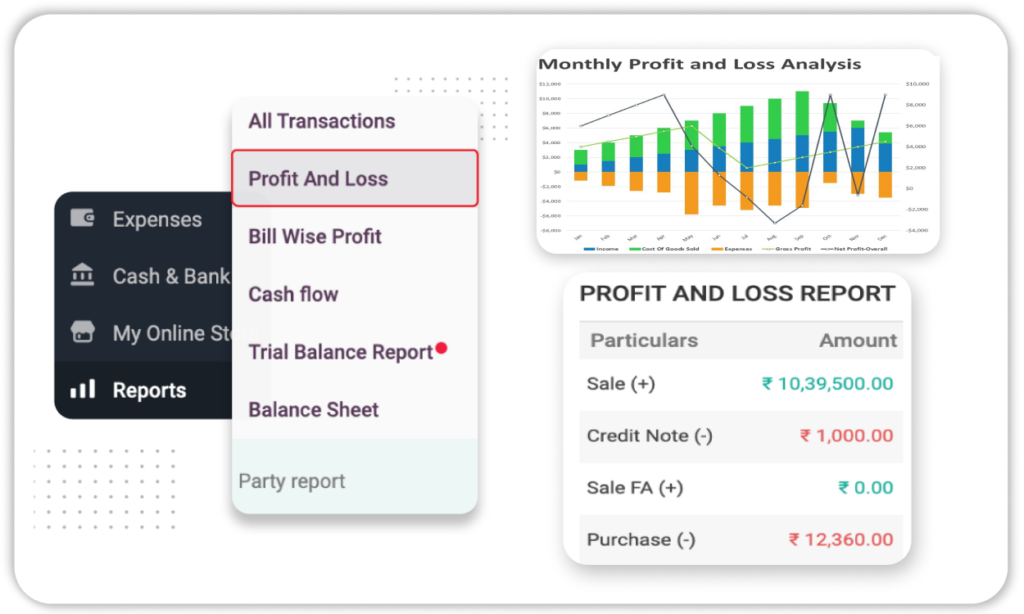
Understand how your business is performing with Vyapar’s Profit &Loss report. Review income, expenses, and profits over selected periods, identify expense categories, and compare financial results to make better business decisions.
- Instant P&L Reports: View financial summaries based on your recorded transactions to understand your business’s income, expenses and profitability.
- Category-Wise Breakdown: Identify income and expense categories to understand where your money is coming from and where it is being spent.
- Date-Range Filters: Review short-term or long-term business performance using selected periods to understand how your financial results change over time.
OCR Scanning
Simplify purchase entry with Vyapar’s OCR scanning feature. Scan bills and receipts to capture important details such as supplier information, GSTIN, item names, quantities, and totals, helping reduce manual data entry and improve bookkeeping accuracy.
- Automatic Data Capture: SScan physical bills or receipts to capture available information, such as supplier details, GSTIN, item descriptions, and totals, using your phone camera.
- Faster Entry Creation: Use scanned information to simplify purchase entry and reduce repetitive typing while recording transactions.
- Supports Multiple Formats: Scan supported printed or handwritten documents. Data extraction depends on the document’s clarity, layout, and supported format.


Inventory Tracking with Stock Adjustment
Manage inventory alongside your business accounts using Vyapar’s inventory app. Track stock movement from sales and purchases, update quantities when needed, and monitor items that are running low to help maintain sufficient stock for your customers.
- Real-Time Stock Update: Keep stock quantities updated through recorded sales and purchase transactions to understand available inventory.
- Stock Adjustment Feature: Make manual corrections when stock is damaged, missing, counted differently, or needs to be updated to reflect actual inventory.
- Low Stock Alerts: Monitor products nearing their stock threshold and set low stock alerts to help you replenish items before they run out and avoid missing sales due to insufficient stock.
Online Store Management
Manage your online store alongside your business accounts with Vyapar. Create a digital storefront, share your product catalogue, track incoming orders, and accept payments through a supported payment gateway while keeping your business operations connected.
- Online Store Creation & Management: Create a digital storefront and share your product catalogue with customers through supported channels, helping them browse your products online.
- Seamless Order Processing: Track incoming orders, manage order details, and monitor inventory to help keep your online sales organized.
- Integrated Payment Solutions: Accept payments through supported online payment options and manage payment-related information alongside your business transactions.

GST Reporting & Filing Assistance
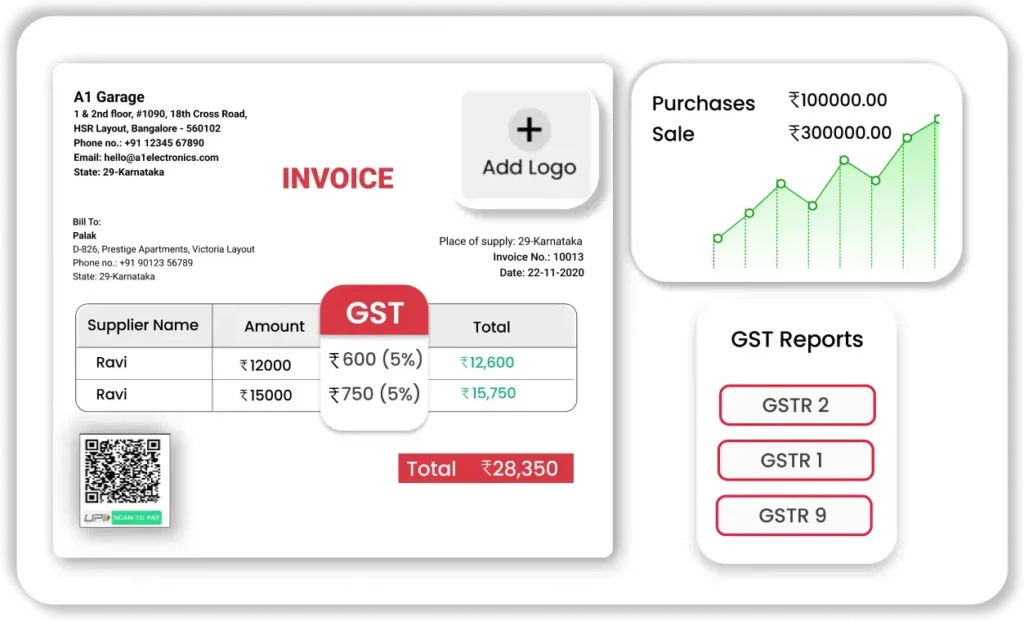
Simplify your GST workflow with Vyapar’s features for GST compliance. Generate GST reports from recorded transactions, organize sales and purchase data, and review GST-related records to make return preparation easier and help identify missing or inconsistent information.
- Auto-Generated GSTR Reports: Create GSTR-1 and GSTR-3B reports based on your transaction data, view the official GSTN user guides for GSTR-1 and GSTR-3B to learn more about filing requirements..
- Category-Based Tax Grouping: Organize transactions according to applicable GST categories to simplify report preparation, tax review, and reconciliation.
- Mismatch Detection: Identify missing details or inconsistencies in GST records so you can review and correct information before proceeding with filing.
Multi-Device & Cross-Platform Support
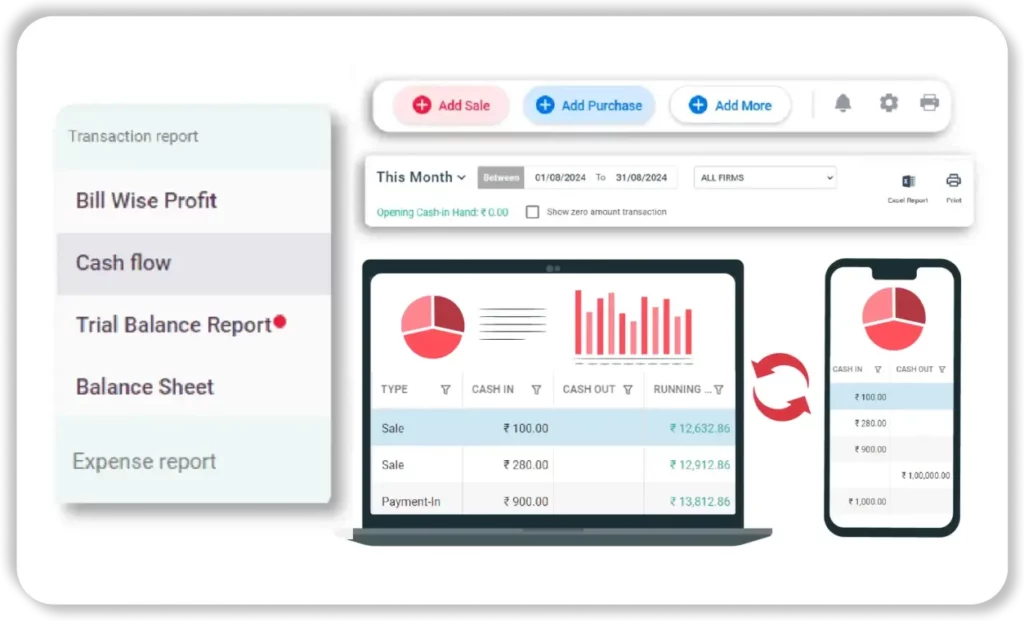
Access your business accounts across supported devices with Vyapar. Manage transactions, review financial reports, and sync business records between compatible devices to help you stay updated whether you’re at your business, office, or on the move.
- Android & Windows Compatibility: Access your business records on supported Android and Windows devices, depending on the software version and plan you’re using.
- Centralized Business Records: View relevant accounting information, transactions, and business records through the available interface to manage your business activities.
- Data Sync Across Devices: Keep your records updated across supported devices through the available synchronization functionality when connected and syncing.
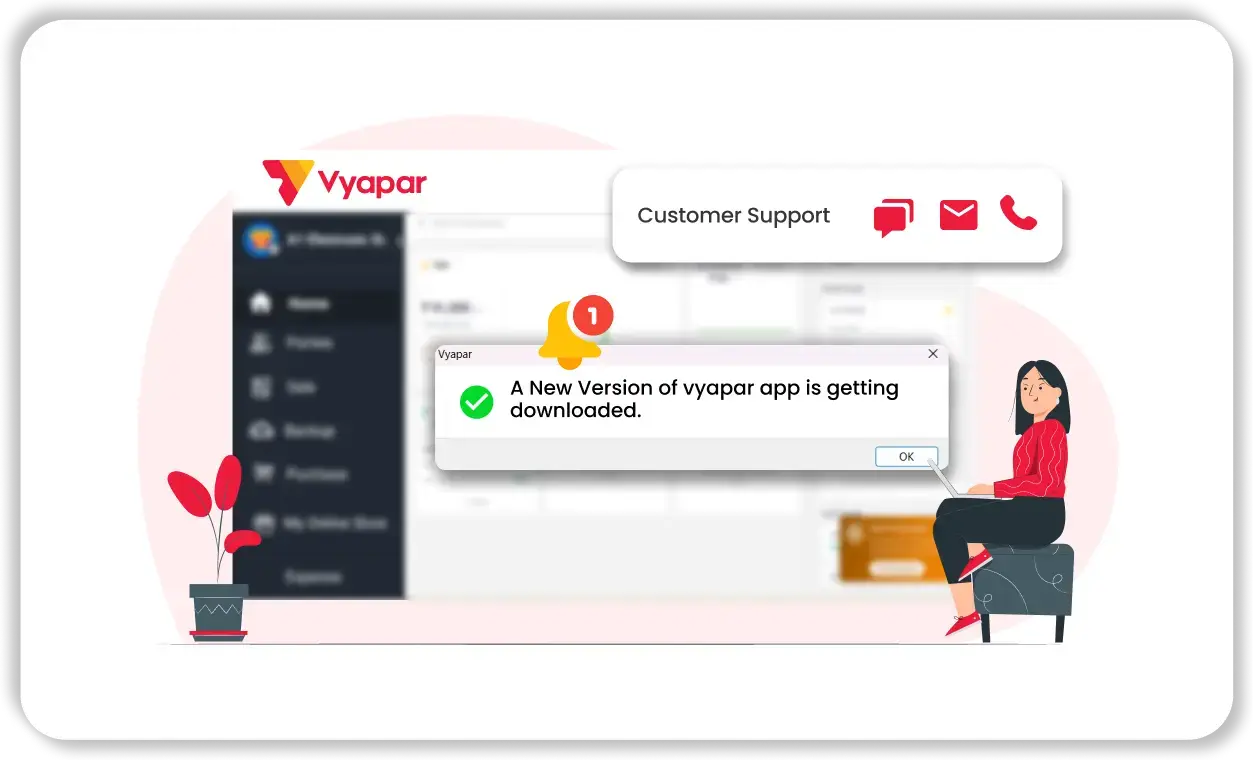
Automatic App Updates & Support
Stay updated with Vyapar’s latest features, product improvements, and accounting updates. Access available support channels to get assistance with using the software and managing your day-to-day business activities.
- App Updates: Receive supported app updates to access product improvements, functionality enhancements, and new features.
- Compliance-Related Updates: Stay informed through software updates for supported GST and accounting workflows as product functionality evolves.
- Customer Support: Get assistance through available customer support channels, such as chat, WhatsApp, or phone, when you need help using Vyapar.
E-Invoice Generation
Create and generate e-invoices for applicable business transactions using Vyapar’s supported e-invoicing workflow. Prepare e-invoices with required invoice details, access supported GST portal functionality, and simplify invoice generation while maintaining GST-related records.
- Login via GSP Portal: Easily log in to the GSP portal through Vyapar to generate e-invoices and link them to the official GSTN system.
- GST-Compliant Invoice Format: Generate e-invoices with the required invoice details and applicable GST information for supported transactions. (see the official GSTN e-invoice portal for specific rules)
- Simplified E-Invoice Workflow: Reduce repetitive manual entry by preparing e-invoice information through the supported software workflow and reviewing details before submission.

Manage Your Business Accounts from Anywhere with Vyapar
Simplify everyday accounting and business management with tools that help you access your accounts, track finances, manage inventory, and review business performance from supported devices. Stay informed about your business activities and manage essential tasks without relying on manual recordkeeping.

Time Saving
Manage your business accounts on supported Android and Windows devices. Access important records, track transactions, and handle everyday accounting tasks from your phone, laptop, or desktop without switching between multiple tools.

Seamless Access
Manage employee access using available user roles and permissions. Assign appropriate access to team members so they can perform their tasks while you maintain control over your business information.

Customisation
Organize your business records and review financial information to better understand your cash flow, income, expenses, and business performance. Use available reports to support business planning and financial decisions.

Easy Inventory Management
Track products, stock quantities, and inventory movement alongside your business transactions. Manage sales and purchases, monitor stock availability, and maintain sufficient inventory to fulfil customer requirements.
Business Reports
Generate business reports to review transactions, income, expenses, cash flow, and financial performance. Access relevant accounting information in one place to reduce manual report preparation and make informed business decisions.
🚀 Start Using in 2 Minutes
How to Get Started with Vyapar Cloud Accounting Software
Start managing your business accounts online with Vyapar in just a few steps. Set up your business, add users, and sync your data across supported devices to access accounting records and manage daily business activities from anywhere.
Download & Install
Download Vyapar on your desktop and run the setup file.
Enter Business Details
Log in with your mobile number and add your company name, logo and email.
Add & Sync Users
Go to Sync & Share, click Add User, assign a role and send the invite.
Accept Invite & Track Activity
Your team accepts the email invite and starts syncing. Track every action under See User Activity.
Who Can Use Vyapar Online Accounting Software?
Here are some people and businesses that can benefit from our online accounting software:

Freelancers
Freelancers can use free online accounting software to manage invoices, expenses, and payments easily. It’s simple, cheap, and helps keep track of income without much effort.

Small Business Owners
Small businesses can benefit from the best online accounting app because it saves time and money. You can switch from manual bookkeeping to automatic tools that help with accounting, taxes, and payments.

Mid-Sized Businesses
Medium-sized businesses may need more features, such as inventory management or business expenses. Online accounting software offers scalability and be adjusted as needed.

Retail Shops
Retailers can use these tools to manage sales, inventory, and invoices—all in one place. They can also use online accounting software to track sales and expenses in real-time.

Service-Based Businesses
Those who offer services (like consulting or repair) can use simple online accounting software to send bills to clients and track payments without much hassle.
Frequently Asked Questions (FAQs’)
Cloud-based accounting software is an application hosted on remote servers that allows businesses to record, manage, and access their financial information over the internet. Instead of storing all business records on a single computer, the software makes them accessible across supported devices.
Businesses can use cloud accounting software to record sales and purchases, track income and expenses, manage customer and supplier accounts, monitor payments, and generate financial reports. It also helps users access updated records from different locations without manually transferring files.
Vyapar offers accounting software with cloud-based capabilities that help businesses manage financial activities, access business information across supported devices, and synchronize data.
Cloud-based accounting software makes it easier for businesses to manage financial records and access important information. Some key benefits include:
Accessibility: Access business accounts from supported devices and locations.
Automation: Reduce repetitive manual work through automated calculations and recordkeeping.
Accuracy: Minimize manual calculation errors and maintain organized financial records.
Efficiency: Manage billing, expenses, payments, and reports from one platform.
Data Security: Use login credentials and available access controls to protect business information.
Scalability: Choose features and plans that suit your business requirements as they grow.
Updated Information: Access synchronized business records across supported devices.
With Vyapar, businesses can manage accounting, billing, inventory, and payment activities through a single application.
Cloud accounting software stores business information on remote servers and allows users to access it through an internet-connected application. When you record a transaction, such as a sale, purchase, or expense, the software processes the information and updates the relevant business records.
Depending on the software and device setup, information can be synchronized across supported devices. This allows authorized users to access updated records without manually transferring files between computers.
With Vyapar, you can record business transactions, manage accounts, and access synchronized information across supported devices. You can also continue working offline where supported, with data synchronization when an internet connection becomes available.
Cloud-based accounting software uses security measures to help protect business information stored on remote servers. These may include data encryption, secure login systems, backups, and user access controls, depending on the software provider.
Businesses should also follow basic security practices, such as using strong passwords, limiting access to authorized users, and keeping their applications updated.
Vyapar uses account access controls and security measures to help safeguard business records. Available user permissions also help businesses manage who can access relevant information and perform specific activities.
The best cloud-based accounting software for a business depends on its requirements, ease of use, available features, device compatibility, and pricing. Small businesses should look for software that simplifies everyday activities such as billing, accounting, expense tracking, inventory management, and financial reporting.
Vyapar is designed to help Indian businesses manage these activities through a user-friendly application. It offers features for creating invoices, recording transactions, tracking stock, managing payments, and generating business reports. Its cloud-based capabilities also help users access and synchronize business information across supported devices.
Vyapar offers a 7-day free trial that allows businesses to explore its accounting and business management features. During the trial, users can create and share invoices, manage stock, generate GST reports, track unpaid invoices, and send payment reminders, subject to the applicable trial features.
You can also record business expenses and review profit and loss information through the business dashboard. After the trial period, you can choose a suitable paid subscription to continue using the applicable premium features.
Yes, Vyapar supports access across compatible devices and platforms, helping businesses manage their accounts from different locations. Depending on your device compatibility, setup, and user permissions, you can access business information and synchronize records across supported devices.
This makes it easier to manage business activities whether you are at your shop, office, or working remotely. Make sure your devices and account setup meet Vyapar’s requirements for synchronization and multi-device access.
Vyapar supports several GST-related business activities, including GST billing, automatic tax calculations, GST reports, and e-invoice generation for applicable businesses.
You can use these features to organize GST-related transactions, review tax information, and generate reports such as GSTR reports using your recorded business data. Before filing returns, review the generated information and correct any discrepancies to help maintain accurate GST records.
Cloud accounting software is useful for businesses and professionals that need to manage financial records, track transactions, and monitor payments. In India, common users include:
Retailers and wholesalers
Traders and distributors
Grocery and pharmacy businesses
Restaurants and service providers
Contractors and freelancers
Small and medium-sized businesses
Vyapar helps these businesses manage billing, accounting, inventory, expenses, and financial reports through one application. It also helps reduce dependence on manual registers and paperwork for everyday business recordkeeping.
Cloud accounting software can simplify business recordkeeping by organizing transactions, expenses, payments, and financial reports in one system. Unlike manually maintained spreadsheets, accounting software can automate calculations, generate reports from recorded transactions, and provide features for managing business accounts.
Spreadsheets may work for basic recordkeeping, but they often require manual updates and calculations as business transactions increase. Cloud accounting software can also offer features such as data synchronization, user access controls, and business reporting.
With Vyapar, businesses can also use the accounting app to manage daily financial activities and keep track of inventory, alongside their accounting records.