
How to Add or Update HSN/SAC Codes in Vyapar App
Add or update HSN/SAC codes for your items in Vyapar app to ensure accurate GST details, simplify invoice creation and maintain proper tax records.

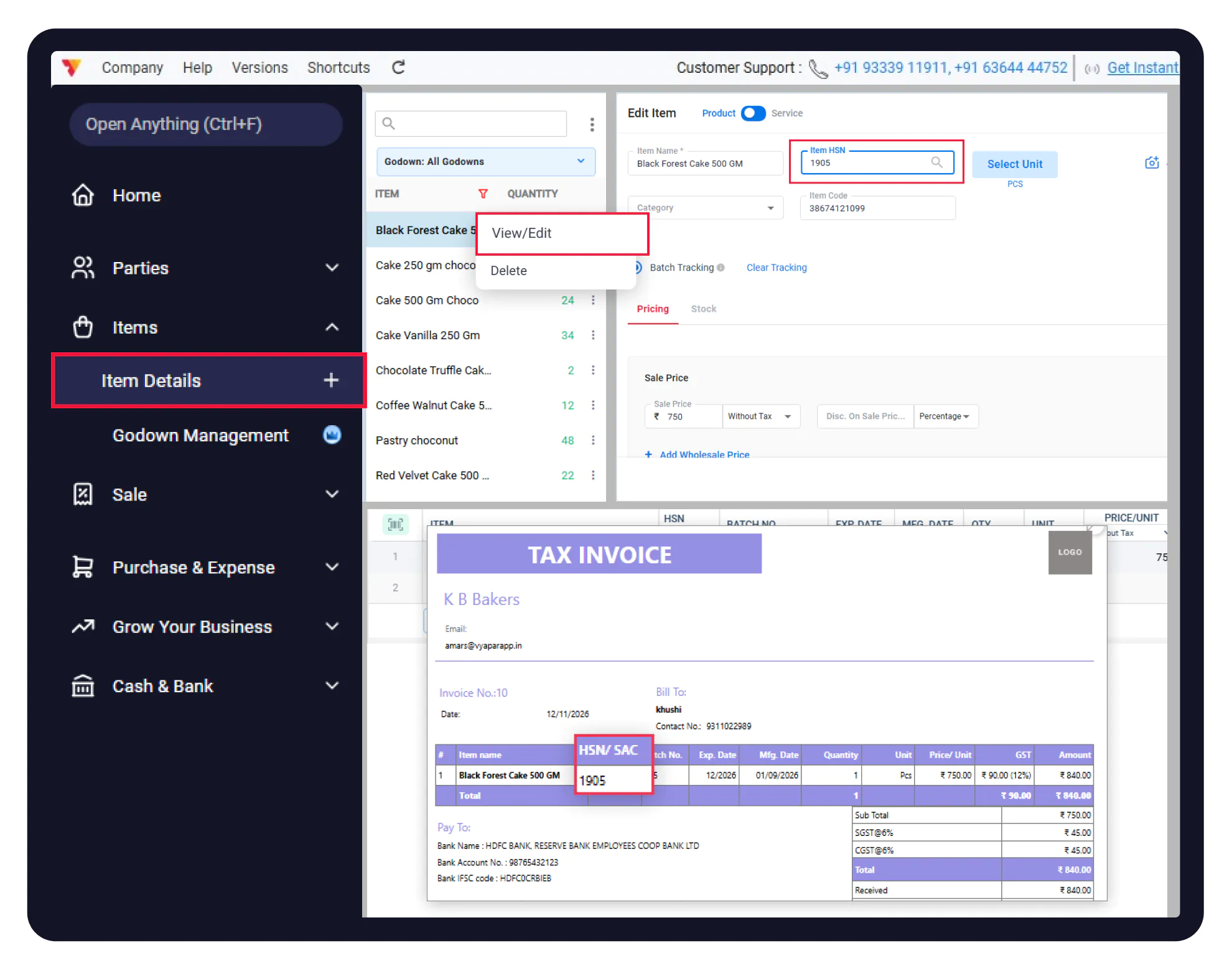

Before You Start

Active Vyapar Subscription: Make sure you have active license attached to your system.
Item Details Ready: Keep your product or service names and details ready so you can identify the correct items.
Correct HSN/SAC Codes: Keep the applicable HSN/SAC codes ready. Verify them based on your goods or services and GST requirements before updating.
Guide to Add or Update HSN/SAC
Codes in Vyapar App:
Method 1: Update Item Details and Create Bills
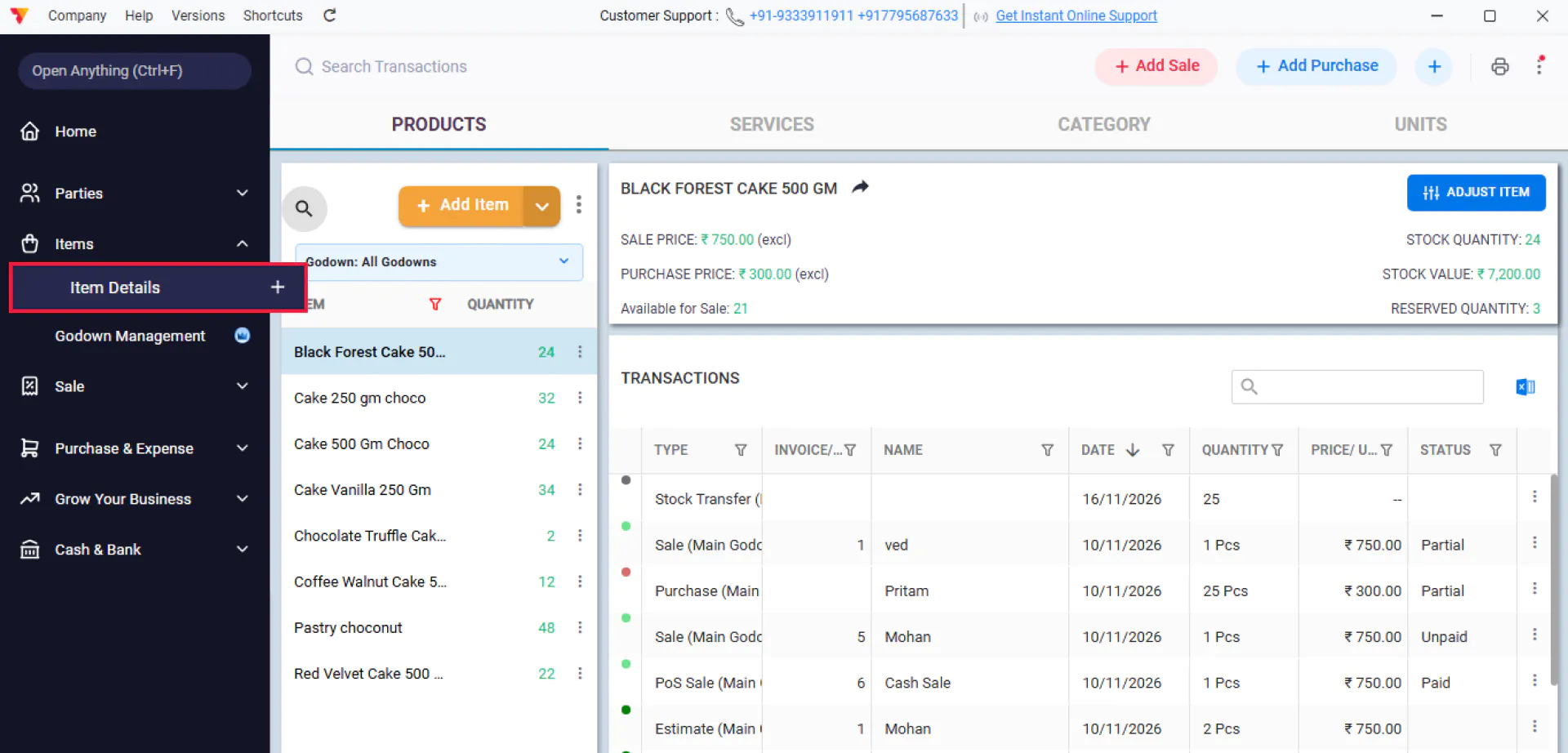
Open the Item List
Open the Vyapar GST billing software and go to the main dashboard. From the left-side menu, click Items.
01
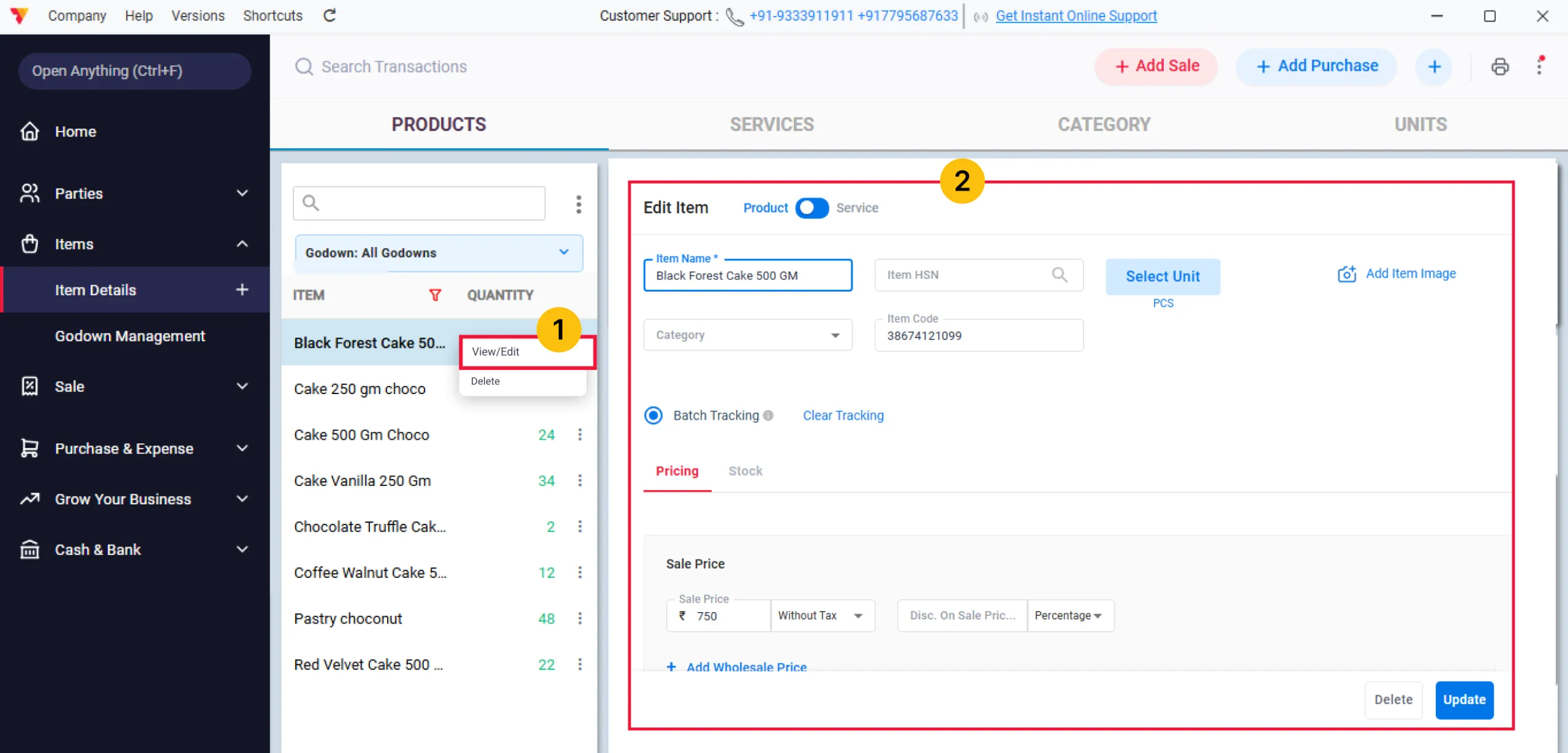
Edit the Required Item
Search for the item whose HSN/SAC code you want to add or update. Select the item to open its details. Double-click the item name or right-click it and select View/Edit to open the item details screen.
02
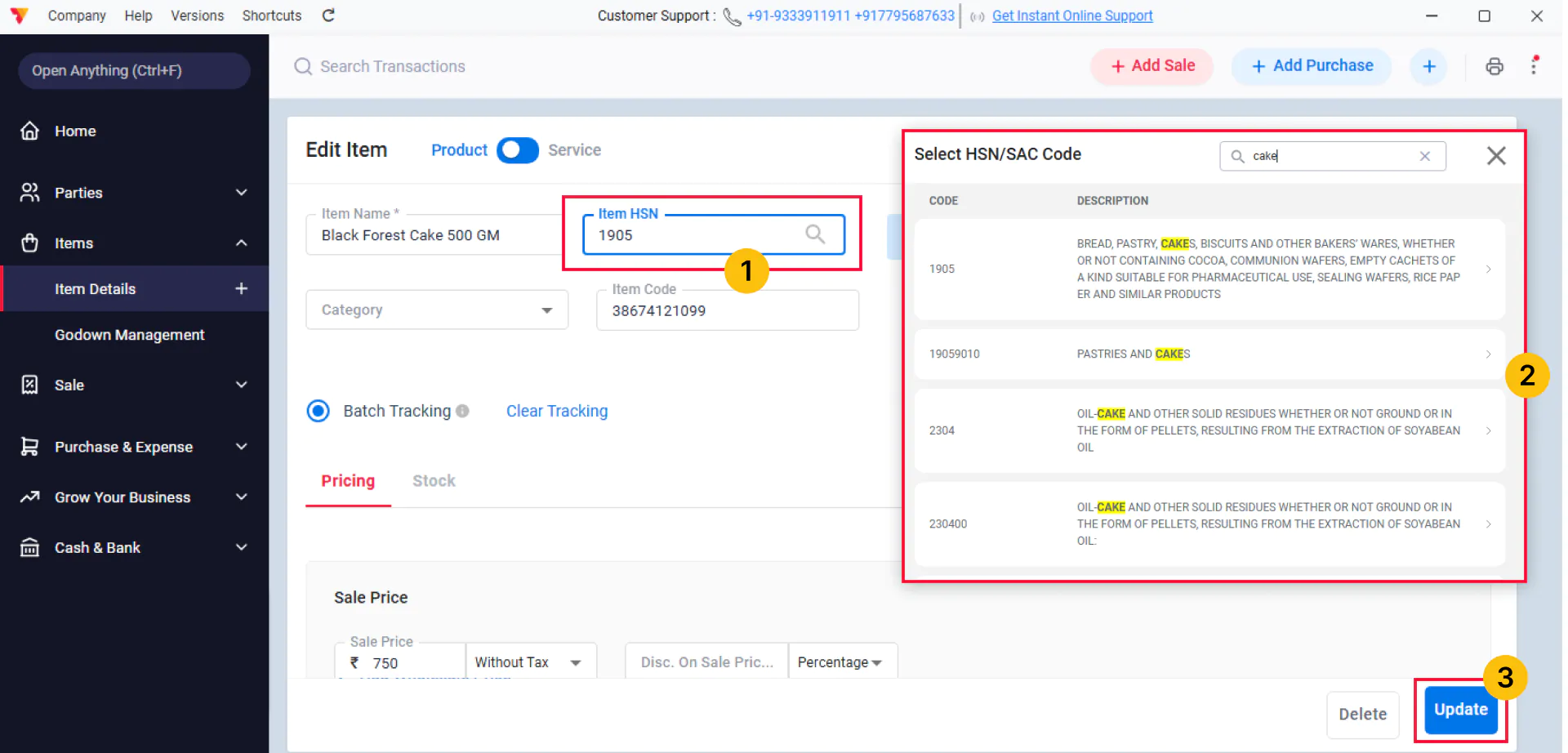
Add or Update the HSN/SAC Code
Find the HSN Code or SAC Code field and enter the correct code. Also, check and update the GST rate if required. Click the “Update” button to update the item details with the new HSN/SAC code.
You can use the search bar to find the correct HSN code.
03
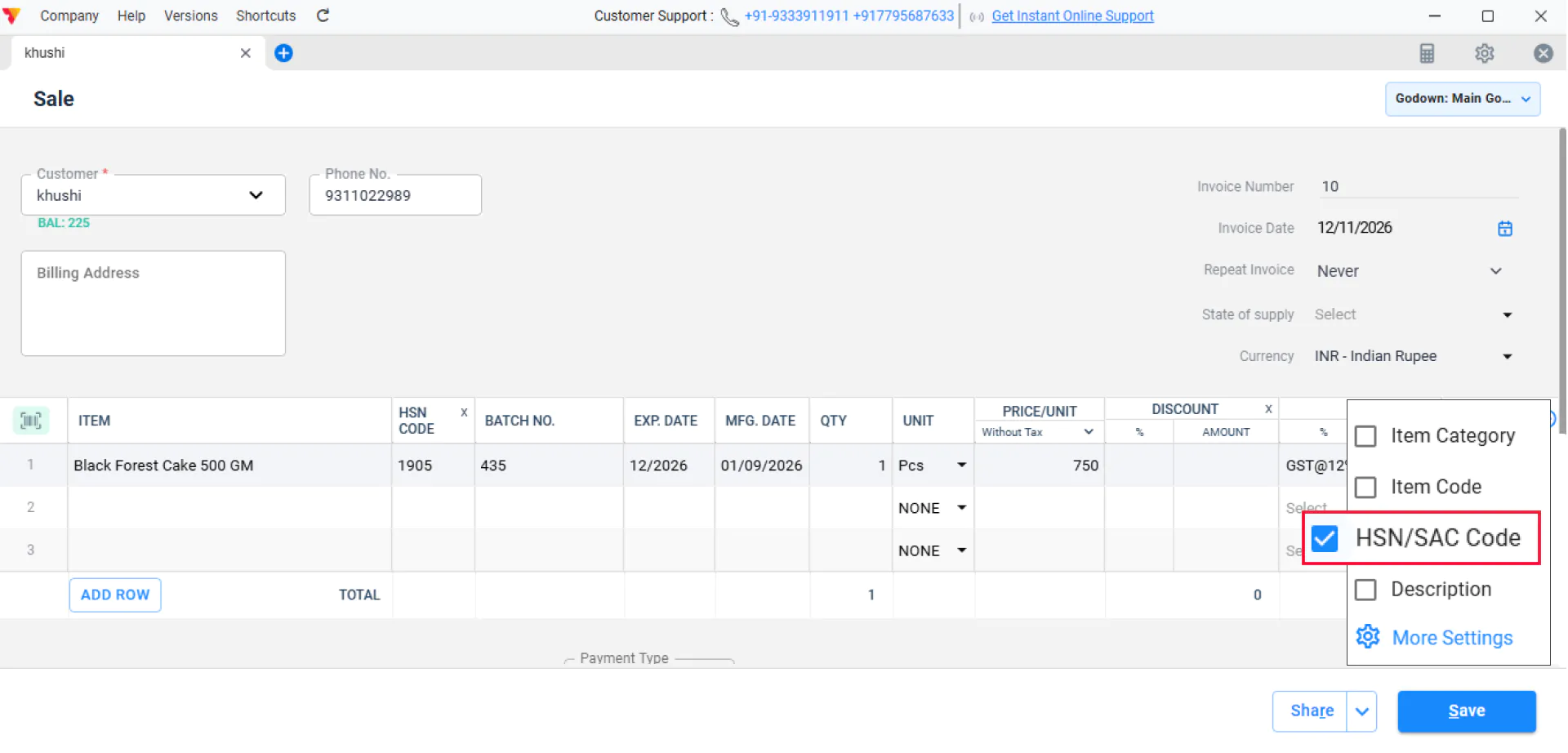
Enable HSN code on Bill (optional)
If you are not getting the HSN code option while creating a bill, you can enable it by clicking the + icon on the right side of the bill and enabling the HSN code.
04
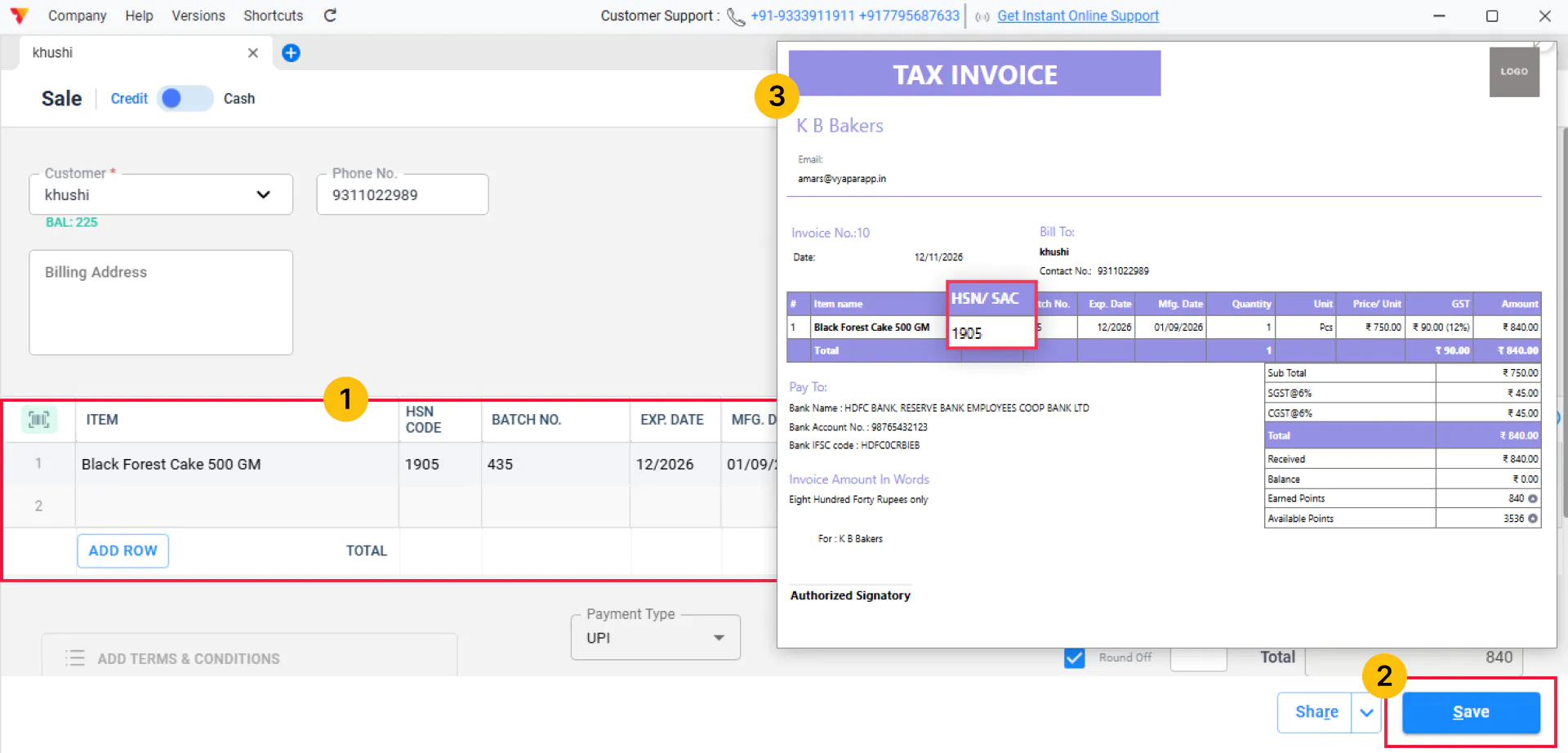
Create Bill and verify
Create a new invoice or document and select the updated item. The saved HSN/SAC code will automatically appear in supported transactions, such as sales, purchases and estimates.
05
Method 2: Update Items in Bulk
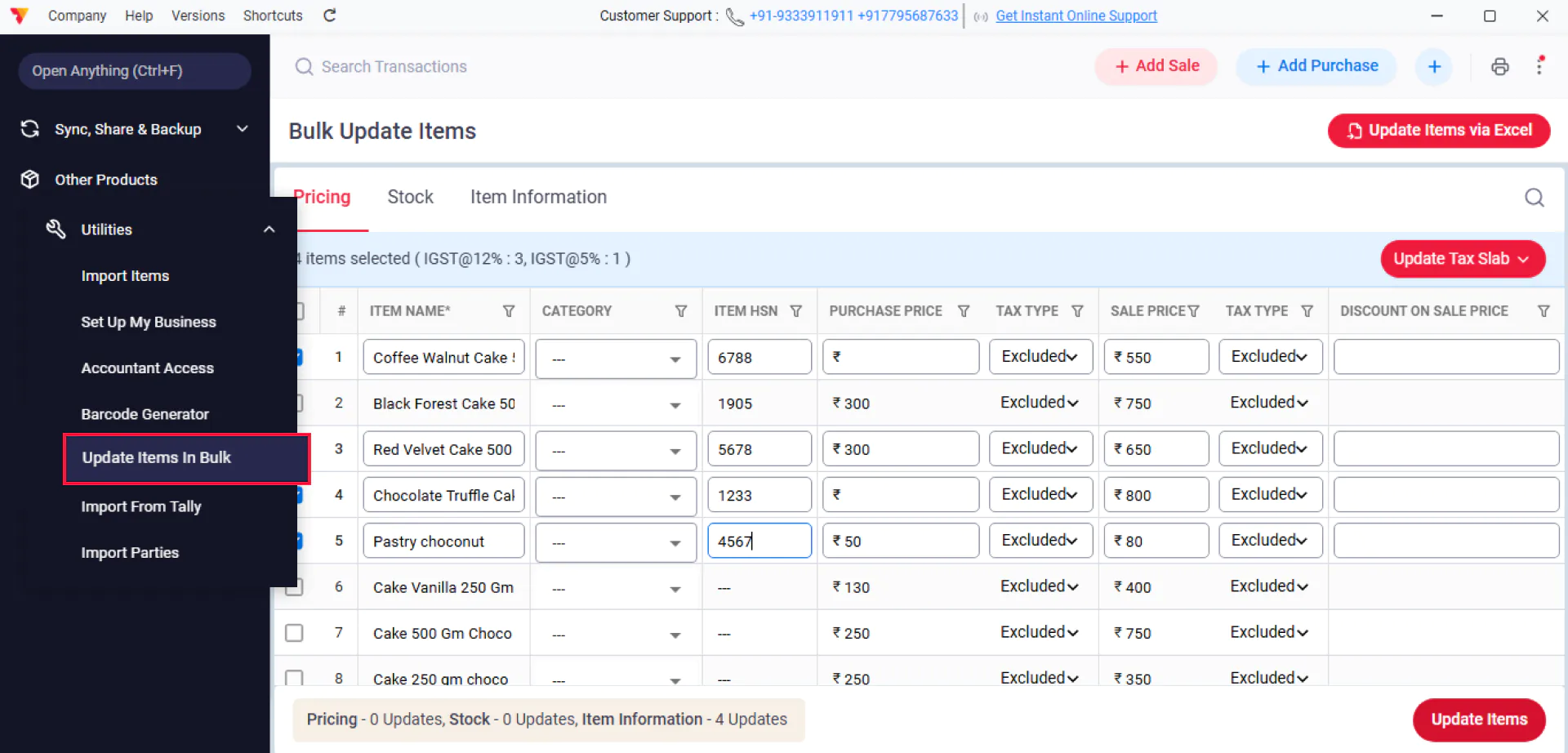
Bulk Update
If you have multiple items already added without an HSN code, you can update the HSN code in bulk at a time.
Go to Menu> Utilities > Update Items in Bulk. Then click on the HSN code field, enter each item’s HSN code and click Update Items.
06
Method 3: Update Item Details While Creating Bill
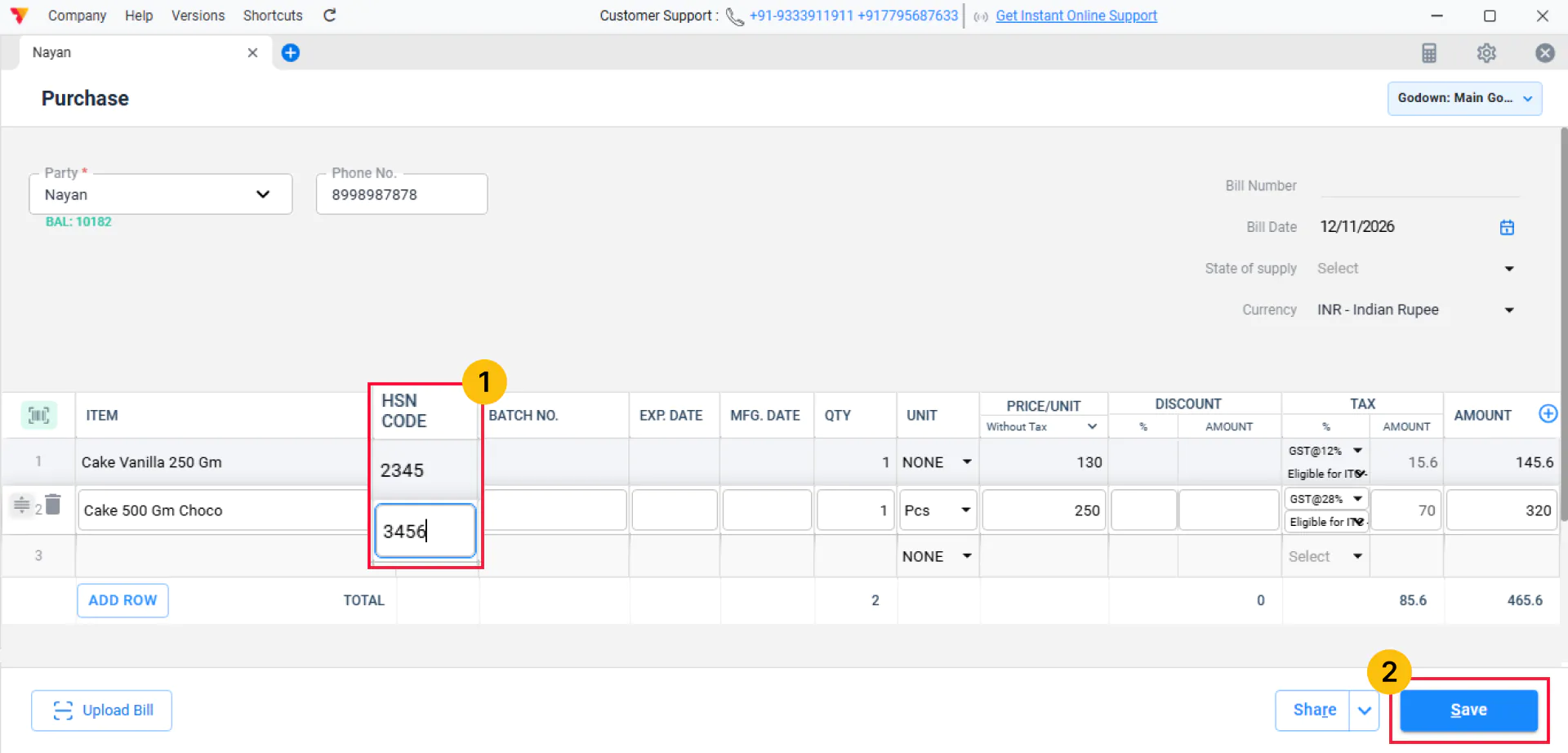
Enter HSN code while creating a bill (Sale or Purchase)
- If you are entering a purchase or sale bill, you can directly update HSN code there also.
- Click on the HSN code field and other fields, enter the details and save the bill.
07
Still stuck? Get help in minutes.
Our support team is ready to help you succeed.
 24/7 Support
Why Is This Important for Your Business?
Adding the correct HSN/SAC codes helps you manage GST details properly and avoid
errors while creating bills. It also makes your billing and tax records easier to maintain.
Avoid GST Calculation Errors
Correct HSN/SAC codes help apply the appropriate GST rates to your goods and services, reducing billing mistakes.
Save Time on Billing
Once you add the codes to your items, they appear automatically in supported transactions, so you don’t have to enter them every time.
Maintain Accurate Tax Records
Keep item-wise tax details organised, making it easier to review invoices and prepare GST returns.
Frequently Asked Questions (FAQs)
What is the difference between an HSN code and an SAC code?
HSN codes are used to classify goods, while SAC codes are used to classify services for GST purposes.


Is it mandatory to mention HSN/SAC codes on every GST invoice?
The requirement depends on your business turnover and the type of supply. GST rules specify when HSN/SAC details must be mentioned on invoices.
Where can I find the correct HSN/SAC code for my products or services?
You can check the GST portal or CBIC resources to find the applicable HSN/SAC code. Make sure the code matches the actual goods or services you provide.
Simplify GST Billing with Vyapar
Manage HSN/SAC codes, create GST-compliant invoices
and keep your business records organised with Vyapar.