
How to Attach a Desktop License in Vyapar App
Are you trying to activate your premium plan on a new computer? Attaching your license correctly ensures you get access to all premium features and syncs your data seamlessly.

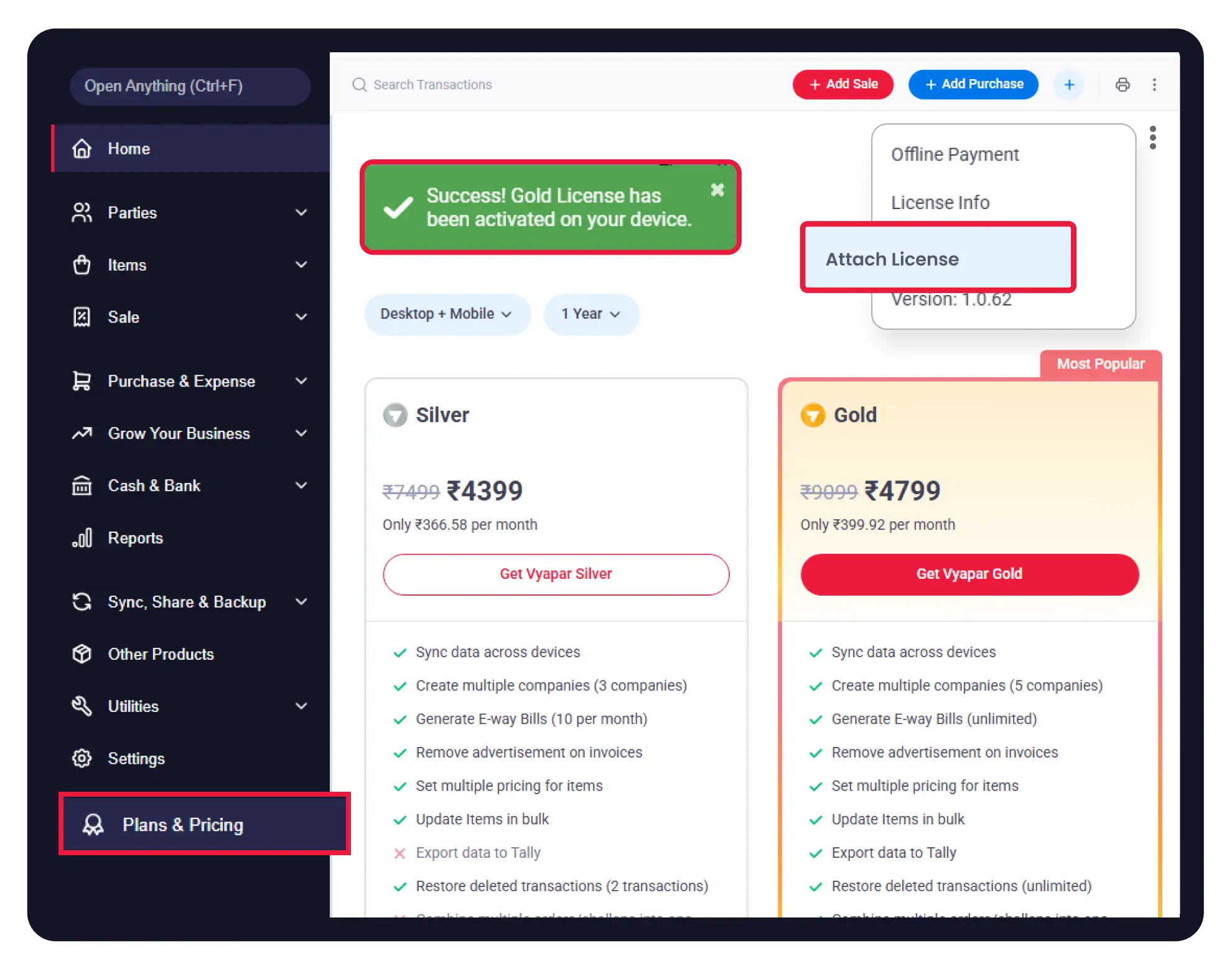

Before You Start

Active Internet Connection: You must be online to attach a license.
Registered Mobile Number: Keep the phone number used for purchase handy (for OTP).
Desktop vs. Mobile: Remember that Desktop Licenses are valid only for desktop computers.
Guide to Attach a License on Desktop:
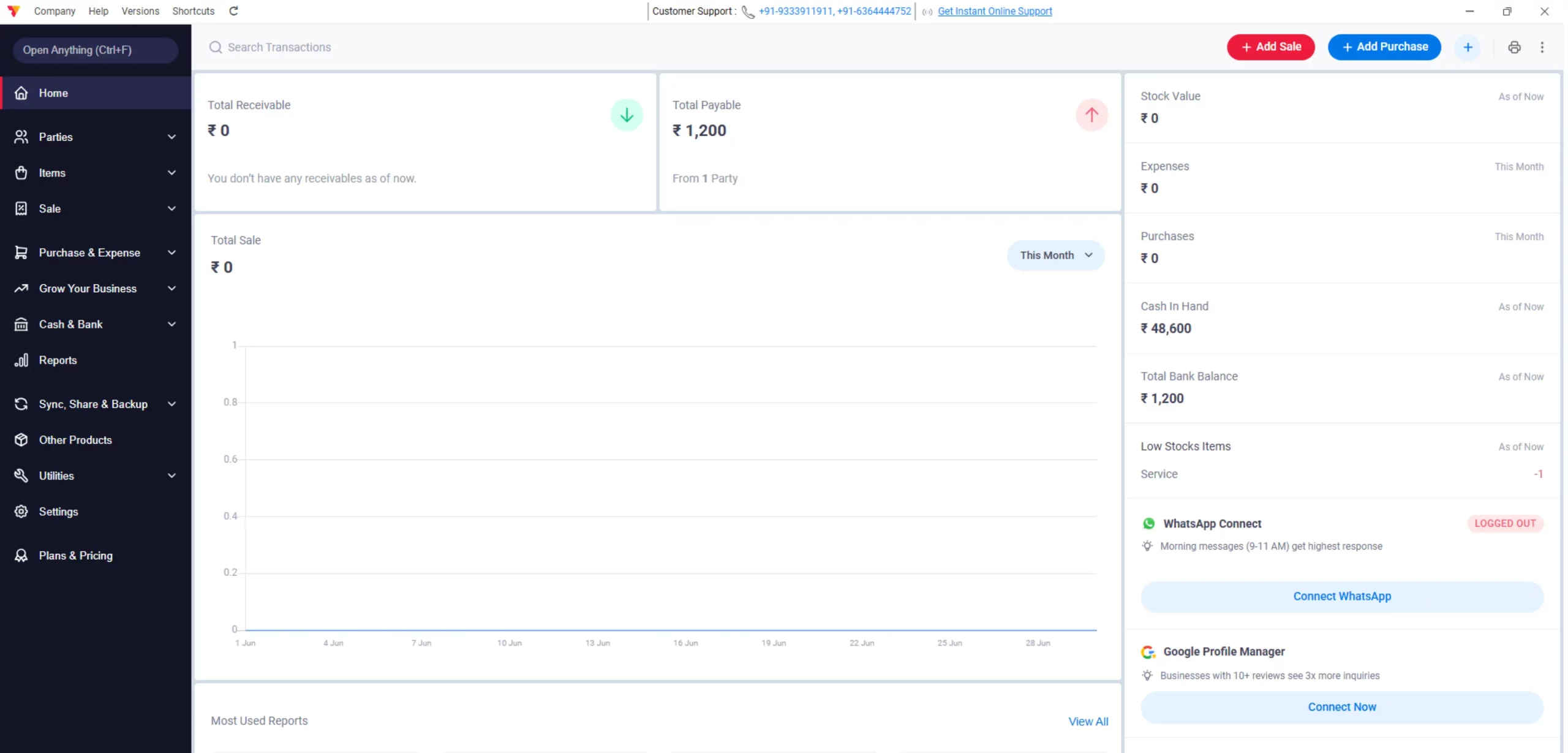
Open Vyapar App
Open the Vyapar Billing Software on your desktop.
01
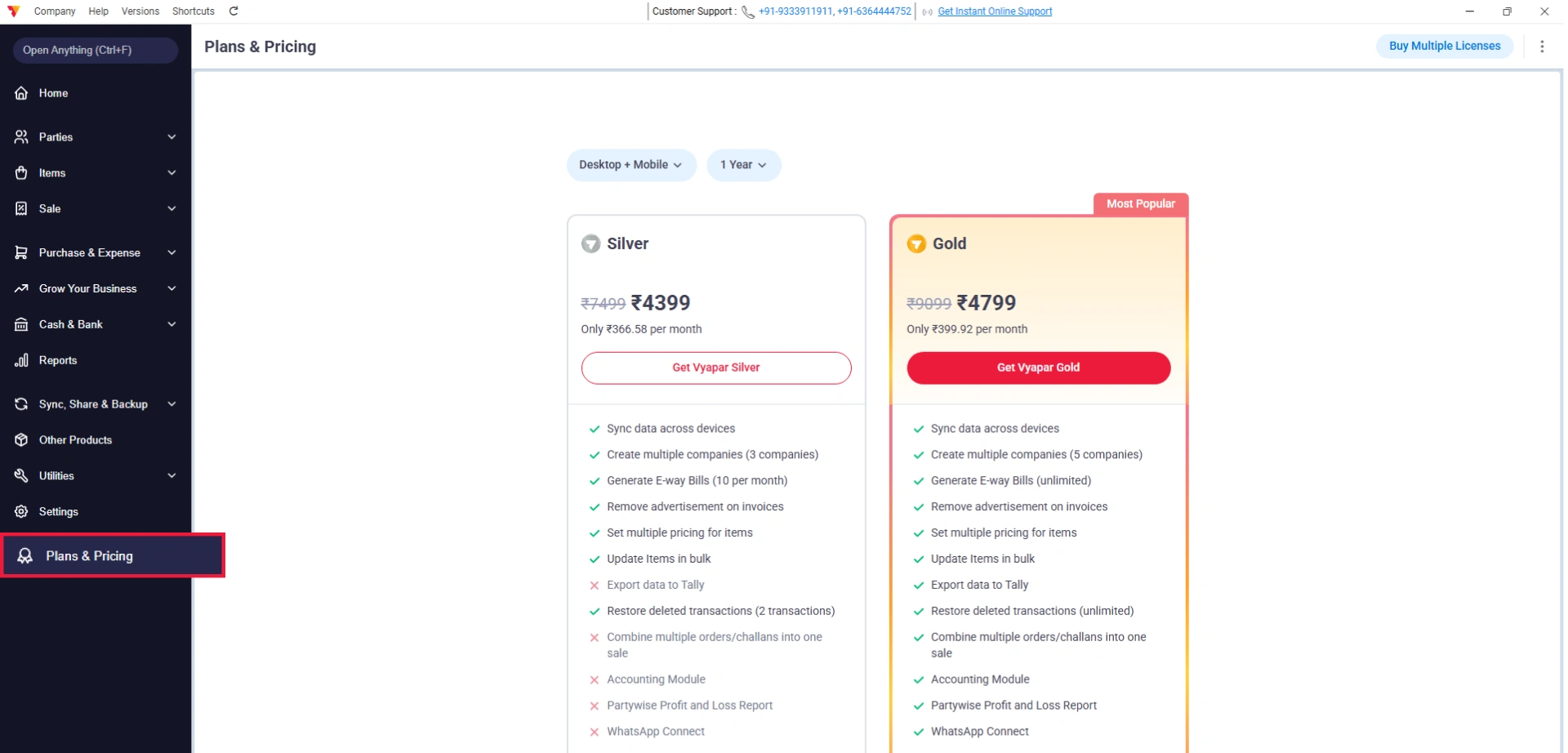
Navigate to Plans & Pricing
Go to the Left Menu (top-left corner), find the “Plans & Pricing” option, and click on it.
02
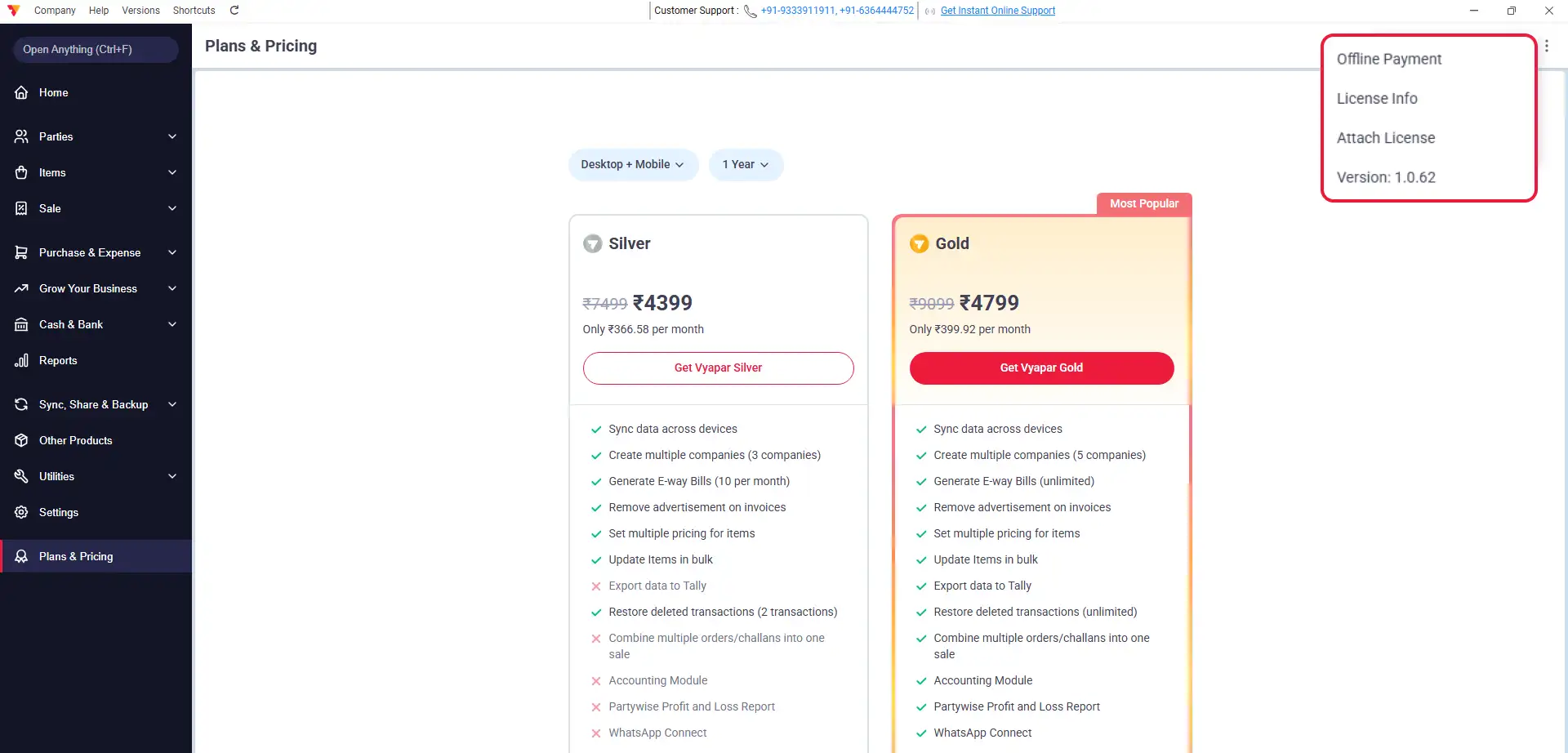
Open Menu Options
Next, look for the three vertical dots (⋮) in the top-right corner, then click them.
03
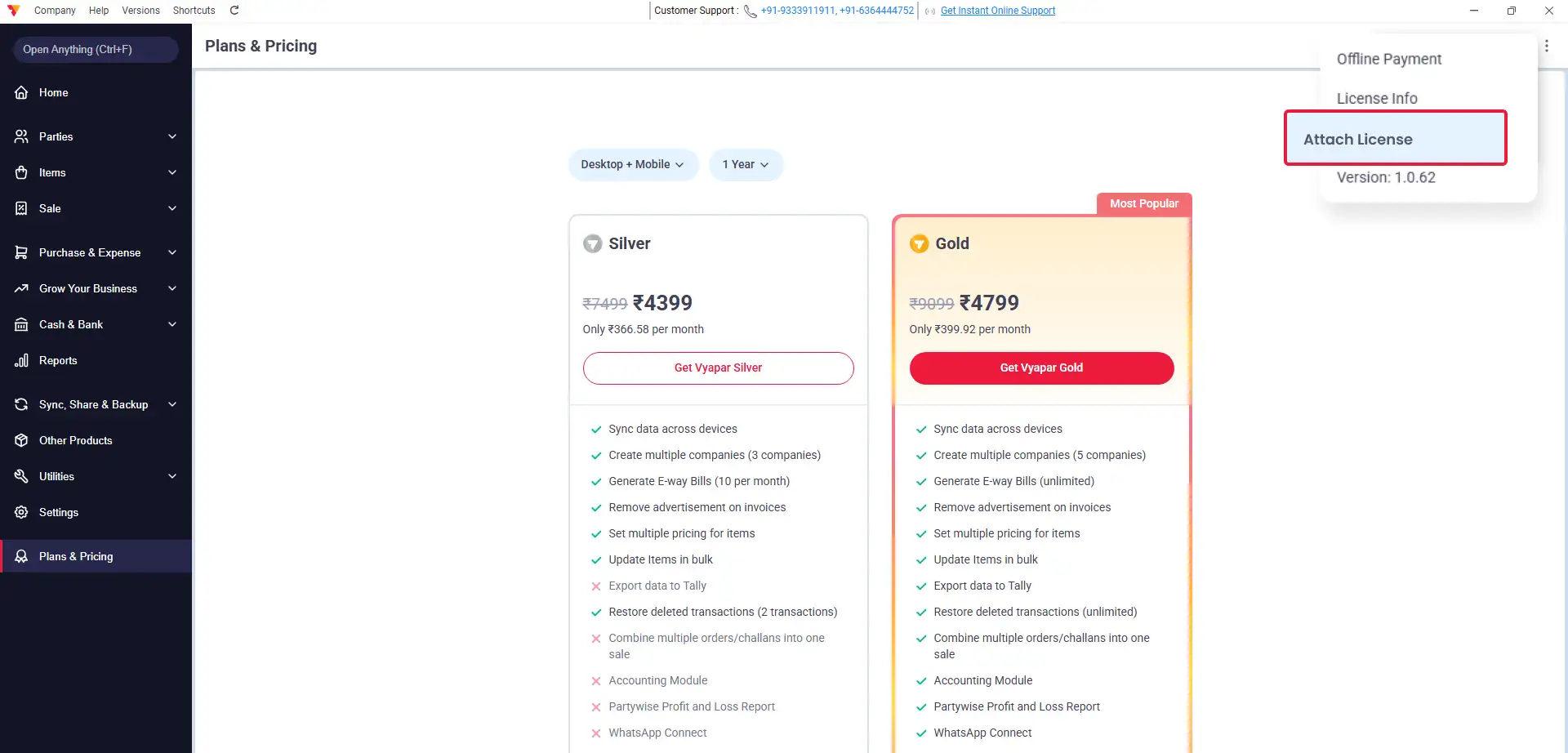
Select Attach License
From the menu that appears, click on “Attach License.”
04
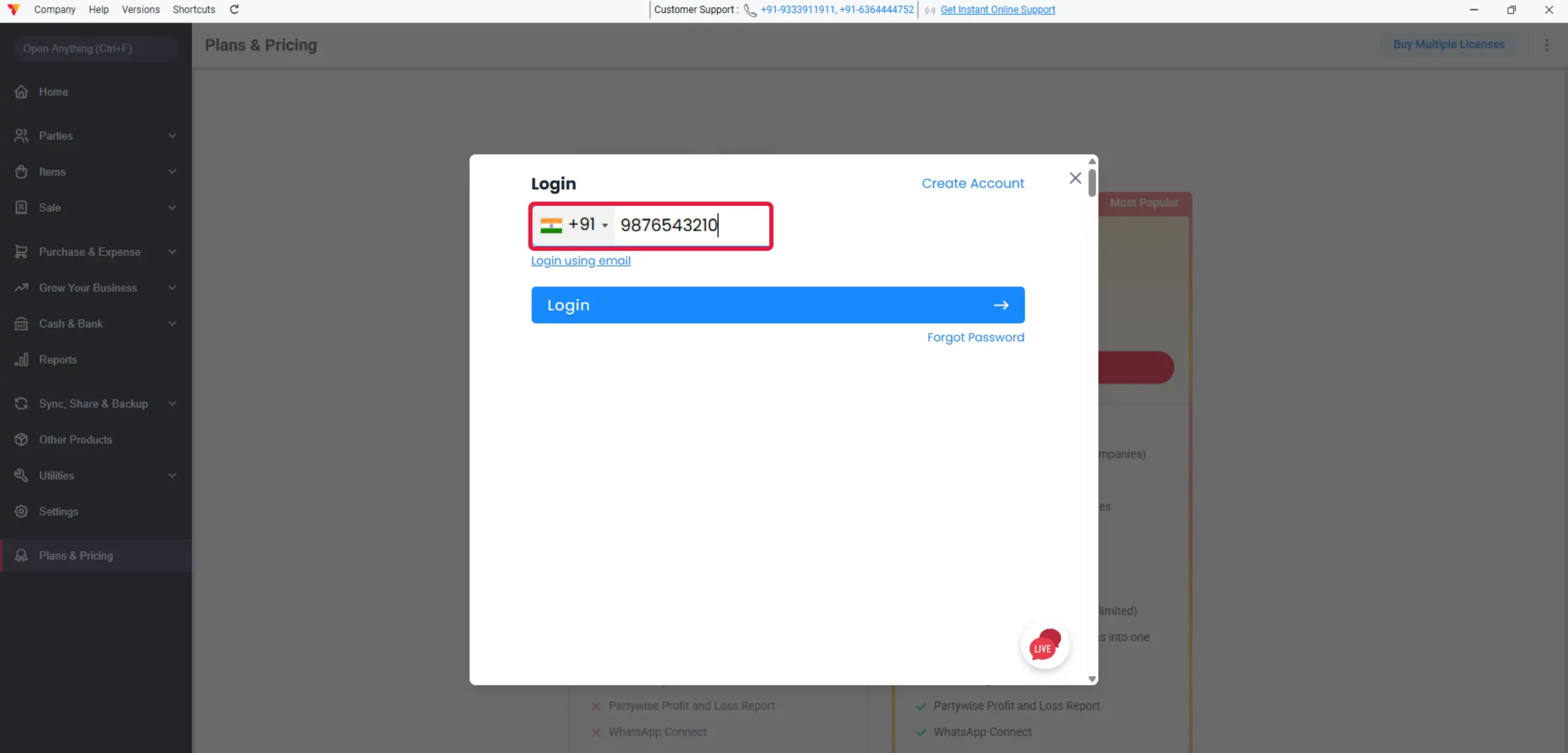
Login to Account
A pop-up window will appear. Enter the Registered Mobile Number or Email ID that you used to purchase the license and click on “Login.”
05
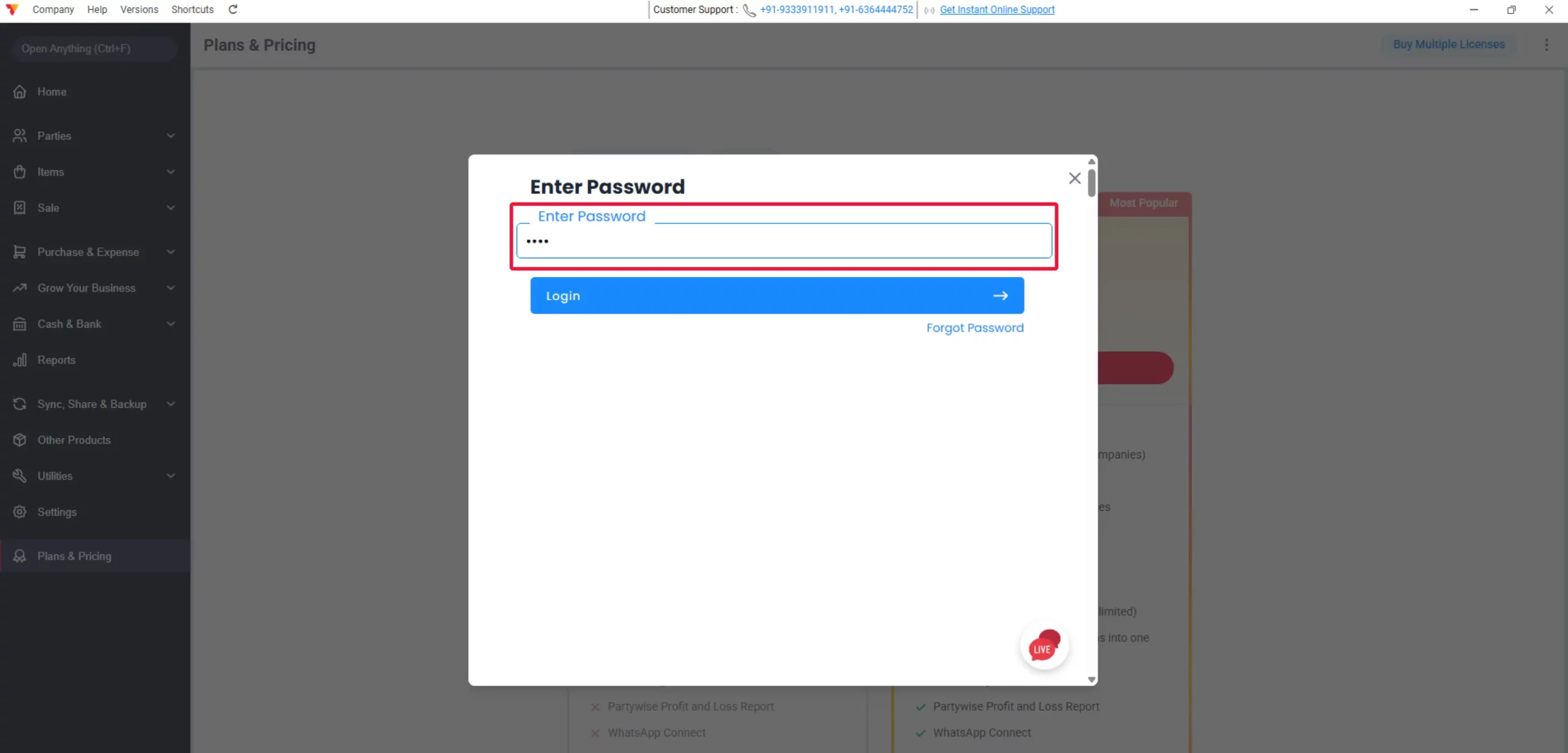
Verify Account
Next, verify your account by entering the OTP sent to your mobile or your Password.
06
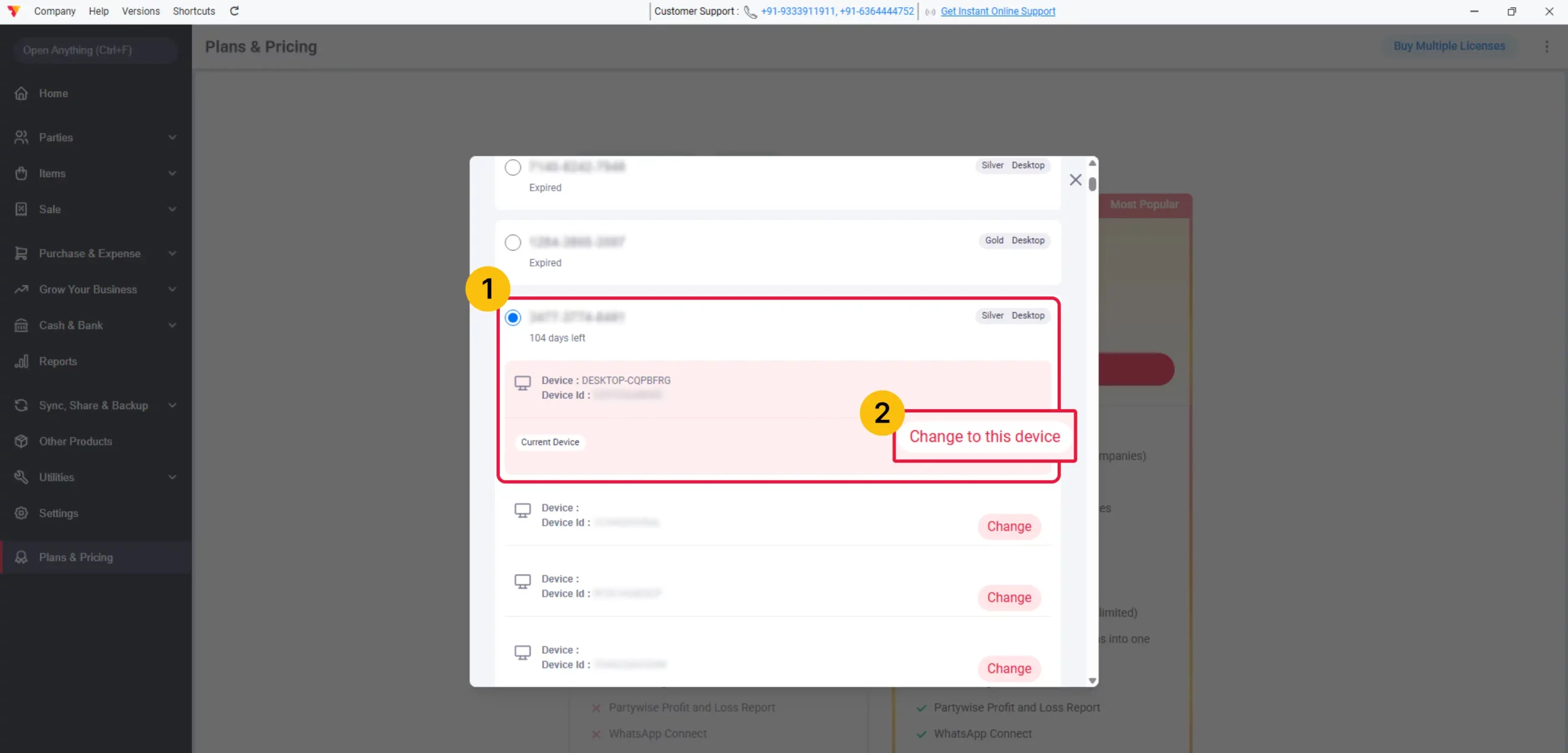
Select License Code
Select your License Code from the list and click on “Change to this device.”
07
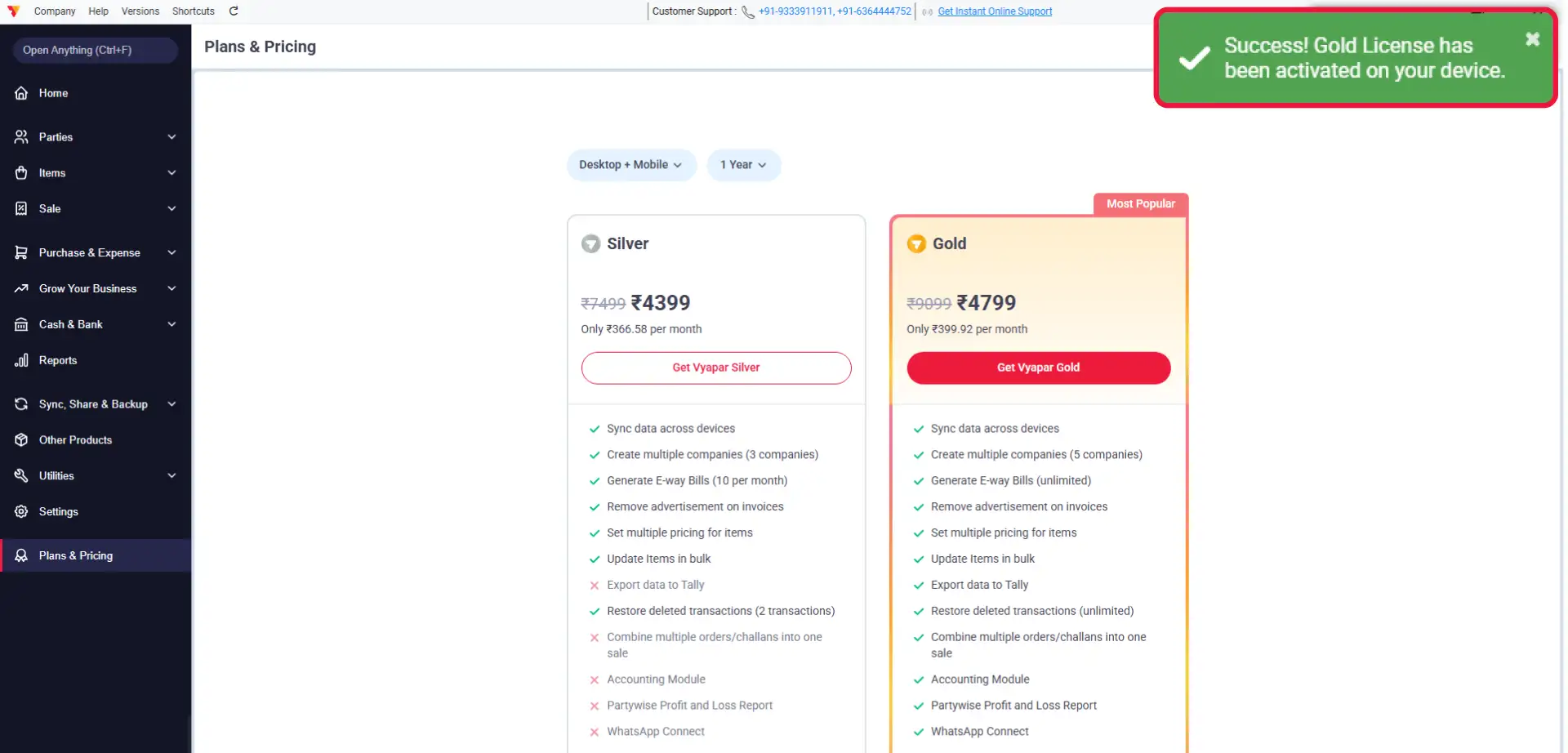
Confirmation
That’s it! You will see a ‘License Attached Successfully’ message in the top-right corner, confirming your plan is active.
08
Still stuck? Get help in minutes.
Our support team is ready to help you succeed.
 24/7 Support
Why Is This Important for Your Business?
Integrating your premium license into your workflow transforms your shop’s efficiency:

Customer Support
Dedicated customer support to resolve your queries faster.
Unlock Premium Features
Gain immediate access to advanced reporting, custom templates, and other premium business tools.
Seamless Sync
Ensure your data stays synced across your desktop workflow for better business management.
Frequently Asked Questions (FAQs)
Can I use the same license on my mobile and desktop simultaneously?
No, a standard Vyapar license is platform-specific. A Mobile License is valid only for mobile devices, while a Desktop License is valid only for desktop computers.


What should I do if I see the “Device Limit Reached” error?
A standard Vyapar license typically supports only one device at a time. If you attach it to a new computer, it will automatically detach from the old one. If you need to use it on multiple devices simultaneously, you may need to purchase additional licenses.
Why is my license not being found?
A standard Vyapar license typically supports only one device at a time. If you attach it to a new computer, it will automatically detach from the old one. If you need to use it on multiple devices simultaneously, you may need to purchase additional licenses.
Ready to Activate Vyapar Features?
Attach your license today and start using all the premium benefits included in your plan immediately.
 download Vyapar Now





