
How to Create an Online Store in Vyapar App
Bring your business online in minutes. By creating an online store in the Vyapar App, you can showcase your product catalog to your customers, accept digital orders, and manage your sales remotely with ease.

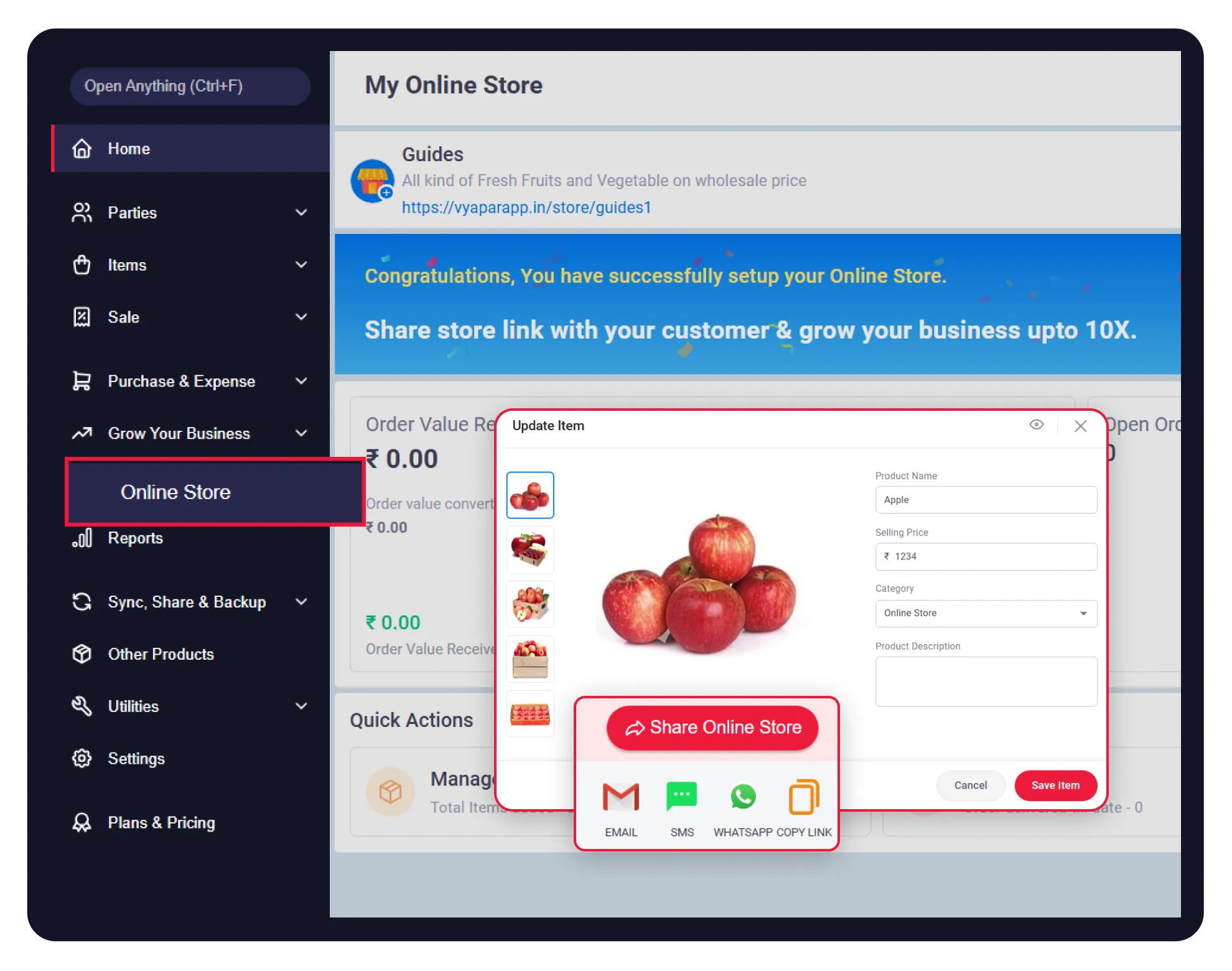

Before You Start

Active Vyapar Account: Ensure you are logged into your registered Vyapar account.
Product Data: Have your product names, prices, and stock images (up to 5 per item) ready.
Internet Connection: An active internet connection is required to sync your store catalogue.
Step-by-Step Guide to Create an Online Store
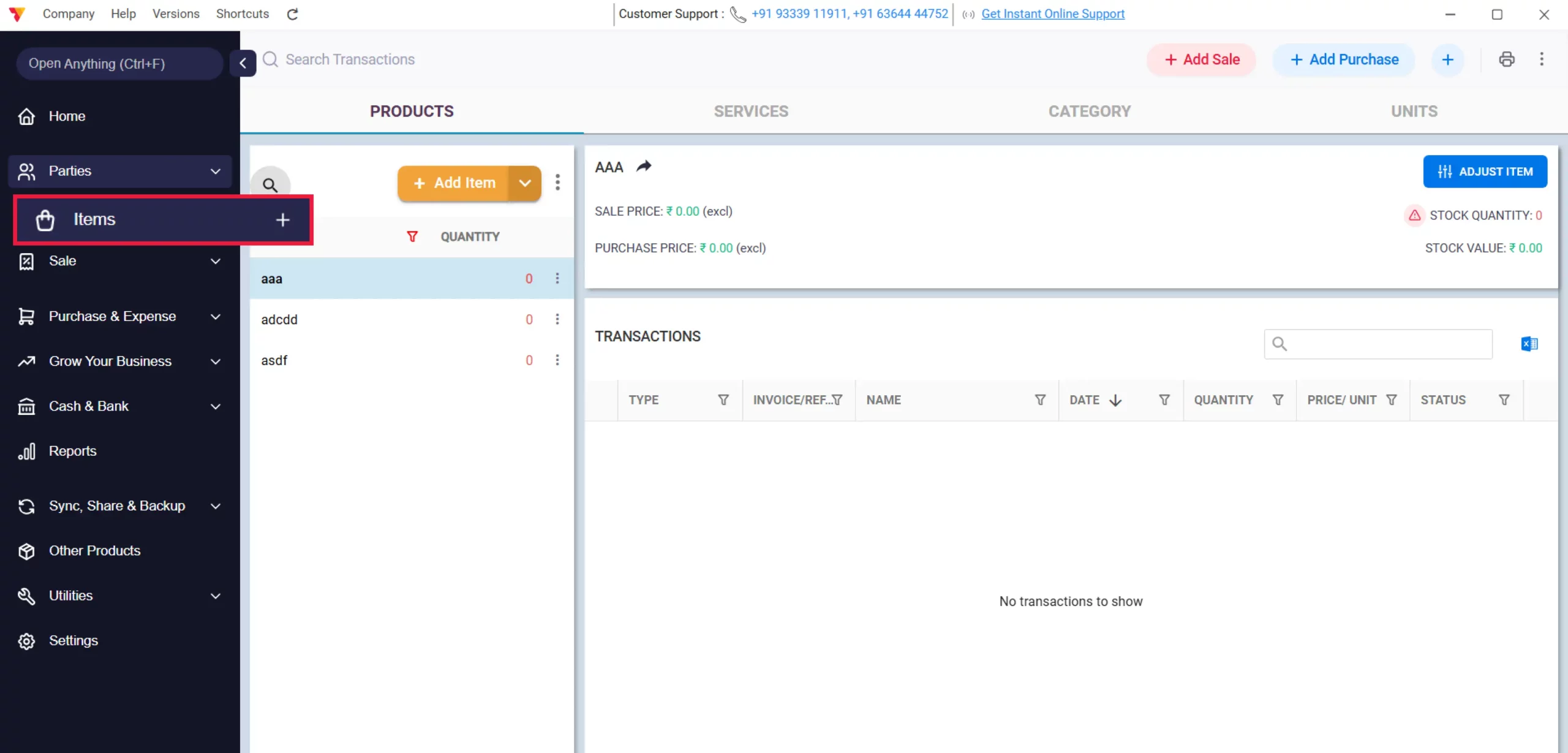
Access Items
Open the Vyapar App on your desktop, navigate to the left-hand menu, and select the Items option.
01
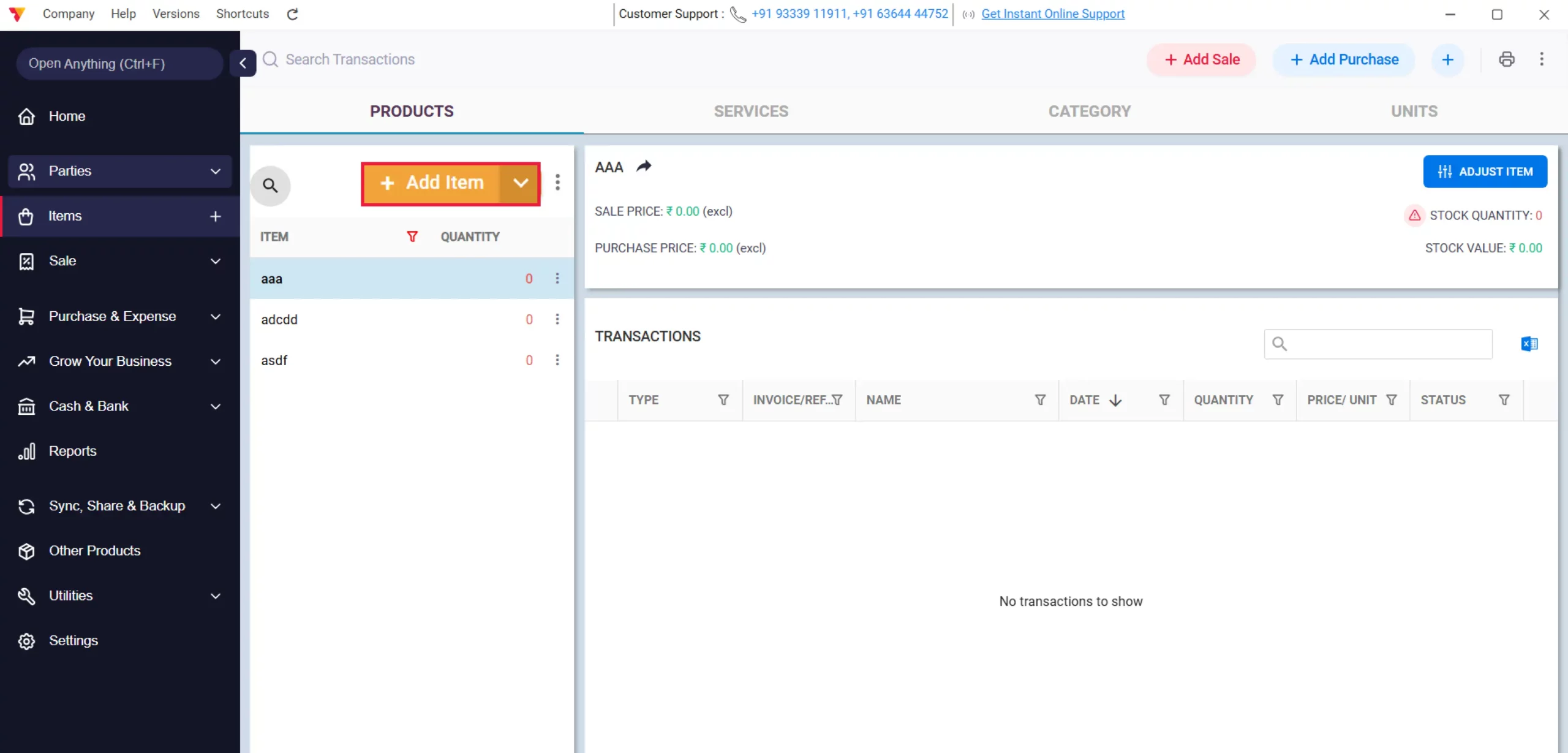
Manage Item Details
Add a new item or double-click on an existing item to edit.
02
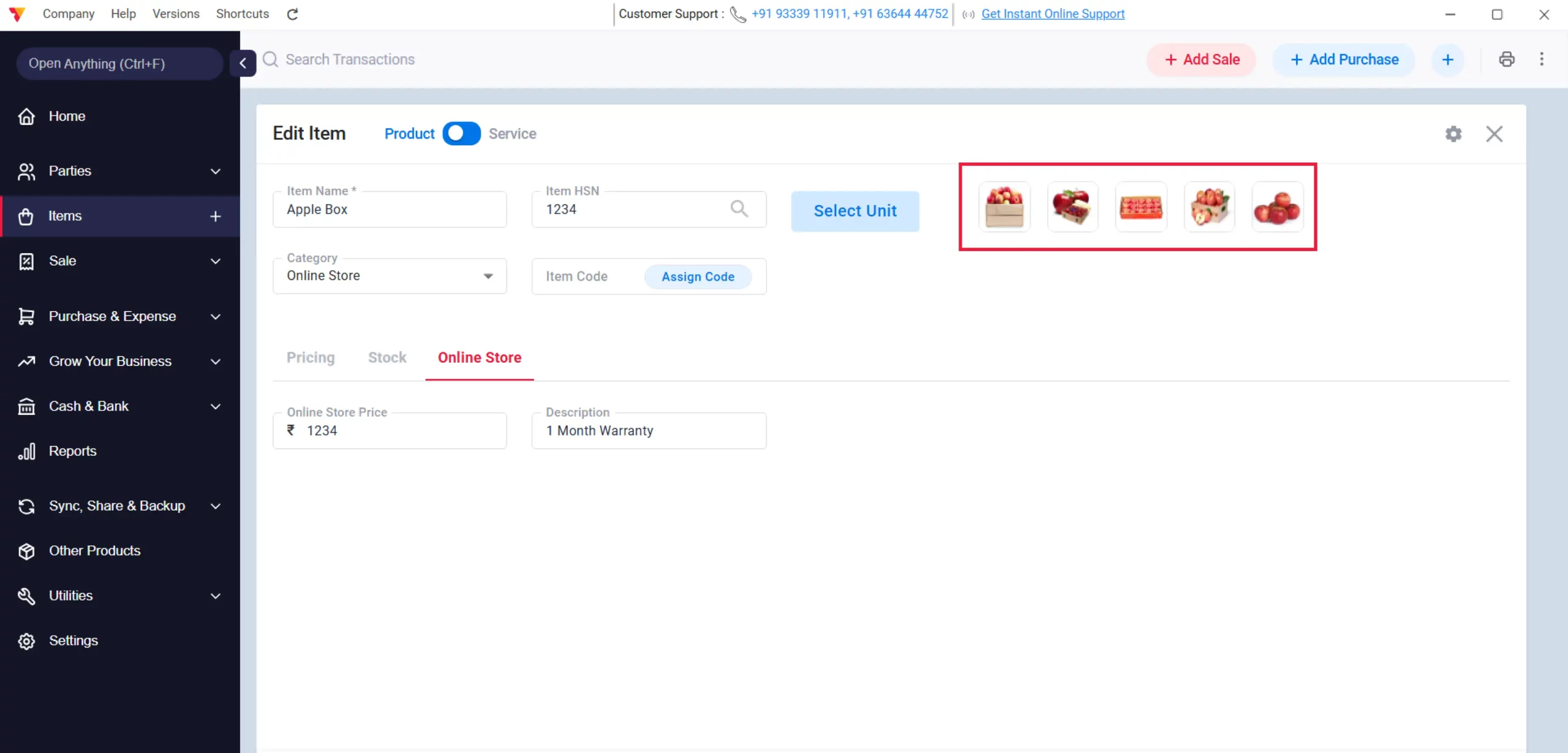
Upload Item Media
Enter all relevant item details and upload up to 5 images per item to showcase your products.
03
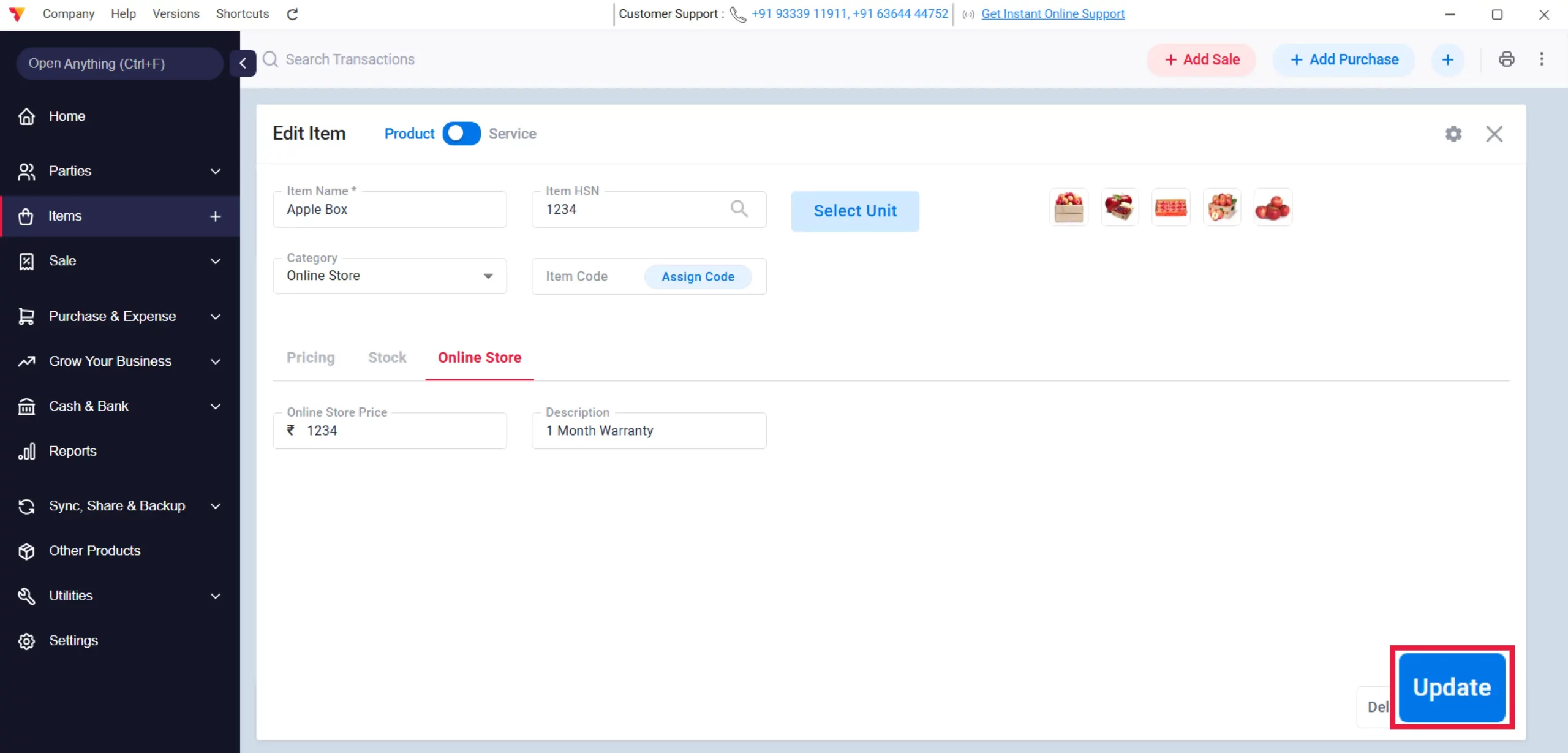
Save Changes
Click Save or Update to ensure your item details are stored.
04
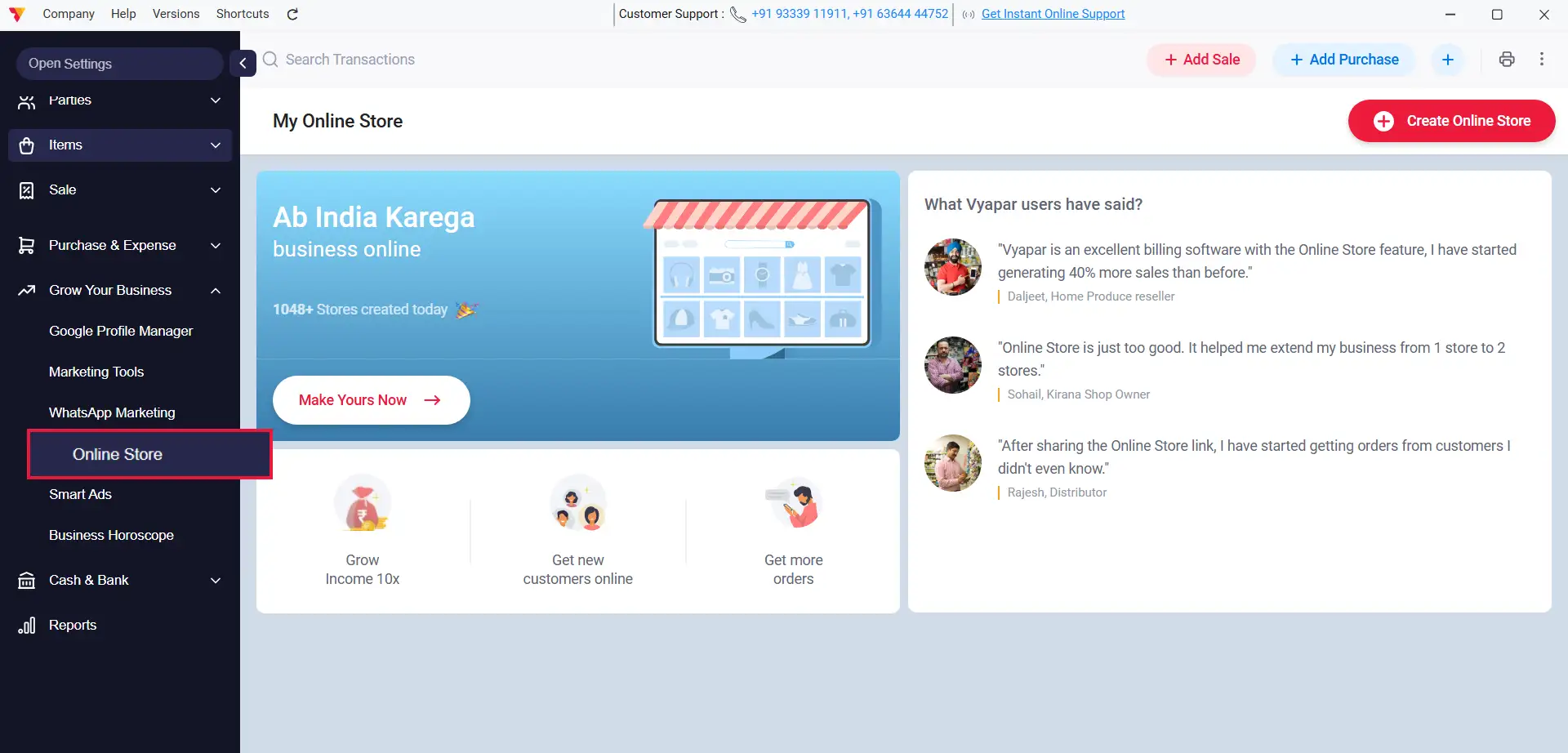
Open Grow Your Business
Navigate to the Grow your Business section in the left-hand menu and click on the Online Store option.
05
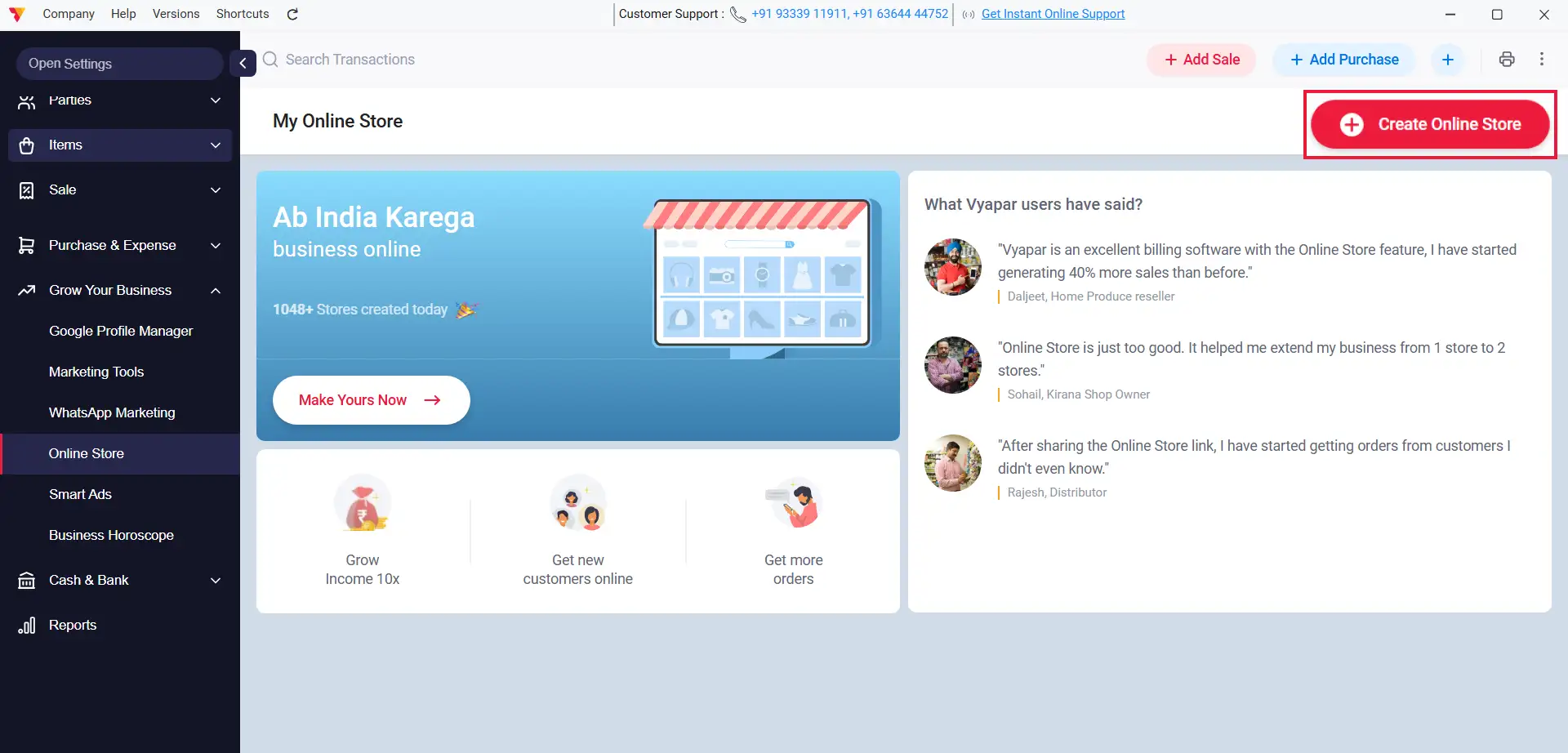
Initialize Store Creation
Click on the “Create your Online Store” button to start the setup.
06
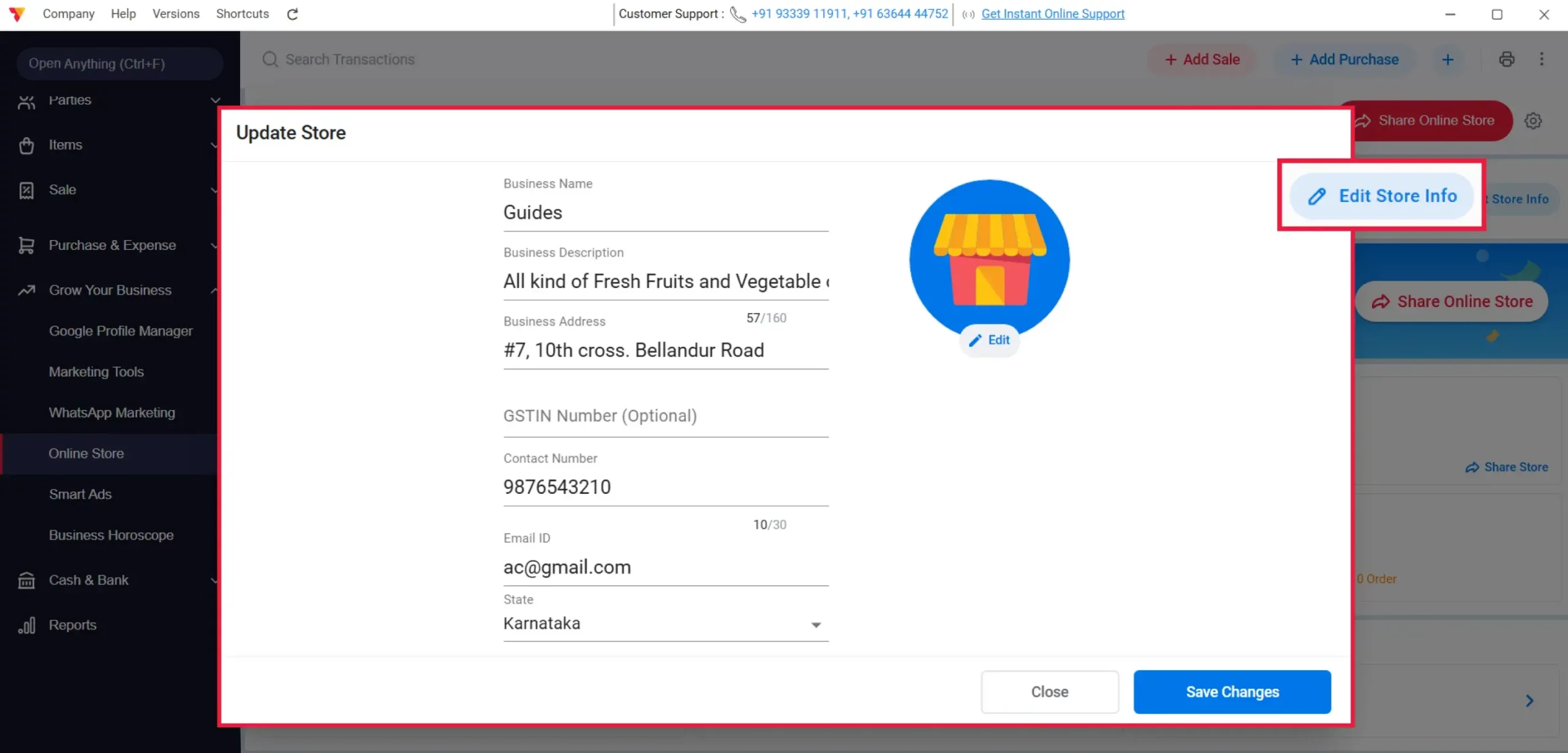
Review Store Info
Review your business information to ensure accuracy.
07
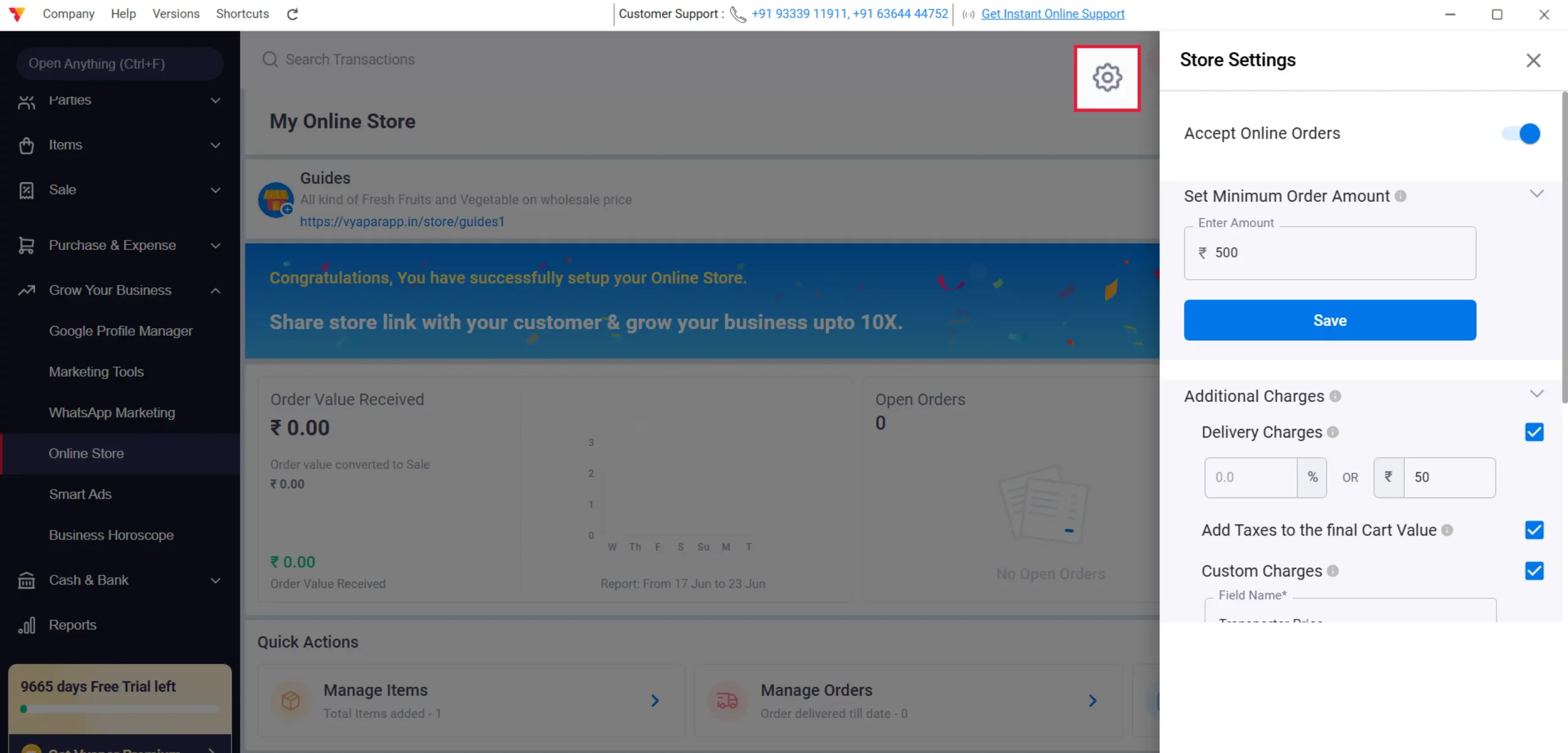
Configure Store Settings
Click on Edit Store Settings to customize your store preferences.
08
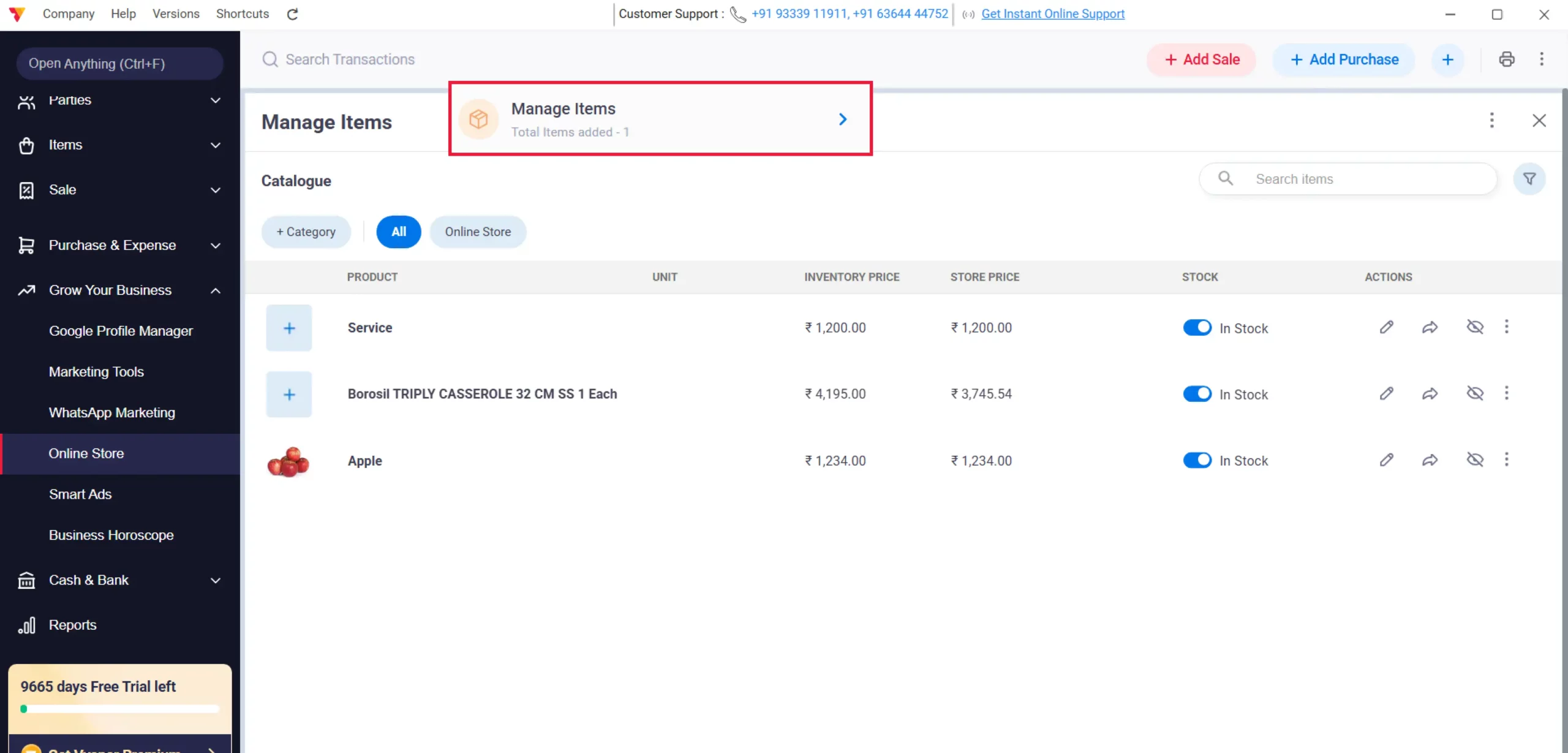
Manage Catalogue
Click on Manage Items to select which products to display in your shop.
09
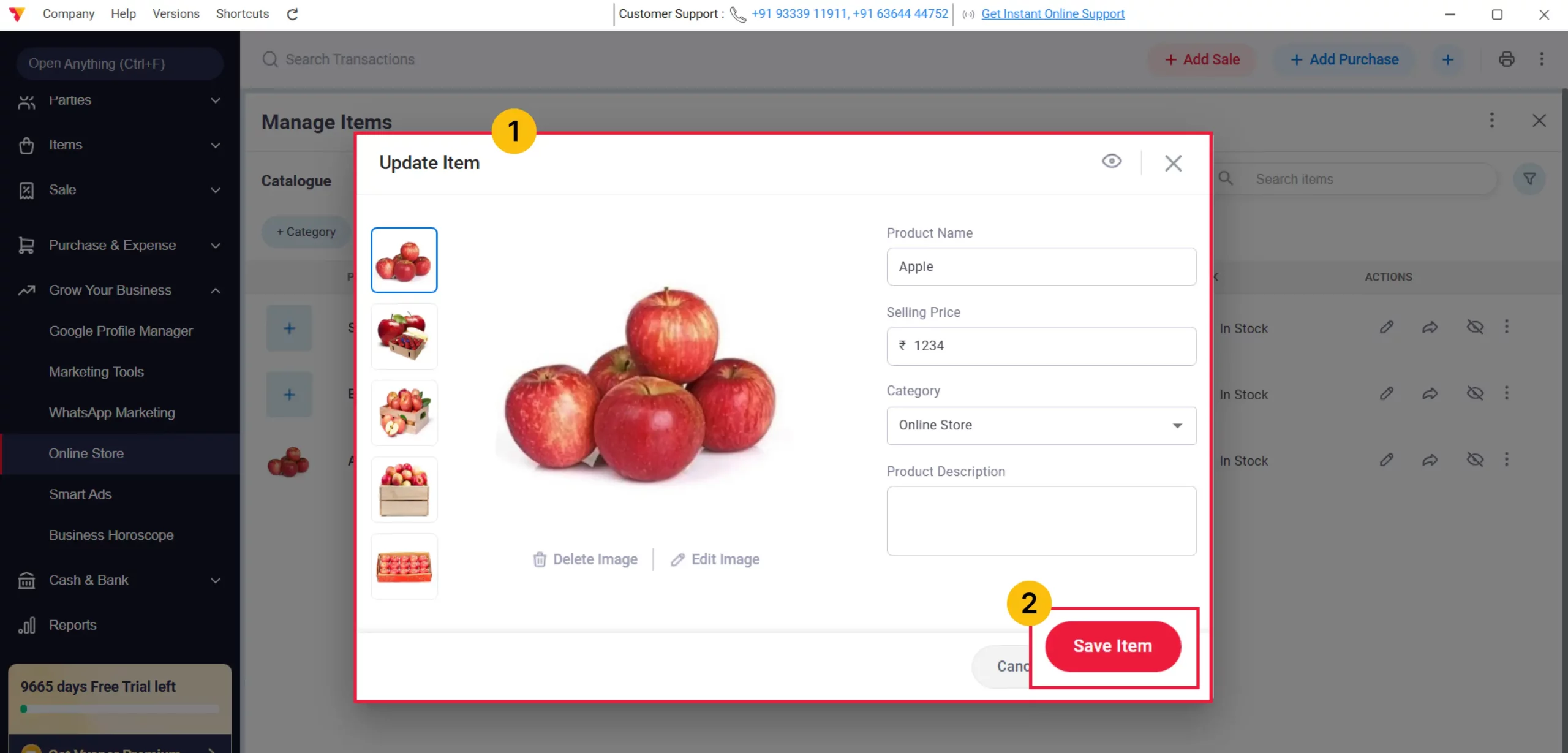
Finalize Item Display
Edit the individual item settings if needed, then click Save.
10
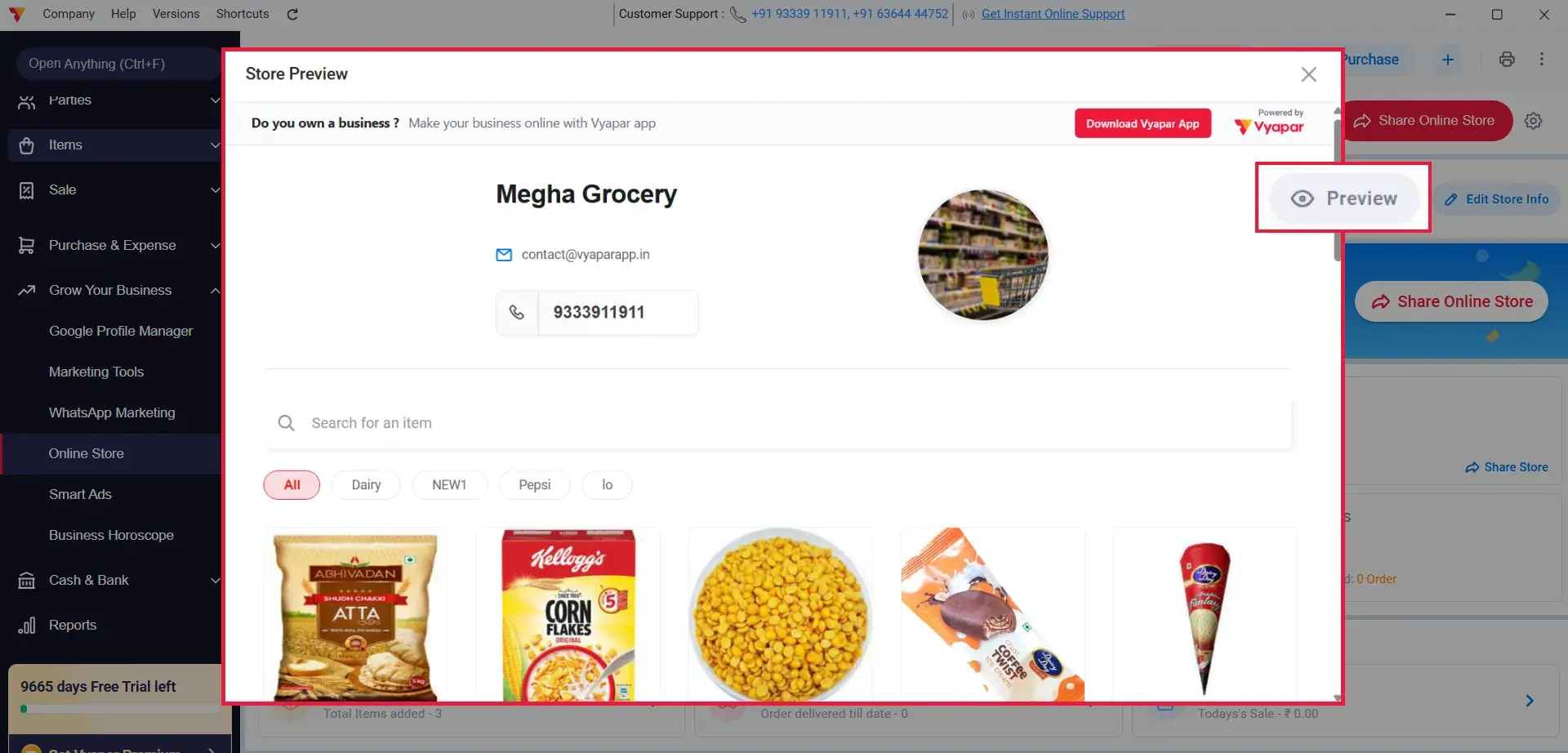
Preview Store
Use the Preview Store button to see how your catalogue looks to customers.
11
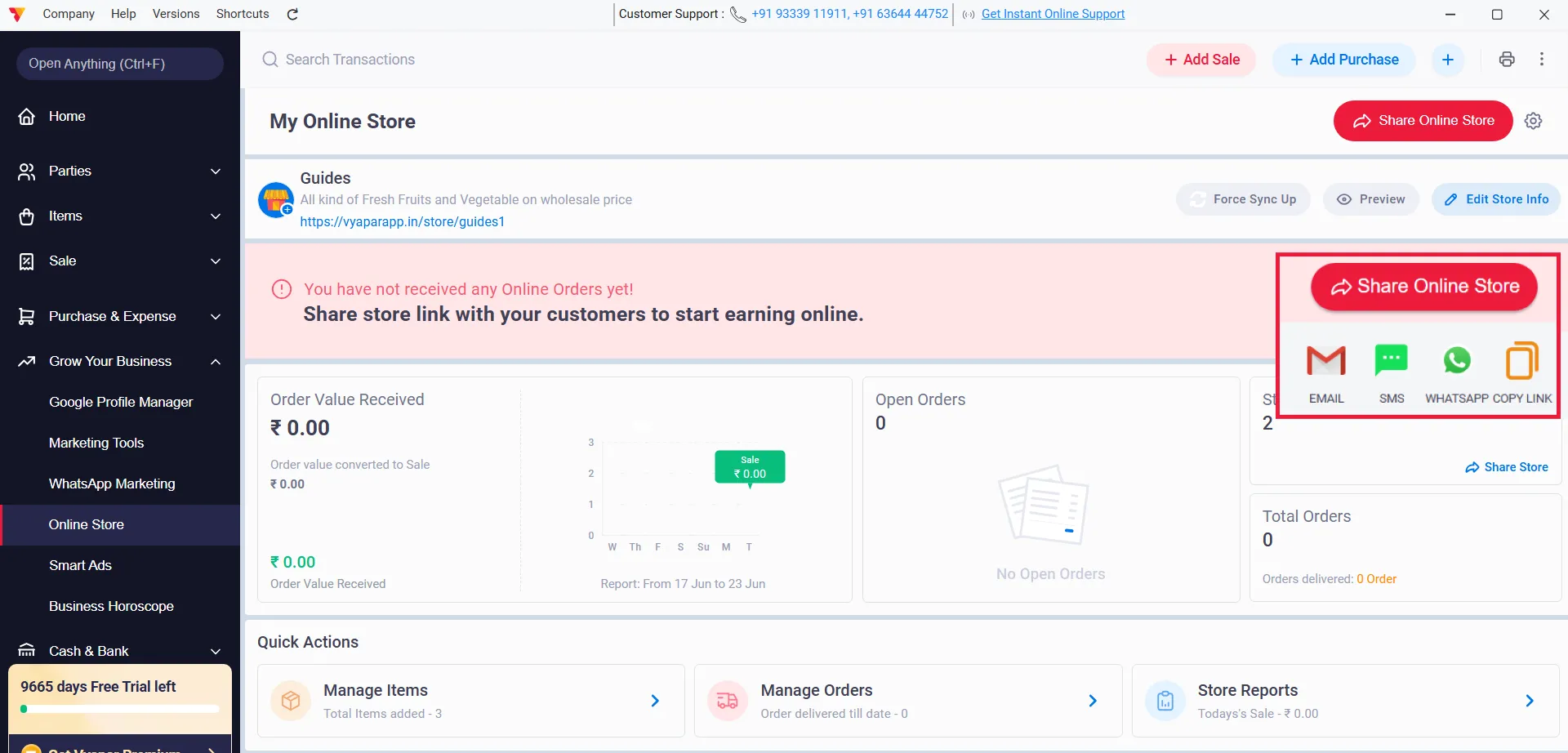
Share Your Store
Click on Share Store Link to send your digital store link via WhatsApp or social media.
12
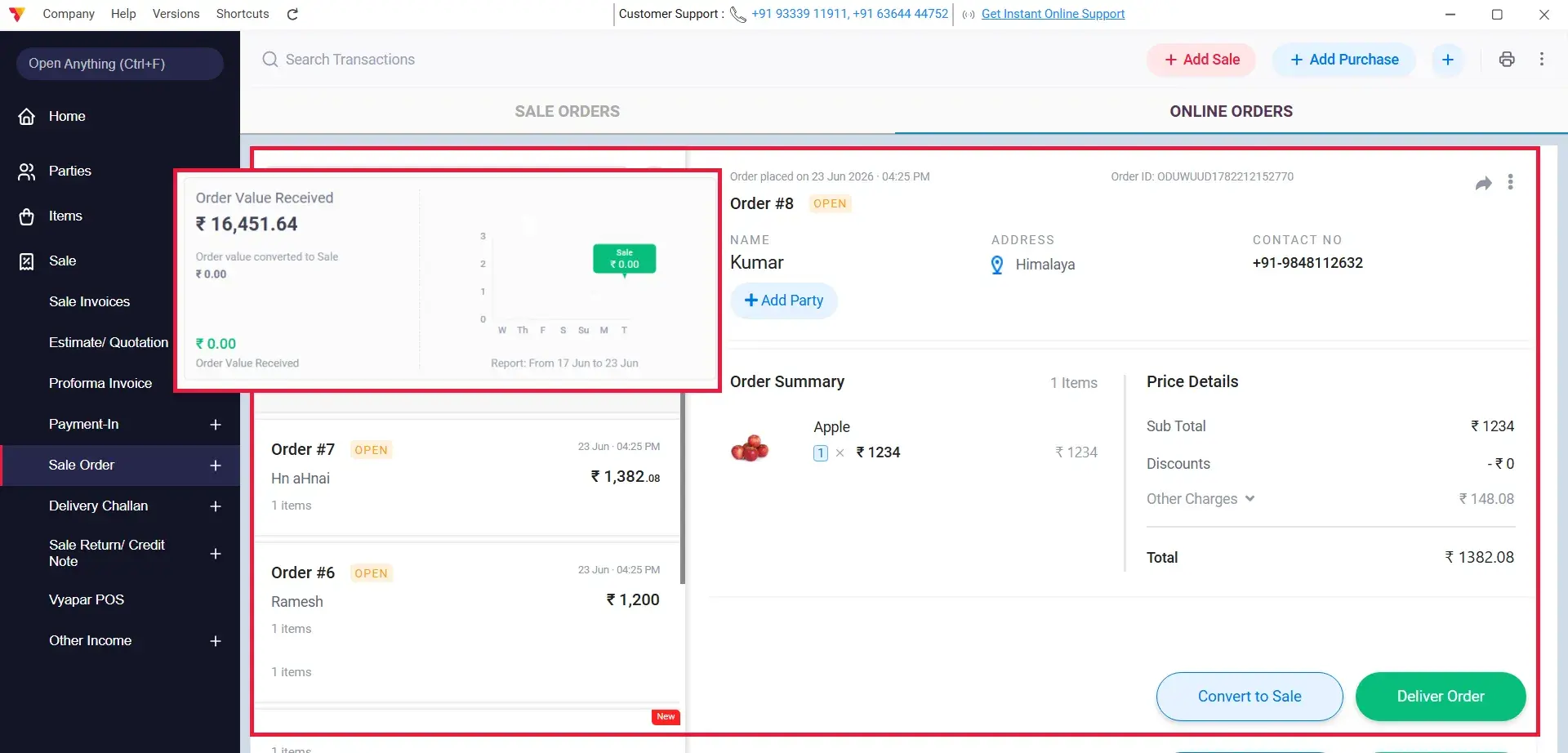
Receive Orders
Begin receiving orders directly through your online store platform.
13
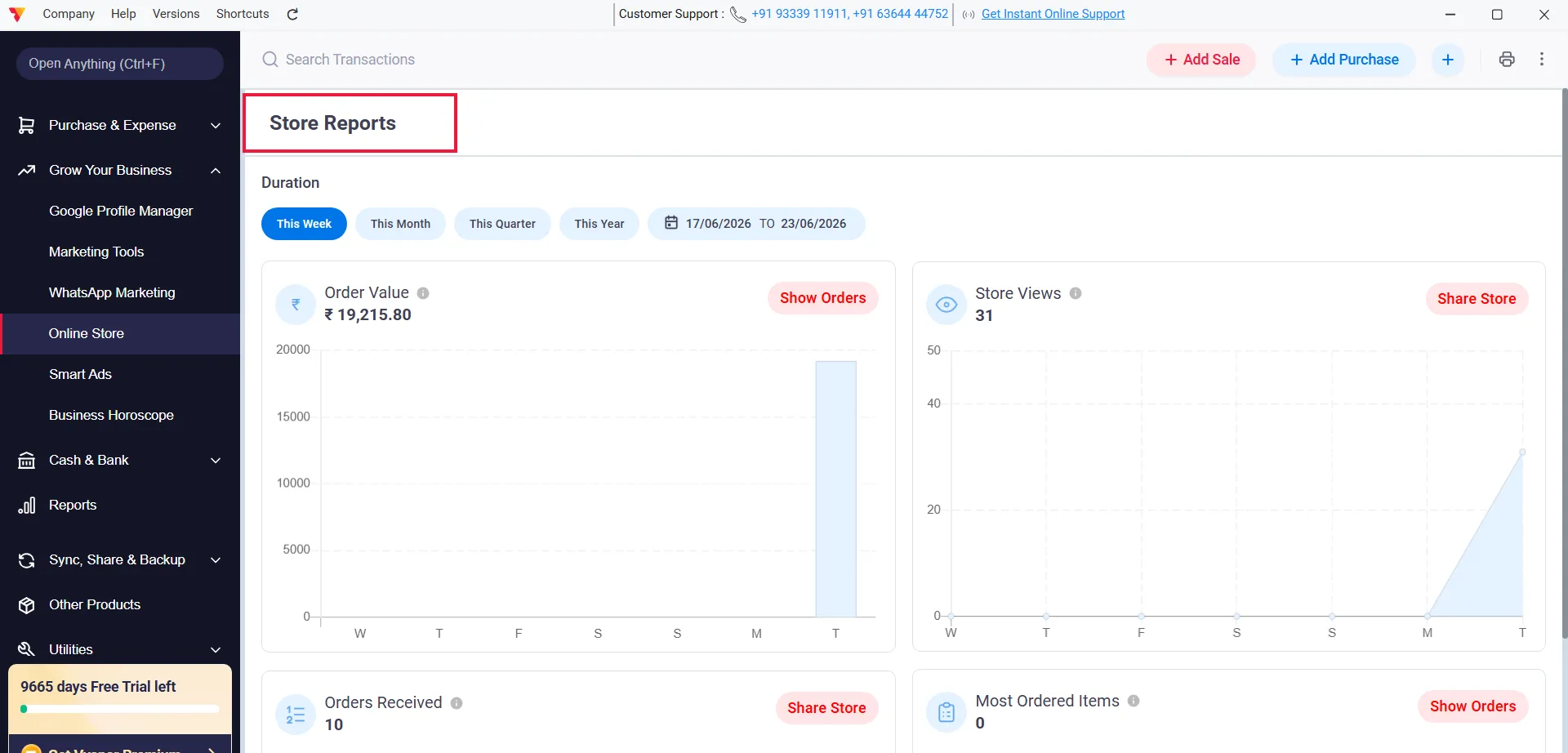
Track Performance
Navigate to Check Store Reports to monitor your sales and order status.
14
Still stuck? Get help in minutes.
Our support team is ready to help you succeed.
 24/7 Support
Why Is This Important for Your Business?
Integrating an online store into your workflow transforms your shop’s reach and efficiency:
Expand Your Market
Reach customers beyond your physical shop location by sharing your catalogue link.
Streamline Ordering
Customers can view your products and place orders digitally, reducing phone-call-based order errors.
Professional Digital Presence
Give your small business a premium digital storefront that builds trust with your buyers.
Frequently Asked Questions (FAQs)
Can I change my store name after it goes live?
Yes, you can go back to the “Online Store” settings, edit your store details, and save the changes to update the information.


Will online orders automatically create an invoice in Vyapar?
Yes, once an order is confirmed, you can easily convert that online order into a professional sale invoice within the Vyapar App.
Is there a limit to the number of products I can add?
You can add your entire inventory to the online store as long as it is within the product limit of your current Vyapar subscription plan.
Ready to Take Your Business Online?
Set up your Vyapar Online Store today and start accepting digital orders immediately.
 download Vyapar Now





