
How to Generate E-Invoices in Vyapar App
E-invoicing is a mandatory requirement for businesses exceeding a specific turnover (currently ₹5 crore), involving the registration of B2B invoices & Credit note on the government’s Invoice Registration Portal (IRP). Vyapar simplifies this by connecting directly to the IRP, automatically generating the unique Invoice Reference Number (IRN) and QR code for your sales.

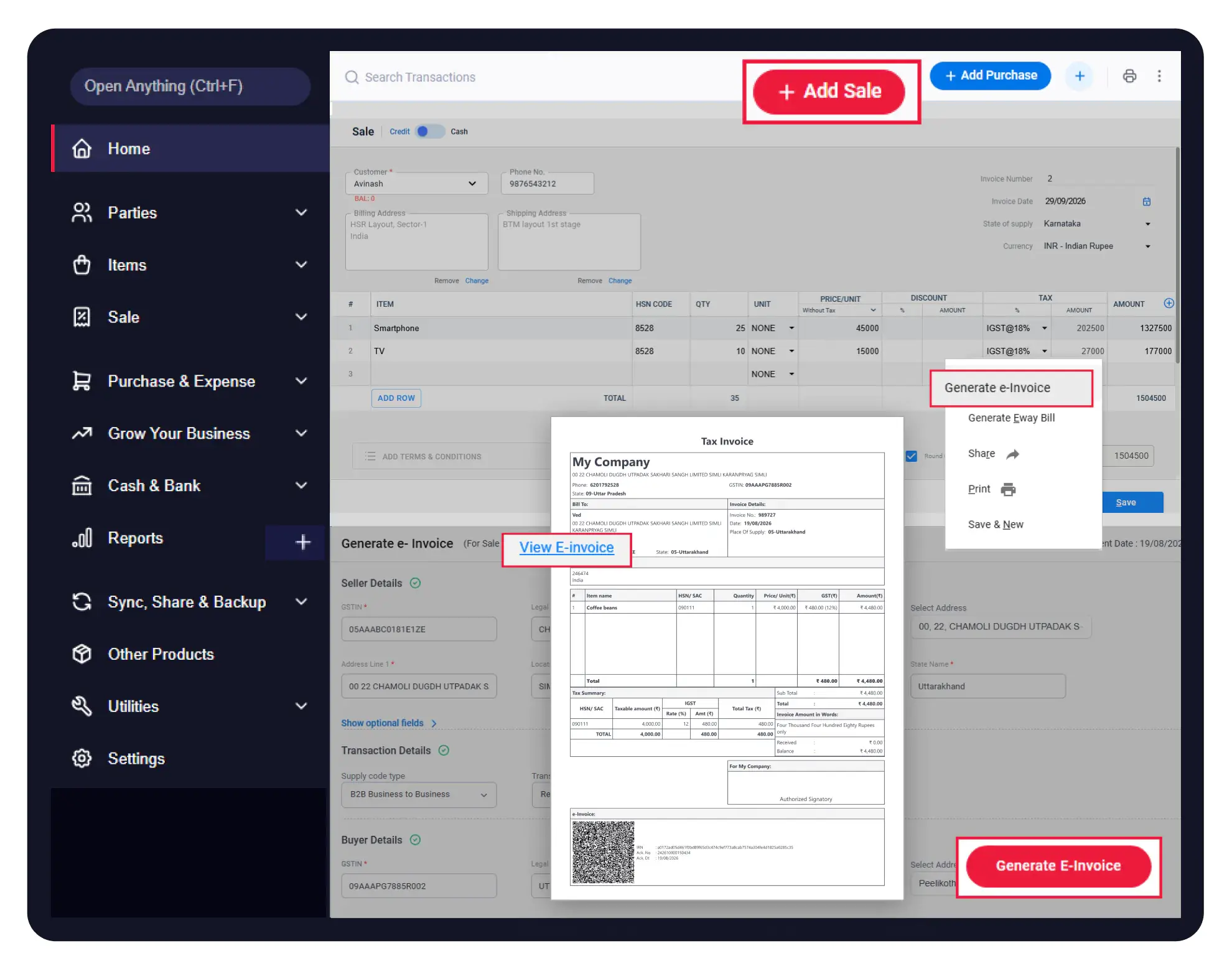

Before You Start

GST Registration: Ensure your business is registered for GST, and you have your GSP (GST Suvidha Provider) credentials.
HSN Codes: Every item in your invoice must have a valid HSN code and an appropriate tax rate assigned.
Party Details: The customer (Party) must be GST-registered with their GSTIN correctly saved in Vyapar App.
Internet Connection: An active internet connection is required to upload the invoice to the government portal.
Guide to Generate E-Invoices in Vyapar App:
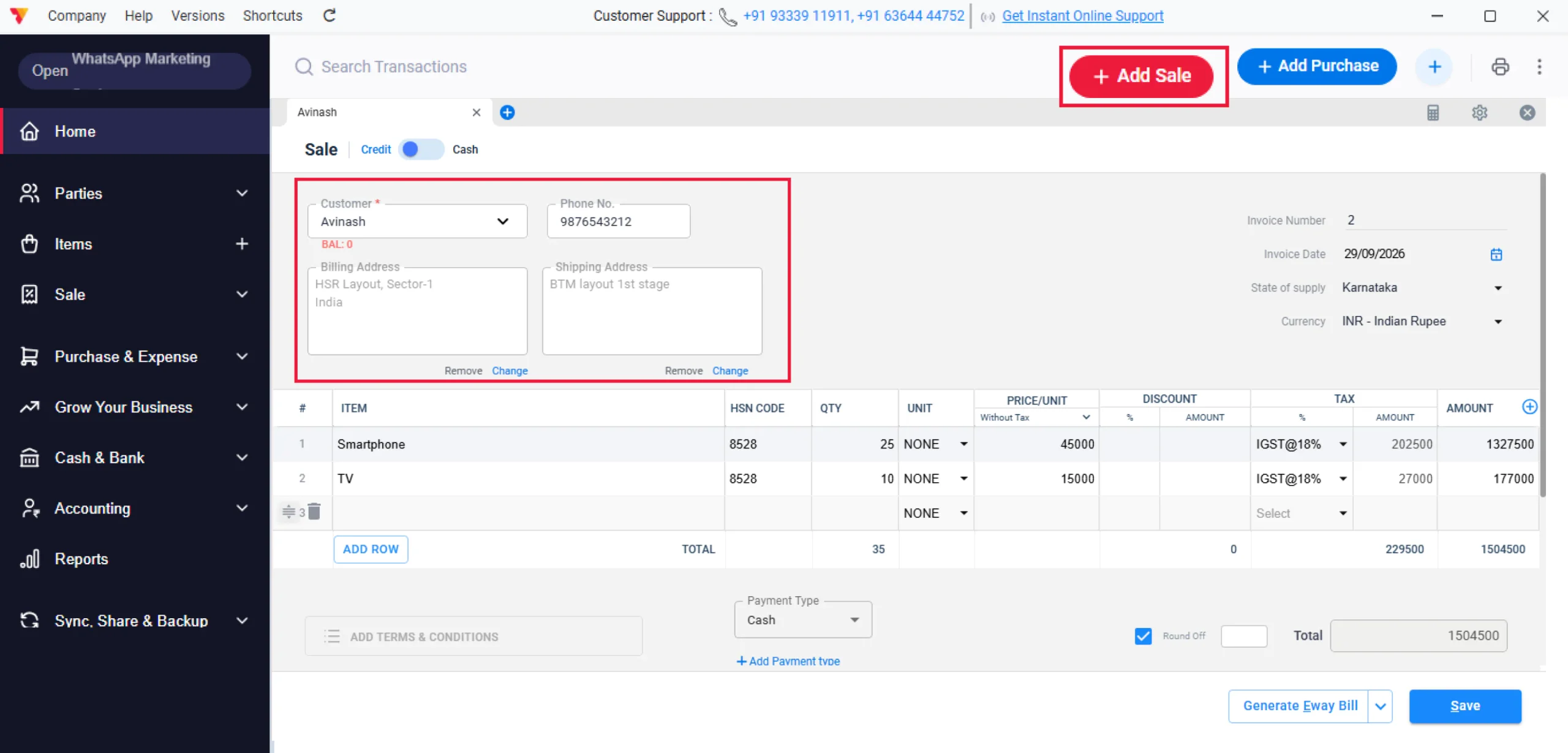
Open Vyapar App and Create a Sale Invoice
Open Vyapar app and click on + Add Sale and select a GST-registered party.
01
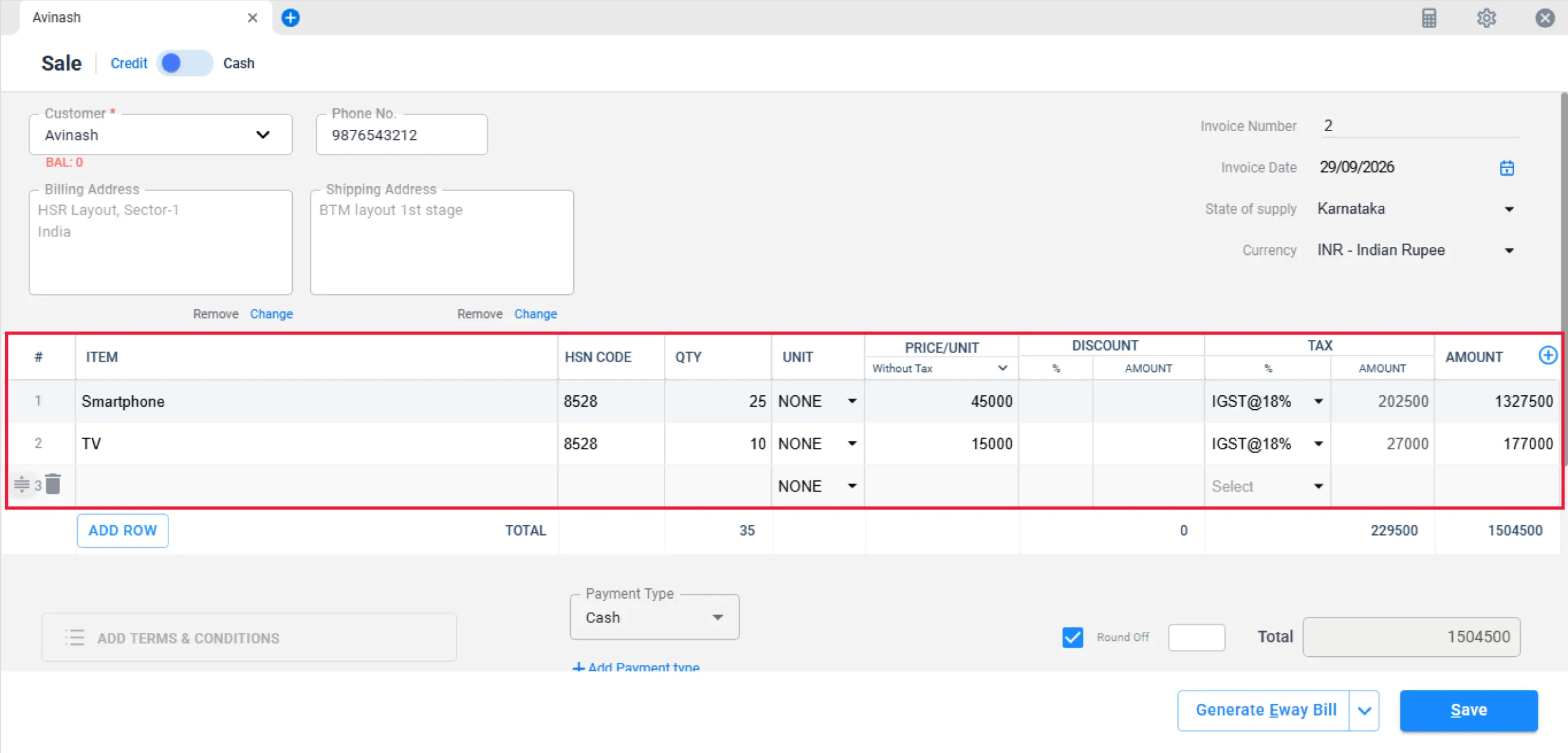
Add Items & Taxes
Enter the items, quantities, and ensure the correct HSN and GST rates are applied.
02
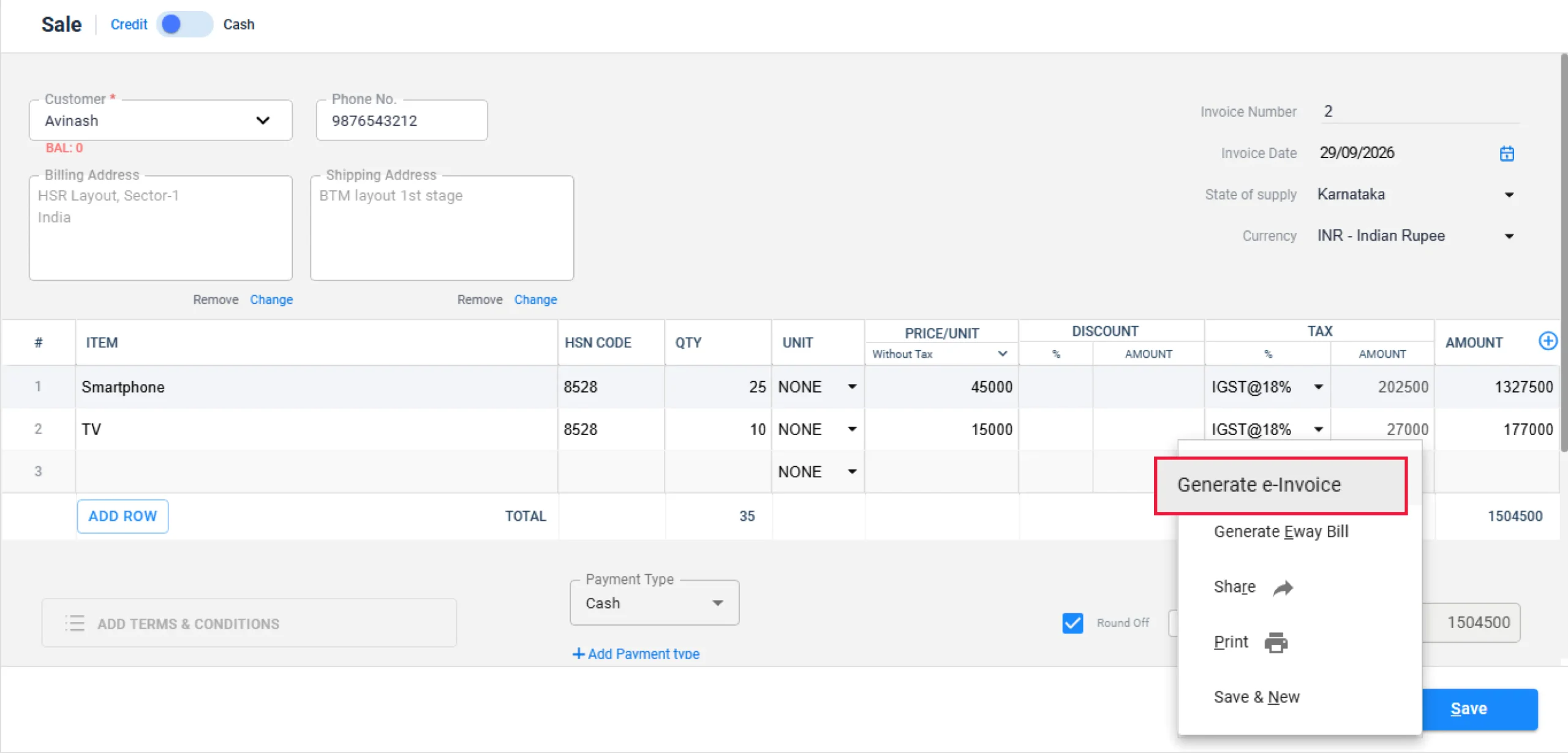
Click Generate E-Invoice
Locate and click the “Generate E-Invoice” button at the bottom of the invoice screen.
03
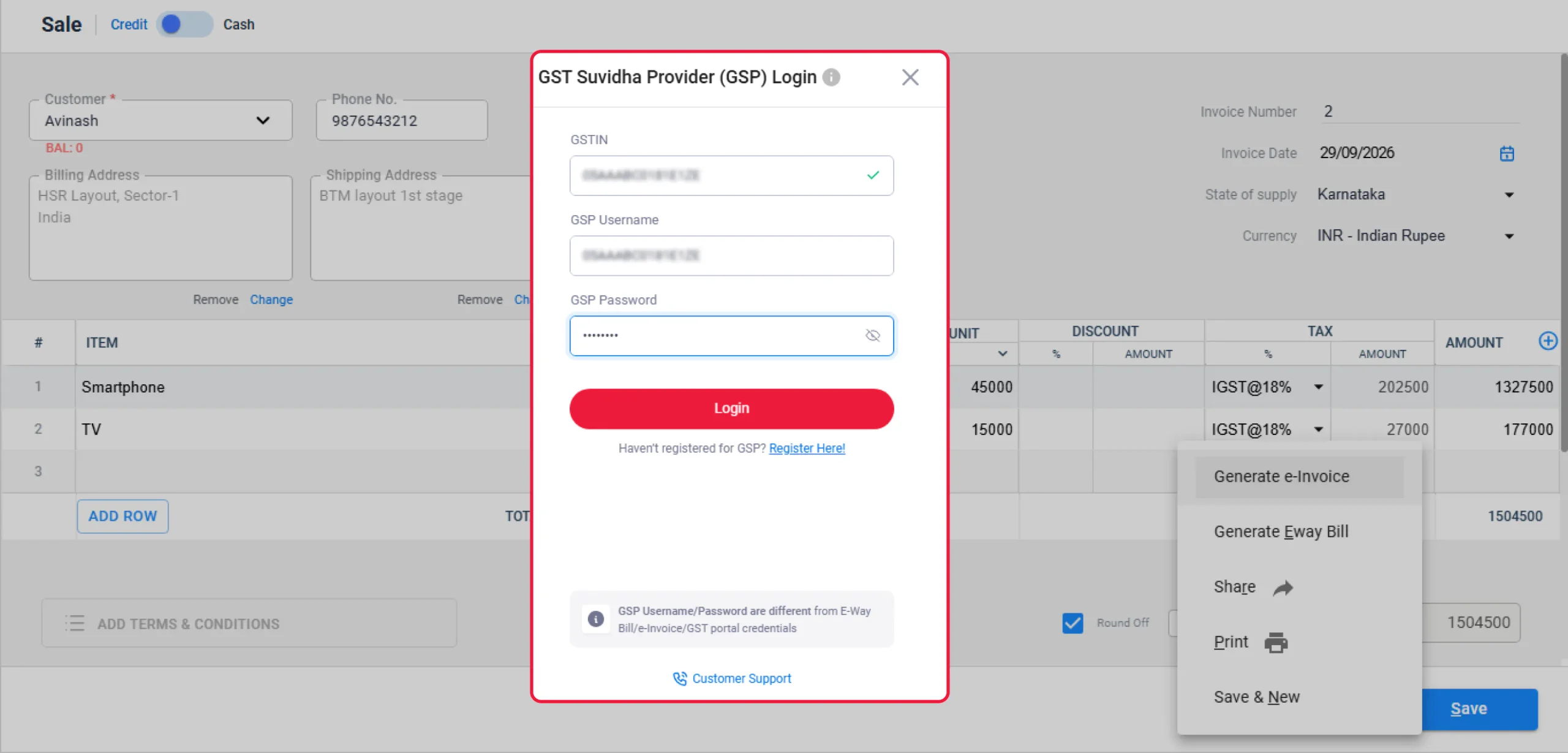
Log In to E-Invoice System
For the first time, enter your GSTIN and GSP credentials (Username & Password) and log in.
04
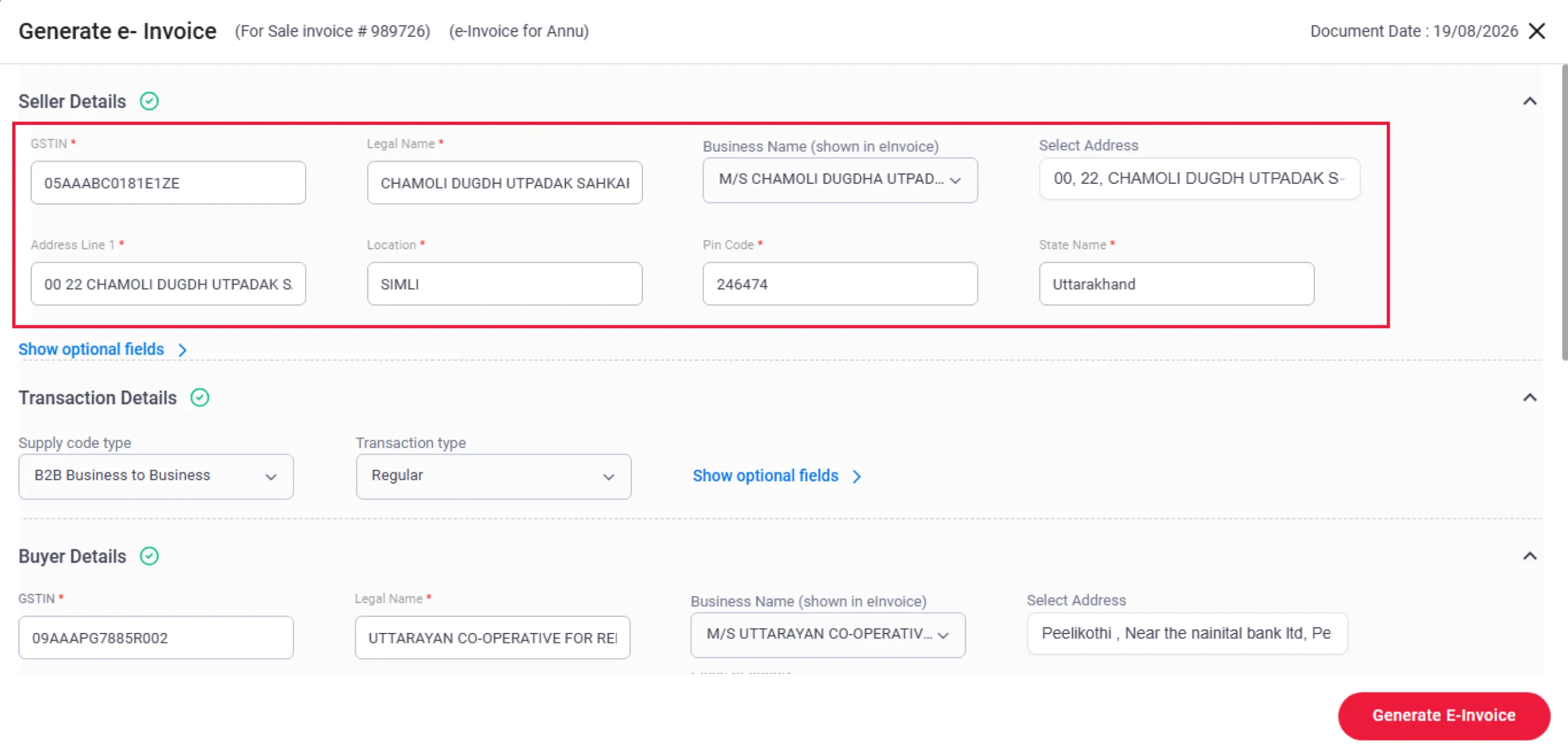
Verify Invoice Details
A window will open to cross-check seller, buyer, and transaction details. If any section shows a red icon (e.g., missing HSN or address), enter the required details to enable the final generation button.
05
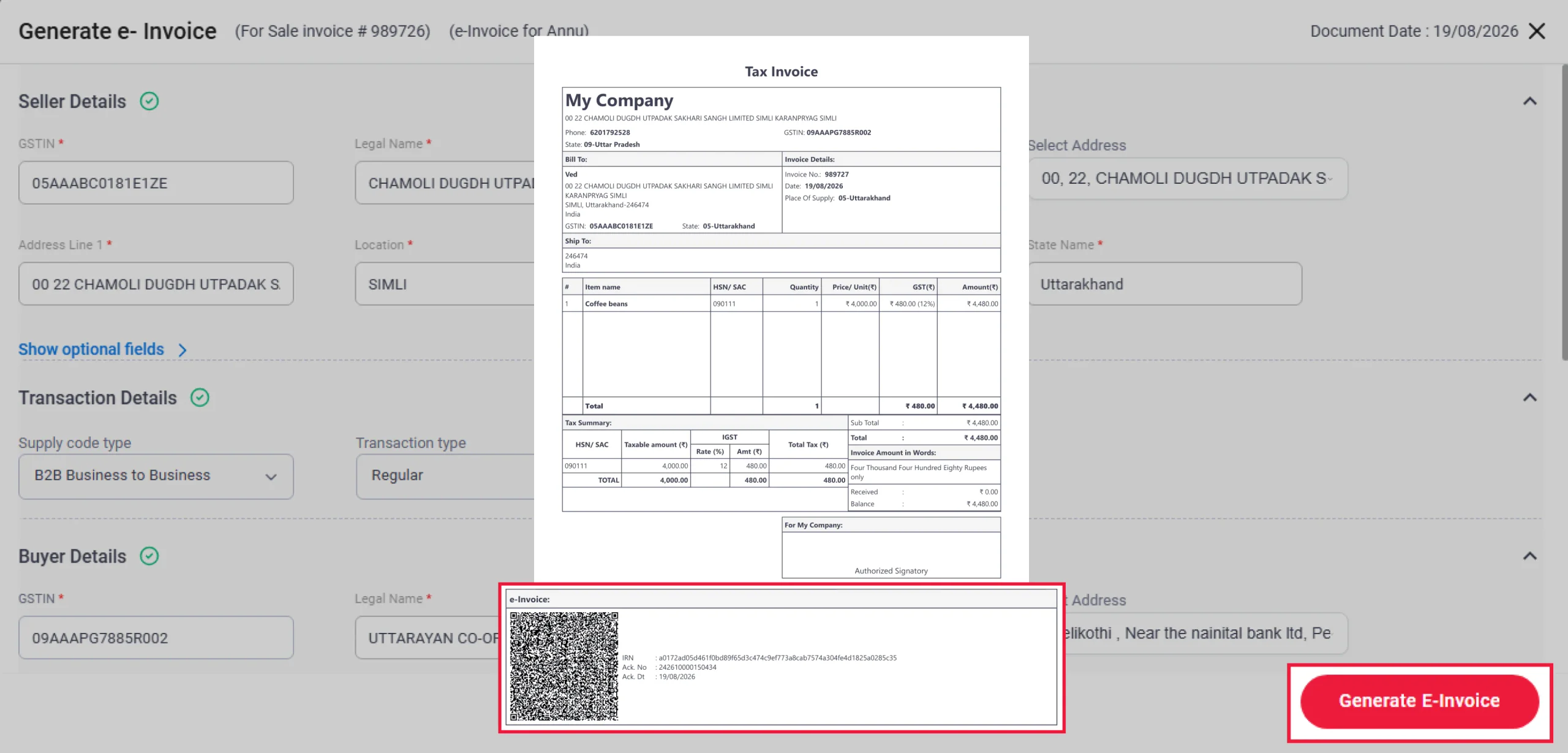
Finalise Generation
Click the Generate E-Invoice button again. The system will upload data to IRP and return the IRN and QR code instantly.
06
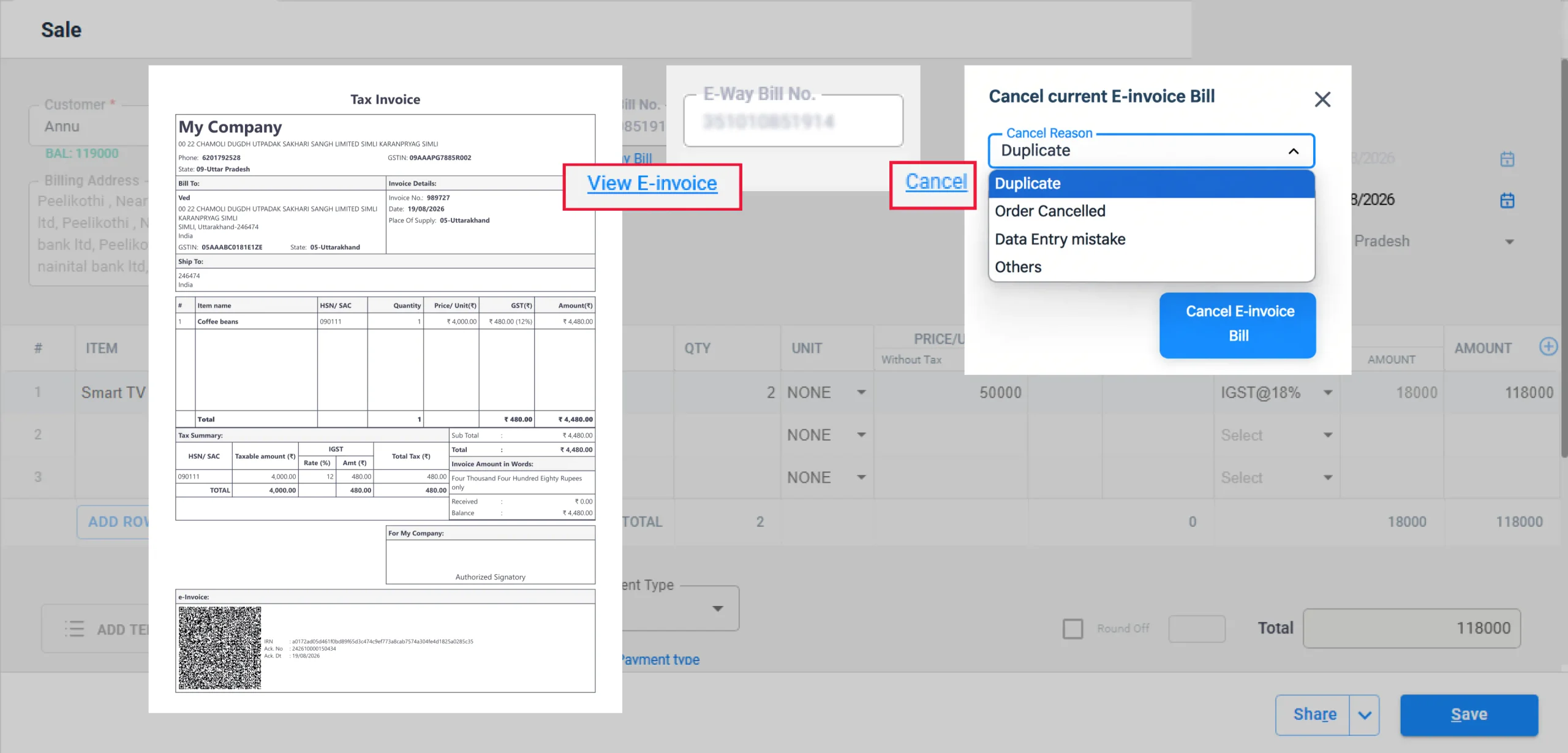
View & Cancel
Once the E-Invoice is generated, you will be able to view and cancel (valid within 24 Hrs) the E-Invoice from Vyapar Itself.
Pro Tip: To save your E-Invoice, click on “View” and save the PDF.
07
Still stuck? Get help in minutes.
Our support team is ready to help you succeed.
 24/7 Support
Why Is This Important for Your Business?
Automating e-invoices with Vyapar protects your business from compliance risk.
Real-Time Validation
Your invoices are verified by the government instantly, ensuring they are legally valid for GST purposes.
Automatic Data Sync
E-invoice details are automatically pushed to your GSTR-1 return, making tax filing faster and error-free.
Combined E-Way Bills
If your transaction exceeds the threshold, Vyapar allows you to generate both the E-Invoice and E-Way Bill together in one click.
Frequently Asked Questions (FAQs)
Can I cancel an E-Invoice?
Yes, but only within 24 hours of generation. After 24 hours, you must use a Credit Note to reverse the transaction.


Do I need to log into GSP every time?
No. After the initial login, your GSP credentials are saved, allowing you to generate future e-invoices directly.
Can I generate E-Invoices on Mobile?
Yes, the latest Vyapar updates allow you to generate valid e-invoices directly from your smartphone.
Ready to Generate E-invoices?
Generate E-Invoices directly from your invoices, add the required GST details, and keep your e-invoice records organised.
 download Vyapar Now





