
How to Import and Export Vyapar App Data into Tally
Seamlessly manage your accounting by moving data between Vyapar and Tally. Whether you are bringing your historical data into Vyapar or exporting your current records to Tally, this guide will help you complete the process efficiently.

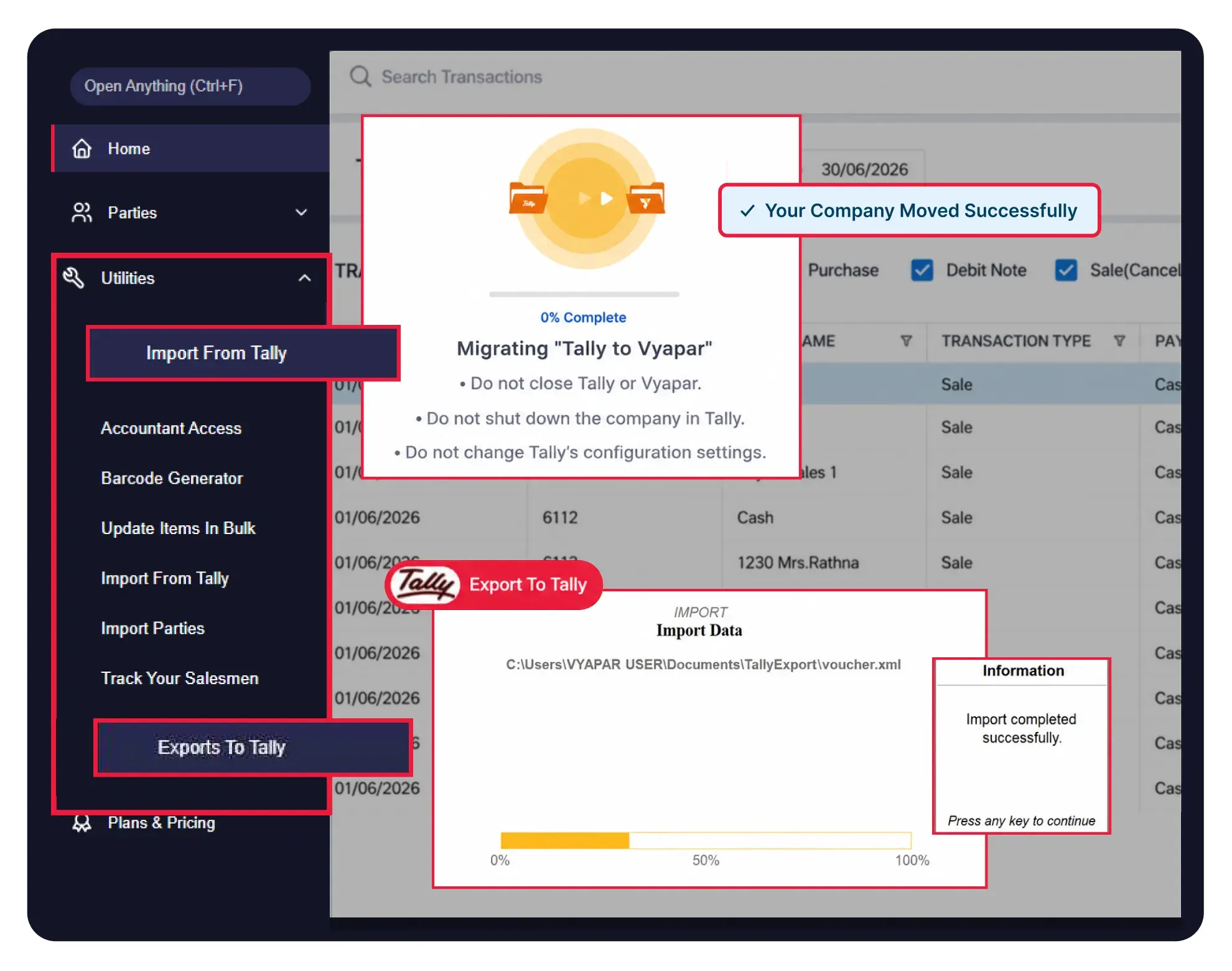
Step-by-Step Guide to Import Data from Tally to Vyapar

Before You Start Importing Data Tally to Vyapar

Active Internet: Ensure you have an active internet connection, and your Vyapar & Tally license must be attached.
Application Status: Both Vyapar and Tally must be open and running. Tally must be in default configuration without personal customizations like TDL.
Company Data: Open the specific company in Tally that you wish to import, then minimize the window. Ensure the company or tally is not open in multiple tabs.
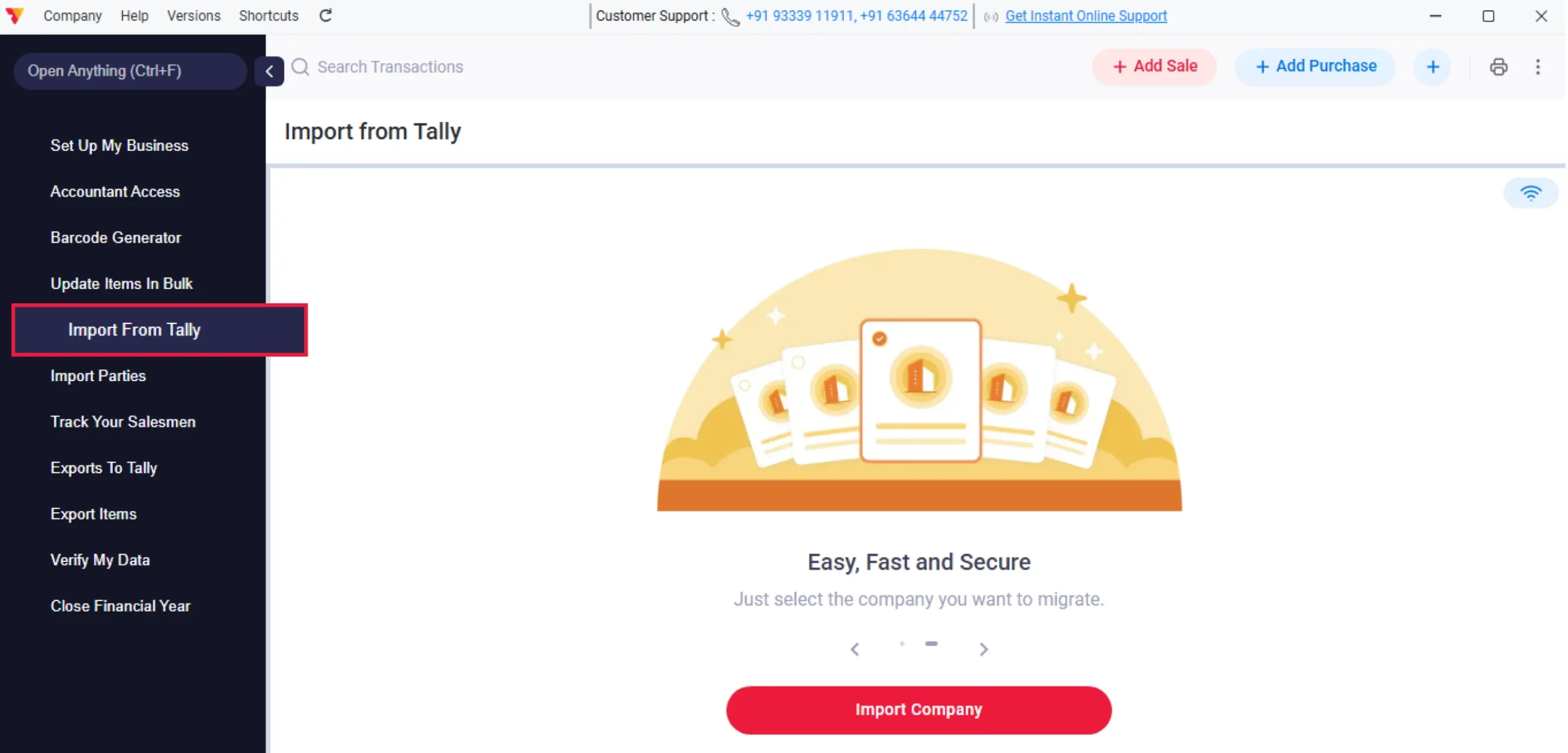
Access the Import Utility
Open the Vyapar accounting software on Desktop, navigate to the Utilities section, and click on Import from Tally.
01
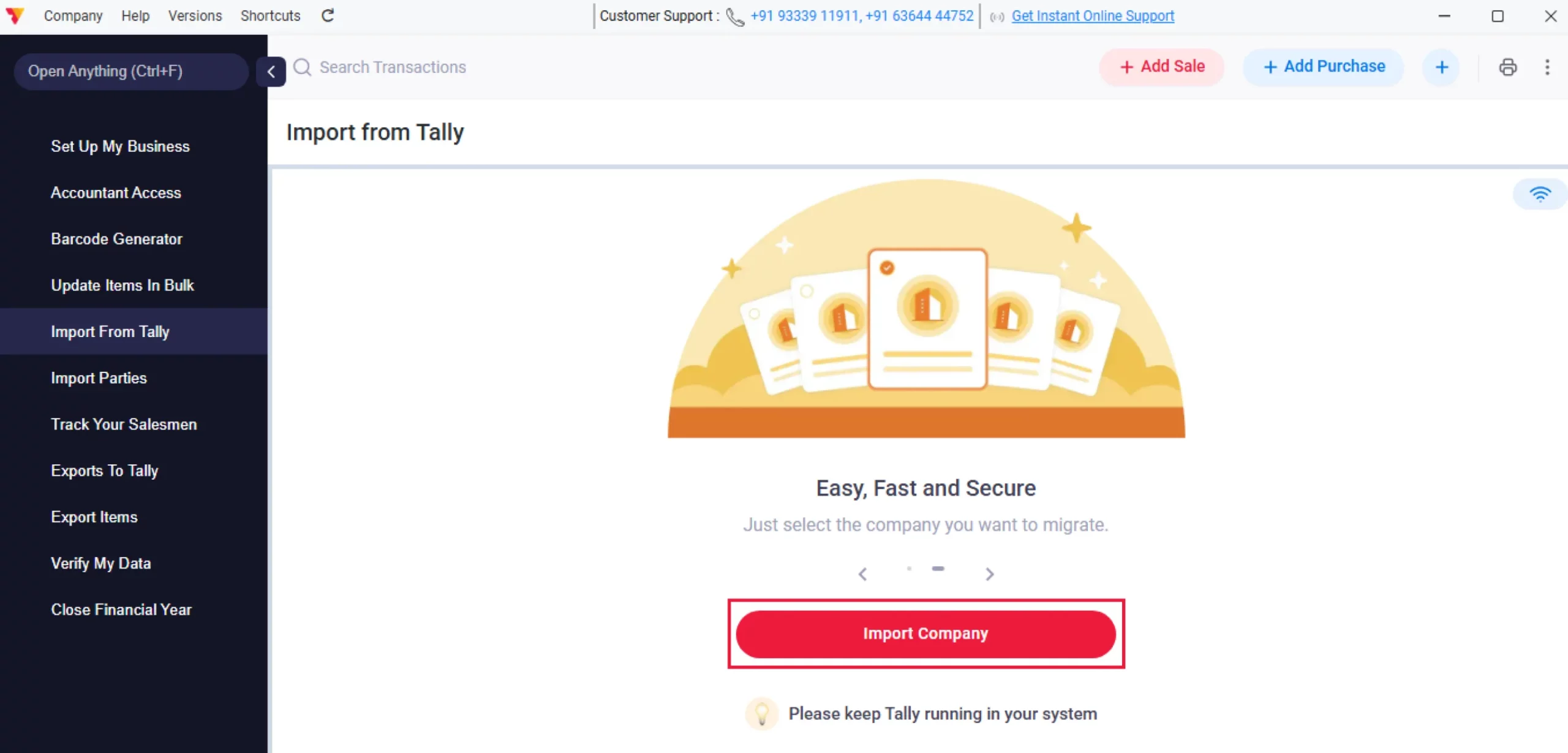
Connect Tally to Vyapar
Click on Import Company. Vyapar App will automatically detect and connect to your running Tally software.
Note: If Vyapar detects incorrect settings, it will auto-fix them and reopen Tally. If this occurs, minimize Tally again and hit “Refresh” in Vyapar.
Note: Pirated versions of the Tally will not be supported for importing Tally data to Vyapar
02
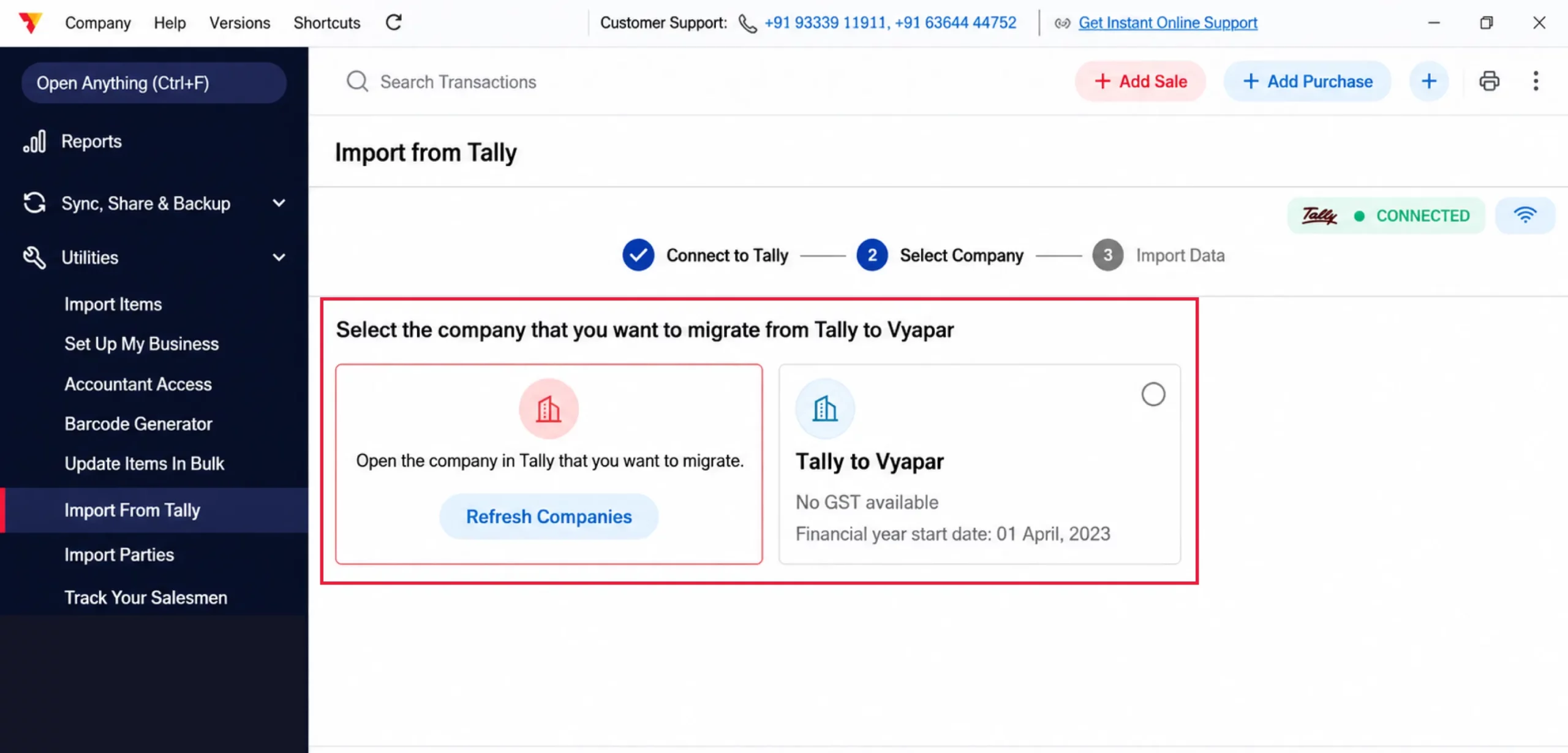
Select Your Company
Select the specific company you want to transfer from the list displayed on the screen and click Continue.
03
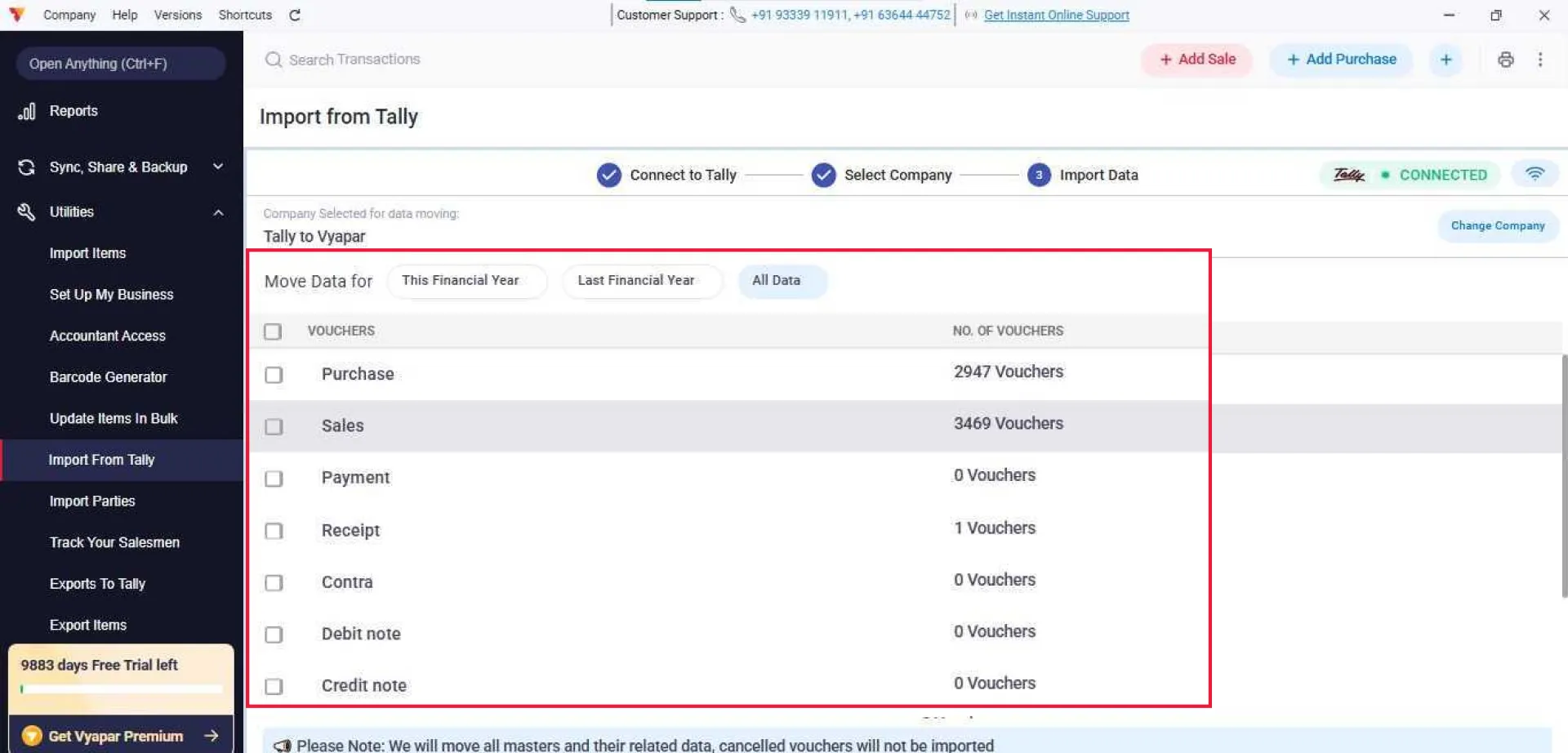
Filter Your Data
Review your vouchers and entries. You can choose to import data from This Financial Year, Last Financial Year, or All Data (up to the last four financial years).
04
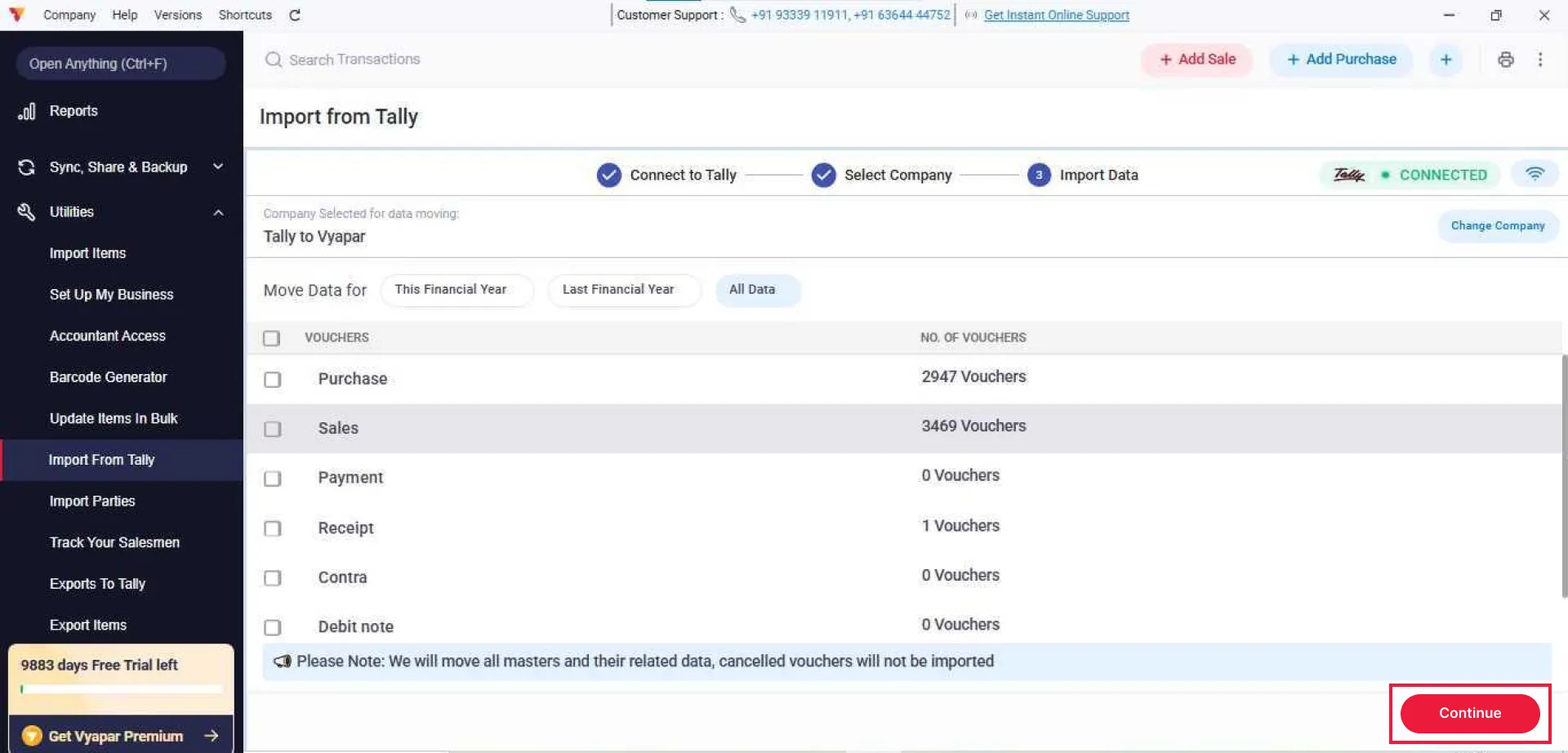
Start the Import Process
Click Continue to begin moving the data. Do not close Tally or change its settings during this process, though you may continue working within the Vyapar app.
05
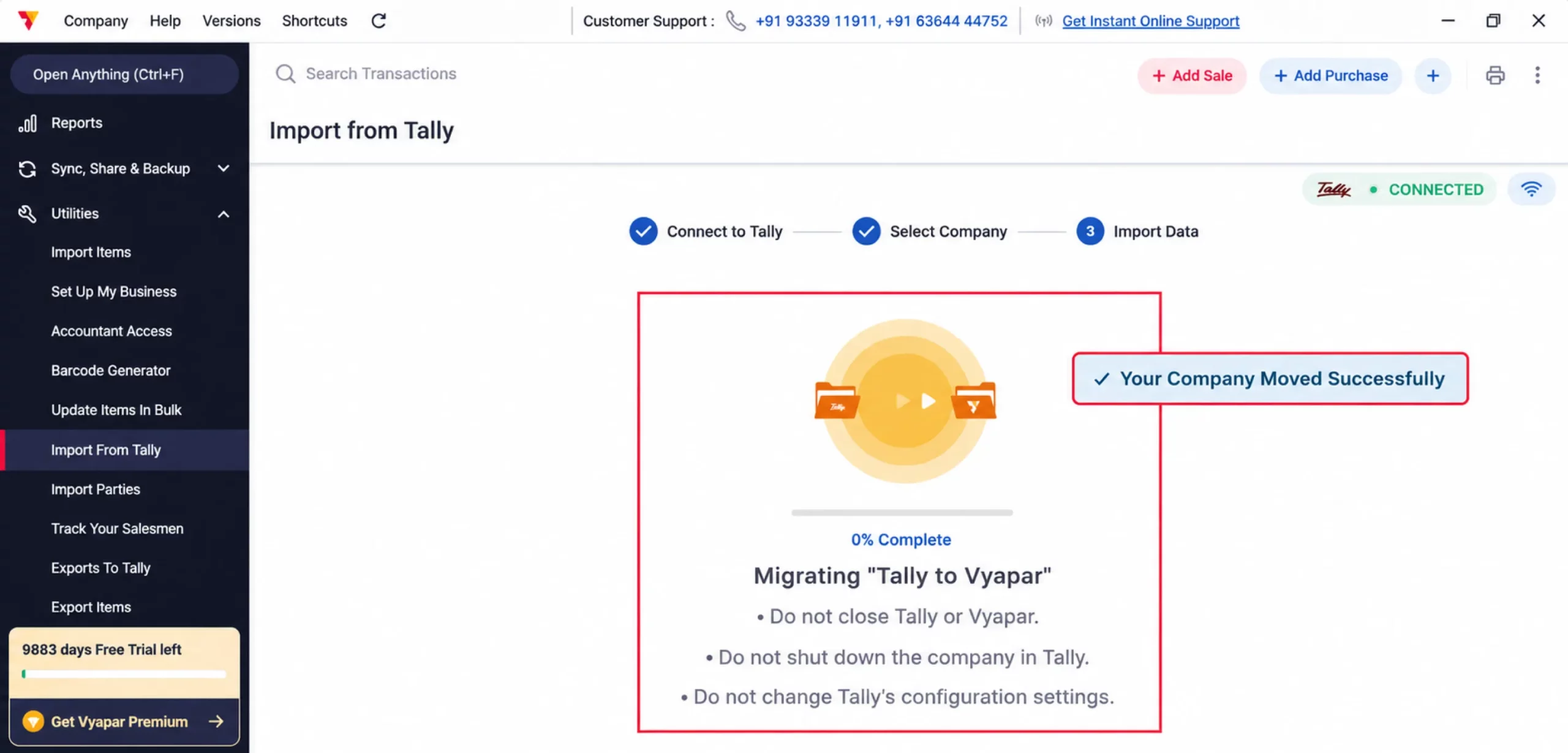
Complete the Transfer
Once you see the “Your Company Moved Successfully” pop-up, Go to Company and start managing your business.
06
Step-by-Step Guide to Export Data from Vyapar to Tally
Before You Start Exporting Data Vyapar to Tally
License: Ensure the Vyapar desktop application is open and attached to a Gold license.
Tally Installation: Tally must be installed, accessible, and running in licensed mode.
Destination Choice: Decide whether to import this data into an existing Tally company or a new one.
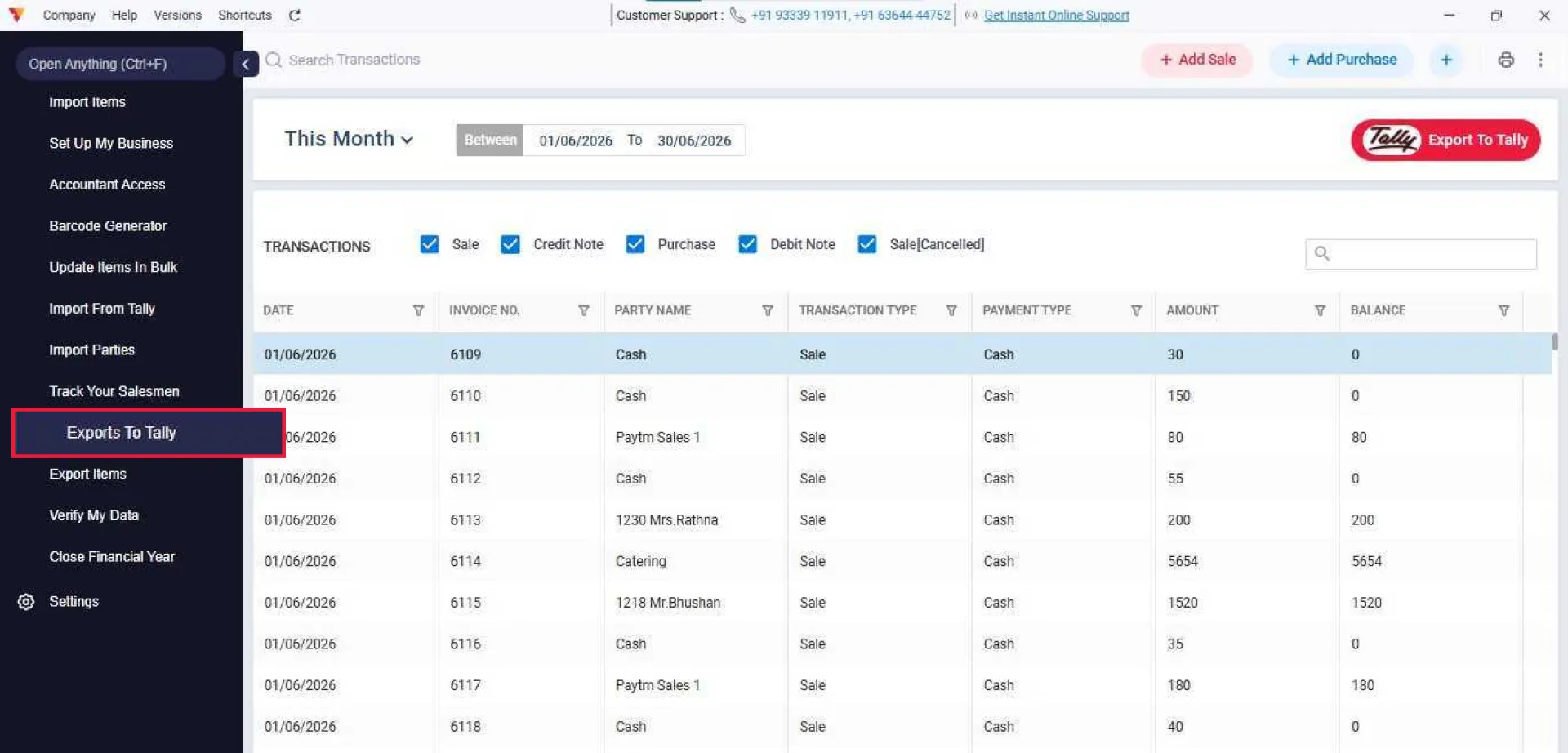
Access the Export Utility
Open Vyapar billing software, navigate to Utilities in the left-side menu, and click on Export to Tally.
01
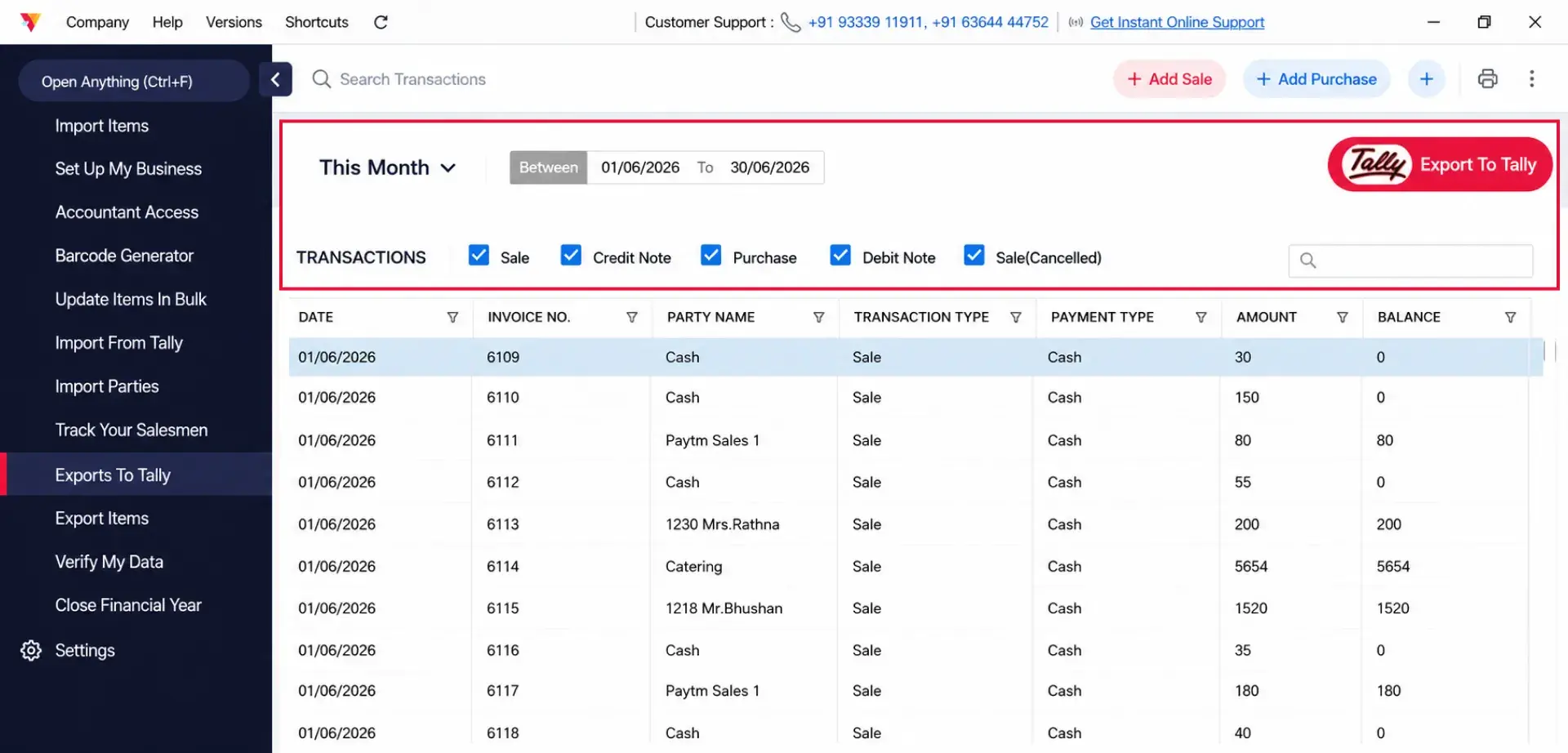
Filter and Select Data
Select your desired date range and specify the transaction types you wish to export (e.g., Sales, Purchase, Credit/Debit Notes & cancelled sale invoices).
02
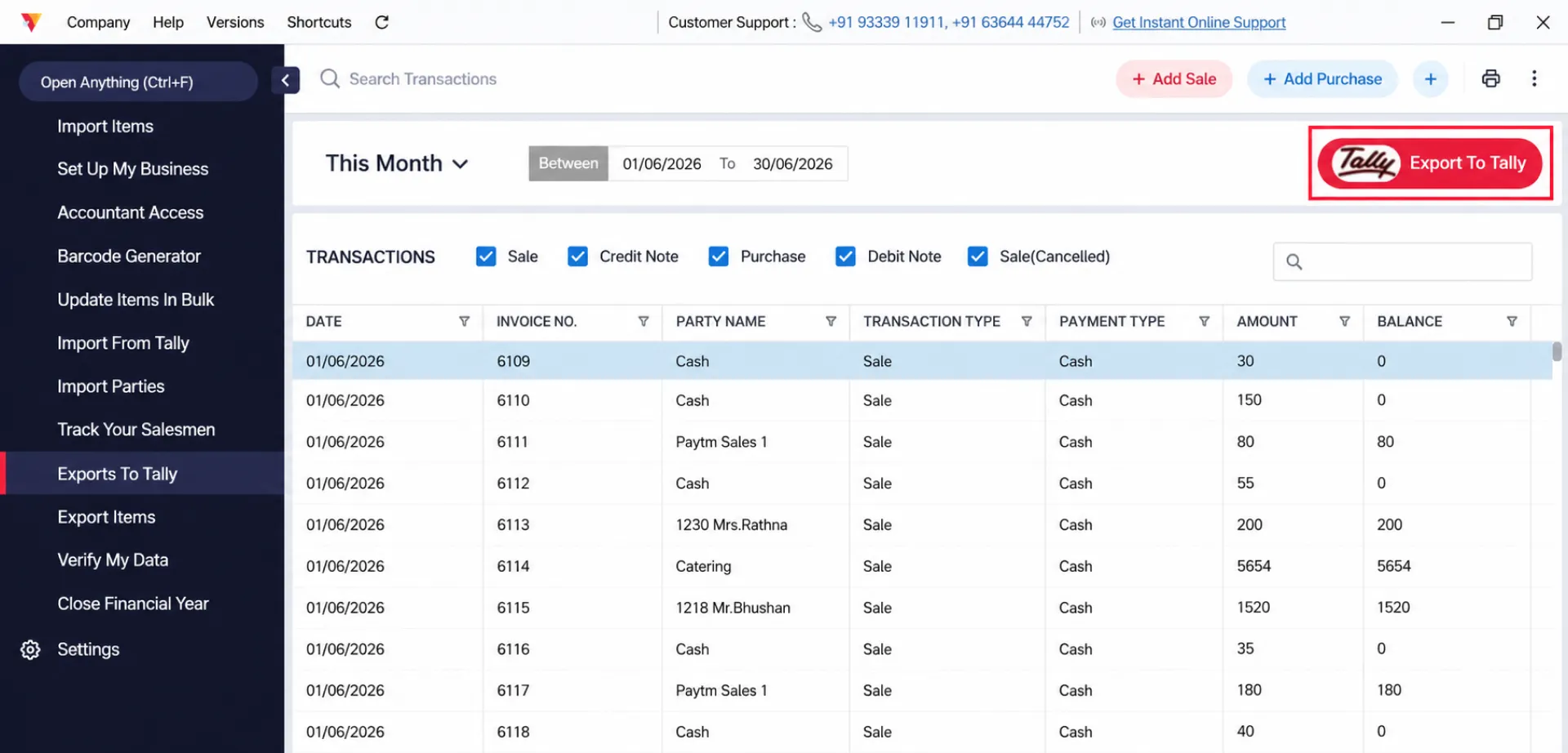
Export Data Files
Click Export to Tally in the top right. Vyapar will create a “Tally Export” folder in your computer’s Documents containing a “Master” file and a “Voucher” file.
03
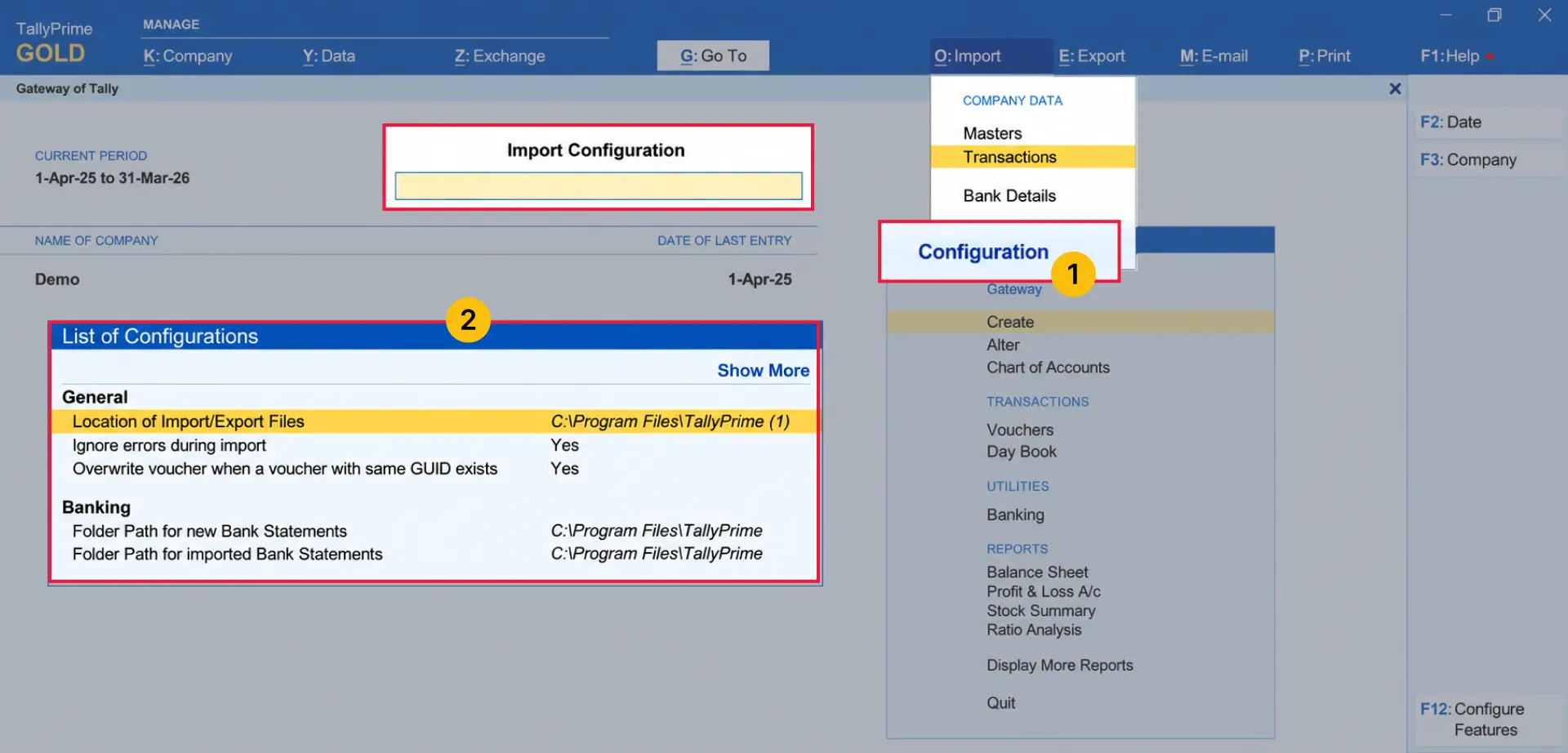
Prepare Your Tally Company
For New Companies: Go to Company Info > Create Company, fill in your business details, and ensure GST is enabled via Features > Statutory & Taxation.
Import Configuration: Navigate to ALT+O > Configuration to adjust the import settings based on your Tally Prime version:
- For Tally Prime 2.1: Set “Ignore errors during import” to Yes and “Overwrite vouchers when a voucher with same GUID exists” to Yes.
- For Tally Prime 3.0.1 and above: Set “Behaviour of import when exceptions exist” to Ignore exceptions and import, and set “Overwrite vouchers when a voucher with same GUID exists” to Yes.
04
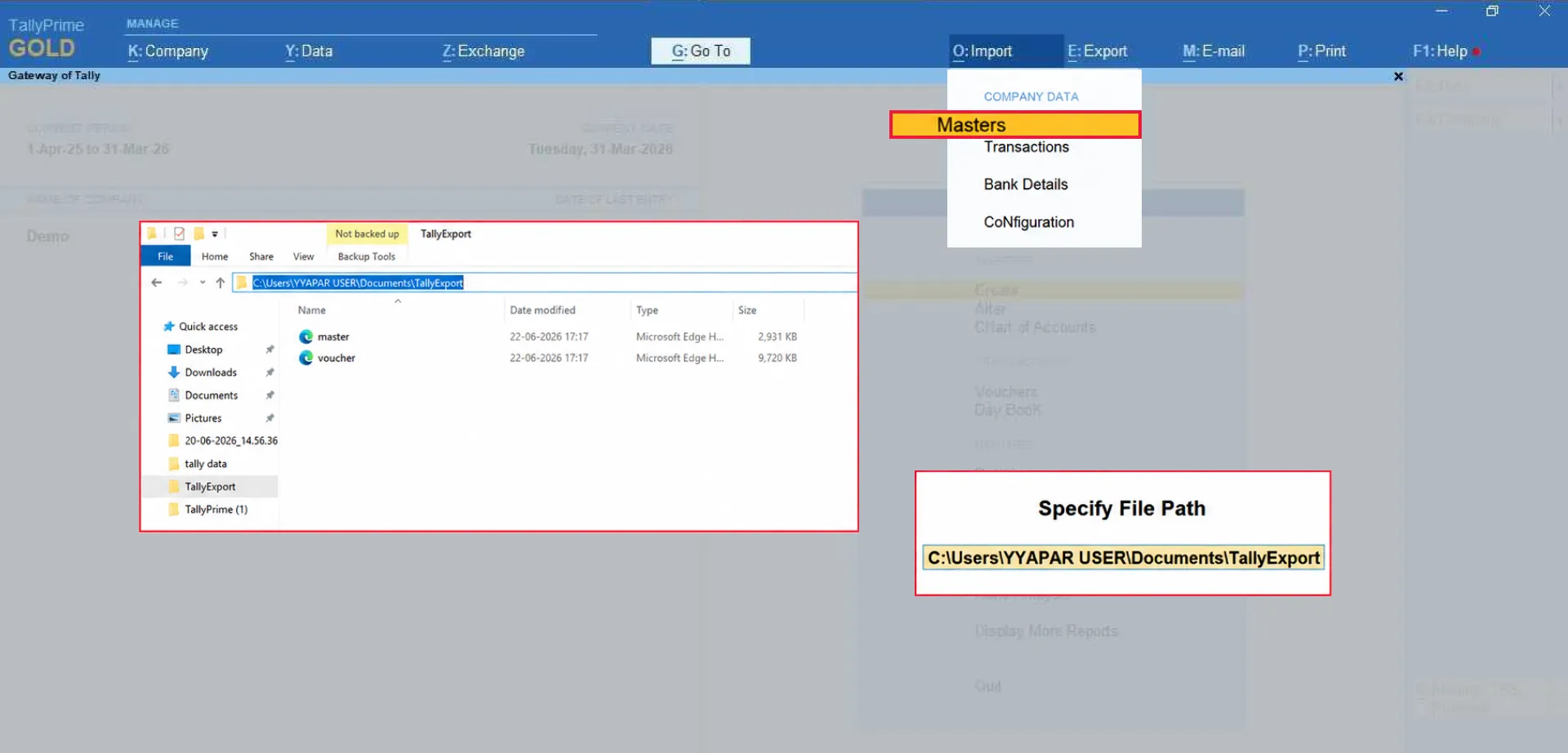
Import the Masters File
In Tally, go to ALT+O > Import Data > Masters. Paste the full file path of your master.xml file using Ctrl + Alt + V, select your treatment preference, and press Enter.
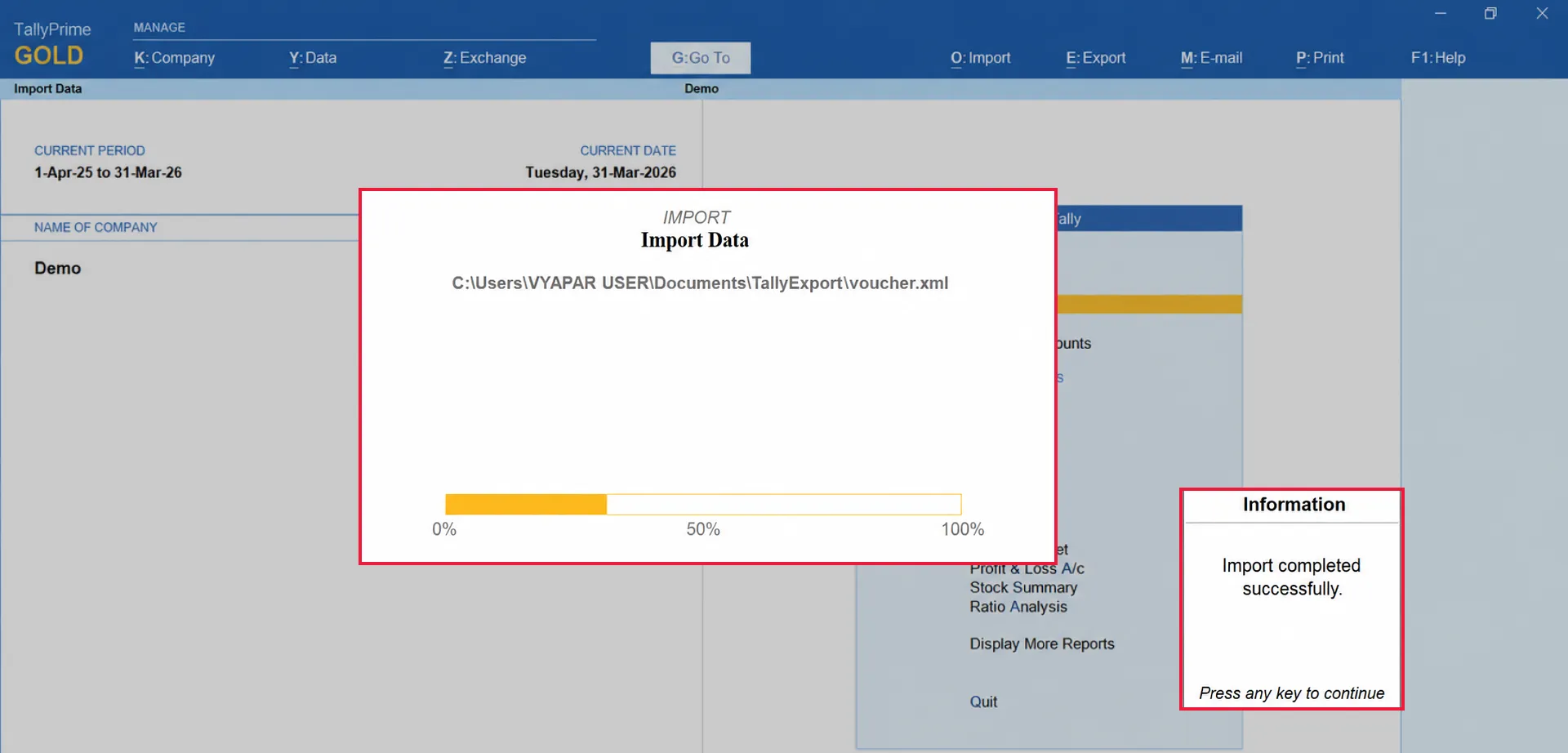
Then again from the Import Data menu, click Vouchers. Paste the full file path for the voucher.xml file and press Enter to continue.
05
Complete the Process
Press enter to complete this process. After completion you will get a pop up.
Now you can start using Tally with the vyapar data.
06
Still stuck? Get help in minutes.
Our support team is ready to help you succeed.
 24/7 Support
Why Is This Important for Your Business?
Integrating your data between Vyapar and Tally transforms your accounting workflow:
Seamless Transition
Easily move your historical Tally data into Vyapar without losing records.
Efficient Reporting
Export your Vyapar transactions to Tally to maintain consolidated financial records.
Error-Free Syncing
Vyapar’s automated mapping ensures terminology like “Sundry Creditors” and “Sales Vouchers” is converted correctly.
Frequently Asked Questions (FAQs)
Can I import data from multiple Tally tabs?
No, ensure the company data is not open in multiple tabs before starting the import process.


Which files should be imported first from Vyapar into Tally?
The “Masters.xml” file must always be imported before the “Vouchers.xml” file.
What should I do if I encounter errors during the Tally import process?
Tally will display notifications for errors at the bottom of the screen. If issues persist, you can contact Vyapar support.
Ready to Import or Export Your Tally Data?
Import your company from Tally or export your Vyapar transactions in just a few clicks. Start using Vyapar to simplify your accounting and keep your records organized.





