
How to Add and Manage Loyalty Points in Vyapar App
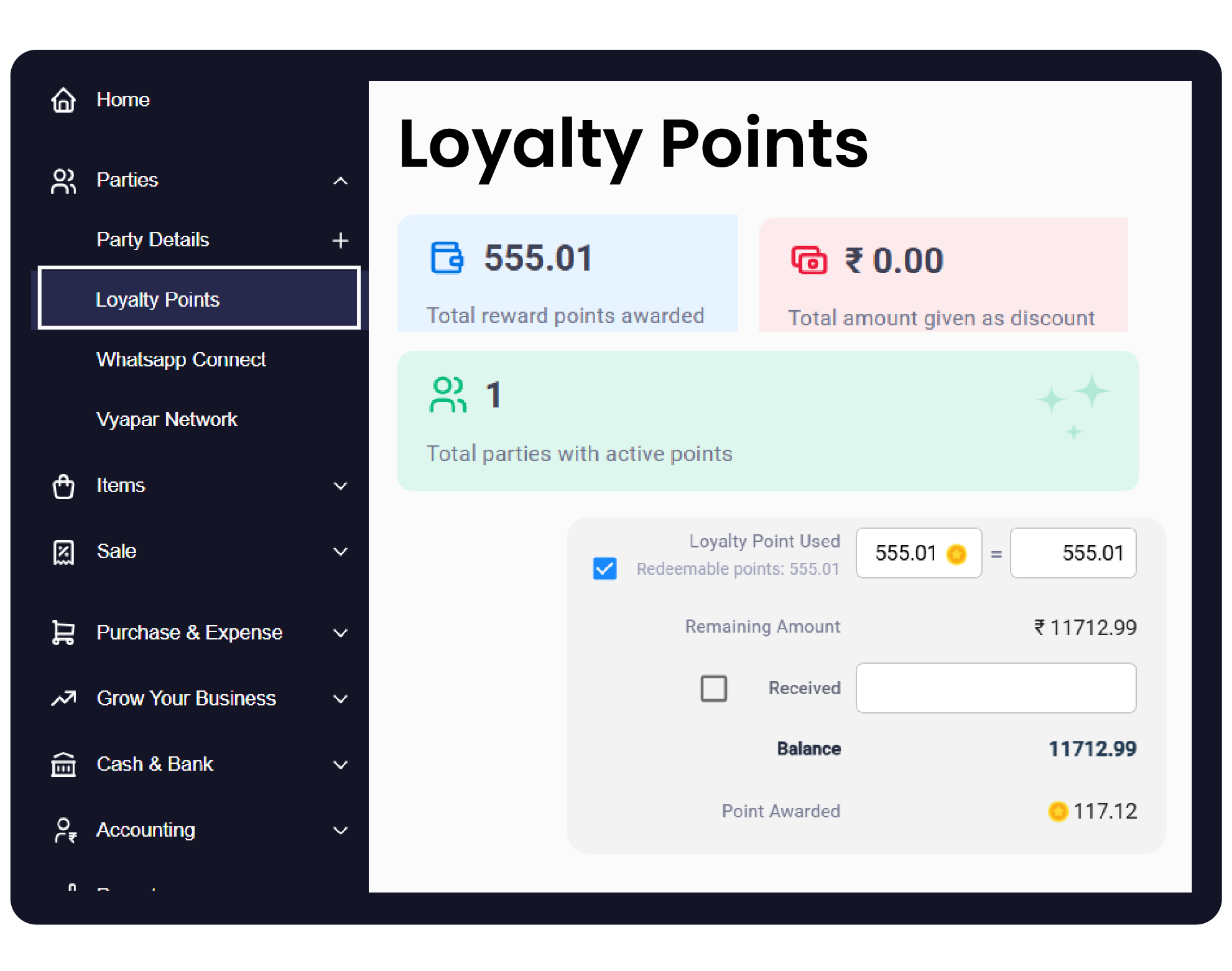
Loyalty points are a powerful way to encourage repeat business by rewarding your customers for every purchase they make.
In Vyapar, you can set up a system where customers earn points based on their transaction value, which they can later redeem as discounts on future invoices.


Before You Start

Customer Database: Ensure you have added your customers as Parties in the Vyapar billing software to track their individual point balances.
Feature Activation: The Loyalty Points module must be enabled in the settings before the fields appear on your sale invoices.
Party Details: Decide your point value (e.g., 1 Point = ₹1) before configuring the system.
Step-by-Step Guide to Manage Loyalty Points:
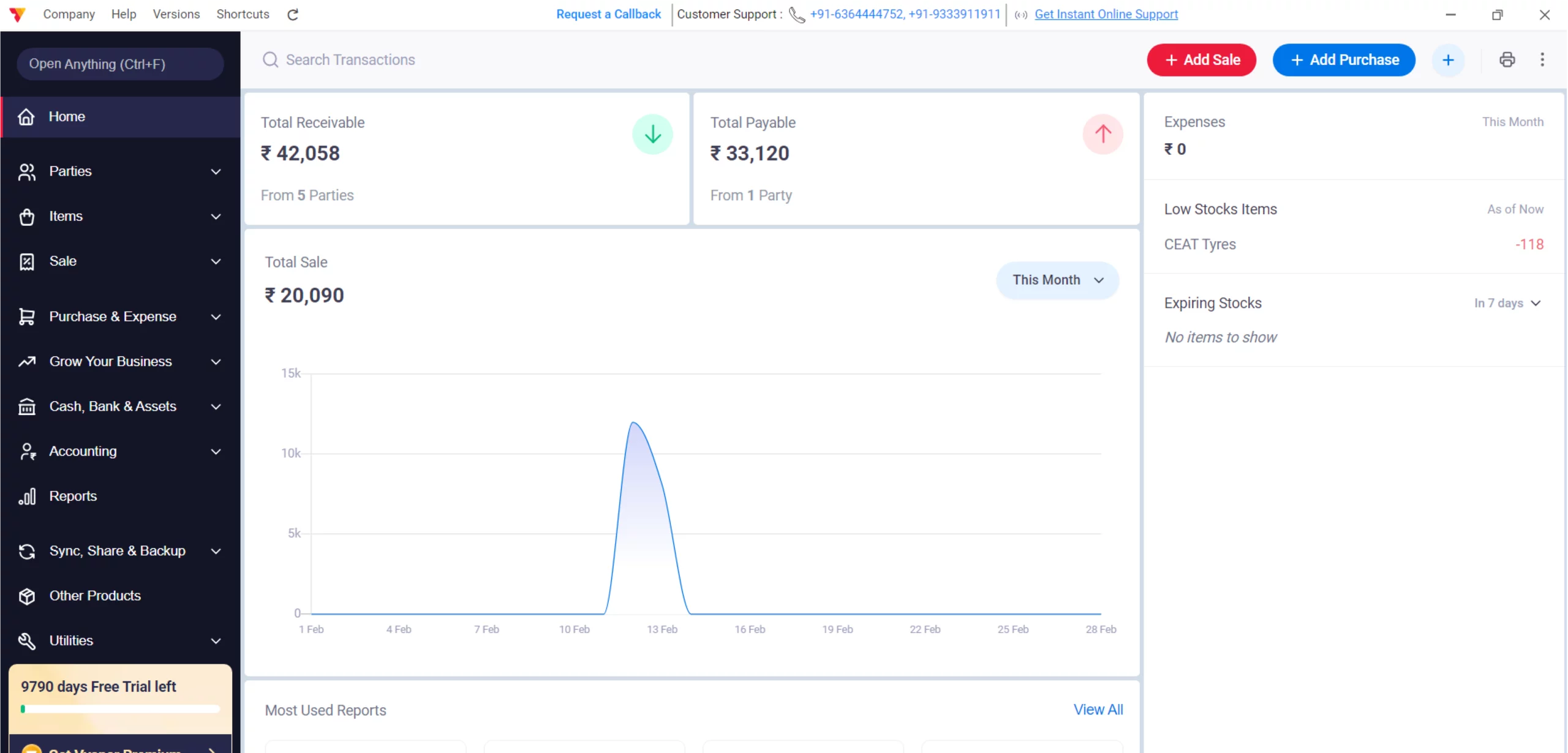
Open Vyapar App
Launch the Vyapar App on your Desktop device.
01
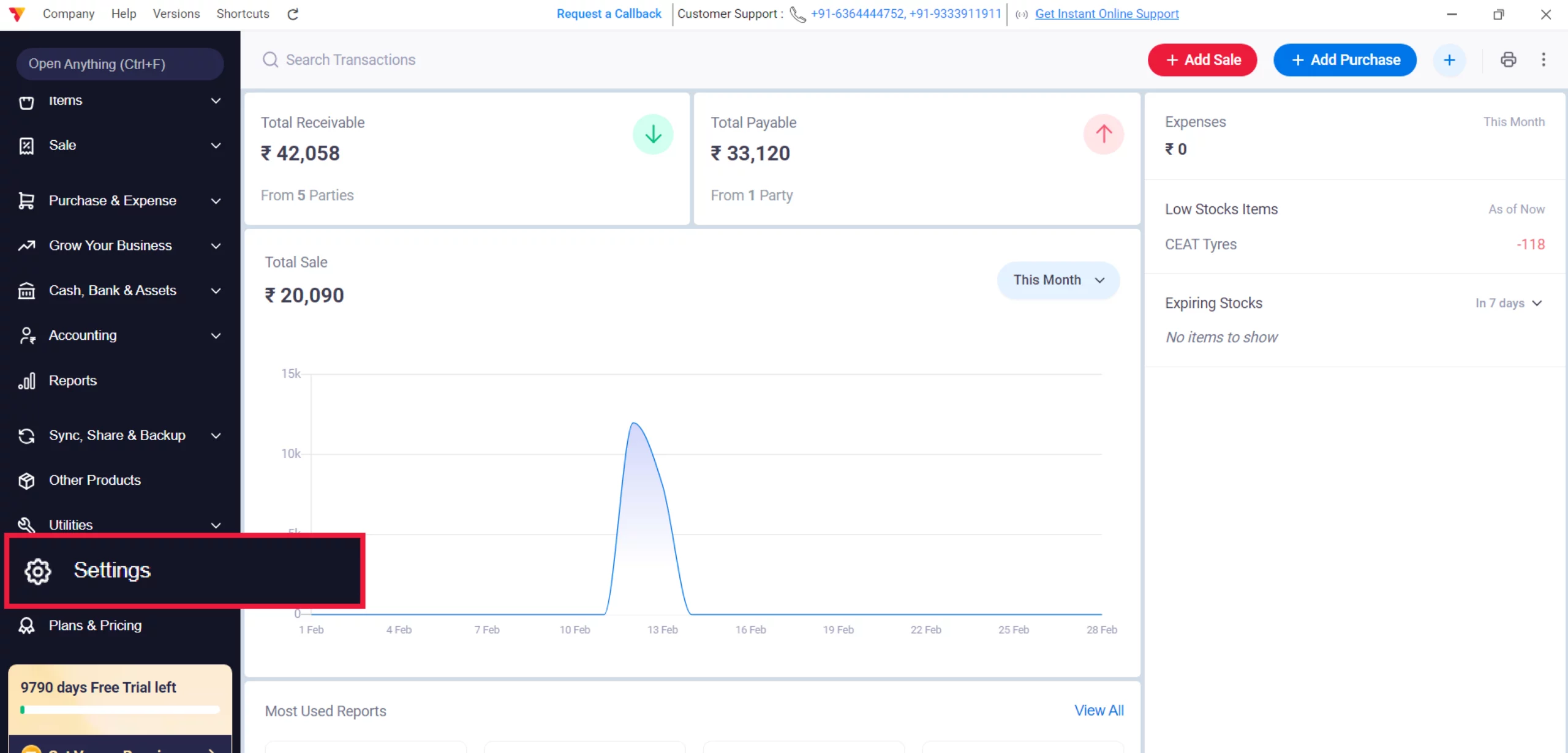
Access Settings
Click on the Settings gear icon in the left-hand menu.
02
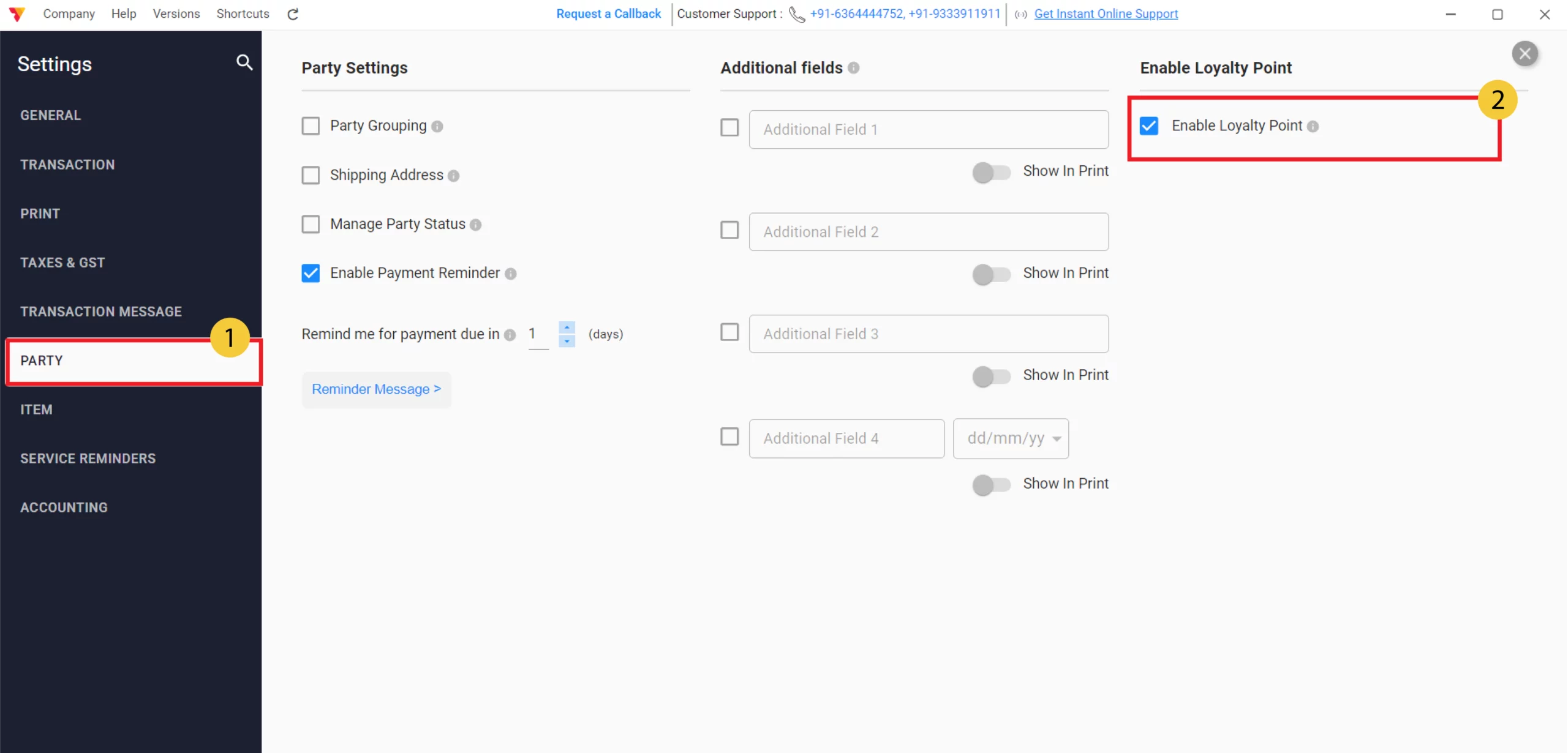
Enable Loyalty Points
Select the PARTY tab from the settings sidebar and toggle the Loyalty Points option to Check In and Close Settings.
03
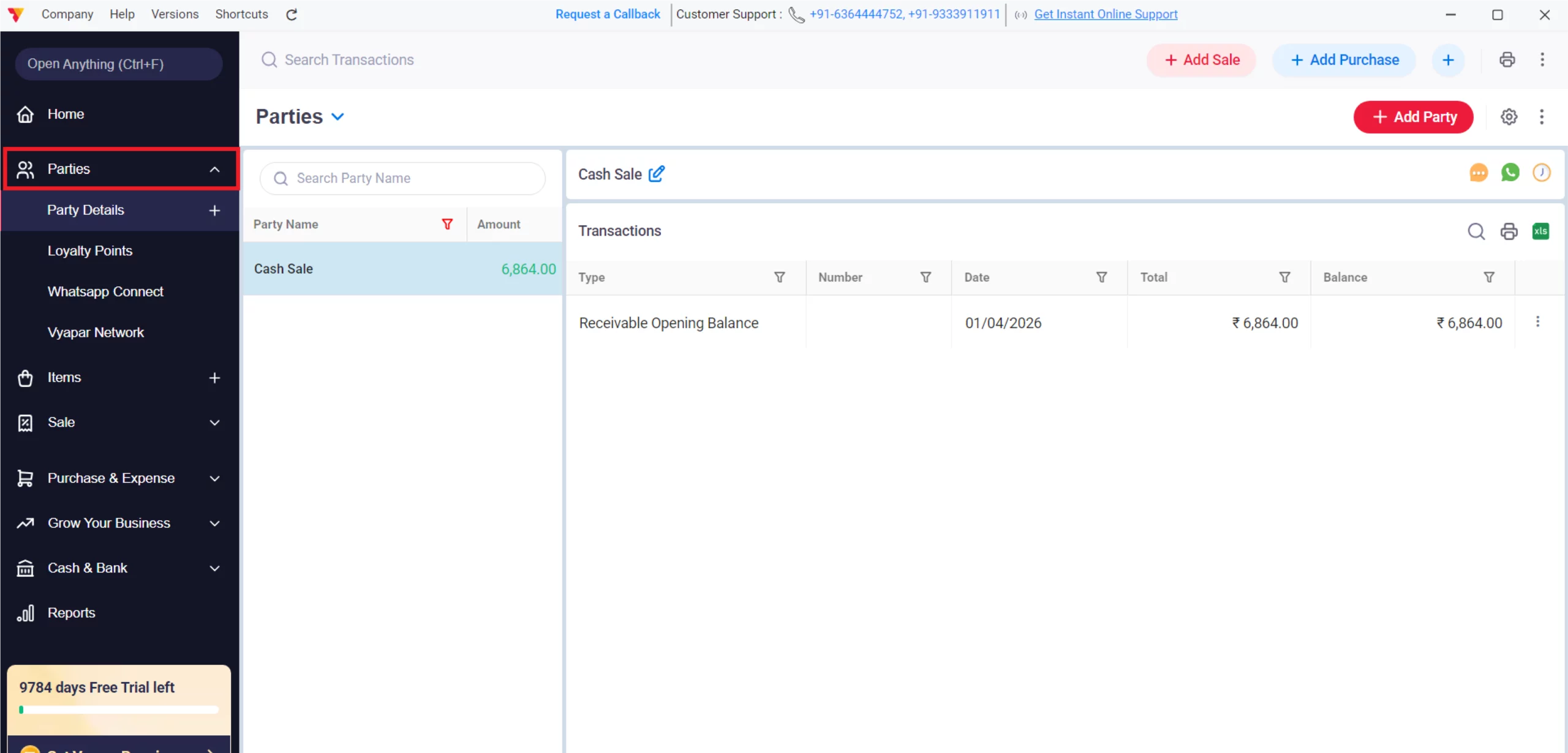
Access Management Screen
Navigate to the Left Menu, click on Parties to expand it, and select Loyalty Points.
04
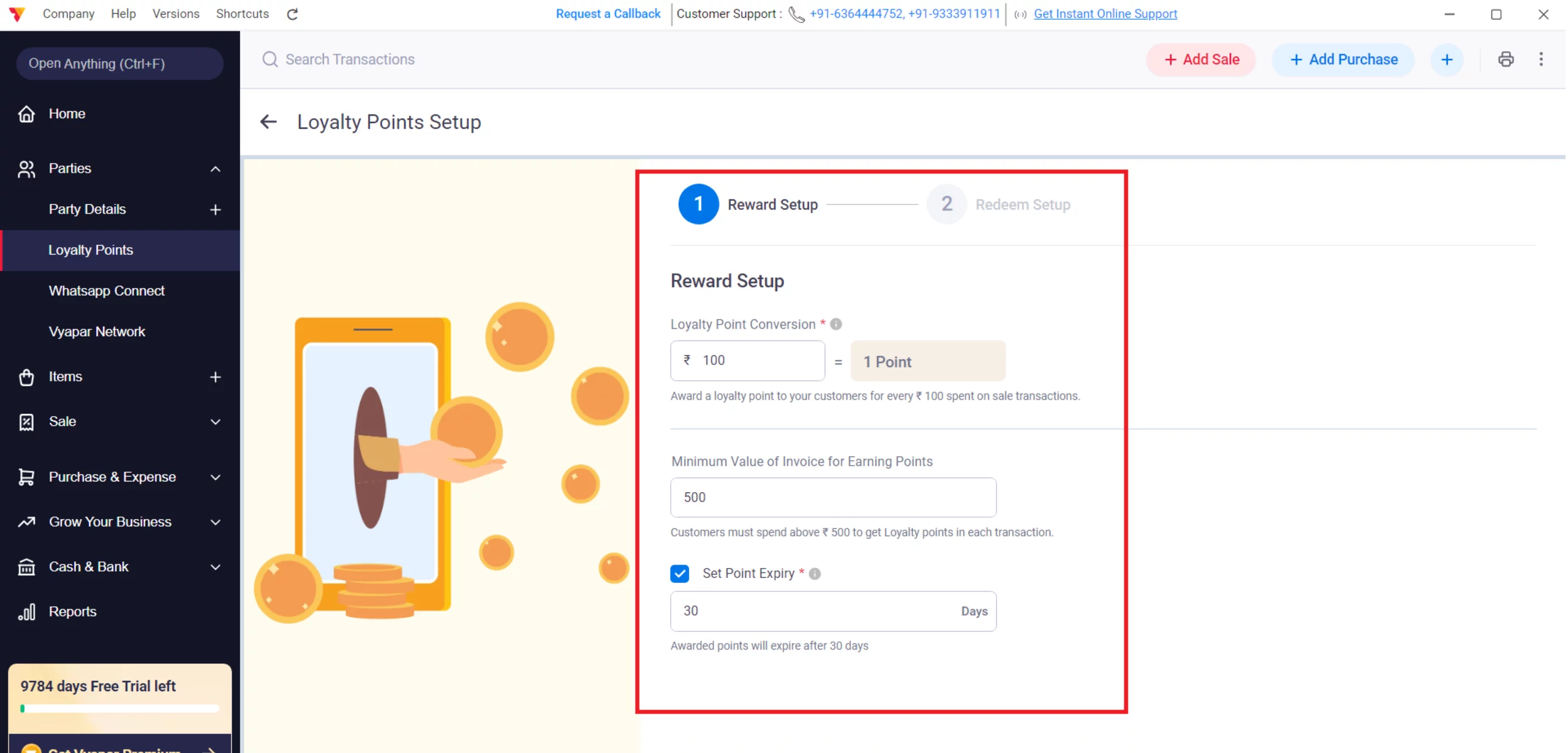
Configure/Setup Reward Point Rules
Within the Loyalty Points screen, click on the Setup Now button to define how many points are earned per transaction, the minimum transaction value and Expiry Date.
05
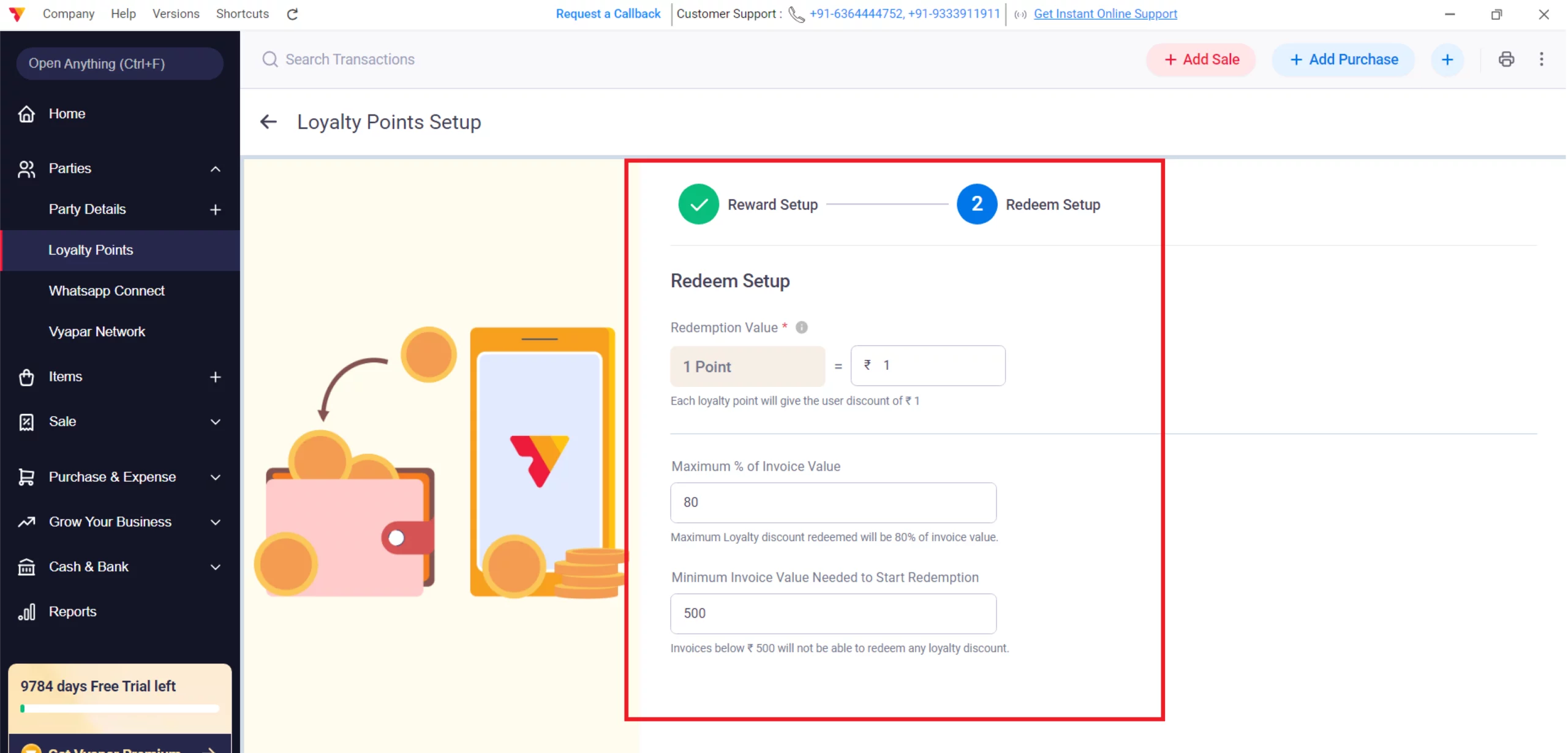
Configure/Setup Redeem Point Rules
Within the Redeem setup screen, add redemption value per point, Maximum % of the Invoice Value that can be claimed and minimum invoice value to redeem points. In the last click on Finish Setup.
06
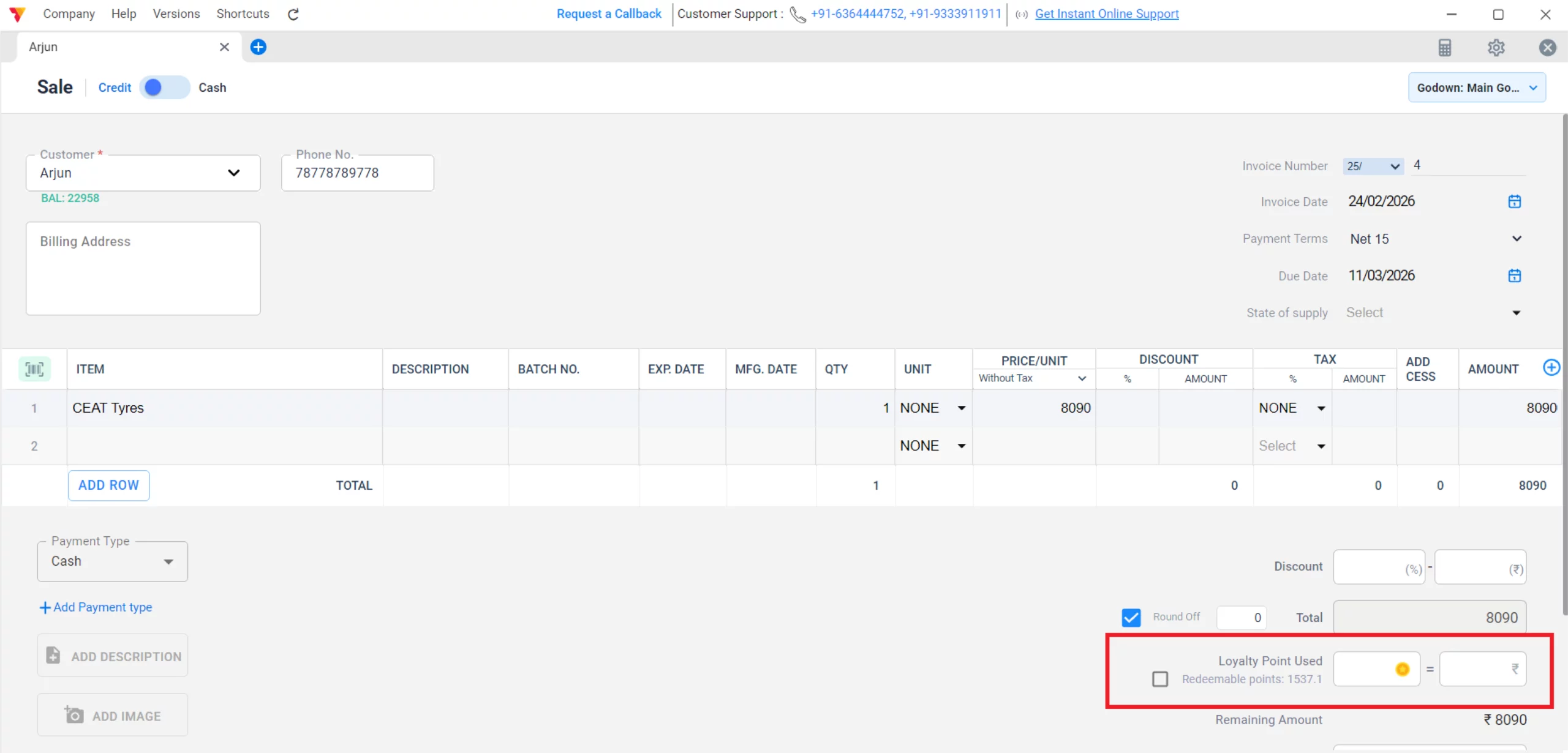
Assign Points on Sale
Create a new Sale Invoice. The app will automatically calculate and assign points to the party based on the total invoice amount.
07
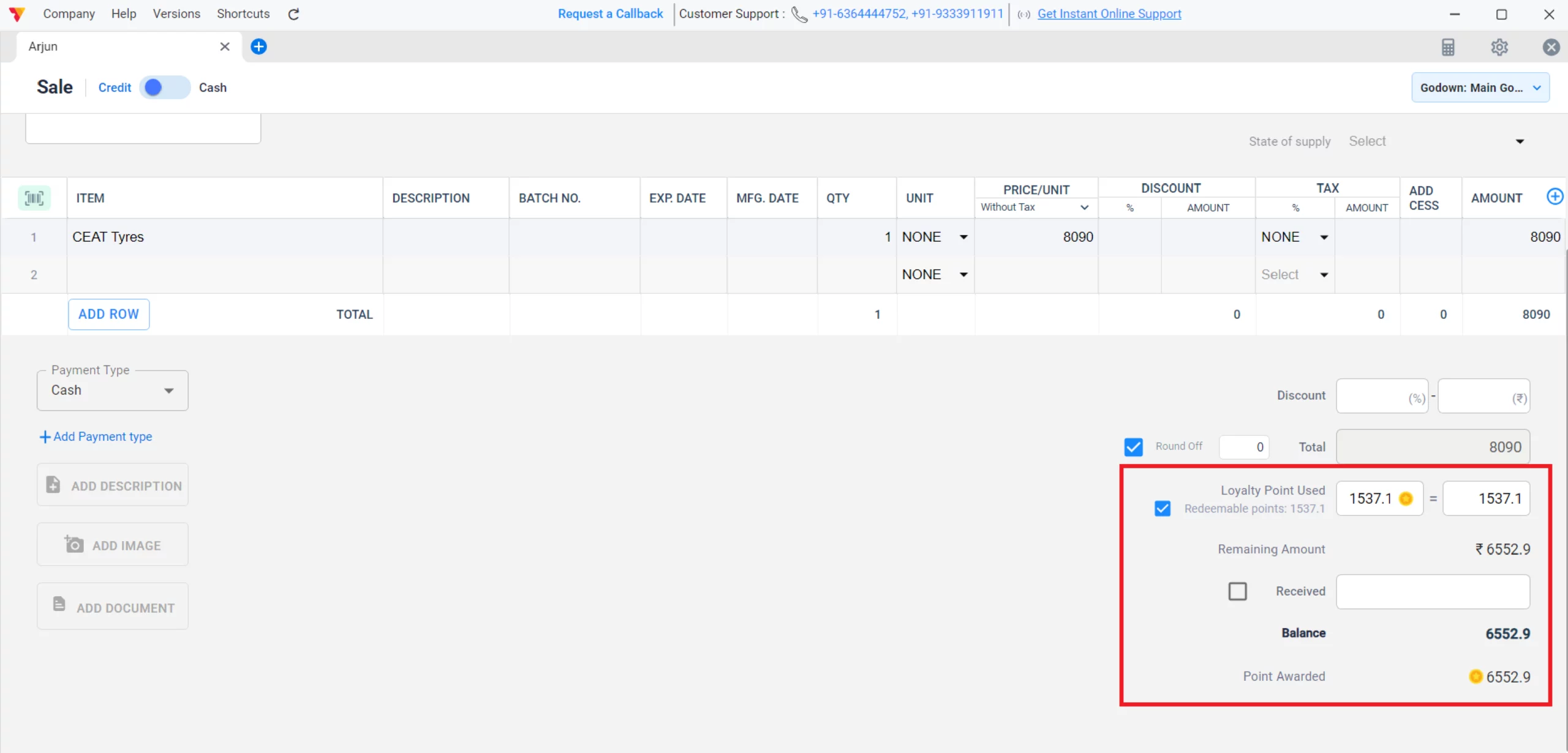
Redeem Points
On the invoice screen, use the Redeem Points option to apply a discount. This will reduce the customer’s Payable amount and decrease your Total Receivable.
08
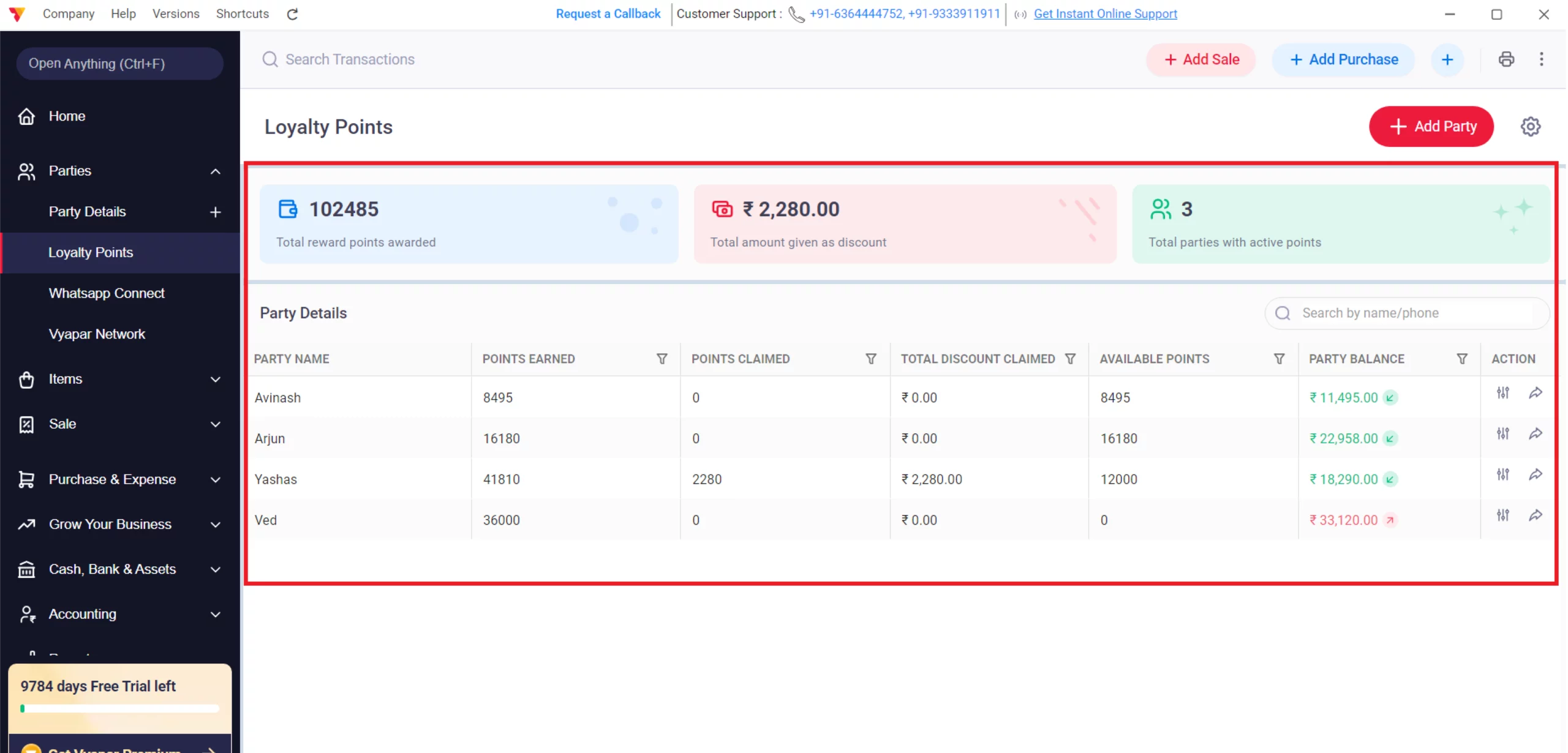
Validate & Adjust Balances
Go to the Loyalty Points dashboard to view all party balances. You can manually adjust points here to fix errors or provide special bonuses to specific customers
09
Watch Step-by-Step Video Guide to Add and Manage Loyalty Points
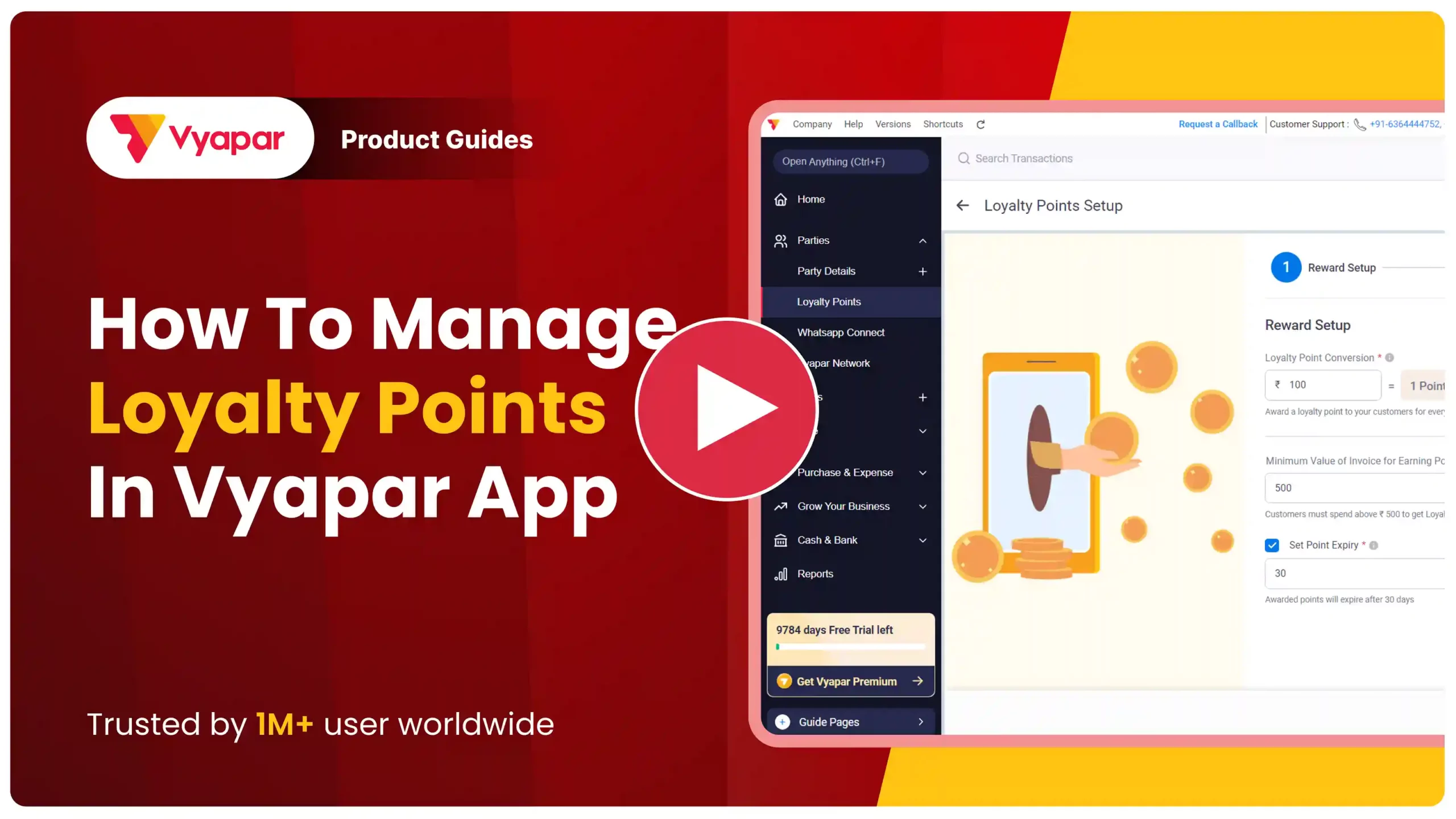
Add and Manage Loyalty Points: Desktop Guide.
Still stuck? Get help in minutes.
Our support team is ready to help you succeed.
 24/7 Support
Why Is This Important for Your Business?
A well-managed loyalty program directly impacts your bottom line and customer relationships:

Increased Retention
Customers are more likely to return to your shop if they know they have a “Payable” balance of points they can spend.
Higher Order Value
Customers often spend more to reach a certain point threshold or to maximize their rewards on a single transaction.
Competitive Edge
Offering a rewards program makes your business stand out from local competitors who only offer standard billing.
Frequently Asked Questions (FAQs)
How does Vyapar decide between CGST/SGST and IGST?
It is based on the “State” selected in your Business Profile versus the “State” in the Customer’s profile. If they match, it applies CGST/SGST; if they differ, it applies IGST.


Can I manually adjust a customer’s points?
Yes. In the Loyalty Points section, you can manually add or deduct points for specific customers if you need to correct an error or offer a special bonus.
Do loyalty points expire?
You can set an expiry date in the loyalty settings to encourage customers to visit and redeem their points within a specific timeframe
Can points be used for “Payment-In” transactions?
No. Loyalty points are typically earned and redeemed during the Sale process to adjust the invoice value before the final payment is recorded.
Ready to Keep More Customers?
Start loyalty management today and get 50% more repeat sales.
 Download Vyapar Now





