
How to Create Smart Ads With Vyapar App
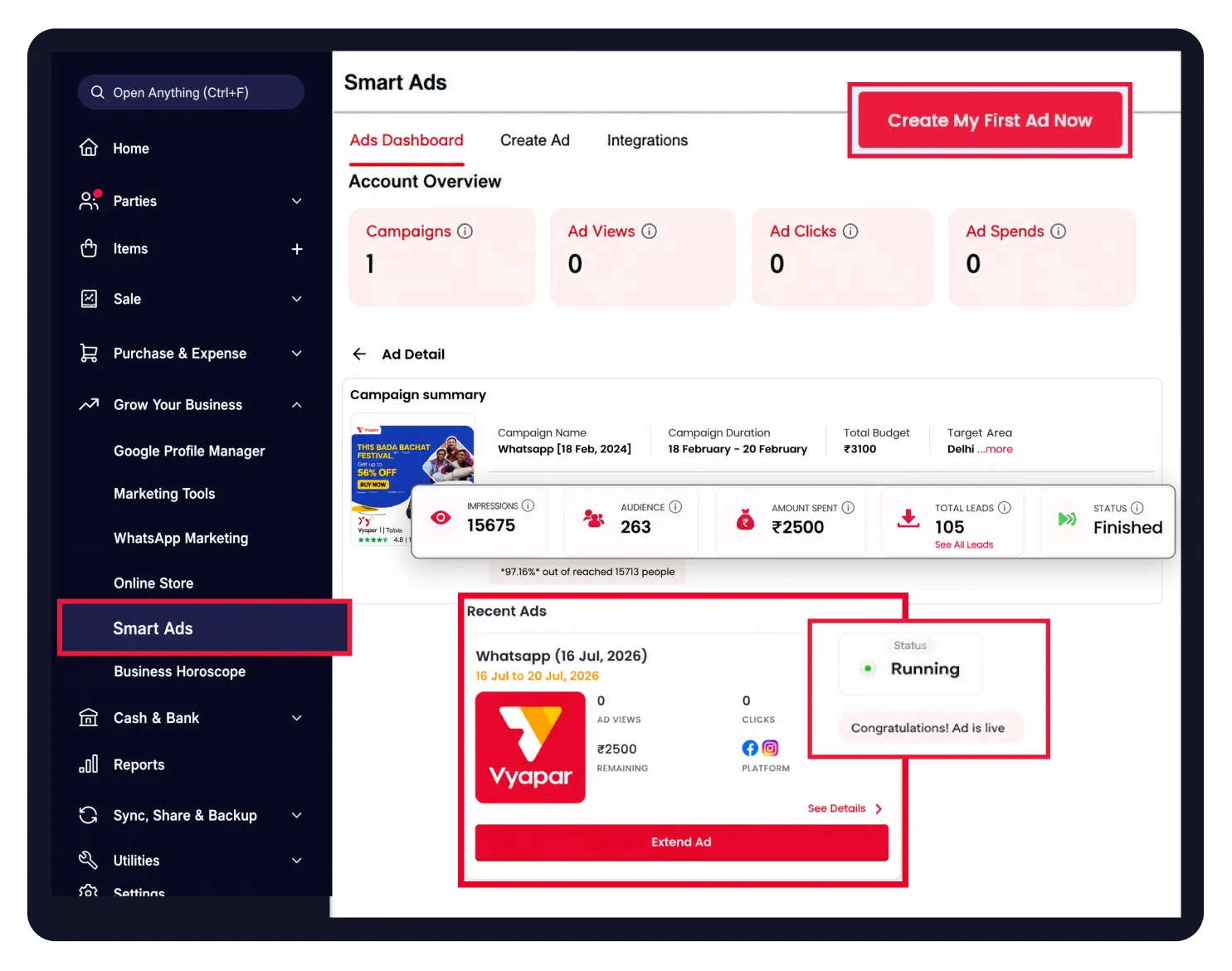
Manage Facebook and Instagram ads directly from the Vyapar App. This guide explains how to create targeted Smart Ads, reach potential customers, and promote your business in a few simple steps.


Before You Start

Active Subscription: Ensure your current plan supports marketing and Smart Ads features.
Facebook Page: You must have an active Facebook page to run your ads.
Business WhatsApp Number: A verified business WhatsApp number is required to receive leads and interact with potential customers.
Guide to Create Smart Ads in Vyapar App:
Open Vyapar App and Navigate to Smart Ads
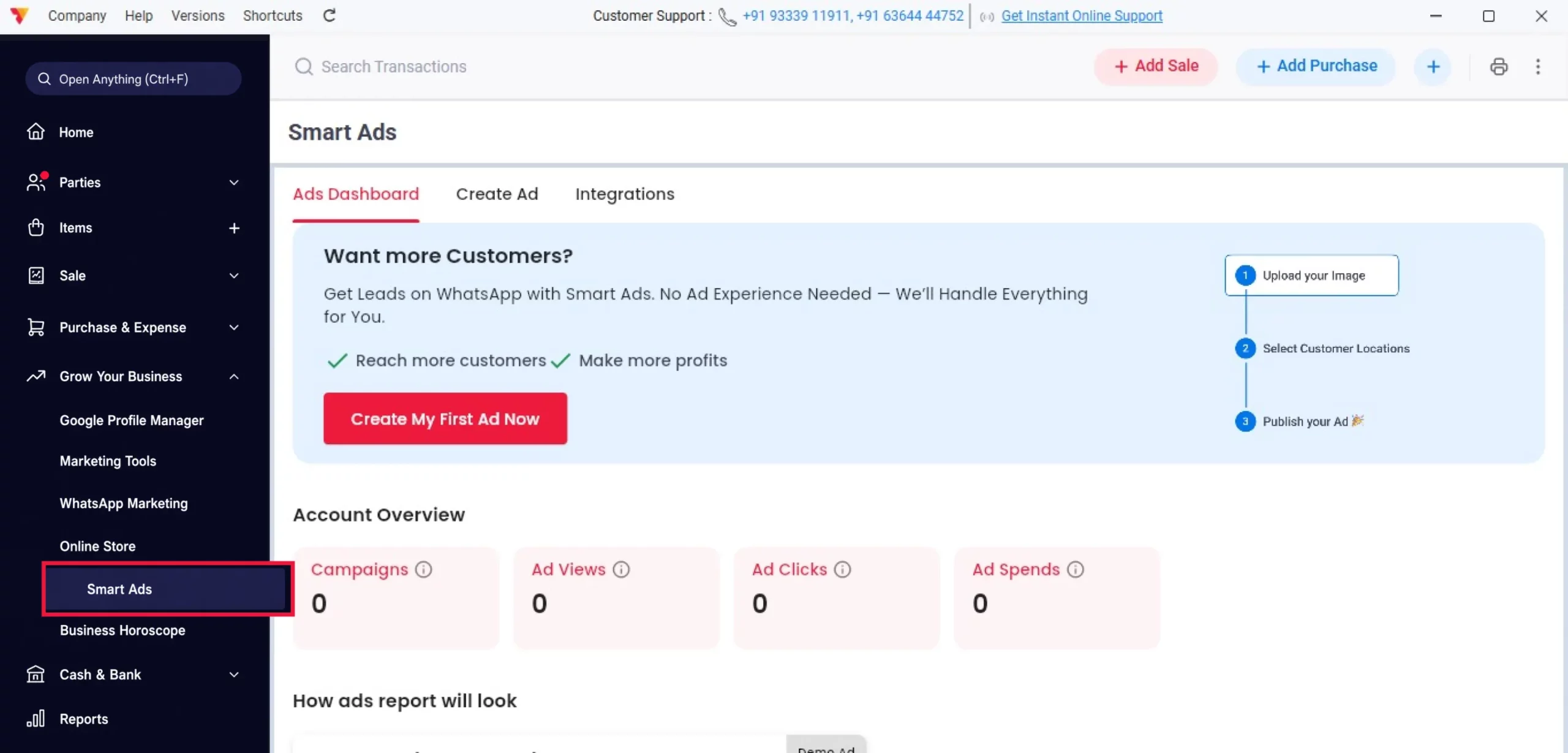
Open the Vyapar App and go to Grow Your Business from the left-side menu. Scroll down and click Smart Ads to open the Smart Ads dashboard.
01
Start Your First Campaign
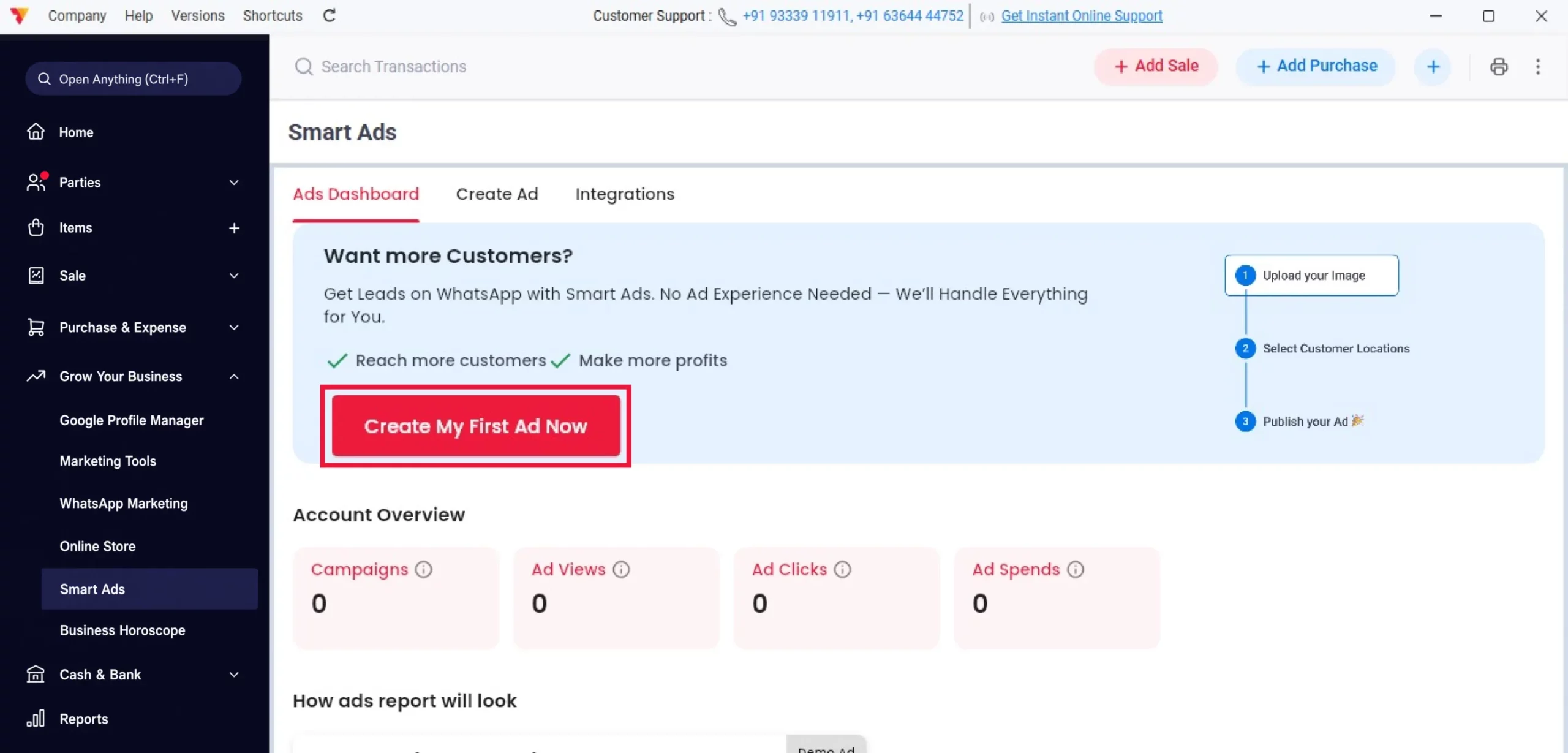
On the Smart Ads dashboard, click Create My First Ad Now to begin creating your advertisement.
02
Choose an Ad Package
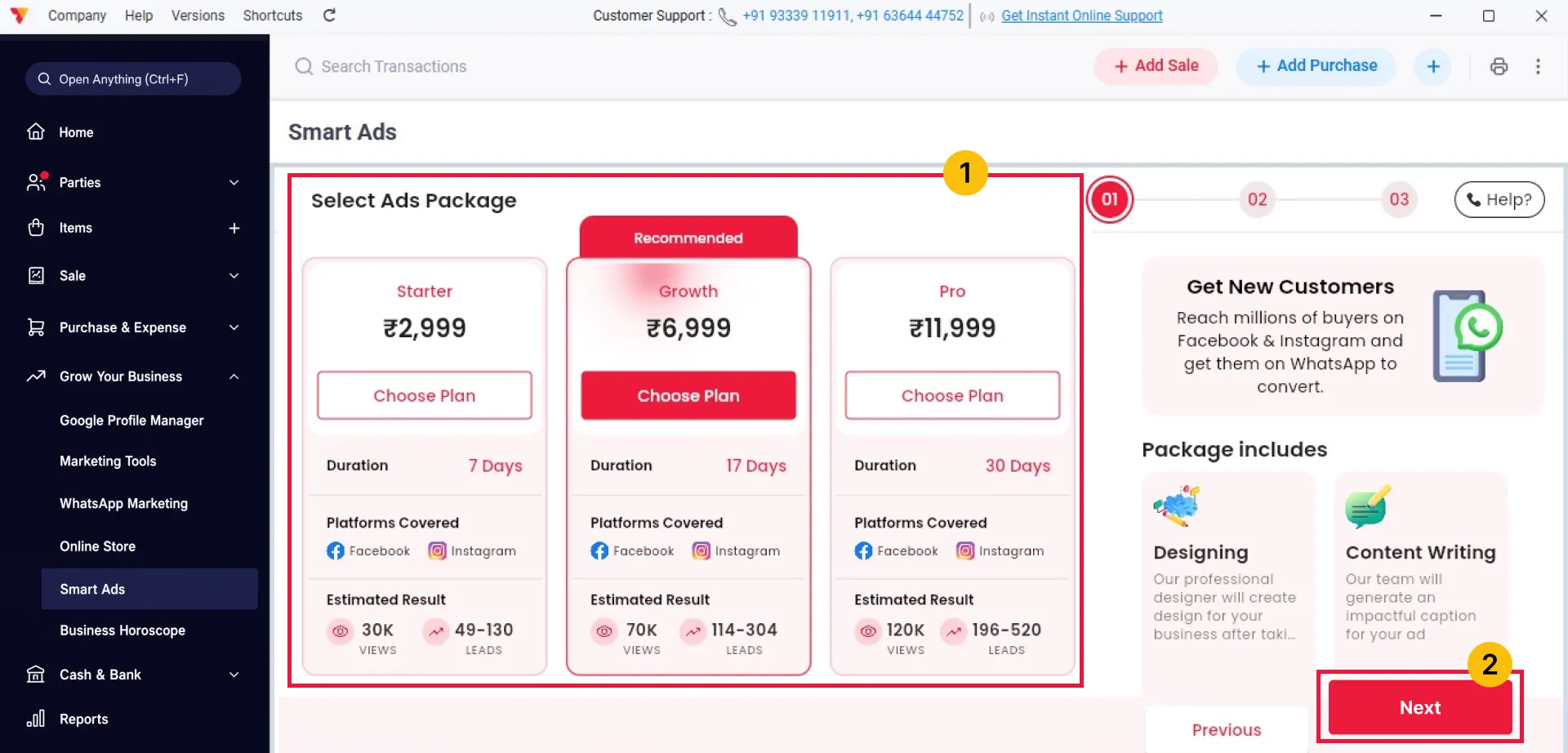
Select the ad package that best suits your budget and business goals. You can choose from Starter, Growth, or Pro packages. Once you have selected the appropriate package, click Next to continue.
03
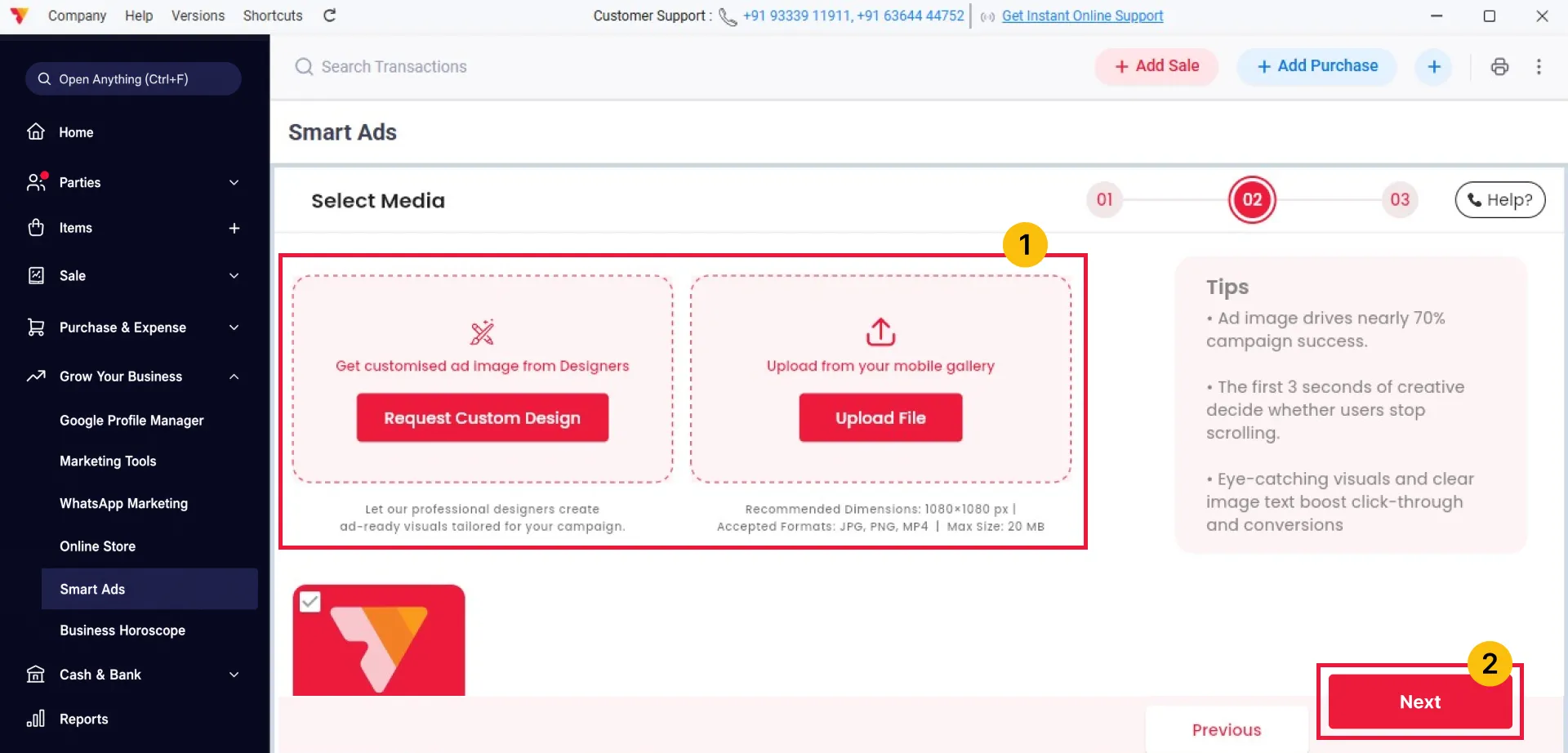
Add Your Ad Creative
Choose how you want to create your ad. Select Request Custom Design if you want the Smart Ads team to create it, or click Upload File to use your own image. For the best results, use a 1080 × 1080 px image, then click Next.
04
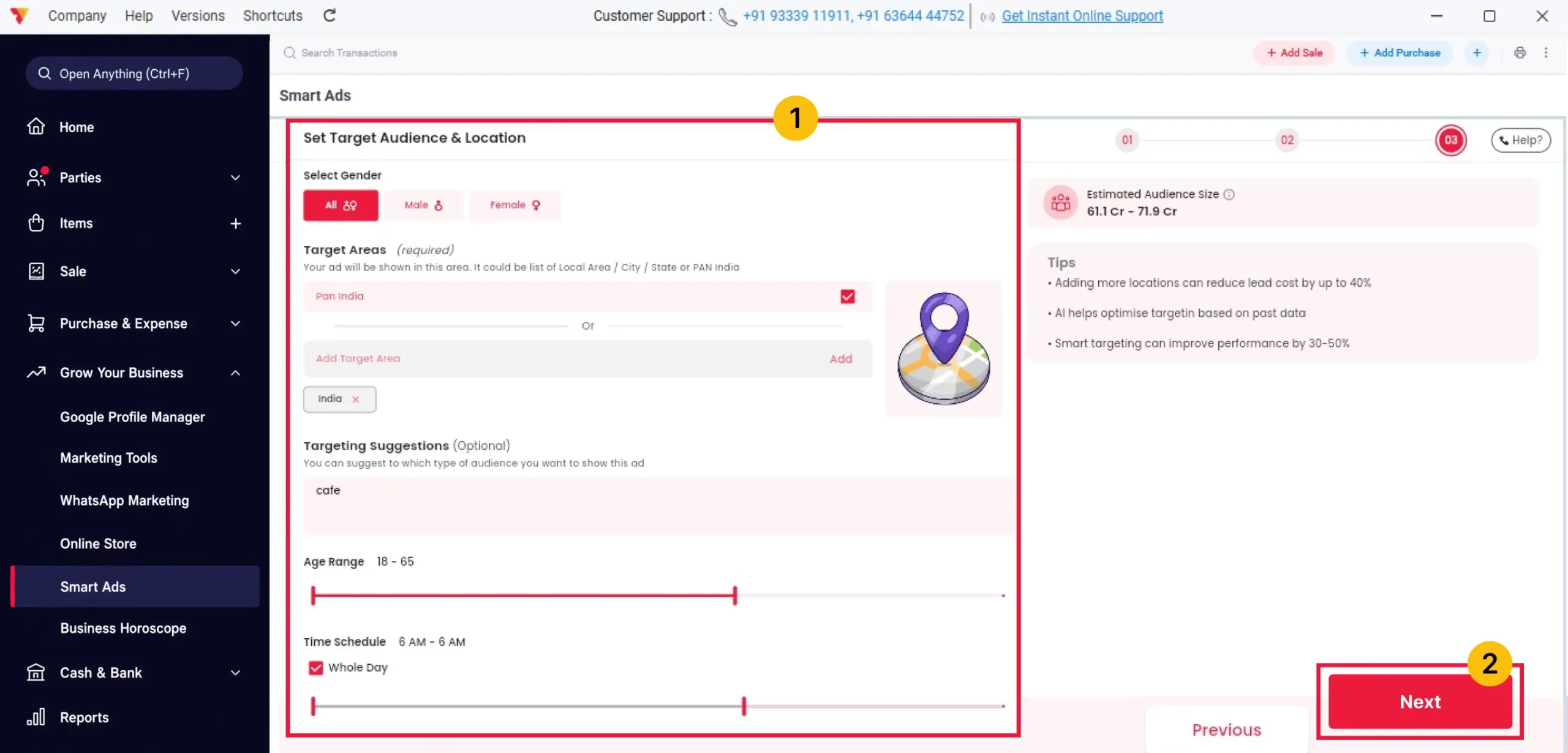
Configure Your Target Audience
Choose your target audience by selecting the gender, location, business keywords, and age group. You can target customers across India with the Pan India option or choose one or more cities. Then, click Next.
05
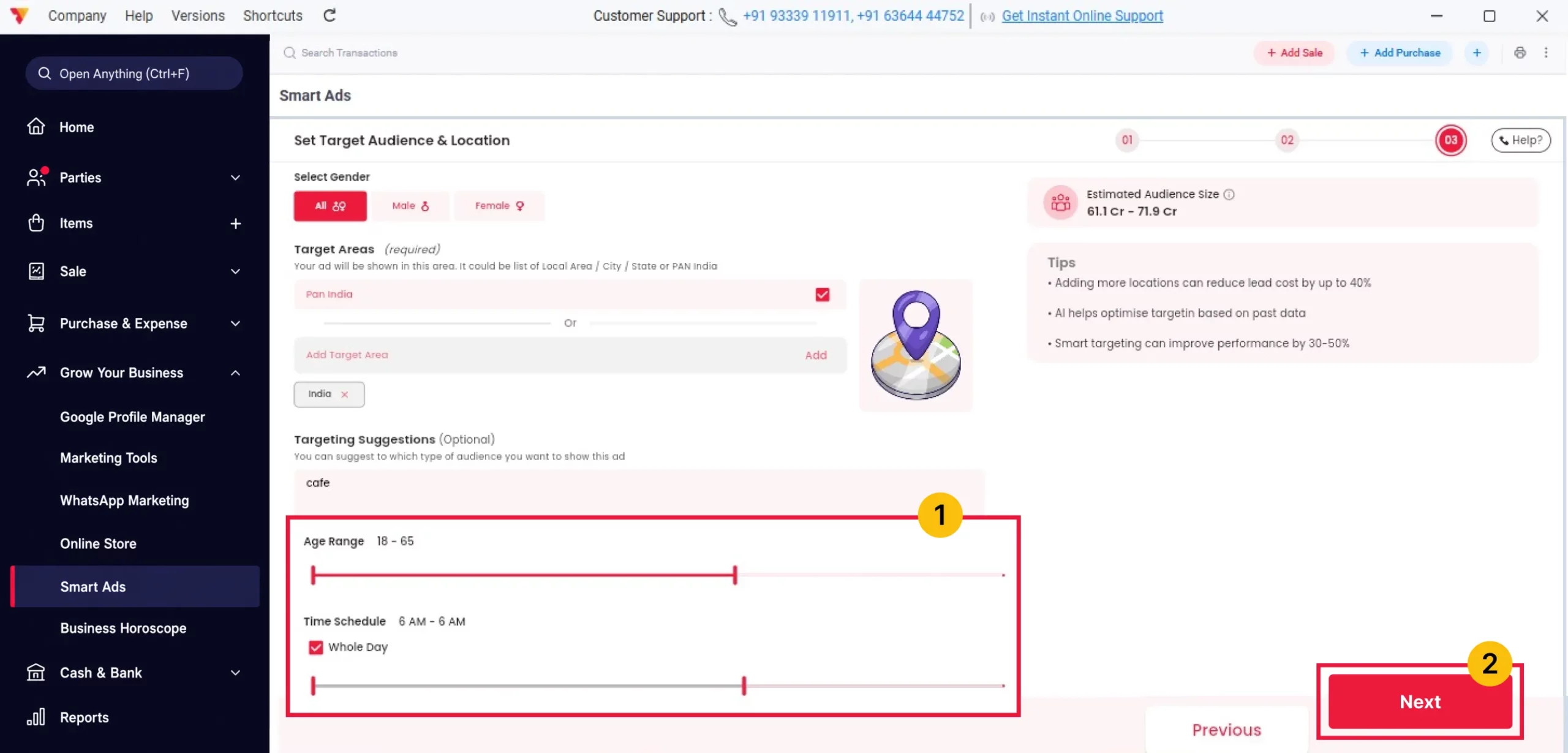
Schedule Your Advertisement
Choose when your advertisement should run. You can either select the Whole Day option or set a custom start and end time according to your business needs. Once the schedule is configured, click Next.
06
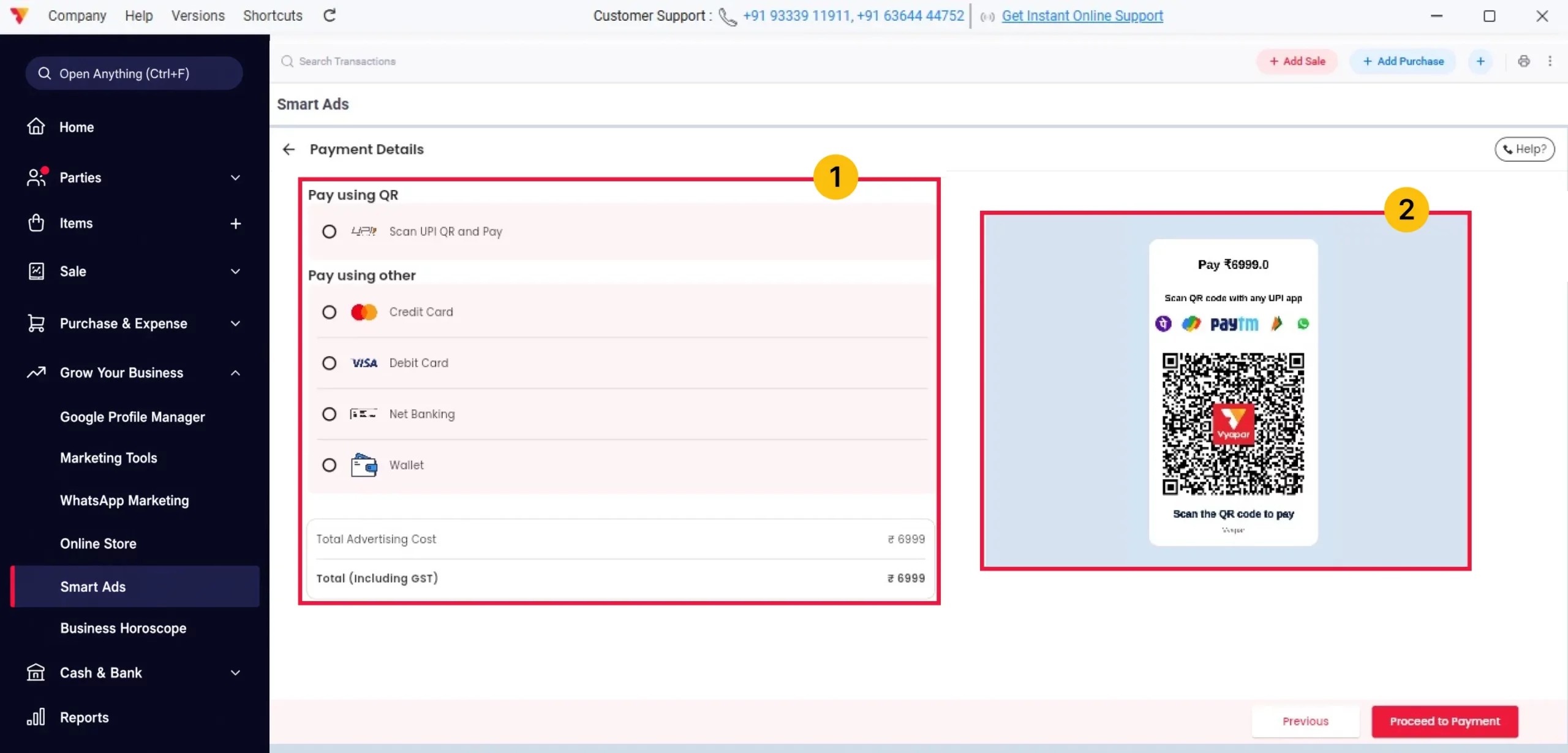
Complete the Payment
Choose your preferred payment method, such as UPI, Card, Net Banking, or Wallet, and complete the payment. If using UPI, scan the QR code to pay. Once the payment is successful, your campaign will be created.
07
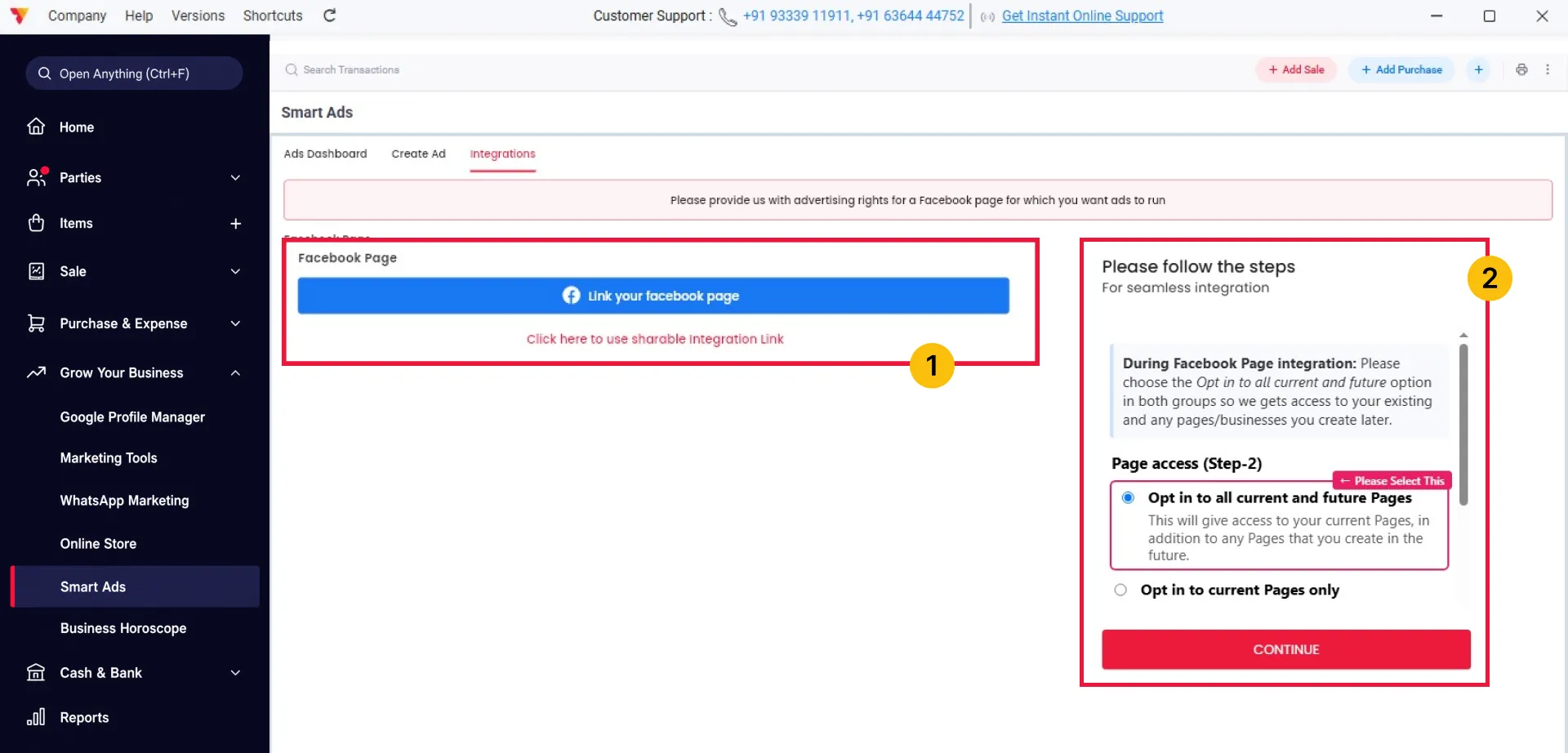
Connect Your Facebook Page
Go to the Integrations section and click Link Your Facebook Page. Select Opt in to all current and future pages, then click Continue.
08
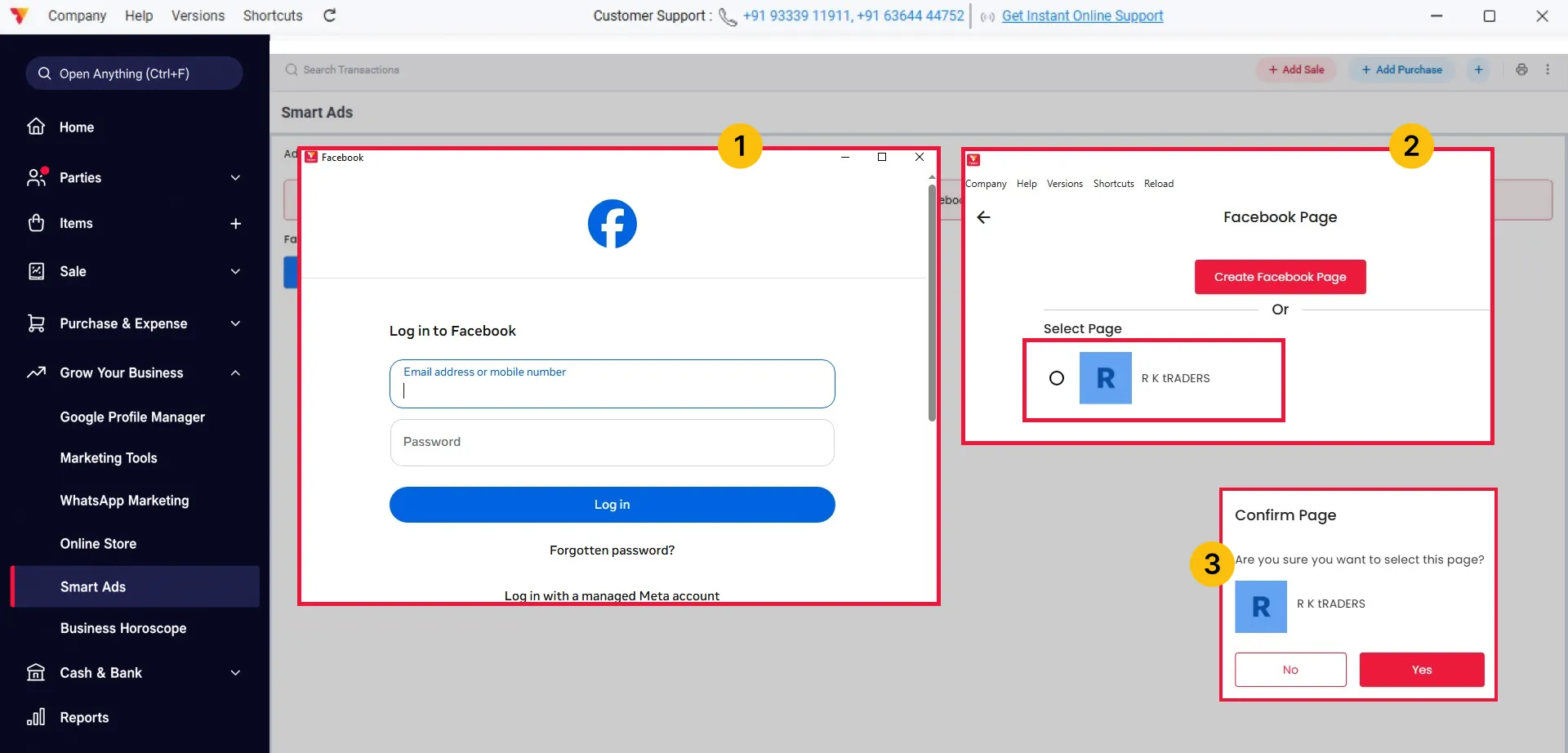
Log In and Select Your Facebook Page
Sign in to your Facebook account. If prompted, click Reconnect, then choose the Facebook Page you want to advertise from and click Confirm.
09
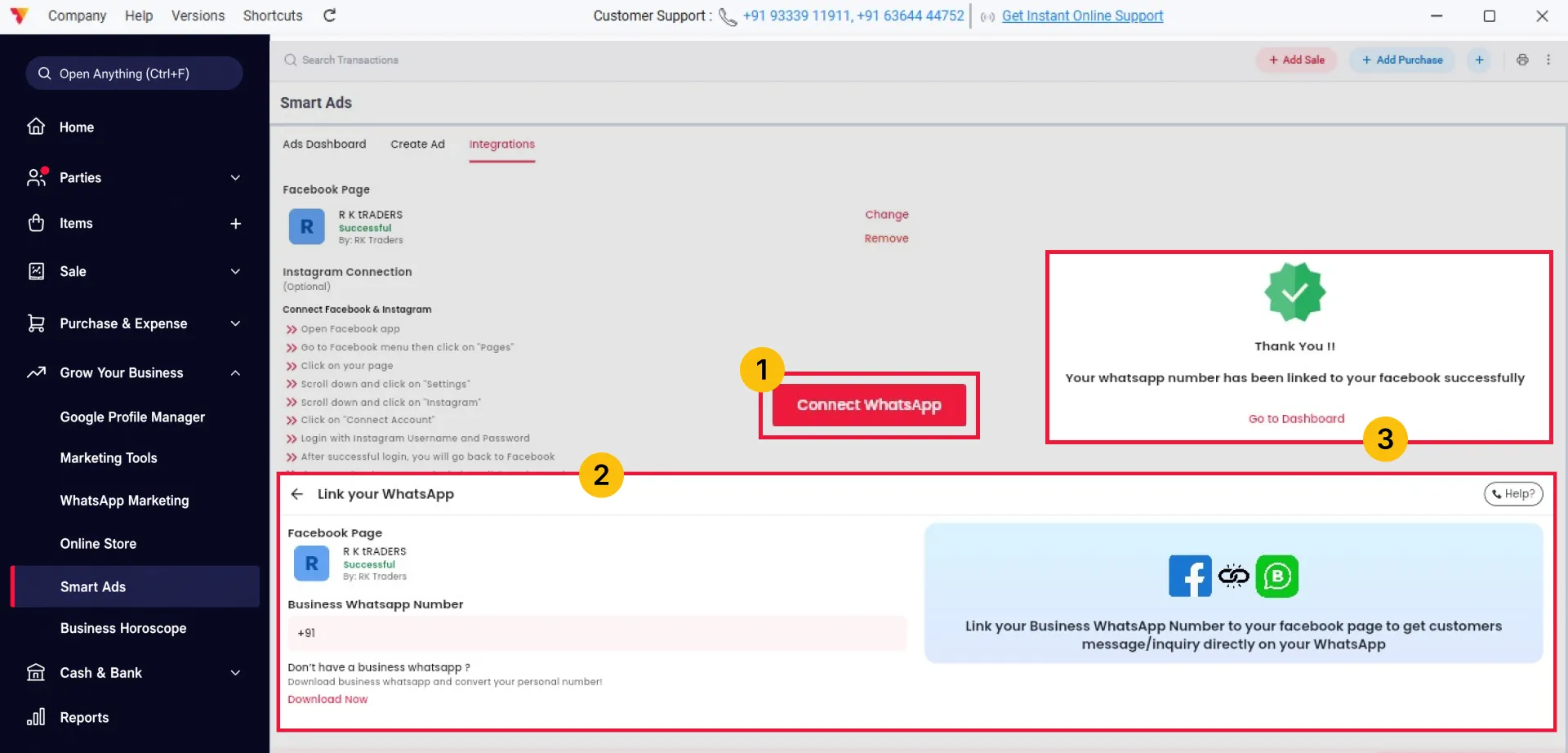
Connect Your WhatsApp Business Number
Click Connect with WhatsApp, enter your WhatsApp Business number, and click Link Number. Once connected, click Go to Dashboard. Customer enquiries from your ads will be sent directly to your WhatsApp.
10
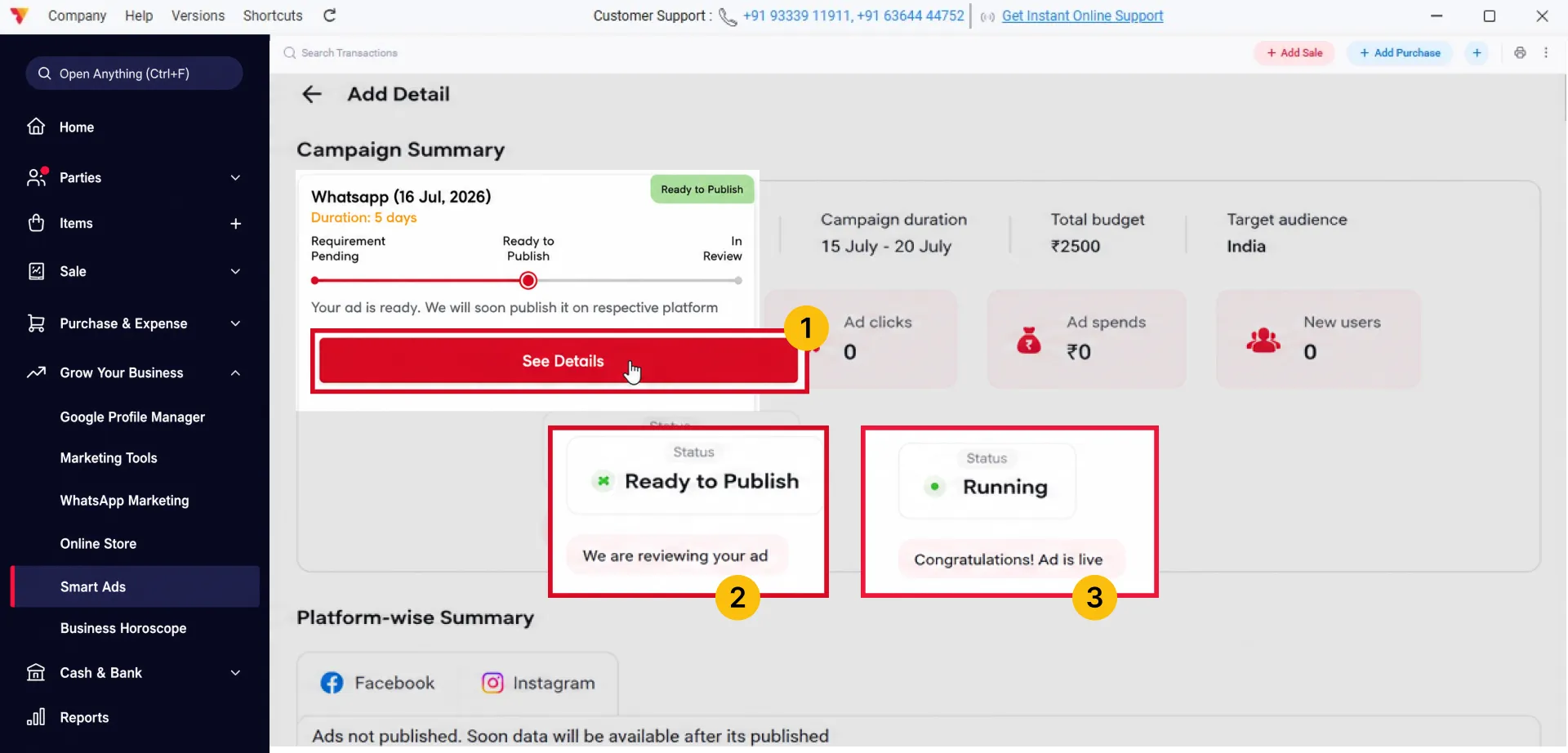
Wait for Ad Approval
Open your campaign and click See Details to check its status. It will first show Ready to Publish. After review and approval, the status will change to Running, indicating your ad is live.
11
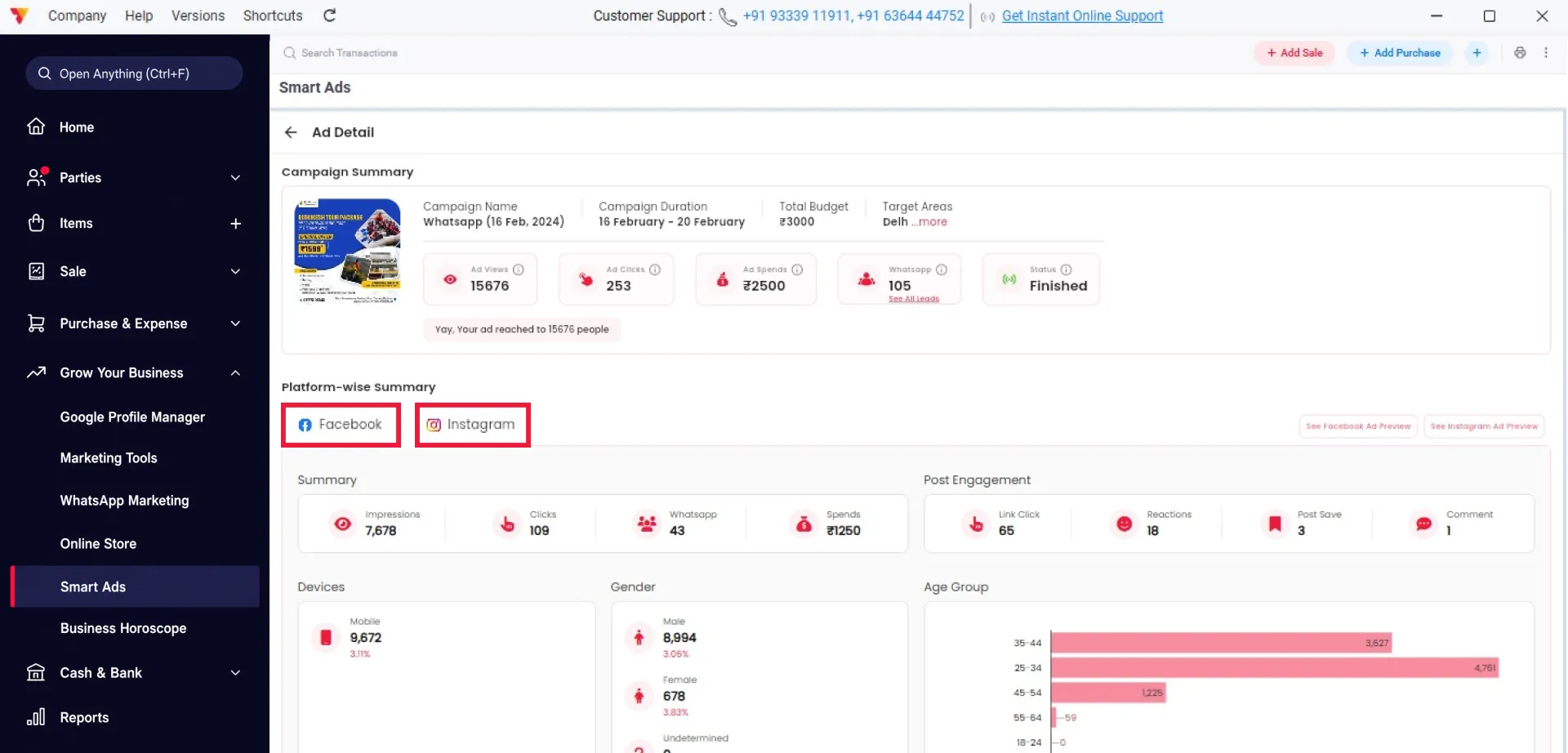
Track Campaign Performance
Once your advertisement is live, click See Details to track its performance. You can view Facebook and Instagram analytics, including impressions, clicks, WhatsApp leads, ad spend, and audience insights by age and gender.
12
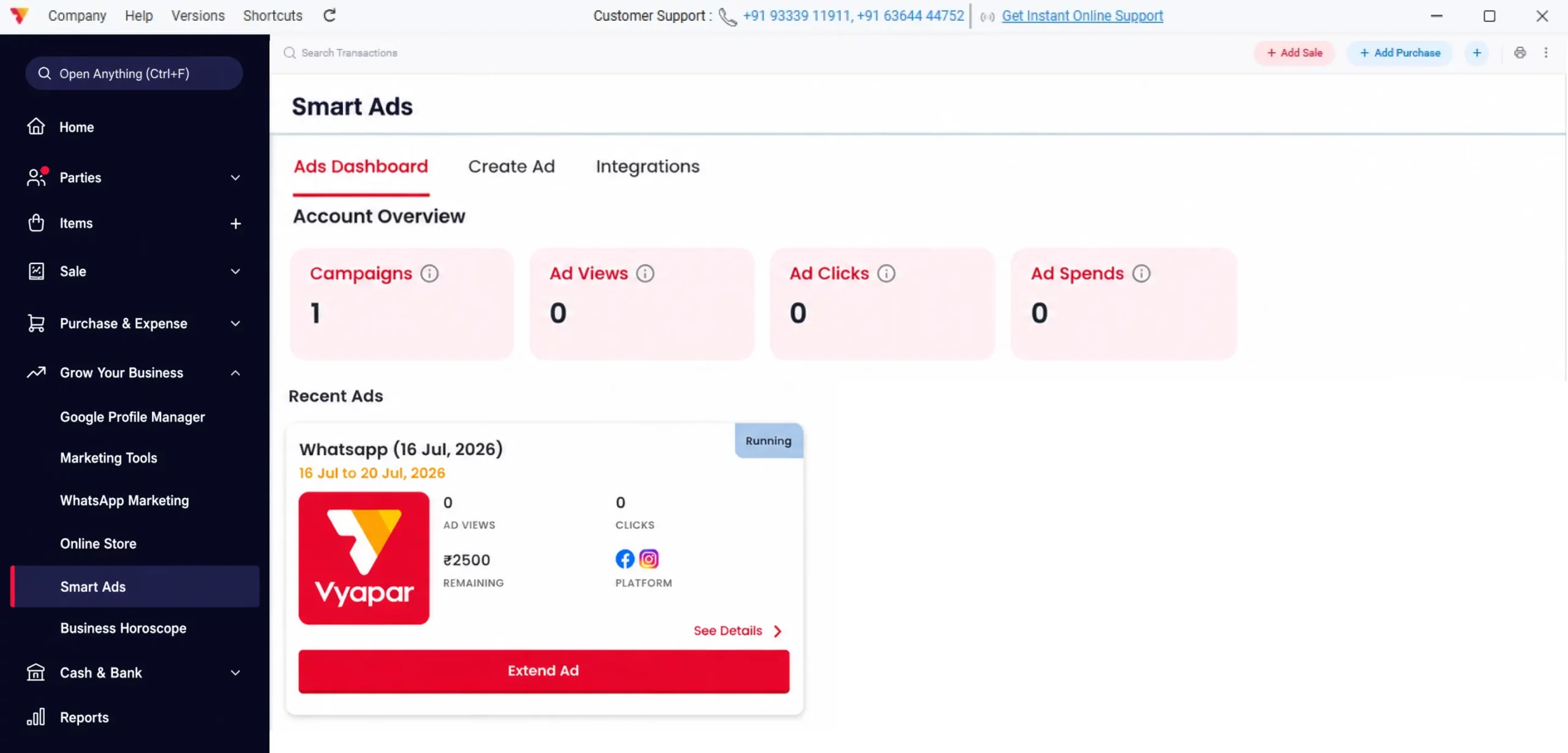
Manage and Extend Your Campaign
Return to the Smart Ads Dashboard to view and manage all your campaigns. You can track live campaigns, ad views, clicks, and total ad spend. To continue an existing campaign, click Extend Ad.
13
Watch Step-by-Step Video Guide to Create Smart Ads in Vyapar App
Create Smart Ads in Vyapar App: Desktop Guide.
Still stuck? Get help in minutes.
Our support team is ready to help you succeed.
 24/7 Support
Why Is This Important for Your Business?
Using Smart Ads within Vyapar is the fastest way to scale your business and find new customers directly through social media:
Reach More Potential Customers
This addresses the primary purpose of advertising: increasing visibility and reaching people who may be interested in the business.
Target Local Customers
This is particularly relevant for small businesses and local businesses, which are a key audience for Vyapar. Location-based targeting makes the benefit more specific and actionable.
Generate More Leads and Sales
This connects advertising directly to the business outcome users care about—getting enquiries, leads, and customers – not just generating impressions.
Frequently Asked Questions (FAQs)
Can I run Smart Ads without marketing experience?
Yes. Smart Ads are designed for beginners. Simply upload your ad, select your audience, and Vyapar app helps simplify the campaign setup process.


Which businesses can use Smart Ads in Vyapar?
Smart Ads are suitable for retailers, wholesalers, manufacturers, distributors, service providers, restaurants, and other small businesses that want to promote their products or services on Facebook and Instagram.
Can I create multiple Smart Ads campaigns?
Yes. You can create, manage, and extend multiple campaigns from the Smart Ads Dashboard and monitor their performance separately.
Ready to Launch Your First Smart Ad?
Open Smart Ads in Vyapar, create your campaign, and start promoting your business to potential customers on Facebook and Instagram.





