
How to Generate E-Way Bills in Vyapar App
Generate and manage E-Way Bills easily with Vyapar App. Create them directly from your sales invoices, add the required transport details, and keep the E-Way Bill linked to the invoice. This makes the process quicker and keeps your records organised.

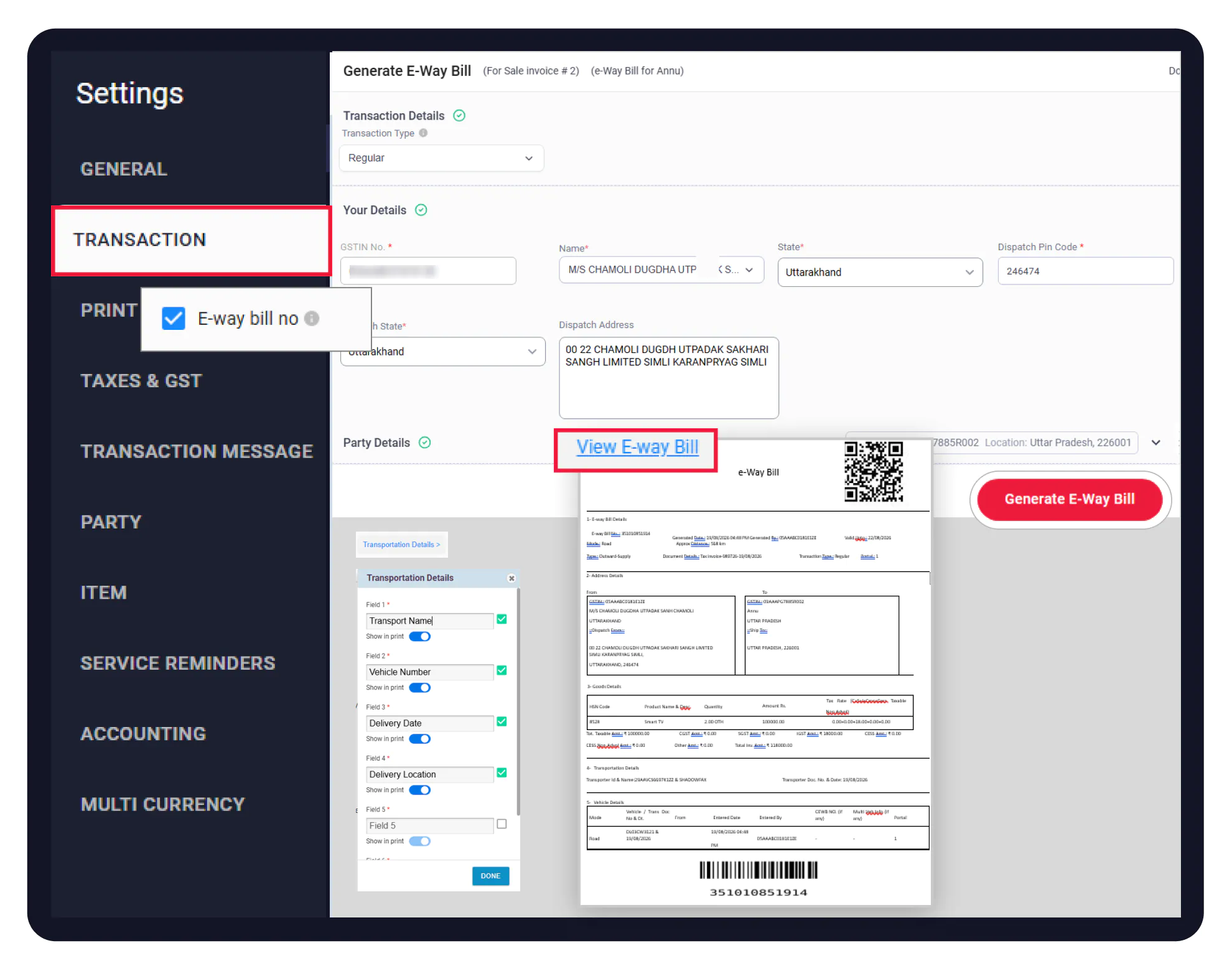

Before You Start

GST Registration: Ensure your business is registered for GST, and you have your GSP (GST Suvidha Provider) credentials.
HSN Codes: Every item in your invoice must have a valid HSN code and an appropriate tax rate assigned.
Internet Connection: An active internet connection is required to upload the invoice to the government portal.
Active Vyapar Subscription: Ensure your Vyapar app has an active subscription or valid license.
Guide to Generate E-Way Bills in Vyapar App:
Enable the E-Way Bill Feature
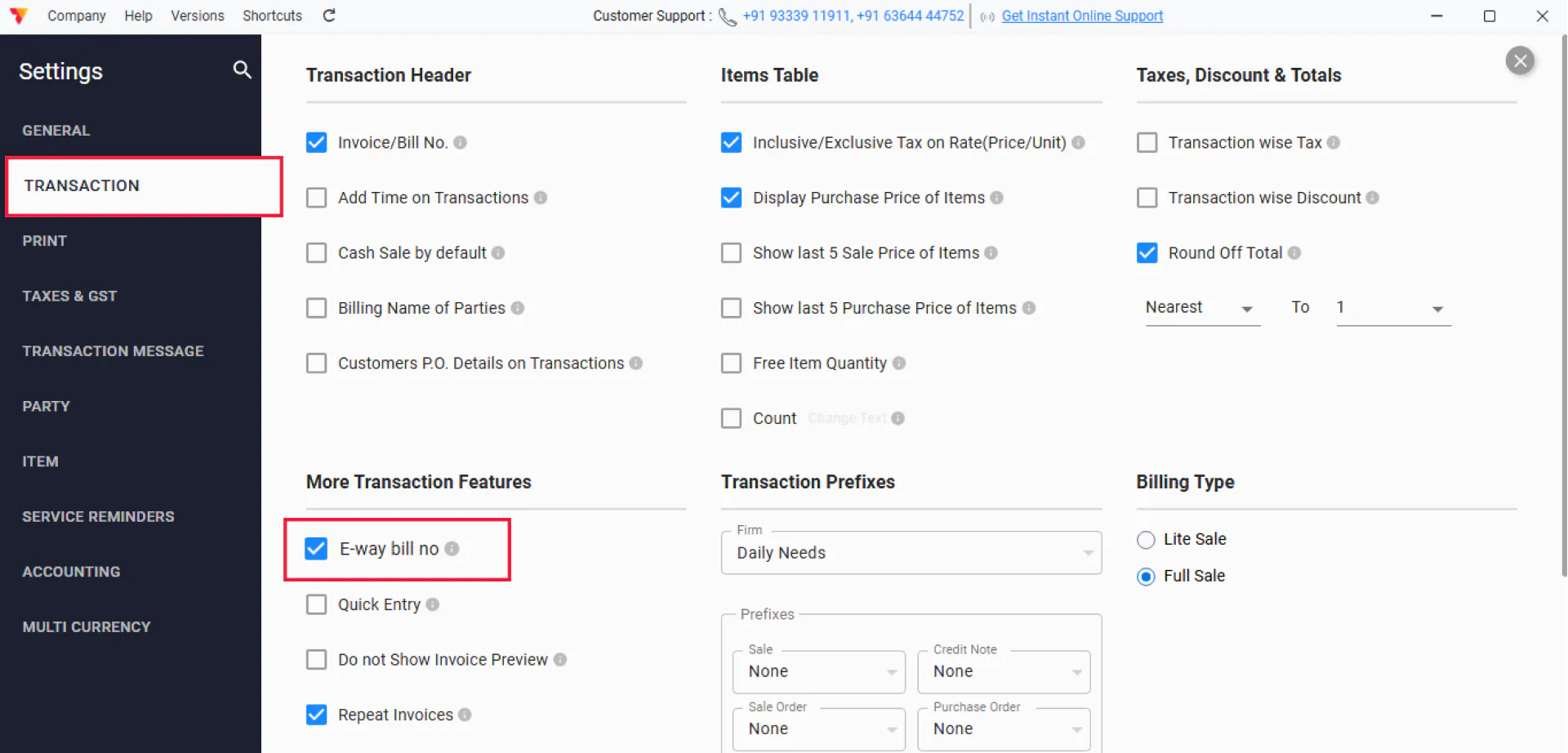
Open Vyapar GST Billing Software > Go to Settings > Transactions and scroll down to the More Transaction Features section. Enable the E-Way Bill No. option to display the E-Way Bill feature while creating sales invoices.
01
Enable Transportation Details
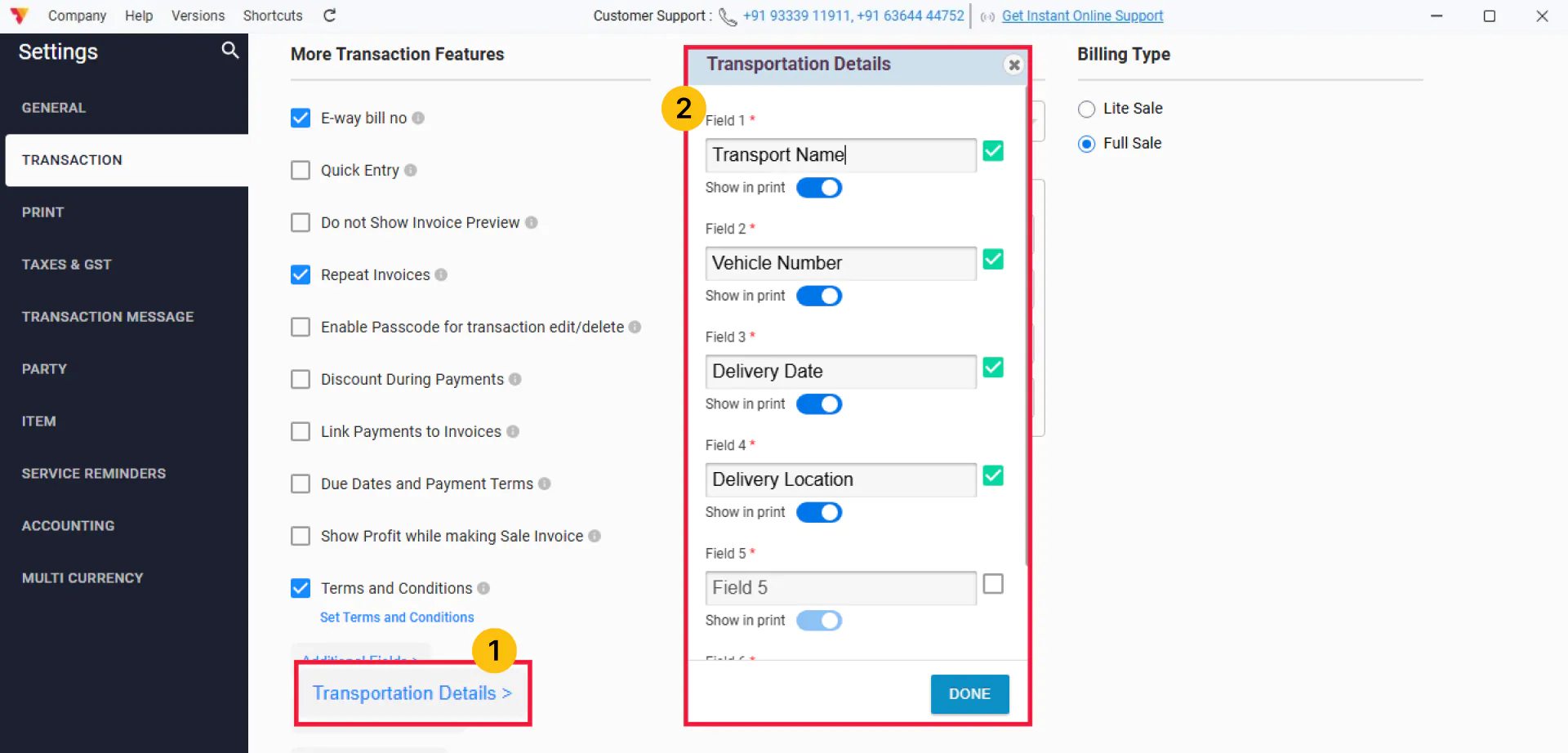
Transportation details are required to generate an E-Way Bill. In the same More Transaction Features section, open Transportation Details and enable Transporter Name, Vehicle Number, Delivery Location, and Delivery Date. Also, turn on Show in Print for each field.
02
Create a Sales Invoice
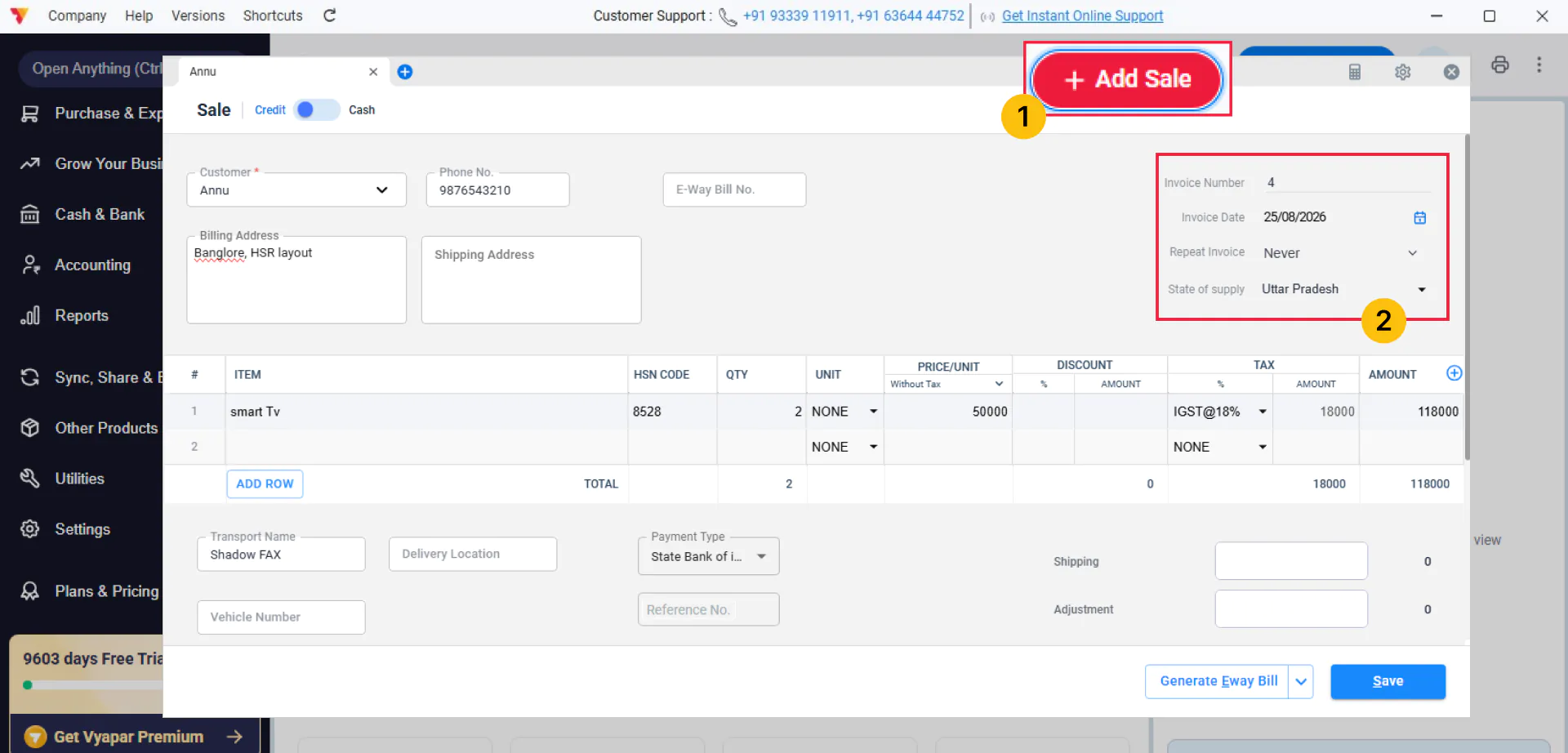
Click + Add Sale and select an existing customer or add a new one. Enter the customer’s GSTIN if available; otherwise, leave it blank. Fill in the billing and shipping addresses, then select the correct Place of Supply on the right side of the invoice.
03
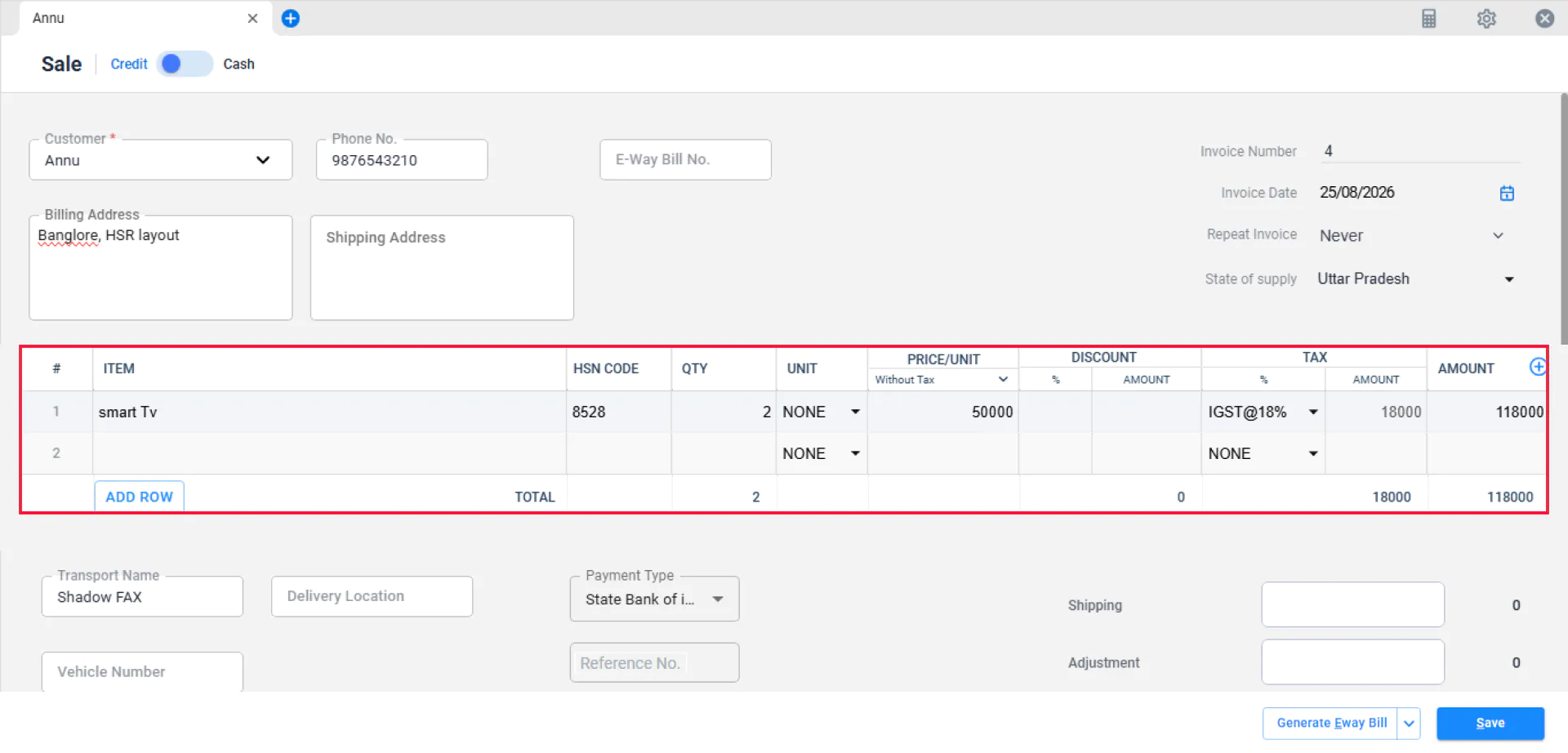
Add Items and GST Details
Add the items you want to sell along with their quantities. Ensure that each item has the correct HSN Code and GST rate, as these details are required for generating the E-Way Bill.
04
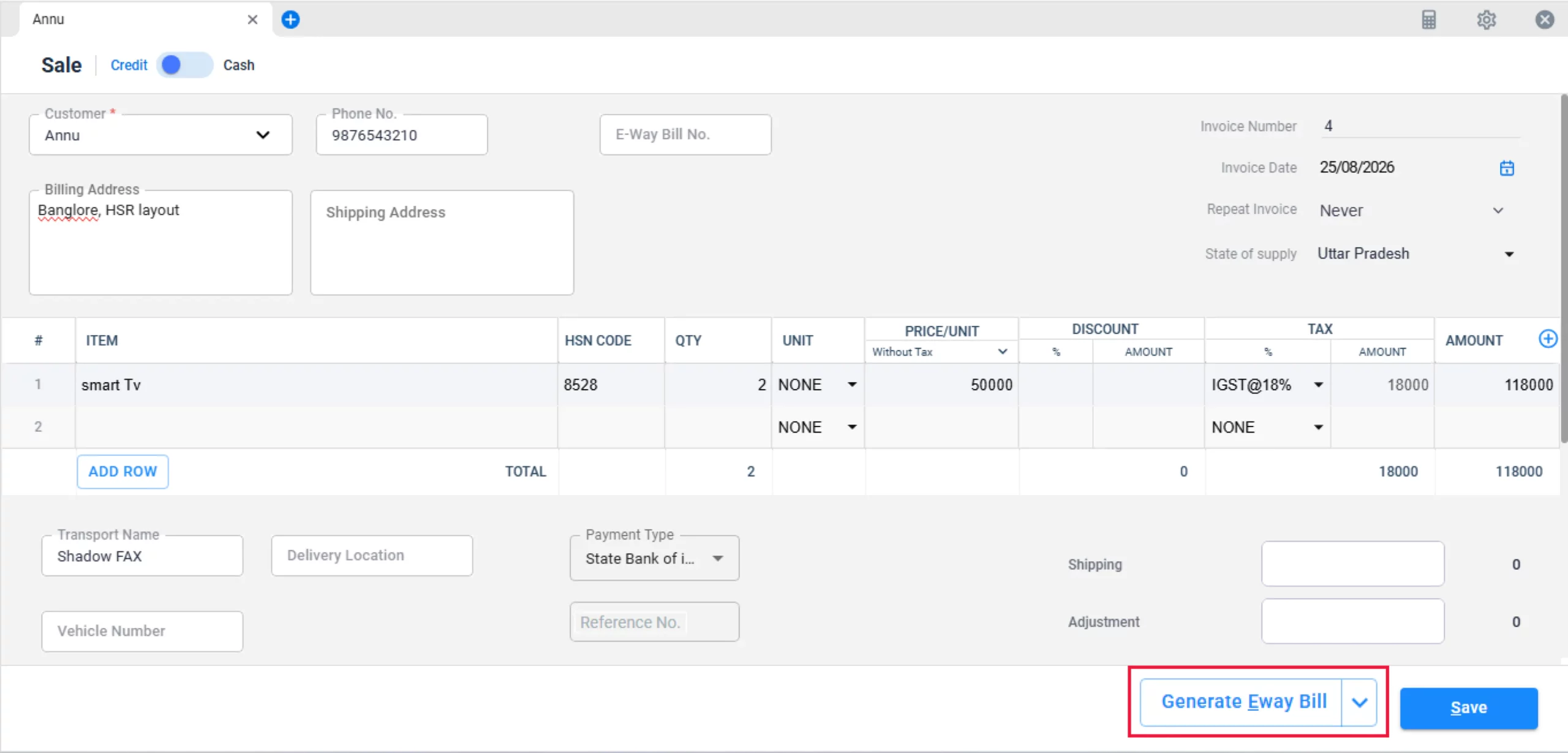
Click Generate E-Way Bill
After completing the invoice, click the Generate E-Way Bill button available at the bottom of the invoice screen. If the button is not visible, click the More (▼) option to find it.
05
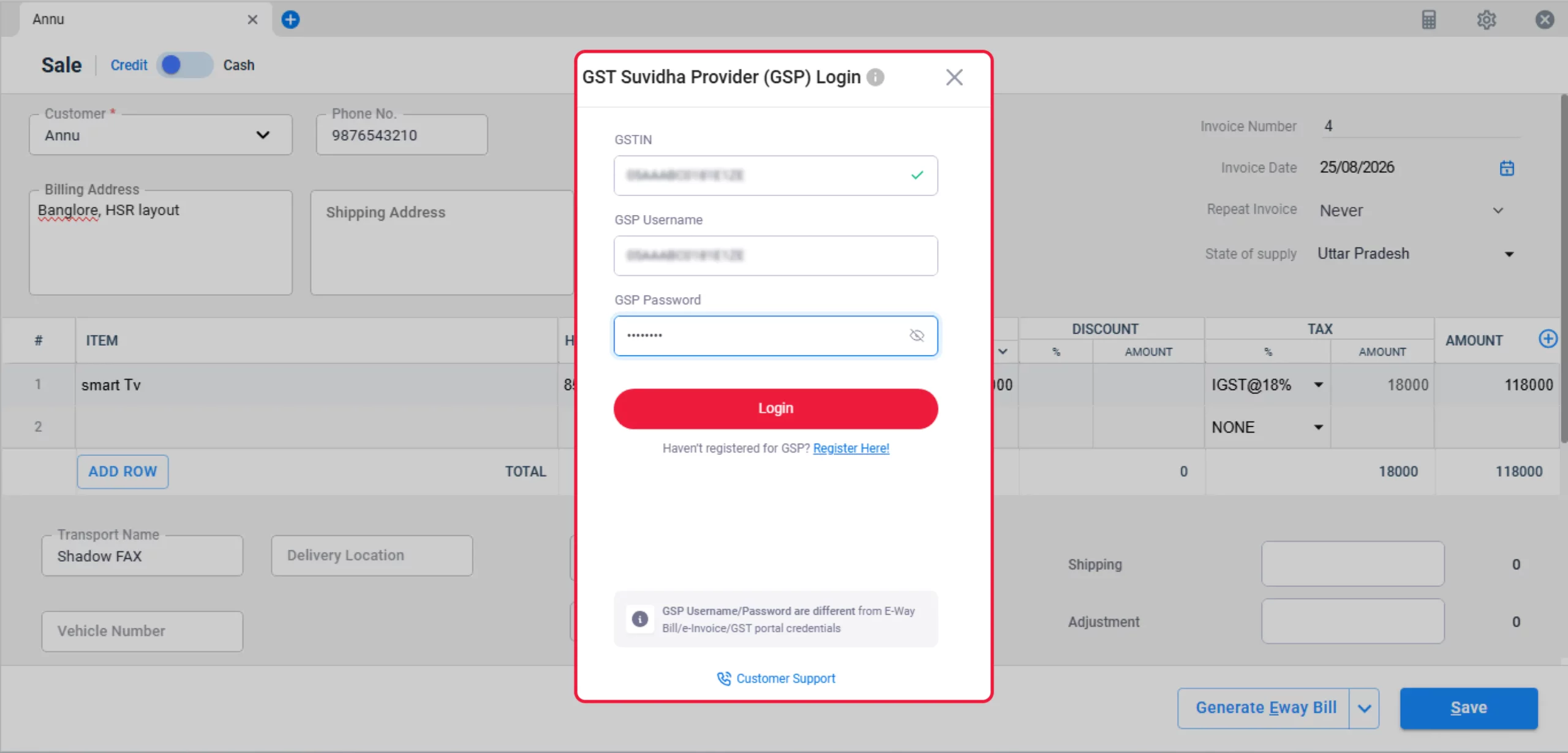
Log In to the E-Way Bill System
If you are generating an E-Way Bill for the first time, Vyapar will ask you to connect your account. Enter your GSTIN, GSP Username, and GSP Password to log in to the GST E-Way Bill System.
Note: In case GSP credentials are not available, the user can use their own E-Way Bill account credentials to generate it.
06
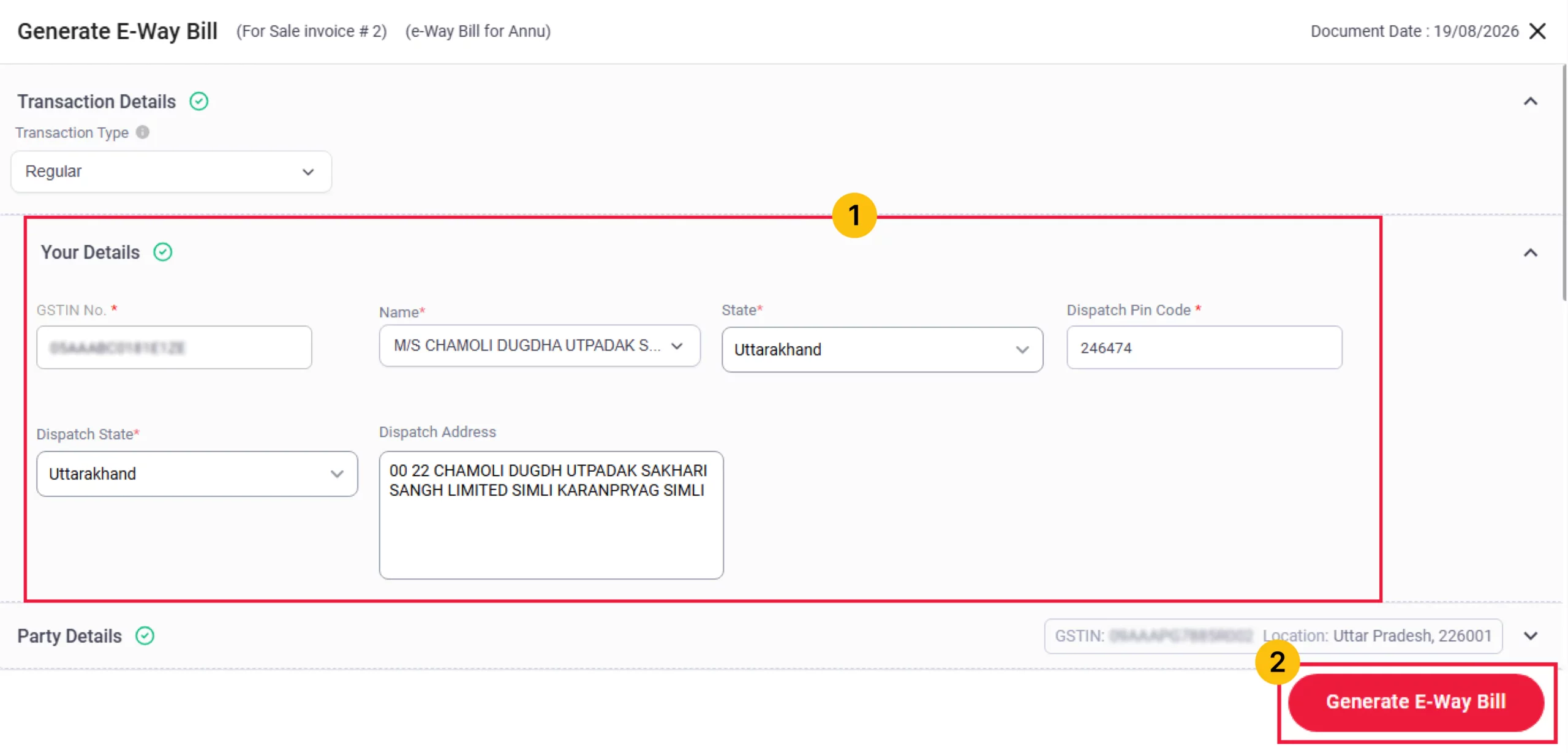
Review the Details and Generate the E-Way Bill
A new window will open with all the invoice details. Carefully review the supplier details, customer details, item details, and transportation details. If any mandatory information is missing, enter the required details before continuing. Click Generate E-Way Bill again to complete the process.
07
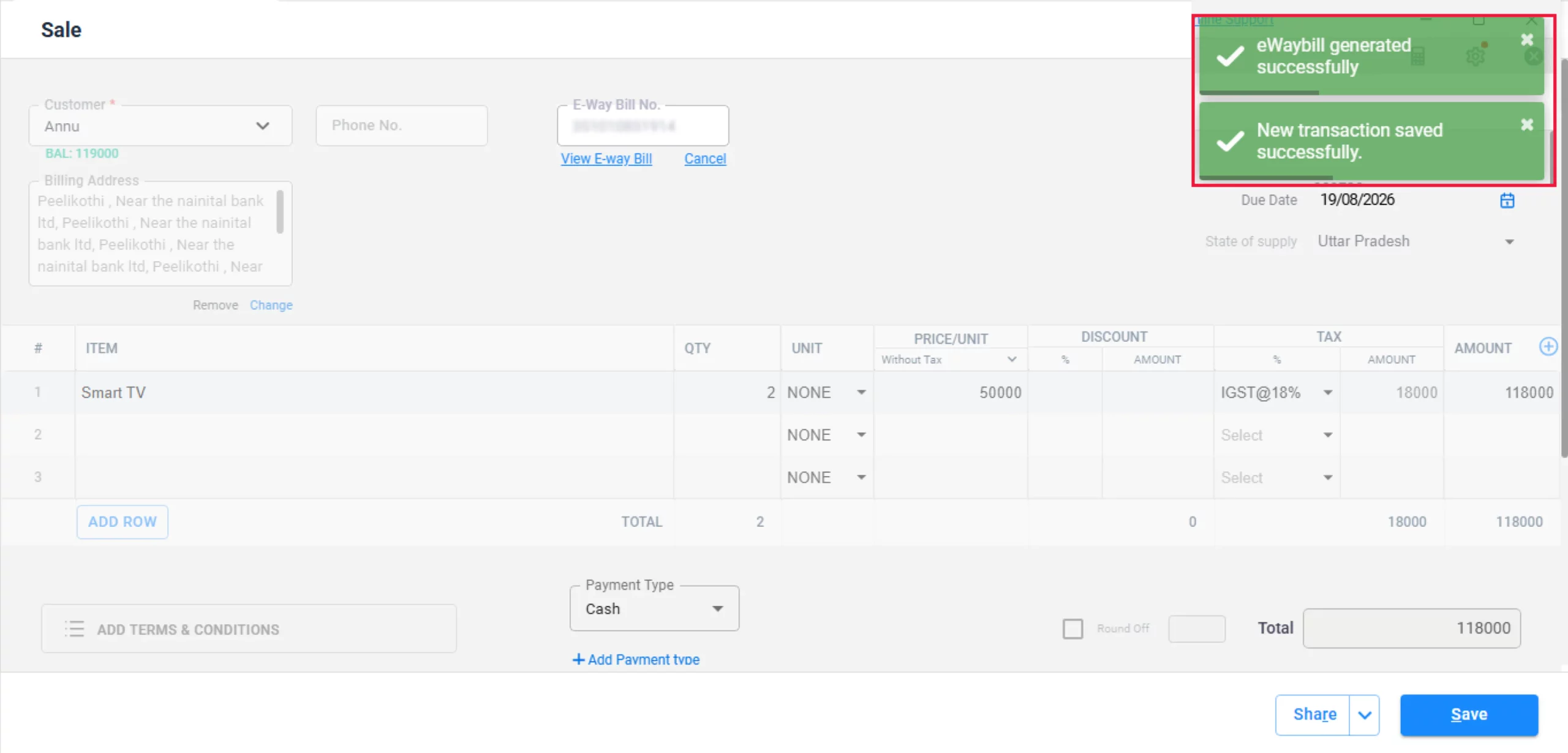
E-Way Bill will be Generated
Vyapar will securely upload your invoice and transportation details to the GST E-Way Bill System (EWB Portal). After successful verification, the portal will generate the E-Way Bill and return a unique E-Way Bill Number (EBN) along with a QR code for verification.
08
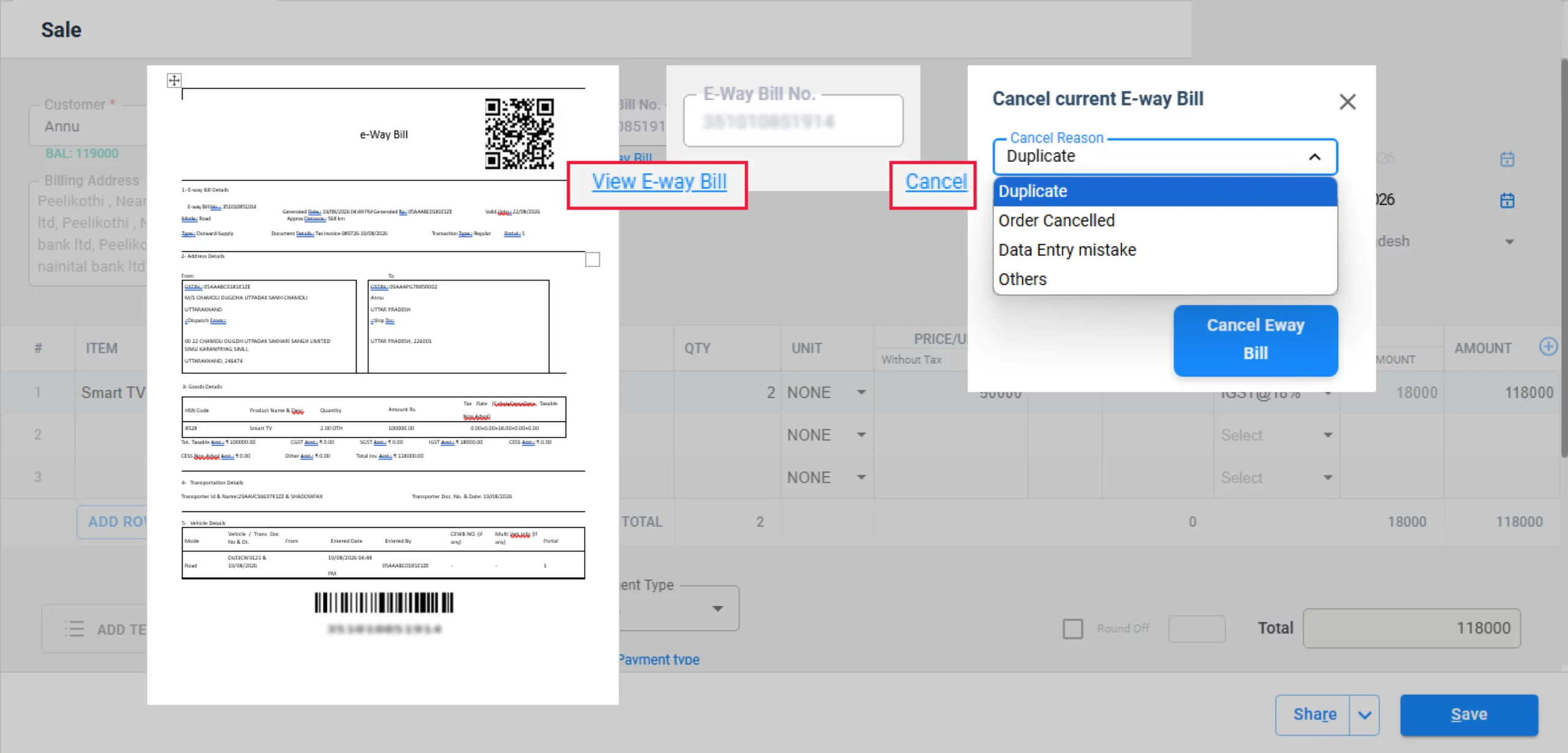
View or Cancel the E-Way Bill
Once the E-Way Bill is generated, you can view, download, or print it directly from the invoice. If it was generated by mistake or the goods are not being transported, you can cancel the E-Way Bill within 24 hours of generation from Vyapar itself.
Pro Tip: Click View to open the generated E-Way Bill and save it as a PDF for future reference.
09
Still stuck? Get help in minutes.
Our support team is ready to help you succeed.
 24/7 Support
Why Is This Important for Your Business?
Generating an E-Way Bill correctly helps you move goods smoothly while keeping your GST records in order.
It also reduces the extra work involved in entering invoice details manually.
Avoid Manual Data Entry
Generate the E-Way Bill directly from your Vyapar invoice instead of entering the same details again on the E-Way Bill portal. This saves time and reduces the chances of mistakes.
Keep Your Goods Movement Compliant
An E-Way Bill helps you meet the required GST rules when transporting goods. Keeping the invoice and transportation details correctly recorded can help avoid issues during transit.
Keep E-Way Bills Easy to Access
Once generated, you can view, download, or print the E-Way Bill from the invoice. This makes it easier to keep records and share the document whenever required.
Frequently Asked Questions (FAQs)
Why is the “Generate E-Way Bill” option not showing in Vyapar?
Make sure the E-Way Bill No. option is enabled under Settings > Transactions > More Transaction Features. You should also check that the required transportation details are enabled.


What details are required to generate an E-Way Bill in Vyapar?
You need the required invoice details, valid HSN codes and GST rates, along with transportation details such as the transporter name, vehicle number, delivery location, and delivery date.
Can I cancel an E-Way Bill from Vyapar?
Yes. If an E-Way Bill was generated by mistake or the goods are no longer being transported, you can cancel it from Vyapar within 24 hours of generation.
Ready to Generate E-Way Bills?
Generate E-Way Bills directly from your Vyapar invoices, add transportation details, and keep your goods movement records organised.