
How to Use Vyapar App on Multiple Devices and Billing Counters
Whether you want to check sales on your mobile while your accountant manages the main desk, or you need to run multiple billing counters during rush hours, Vyapar’s Sync and Share feature has you covered.
This ensures your business data is updated in real-time across all stations, allowing your team to collaborate seamlessly from their own devices.
Stop carrying USB backups. Follow this guide to enable seamless synchronisation across your devices.


Before You Start

Premium Subscription: Multi-device synchronisation is a Paid/Premium feature in Vyapar. Ensure you have an active license.
Multiple Device Operation Requirement: If you want to operate it from multiple devices, then you must have attached the license to each device.
Stable Internet: You need a working internet connection on both devices to sync data initially.
Admin Access: The primary device used to enable the sync becomes the “Admin” device for the company.
Step-by-Step Guide to Sync Devices & Billing Counters
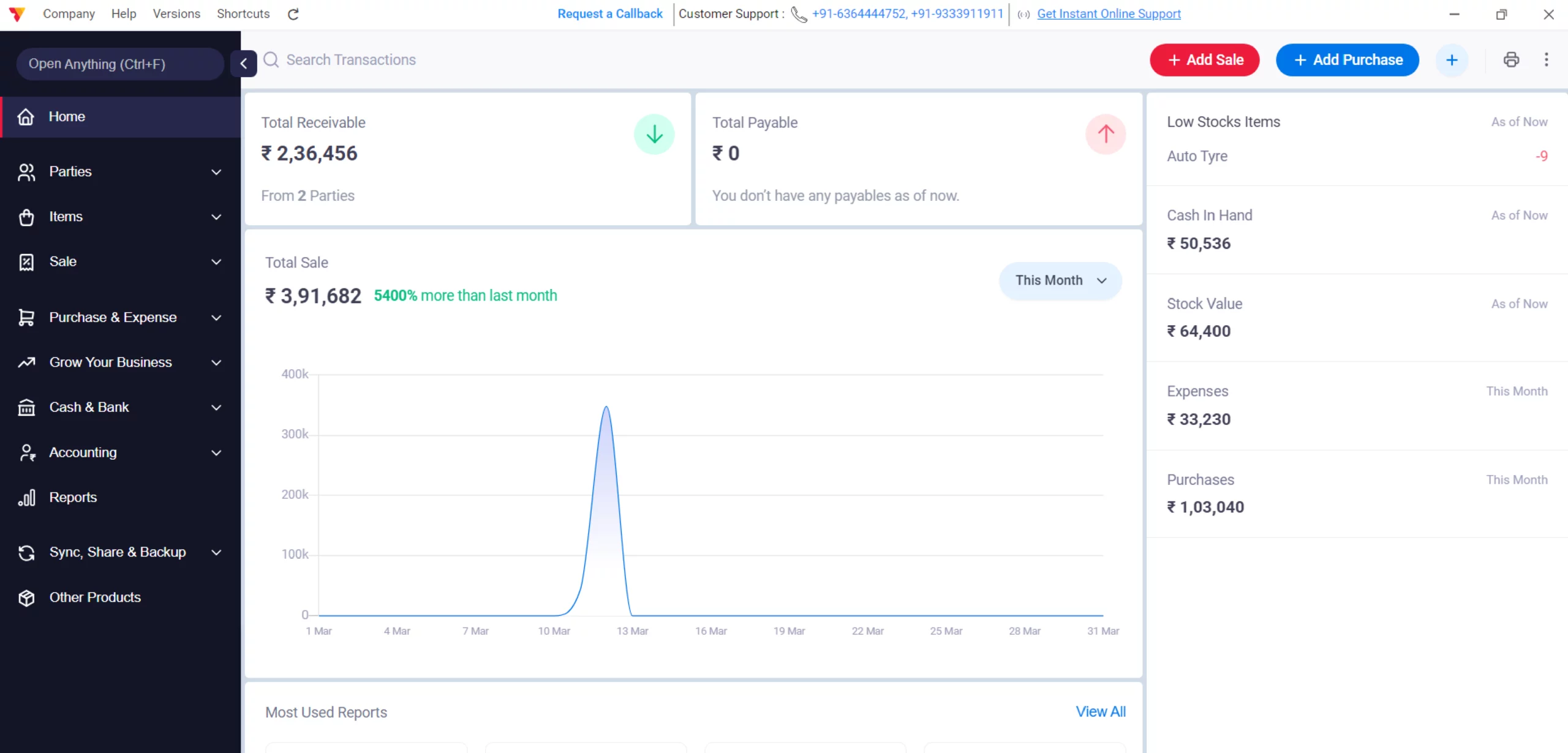
Open Vyapar App
Launch Vyapar billing software on your Desktop device.
01
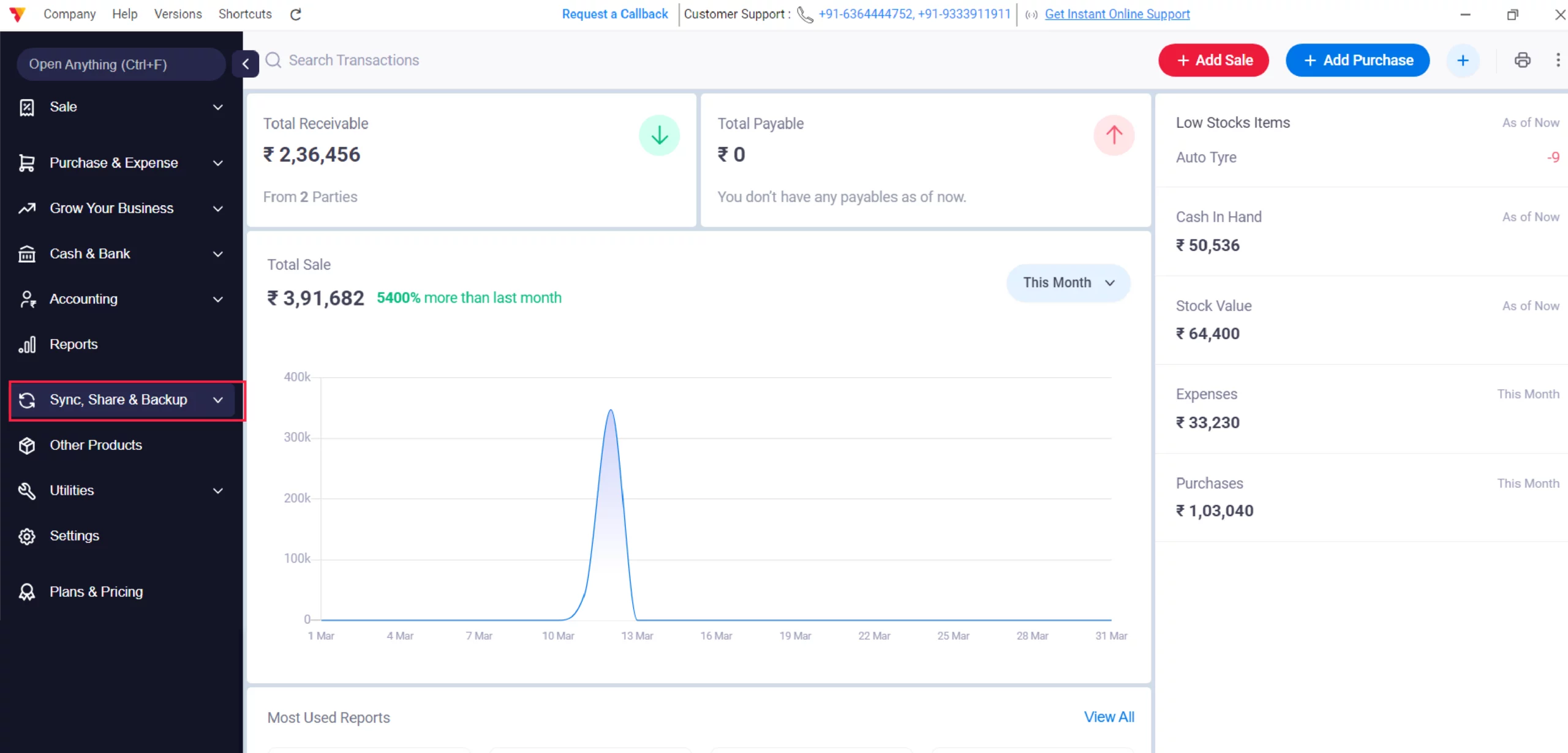
Navigate to “Sync and Share & Back-up”
Navigate to the Left menu and click on “Sync and Share & Back-up” option and click on it.
02
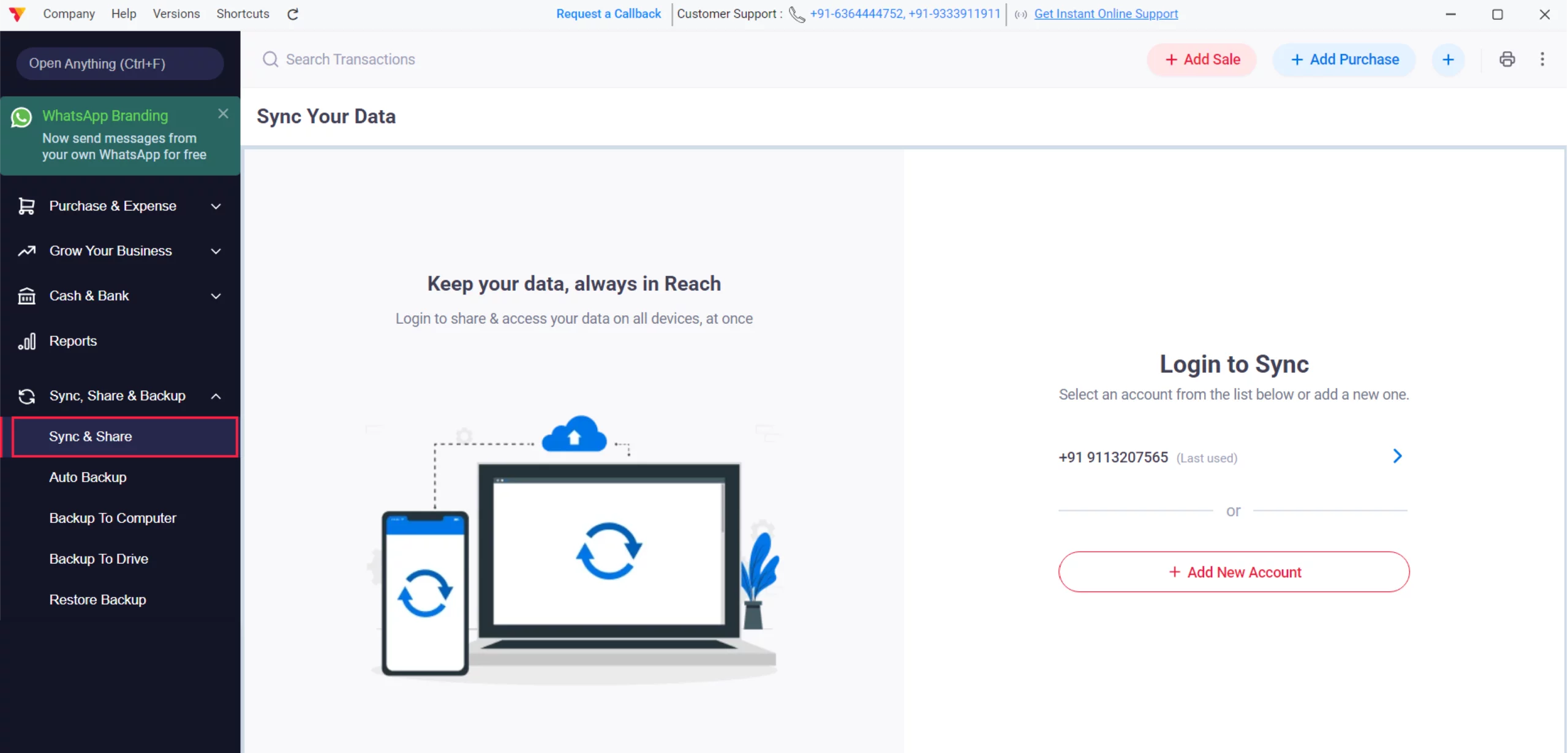
Choose “Sync and Share”
Select the option “Sync and Share” from the list to sync your data with multiple devices.
03
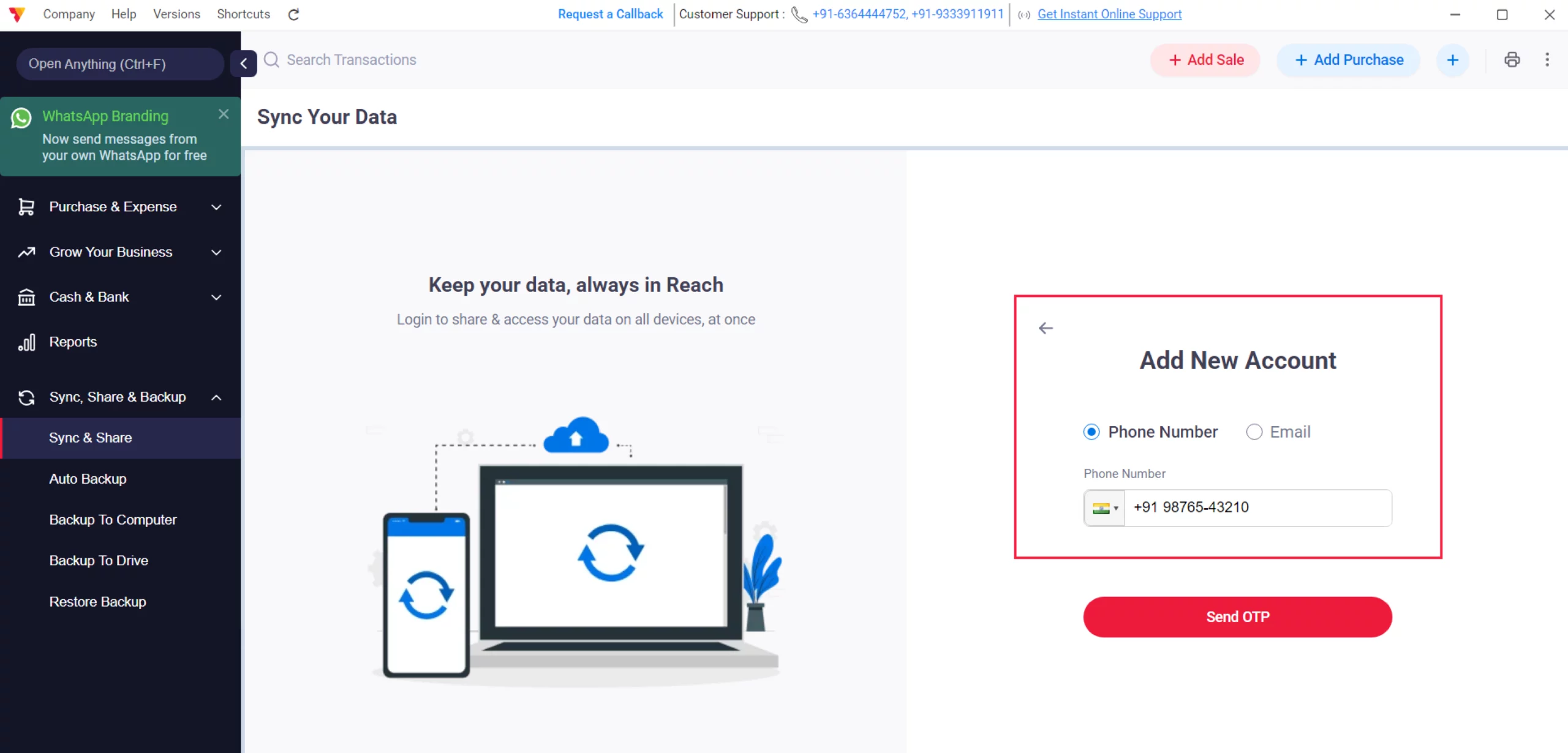
Login as a Primary User
Enter your registered Mobile Number or Email ID. You will receive an OTP; enter it to log in and activate the cloud sync for your company.
04

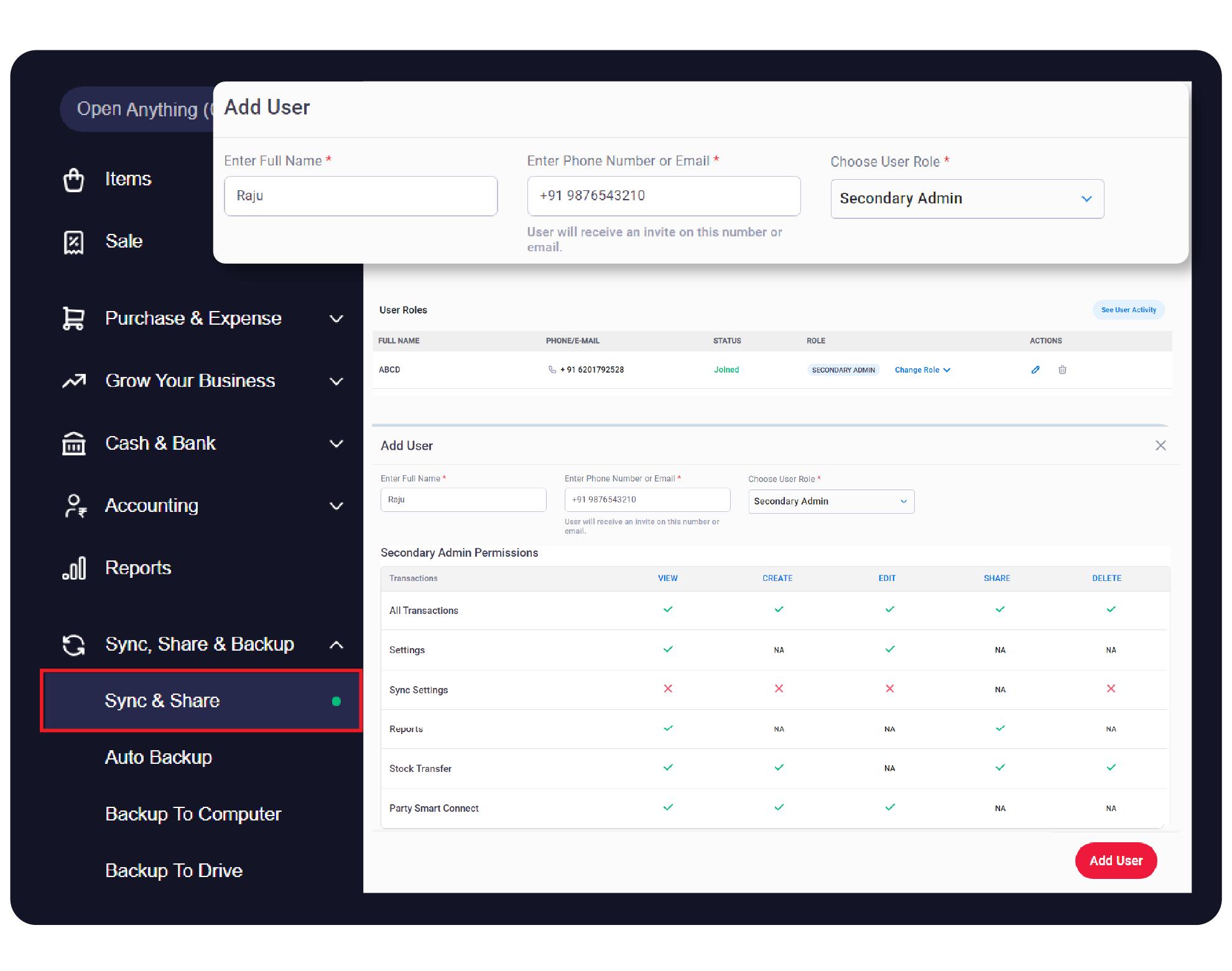
Add Other Users/Devices
Once logged in, look for the “+ Add User” button. Add the User Name, then enter the mobile number or email of the person (or your second device) you want to give access to, and click the Add User button.
05
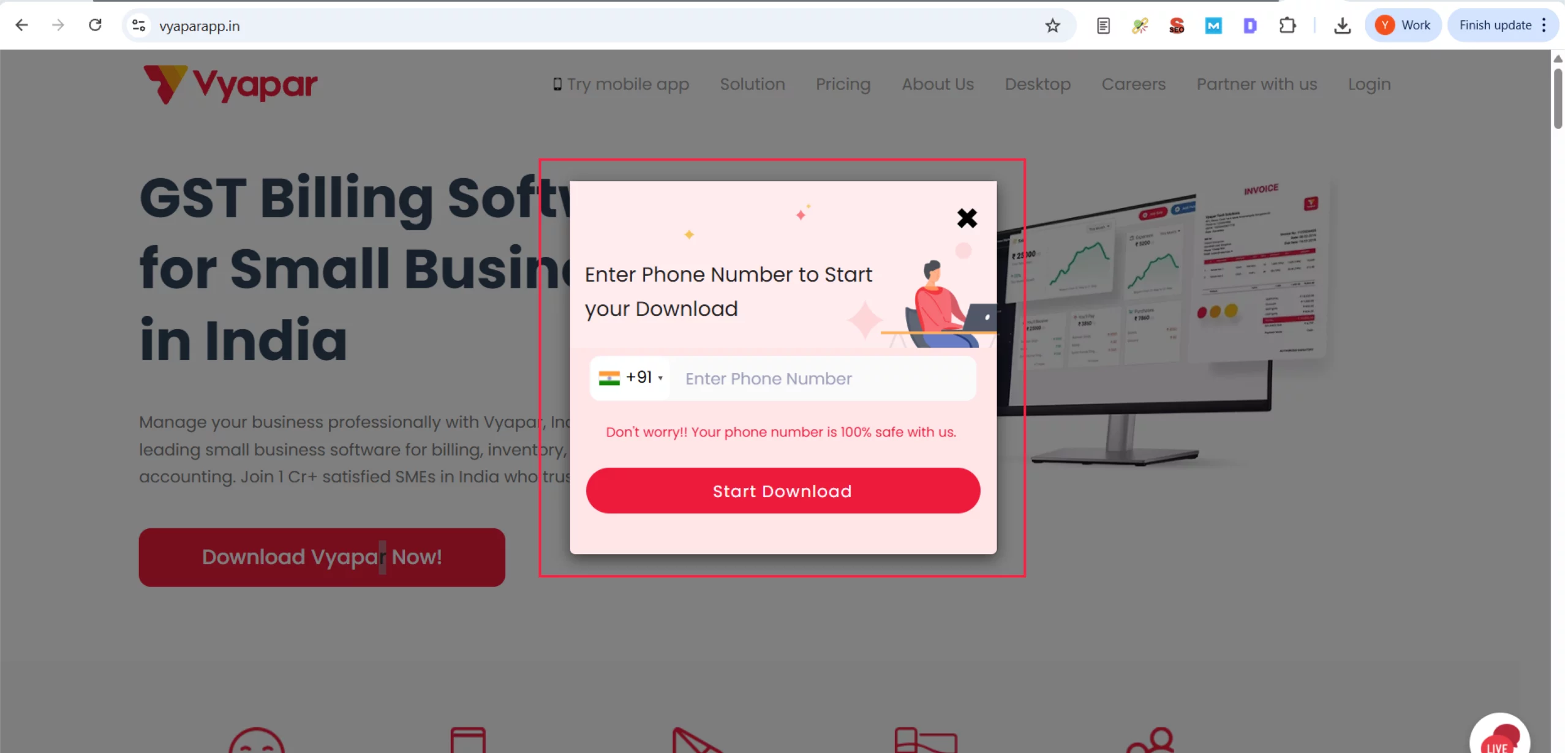
Install Vyapar on the Second Device
On your other device (Mobile or Desktop), download and install the Vyapar App.
06

Join the Company
Open the app on the new device and click on “Join a company shared with you” (instead of creating a new company). Log in with the same details used in the invitation.
07
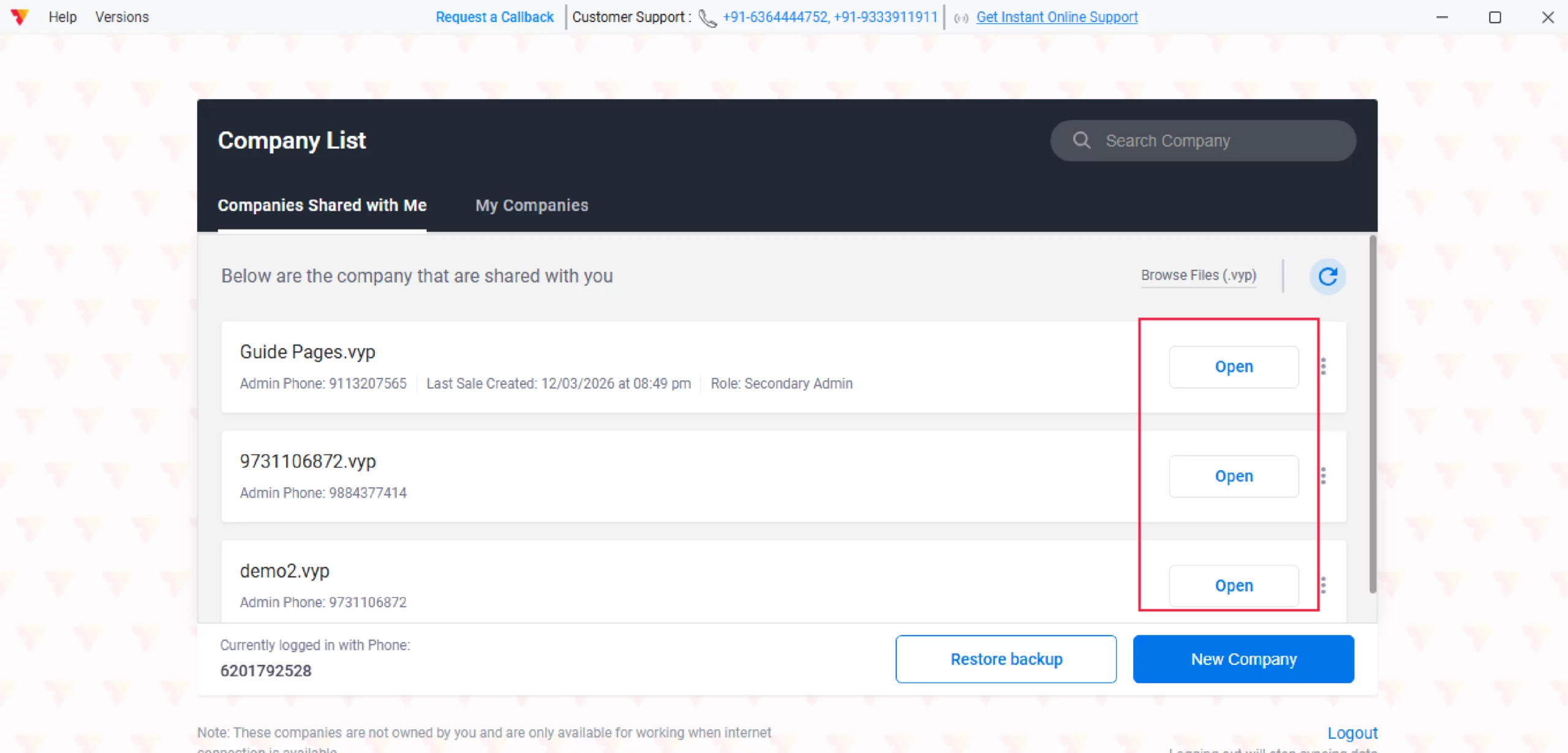
Open and Sync
You will see the shared company name. Click “Open” and wait for the data to download.
08

Verify Data
Once complete, any entry made on Device A will reflect on Device B instantly!
09
Watch Step-by-Step Video Guide to Use Vyapar App on Multiple Billing Counters and Devices

Use Vyapar App on Multiple Billing Counters and Devices: Desktop Guide.
Still stuck? Get help in minutes.
Our support team is ready to help you succeed.
 24/7 Support
Why Is This Important for Your Business?

Real-Time Collaboration
Multiple team members can work on the same data simultaneously, increasing productivity.
Data Mobility
Access your financial records and reports on the go via your mobile device.
Centralized Control
The Admin device maintains control over who can access the business data.
Frequently Asked Questions (FAQs)
Can I use Vyapar on Mobile and Desktop at the same time?
Yes! With the Sync & Share feature, any entry made on your mobile will reflect on your desktop (and vice versa) instantly.


How many devices can I sync?
This depends on your subscription plan. Vyapar offers various multi-user plans tailored for small to medium teams
Is my data safe on the cloud during sync?
Absolutely. Vyapar uses high-level encryption to ensure that your business data remains private and secure during the synchronisation process.
Can I restrict what my staff sees on the second device?
Yes. When you invite a user, you can assign roles (like Salesperson or Accountant) to limit their access to sensitive data like profit reports.
Ready to Work From Anywhere?
Link multiple devices today and sync your business data in real time.
 Download Vyapar Now





