
 Inventory
Manage Inventory Across Multiple Locations
Manage stock easily across shops, godowns, or warehouses. Track item quantity at each location in real time and avoid stock confusion or shortages.
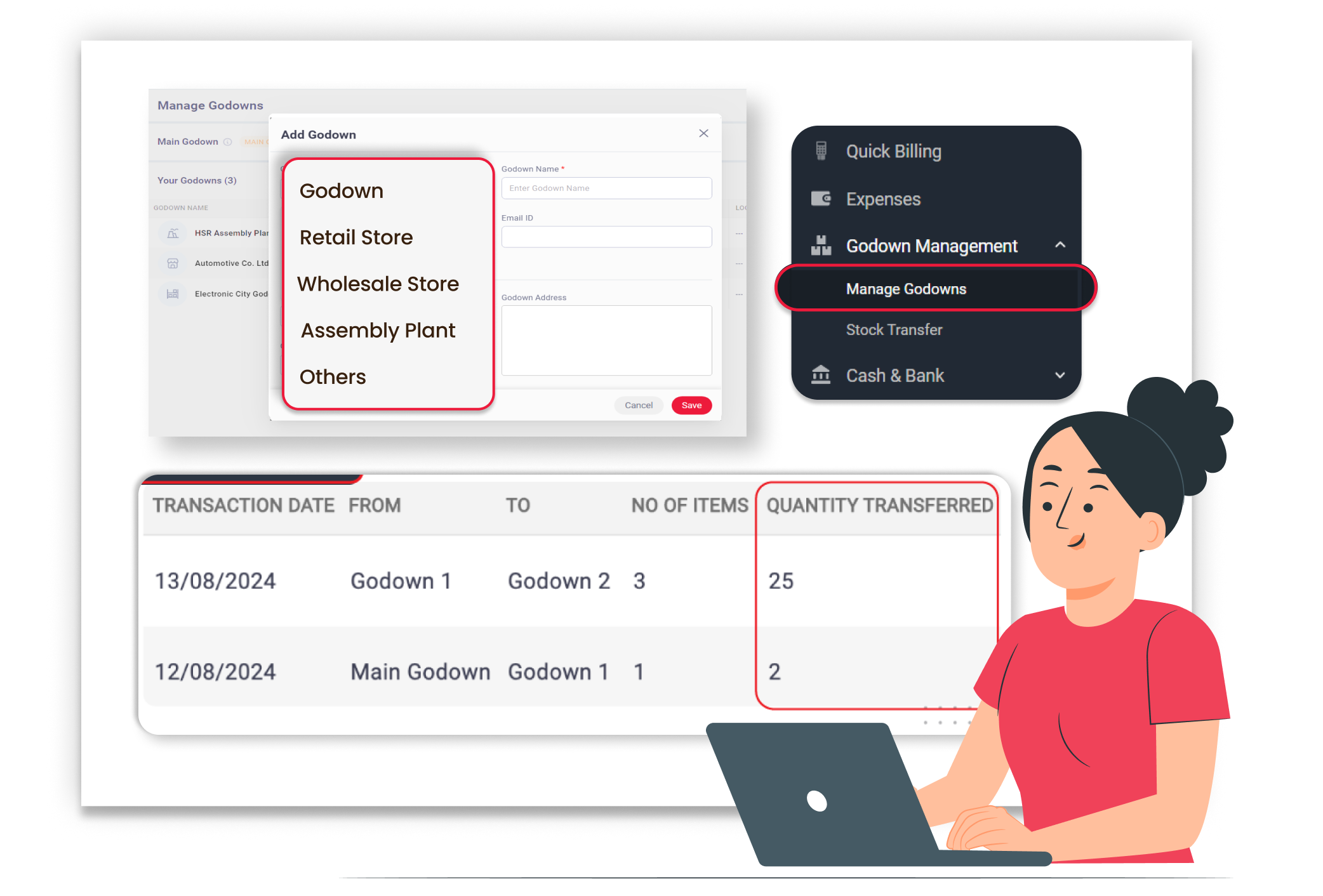
Why Managing Inventory Across Multiple Locations Matters
When you have multiple shops or storage locations, stock tracking can get confusing. It becomes hard to know how much inventory is available at each place, and manual tracking often leads to shortages or overstocking. Managing inventory across locations helps you keep clear records, move items easily, and avoid delivery delays.
Clear Stock Visibility
You can see the stock for every location in one place, so you always know exactly where your items are available. This helps you manage your inventory better and gives you full control over your stock without any confusion.
Easy Stock Transfers
You can move goods between locations smoothly and keep your stock balanced across all your shops or godowns. This makes it easy to track every movement and keeps your inventory organised without any confusion.
Reduced Stock Confusion
You don’t have to worry about mixing up quantities from different locations. Separate tracking keeps all your records clean and clear. This reduces stock errors and helps you manage your inventory more accurately.
 The Transformation
Before & After Vyapar
Before
Without Vyapar
- No clarity on the stock available at each location
- Manual records in different registers
- Stock shortages at one branch and excess at another
- Confusion during stock transfers

After
With Vyapar
- Location-wise stock tracking in one system
- Clear records for every shop or godown
- Easy transfer of items between locations
- Accurate stock updates after every sale
 Business Impact
Real Results for Your Business
Managing inventory across multiple locations reduces confusion and improves stock control, helping you avoid shortages and serve customers on time.
Complete
Stock Visibility
Know the exact quantity at each location at any time.
Smarter
Stock Utilization
Transfer excess stock to the right location where needed.
Fewer
Stock Errors
Separate location tracking avoids confusion.
How This Feature Solves Inventory Problems
Vyapar simplifies multi-location inventory management by tracking stock separately for each location and allowing smooth transfers, so you stay organised and avoid stock mistakes.
1

Add Multiple Locations
Create separate locations for shops, godowns, or warehouses.
2
Track Location-Wise Stock
Monitor stock quantity for each item at every location.
3
Transfer Stock
Move items from one location to another with proper records.
4
Automatic Stock Update
Stock updates automatically after sales, purchases, or transfers.
Manage all your branches in one system. Create and manage multiple shops or godowns in Vyapar. Each location maintains its own stock records for better clarity.
Know exact stock at each place. Vyapar shows item quantity separately for every location. This helps you avoid shortages and overstocking.
Move goods easily and keep records clear. Transfer items from one location to another with proper documentation.
Always see updated stock levels. Whenever a sale or purchase happens, stock gets adjusted automatically for the selected location.
Where This Helps Most
Ideal for These Businesses
This use case is perfect for businesses operating from multiple shops, branches, or storage units.

Retail Stores
Manage stock across all branches easily.
Easy to manage with Vyapar
Edit Link

FMCG Distributors
Track goods in multiple warehouses.
Easy to manage with Vyapar
Edit Link

Pharmacies
Separate stock for each outlet.
Easy to manage with Vyapar
Edit Link

Grocery Stores
Manage the main shop and storage unit stock.
Easy to manage with Vyapar
Edit Link

Hardware & Electrical Shops
Manage stock across multiple storage spaces.
Easy to manage with Vyapar
Edit Link

Chemical and Paint Dealers
Track chemicals and paint in different locations.
Easy to manage with Vyapar
Edit Link
Related Use Cases
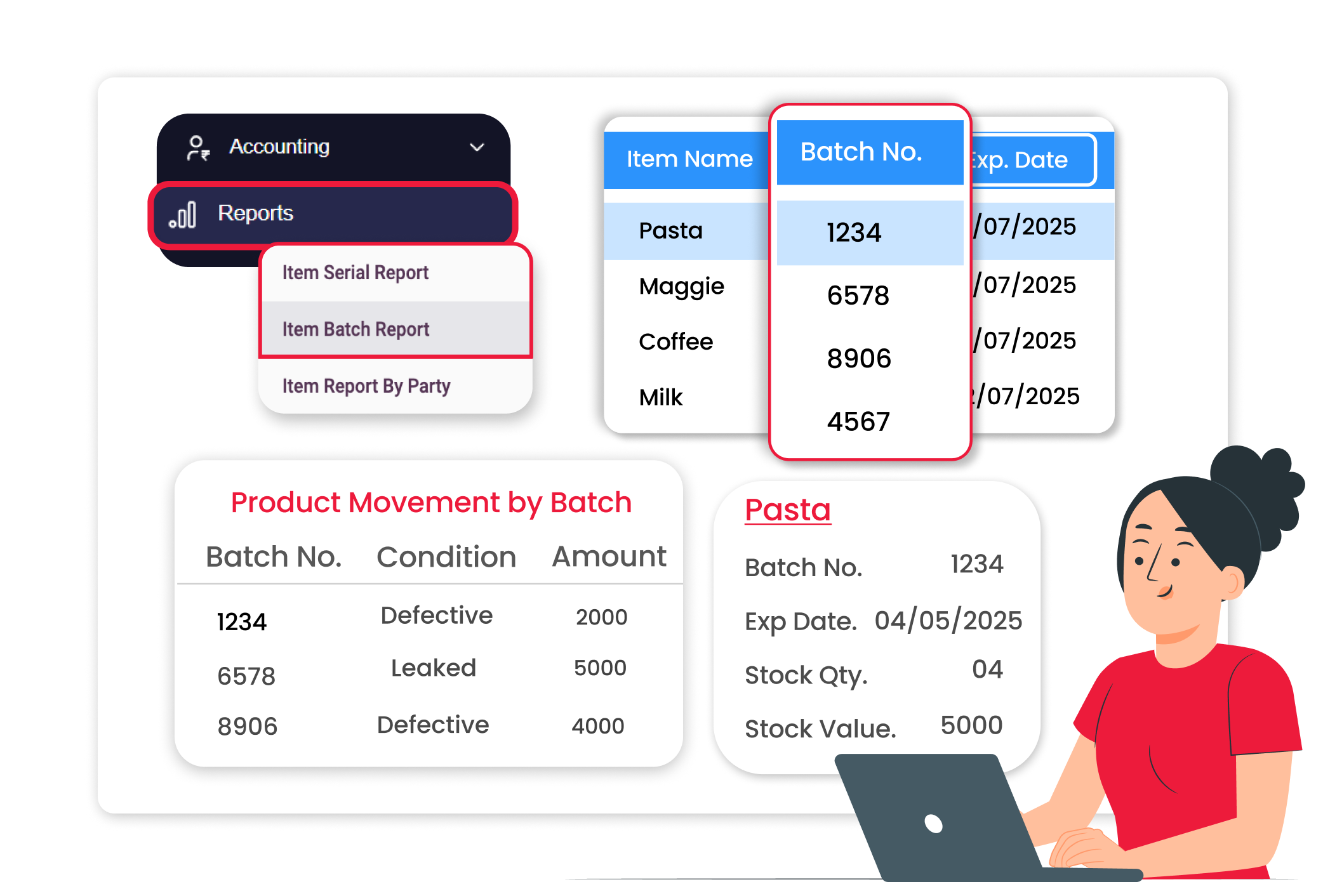
Track Product Batches with Accuracy

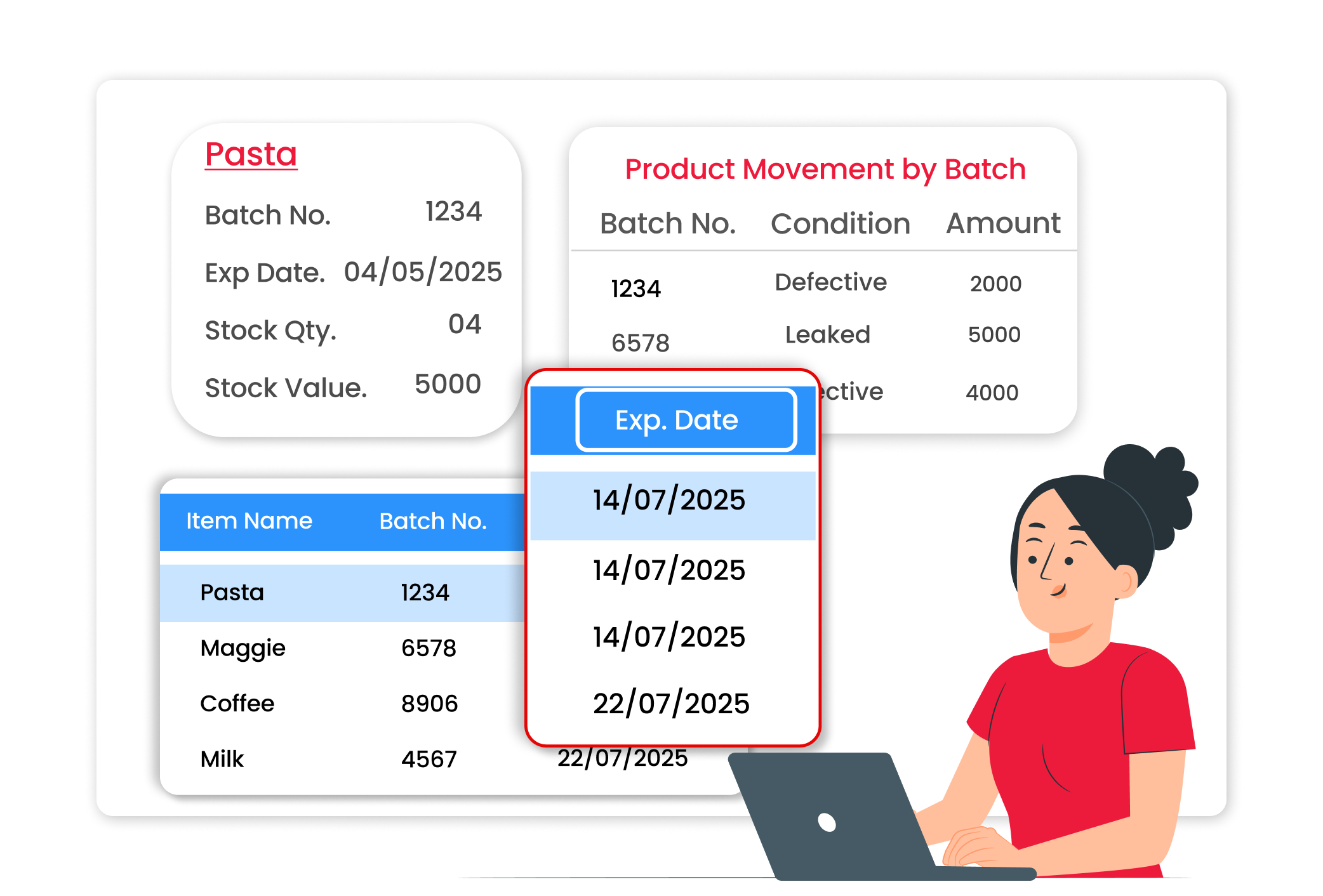
Monitor Expiry Dates & Reduce Stock Loss
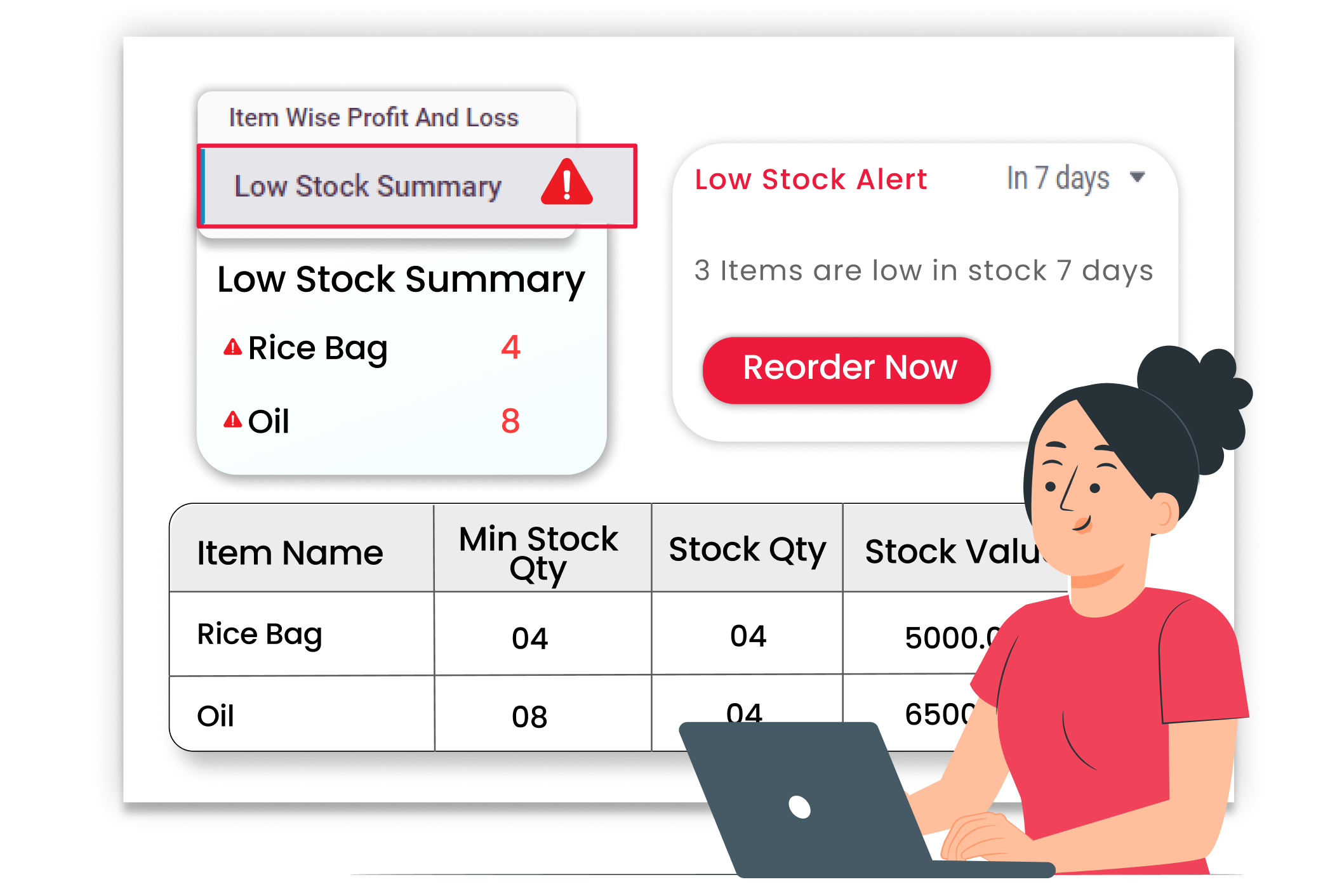
Get Instant Low Stock Alerts





