
 Inventory
Track Product Batches with Accuracy
Monitor batch numbers and batch-wise stock movement easily, so you always know which batch is sold and which batch is available.
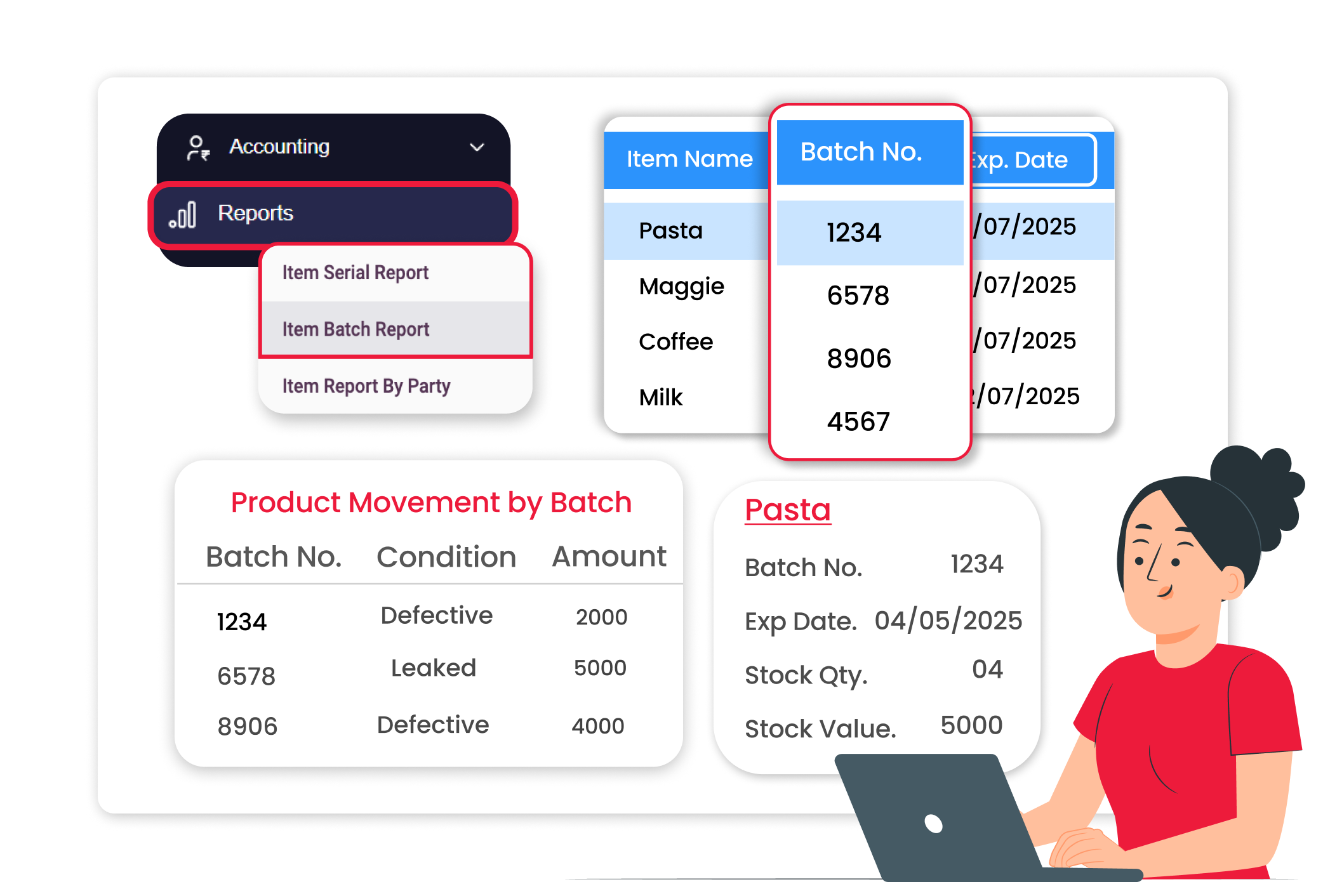
Why Batch Tracking Matters
When products are not tracked by batch, mistakes happen. You may lose clarity on stock movement and sold items. Batch tracking helps you maintain clear records and manage inventory without confusion every day.
Avoid Stock Mixing Between Batches
The system keeps each batch clearly separated, so you always know which stock belongs to which lot. This helps you maintain better batch control and avoid confusion between different stock entries.
Clear Batch-Level Stock Tracking
You can view the available quantity for each batch clearly, so you always know which batch is currently in stock. This ensures accurate stock visibility and better inventory control.
Easy Product Batch Traceability
You can identify which batch was sold in each invoice, making it easy to trace stock movement. This is helpful during returns or stock verification and ensures better record tracking.
 The Transformation
Before & After Vyapar
Before
Without Vyapar
- No clarity on batch-wise stock
- Different batches mixed together
- Difficulty tracking which batch was sold
- Manual tracking in notebooks or spreadsheets

After
With Vyapar
- Batch numbers recorded during purchase entry
- Clear batch-wise stock visibility
- Easy identification of sold batches
- Proper stock deduction from the selected batch
 Business Impact
Real Results for Your Business
Batch tracking reduces stock confusion and improves control, keeping your inventory organised and reliable.
High
Stock Accuracy
Clear visibility of batch-wise quantities reduces mistakes.
50%+
Better Batch Control
Maintain clear separation between different lots.
60%+
Time Saved in Stock Checks
Quickly verify batch details during audits or returns.
How This Feature Solves Batch Problems
Vyapar allows you to record batch numbers during purchase and sale entries, helping you manage stock batch-wise and avoid confusion.
1

Enable Batch Tracking
Turn on batch-wise tracking from the settings.
2
Record Batch During Purchase
Enter the batch number while adding stock.
3
Sell by Selecting Batch
Choose the correct batch while creating the sales.
4
View Batch Reports
Check batch-wise stock availability anytime.
Capture batch details at the time of stock entry. Add batch numbers during purchase entry to maintain clear identification for every product lot.
See the exact stock by batch. View the available quantity for each batch to avoid confusion between different lots.
Sell the correct batch every time. Select the required batch while generating the invoice to ensure proper stock deduction.
Keep batch history properly stored. All batch details are saved with transactions, making it easy to review past entries.
Where This Helps Most
Ideal for These Businesses
This use case is perfect for businesses that deal with products having batch numbers.

Chemical & Paint Dealers
Maintain proper lot tracking for stock control.
Easy to manage with Vyapar
Edit Link

FMCG Distributors
Manage products received in multiple lots.
Easy to manage with Vyapar
Edit Link

Pharmacies
Track medicine batches clearly.
Easy to manage with Vyapar
Edit Link

Grocery Stores
Manage products received in multiple batches.
Easy to manage with Vyapar
Edit Link

Cosmetics & Beauty Products
Maintain batch identification for products.
Easy to manage with Vyapar
Edit Link

Dairy & Food Stores
Track expiry dates inside your system and reduce losses caused by outdated stock.
Easy to manage with Vyapar
Edit Link
Related Use Cases
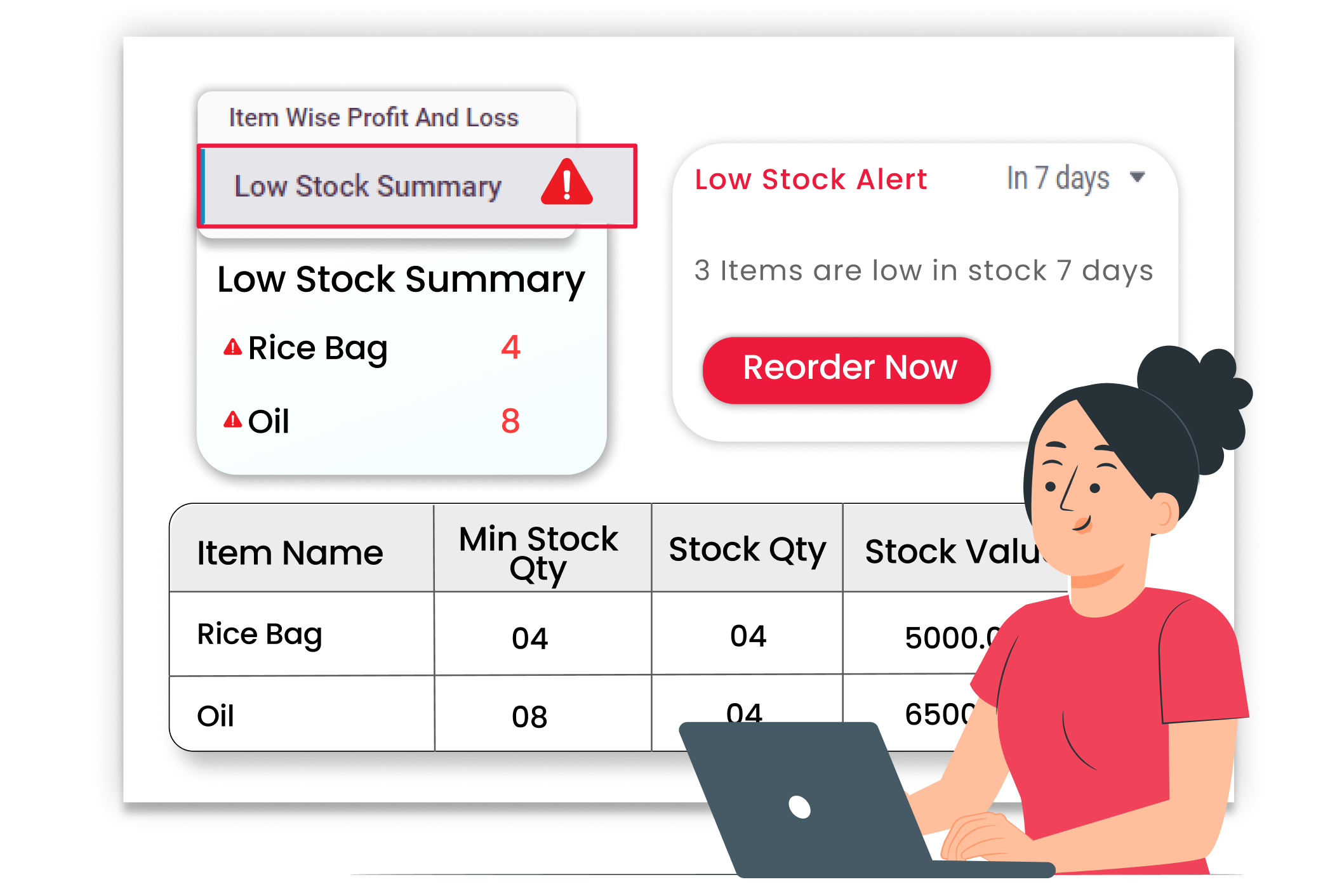
Low-stock Alerts and Auto Restock Suggestions

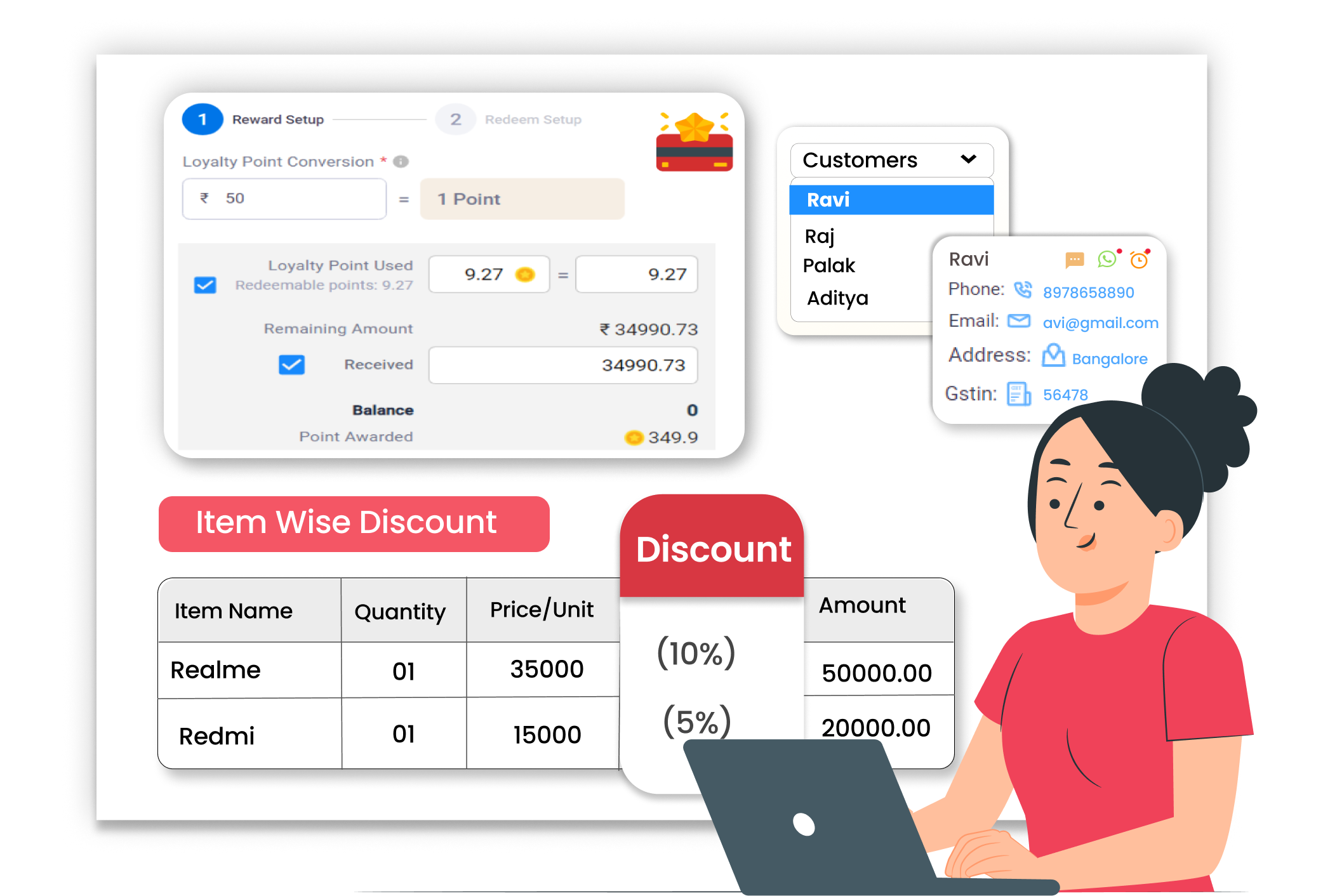
Flexible Item-Level Discount Management
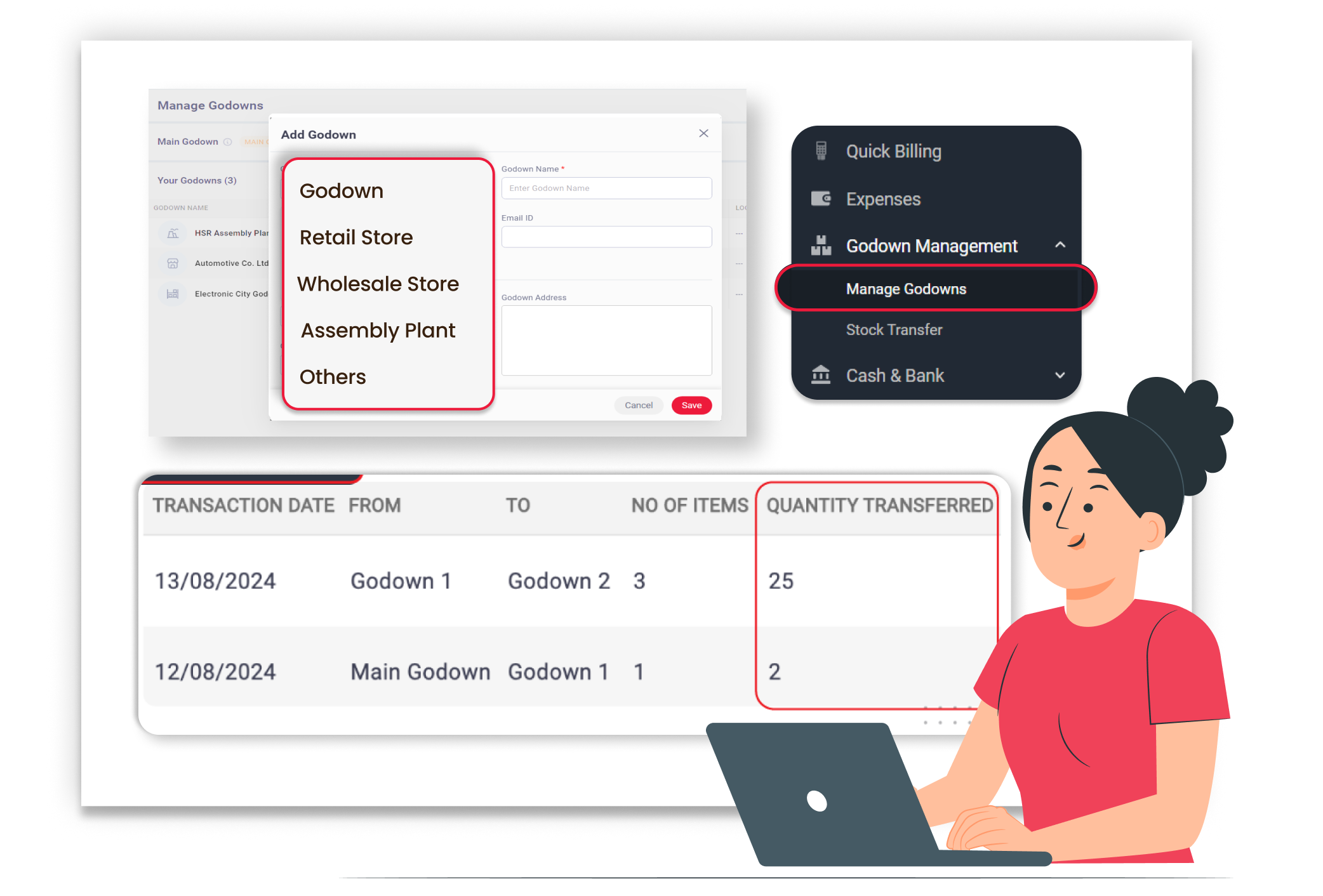
Manage Inventory Across Multiple Locations





