
How to Add and Manage Godowns in Vyapar App
For businesses with multiple storage locations, the Godown Management feature is essential for tracking stock levels accurately. Vyapar allows you to create multiple godowns, assign stock to specific locations, and monitor inventory movement across your entire business.
Stop losing track of stock across multiple locations. Follow this comprehensive guide to enable multi-warehouse tracking on your Desktop app.

Before You Start

Item List: Ensure you have added your products under the Items section.
Stock Tracking: Inventory tracking must be active to see stock counts per location.
Feature Activation: Godown management must be enabled in the settings before you can assign stock to different warehouses.
Note: Once the godown is created, it will not be deleted.
Step-by-Step Guide to Manage Godowns:
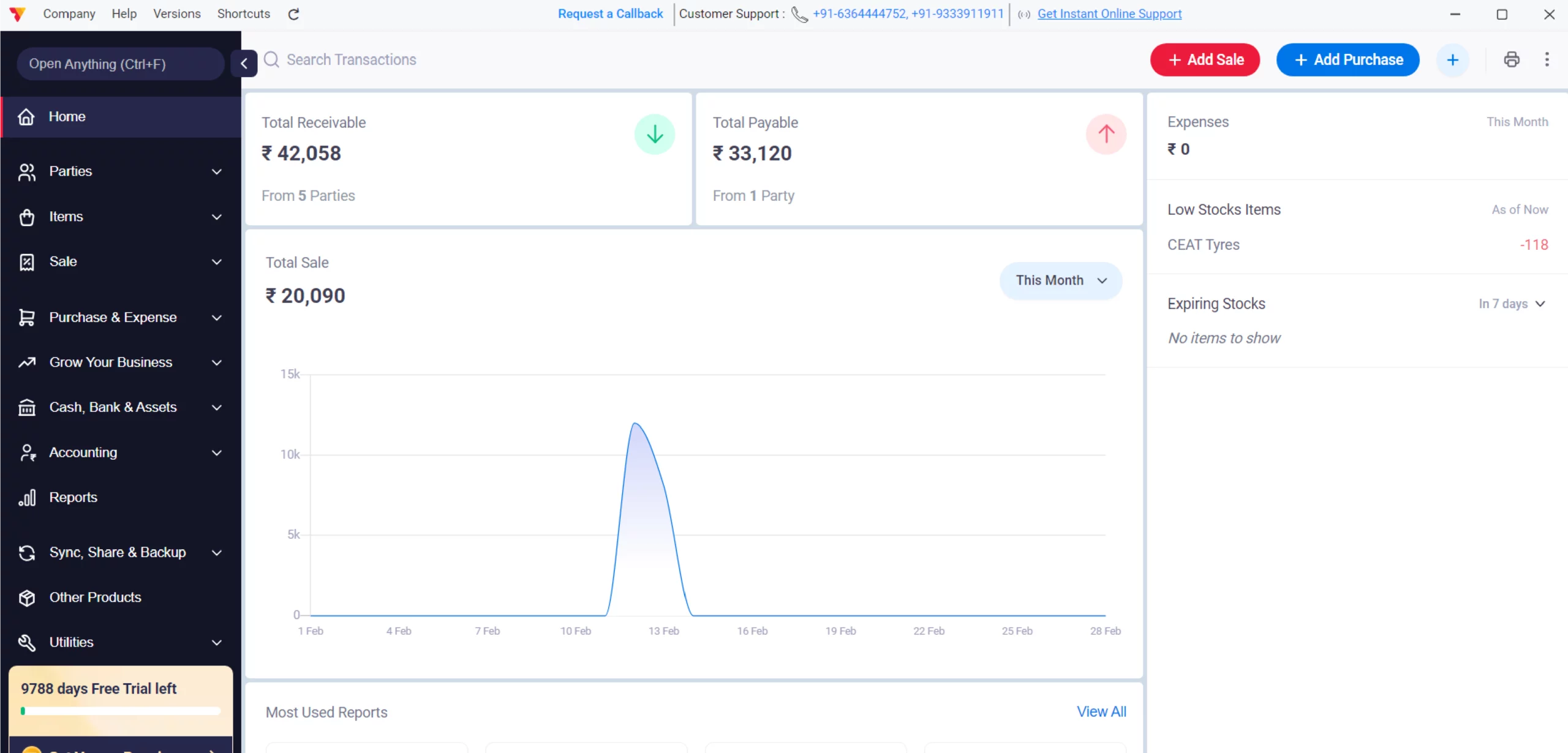
Open Vyapar App
Launch Vyapar warehouse inventory management software on your Desktop device.
01
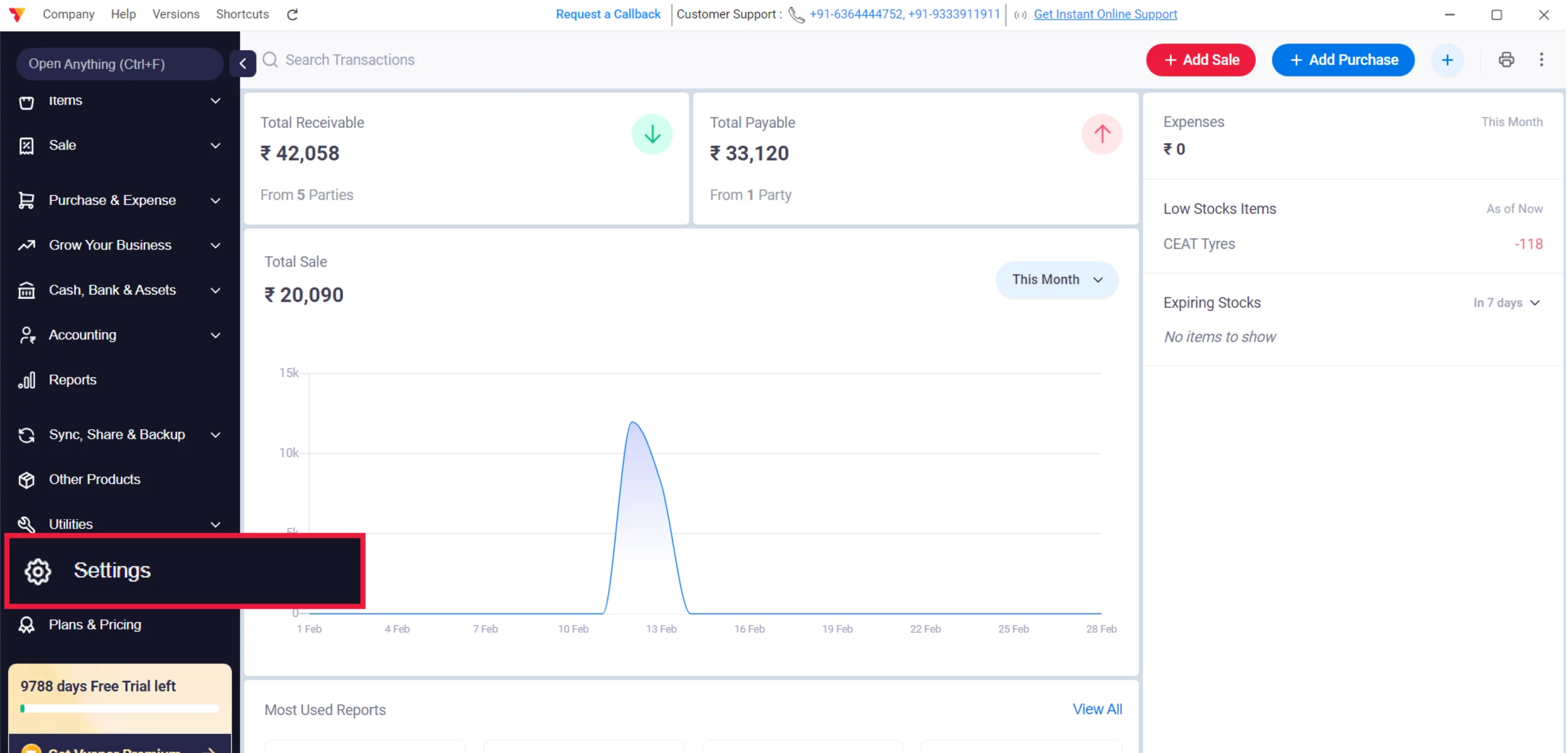
Access Settings
Click on the Settings gear icon in the left-hand menu.
02
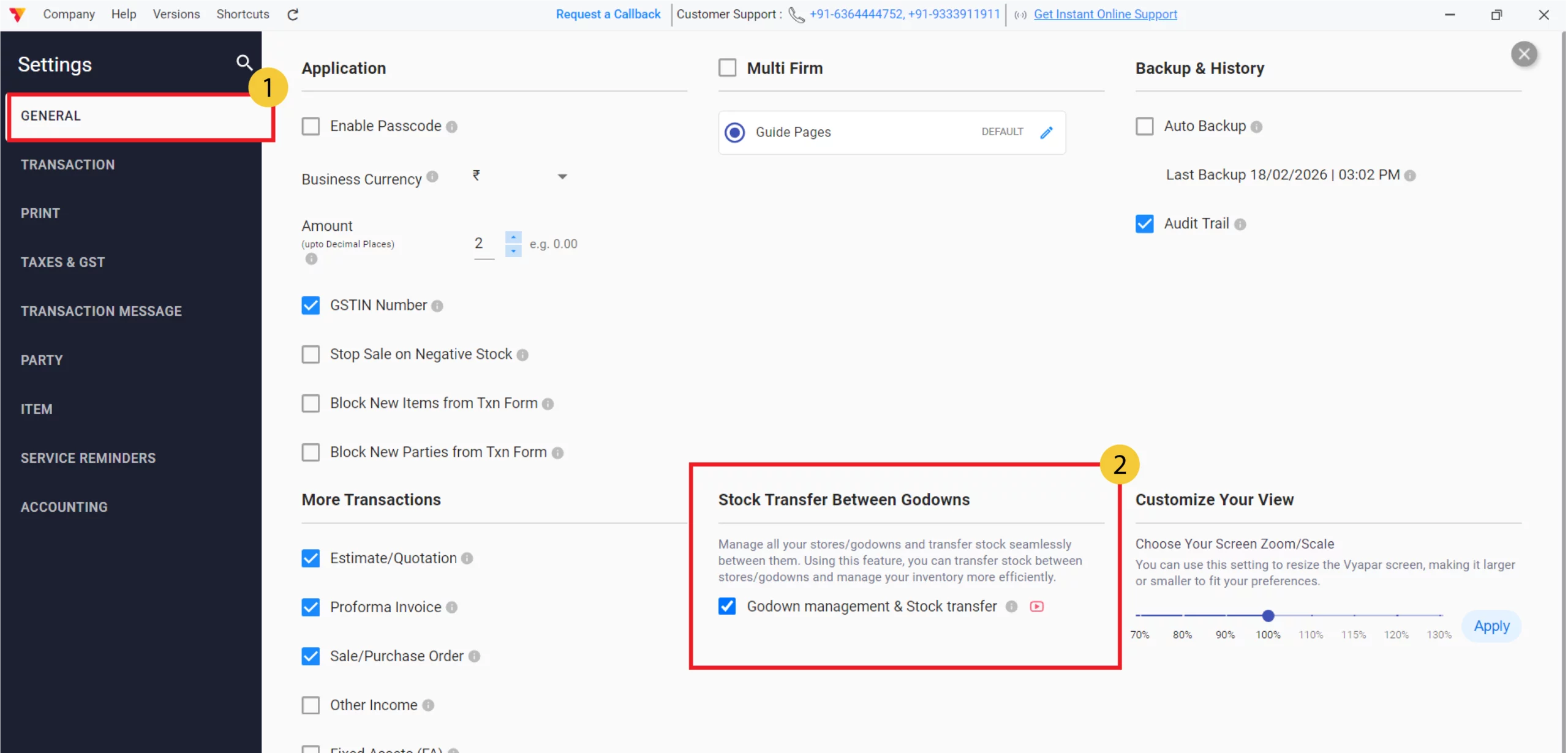
Enable via General Settings
Navigate to GENERAL, locate the “Godown management & Stock transfer” checkbox, select it, and close the settings window.
03
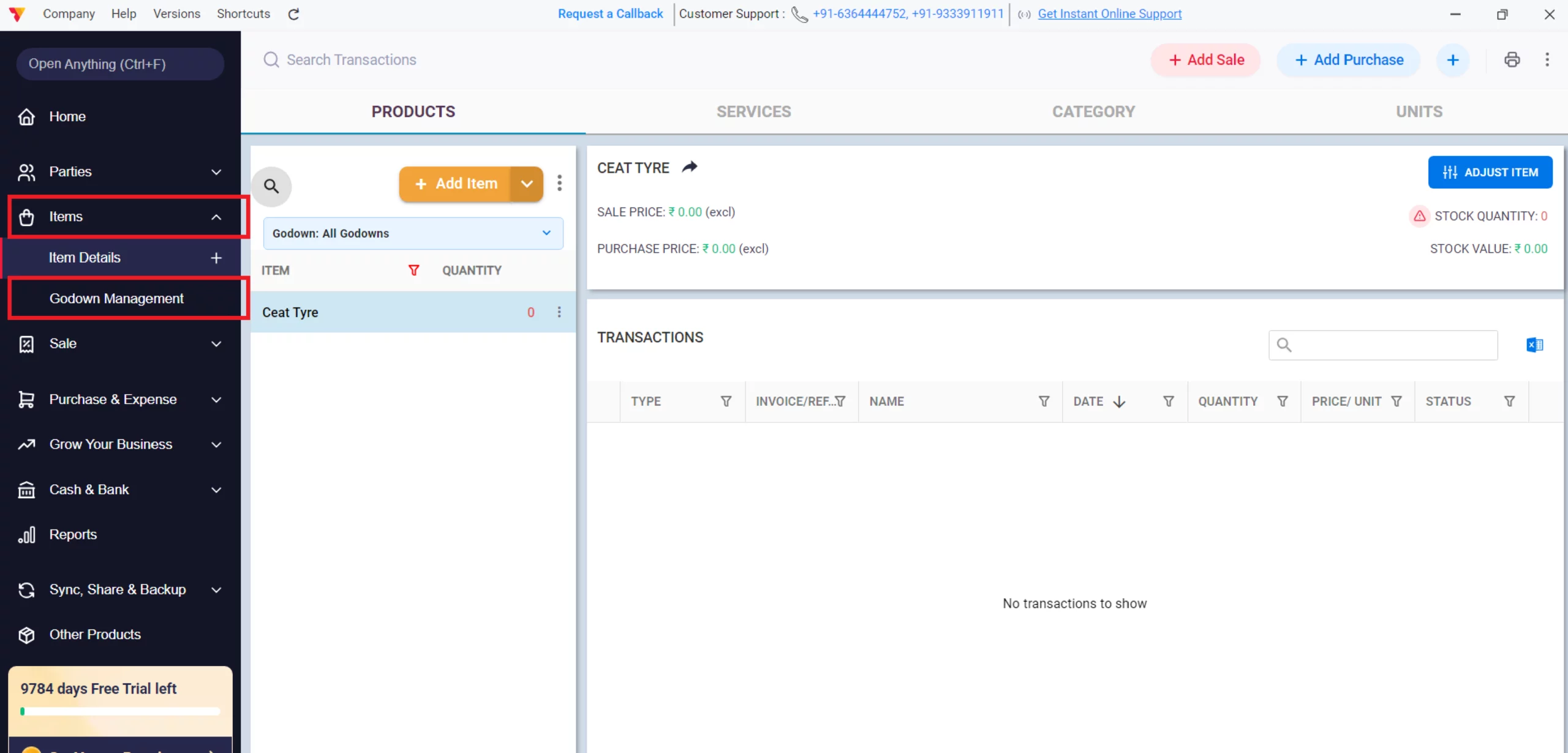
Access Godown Screen
Go to the Items section in the left-hand menu and select the Godown Management option.
04
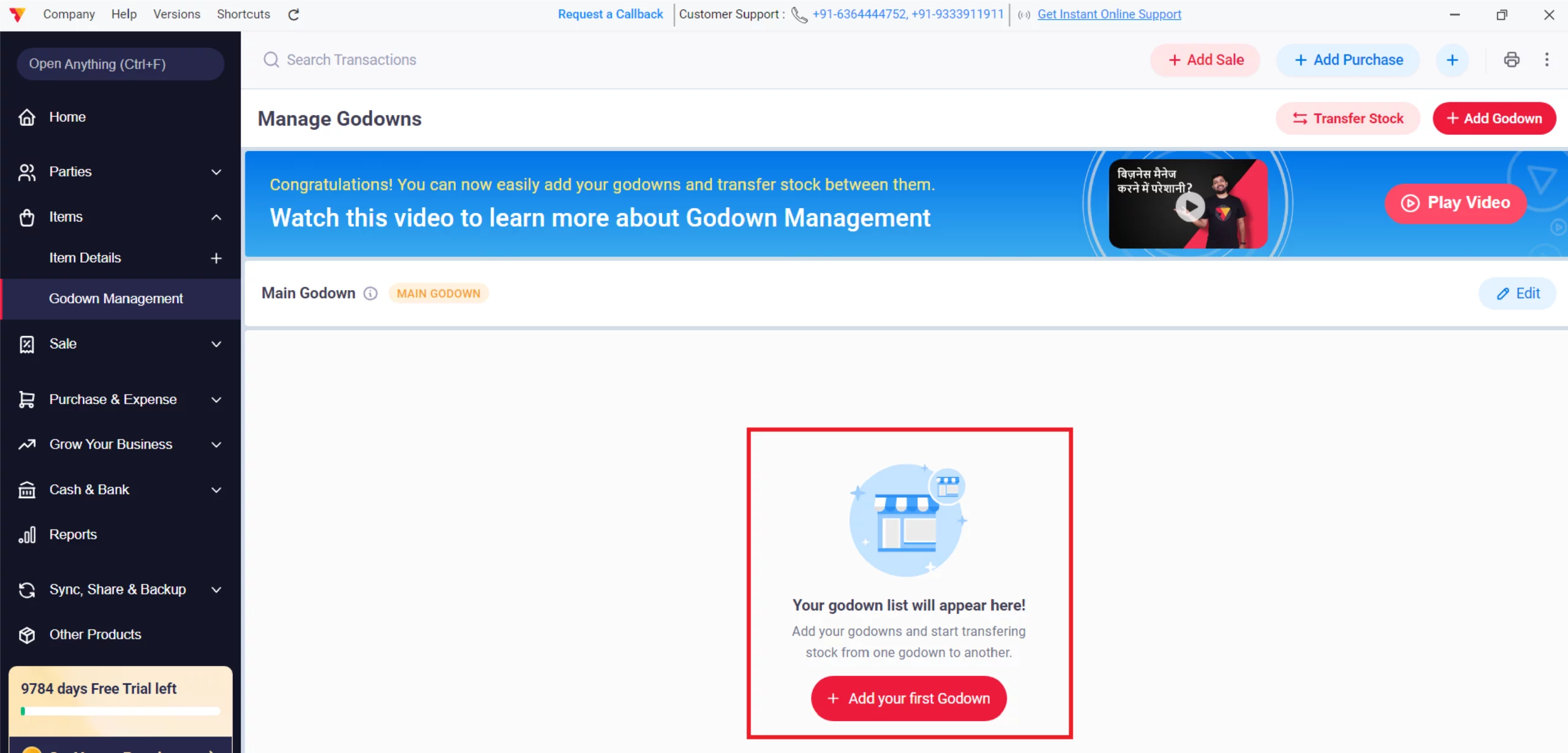
Add a New Godown
Click the + Add your first Godown button to add your godown.
05
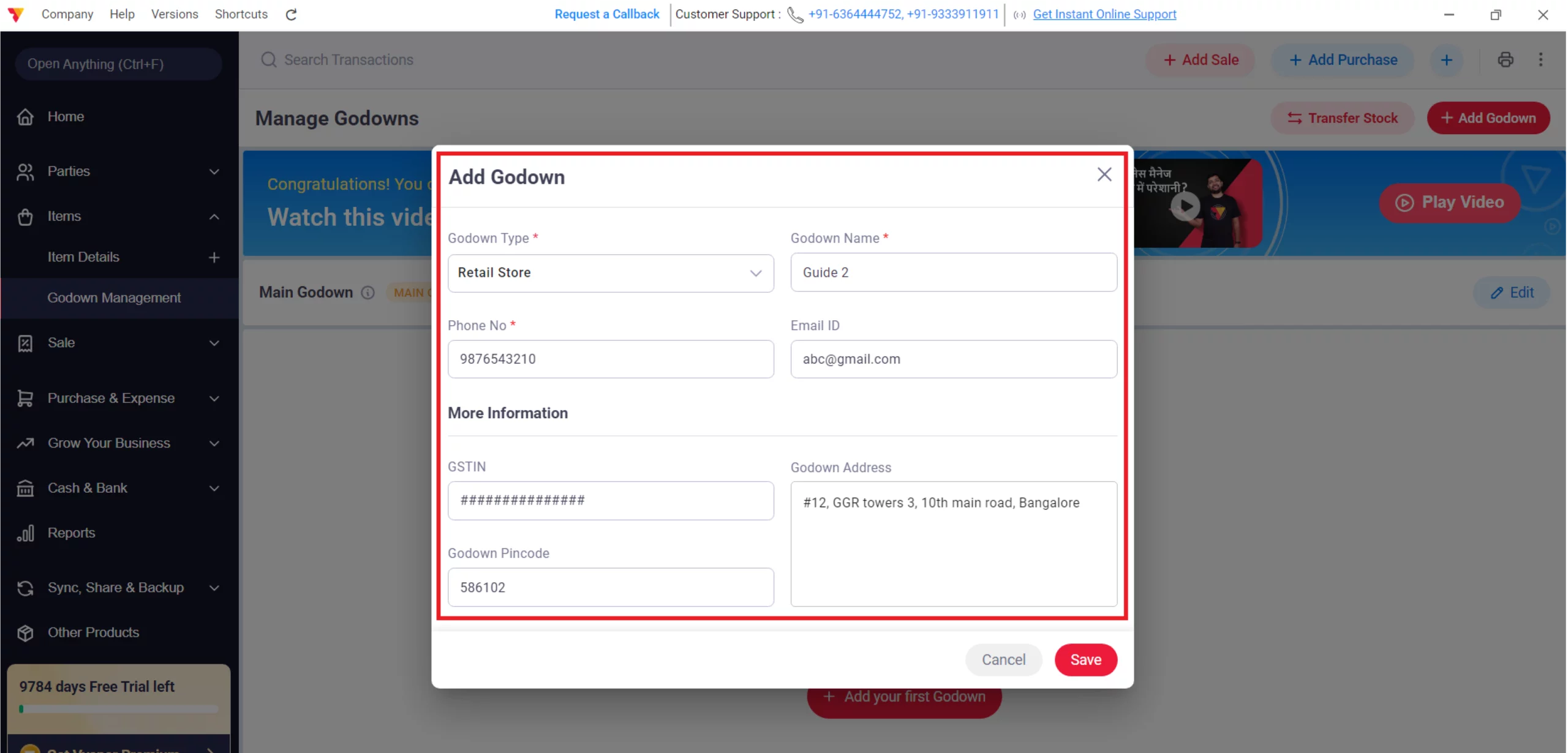
Add a Godown Details
Enter your warehouse details, such as Godown Type, Godown Name, Phone No., Email ID, GSTIN, Pin Code & Address (e.g., Warehouse A or Retail Store), and click Save.
06
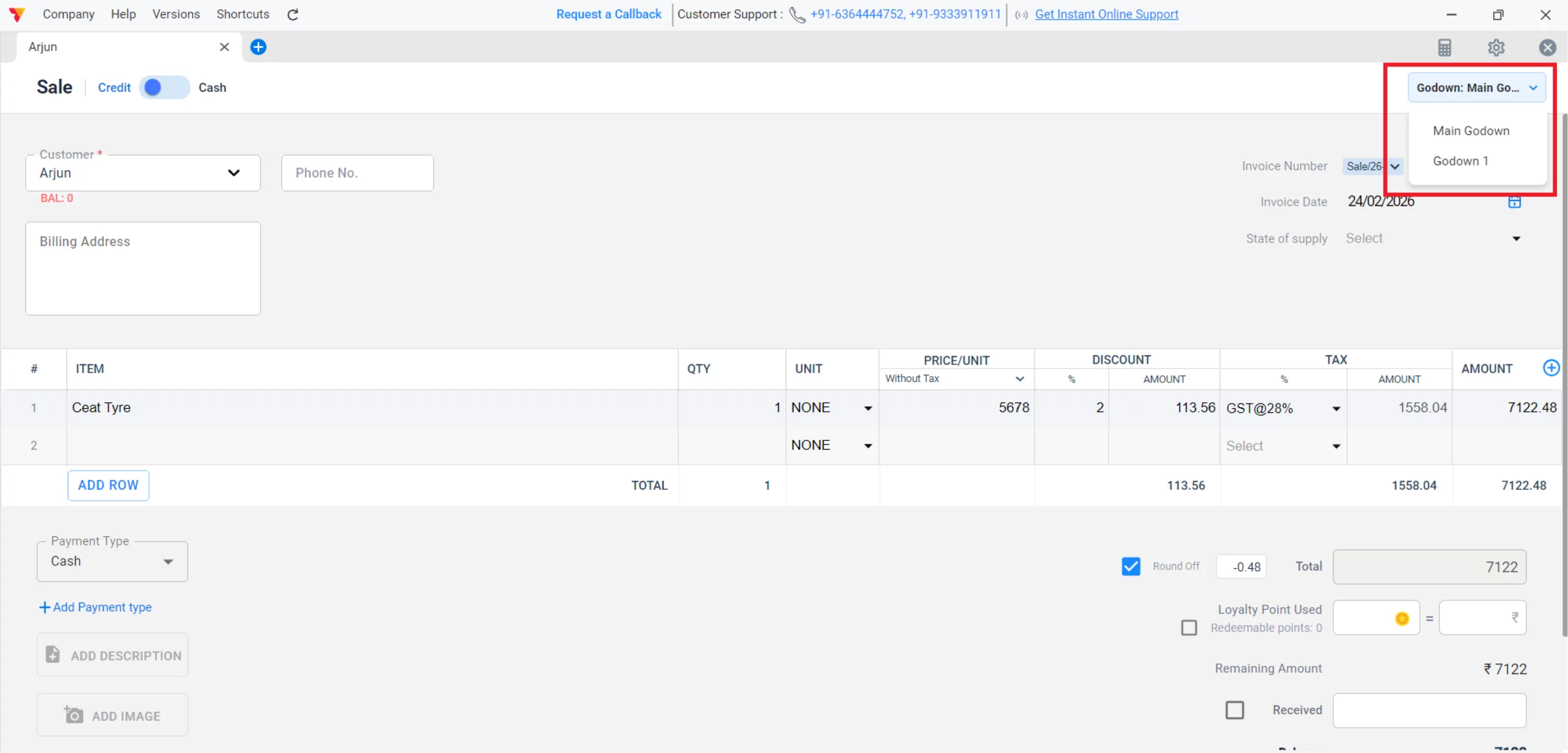
Assign Stock to Godowns
When creating a Purchase or Sale invoice, use the Godown dropdown in the top-right corner to specify which location the stock is entering or leaving.
07
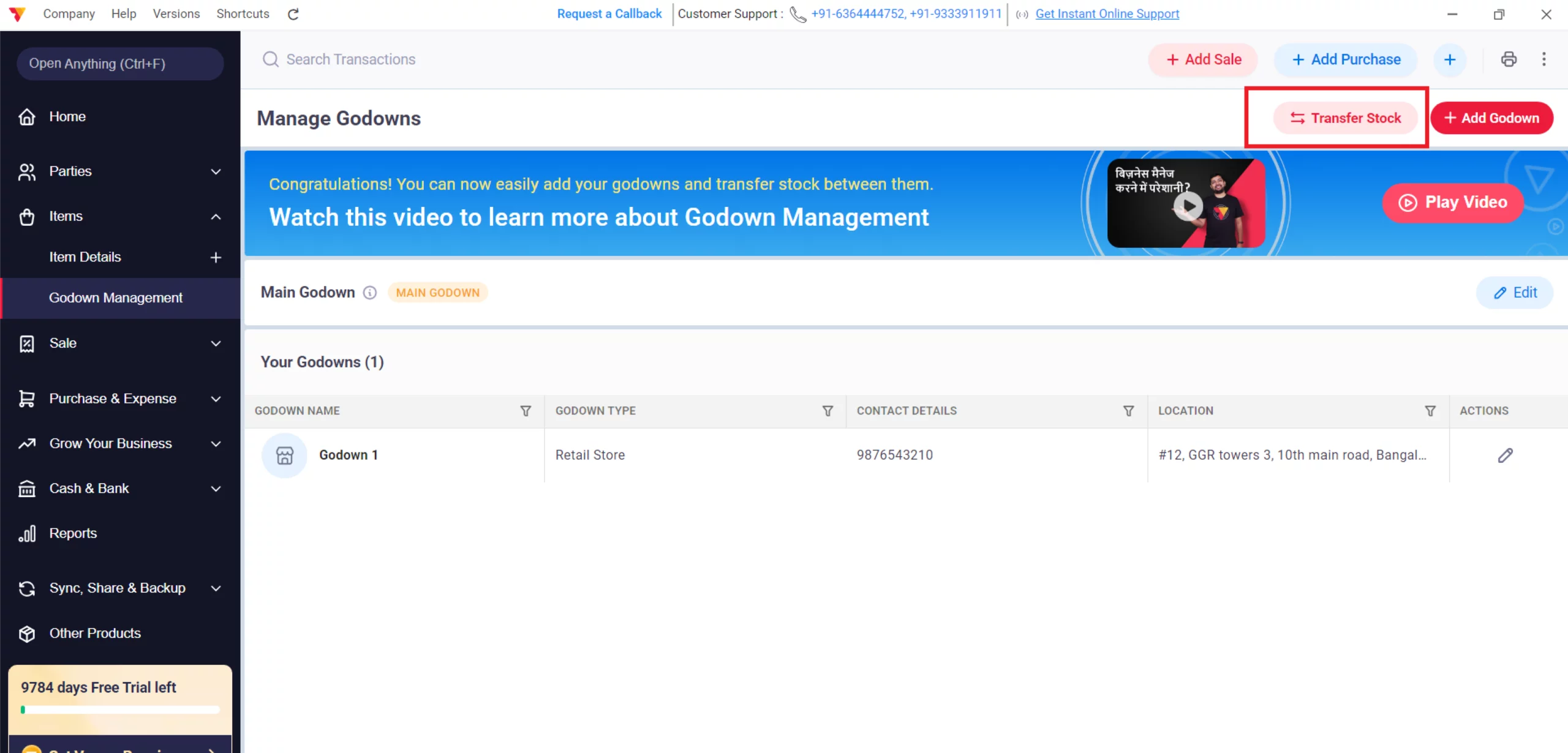
Transfer Stock (Optional)
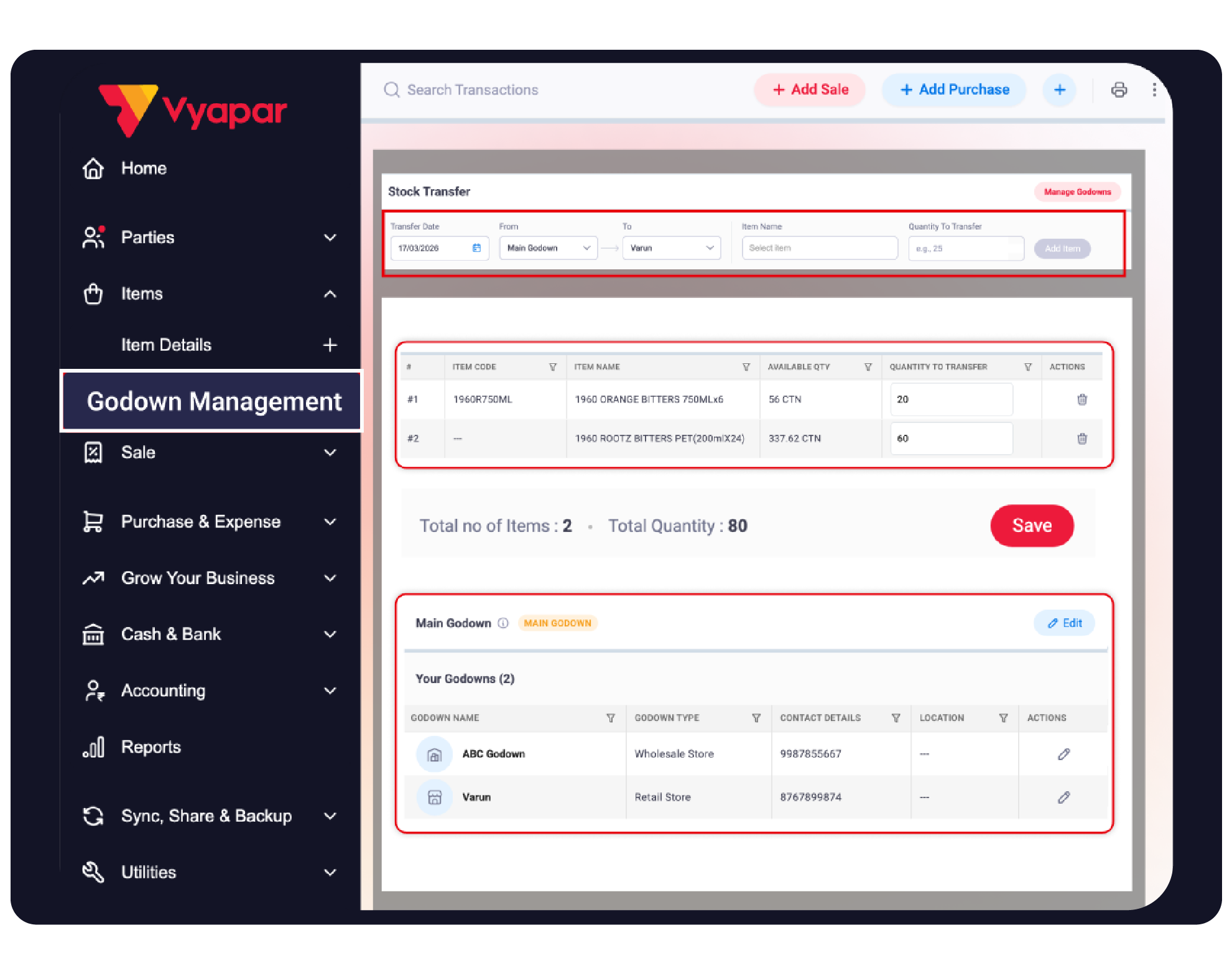
To move items between locations, select Stock Transfer within the Godown Management screen
08
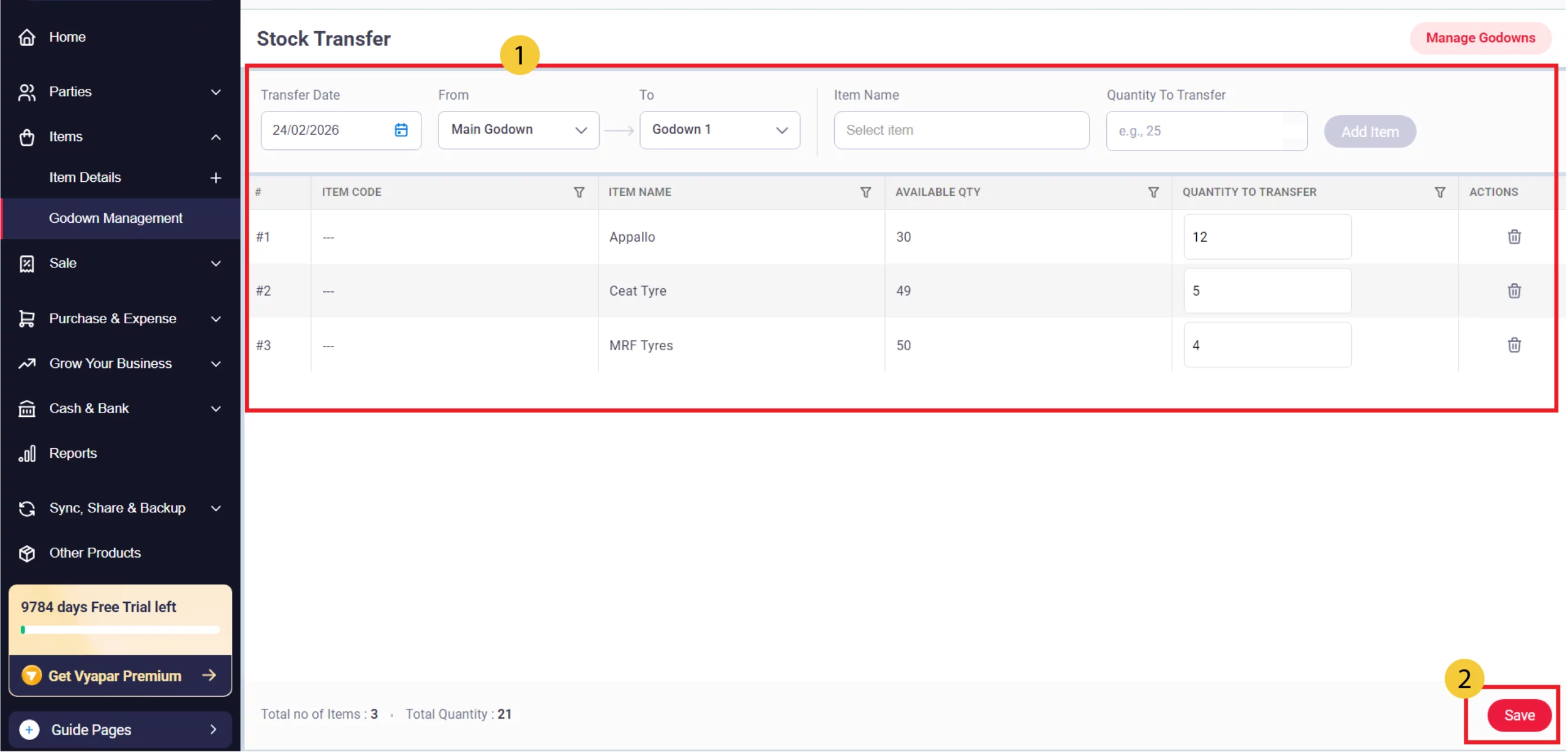
Perform Stock Transfer
Select the source godown in the From field and the destination in the To field. Choose the Item Name, enter the Quantity To Transfer, click Add Item, and then click the red Save button to finalize the movement.
09
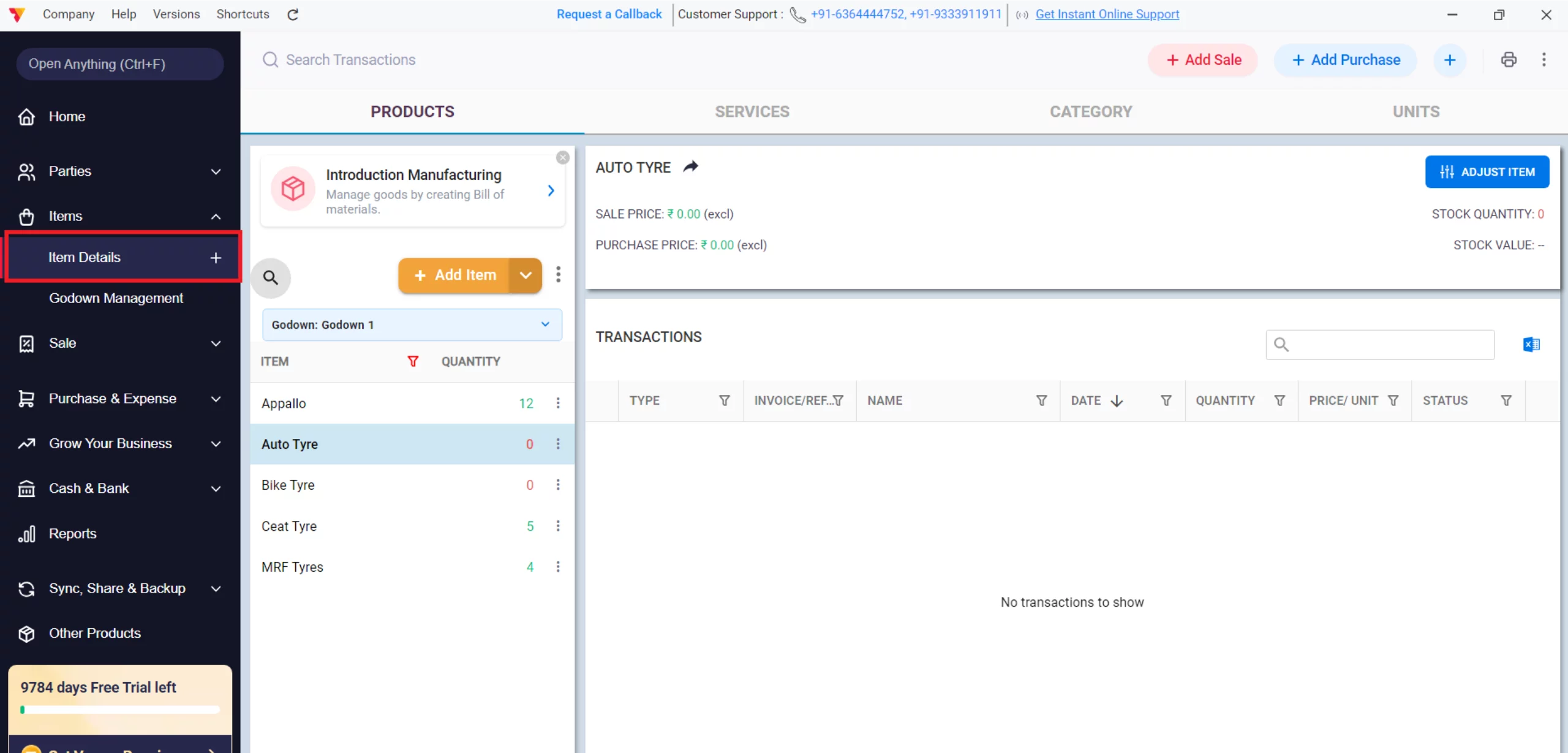
Validate Stock Balances
Return to the Item Details dashboard to view the quantity of stock available in each specific location.
10
Watch Step-by-Step Video Guide to Add and Manage Godowns
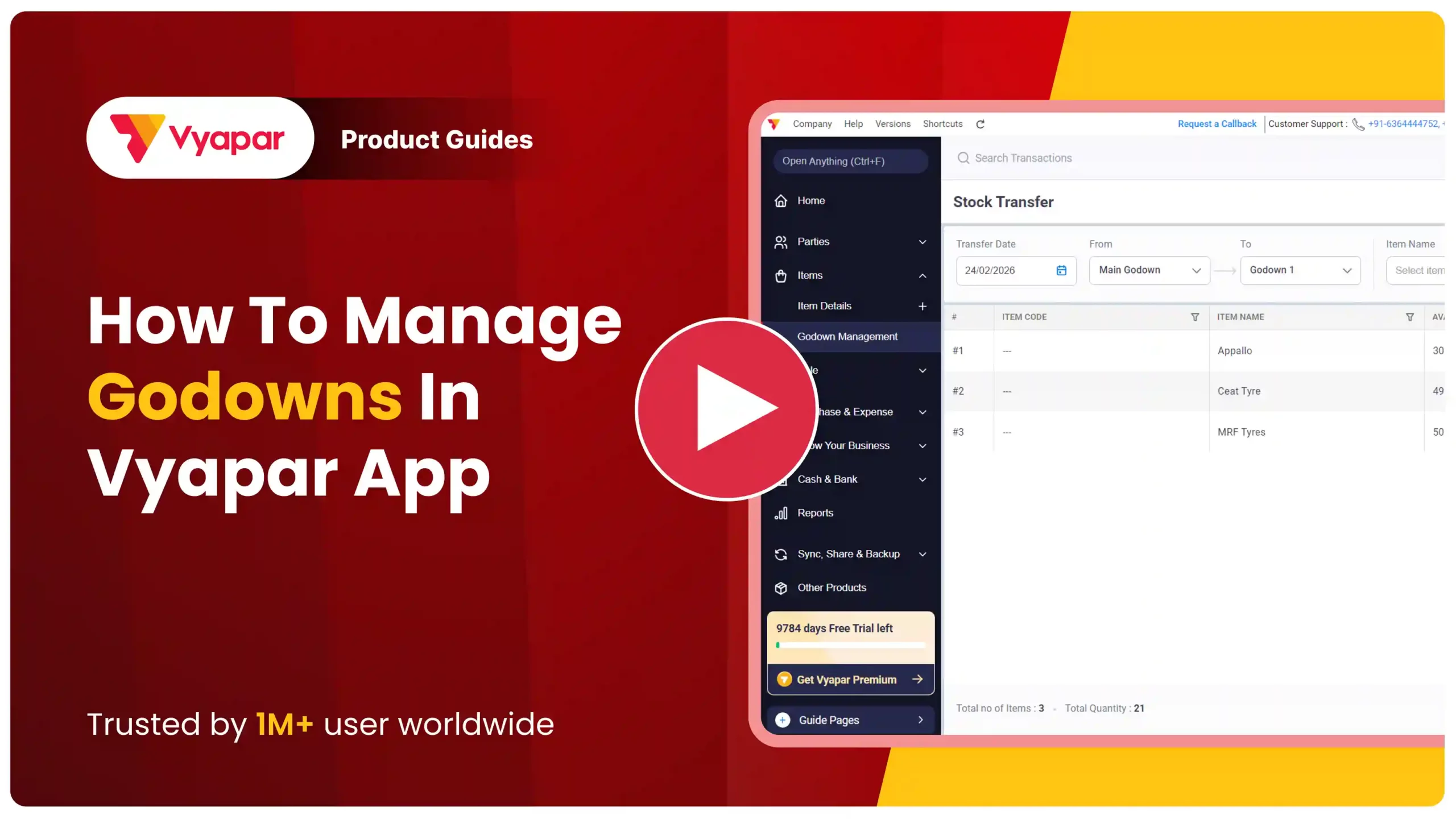
Add and Manage Godowns: Desktop Guide.
Still stuck? Get help in minutes.
Our support team is ready to help you succeed.
 24/7 Support
Why Is This Important for Your Business?
Effective warehouse management prevents stockouts and improves logistical efficiency:

Location-Wise Accuracy
Know exactly where your stock is located, preventing lost sales due to “missing” inventory that is actually in another warehouse.
Optimized Fulfillment
Ship products from the godown closest to the customer to reduce transport costs and delivery time.
Detailed Record Keeping
Stock transfer screens provide a clear audit trail of when and where items were moved, including the total quantity transferred.
Frequently Asked Questions (FAQs)
Can I delete a godown?
No, once a godown is created in Vyapar, it cannot be deleted.


Can I see a report for only one godown?
Yes, in the Reports section, you can filter your Stock Summary or Item Report by Godown to see data for a specific location.
Ready to Find Your Stock Fast?
Start godown management today and cut your search time by 60%.
 Download Vyapar Now





