
 Inventory
Flexible Item-Level Discount Management
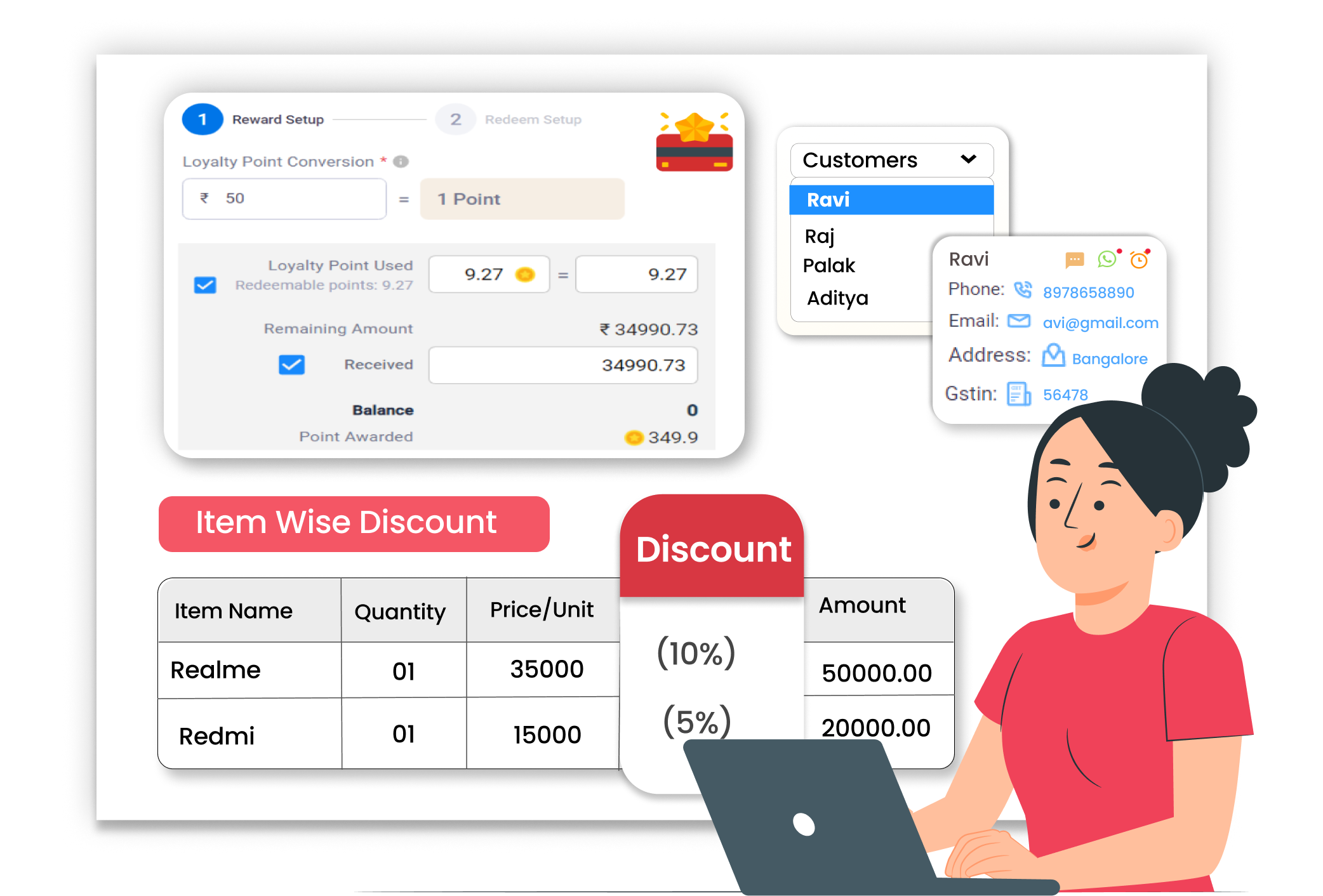
With Vyapar, you can apply item-level discounts easily while billing. You control how much discount to give on each product, clearly and accurately.
Why Flexible Discount Control Matters
Customers often ask for discounts on specific items. If you calculate discounts manually, totals may go wrong. Wrong discount entries affect profit and invoice accuracy. Clear item-level discount control helps you manage margins and avoid billing errors.
No Manual Discount Mistakes
Apply discounts directly to selected items. Vyapar adjusts the final amount automatically.
Clear Discount Visibility
The discount amount is shown clearly on the invoice. Both you and the customer can see item-wise discount details.
Controlled Profit Margins
You decide how much discount to offer based on your pricing strategy. This helps you maintain profit while giving offers.
 The Transformation
Before & After Vyapar
Before
Without Vyapar
- Manual discount calculation
- Wrong final totals
- Confusion between item discount and total discount
- Time spent correcting invoice amounts

After
With Vyapar
- Item-level discount applied instantly
- Automatic total adjustment
- A clear discount is shown on the invoice
- Accurate final bill every time
 Business Impact
Real Results for Your Business
Managing discounts properly helps you avoid billing errors and protect your profits, while still giving customers attractive offers.
Improved
Billing Accuracy
Automatic calculations reduce manual mistakes.
Reduced
Rework
Fewer corrections are needed after billing.
Stronger
Profit Control
Clear visibility of item-level discounts applied on invoices.
How This Feature Solves Discount Problems
Vyapar makes discount handling simple by allowing item-level discount entry during billing. The system automatically updates totals and shows clear discount details on the invoice, so billing stays accurate and transparent.
1

Create Invoice
Start billing as usual in Vyapar.
2
Add Items
Select products and enter quantity.
3
Apply Item Discount
Enter the discount percentage or amount for each item.
4
Generate Final Bill
Vyapar calculates the updated total instantly.
Open a new invoice in Vyapar. Add customer details and begin adding products. The billing screen is simple and easy to use.
Choose items from your saved inventory. Enter quantity and price. Vyapar automatically shows the item total before discount.
You can enter a discount percentage or amount for individual items. Vyapar recalculates the item value and updates the total bill instantly.
The final invoice displays item price, discount, and net amount clearly. This avoids confusion and ensures correct billing every time.
Where This Helps Most
Ideal for These Businesses
This use case is perfect for businesses that offer flexible pricing or item-specific discounts.

Retail Stores
Offer discounts on selected products.
Easy to manage with Vyapar
Edit Link

FMCG Distributors
Provide special rates to bulk buyers.
Easy to manage with Vyapar
Edit Link

Pharmacies
Apply discounts on medicines.
Easy to manage with Vyapar
Edit Link

Grocery Stores
Give item-wise festive discounts.
Easy to manage with Vyapar
Edit Link

Dairy & Food Stores
Offer model-specific price reductions.
Easy to manage with Vyapar
Edit Link

Hardware Stores
Adjust pricing per item as needed.
Easy to manage with Vyapar
Edit Link
Related Use Cases
Manage Inventory Across Multiple Locations

Track Product Batches with Accuracy
Monitor Expiry Dates & Reduce Stock Loss





