
How to Integrate a Payment Gateway with Your Billing Software

Introduction
Collecting payments quickly is one of the biggest challenges for small businesses. Even when sales are strong, delayed payments can disrupt cash flow and make it difficult to manage daily expenses like inventory purchases, salaries, and operational costs. Many invoices don’t get paid on time, not because customers don’t want to pay, but because the payment process isn’t convenient or immediate.
Traditionally, businesses had to share bank details separately, confirm payments manually, and update records afterward. This not only consumed time but also increased the chances of errors in accounting. As digital payments have become the norm in India, customers now expect fast, simple, and secure payment options when they receive an invoice.
That’s where payment gateway integration with billing software makes a real difference. By enabling UPI, QR codes, and online payment links directly within invoices, businesses remove friction from the payment process. Customers can complete transactions in seconds, without needing additional instructions or follow-ups.
Let’s break down how this works and how small businesses can set it up.
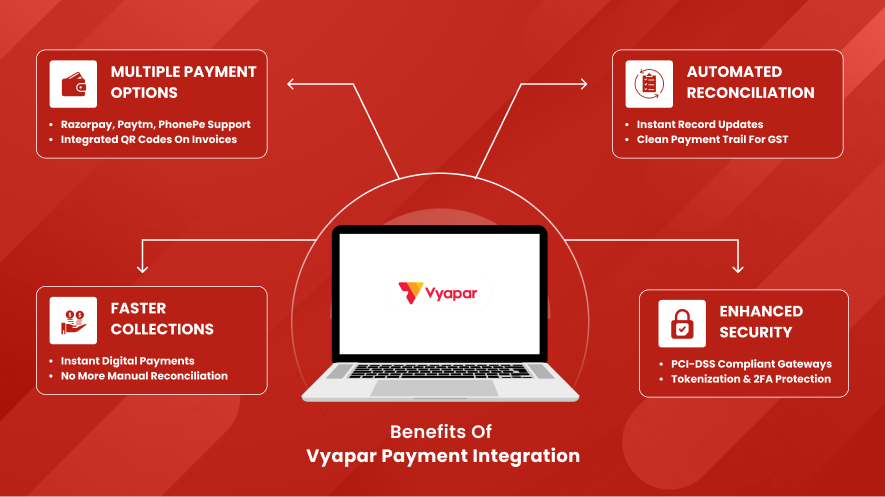
Benefits of Integrating UPI and Payment Gateways
Integrating UPI and payment gateways with billing software removes friction from the payment process. Customers don’t need to ask for bank details or send payment confirmations separately.
Here are the biggest advantages:
1. Faster collections
Customers can pay instantly using UPI apps, cards, or net banking directly from the invoice.
2 . Auto-reconciliation
Payments automatically get matched with invoices, reducing manual bookkeeping work.
3 . Better cash flow visibility
You can see paid, pending, and overdue invoices in real time.
4. Professional invoicing experience
Invoices with QR codes and payment links look more organized and trustworthy.
5. Reduced payment follow-ups
When paying is easy, customers tend to pay faster.
For small businesses managing multiple customers daily, these small improvements save hours of manual work every week.
Choosing the Right Payment Gateway for Small Business
Not all payment gateways are the same. The right choice depends on transaction volume, settlement speed, integration options, and ease of use.
Here’s a simple comparison of three popular options used by small businesses in India:
| Feature | Razorpay | Paytm | PhonePe |
| Best for | Online businesses & service providers | Retail + online payments | UPI-focused businesses |
| UPI support | Yes | Yes | Yes |
| Payment links | Yes | Yes | Limited |
| Settlement speed | T+1 to T+2 days | T+1 to T+2 days | Fast UPI settlements |
| Integration with billing software | Strong | Moderate | Growing |
| QR code payments | Yes | Yes | Yes |
Razorpay is often preferred by businesses that send online invoices and payment links regularly.
Paytm works well for both physical stores and online sellers because of its ecosystem of POS devices and wallet users.
PhonePe is widely used for UPI payments, especially by small retailers and local businesses.
For most small businesses, the best gateway is the one that customers already use frequently. Convenience drives faster payments more than features.
How to Enable UPI Payments in Vyapar
If you’re using Vyapar billing software, enabling UPI payments is straightforward. Once configured, every invoice can include a QR code that customers can scan to pay instantly.
Here’s a simple step-by-step process:
Step 1: Open Vyapar settings
Go to the “Payment Settings” or “Bank Accounts” section.
Step 2: Add your business bank account
Enter account details linked to your UPI ID.
Step 3: Enable the UPI QR code option
Turn on the QR code display for invoices.
Step 4: Generate invoice
Create a bill as usual in the software.
Step 5: Share the invoice with the customer
The invoice will include a scannable QR code for payment.
Step 6: Payment recorded automatically
Once the customer pays, you can mark the invoice as paid and maintain proper records.
This process eliminates the need to send UPI IDs separately or confirm payments manually.
Businesses that invoice frequently, such as wholesalers, service providers, freelancers, and retailers, benefit the most from QR-enabled billing.
Over time, this creates a clean payment trail that simplifies accounting and GST reporting.
Is it Safe? Security Protocols Explained
Security is one of the most common concerns when integrating payment gateways with business software. The good news is that modern payment systems in India follow strict banking and regulatory standards.
Here’s how transactions stay secure:
PCI-DSS compliance – Payment gateways follow global security standards for handling card data.
UPI authentication – UPI payments require PIN verification through the customer’s banking app.
Tokenization – Sensitive payment information is replaced with encrypted tokens.
End-to-end encryption – Payment data is encrypted during transmission.
Two-factor authentication (2FA) – Most digital payments require an additional verification step.
Because of these protections, digital payments are often safer than handling cash or manual bank transfers.
The real risk usually comes from operational mistakes, not technology. For example:
- Sharing OTPs
- Clicking unknown payment links
- Using unsecured networks
- Not verifying customer payments properly
Following basic digital payment practices keeps transactions safe.
Final Thoughts
Integrating a payment gateway with billing software is no longer optional for growing businesses. Customers expect quick and convenient payment options, and businesses need faster collections to maintain healthy cash flow.
UPI payments, QR code invoices, and automatic payment tracking simplify day-to-day operations while improving professionalism. For small businesses especially, the combination of billing software and digital payments reduces manual work, improves record accuracy, and speeds up collections.
Tasks that previously required hours of follow-ups and bookkeeping are now handled automatically in the background.
Frequently Asked Questions (FAQs)
Can I send payment links directly from billing software?
Yes, many billing tools allow you to generate payment links along with invoices so customers can pay instantly.
What happens if a customer pays the wrong amount?
You can record the partial payment in the software and adjust the remaining balance in the invoice.
Do QR code payments work for both online and offline invoices?
Yes, QR codes printed on invoices or shared digitally can be scanned using any UPI app.
Can payment gateway integration help with bookkeeping?
Yes, integrated payments reduce manual data entry because transactions can be automatically matched with invoices.
Is internet banking required to use a payment gateway?
No. Businesses only need a bank account and KYC verification to activate most payment gateway services.


