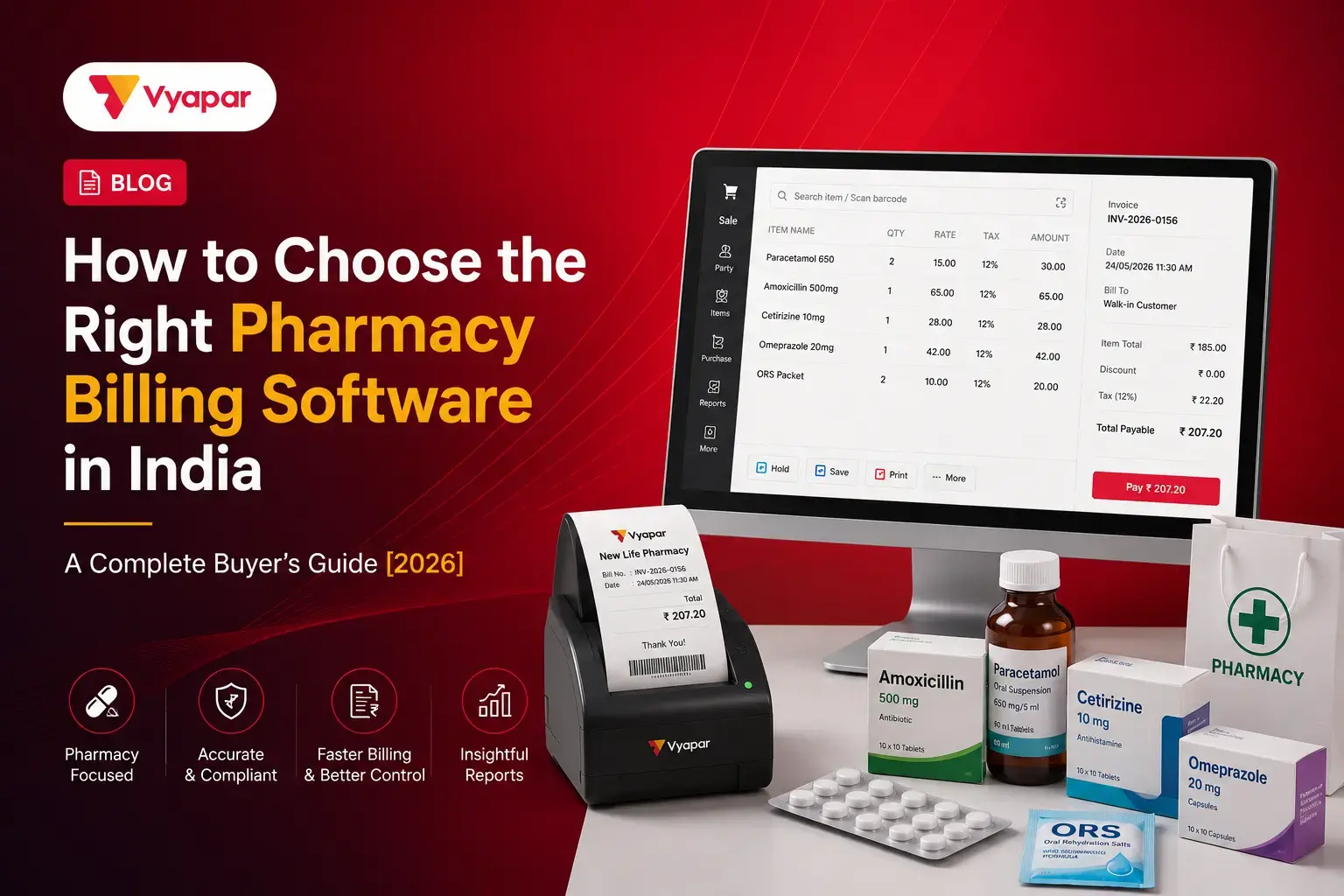
Picking the right pharmacy billing software is not just about billing speed. It is also about following the law. If you pick the wrong software, you can face problems during a drug inspection, make GST mistakes, or slow down your counter when customers are waiting. Many pharmacy owners choose software based on price or a list of features. But for a pharmacy in India, there are specific legal requirements that the software must meet. This guide helps you understand what to check before you buy.
Before looking at features and pricing, here is why the right billing software is a critical decision for any Indian pharmacy:
9 lakh+ registered pharmacies operate under CDSCO across India, all subject to drug inspection at any time without prior notice. (Source: CDSCO, Ministry of Health)
Under the Drugs and Cosmetics Rules 1945, failure to maintain Schedule H and H1 registers is a directly prosecutable offence, making digital record keeping a legal necessity, not a best practice.
3 GST slabs apply to medicines in India: 0%, 5%, and 18%. A single incorrect slab applied across hundreds of bills can create a GST mismatch that triggers an audit notice.
Rs 1 lakh to Rs 5 lakh+ is the typical penalty range for non-compliance found during a drug inspection, far exceeding the annual cost of any pharmacy billing subscription. ( Source: Drugs & Cosmetics Act full text (PDF) )
40% of pharmacies in a 2024 FICCI Health Services survey reported billing-related GST filing errors in at least one financial year, most traced to manual invoice entry.
Why Pharmacy Billing Software Is Different from Normal Billing Software
A lot of pharmacy owners try to manage their store using a regular GST billing app or a basic Excel sheet. This works fine for a grocery store or a clothes shop. But for a pharmacy, it fails in three specific areas that a normal billing tool cannot handle.
The table below shows exactly where a generic billing app falls short compared to pharmacy-specific software:
Feature / Requirement
Generic Billing Software
Vyapar Pharmacy Billing Software
Batch & Expiry Controls
General, single-line item entry without life-cycle tracking.
Batch-wise inventory tracking that alerts you to near-expiry stock.
Drug Act Regulations
None; treats medicines the same as general commodities.
Schedule H & H1 digital registers that auto-prompt for doctor and prescription records.
Medicine Selection
Standard manual text input or basic SKU lookup.
Hyper-fast search by drug name or chemical salt to find alternatives.
Billing Operations
Manual entry of prices, taxes, and customer details.
Fast checkout using barcode scanners to auto-load batch, price, and expiry data.
Tax Layouts
General GST/VAT percentage application.
Automated pharma-specific GST slabs (0%, 5%, 18%) for accurate drug taxes.
Audit Readiness
Basic sales ledgers and tax summary exports.
One-click drug inspector-ready reports, batch records, and compliance history.
Offline Capabilities
Mostly relies on active internet sync or cloud access.
Built for 100% offline billing so rush-hour operations never stall.
Here is what each gap means for your pharmacy in practice:
Regular Apps Do Not Have a Drug License Field on Invoices
Every invoice your pharmacy gives must show your drug license number. This is required under Rule 65 of the Drugs and Cosmetics Rules, 1945. A regular billing app does not have this field. So every bill you create is legally incomplete.
If a drug inspector visits and checks your invoices, this can lead to a warning, a fine, or, in serious cases, suspension of your license. Pharmacy-specific billing software automatically adds your drug license number to every bill. You enter it once in the settings, and it appears on all invoices going forward.
Regular Apps Do Not Keep a Schedule H Register
Schedule H and Schedule H1 medicines are controlled medicines. These include antibiotics, sleeping pills, and other prescription-only medicines. Under Rule 65(11) of the Drugs and Cosmetics Rules, every sale of these medicines must be recorded in a register with the patient’s name, the doctor’s name, prescription details, and the quantity sold.
A regular billing app has no way to do this. If a drug inspector asks for your Schedule H register and you do not have one, you can face serious penalties. The right pharmacy billing software creates this register automatically every time you bill a Schedule H medicine.
Regular Apps Do Not Track Batch Number and Expiry Date
Selling expired medicine is one of the most serious offences under the Drugs and Cosmetics Act, 1940. A regular billing app tracks how many units of a medicine you have but does not track which batch the medicine is from or when it expires.
If the manufacturer or the government recalls a medicine batch, you need to know immediately which customers received that batch. Without batch tracking, you cannot find out. A pharmacy billing software records the batch number and expiry date of every medicine at the time of sale. It also gives you an alert before any medicine is about to expire.
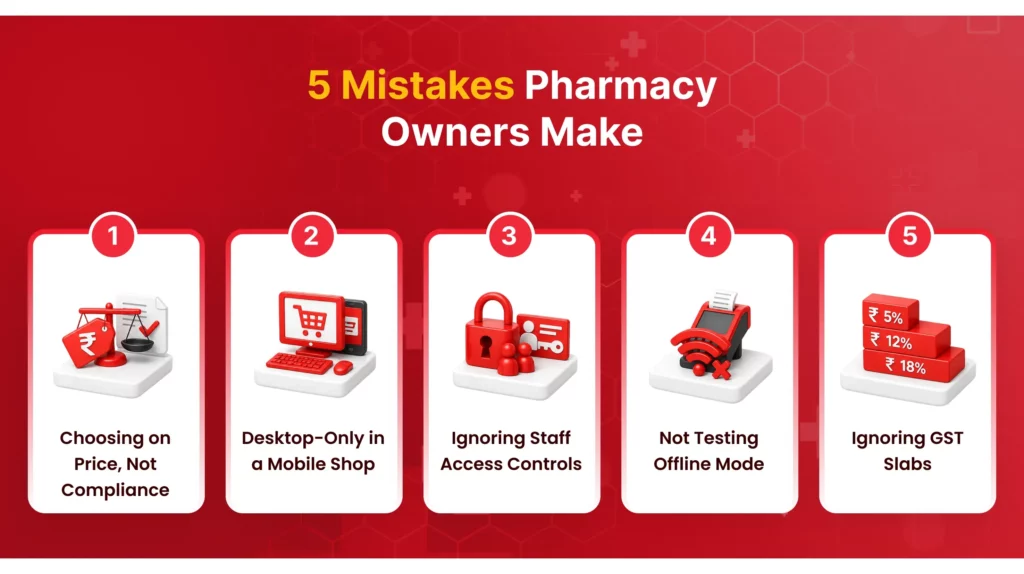
5 Mistakes Pharmacy Owners Make When Choosing Billing Software
These are the most common mistakes pharmacy owners make when buying billing software. Each one can cause real problems for your business.
Choosing Based on Price Without Checking Schedule H Support
Cheaper software that does not maintain Schedule H and H1 records is not saving you money. It is putting you at risk. One drug inspection in which the officer finds missing Schedule H records can result in a fine of several lakhs. That is far more than the cost of any billing software subscription for several years.
Before you look at the price, first confirm:
Does the software automatically create and maintain the Schedule H register with every sale?
Does it keep Schedule H and H1 as two separate registers?
Can you pull up a complete register instantly if an inspector visits?
Buying Desktop-Only Software When Your Staff Needs Mobile Access
Many pharmacy billing tools in India are made for a desktop computer sitting at one fixed counter. But a busy pharmacy is not always like that. You may have two counters. A staff member may need to check stock in the storage room. The owner may need to check reports while away from the shop.
Before buying, check:
Does the software have a full mobile app – not just a viewer?
Can complete billing be done from the mobile app independently?
Does mobile data sync with the desktop in real time?
Not Checking Staff Access Controls for Restricted Medicines
Schedule H and H1 medicines should only be given with a valid prescription. In a busy pharmacy, a counter staff member can make a mistake and bill a restricted medicine without checking the prescription properly.
This is a staff access problem as much as a compliance one. Before buying pharmacy billing software, check:
Can the admin restrict counter staff from billing Schedule H medicines independently?
Does the system require a mandatory prescription reference before a restricted medicine can be billed?
Is there an audit trail showing who activated which restricted medicine and when?
Not Asking Whether the Software Works Without Internet
Internet connections in many Indian cities and towns are not reliable. According to TRAI’s Telecom Subscription Report, mobile internet availability in Tier 3 districts still sees regular outages. If your billing software needs the internet to work and your connection drops, your counter stops.
Before you buy, confirm: Does the software work completely offline, including billing, stock check, and payment recording?
Does data sync automatically when the connection comes back?
Has the vendor tested offline mode specifically for Android devices used in Indian pharmacies?
Ignoring GST Compliance Requirements Across Medicine Categories
Medicines in India fall under three different GST slabs notified by the GST Council: 0% for essential medicines, 5% for most prescription medicines, and 18% for certain formulations. Applying the wrong rate is a compliance mistake.
If this happens across hundreds of bills, your GST returns will not match your billing data. Before buying, check:
Does the software apply the correct GST rate automatically based on the medicine’s HSN code?
Can you override the rate manually when needed?
Does the software generate GSTR-1 and GSTR-3B reports directly from your billing data?
What Indian Pharmacy Law Requires Your Billing Software to Do
India has over 9 lakh registered pharmacies under CDSCO (Central Drugs Standard Control Organisation). Drug inspectors can visit at any time without giving prior notice. Here is what the law says your billing software must be able to produce.
Show Drug License Number on Every Invoice
Required under Rule 65 of the Drugs and Cosmetics Rules, 1945. Your drug license number must appear on every sales invoice you give to a customer. Your billing software should add this automatically from your settings – not require manual entry on each bill.
Keep a Schedule H Register for Every Sale
Under Rule 65(11) of the Drugs and Cosmetics Rules, you must maintain a written or digital register for every Schedule H medicine you sell. The register must include:
Name and address of the doctor who prescribed it
Name and address of the patient
Date of sale and quantity sold
Medicine name, batch number, and expiry date
If you cannot show this register during a drug inspection, you can be prosecuted. Your billing software must create this register automatically as part of the billing process – not as a separate manual step.
Keep a Separate Schedule H1 Register
Schedule H1 covers higher-risk controlled medicines with stricter controls. The CDSCO Schedule H1 listincludes medicines like habit-forming drugs and certain antiretrovirals. The penalties for missing Schedule H1 records are more serious than for Schedule H. Ask any vendor whether their product maintains these as two completely separate registers.
Record Batch Number for Every Medicine Transaction
As per CDSCO Good Pharmacy Practice guidelines, every medicine sale must be traceable to a specific batch. If the government orders a recall, you must immediately identify which customers received that batch. Your billing software must record the batch number at the time of sale – tracking only the total quantity is not enough.
Show Expiry Date on Every Bill and Give Near-Expiry Alerts
Selling expired medicine is an offence under the Drugs and Cosmetics Act. Your billing software must display the expiry date on the invoice and alert you when a medicine batch is close to its expiry date, so you can remove it from the counter before it is sold by mistake.
Create a Proper GST Invoice
As per GST invoice rules under the CGST Act, a pharmacy invoice must include your GSTIN number, the HSN code of each medicine, the correct GST rate (0%, 5%, or 18%), and the tax amount broken down as CGST and SGST or IGST for interstate sales. A basic cash memo does not meet these requirements.
Questions to Ask a Billing Software Company Before You Buy
Any software company will tell you their product does everything. These seven questions will help you find out quickly whether the software is right for a pharmacy:
Does your software automatically create and save the Schedule H and H1 register with every sale? Or do I have to fill in the register separately after billing?
Does the drug license number appear on every invoice automatically from my account settings? Or do I have to type it on each bill?
Does the software work completely offline when my internet is down? Can my staff do full billing, check stock, and record payments without internet?
Can I set it so that counter staff cannot bill Schedule H medicines without admin approval? And does it make the staff enter the prescription details before the medicine can be billed?
Does the software automatically apply the correct GST rate for each medicine based on its HSN code? Or does my staff have to choose 0%, 5%, or 18% manually for each product?
What happens to all my billing data if I lose my phone or my computer stops working? Is there an automatic backup? Can I get all my data back on a new device?
Is there a free plan so I can download and test the software in my actual pharmacy with real medicines and real customers before choosing a paid subscription?
Free vs Paid Pharmacy Billing Software
Some pharmacy billing software is available for free. Some have a monthly or yearly cost. Here is a simple way to understand what you get with each.
What You Get With a Free Plan
A good free plan for a pharmacy should include basic GST billing, medicine inventory tracking, and simple business reports. For a small pharmacy with one counter and straightforward retail sales, a free plan is usually enough to get started.
The main limitations of free plans:
Usually, allow only one or two users
Do not support multi-device use across mobile and desktop
May not include WhatsApp invoice sharing, low stock alerts, or e-invoicing support
May have limits on the number of invoices or transactions per month
What You Get With a Paid Plan
A paid pharmacy billing plan usually adds:
Multiple staff using the software at the same time from different devices
WhatsApp integration to send invoices to customers directly
Low stock alerts with custom minimum quantity limits per medicine
E-invoicing and e-way bill generation
Priority customer support when you have a problem
If your pharmacy handles more than 100 bills a day or you also do wholesale business alongside retail, these features become important for daily operations.
The Real Cost of Getting It Wrong
The highest cost of using the wrong pharmacy billing software is not the subscription price. It is the cost of a compliance problem.
One drug inspection that finds missing Schedule H records, wrong GST on invoices, or expired medicines that were not tracked can result in fines running into several lakhs of rupees. The penalty structure under the Drugs and Cosmetics Act allows for both monetary penalties and suspension of a drug license for serious violations. When you compare software options, compare the total cost of a compliance problem – not just the subscription price.
Vyapar Pharmacy Billing Software offers a completely free mobile plan that includes core billing, GST invoicing, and inventory tracking. Paid plans add features like multi-device sync, low stock alerts, e-invoicing, and WhatsApp integration. Download it for free and get started today.
How Long Does It Take to Move to New Pharmacy Billing Software
Most pharmacy owners put off switching software because they assume it means downtime and lost sales. It doesn’t. Switching to software like Vyapar GST Billing Software takes just 15–30 minutes to get your pharmacy billing up and running:
Set up your business: Enter your shop name, GSTIN, and drug license number once; it appears on every invoice after that.
Add your medicines: Add products one by one, or import your full list at once from Excel.
Carry over your records: Bring in your current stock count and outstanding balances. Old invoices can stay in your previous software, you can still pull them up if a GST officer or drug inspector asks.
Start billing: Search by medicine name or scan the barcode, add it to the bill, and share the invoice on WhatsApp or print it.
How to setup Pharmacy Business in Vyapar
If you have read through this guide and are looking for pharmacy billing software that keeps a Schedule H and H1 digital register, shows your drug license number on every invoice, tracks batch and expiry, gives role-based staff controls, handles all three GST rates correctly, works offline, and has a free plan to start with – Vyapar is built for Indian pharmacies and is trusted by 10,000+ pharmacy businesses across the country. Download it for free and get started today.ers effortless, so you always know who owes you and whom you owe at any point in time.
Vyapar Editorial Team represents the officially authorized content and review function at Vyapar App, a business management, billing and accounting software used by millions of SMEs. Articles published under this author are created and reviewed by subject-matter experts to ensure accuracy, compliance, and practical business value.
KEY TAKEAWAYS Do you need to buy barcodes for your products?Usually no. Most packaged products already come with a barcode from the manufacturer. What is the main work involved in setting up barcode billing?Adding your products, prices, and barcodes correctly to your billing software. Can barcode billing reduce billing mistakes?Yes. It can reduce mistakes caused…
KEY TAKEAWAYS Free plans work fine at the start: Basic billing, GST billing, and inventory tracking are available on both free and paid plans Barcode billing speeds up checkout: Useful once your product list runs into hundreds or thousands of SKUs Udhaar follow-ups get automated: WhatsApp and SMS payment reminders replace manual calling for pending…
Introduction Retail in 2026 is more competitive than ever. Customers expect quick checkout experiences, accurate billing, digital payment options, and professional invoices. At the same time, retailers need to manage inventory, GST compliance, customer records, and daily sales without spending hours on manual work. To help retailers make the right decision, I’ve compared five of…