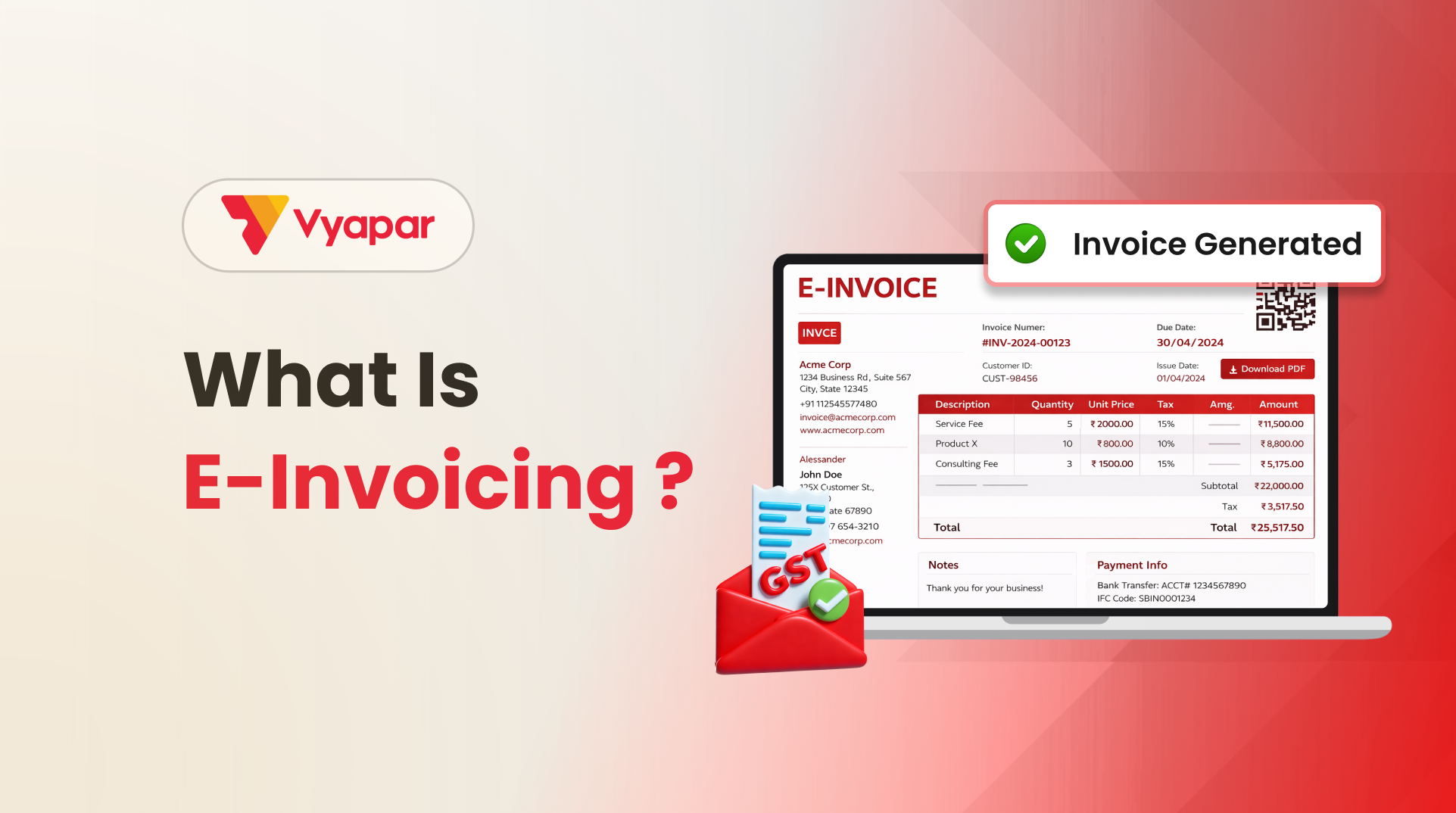
E-invoicing is the electronic authentication of B2B invoices on the government’s Invoice Registration Portal (IRP)
Every valid e-invoice carries a unique IRN and a QR code
Generating an e-invoice takes a single click through integrated billing software
An e-invoice can be cancelled only within 24 hours, and only in full
After 24 hours, the only correction route is a credit or debit note
Introduction
E-invoicing under GST has changed the way Indian businesses issue B2B tax invoices. Instead of sharing an invoice directly, certain invoices must now be registered with a government portal first. This small extra step validates the invoice, reduces fake billing, and auto-fills your GST returns.
This blog explains what e-invoicing is, how to generate an e-invoice step by step, and what to do when you need to cancel one.
What is E-Invoicing?
What do you mean by e-invoicing? E-invoicing, or electronic invoicing, is a system under GST in which B2B invoices are authenticated on a government-approved Invoice Registration Portal (IRP) before being shared with the buyer. The portal validates the invoice data and returns a unique Invoice Reference Number (IRN) along with a QR code.
A common myth is that e-invoicing means creating invoices on a government website. It does not. You continue to raise invoices in your own billing or accounting software. Only the invoice data is reported to the IRP in the background.
E-invoicing is NOT:
A PDF invoice sent by email
A scanned or photographed paper invoice
An invoice generated directly on the GST portal
How the E-Invoicing System Works
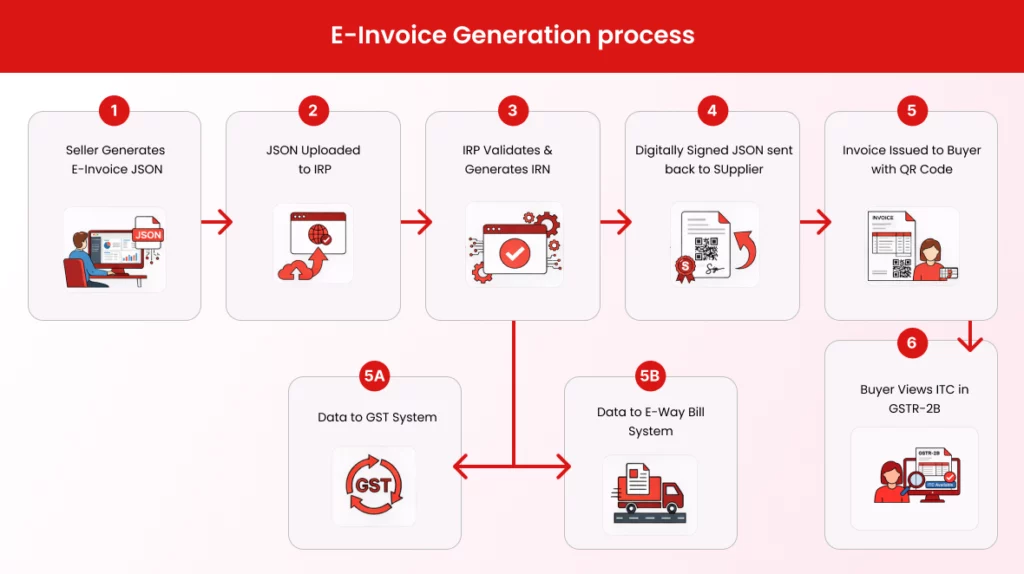
Here is the flow in simple terms:
Steps
What Happens
1.
You create the invoice in your billing software as usual
2.
The software converts the invoice into a standard JSON format
3.
The JSON is sent to the Invoice Registration Portal (IRP)
4.
The IRP validates the data and checks for duplicates
5.
The IRP returns a unique IRN, QR code, and digital signature
6.
You share the final invoice (with QR code) with the customer
7.
Invoice data auto-flows to GSTR-1 and the e-way bill portal
The IRN is generated from four inputs: your GSTIN, the invoice number, the financial year, and the document type. This combination is unique, which is why a single invoice number cannot be registered twice.
How to Generate E-Invoice
You can generate an electronic invoicing through the IRP portal, a GST Suvidha Provider (GSP), or Vyapar billing software connected to the IRP. For most businesses, integrated software is the fastest route.
Step 1: Create the invoice in your billing software. Enter customer details, items, tax rates, and totals exactly the way you do today. Nothing changes in your normal workflow.
Step 2: Click “Generate IRN.” Your software packages the invoice data as JSON and sends it to the IRP in real time.
Step 3: IRP validates the invoice. The portal checks the GSTIN, invoice number, tax calculations, and mandatory fields. If everything is correct, the IRP returns the IRN, QR code, and acknowledgement number within seconds.
Step 4: Share the final invoice with the customer. Your billing software automatically prints the QR code and IRN on the invoice. This is the version you share with the buyer, by print, PDF, email, or WhatsApp.
Step 5: Data flows to GSTR-1 and e-way bill portal. You do not need to re-upload the invoice anywhere. Your GSTR-1 gets auto-filled for the relevant period, and Part-A of the e-way bill is generated automatically where applicable.
Important: Businesses with an Annual Aggregate Turnover of Rs 10 crore and above must upload invoices to the IRP within 30 days of the invoice date. Miss this window and the invoice will be rejected.
A wrong GSTIN, a duplicate entry, or a cancelled order can all call for cancellation. Here are the rules you must know.
Key Rules for Cancellation
Rule
Details
Time limit
Within 24 hours of IRN generation
Cancellation type
Full cancellation only, no partial cancellation
Invoice number reuse
Not allowed, must issue a fresh invoice number
E-way bill dependency
Cancel the active e-way bill first, if any
After 24 hours
Issue a credit note (which itself is an e-invoice)
Step-by-Step: Cancelling an electronic invoicing
Log in to the IRP (or cancel directly from your billing software)
Open the “Cancel” option under the e-invoice menu
Enter the IRN or acknowledgement number
Select a reason: Duplicate, Data entry mistake, Order cancelled, or Others
Submit the request
The IRP will mark the IRN as cancelled, and the invoice will automatically be removed from your auto-populated GSTR-1 data.
What if 24 Hours Have Passed?
You cannot cancel the IRN on the portal after 24 hours. Instead, issue a credit note (or debit note) for the full or partial amount. The credit note is itself reported as an e-invoice and gets its own IRN. Reflect the adjustment in your next GSTR-1 and GSTR-3B.
Benefits of E-Invoicing for Your Business
Auto-filled GSTR-1 saves hours of manual return preparation
Fewer reconciliation disputes with customers, because their GSTR-2B matches exactly
Faster input tax credit for your buyers, improving customer relationships
Real-time tracking of invoices and reduced chances of fake billing
Easier access to formal credit such as invoice discounting
E-invoicing system sounds complicated at first, but once it becomes part of your daily billing habit, it is just one extra click between creating and sharing an invoice. Generating an IRN takes seconds, and cancellation within the 24-hour window is equally quick. Build IRN generation into your routine invoicing flow instead of treating it as a month-end task. Integrated billing software makes the entire e-invoicing system almost invisible, letting you focus on sales while staying fully GST compliant.
Frequently Asked Questions (FAQs)
What is e-invoicing in GST?
E-invoicing is a system under GST where B2B invoices are electronically validated by the Invoice Registration Portal (IRP). Once validated, the invoice receives a unique Invoice Reference Number (IRN) and QR code, making it a legally valid GST invoice.
What is IRN in e-invoicing?
IRN (Invoice Reference Number) is a unique number generated for each invoice after validation by the IRP. It ensures that every invoice is authentic and prevents duplication.
Can I generate e-invoice manually on GST portal?
No, you cannot directly create invoices on the GST portal. You must generate invoices using billing software and then upload the data to the IRP for validation.
What is the time limit to generate an electronic invoice?
Businesses must report invoices to the IRP within the prescribed time limit (typically within 30 days for applicable taxpayers). Delays may lead to invoice rejection.
What happens if I don’t cancel an e-invoice within 24 hours?
After 24 hours, cancellation is not allowed on the IRP. You must issue a credit note to adjust or reverse the transaction.
Is e-invoicing applicable to all businesses?
No, e-invoicing is applicable only to businesses exceeding a prescribed turnover threshold under GST.
I’m a business enthusiast with 8+ years of experience in business management and finance, holding a Bachelor of Business Management (BBM) in Marketing and an MBA in Finance. With expertise in marketing, accounting, financial management, business law, MIS, and business economics, I focus on simplifying complex business and finance topics into clear, practical insights for entrepreneurs, professionals, and students.
- "Tax Professional & Business Finance Expert"
Introduction What worked five years ago no longer works. Customers ask for written quotations. Wholesalers demand clarity before dispatching goods. Transporters want documents ready in advance. Banks and GST consultants expect proper records. In all these situations, one document quietly plays a critical role: the Proforma Invoice. Yet, many small shop owners, retailers, traders, and…
Using invoice Templates/Themes for your business makes sure your invoices are consistent and you are not missing important information. These themes making your invoicing more professional and Clear to the receiver. Also, the Vyapar application lets you customize your invoicing options according to your brand. So here Vyapar updated two latest themes to give your invoice a…
Introduction Invoicing is an integral part of a business. It acts as a form of communication between the seller and the buyer and helps facilitate and maintain smooth business transactions. If you own a business and want to establish your financial credibility, then proper knowledge about invoices becomes necessary. An invoice is a perfect way…