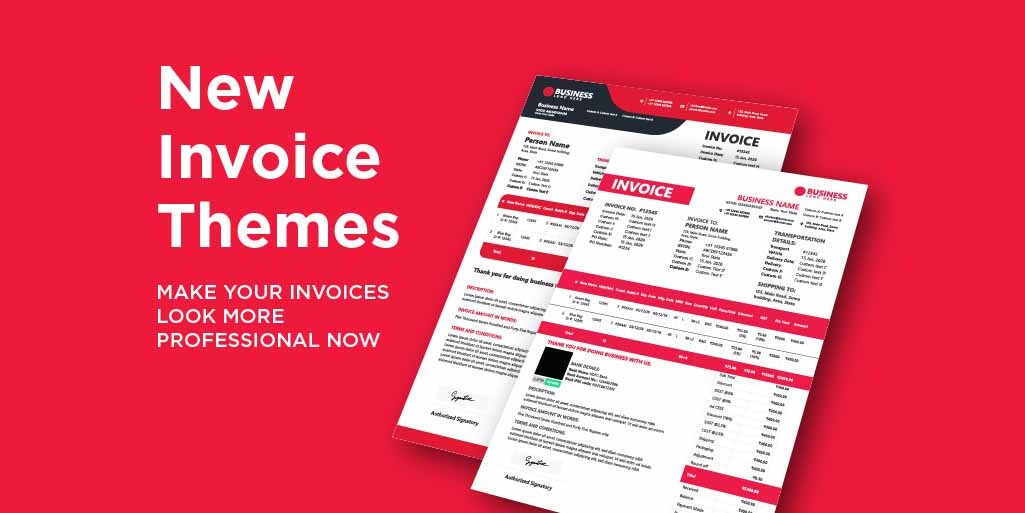
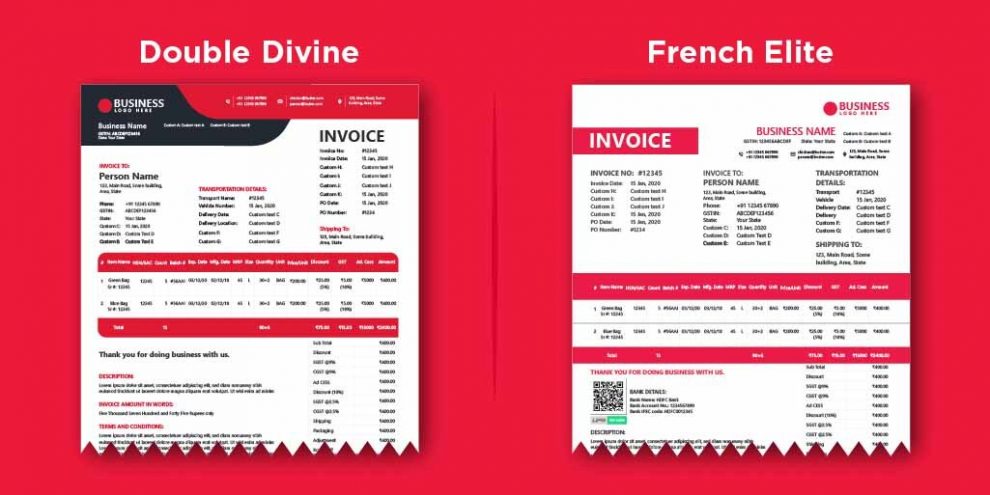
Using invoice Templates/Themes for your business makes sure your invoices are consistent and you are not missing important information. These themes making your invoicing more professional and Clear to the receiver. Also, the Vyapar GST Billing Software lets you customize your invoicing options according to your brand. So here Vyapar updated two latest themes to give your invoice a Professional look.
Benefits of Using an Invoice Template
Ease to use:Invoicing templates are quick and simple. They are easy to interact with, fill out, customize, save and the ability they give you to send out multiple invoices at once to ensure that your customer receives their bill quickly and payout on time.
Time saver: This means that when it comes time to invoice your client, all you need to do is click on the client you are wanting to invoice, and adjust the Item, hourly rate, or service description.
Get paid on time: Due to the ability to complete your invoicing tasks quickly and efficiently, you cut the time for your clients to receive and pay out your invoice on time. With Vyapar you can also share the UPI QR code on the invoice which enables your client to easily interact with the Code and quickly make a payment
Benefits of Invoice Themes
1. Gives professional look to your invoicing 2. Provides clarity to the receiver about the transaction 3. Helps to make your Business identity a brand 4. Allows you to use your own branding on invoices
Where to find the Invoice themes & how to use it in Vyapar App?
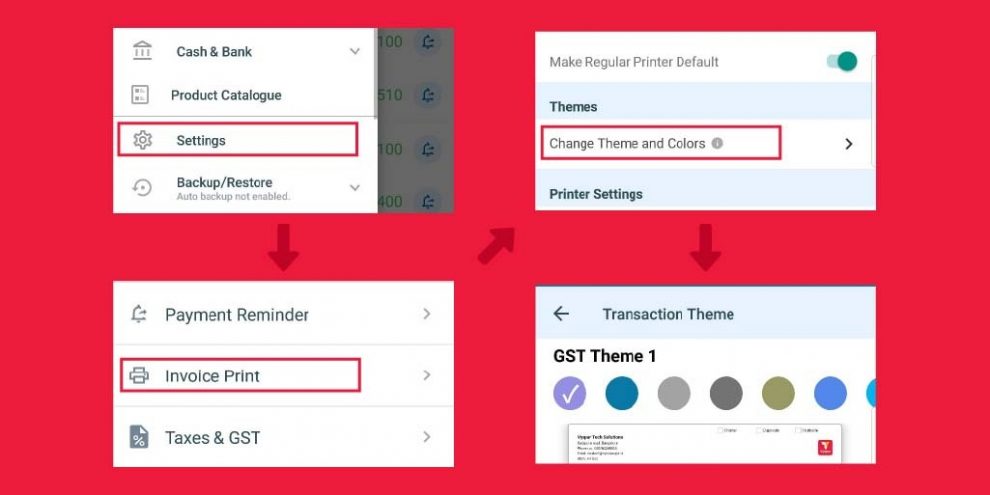
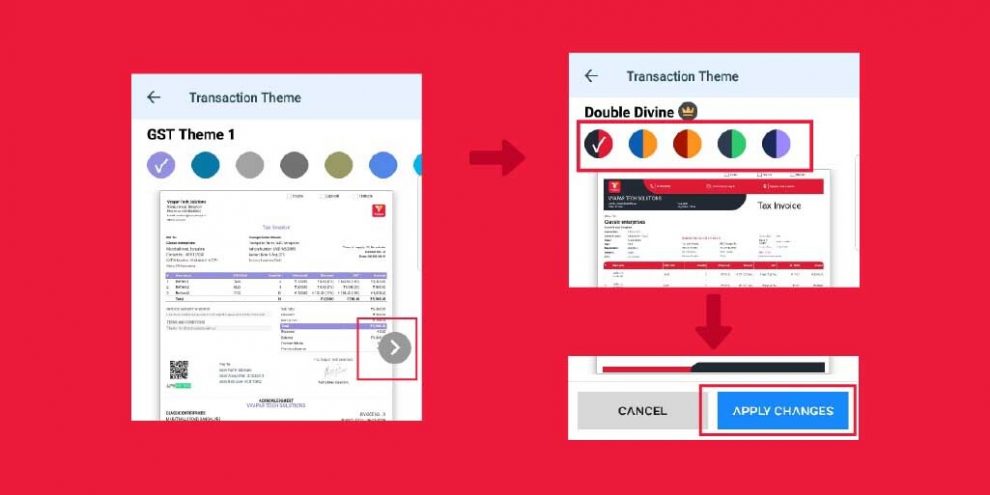
Go to Settings in left menu > Invoice print > Change Theme and colours (Allows you to choose theme and colours for your invoices)
On the screen Click on the Arrow to check the themes > select the colour you want > Click on “Apply changes” (Double divine and French Elite are the premium themes. You will be only able to choose these temes if you are a premium user)
Now you can print and share the invoices in the selected theme format. Every theme works inside Vyapar’s billing software, so the invoices you create carry the same professional look whether you print them, save them as PDF or share them on WhatsApp.
Please comment on the comment box below about your views on this new feature. Your feedback means a lot to us. We will be back soon with more updates in our next blog.
Vyapar Editorial Team represents the officially authorized content and review function at Vyapar App, a business management, billing and accounting software used by millions of SMEs. Articles published under this author are created and reviewed by subject-matter experts to ensure accuracy, compliance, and practical business value.
Invoice errors may seem like small mistakes, but they can create bigger problems for a business. An incorrect customer detail, duplicate invoice, wrong GST calculation, or missed payment follow-up can lead to confusion and delayed payments. For small businesses, keeping invoices accurate and organised is important for smooth billing and payment collection. Using invoicing software…
Tips to Reduce Invoice Processing Time Use Invoicing Software: Create invoices digitally to reduce manual work and keep records organised. Save Customer Details: Reuse saved customer information instead of entering it for every invoice. Maintain a Product List: Save product prices, GST rates, and HSN/SAC codes for faster billing. Automate GST Calculations: Let software calculate…
KEY TAKEAWAYS E-invoicing is the electronic authentication of B2B invoices on the government’s Invoice Registration Portal (IRP) Every valid e-invoice carries a unique IRN and a QR code Generating an e-invoice takes a single click through integrated billing software An e-invoice can be cancelled only within 24 hours, and only in full After 24 hours,…