What Is Accounting Software? Top Features and Benefits Explained

Introduction
Running a business without proper accounting is like driving at night with your headlights off. You may keep moving, but you can’t see the road, the potholes, or the turns coming your way. Accounting software switches on those headlights. It takes scattered financial information like bills, receipts, bank entries, and stock details, and turns it into organized, real-time insight that actually helps you stay in control.
At its core, accounting software is a digital system that records, tracks, and analyzes your financial transactions. Instead of writing numbers in physical ledgers or juggling multiple spreadsheets, the software automates most of the routine tasks. This saves time, reduces mistakes, and gives you a clear picture of how your business is performing at any moment.
Before we dive deeper into what accounting software does, let’s start with how it really works behind the scenes.
How Accounting Software Works
Think of accounting software as the financial nerve center of a business. Every transaction goes through it:
- A sale you make
- A bill you pay
- A purchase from your vendor
- A salary you transfer
- A return or refund
- A GST payment
- Even a future budget or projection
Here’s what typically happens step-by-step:

1. You record a sale or upload a receipt
You could create an invoice, upload an expense bill, or record a cash sale. Many modern systems even let you take a photo of a receipt and automatically read the details.
2. The software categorizes the transaction
It decides whether this is:
- Income
- Expense
- Asset
- Liability
- Equity
And places it into the right bucket automatically.
3. Double-entry accounting happens in the background
Every transaction creates two entries.
For example:
- You sell goods → Sales (income) go up, Stock (asset) goes down
- You pay rent → Cash (asset) goes down, Rent expense goes up
The software ensures the books always stay balanced.
4. Reports update in real time
Your profit and loss, cash flow, receivables, payables, stock value, and bank balances reflect these changes instantly. There’s no waiting till month-end to understand your numbers.
5. The system syncs with connected tools
Bank feeds, POS systems, payment gateways, and e-commerce platforms send data directly into the software.
This entire automated loop reduces manual effort, avoids miscalculations, and keeps your records audit-ready.
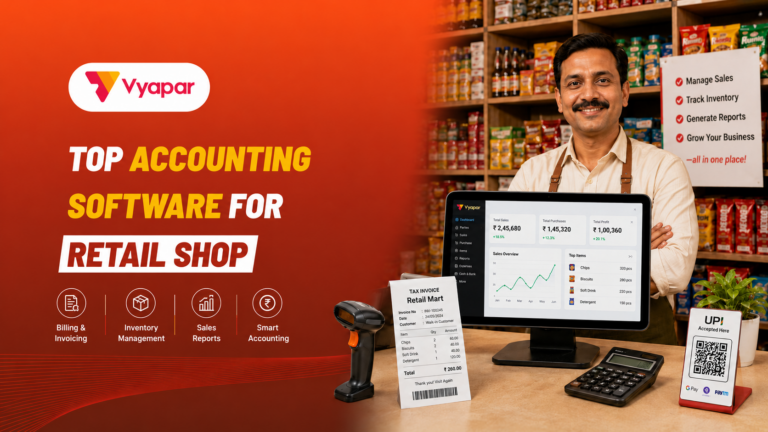
Software like Vyapar is popular among Indian businesses because it handles day-to-day work without feeling like a complicated, corporate accounting tool.
Types of Accounting Software
There’s no one-size-fits-all. Different businesses need different systems depending on their size and operations. Here’s the simplest way to understand the common types:
1. Basic Accounting Software
Ideal for small businesses, freelancers, and home-based operations.
Handles:
- Invoicing
- Expense tracking
- Simple reporting
It’s straightforward, lightweight, and easy to learn.
2. Inventory-Based Accounting Software
Perfect for businesses that buy and sell physical goods.
Handles:
- Stock level tracking
- Purchase orders
- Sales orders
- Batch and expiry
- Low stock alerts
Think retail, wholesale, distributors, and manufacturing.
3. Advanced Accounting Systems (ERP)
Used by large companies with complex workflows.
Handles:
- Multi-branch operations
- Advanced reporting
- Detailed budgeting
- Bulk data management
- Department-wise access
- MIS Reports
4. Cloud Accounting Software
Data is stored online and accessible anytime from your phone or computer.
Benefits:
- Real-time sync
- Work from anywhere
- Automatic backups
- Multi-user access
Vyapar, for example, combines ease of use with cloud convenience, which is why many Indian MSMEs prefer it.
Key Features Every Good Accounting Software Should Have
Not every tool is worth your time. The best software simplifies work, eliminates repetition, and helps you understand your numbers without needing an accountant’s brain.
Let’s break down the features that actually make a difference, using simple examples.
1. Automatic Bank Syncing and Reconciliation
Good software connects directly to your bank account and pulls all your transactions automatically.
Example:
If your customer pays you ₹18,000 via UPI, the bank entry appears automatically. You just match it against the invoice, and the software marks it as paid.
Month-end reconciliation becomes a 10-minute task instead of a 5–6 hour headache.
2. Smart Invoicing and Billing
You can create clean, professional invoices with your logo, track who hasn’t paid, and send reminders with one click.
Many systems allow online payments through UPI, cards, or wallets, so cash comes in faster.
Example:
A customer forgets to pay your invoice.
The software automatically sends a reminder saying:
“Payment due for Invoice #154.”
You don’t have to chase them manually.
3. Real-Time Financial Reporting
You shouldn’t wait for your accountant to tell you if you’re in profit or loss.
A good tool gives you instant reports like:
- Profit and loss
- Balance sheet
- Cash flow
- Sales by product
- Expense patterns
And customizable dashboards.
Example:
You notice that your electricity expense has increased by 30% this month. Instead of guessing, you can check the trend and identify the cause immediately.
4. Inventory and Stock Control
Product-based businesses absolutely need this. The software updates the inventory after every sale and purchase.
It tracks:
- Stock levels
- Reorder points
- Valuation
- Batch, MRP, expiry
- Purchase cost
- Profit margins
Example:
You’re a hardware store. A customer asks for a specific wrench, and you’re not sure if it’s in stock. Your app tells you the quantity instantly, no need to check shelves.
In-Depth Guide: Best Inventory Management Techniques for Small Retail Businesses
5. Tax Management and Compliance
Taxes become simple when the software automatically:
- Calculates GST
- Applies correct tax slabs
- Generates GSTR-1, GSTR-3B reports
- Prepares input tax credit details
- Maintains compliant invoices
Example:
Instead of sitting with spreadsheets during GST filing, you click “Download GST report” and share it with your CA.
6. Payroll Management
Some accounting systems include payroll for:
- Salary processing
- PF, ESI, TDS
- Overtime
- Leave and attendance
Great for small businesses with 5–50 employees.
7. Multi-Currency Support
If you sell internationally or buy from foreign vendors, multi-currency is a must.
The system converts values using the right exchange rates and reflects them in your financial statements.
8. Data Security and Role-Based Access
Your financial data is sensitive. Good software protects it with:
- Encryption
- Automatic backups
- Access controls
- Password roles
Employees can only see what they’re supposed to.
9. Integrations With Other Tools
Whether you use POS billing, e-commerce, CRM, or payment apps, integrating them with your accounting tool ensures smooth data flow.
Example:
If your billing tool is connected to accounting software, every sale automatically updates revenue, stock, and GST.
Vyapar, for instance, integrates billing, inventory, and accounting in a single system, which is why small businesses find it convenient.
Major Benefits of Using Accounting Software
Let’s talk about the real advantages businesses experience once they switch from manual bookkeeping.


1. Saves Time and Reduces Errors
Manual entries lead to:
- Mistyped numbers
- Duplicate entries
- Missing bills
- Improper tax calculations
Software reduces these issues drastically because most data flows automatically.
2. Clear Financial Visibility
You can check your business health anytime: profit, loss, expenses, debts, customer dues, vendor dues, everything.
Example:
You’re on vacation, and your accountant calls, saying a vendor is requesting payment.
Instead of guessing, you open your app and check if the vendor actually delivered the goods.
3. Better Cash Flow Management
- Track unpaid invoices
- Send reminders
- Offer online payment
- Avoid delayed collections
This keeps your business stable.
4. Stress-Free Tax Filing
All your invoices and expenses are categorized properly. You don’t scramble during tax season because your books are already clean.
5. Scales With Your Business
Start simple. Add features as you grow:
- Inventory
- Payroll
- Budgeting
- Multi-branch support
- Advanced reporting
You don’t have to switch systems, just upgrade.
6. Smarter Decision-Making
Accounting software doesn’t just show history. It shows trends and predictions.
Example:
If sales drop during certain months every year, the software highlights this pattern.
You can plan discounts or promotions to balance the low season.
7. Better Collaboration
Multiple users can access the system at the same time:
- Owner
- Accountant
- Store manager
- Finance team
Everyone sees the same data. No confusion. No version mismatch.
8. Stronger Data Security
Cloud-based systems often provide better data protection than spreadsheets stored on a laptop or a pen drive.
Automatic backups mean your data is safe even if your device crashes.
How to Choose the Right Accounting Software
Here’s a simple checklist to pick the right one:
- Identify your priorities (invoicing, stock, payroll, automation, reporting)
- Check compatibility with your bank and payment apps
- Look for GST/tax compliance
- See if the interface feels simple and intuitive
- Test mobile app performance
- Check if it fits your budget
- Try the free trial
- Ensure it can scale as your business grows
Most small and mid-sized businesses prefer software that’s practical, affordable, and built around Indian workflows like Vyapar, Tally, Zoho, etc..
The Future of Accounting Software
The field is evolving fast. AI and automation are already helping:
- Classify transactions
- Detect unusual patterns
- Predict cash flow issues
- Improve budgeting
We are moving towards:
- Fully automated bookkeeping
- Self-updating ledgers
- Intelligent fraud detection
- Personalized insights
- Minimal manual entry
Accounting will become less about entering data and more about making smart decisions based on insights.
Conclusion
Accounting software is no longer optional. It’s the backbone of any business that wants accuracy, efficiency, and financial clarity. It saves time, reduces mistakes, simplifies taxes, and gives you a real-time view of your business health.
When used well, it becomes more than a record-keeping tool; it becomes a roadmap for smarter growth. And with tools like Vyapar that blend billing, inventory, and accounting in one place, managing finances becomes far easier even for non-accountants.
Frequenetly Asked Questions (FAQs)
- Is accounting software useful for small businesses with limited transactions?
Yes. Even a business with 20–30 transactions a month benefits from organised books, automatic calculations, and quick GST or tax filings. It saves time and avoids errors that usually happen in manual records.
- Can accounting software replace a professional accountant?
Not entirely. Software automates repetitive work and calculations, but an accountant is still needed for interpretation, tax planning, and compliance checks. Both complement each other.
- Do I need internet access to use accounting software?
Many cloud-based tools need the internet, but several offline accounting systems work without it. The choice depends on whether you want remote access and automatic sync.
- How secure is my financial data in accounting software?
Modern tools use encryption, multi-factor authentication, and server backups. Cloud systems often offer stronger security than storing files on a single laptop, which can crash or get corrupted.
- Can accounting software handle multiple branches or business locations?
Yes. Most advanced systems allow multi-branch accounting, consolidated reporting, and user-level permissions to prevent data misuse.
- What happens to data if I switch from one accounting software to another?
Most platforms allow easy data export in formats like Excel, CSV, or JSON. Migration tools help import opening balances, ledgers, and masters into the new system.