Data synchronization is a process where you communicate your data between two or more devices to create a database and access complete details. Data synchronization(sync) Multiple Devices feature ensures accurate, secure, compliant data and successful team & customer experiences. For a business that runs its billing software on more than one phone or computer, sync keeps every invoice, payment and stock update the same on all devices.
Simply put, data synchronization is about synchronizing all the data used by the device or application while maintaining consistency and accuracy. Any change that occurs in a particular data reflects in other devices in near real-time. Now, with the help of a sync Vyapar app on multiple devices feature, you can easily synchronize your Vyapar app data with other devices in different locations. Below, you’ll see how to use sync multiple devices feature in the Vyapar App.
How can you use the Sync feature in Vyapar App on the Desktop?
Here are all the steps how to sync Vyapar app:
Enable the Sync from Admin Device
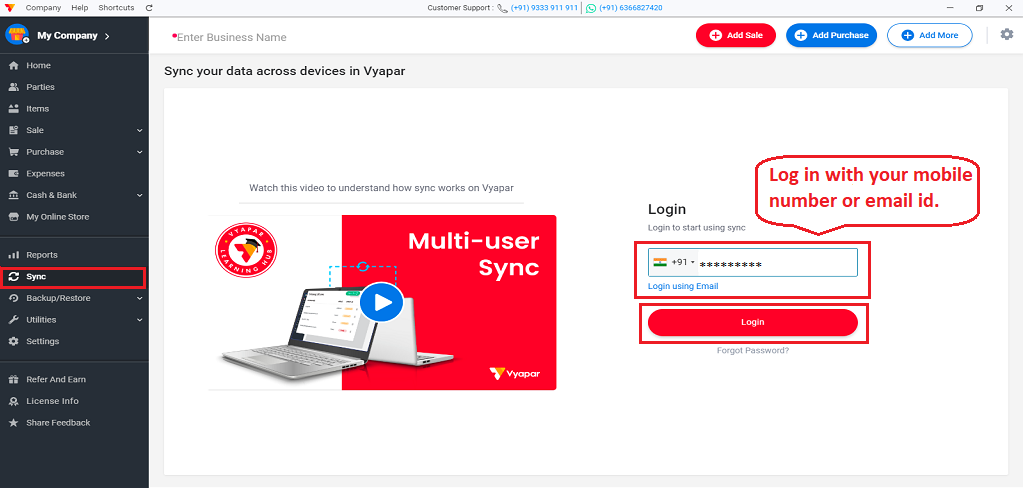
Step 1. Go to the left menu > Click on the “Sync” option > Here log in with your Email id or Mobile number as Admin
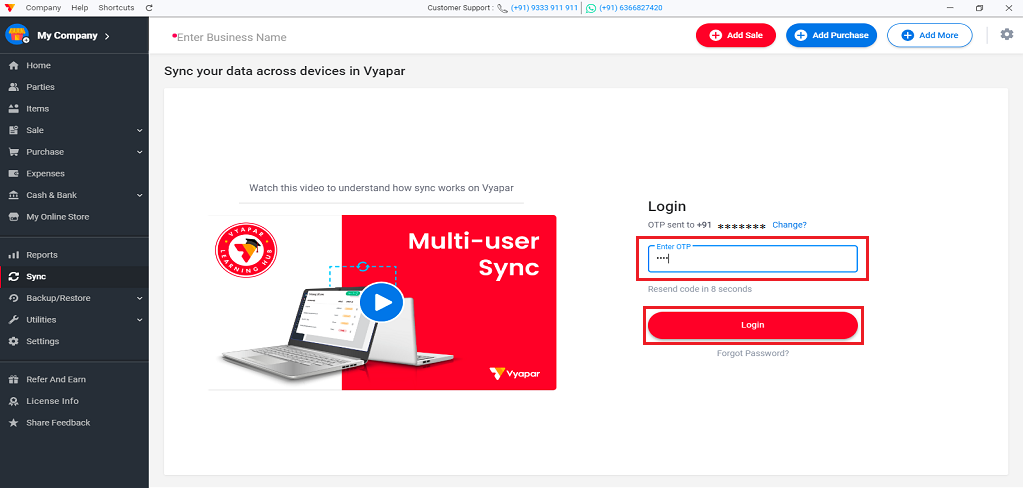
Step 2. Enter OTP > Click on “Login” button
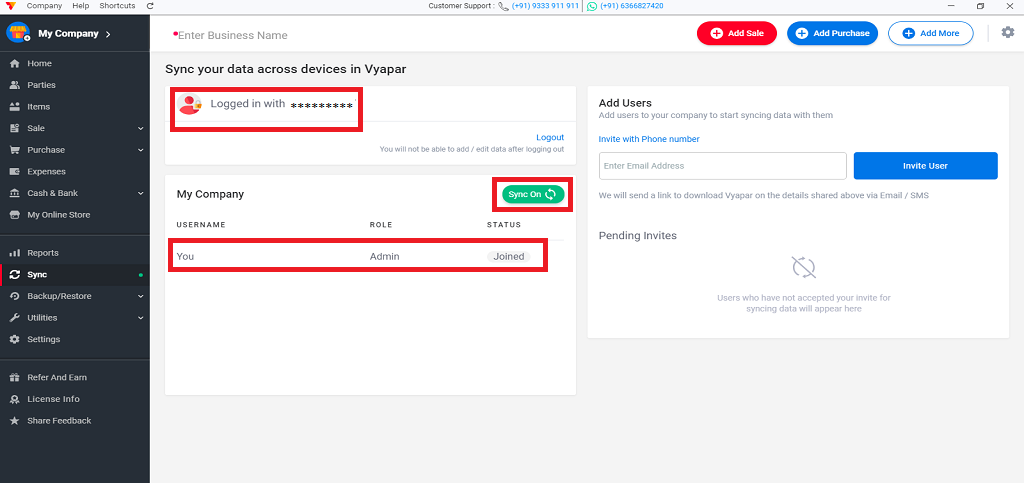
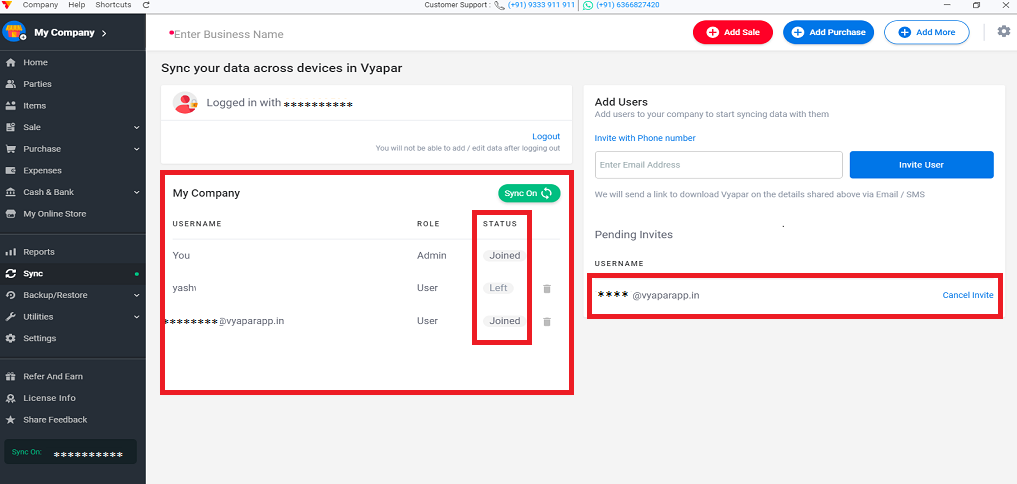
Step 3. Here you will get all the details.
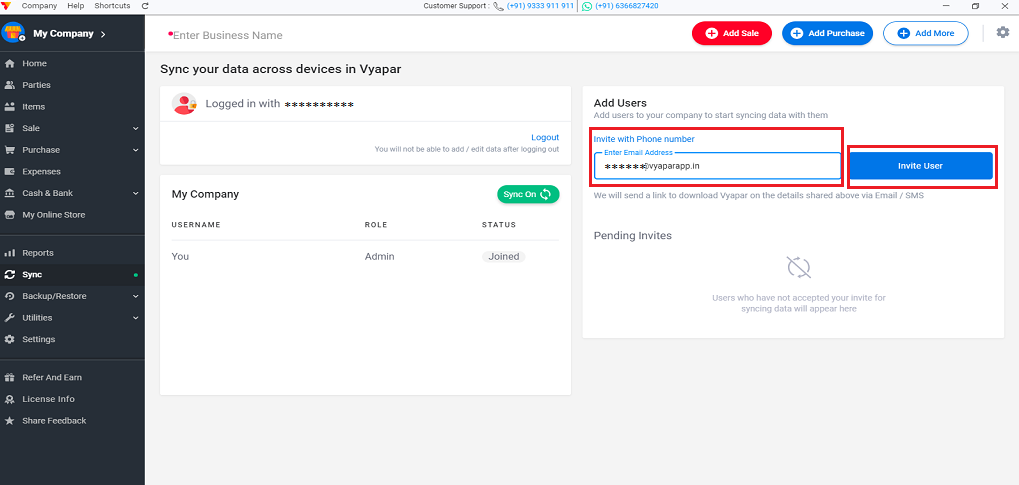
Step 4. Now on the right side enter the user mobile number or Email id to whom you want to give access to your data and click on the “Invite User” button.
Step 5. Once the user completes the login in their device it will be updated here > you can see the status of all devices here
(After inviting the user if the user does not accept your invitation it is shown on pending invites)
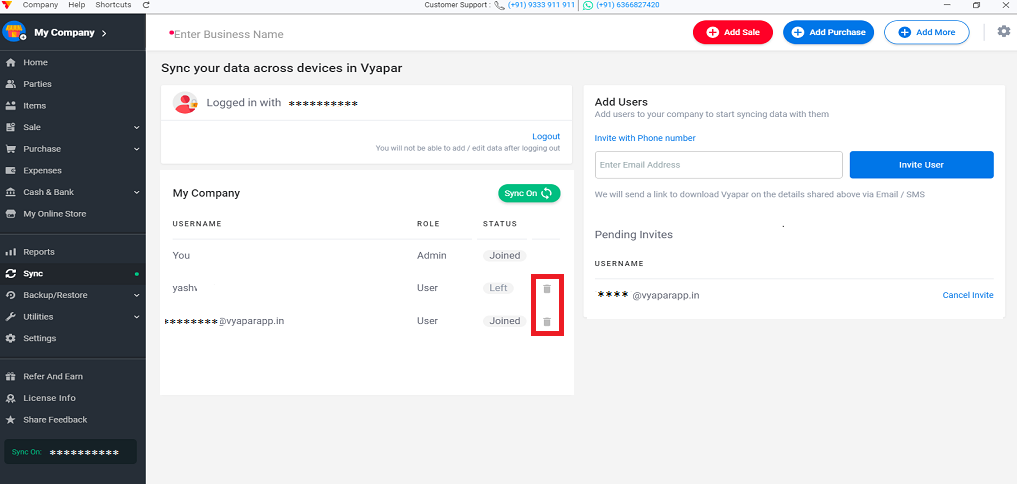
Step 6. If any time you want to revoke the access of any user you can simply delete the user by using this delete button.
Join Sync in User device to complete synchronization (Othe br devices)
If you invited a user by email then the user will receive the invitation via Email or if you invited the user on a phone number then the user will receive the invitation via WhatsApp/SMS from the Vyapar app
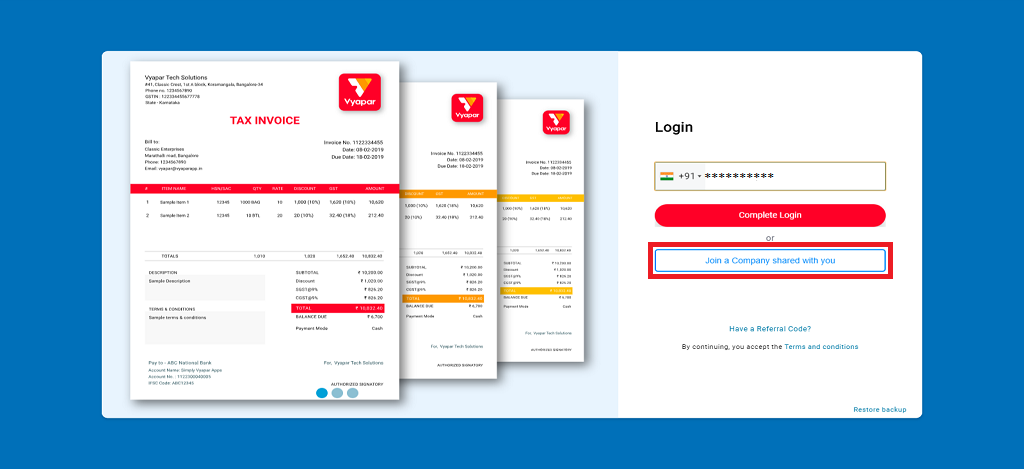
Step 1. Users have to download vyapar app from the link received in Email/ Whatsapp/ SMS > After download “Open Vyapar > Click on “Join a company shared with you” Option
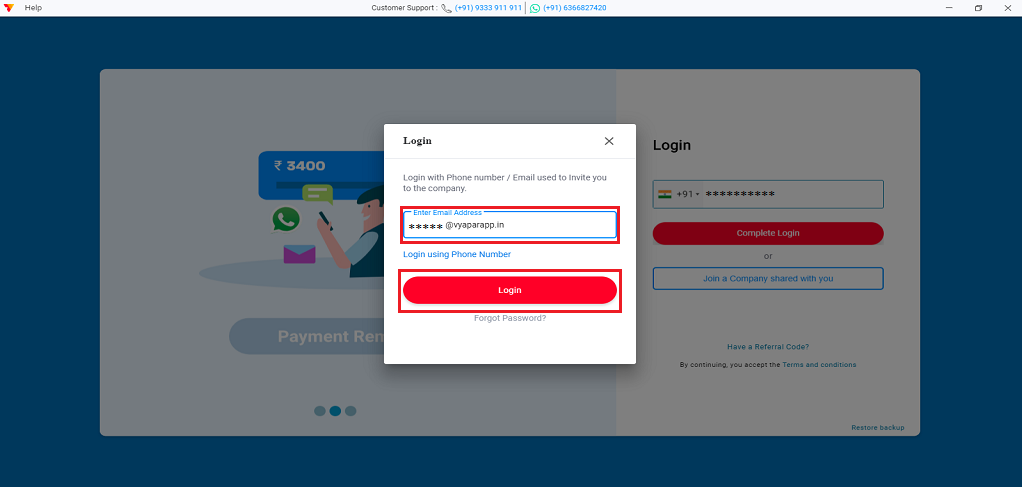
Step 2. Here login with the same details on which Admin invited you (Email/ Phone number)
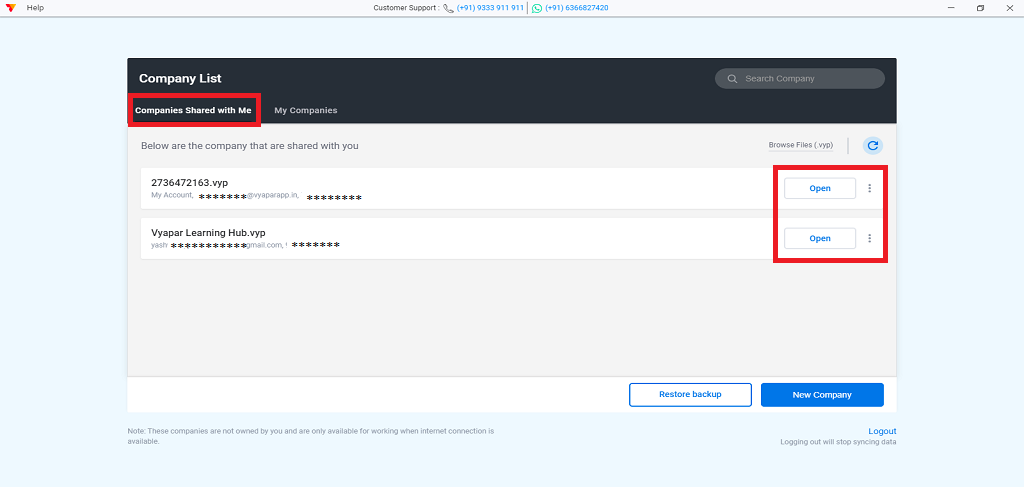
Step 3. Here go to the “Company shared with me” section > Here you will get the list of companies > Click on “Open” button to get the access > And let the company download
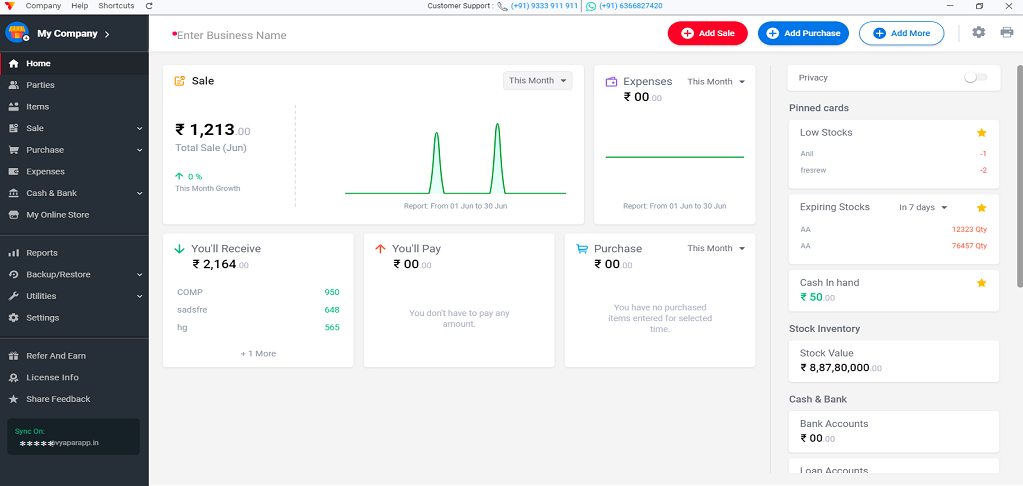
Step 4. Now you are ready to use the company, Admin shared with you.
Benefits of Data Synchronisation in Vyapar App
Here are some benefits of data synchronization in the Vyapar App.
It is simple to use and user friendly
With the help of the sync feature, you can synchronize your data with multiple devices/multiple users
Your data is easily manageable from anywhere or remote locations
You can give access of your data to as many users as you want
You can have a record and clear view of all users like how many users have joined and have left and whoever has not joined and is still on the pending list.
Being an Admin you have full authority, so fewer chances of any disputes regarding data. Also, your data is safe with you only, if you want to remove the access of a user, then you can easily remove them by just using the delete icon.
Vyapar Editorial Team represents the officially authorized content and review function at Vyapar App, a business management, billing and accounting software used by millions of SMEs. Articles published under this author are created and reviewed by subject-matter experts to ensure accuracy, compliance, and practical business value.
What Is a Profit and Loss Statement (P&L)? At the end of a financial year or in between every business wants to know whether it is gaining profit or suffering with a loss. Profit and Loss Statement (P&L) is a financial statement that provides a summary of a company’s revenues, costs, and expenses incurred over…
Introduction Electronic items changed the human lifestyle. Like a refrigerator, fan, oven, electric induction, iron box, washing machine, etc. All we get at electronic store. These home appliances have reduced human work. Nowadays the use of electronics equipment has become more due to huge growth in technology, Which in turn is increasing the demand of…
Now you can share a creative and professionally designed Greetings with your customer at no cost. These Greeting messages go with your business name, business logo and a customized message. Vyapar application lets you share Greeting messages with your clients on WhatsApp. Benefits of Sharing Whatsapp Greeting How to Share Greetings and Promotional Messages in Vyapar App?…