Normally, if a business is to be rooted well, then it needs the effort of a team. That may be an owner, admin, salesperson or manager. Each of them has their own roles to build a business well.
As an owner, there will always be a fear that maybe your employees might check the data and get all business information.
If business owners are in this dilemma, then it will be very difficult to make strategies. At the same time, it is also important to have faith in the employees rather than fear and have a good relationship with them.
What if a simple application like Vyapar billing software will make this easier for you and you can provide limited access to the employees and make your relationship better with employees without sharing your business data?
Yes!!!
Vyapar application is providing the advanced feature “User role permission”
Without wasting much time, let’s start with how to set “User role permission” in the Vyapar app!!!
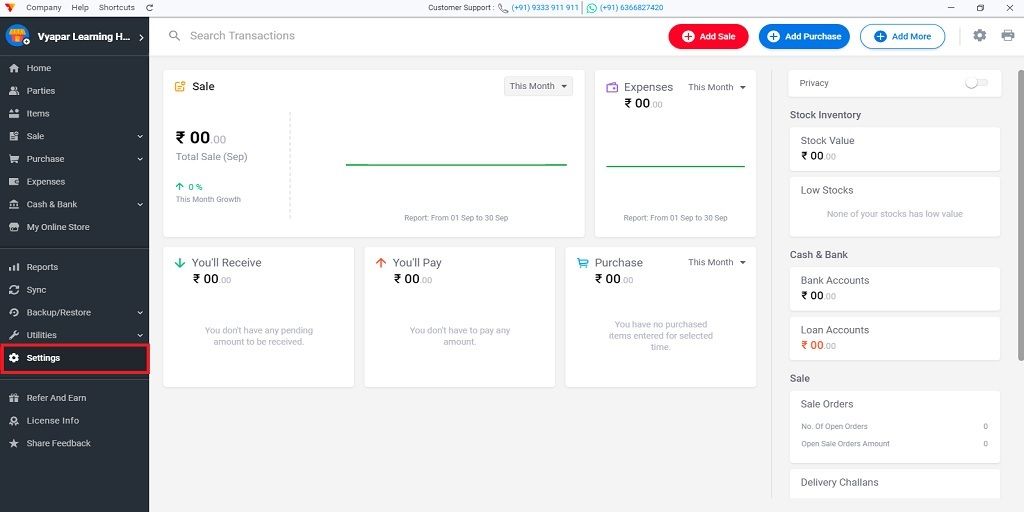
1. In the left menu click on the “Settings” option
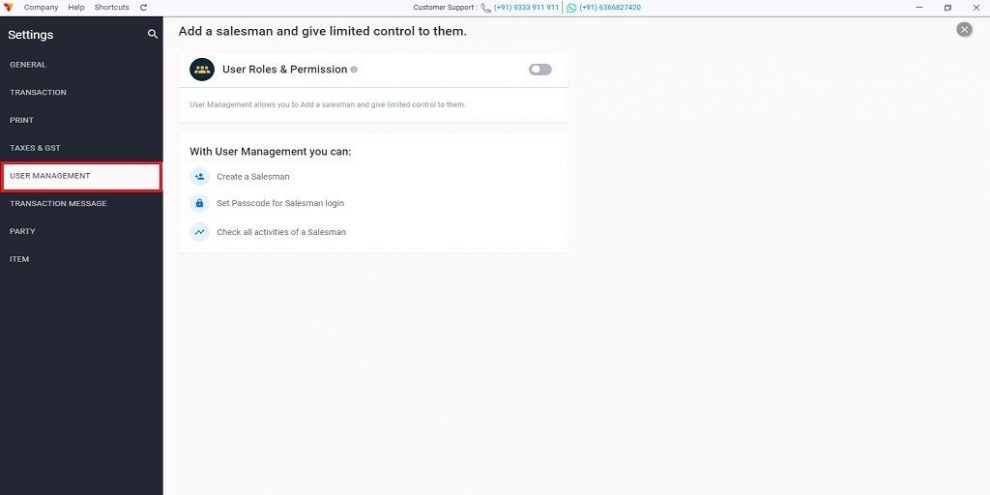
2. In settings click on the “User management” section
Here you can see what are the benefits of user role permissions.
You can create multiple accounts for the users
You can set/assign a separate password for each user
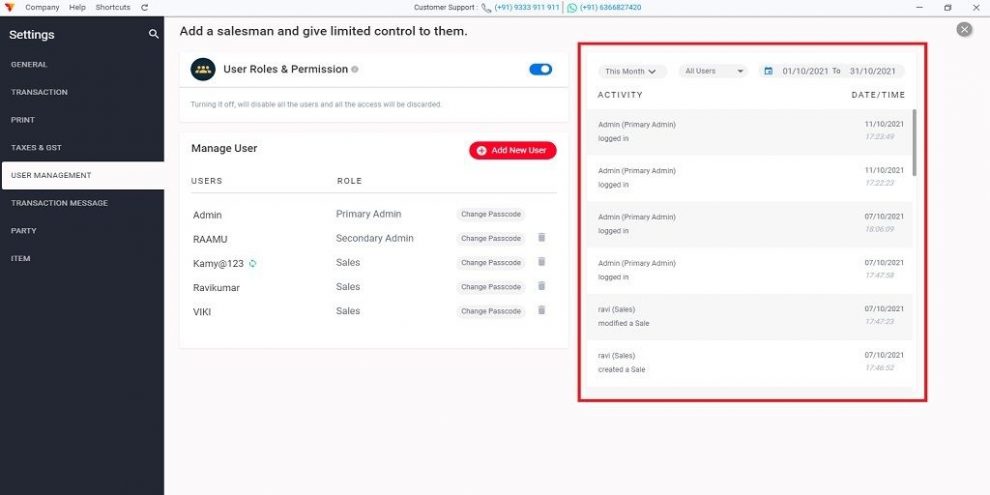
You can also track the activity of each user
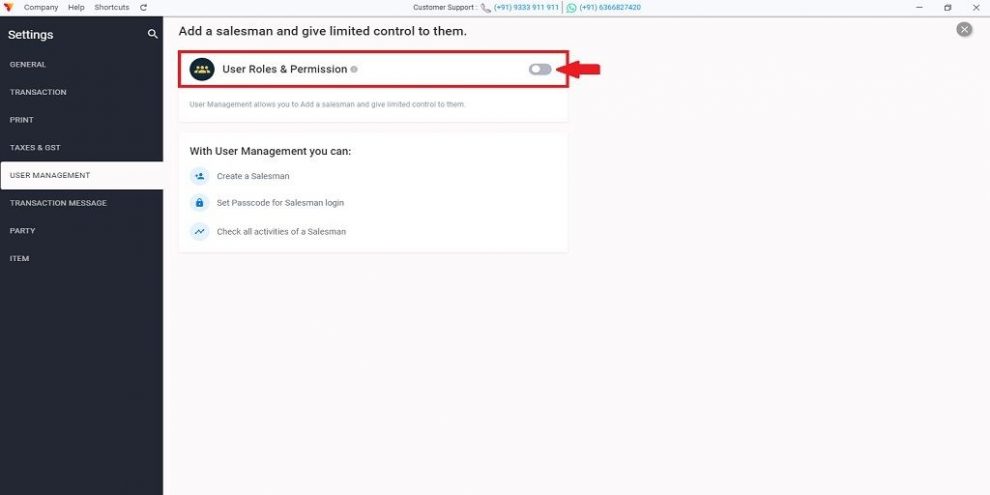
3. Now at the top, Enable “Users Roles & Permission” option
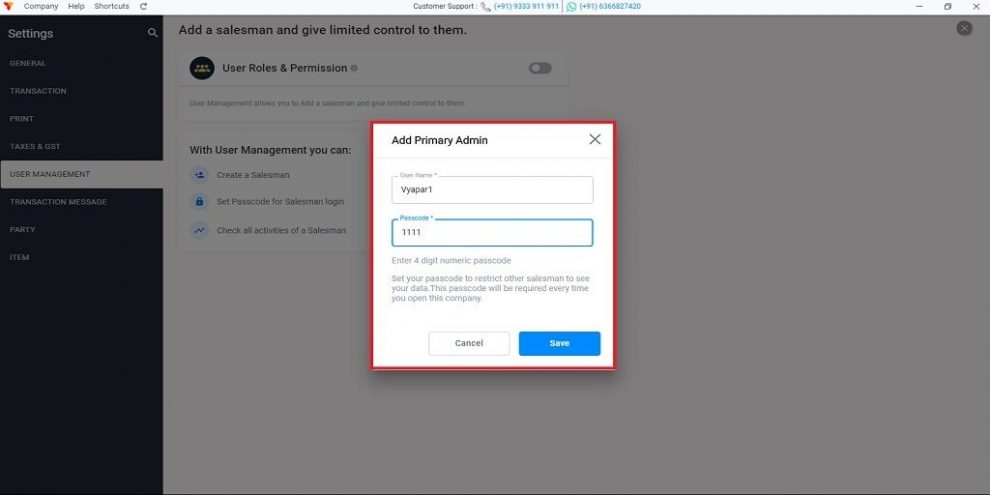
4. Here you will get the pop-up. Here you have to assign the first role of admin with the 4 digit password >> Click on the “SAVE” button
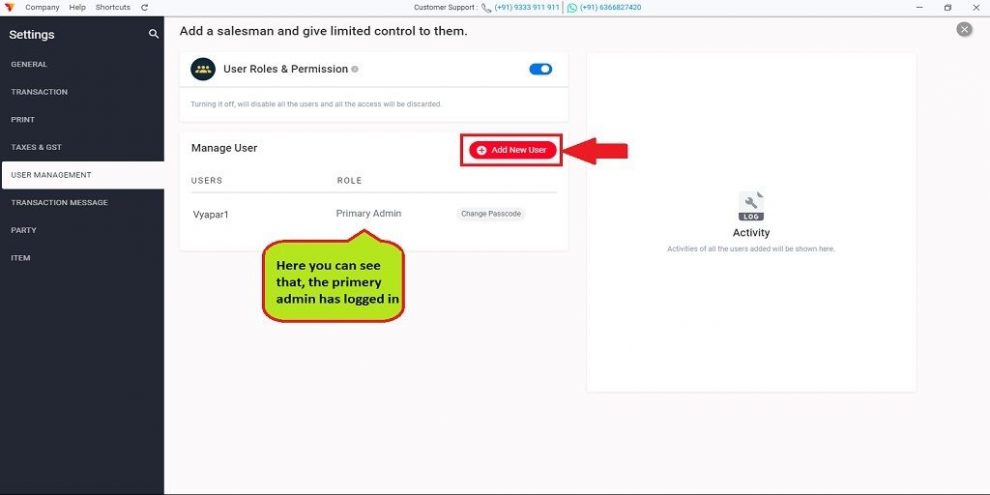
Your Admin role has been added successfully and you can see the details of primary admin in the list
Here you get the “Add new user” button. Use the button to assign other roles such as secondary admin or salesperson and give limited data access to them.
5. Click on “Add New User”
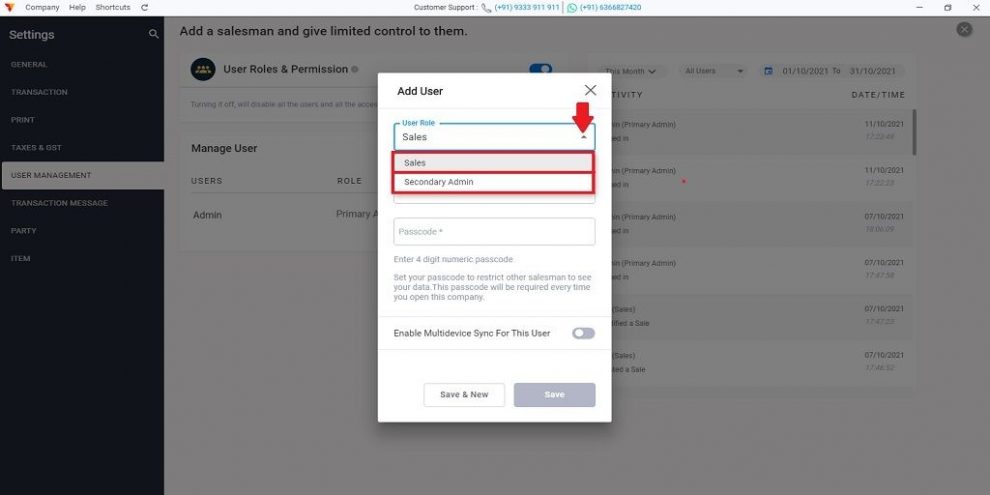
6. Select the user role from the drop-down menu
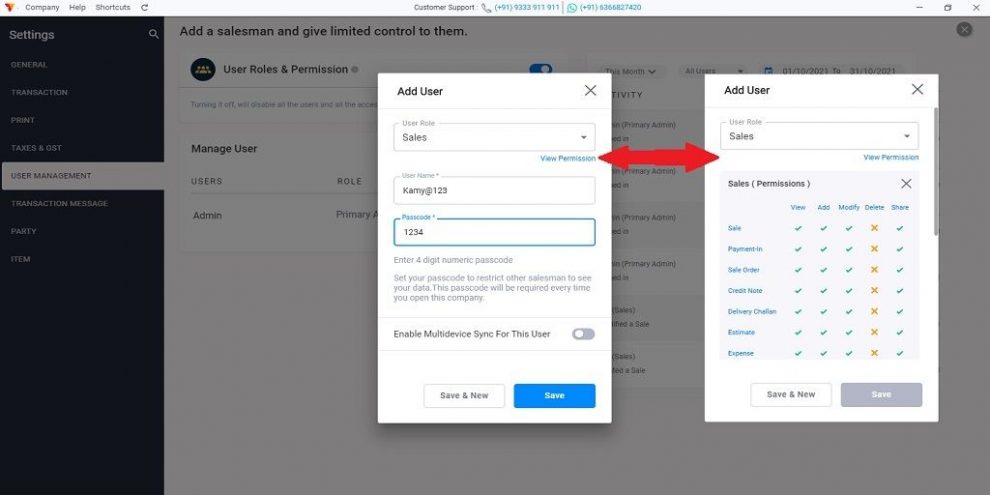
7. Click on “View Permission” and check the access points of the user >> Enter the user name and 4-Digit Passcode
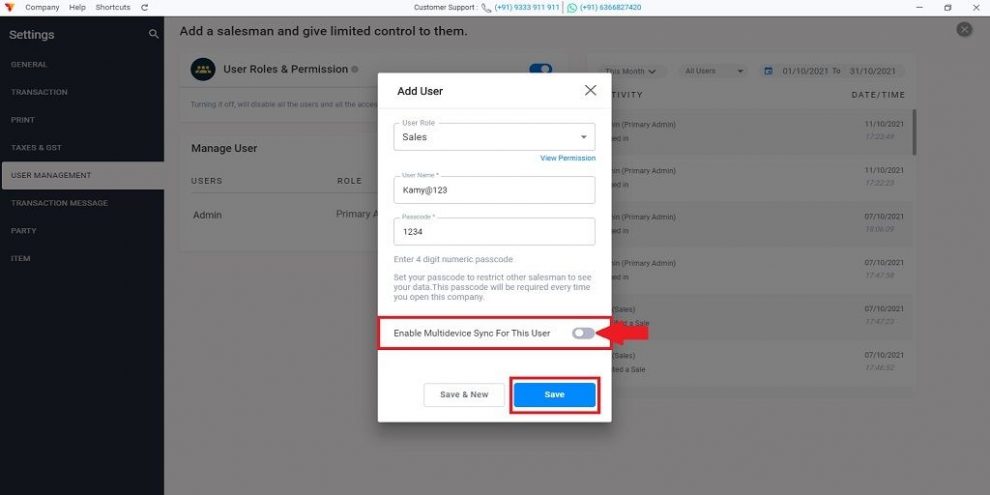
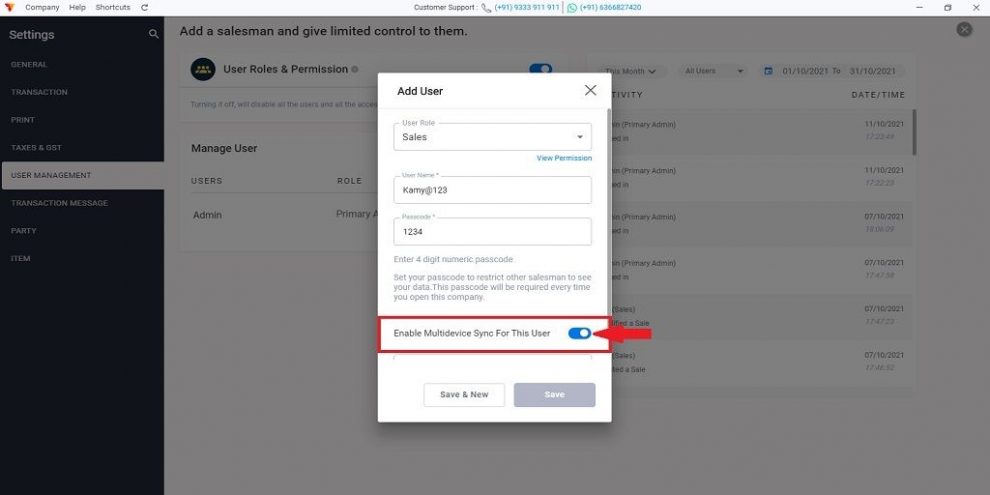
8. Now If this user is going to use Vyapar on the same device then there is no need to “Enable multi-device sync for the user”
9. But If you are giving permission to the user whoever have a separate device, in which he will operate the Vyapar app. Then switch on the “Enable multi device sync for the user” option
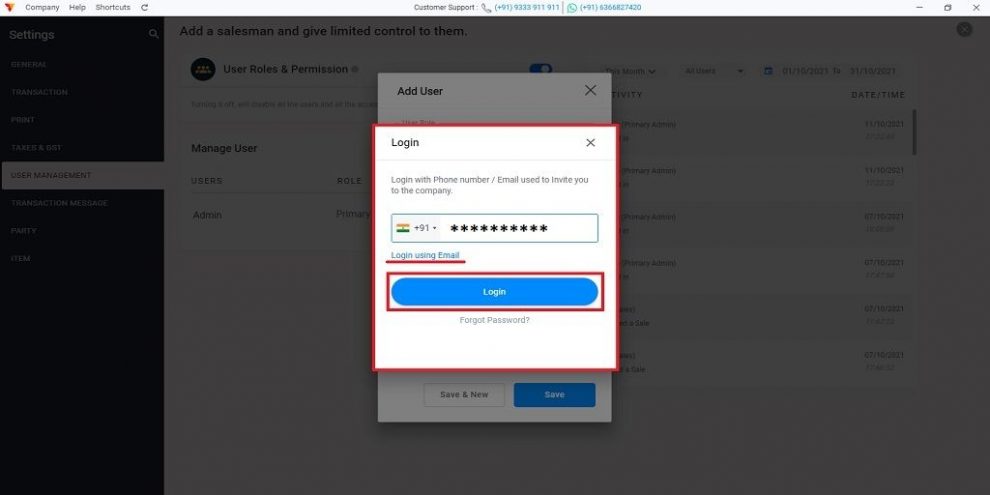
10. If it is asking for the login please login with your details to complete the synchronization
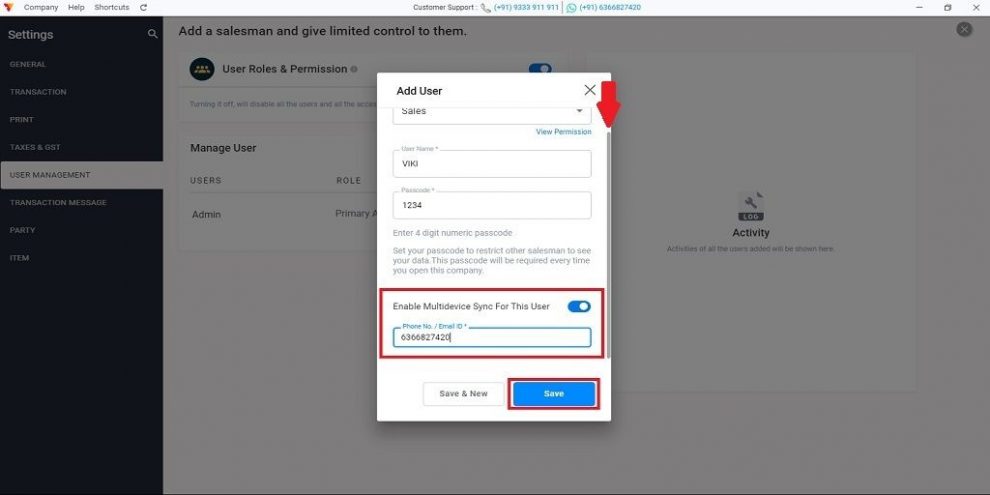
11. After that scroll down the window and you will get the box to enter the contact no or email ID of that particular user to whom you want to invite and give access on his device >> Click on the “Save” button
Once the process is done the user will get an invitation for access to this company and they can join the company easily
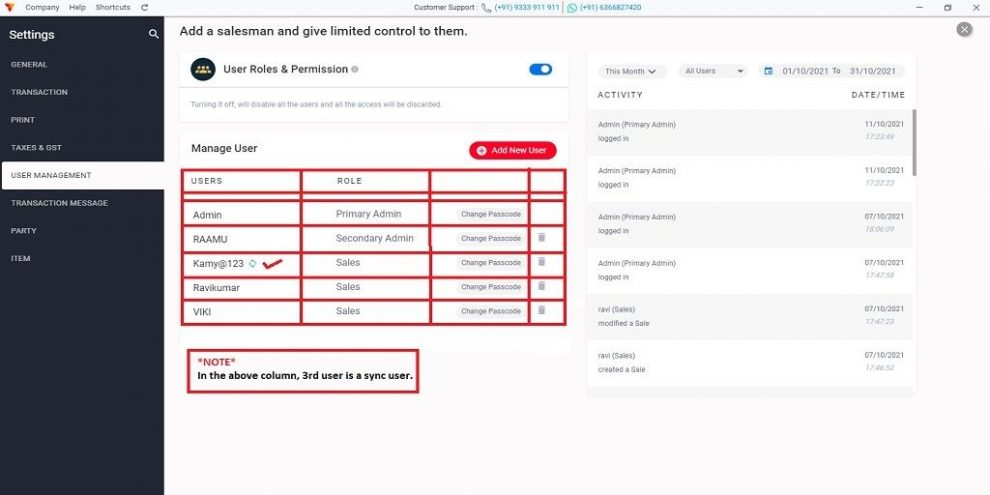
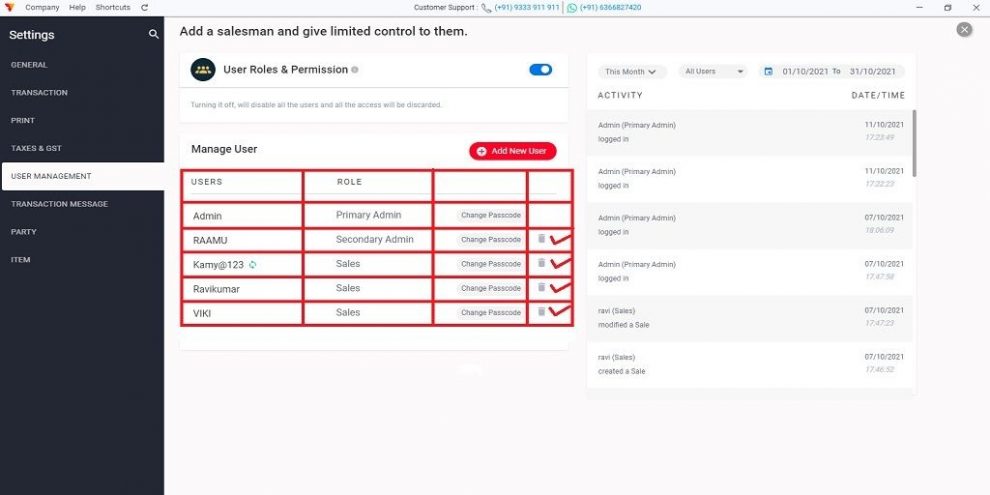
12. Now you can see the details of all the users here like their User name, Role, Sync user or not.
13. On the right side, you can check the activities of all the users like when the user logged in, which transaction they created, etc..
14. If you want to remove any user, then near to the user role you will get the delete icon >> Click on that icon and you can revoke the access of that user.
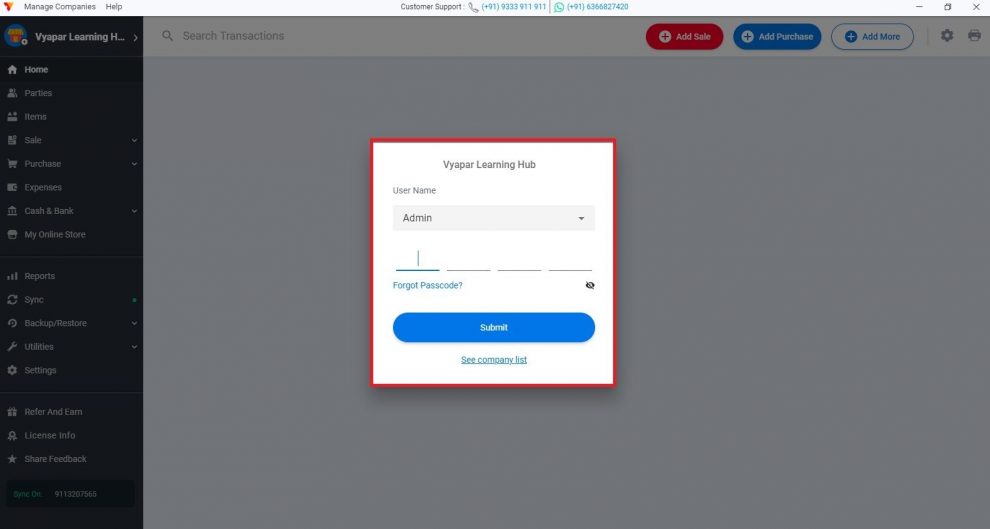
15. Every time when you open vyapar or reload the software it will ask for the login. Enter the details and start using Vyapar!!!
Conclusion
User role permission gave 83% of vyaparis(merchants) the freedom to access their business data. By allowing the user role they can limit access and they are happy that there is no fear of data loss and fraud by any of their employees. When several staff members create invoices every day, setting roles inside your billing software keeps sales, prices and reports visible only to the people who need them.
Apart from this they are also tracking daily business activity of users whenever they want on the activity dashboard. Such as-
User logged in
Transaction generated
Check a particular report on a user basis like a sales report.
Vyapar Editorial Team represents the officially authorized content and review function at Vyapar App, a business management, billing and accounting software used by millions of SMEs. Articles published under this author are created and reviewed by subject-matter experts to ensure accuracy, compliance, and practical business value.
What Is a Profit and Loss Statement (P&L)? At the end of a financial year or in between every business wants to know whether it is gaining profit or suffering with a loss. Profit and Loss Statement (P&L) is a financial statement that provides a summary of a company’s revenues, costs, and expenses incurred over…
Introduction Electronic items changed the human lifestyle. Like a refrigerator, fan, oven, electric induction, iron box, washing machine, etc. All we get at electronic store. These home appliances have reduced human work. Nowadays the use of electronics equipment has become more due to huge growth in technology, Which in turn is increasing the demand of…
Now you can share a creative and professionally designed Greetings with your customer at no cost. These Greeting messages go with your business name, business logo and a customized message. Vyapar application lets you share Greeting messages with your clients on WhatsApp. Benefits of Sharing Whatsapp Greeting How to Share Greetings and Promotional Messages in Vyapar App?…